Overview

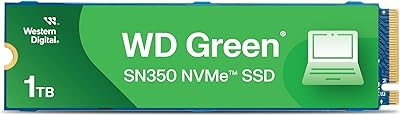
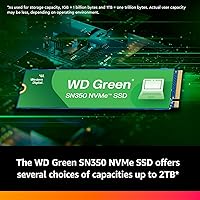
The WD Green SN350 2TB NVMe SSD sits squarely in the value tier — Western Digital's answer to buyers who want a real speed upgrade without spending serious money. Part of WD's efficiency-focused Green lineup, this drive isn't trying to compete with enthusiast-grade storage. It's built for reliable, everyday performance. The M.2 2280 form factor means it slots into virtually any modern laptop or desktop with an NVMe slot, keeping installation straightforward. One thing worth knowing upfront: it uses QLC NAND, which affects long-term write endurance. For most users that won't matter much, and the 3-year limited warranty adds reasonable peace of mind.

Features & Benefits

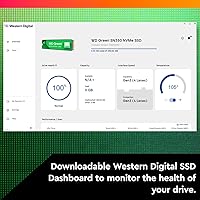
The SN350 2TB hits sequential read speeds that make OS boots and app launches feel noticeably snappier compared to any spinning hard drive. It runs on the PCIe Gen3 interface — not the newer Gen4, but Gen3 is still fast enough for the workloads most people actually run day to day. The QLC NAND is worth understanding: it keeps the cost-per-gigabyte low, but sustained write performance can taper off once the drive's cache fills up — worth keeping in mind if you move large files regularly. On the practical side, the drive weighs almost nothing, runs cool and quiet, and WD's SSD Dashboard software makes monitoring drive health genuinely easy.

Best For

This budget NVMe SSD makes the most sense for someone upgrading from a traditional hard drive — the speed difference in everyday use is significant, and 2TB gives you plenty of room to grow. It also works well as a secondary storage drive in a desktop build, where write endurance is less of a concern than it would be on a primary boot drive. Students, home office workers, and casual users running browsers, productivity apps, and media will find it more than capable. That said, if you regularly handle large video projects or run write-heavy workloads, a drive built on TLC NAND would be a smarter long-term investment.

User Feedback

With over 12,000 ratings averaging 4.7 out of 5, this WD Green drive has earned a broadly positive reception from mainstream buyers. Easy installation and a noticeable system speed boost after switching from a hard drive are two of the most common takeaways. The cool running temperature also gets mentioned frequently, which fits the Green lineup's efficiency positioning. The more critical feedback — and it does appear consistently — centers on sustained write speeds dropping once the SLC cache is exhausted, which matters if you push the drive hard. A smaller number of buyers flag the importance of confirming NVMe slot support on older motherboards before purchasing.

Pros

  • Massive 2TB capacity covers years of storage needs for most everyday users.
  • Boot times and app launches feel dramatically faster compared to any mechanical hard drive.
  • The M.2 2280 form factor fits nearly every modern laptop and desktop without adapters.
  • Western Digital's brand reliability gives buyers more confidence than budget no-name alternatives.
  • Runs cool and completely silent under typical home and office workloads.
  • The WD SSD Dashboard makes monitoring drive health and running firmware updates genuinely easy.
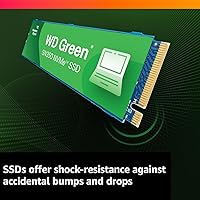
  • Shock-resistant solid-state design handles the bumps and drops of daily laptop use well.
  • A 3-year limited warranty provides a reasonable safety net for mainstream buyers.
  • Rated 4.7 out of 5 across more than 12,000 verified reviews — a consistently satisfied user base.
  • Excellent cost-per-gigabyte ratio makes 2TB accessible without stretching a tight build budget.

Cons

  • Sustained write speeds drop noticeably once the SLC cache is saturated — a real issue for large file transfers.
  • QLC NAND carries lower long-term write endurance than TLC-based drives at a similar price point.
  • PCIe Gen3 interface limits peak throughput compared to newer Gen4 drives on compatible systems.
  • No heatspreader or thermal pad included, which some competing drives offer even at this price tier.
  • The companion software feels dated and lacks the polish of apps bundled with premium SSD brands.
  • Older motherboards without NVMe support will not recognize the drive — a compatibility trap for unprepared buyers.
  • The 3-year warranty is shorter than the 5-year coverage offered by several rivals in the same category.
  • Performance advantage over a good SATA SSD is modest for users who are not upgrading from an HDD.

Ratings

The WD Green SN350 2TB NVMe SSD has been evaluated by our AI system after analyzing thousands of verified global buyer reviews, with spam, bot-submitted, and incentivized feedback actively filtered out. Scores reflect the honest consensus of real-world users across a wide range of use cases — from student laptops to home office desktops — capturing both what this drive does well and where it falls short. Strengths and pain points are weighted equally so you can make a fully informed decision.

Value for Money
92%
For buyers who need generous storage without stretching their budget, the SN350 2TB consistently stands out as one of the better deals in the M.2 NVMe space. Users frequently describe it as the obvious choice when building or upgrading a mid-range PC where every dollar matters.
A small segment of more informed buyers feel the QLC NAND somewhat undercuts the value proposition for heavy use cases, arguing that spending a little more for a TLC-based alternative would be smarter money long-term.
Read Speed Performance
83%
Day-to-day tasks like booting Windows, launching browsers, and opening large documents feel noticeably faster than any spinning hard drive. Users coming from older SATA SSDs also report a perceptible improvement in overall system responsiveness.
Compared to Gen4 NVMe drives, the read performance headroom is clearly limited — users running benchmarks or transferring very large files notice the ceiling. For typical home and office work this rarely matters, but it is a real constraint.
Sustained Write Performance
58%
42%
For short bursts — saving files, installing apps, downloading content — the drive handles things quickly thanks to its SLC write cache, and most casual users will never run into any issues during normal daily use.
Once the SLC cache fills up, sustained write speeds drop sharply, which is a known characteristic of QLC NAND. Users copying large batches of files or doing anything write-intensive for extended periods will see this slowdown clearly, and it is the most common technical complaint in reviews.
Installation Ease
94%
The standard M.2 2280 form factor means this drive fits virtually every modern motherboard and laptop with an NVMe slot, no adapters needed. Buyers with zero hardware experience consistently report having it installed and running within minutes.
A small but notable number of users — particularly those with older systems — ran into compatibility issues because their motherboard lacked NVMe support entirely. This is not a flaw in the drive itself, but it catches unprepared buyers off guard.
Thermal Management
88%
The drive runs noticeably cool under everyday workloads, which aligns with the efficiency focus of the Green product line. Users in compact laptops and small-form-factor builds appreciate that it does not add meaningful heat to an already warm enclosure.
Under sustained heavy loads, temperatures do climb more than with higher-end drives that include dedicated thermal pads or better NAND efficiency. This is rarely a problem in practice, but worth noting for use inside very cramped, poorly ventilated cases.
Reliability & Longevity
74%
26%
Western Digital's track record and the included 3-year limited warranty give most buyers a reasonable level of confidence. The solid-state construction also means there are no moving parts to wear out from physical handling, which matters for laptop users on the move.
QLC NAND inherently carries lower write endurance ratings than TLC counterparts, which gives some long-term planners pause. Users planning to use this as a primary drive for five or more years of heavy workloads may find themselves replacing it sooner than expected.
Software & Ecosystem
77%
23%
The WD SSD Dashboard is a genuinely useful companion app — it monitors drive health, tracks usage, and handles firmware updates cleanly. For less technical users, having a straightforward interface to check that everything is running normally is a real comfort.
The software is functional rather than polished, and some users report that it can feel dated compared to companion apps from competing brands. It also requires a separate download, which is a minor friction point during initial setup.
Compatibility
81%
19%
The M.2 2280 standard is about as universal as NVMe gets, covering a vast range of laptops and desktop motherboards from the last several years. Most users report plug-and-play recognition without needing to adjust BIOS settings.
Compatibility is not guaranteed on systems predating widespread NVMe adoption, and a handful of reviewers discovered this only after purchase. Checking your motherboard specs before buying is essential, and not everyone does.
Storage Capacity Satisfaction
91%
Two terabytes hits a sweet spot for most home users — enough to hold an OS, a large game library, a media collection, and years of documents without ever feeling squeezed. Buyers who previously dealt with cramped 256GB or 512GB drives are particularly enthusiastic.
A very small number of power users in creative fields find 2TB fills up faster than expected when working with raw video or large asset libraries, but this is more a reflection of their workload than any shortcoming of the drive itself.
Noise & Vibration
97%
With no moving parts whatsoever, this is a completely silent drive under all conditions. Users who previously dealt with audible hard drive activity — especially in quiet home offices or late-night study sessions — consistently flag this as an underrated quality-of-life improvement.
There is essentially nothing negative to say here; silence is a baseline expectation for any SSD and the drive meets it fully. This category only becomes relevant when comparing the overall system experience against HDD-equipped machines.
Physical Build Quality
79%
21%
The drive is compact and light enough that handling it during installation feels straightforward and risk-free. The PCB feels solid, and there are no reports of physical defects or poor construction quality at scale across the large review base.
Some buyers note the absence of any heatspreader or thermal label, which is common on budget-tier drives but still a point of comparison against pricier options that include one. It is a minor omission rather than a real problem for most use cases.
Boot & Wake Performance
86%
Cold boot times on Windows with this drive are fast enough that users rarely wait more than ten to fifteen seconds to reach the desktop. Wake-from-sleep is effectively instant, which makes a tangible difference in daily laptop use.
The improvement over a mid-range SATA SSD is real but not dramatic in this specific category. Users expecting a transformative difference over their existing SSD — rather than an HDD — may find the upgrade less striking than anticipated.
Gaming Load Times
71%
29%
For casual and mid-range gaming — loading levels, saving progress, running game launchers — the SN350 2TB handles things without issue. The 2TB capacity means most users can keep a substantial game library installed and ready to go.
Competitive or enthusiast gamers who have tested it against Gen4 drives in shader compilation or open-world streaming scenarios report measurable differences. It is a capable gaming drive for most people, but not the best choice if raw load speed is the top priority.
Warranty & After-Sales Support
76%
24%
The 3-year limited warranty is a reasonable safety net for a budget-category drive and aligns with industry norms for this tier. Western Digital's established support infrastructure gives buyers more confidence than they would get from a lesser-known brand.
Three years is on the shorter end compared to premium SSDs that offer five-year coverage, and some users feel the warranty period should be longer given the QLC endurance trade-offs. The claims process, while functional, is not always described as fast or friction-free.

Suitable for:

The WD Green SN350 2TB NVMe SSD is a strong fit for anyone making the jump from an old spinning hard drive and wanting a dramatic improvement in everyday speed without a steep price tag. Students storing course materials, assignments, and downloaded media will find 2TB more than generous, and the straightforward M.2 installation means even first-time builders can get it up and running without stress. Home office users running web browsers, office suites, video calls, and cloud sync tools will get everything they need from this drive — it handles those workloads comfortably and quietly. It also makes excellent sense as a secondary storage drive in a desktop PC, where you park your game library, media collection, or project archives and the write endurance limitations of QLC NAND simply become irrelevant. Budget-conscious PC builders who need a reputable brand, solid capacity, and dependable everyday performance will find the SN350 2TB checks all the right boxes.
Not suitable for:

The WD Green SN350 2TB NVMe SSD is not the right tool for users whose work revolves around writing large volumes of data continuously — video editors exporting high-resolution footage, photographers batch-processing RAW files, or streamers capturing uncompressed recordings will eventually push past the drive's SLC cache and run into the slower sustained write speeds that QLC NAND delivers. If you need a primary drive for a high-performance workstation or a competitive gaming rig where every millisecond of load time matters, a TLC-based NVMe drive or a Gen4 option would be a smarter investment. This budget NVMe SSD also is not ideal for users planning to run a NAS, a write-heavy server workload, or any environment where long-term write endurance is a hard requirement. Finally, anyone with an older system that predates NVMe slot support should verify motherboard compatibility before purchasing — the drive simply will not work in a machine limited to SATA connections.
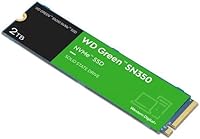
Specifications

  • Brand: Manufactured by Western Digital Technologies, Inc., a long-established and widely trusted name in consumer and enterprise storage.
  • Model Series: Part of the SN350 Green lineup, positioned as an efficiency-focused, everyday-use NVMe drive rather than a high-performance flagship.
  • Capacity: Offers 2TB of usable storage, providing ample space for operating systems, applications, game libraries, and personal media collections.
  • Form Factor: Uses the M.2 2280 form factor, which is the most widely supported M.2 size across modern laptops and desktop motherboards.
  • Interface: Connects via PCIe Gen3 x4 NVMe, a well-supported interface standard that delivers strong everyday performance across a broad range of compatible systems.
  • NAND Type: Built on QLC (Quad-Level Cell) NAND flash, which enables a competitive cost-per-gigabyte but carries lower sustained write endurance than TLC-based alternatives.
  • Sequential Read: Rated for sequential read speeds of up to 3,200 MB/s, which translates to fast OS boot times and quick application launches under typical workloads.
  • Sequential Write: Rated for sequential write speeds of up to 3,000 MB/s within the SLC cache window; speeds taper noticeably under sustained, cache-exhausting write loads.
  • Dimensions: Measures 3.15 x 0.87 x 0.09 inches, conforming exactly to the standard M.2 2280 footprint for tool-minimal installation in most systems.
  • Weight: Weighs just 0.264 oz, making it one of the lightest storage upgrades available and adding virtually no measurable mass to a laptop or desktop build.
  • Operating Voltage: Operates at 1V, consistent with modern low-power NVMe drive standards that help keep system energy consumption and heat output in check.
  • Compatibility: Compatible with laptops, desktops, and PCs equipped with an M.2 NVMe slot; not compatible with systems that only support M.2 SATA or have no M.2 slot at all.
  • Warranty: Backed by a Western Digital 3-year limited warranty, covering manufacturing defects under normal usage conditions from the date of purchase.
  • Companion Software: Includes access to the WD SSD Dashboard, a downloadable utility for monitoring drive health, tracking usage statistics, and applying firmware updates.
  • Shock Resistance: Solid-state construction with no moving parts provides inherent resistance to physical shock from everyday drops and bumps, making it well-suited for portable systems.
  • Release Date: First made available in August 2021, giving the drive a solid track record across a large and well-documented base of real-world users.

Related Reviews

Western Digital 1TB WD Green SN350 NVMe SSD
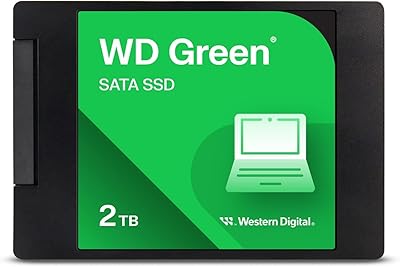
85%
92%
Performance (Read Speed)
89%
Value for Money
88%
Durability & Shock Resistance
90%
Ease of Installation
75%
Write Speed
More
Western Digital 500GB WD Green SN350 NVMe SSD
85%
91%
Value for Money
88%
Performance Speed
84%
Build Quality
93%
Ease of Installation
80%
Durability
More
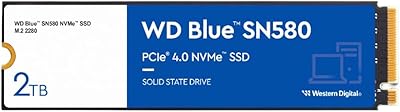
Western Digital WD Green 2TB Internal SSD
82%
91%
Value for Money
84%
Read Performance
71%
Write Performance
93%
Installation Experience
92%
Compatibility
More
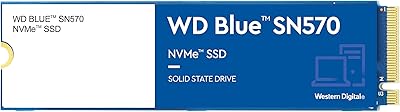
Western Digital 2TB WD Blue SN580 NVMe SSD
89%
91%
Performance
94%
Speed (Read/Write)
88%
Build Quality
92%
Value for Money
90%
Durability/Endurance
More
Western Digital 2TB WD Blue SN570 NVMe SSD
87%
92%
Performance
90%
Reliability
85%
Installation Process
95%
Speed (Read/Write)
88%
Power Efficiency
More
Western Digital 2TB WD Red SN700 NVMe SSD
88%
93%
Performance
94%
Speed
90%
Endurance
89%
Reliability
92%
Compatibility with NAS Devices
More
SanDisk 2TB SSD Plus M.2 NVMe SSD
86%
89%
Performance
92%
Ease of Installation
88%
Reliability
91%
Value for Money
90%
Capacity
More
GiGimundo G7400 2TB NVMe SSD
85%
93%
Performance
94%
Speed
72%
Thermal Management
88%
Ease of Installation
91%
Compatibility
More
TEAMGROUP MP44L 2TB NVMe SSD
90%
94%
Performance
89%
Thermal Management
91%
Ease of Installation
87%
Value for Money
93%
Build Quality
More
WD_BLACK SN7100 2TB NVMe SSD
85%
93%
Read & Write Performance
88%
Gaming Load Times
86%
Power Efficiency
84%
Thermal Management
91%
Value for Money
More

FAQ

It will work in any laptop that has an M.2 slot supporting NVMe (PCIe). The key thing to check is that your laptop does not have an M.2 slot limited to SATA only — some older machines do, and this drive will not be recognized in that configuration. A quick search of your laptop model plus M.2 NVMe compatibility will confirm it in under a minute.

For most gaming use cases it performs well — game installs, loading screens, and saving progress all feel fast and responsive. Where it shows its limits is in very write-intensive scenarios like shader compilation for certain PC games or streaming game captures, where the QLC NAND's sustained write ceiling becomes relevant. For casual to mid-range gaming on a budget build, it is a very practical choice.

In plain terms, QLC NAND lets manufacturers pack more storage into a smaller space at a lower cost, which is why you can get 2TB at a competitive price. The trade-off is that the drive writes data more slowly once its fast cache fills up, and it has a lower total write endurance over its lifetime compared to TLC drives. For everyday computing — browsing, documents, streaming, casual gaming — this limitation will rarely if ever affect you.

Installing it is genuinely straightforward. You slide the drive into the M.2 slot at a slight angle, press it flat, and secure it with a single small screw — most motherboards and laptops include that screw already. The whole process typically takes five minutes or less, and you do not need any special tools beyond a small Phillips screwdriver.

If you are using it as a secondary storage drive, Windows will detect it and you can initialize and format it through Disk Management in a couple of clicks. If you are installing an operating system fresh onto it, just boot from your installation media and follow the setup process as normal. Optionally, you can download the WD SSD Dashboard afterward to keep an eye on the drive's health over time.

It works perfectly well as a primary boot drive for everyday computing. Boot times are fast, and the drive handles OS tasks without any issues for typical users. Where the secondary storage argument gets stronger is for power users who write large amounts of data constantly — in that case, putting a TLC-based drive as the boot drive and using this SN350 2TB for bulk storage is the smarter configuration.

No, it runs notably cool under everyday workloads, which is part of what the Green lineup is designed around. Even in compact laptops where airflow is restricted, users consistently report it does not add meaningful heat to the system. Under prolonged heavy loads it will warm up slightly, but thermal throttling is not a concern for normal use patterns.

Yes, though the gap depends on what you are doing. For sequential read tasks — booting up, loading large files — NVMe is measurably faster than SATA. For mixed everyday workloads like web browsing and office work, the practical difference is smaller but still perceptible. The biggest leap in perceived speed comes when upgrading from a mechanical hard drive, where the improvement is dramatic and immediately obvious.

Western Digital's 3-year limited warranty covers manufacturing defects, so if the drive fails under normal use conditions within that window, you can file a claim through WD's support site for a replacement. It is worth keeping your purchase receipt as proof of the purchase date. Data recovery is not included in the warranty, so maintaining a backup of anything important is always a good habit regardless of which drive you own.

The Green lineup, which this drive belongs to, is designed around value and efficiency rather than raw performance. The WD Blue SN580 and Black SN850X sit above it in WD's own hierarchy, offering TLC NAND and Gen4 speeds for users who need more sustained performance or higher endurance. If your workload is everyday computing, the Green is the sensible budget pick; if you regularly push large sequential writes or want top-tier gaming performance, stepping up to the Blue or Black makes more sense.

Where to Buy

Newegg.com
In stock $299.99
CPU Medics
In stock $249.00
Grooves-Inc.com
In stock $252.59
DirectDial
In stock $256.00
CompSource
In stock $256.80
Provantage
In stock $268.07
iPC Store
In stock $281.00