Overview

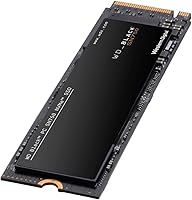
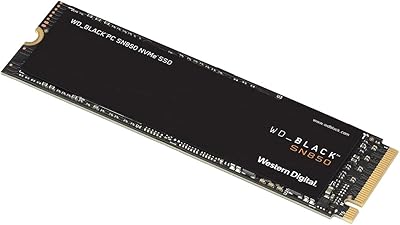
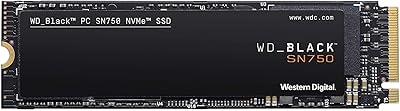
The WD_BLACK SN750 4TB NVMe Internal SSD sits at the serious end of Western Digital's gaming storage lineup — not a casual upgrade, but a deliberate choice for builders who want both capacity and speed without compromise. Running on a Gen3 PCIe NVMe interface, it delivers real-world throughput that leaves SATA drives far behind, which matters when loading large open-world titles or transferring multi-gigabyte project files. The M.2 2280 form factor fits virtually every modern desktop and most recent laptops. At 4TB, it is rare in this category — enough to house an entire game library, an OS install, and an active project folder simultaneously. The price reflects that ambition, and the audience should too.
Features & Benefits

At peak, this gaming SSD reads data at speeds that make loading a 100GB game feel genuinely quick — not just marginally faster, but a noticeably different experience. 3D NAND construction keeps performance consistent over time and supports a solid 600 TBW endurance rating, which is reassuring at this storage size. The WD_BLACK Dashboard includes a Gaming Mode that disables the drive's low-power idle states, keeping it primed during long sessions rather than throttling between actions — useful, though not transformative. One honest caveat: no heatsink is included, and under sustained heavy workloads the drive can run warm. A compatible third-party cooler is worth considering if airflow is limited. The 5-year warranty adds meaningful long-term confidence.

Best For

The SN750 4TB is built for a specific kind of buyer. PC gamers assembling a high-end rig who are tired of juggling multiple drives will appreciate one fast, spacious solution covering the OS, apps, and a full game library. Content creators — video editors, photographers, 3D artists — also benefit from the sustained throughput when handling large raw files. It suits enthusiasts doing a clean Windows build who want everything consolidated in one place. That said, this WD_BLACK NVMe drive is not the right call if your system only has SATA M.2 slots, if Gen4 speeds are a priority, or if cost per gigabyte is a deciding factor. Confirm your motherboard specs before ordering.

User Feedback

With over 18,000 ratings sitting at 4.8 stars, buyers have responded to this gaming SSD with consistent enthusiasm. The most common praise centers on plug-and-play installation, immediate drive recognition without driver headaches, and a responsive Dashboard experience. Long-term owners report that performance holds steady after years of daily use, which speaks well of the underlying build quality. On the critical side, users running intensive sustained workloads — large video renders, for instance — have flagged thermal concerns when no heatsink is fitted. Occasional firmware update prompts through the Dashboard come up too. Importantly, most low-star reviews trace back to compatibility confusion between SATA and NVMe slots rather than actual hardware defects — a pattern worth keeping in mind.

Pros

  • Massive 4TB capacity means most users will never need a second drive for games and projects.
  • Read and write speeds are fast enough to make a tangible difference in real-world load times.
  • 3D NAND construction delivers consistent, long-lasting performance backed by a solid endurance rating.
  • The M.2 2280 form factor fits the overwhelming majority of modern desktops and compatible laptops.
  • Gaming Mode in the WD_BLACK Dashboard keeps the drive responsive by disabling unnecessary idle power states.
  • Installation is straightforward — the drive is recognized immediately by most systems without extra setup.
  • A 5-year limited warranty provides strong peace of mind for a high-capacity storage investment.
  • Long-term owners report stable, reliable performance sustained over years of regular use.
  • Western Digital is a well-established brand with a solid track record in consumer and enthusiast storage.

Cons

  • No heatsink is included, and temperatures can climb under sustained heavy workloads.
  • Gen3 PCIe interface means peak throughput trails newer Gen4 drives in demanding benchmarks.
  • The premium price makes this a hard sell for buyers who do not genuinely need 4TB of fast storage.
  • Gaming Mode offers a modest, narrowly applicable benefit — it is not a meaningful performance upgrade for most users.
  • Occasional firmware update prompts through the Dashboard can interrupt workflow if not expected.
  • Strictly NVMe-only; buyers with SATA M.2 slots will receive an incompatible, non-functional drive.
  • The high capacity means a failed drive represents a significant data loss risk without a solid backup strategy.
  • Heatsink variants or third-party coolers add extra cost that buyers should factor in upfront.

Ratings

The WD_BLACK SN750 4TB NVMe Internal SSD earns its strong reputation across a remarkably large base of verified global buyers — our AI has analyzed tens of thousands of real ownership experiences, actively filtering out incentivized, bot-generated, and unverified submissions to surface what genuine users actually think. Scores below reflect both the areas where this gaming SSD consistently impresses and the real frustrations that a meaningful subset of buyers have encountered. Nothing has been smoothed over.

Read & Write Performance
91%
Buyers repeatedly describe boot times and game load screens that feel snappier than anything they experienced on SATA drives. Transferring large project files or installing multi-gigabyte game updates is noticeably faster in day-to-day use, and that responsiveness holds up well over extended ownership.
A subset of users who upgraded from Gen4 drives found the throughput less impressive by comparison, particularly during large sequential transfers. The performance gap is real in benchmarks even if it rarely matters for typical gaming sessions.
Storage Capacity
93%
For gamers and creators who have hit the ceiling on 1TB or 2TB drives, having 4TB in a single M.2 slot is a genuine quality-of-life improvement. Reviewers frequently mention never needing to uninstall a game to make room, which was a persistent frustration with smaller drives.
A handful of buyers noted that actual usable space after formatting comes in slightly under the advertised 4TB figure, which is standard across the industry but still catches some first-time buyers off guard.
Installation Ease
88%
The vast majority of users — including self-described first-time builders — report the drive being detected immediately after seating it in the M.2 slot, with no driver installation required. The physical install takes minutes, and the drive shows up ready to format or clone without any extra steps.
A recurring theme in lower-rated reviews is confusion around NVMe versus SATA compatibility — buyers who assumed any M.2 drive fits any M.2 slot ran into problems. This is a documentation and labeling issue more than a product flaw, but it creates a frustrating experience for those affected.
Thermal Management
62%
38%
Under typical gaming and general-use conditions, most owners report no thermal throttling or heat-related slowdowns. Airflow from standard case fans appears sufficient for moderate workloads, and temperatures stay within acceptable ranges for everyday tasks.
During sustained heavy writes — large video renders, bulk file migrations, extended game installations — users in poorly ventilated cases have reported noticeable warmth and occasional throttling. The absence of an included heatsink is a legitimate shortcoming at this price point, and adding one after the fact is an extra step buyers should plan for.
Long-Term Reliability
89%
Owners who have used the SN750 4TB for two or more years consistently report stable performance without measurable degradation. The 3D NAND construction and high endurance rating appear to hold up well under regular daily use, and failure rates in the review pool are genuinely low.
A small but notable number of users have reported drives failing outside of expected use cases, though these instances appear to be outliers rather than a pattern. As with any single-drive setup, a missing backup strategy amplifies the consequences of any hardware failure significantly.
Value for Money
74%
26%
For buyers who specifically need 4TB of NVMe storage in a single drive, the pricing is competitive relative to comparable-capacity alternatives. The 5-year warranty and Western Digital's brand track record add meaningful value that cheaper no-name options cannot match.
Buyers who do not genuinely need 4TB frequently feel they overpaid relative to smaller capacity options in the same lineup, which offer very similar per-gigabyte performance at a much lower absolute cost. The premium for capacity is real, and it does not suit every budget.
Software & Dashboard
78%
22%
The WD_BLACK Dashboard is praised for being clean and functional — drive health monitoring, firmware update notifications, and Gaming Mode toggling are all accessible without needing to dig through complicated menus. Users who bother to install it generally find it a useful companion tool.
Some users find the firmware update prompts appear more frequently than expected, and a few reported confusion about whether updates were mandatory or optional. The Dashboard is optional software, but its occasional pushiness has been a minor irritant for a portion of the user base.
Gaming Mode Effectiveness
71%
29%
Users who play session-heavy titles report marginally reduced micro-stutters and more consistent response times when Gaming Mode is active, particularly noticeable when switching rapidly between applications during play. It is a thoughtful inclusion for its intended audience.
Many buyers who tested Gaming Mode with and without found the real-world difference difficult to perceive without synthetic benchmarks. Expectations should be calibrated accordingly — it is a refinement feature, not a performance tier upgrade, and its value varies depending on use case.
Compatibility
67%
33%
On systems with a genuine NVMe M.2 slot, compatibility issues are essentially nonexistent — the drive works across a wide range of Intel and AMD platforms and is recognized correctly by both Windows and macOS without any configuration changes.
The NVMe-only requirement generates a disproportionate share of negative reviews from buyers who did not verify their motherboard specifications before purchasing. While this is ultimately a buyer-education issue, the product labeling could be clearer in communicating the incompatibility with SATA M.2 slots.
Build & Form Factor
86%
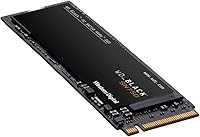
The standard M.2 2280 dimensions mean the drive slots into virtually any compatible build without sizing conflicts, and the lightweight construction adds no meaningful weight to a portable laptop. The black PCB finish looks clean in open-frame and windowed builds.
There is nothing to fault in terms of physical build quality, though some users note the bare PCB without a heatsink looks less premium than heatsink-equipped alternatives in the same category. Purely cosmetic, but worth mentioning for builders with glass side panels.
Warranty & Support
83%
A 5-year limited warranty from Western Digital is among the better coverage periods available in the consumer NVMe segment, and users who have needed to initiate RMA claims generally report a straightforward process. For a high-capacity drive representing a significant investment, that coverage matters.
A small number of users reported longer-than-expected RMA turnaround times during peak periods, and some noted that Western Digital support required detailed documentation before approving a claim. Not a dealbreaker, but worth knowing for buyers who prioritize fast replacements.
Upgrade Impact
87%
Buyers upgrading from mechanical hard drives or older SATA SSDs describe the perceived improvement as dramatic — Windows launches faster, applications open more responsively, and game level transitions feel substantially quicker. The jump is one of the more noticeable single-component upgrades a PC can receive.
Users already running a modern Gen3 NVMe drive may find the tangible improvement harder to perceive in daily use. The upgrade case is strongest for those coming from older storage technology rather than those switching between NVMe drives of similar generations.
Noise & Vibration
97%
As a solid-state drive with no moving parts, this gaming SSD produces zero audible noise or vibration during operation — a meaningful comfort improvement for users who previously dealt with the hum or clicking of mechanical hard drives, especially in quiet home office environments.
There is genuinely nothing to criticize here; the absence of mechanical components means noise is simply not a factor, and no users have raised it as a concern in any context.
Sequential Transfer Consistency
84%
In real-world testing scenarios reported by enthusiast buyers, the drive sustains high throughput over extended transfers without the significant speed cliff that plagues some competing drives once their cache fills. Large file moves stay predictably fast throughout the operation.
Some users running very long sustained write operations — well beyond typical gaming or creative work — have observed write speeds dropping after extended cache saturation, which is a normal characteristic of consumer NVMe drives but can surprise buyers expecting consistent peak throughput indefinitely.

Suitable for:

The WD_BLACK SN750 4TB NVMe Internal SSD is built for buyers who want a single, high-capacity drive that handles everything without compromise. Serious PC gamers with large and growing libraries will find 4TB genuinely liberating — no more uninstalling titles to make room, and no more splitting storage across multiple drives. Content creators working with high-resolution video footage, RAW photo archives, or heavy 3D project files will also get real, practical value from the fast sequential throughput in daily workflows. Enthusiasts doing a fresh system build who want the OS, applications, and all their games living on one responsive drive will find this a natural fit. Anyone upgrading from a SATA SSD or a spinning hard drive will notice the speed difference immediately and consistently.

Not suitable for:

The WD_BLACK SN750 4TB NVMe Internal SSD is a poor fit for anyone whose motherboard or laptop only offers SATA-based M.2 slots — this drive will simply not work there, and it is a surprisingly common source of returns. Budget-conscious buyers will find the price hard to justify if they do not actually need 4TB or if their workload would be well-served by a smaller, cheaper NVMe option. Builders prioritizing cutting-edge throughput should also look elsewhere, as newer Gen4 PCIe drives offer significantly higher peak speeds for workloads that can take advantage of them. Users running sustained, heavy workloads in a poorly ventilated case should be aware that without a heatsink, thermal throttling is a real possibility over extended sessions. If storage is purely for archiving or cold files, the performance premium here is largely wasted.
Specifications

  • Storage Capacity: This drive offers 4TB of usable storage, making it one of the higher-capacity options available in the M.2 NVMe category.
  • Interface: It uses a PCIe Gen3 NVMe interface, which is distinct from SATA and requires a compatible NVMe M.2 slot on the host system.
  • Form Factor: The drive follows the M.2 2280 standard, measuring 80mm in length — the most common M.2 size supported by modern motherboards and laptops.
  • Sequential Read: Peak sequential read speed reaches up to 3,400 MB/s, enabling fast system boot times and rapid loading of large files.
  • Sequential Write: Peak sequential write speed reaches up to 3,100 MB/s, which benefits large file transfers and write-intensive workloads.
  • NAND Technology: Western Digital uses 3D NAND flash memory, which stacks memory cells vertically to improve density, durability, and sustained performance compared to planar NAND.
  • Endurance Rating: The drive is rated for 600 TBW (terabytes written), indicating how much total data can be written before the NAND reaches its rated wear limit.
  • Heatsink: No heatsink is included with this model; buyers who expect sustained heavy workloads in warm enclosures should consider adding a compatible third-party cooler.
  • Software: The WD_BLACK SSD Dashboard is available as a free download and includes a Gaming Mode that disables low-power idle states to keep the drive performing consistently during active sessions.
  • Warranty: Western Digital covers this drive with a 5-year limited warranty, which is among the stronger coverage periods offered in the consumer NVMe segment.
  • Compatible Systems: The drive is designed for use in desktops and laptops that include a free M.2 slot operating in NVMe mode — SATA-only M.2 slots are not compatible.
  • Dimensions: Physical dimensions are approximately 0.87″ x 3.15″ x 0.09″, keeping the drive compact and easy to install in tight chassis layouts.
  • Weight: The drive weighs just 0.264 ounces, adding virtually no meaningful mass to a system build.
  • Color: The drive has a black PCB finish consistent with the WD_BLACK product line aesthetic.
  • Manufacturer: Designed and manufactured by Western Digital, a company with decades of established history in consumer and enterprise storage hardware.
  • OS Compatibility: The drive is compatible with both Windows and macOS systems that support NVMe storage, as well as most modern Linux distributions.
  • Power Management: Gaming Mode overrides the drive's default low-power states, keeping it in a higher-readiness condition throughout active use sessions.
  • Release Date: The 4TB capacity variant of this model was first made available in December 2020, establishing it as a mature, well-tested product in its category.

Related Reviews

WD_BLACK SN850X 4TB NVMe SSD
89%
93%
Performance
88%
Thermal Management
87%
Software & Firmware
91%
Ease of Installation
90%
Build Quality
More
WD_BLACK SN8100 4TB NVMe SSD
82%
97%
Sequential Throughput
93%
Random I/O Performance
61%
Thermal Management
67%
Value for Money
82%
Installation & Compatibility
More
WD_BLACK 4TB SN7100 NVMe SSD
87%
94%
Performance (Speed)
92%
Storage Capacity
85%
Power Efficiency
89%
Installation & Setup
91%
Durability & Reliability
More
WD_BLACK SN850 2TB NVMe Internal Gaming SSD
88%
95%
Speed and Performance
90%
Ease of Installation
92%
Capacity for Large Files
88%
Build Quality and Durability
89%
Compatibility with Consoles
More
Transcend 4TB MTE250S NVMe Internal Gaming SSD
85%
91%
Performance
94%
Speed/Read Speed
88%
Write Speed
85%
Thermal Management
92%
PS5 Compatibility
More
Western Digital SN750 1TB NVMe SSD
79%
88%
Read Speed Performance
79%
Write Speed & Sustained Throughput
63%
Thermal Management
91%
Reliability & Longevity
84%
Installation & Compatibility
More
WD_BLACK SN8100 1TB NVMe SSD
89%
95%
Performance
90%
Reliability
94%
Speed (Read/Write)
88%
Installation & Setup
92%
Endurance (TBW)
More
WD_BLACK SN7100 500GB NVMe SSD
84%
91%
Performance
93%
Read/Write Speed
88%
Ease of Installation
90%
Compatibility
87%
Energy Efficiency
More
XPG SX8100 4TB NVMe SSD
82%
92%
Performance
89%
Value for Money
75%
Installation Ease
90%
Reliability
94%
Speed (Read/Write)
More
KingSpec XG7000 4TB NVMe SSD
81%
91%
Sequential Read Speed
88%
Sequential Write Speed
83%
Thermal Management
89%
Value for Money
92%
PS5 Compatibility
More

FAQ

It works in both, as long as your laptop has an M.2 slot running in NVMe mode. The tricky part is that many older laptops have M.2 slots limited to SATA, which is a completely different protocol. Check your laptop's specs or manual before ordering — this is the most common cause of compatibility issues with this type of drive.

No additional drivers are needed for most modern operating systems. Windows 10 and 11 will recognize the drive automatically during setup or after installation. The optional WD_BLACK Dashboard software is a separate download if you want to use Gaming Mode or monitor drive health, but it is not required for the drive to function.

Gaming Mode tells the drive to stay in a higher-power ready state rather than dropping into low-power idle between bursts of activity. In practice, it reduces the tiny latency spikes you can sometimes get when a drive wakes from sleep mid-session. It is a subtle improvement rather than a dramatic one — worth enabling if you play frequently, but not something you will notice on a benchmark.

No, it is not compatible with the PS5 expansion slot. Sony's console requires a PCIe Gen4 NVMe drive in M.2 format, and this is a Gen3 drive. Even setting aside the generation mismatch, the PS5 slot has specific size and heatsink requirements. This drive is strictly intended for PC use.

It depends on how you use it. For everyday tasks — gaming, browsing, general file work — thermals are rarely an issue. Where it matters is during sustained, intensive writes, like copying hundreds of gigabytes continuously or rendering long video projects. If your case has decent airflow, you will likely be fine. If airflow is poor or the M.2 slot is in a cramped area, a low-profile third-party heatsink is a cheap and worthwhile addition.

For most gaming and general use, you will not feel a meaningful difference in day-to-day tasks. Gen4 drives have significantly higher peak throughput on paper, but real-world games and applications rarely saturate Gen3 bandwidth. Where Gen4 becomes relevant is in professional workloads involving very large sequential transfers. If you are a gamer or general user, the SN750 4TB delivers plenty of speed at a more accessible price point than comparable Gen4 capacities.

Yes, cloning is a common and reliable approach. You can use free tools like Macrium Reflect or the version of Acronis True Image that WD bundles with its drives. The process generally involves connecting both drives simultaneously, running the cloning software, and then swapping the boot drive. Just make sure the destination partition is large enough, which at 4TB should never be a concern.

The 600 TBW endurance rating gives a useful reference point — that is the total data volume Western Digital rates the NAND to handle over its lifetime. For a typical user writing 20 to 30GB per day, you would need well over 50 years to reach that figure. The 5-year warranty is the more practical lifespan guarantee, and owners consistently report reliable operation well beyond that in user feedback.

Honestly, for a lot of users, 2TB is perfectly sufficient. The 4TB capacity makes sense if you have a large library of installed games — modern AAA titles regularly run 50 to 100GB each — or if you work with large media files and want everything on one fast drive. If you are mostly running a handful of games and everyday apps, the smaller capacity options in this same product line offer excellent value without the premium price.

First, double-check that the drive is fully seated in the M.2 slot and the retention screw is securing it at the correct angle — a loose connection is the most frequent cause of non-detection. Next, confirm in your motherboard BIOS that the M.2 slot is enabled and set to NVMe mode rather than SATA. If the drive appears in BIOS but not in Windows, you may need to initialize and format it through Disk Management, since brand-new drives arrive unformatted.