Overview

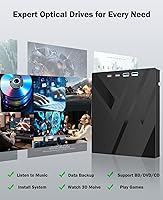
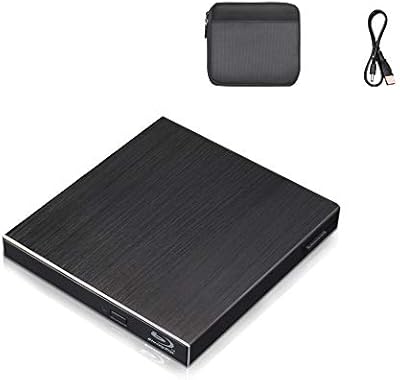
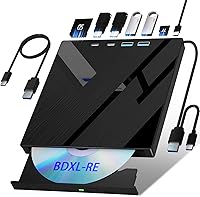
The Wbacon 7-in-1 External Blu-ray Drive is a compact, budget-priced optical drive that bundles a card reader and multi-port hub into one surprisingly slim package. Released in late 2023 by a relatively unknown brand, it handles Blu-ray, DVD, and CD formats — including reading and writing discs up to 100GB. For laptop users who lost their optical drive years ago, it fills a real gap without demanding a premium outlay. One thing to flag upfront: no software is included. Blu-ray playback and burning each require a third-party app like PowerDVD or VLC, so factor that in before committing to a purchase.
Features & Benefits

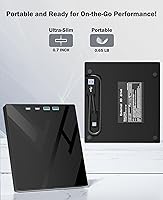
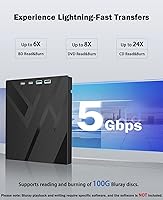
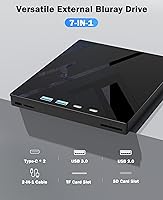
The drive reads Blu-ray discs at 6x speed, DVDs at 8x, and CDs at 24x — functional for everyday use, though not built for anyone racing through large batch burns. What sets this 7-in-1 optical drive apart from bare-bones alternatives is the connectivity: two USB-C ports, a USB 3.0, a USB 2.0, plus SD and TF card slots, all packed into a unit that weighs under a pound. An included 2-in-1 cable covers both USB 3.0 and Type-C, which is a practical touch. Worth flagging clearly: the SD and TF slots cannot run simultaneously — you pick one at a time. Windows, macOS, and Linux all work without extra drivers for basic disc functions.

Best For

This external Blu-ray burner makes the most sense for casual, occasional users — someone who wants to rip an old disc collection, burn a sizeable backup, or archive footage to a 100GB BD-R every now and then. Mac and ultrabook owners will appreciate the native Type-C support, and the card slots add real convenience for anyone who regularly moves files off SD cards from cameras or drones. It is not the right tool for a video production studio or anyone needing sustained high-speed burns. But if you already own compatible playback software and just need reliable hardware at a fair price, the Wbacon drive covers the bases without overcomplicating things.

User Feedback

Across more than 500 ratings, this 7-in-1 optical drive sits at 3.9 stars — a middling score that reflects a genuinely split experience. Plug-and-play setup and the included card slots earn consistent praise, and buyers doing light disc work generally report it holds up fine. The friction points are real, though. Some users encounter inconsistent disc recognition, particularly with certain Blu-ray titles, and a fair number were caught off guard by the software requirement — something that deserves clearer upfront disclosure. The simultaneous SD/TF restriction also surfaces in complaints. Since the drive only arrived in late 2023, long-term durability data remains thin. Satisfied buyers tend to be those who set their expectations accordingly before purchasing.

Pros

  • Plug-and-play setup for DVD and CD tasks works instantly on Windows, macOS, and Linux with no drivers needed.
  • Built-in SD and TF card slots make it a genuinely useful peripheral beyond optical disc functions.
  • Type-C connectivity is a practical win for modern MacBook and ultrabook users who lack USB-A ports.
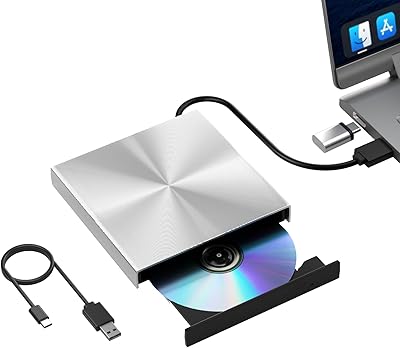
  • The included 2-in-1 cable covers both USB 3.0 and Type-C, so you are ready to connect straight out of the box.
  • Supports 100GB BD-R disc writing, making it useful for large-scale home archiving and long-term backups.
  • Lightweight and compact enough to fit in a laptop bag without adding meaningful bulk.
  • DVD and CD read speeds are snappy and responsive for everyday ripping or software installation tasks.
  • Broad disc format support covers BD-R, BD-RE, DVD±RW, DVD-RAM, and standard CDs in one unit.
  • At its price point, the combination of optical drive plus card reader plus multi-port hub represents genuine utility per dollar.

Cons

  • No Blu-ray playback or burning software is included — buyers must source and often pay for a compatible app separately.
  • Disc recognition is inconsistent, with some Blu-ray titles failing to register reliably on the first attempt.
  • The SD and TF card slots cannot be used simultaneously, which limits workflow flexibility for dual-card camera setups.
  • The 6x Blu-ray read speed makes ripping full-length BD films noticeably slow compared to faster competing drives.
  • The included cable feels thin and flimsy, with some users reporting intermittent disconnection at the drive end.
  • Long-term durability is an open question — the drive only launched in late 2023 and real-world longevity data is limited.
  • 4K Ultra HD Blu-ray discs are not supported, which rules it out for anyone building a UHD home library.
  • The plastic housing scratches easily and does not convey confidence in the build when handled alongside name-brand peripherals.
  • Linux users wanting Blu-ray functionality face the steepest software configuration challenge of any supported platform.

Ratings

The Wbacon 7-in-1 External Blu-ray Drive has been scored by our AI system after processing hundreds of verified global buyer reviews, with spam, bot-generated, and incentivized feedback actively filtered out. The result is an honest breakdown that reflects where this budget-tier optical drive genuinely delivers and where real users have run into friction. Both strengths and recurring pain points are represented transparently across each category below.
Disc Read Reliability
67%
33%
For standard DVD and CD playback, the drive performs consistently well. Users ripping old CD libraries or watching DVD films on a laptop report that discs spin up cleanly and without repeated retries in most cases.
Blu-ray read reliability is noticeably spottier. A meaningful portion of buyers report that certain BD titles — particularly newer pressed discs — fail to recognize on the first attempt or trigger read errors mid-playback, which is frustrating for home cinema use.
Blu-ray Write Performance
61%
39%
Burning data backups to 100GB BD-R discs works reliably for many users doing archival tasks at home. For low-frequency burns — think monthly backups or occasional video archiving — the 8x write speed gets the job done without major complaints.
The 8x write ceiling means large burns take a while, and a subset of users report failed burns on certain disc brands. Those expecting consistent professional-grade write results from a budget drive may find the experience more hit-or-miss than they'd like.
Connectivity & Port Variety
84%
The combination of dual USB-C ports, USB 3.0, and USB 2.0 in a single unit is genuinely practical. MacBook users and ultrabook owners in particular appreciate being able to connect without hunting for a separate adapter, and the included 2-in-1 cable is a thoughtful addition.
Having USB 2.0 alongside USB 3.0 creates some ambiguity for users unfamiliar with the speed differences. A few buyers also note the ports feel slightly loose over time, though this is not a widespread complaint given the product's limited time on market.
Card Reader Utility
71%
29%
The built-in SD and TF card slots add real day-to-day value for photographers or drone users who want to offload footage without carrying a separate reader. The SD slot in particular works reliably and transfers at a respectable speed through USB 3.0.
The inability to use the SD and TF slots at the same time is a genuine limitation that catches users off guard. If your workflow involves simultaneously reading from two card types — common in dual-card camera setups — you will need to swap manually or use a second device.
Setup & Plug-and-Play Experience
81%
19%
For DVD and CD tasks, setup is as close to instant as it gets. Plug it in on Windows, macOS, or Linux and the drive is recognized within seconds — no driver downloads, no configuration headaches. Many buyers call out how refreshingly straightforward this part is.
The plug-and-play experience breaks down the moment Blu-ray playback enters the picture. Without pre-installed software, first-time users hit a wall, and the product packaging does not make this limitation prominent enough to prevent frustration.
Software Requirement Transparency
44%
56%
To its credit, the product listing does mention the software requirement if you read carefully. Buyers who researched before purchasing and already had PowerDVD or a VLC-based Blu-ray plugin installed had no issues getting up and running quickly.
The lack of bundled software is arguably the single biggest driver of negative reviews for this drive. Many buyers assume Blu-ray playback works out of the box and only discover otherwise after unboxing — a transparency issue that meaningfully damages the ownership experience.
Build Quality & Materials
63%
37%
The shell feels solid enough for a budget peripheral, and the disc tray operates without excessive wobble or grinding noise. At under a pound, the lightweight chassis is appropriate for the portable use case it targets.
The plastic housing lacks the premium feel of drives at higher price points, and some users describe the surface as prone to light scratching. Long-term durability data is simply not available yet given the drive only launched in late 2023.
Portability & Form Factor
82%
18%
Slipping this drive into a laptop bag genuinely works — it does not add noticeable bulk. For business travelers or remote workers who occasionally need optical access, the compact footprint is one of the clearest wins this unit offers.
The included cable, while useful, adds to what you need to carry. A few users also note the drive needs to be placed on a flat surface during use, which limits flexibility in tight working spaces like airplane tray tables.
Cross-Platform Compatibility
78%
22%
Confirmed working across Windows 10, Windows 11, recent macOS versions, and several Linux distributions for DVD and CD functions. Users on Macs with Apple Silicon chips report successful operation, which is not always guaranteed with third-party optical drives.
Linux users wanting Blu-ray playback face the steepest software configuration challenge, as compatible free options are limited and often require command-line setup. Windows and macOS users have more straightforward paths but still need to source and pay for software separately.
Read Speeds
66%
34%
At 24x for CDs and 8x for DVDs, everyday disc reads feel snappy and responsive. Ripping a standard audio CD or installing software from a DVD completes in a timeframe most users find acceptable for occasional use.
The 6x Blu-ray read speed is functional but unremarkable. Ripping a full-length BD film takes considerably longer than on faster competing drives, and users doing regular high-volume disc work will feel the ceiling relatively quickly.
Value for Money
74%
26%
Relative to what you get — optical drive, card reader, multi-port hub, and cross-platform support — the price sits at a reasonable point for budget buyers. Casual users who get consistent performance feel the trade-off is fair given the cost.
The value equation weakens once you factor in the cost of Blu-ray playback software, which can add a meaningful amount to the total spend. If disc recognition proves unreliable for your specific use case, the savings over a more reputable brand feel less compelling.
Disc Format Support Range
77%
23%
Support for BD-R, BD-RE, DVD±R, DVD±RW, DVD-RAM, and standard CDs covers virtually every physical disc format a home user would encounter today. The 100GB disc write capability stands out as genuinely useful for long-term data archiving.
There is no support for 4K Ultra HD Blu-ray discs, which matters to users building a UHD home library. This is a common limitation at this price point but worth knowing before purchase if UHD playback is part of your plan.
Cable & Accessory Quality
69%
31%
The 2-in-1 USB 3.0 and Type-C cable means most users can connect right out of the box regardless of their laptop port configuration. Including both options in one cable is a practical decision that reduces the chance of an immediate frustration on day one.
The cable feels thin and somewhat flimsy at the connector ends, and a few buyers report that a loose connection at the drive end causes intermittent disconnections. Having a higher-quality cable included would have meaningfully improved this part of the experience.
Noise & Heat During Use
72%
28%
During DVD and CD playback, operating noise stays at a low hum that most users describe as unobtrusive. In quiet home office environments, it runs in the background without being distracting during regular use sessions.
Blu-ray reads generate noticeably more noise and a modest amount of warmth in the chassis. Extended burn sessions push both further, and while nothing approaches alarming levels, users sensitive to peripheral noise may find it more present than expected.

Suitable for:

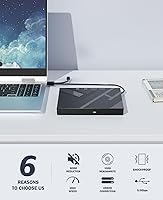
The Wbacon 7-in-1 External Blu-ray Drive is a solid pick for casual, occasional users who want optical drive capability without dedicating a lot of budget to it. MacBook owners and ultrabook users who have no built-in optical drive will appreciate the native Type-C support and the fact that it works across macOS, Windows, and Linux without any driver installation for DVD and CD tasks. Home archivists who want to back up files to high-capacity 100GB BD-R discs will find it handles that workload reliably enough for infrequent use. Photographers or video shooters who regularly offload footage from SD or TF cards will get extra mileage from the built-in card slots, making this a reasonable all-in-one travel peripheral. It works best for buyers who already own Blu-ray playback software and simply need compatible hardware — that combination removes the biggest friction point and lets the drive do what it does competently.
Not suitable for:

The Wbacon 7-in-1 External Blu-ray Drive is not the right tool for anyone who needs consistent, high-volume Blu-ray performance or expects professional-grade reliability. If you plan to play Blu-ray films regularly without purchasing third-party software, you will hit a wall immediately — the drive ships with no playback application, and setting one up carries its own cost and learning curve. Users who need to read from an SD card and a TF card at the same time will find the hardware forces a choice between the two, which is a genuine workflow limitation for dual-card camera operators. Those building or expanding a 4K Ultra HD Blu-ray collection should also look elsewhere, as the drive does not support UHD disc playback. And if long-term durability and brand accountability matter to you, the limited track record of this relatively new, lesser-known brand makes it hard to recommend with full confidence over established alternatives.
Specifications

  • Brand: Manufactured under the Wbacon brand by xiangdinglan, released to market in December 2023.
  • ASIN: The Amazon product identifier for this item is B0CQJX6L9T.
  • BD Read Speed: Blu-ray discs are read at a maximum speed of 6x.
  • DVD Read Speed: DVD discs are read at a maximum speed of 8x.
  • CD Read Speed: CD discs are read at a maximum speed of 24x.
  • Write Speed: The maximum write speed for supported writable disc formats is 8x.
  • Max Disc Capacity: The drive supports reading and writing Blu-ray discs with a capacity of up to 100GB.
  • Ports: Connectivity includes 2x USB-C ports, 1x USB 3.0 port, and 1x USB 2.0 port on the unit itself.
  • Card Slots: One SD card slot and one TF (microSD) card slot are built in, though they cannot be used simultaneously.
  • Included Cable: A single 2-in-1 cable supporting both USB 3.0 and USB Type-C connections is included in the box.
  • Interface: Primary data interface is USB 3.0 Type-C with a maximum throughput of 5Gbps.
  • Compatible OS: The drive operates without additional drivers on Windows, macOS, and Linux for DVD and CD functions.
  • Blu-ray Software: Blu-ray playback and burning require separately sourced third-party software such as PowerDVD or Leawo Blu-ray Player; no software is bundled.
  • Item Weight: The unit weighs 13.7 ounces, making it portable enough for regular travel use.
  • Dimensions: Packaged dimensions measure 6.97 x 6.57 x 1.06 inches, reflecting a slim and compact form factor.
  • HDMI & LAN: The drive does not include an HDMI output or LAN port.
  • SATA Interface: There is no internal SATA interface; this is a USB-only external peripheral.
  • 4K UHD Support: The drive does not support 4K Ultra HD Blu-ray disc playback or burning.
  • Disc Formats: Supported formats include BD-R, BD-RE, DVD±R, DVD±RW, DVD-RAM, CD-R, and CD-RW.
  • Market Rank: At the time of review, the drive holds a Best Sellers Rank of number 10 in the External Blu-ray Drives category on Amazon.

Related Reviews
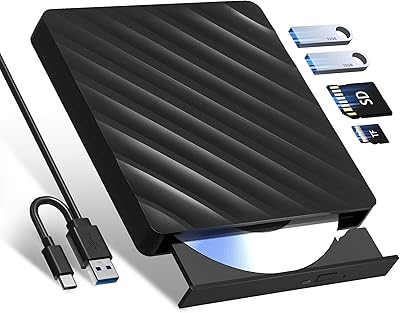
Wbacon 5-in-1 External Blu-ray Drive
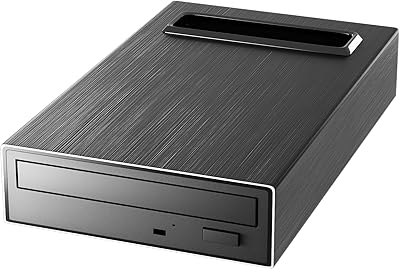
87%
87%
Reading and Writing Speed
92%
Ease of Setup and Installation
91%
Portability and Design
95%
Compatibility with Operating Systems
88%
Build Quality
More
Mthstec 4-in-1 External Blu-ray Drive
83%
88%
Blu-ray Performance
85%
DVD & CD Writing Speed
91%
Compatibility with Mac and PC
82%
Ease of Use
87%
Hard Drive Enclosure Functionality
More
Yaeonku External Blu-ray Drive
83%
91%
Ease of Use
88%
Data Transfer Speed
82%
Build Quality
94%
Portability
86%
Compatibility
More
Wintale External Blu-ray Drive
86%
87%
Performance
90%
Ease of Use
92%
Portability & Size
88%
Compatibility
85%
Data Transfer Speed
More
NOLYTH External Blu-ray Drive
87%
93%
Portability
86%
Blu-ray Playback Performance
88%
Build Quality
92%
Compatibility
89%
Speed (Data Transfer and Write Speed)
More
Cloudtale Blu-Ray External 3D Drive
84%
85%
Performance
88%
Build Quality
90%
Portability
80%
Ease of Use
87%
Compatibility with Devices
More
LG WP50NB40 External Blu-ray Writer
78%
93%
Portability & Form Factor
91%
Bus-Powered Convenience
89%
Plug-and-Play Setup
86%
Burn Quality & Reliability
78%
Blu-ray Playback Performance
More
Alphami 759357005335 External Blu-ray Drive
83%
88%
Read Speed Performance
85%
Write Speed Performance
81%
Build Quality
90%
Portability & Design
87%
USB Type-C Connectivity
More
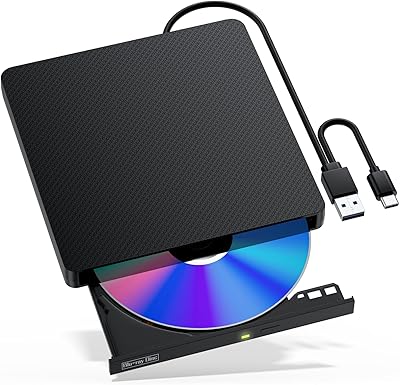
VSVABEFV External USB Blu-Ray Drive
82%
93%
Ease of Use
90%
Portability
65%
Write Speed
78%
Software Compatibility
88%
Compatibility with Operating Systems
More
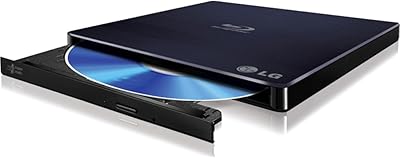
NVOPERANG BD015 External Blu-ray Drive
72%
78%
Plug-and-Play Ease
61%
Blu-ray Playback Experience
84%
CD & DVD Performance
67%
Build Quality & Durability
81%
Connectivity & Compatibility
More

FAQ

For playing DVDs or CDs, no — just plug it in and your operating system handles the rest on Windows, macOS, and Linux. Blu-ray playback and burning are a different story though. Those functions require third-party software like PowerDVD or Leawo Blu-ray Player, which you will need to source and install yourself. This is the detail that trips up the most buyers, so it is worth sorting out before the drive arrives.

Yes, it connects directly via USB-C without needing a separate adapter. The drive ships with a 2-in-1 cable that covers both USB-C and USB 3.0, so most Mac users are set straight out of the box. It has also been confirmed working on Apple Silicon Macs, which is not always a given with third-party optical drives.

Unfortunately, no. The SD and TF slots cannot be used simultaneously — you can only read from one at a time. Both card slots can, however, be active at the same time as the USB ports. If your workflow regularly involves two card types at once, you would need a separate card reader to handle that.

No, it does not. The drive handles standard Blu-ray discs up to 100GB capacity, but 4K UHD Blu-ray playback requires a dedicated UHD-capable drive, which operates differently at a hardware level. If building or playing a 4K Blu-ray collection is your goal, you will need to look at a different product category entirely.

VLC Media Player is the most commonly used free option, though Blu-ray playback on VLC requires additional steps — specifically downloading the libbluray library and AACS decryption keys separately, as these are not included with VLC by default. It works once configured, but the setup is a bit involved. If you want something more straightforward, a paid option like Leawo Blu-ray Player or PowerDVD is considerably easier to get running.

During DVD and CD use it is fairly quiet — a low hum that blends into a normal home office environment. Blu-ray reads and extended burn sessions are noticeably louder, though nothing alarming. If you are working in a very quiet space or are sensitive to peripheral noise, it is worth being aware of.

It handles DVD and CD burning as well. The drive supports a wide range of writable formats including DVD±R, DVD±RW, CD-R, and CD-RW, in addition to BD-R and BD-RE. For everyday tasks like creating data discs or burning audio CDs, it performs reliably without needing any special software beyond what comes with your operating system.

Basic disc functions — reading and writing DVDs and CDs — work on Linux without additional drivers. Blu-ray playback on Linux is the tricky part, since compatible free tools are limited and usually require command-line configuration involving libraries like libbluray. It is doable for technically confident users, but it is a more involved process than on Windows or macOS.

For DVDs and CDs, most users report consistent recognition with no repeated retries needed. Blu-ray disc recognition is where some buyers run into trouble — a portion of users report that certain BD titles, particularly newer pressed discs, occasionally fail to register on the first attempt. If you plan to use it primarily for Blu-ray, it is worth keeping expectations measured given the mixed feedback in this area.

The compact size and sub-pound weight make it physically suited for going in a laptop bag. The plastic housing is not particularly rugged though, and the included cable has received some criticism for feeling thin at the connector ends. Since the drive only launched in late 2023, there is not a lot of long-term wear data available yet. For light to moderate travel use it should hold up reasonably well, but it is not built to the standard of a premium road-warrior peripheral.