Overview

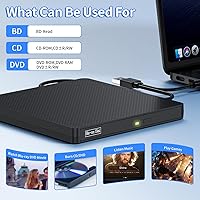
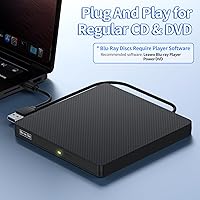
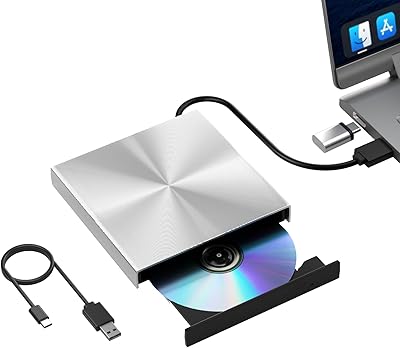
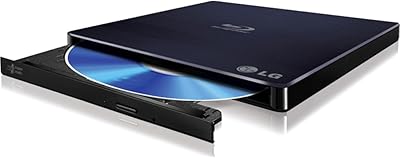
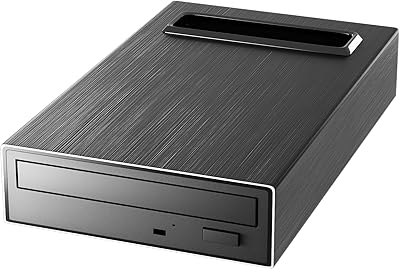
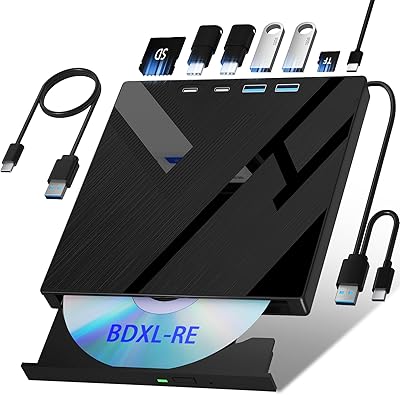
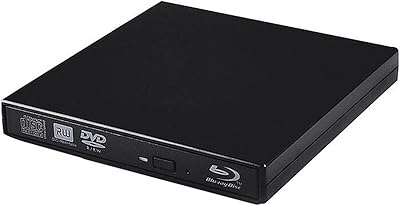
The NVOPERANG BD015 External Blu-ray Drive is a compact, budget-conscious optical drive released in early 2025, offering dual connectivity via USB 3.0 and Type-C for broad laptop compatibility. It handles CD and DVD playback and burning right out of the box — no driver installation required. Blu-ray playback, however, needs a third-party software install, which is worth knowing before you buy. The square, lightweight build makes it genuinely easy to slip into a bag. With a 3.8-star average across more than 100 ratings, reception is mixed but reasonable for its price tier — solid for light use, but not without caveats.
Features & Benefits

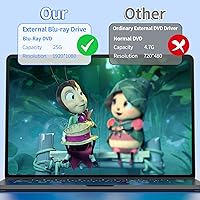
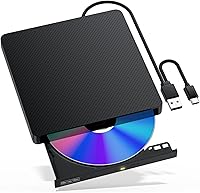
This portable disc drive reads Blu-ray discs at up to 6X read speed, DVDs at 8X, and CDs at 24X — enough for casual movie watching or data recovery. The USB 3.0 connection supports transfer rates up to 5Gbps, noticeably quicker than older drives when moving large files. For CD and DVD tasks, it works plug-and-play on Windows, Linux, and Mac without any driver installation. Both a standard USB and a Type-C cable are included, so most current laptops are covered without adapters. One thing to state clearly: Blu-ray burning is not supported — this drive reads Blu-ray discs only. It also runs quietly and draws minimal power, which suits shared workspaces or long battery-powered sessions.

Best For

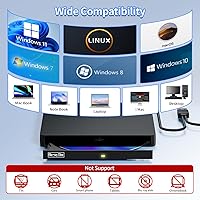
This external Blu-ray drive makes most sense for someone who occasionally needs to watch a Blu-ray movie on a laptop with no built-in optical slot. It also works well for students or professionals who still deal with CD or DVD archives, installation discs, or legacy data backups. The compact footprint and dual-cable setup make it a practical travel companion. Mac and Linux users will appreciate that it works across platforms without compatibility headaches. Blu-ray playback requires installing software like PowerDVD or LEAWO, so factor in that extra step if you are less tech-savvy. This optical drive is not designed for tablets, smart TVs, gaming consoles, or Chromebooks — it is strictly a laptop and desktop tool.

User Feedback

Buyers who use this optical drive for CDs and DVDs tend to be satisfied — easy setup and reliable disc reading earn consistent praise. The included cables and portable form factor also draw positive mentions from people who carry it while traveling. Where things get bumpy is Blu-ray. Several reviewers felt the software requirement was not made obvious enough, and third-party installation steps caught some buyers off guard. There are also scattered reports of the drive not being recognized consistently on certain machines. A notable share of negative reviews trace back to one misunderstanding: buyers expecting to burn Blu-ray discs find they cannot. Read the specs carefully and expectations align well — skip that step, and disappointment is almost guaranteed.

Pros

  • Both USB 3.0 and Type-C cables are included, covering virtually every modern laptop without extra adapters.
  • CD and DVD playback and burning work plug-and-play — no driver installation needed on Windows, Mac, or Linux.
  • Compact and lightweight enough to slip into a laptop bag without adding meaningful bulk.
  • Runs quietly during disc operations, making it comfortable for shared workspaces or quiet environments.
  • USB 3.0 interface delivers noticeably faster file transfers compared to older USB 2.0 optical drives.
  • Cross-platform compatibility across Windows XP through 11, Linux, and Mac OS is broader than many rivals at this price.
  • Bus-powered via USB — no separate power cable or wall adapter required.
  • The slim square profile fits neatly in a laptop bag side pocket without catching or snagging.
  • Blu-ray read speeds up to 6X handle casual movie playback without stuttering under normal conditions.
  • Responsive customer support accessible directly through Amazon orders has resolved setup issues for multiple buyers.

Cons

  • Blu-ray playback requires a separate third-party software purchase or download — nothing is bundled in the box.
  • Cannot burn Blu-ray discs despite the word burner appearing in the product title, which has misled buyers.
  • Intermittent drive recognition failures on certain machines have been reported, sometimes requiring a port swap or reboot to fix.
  • DVD write speed tops out at 4X, which is slow for anyone burning multiple discs or large data sets regularly.
  • Recommended Blu-ray playback software is not always free, adding to the real total cost of ownership.
  • Not compatible with tablets, Chromebooks, smart TVs, gaming consoles, or mobile devices of any kind.
  • Short cable length limits flexible desk positioning when the drive needs to sit away from the laptop.
  • Some Mac users on ARM-based machines face additional software compatibility hurdles not present on Windows systems.
  • The plastic housing feels hollow and raises durability questions for buyers planning heavy travel use over the long term.

Ratings

The NVOPERANG BD015 External Blu-ray Drive was evaluated by our AI rating engine after processing verified global buyer reviews, actively filtering out incentivized, bot-generated, and duplicate submissions to surface genuine user experiences. Scores reflect both where this portable disc drive earns real trust and where it falls short for certain buyers. Strengths and frustrations are weighted equally so you get a transparent picture before purchasing.

Plug-and-Play Ease
78%
22%
For CD and DVD tasks, buyers consistently report that connecting this optical drive and getting started takes under a minute — no driver hunting, no setup menus. Windows and Mac users in particular praised how it just worked straight out of the box during work trips or quick data recovery jobs.
The plug-and-play experience breaks down the moment Blu-ray discs enter the picture. Users who expected the same effortless experience with Blu-ray movies were surprised to find they needed to research, download, and configure third-party software before anything played.
Blu-ray Playback Experience
61%
39%
Once the right software is installed — PowerDVD and LEAWO are the most commonly recommended options — Blu-ray playback works reasonably well for casual home viewing. Users watching movie collections on laptops during flights or hotel stays reported smooth enough performance for the price point.
The software dependency is a genuine barrier for less technical users, and not every recommended application is free. Some buyers also noted that getting the software configured correctly took multiple attempts, which undercuts the experience significantly when you just want to watch a film.
CD & DVD Performance
84%
This is where the portable disc drive holds up best. Read speeds for DVDs and CDs are consistent, and users who regularly access legacy software discs, audio CDs, or DVD archives reported no meaningful issues. It handles everyday optical media tasks reliably without skipping or stalling.
Write speeds for DVDs top out at 4X, which some users found slow when burning larger data discs. It is functional, but anyone doing frequent or large-volume DVD burning will notice the time adds up compared to faster drives in the same category.
Build Quality & Durability
67%
33%
The square plastic shell feels sturdy enough for light travel use, and the slim 0.68-inch profile means it fits in most laptop bag pockets without taking up meaningful space. Several buyers mentioned carrying it daily without visible wear over weeks of use.
At this price tier, the plastic housing does feel hollow and lightweight in a way that raises questions about long-term durability under regular use. The disc tray mechanism in particular drew concern from a handful of reviewers who worried about it after extended travel.
Connectivity & Compatibility
81%
19%
Including both a USB 3.0 cable and a Type-C cable in the box is a practical decision that buyers genuinely appreciated. Whether connecting to an older business laptop or a modern MacBook, most users found they had the right cable without needing an adapter.
Compatibility does have hard limits — it does not work with tablets, smart TVs, Chromebooks, or gaming consoles, which caught a few buyers off guard. There were also scattered reports of the drive not being consistently detected on certain Windows machines, requiring a port switch or restart to resolve.
Data Transfer Speed
79%
21%
The USB 3.0 interface handles file transfers noticeably faster than older USB 2.0 optical drives, which users moving large DVD ISO files or data archives appreciated. For backing up disc collections to a hard drive, the speed difference is tangible.
Real-world transfer speeds are ultimately capped by the optical drive mechanism itself, so the USB 3.0 spec does not translate to dramatically fast disc-to-computer transfers in practice. Users expecting near-flash-drive speeds will find the experience more modest than the spec sheet implies.
Portability & Form Factor
88%
At 12.6 ounces and roughly the footprint of a small paperback, this external Blu-ray drive is genuinely easy to pack. Remote workers and frequent travelers mentioned it as one of the more carry-friendly optical drives they had tried, especially given the included dual cables.
The square shape, while compact, is slightly bulkier than the slimmest slot-loading competitors on the market. For ultralight packers counting every ounce, it is worth comparing against thinner alternatives before committing.
Noise & Power Efficiency
82%
18%
Users working in quiet environments — home offices, libraries, late-night hotel rooms — specifically noted that this optical drive runs quietly during both read and write operations. It also draws power directly from the USB port without needing a separate power adapter.
Under sustained use, particularly during longer Blu-ray read sessions, the drive does produce a low mechanical hum that some users in very quiet spaces found noticeable. It is not disruptive, but it is not completely silent either.
Cross-Platform Support
76%
24%
Windows, Linux, and Mac OS compatibility in a single affordable drive is a legitimate strength for mixed-device households or IT professionals managing diverse systems. Linux users in particular called out how rare it is to find optical drives that work without manual driver configuration on their OS.
Mac users on newer ARM-based machines reported that Blu-ray software compatibility is an additional layer of complexity, since not all recommended playback applications have native Apple Silicon support. This adds friction that Windows users on the same drive do not typically encounter.
Value for Money
73%
27%
For buyers who need reliable CD and DVD functionality in a portable form factor, the price-to-performance ratio holds up reasonably well. Getting dual-cable inclusion and cross-platform support at this price point is genuinely competitive within the budget external drive segment.
The value equation weakens if Blu-ray is your primary use case, since you will likely need to spend additional money on playback software to unlock that functionality. Factor that into the total cost and the advantage over slightly pricier all-in-one alternatives narrows considerably.
Software & Setup Requirements
55%
45%
For users familiar with installing media software, the setup process for Blu-ray playback is a one-time task that becomes a non-issue afterward. Tech-savvy buyers who already use tools like PowerDVD found the integration straightforward.
This is one of the most common frustration points across reviews. Non-technical buyers who expected a fully ready device out of the box were confused and sometimes unable to get Blu-ray working without external help. The lack of any bundled software feels like a meaningful gap at this price.
Blu-ray Disc Burning
38%
62%
There is nothing positive to report in terms of Blu-ray burning capability because the drive simply does not support it. For buyers whose needs are limited to reading Blu-ray discs, this is not a relevant concern.
This is a hard limitation that disappointed a notable share of buyers. Anyone who purchases this optical drive expecting to back up or author Blu-ray discs will be left empty-handed. The product title includes the word burner, which created genuine confusion and led to several one-star reviews from buyers who felt misled.
Drive Recognition Reliability
63%
37%
The majority of users reported no recognition issues across Windows 10, Windows 11, and macOS in standard USB configurations. For typical home or office desktop setups, connect-and-use reliability is generally acceptable.
A recurring thread in negative reviews involves the drive disappearing from the system mid-session or failing to be detected after waking from sleep mode. While not universal, these intermittent issues were reported across enough different machines to suggest it is not purely a user error problem.
Cable & Accessory Inclusion
85%
Both a standard USB 3.0 cable and a Type-C cable ship in the box, which is more than many comparable drives offer. Buyers frequently mentioned this as a small but appreciated detail that saved them from rummaging for the right connector.
The cables themselves are relatively short, which limits how flexibly you can position the drive on a desk relative to your laptop. A slightly longer cable would have made the ergonomics more comfortable for extended sessions.
Customer Support Experience
66%
34%
Several buyers who reached out via Amazon for help with Blu-ray software configuration or recognition issues reported receiving responses and workable solutions. The brand appears to be actively monitoring its product listing for support requests.
Response quality varies, and some users noted that support guidance was generic rather than tailored to their specific system setup. For buyers encountering niche compatibility problems, the support experience may not fully resolve the issue on the first interaction.

Suitable for:

The NVOPERANG BD015 External Blu-ray Drive is a practical pick for anyone who needs occasional access to optical media on a laptop that no longer has a built-in disc slot. It works especially well for students and professionals who regularly pull data from legacy CD or DVD archives, installation discs, or backup media — tasks where plug-and-play simplicity matters more than raw speed. Travelers and remote workers who want a lightweight optical drive to toss in a laptop bag without worrying about adapters will appreciate that both USB 3.0 and Type-C cables are included in the box. Mac and Linux users who have struggled to find cross-platform compatible drives at this price point will find it covers those bases without driver headaches for standard disc tasks. It also suits casual Blu-ray movie viewers who are comfortable downloading and configuring a third-party player app like PowerDVD or LEAWO as a one-time setup step.

Not suitable for:

Buyers who want to burn or author Blu-ray discs should stop here — this portable disc drive cannot write to Blu-ray media, full stop, and no firmware update or workaround changes that. Anyone expecting a fully ready Blu-ray experience straight out of the box, without installing additional software, will run into a frustrating wall that a significant share of negative reviews trace back to. Users who rely on tablets, Chromebooks, smart TVs, or gaming consoles as their primary devices will find this optical drive incompatible with those platforms entirely. Power users who need fast DVD burning throughput should also temper expectations, since the 4X write speed is on the slower end for high-volume disc burning workflows. Finally, less tech-savvy buyers who are not comfortable researching and installing third-party media software may find the Blu-ray setup experience more trouble than it is worth at any price.

Specifications

  • Brand: Manufactured and sold under the NVOPERANG brand, model number BD015.
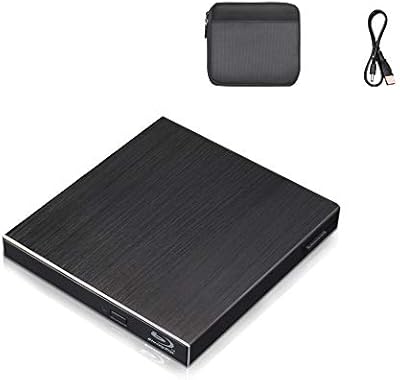
  • Dimensions: The drive measures 5.8 x 5.8 x 0.68 inches, giving it a compact square footprint suitable for travel.
  • Weight: The unit weighs 12.6 ounces, light enough to carry daily in a laptop bag without noticeable added bulk.
  • Color: Available in black with a matte plastic finish.
  • Connectivity: Connects via USB 3.0 or USB Type-C, with both cables included in the package.
  • Transfer Rate: Supports data transfer speeds up to 5Gbps over USB 3.0, significantly faster than USB 2.0 optical drives.
  • Blu-ray Read Speed: Reads Blu-ray discs at speeds up to 6X for standard playback and data access.
  • DVD Read Speed: Reads DVD media at up to 8X, suitable for video playback and data retrieval.
  • CD Read Speed: Reads CD media at up to 24X, enabling fast audio ripping and software disc access.
  • DVD Write Speed: Burns DVD discs at up to 4X write speed; CD write speed is also supported.
  • Blu-ray Burning: Blu-ray disc burning is not supported — the drive reads Blu-ray media only and cannot write to BD-R or BD-RE discs.
  • Compatible OS: Works with Windows XP, 7, 8, 10, and 11, as well as Linux and Mac OS across both Intel and compatible hardware.
  • Driver Requirement: No driver installation is required for CD and DVD functionality on supported operating systems; Blu-ray playback requires third-party software.
  • Playback Software: Blu-ray playback is not built in; compatible third-party applications include PowerDVD, AnyDVD, LEAWO, and iDeer Blu-ray Player.
  • Power Source: Bus-powered entirely through the USB connection — no external power adapter or wall outlet is required.
  • Noise Level: Designed for low-noise operation during both read and write tasks, making it suitable for quiet office or shared environments.
  • Incompatible Devices: Not compatible with tablets, smartphones, smart TVs, Chromebooks, PS4, projectors, Surface Pro, iPads, or Windows 98 systems.
  • Cables Included: Package includes one USB 3.0 cable and one USB Type-C cable for broad connectivity without additional accessories.
  • Release Date: First made available for purchase in January 2025.
  • 3D Blu-ray Support: The drive supports 3D Blu-ray disc reading when used with compatible 3D playback software and a 3D-capable display.

Related Reviews

NOLYTH External Blu-ray Drive
87%
93%
Portability
86%
Blu-ray Playback Performance
88%
Build Quality
92%
Compatibility
89%
Speed (Data Transfer and Write Speed)
More
Wintale External Blu-ray Drive
86%
87%
Performance
90%
Ease of Use
92%
Portability & Size
88%
Compatibility
85%
Data Transfer Speed
More
Yaeonku External Blu-ray Drive
83%
91%
Ease of Use
88%
Data Transfer Speed
82%
Build Quality
94%
Portability
86%
Compatibility
More
VSVABEFV External USB Blu-Ray Drive
82%
93%
Ease of Use
90%
Portability
65%
Write Speed
78%
Software Compatibility
88%
Compatibility with Operating Systems
More
Cloudtale Blu-Ray External 3D Drive
84%
85%
Performance
88%
Build Quality
90%
Portability
80%
Ease of Use
87%
Compatibility with Devices
More
LG WP50NB40 External Blu-ray Writer
78%
93%
Portability & Form Factor
91%
Bus-Powered Convenience
89%
Plug-and-Play Setup
86%
Burn Quality & Reliability
78%
Blu-ray Playback Performance
More
Alphami 759357005335 External Blu-ray Drive
83%
88%
Read Speed Performance
85%
Write Speed Performance
81%
Build Quality
90%
Portability & Design
87%
USB Type-C Connectivity
More
Pioneer BDR-XD08B External Blu-ray Drive
86%
88%
Performance
85%
Build Quality
92%
Portability
89%
Compatibility
90%
Ease of Use
More
BPAKDU External Blu-ray Drive B21-Y
83%
88%
Performance
91%
Portability/Size/Weight
89%
Value for Money
80%
Compatibility/Connectivity
94%
Ease of Setup
More
Wbacon 7-in-1 External Blu-ray Drive
71%
67%
Disc Read Reliability
61%
Blu-ray Write Performance
84%
Connectivity & Port Variety
71%
Card Reader Utility
81%
Setup & Plug-and-Play Experience
More

FAQ

No, for standard CD and DVD tasks it is completely plug-and-play. Just connect the cable, and your computer should recognize it within seconds on Windows, Mac, or Linux. No driver downloads needed.

The NVOPERANG BD015 External Blu-ray Drive does not include bundled playback software, so you will need to install a third-party application to watch Blu-ray discs. The most commonly recommended options are PowerDVD, LEAWO Blu-ray Player, AnyDVD, and iDeer Blu-ray Player. Some of these have free versions with limited features, while others require a purchase or subscription.
No, and this is worth being very clear about before buying — the drive cannot write to Blu-ray media of any kind. It reads Blu-ray discs only. You can still burn CDs and DVDs without any issue.

Yes, a Type-C cable is included in the box, so you can connect it directly to a MacBook or any other laptop with USB-C ports. No adapter is required.

It does work on Linux for CD and DVD tasks without needing to install drivers. Blu-ray playback on Linux is a bit more involved since compatible player software for that platform is more limited, but for standard optical media use it is a genuinely cross-platform drive.

Start by switching to a different USB port, as some ports deliver inconsistent power. If that does not help, try a different cable, reboot the machine, or connect the drive before starting up the computer rather than after. A small number of users have had intermittent recognition issues that resolved with one of these steps.

No, this optical drive is designed specifically for computers. It will not work with PS4 consoles, smart TVs, Blu-ray home theater systems, tablets, iPads, or Chromebooks. It requires a Windows, Mac, or Linux computer to function.

It runs quietly enough that most users in home offices or quiet workspaces do not find it distracting. There is a low mechanical hum during active read or write operations, but it is comparable to or quieter than most optical drives in this category.

Yes, it can read 3D Blu-ray discs, but you will need compatible 3D playback software and a display that supports 3D output to actually experience the effect. The drive hardware supports it — the rest depends on your software and monitor setup.

It is a reasonable choice for that use case. The DVD read speeds are adequate, and it works plug-and-play on the operating systems where most ripping software runs. Just keep in mind the DVD write speed is 4X, so if you are also burning discs as part of the workflow, larger batches will take some time.