Overview

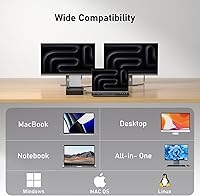
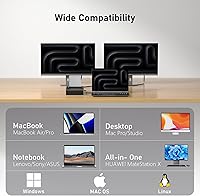
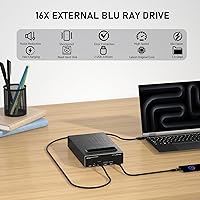
The MthsTec 4-in-1 External Blu-ray Drive is one of those rare peripherals that tries to do several jobs at once — and mostly pulls it off. Rather than being a straightforward optical drive, it bundles a Blu-ray burner, an HDD enclosure, a USB 3.0 hub, and a fast-charging port into a single desktop unit. MthsTec isn't a household name, and that's worth acknowledging upfront — buyer trust has to be earned here, not assumed. That said, broad compatibility across Windows XP through 11 and macOS means most users won't hit a wall getting it running. Whether the combined feature set justifies the mid-range price depends heavily on how many of those four functions you actually need.
Features & Benefits

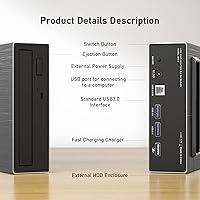
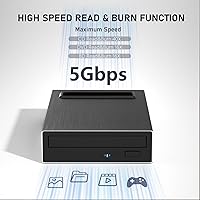
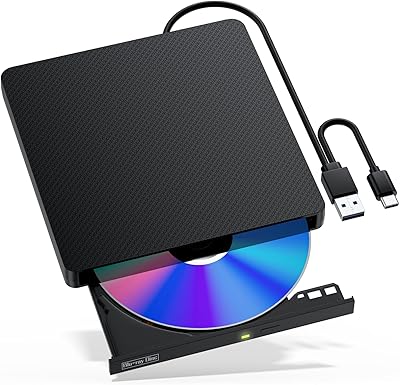
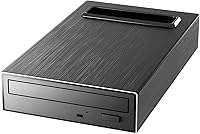
What stands out most about this all-in-one drive station is how capable it is on the optical side. Blu-ray read speeds hit 16x — roughly two to three times faster than typical external drives — while CDs rip at up to 40x, making archive work genuinely quick. The integrated HDD enclosure accommodates both 2.5-inch and 3.5-inch SATA drives, so if you have an old hard drive collecting dust, you can connect it directly without hunting for a separate adapter. The dual USB 3.0 hub ports round things out, handling data and device charging simultaneously. Both USB-A and Type-C inputs are included, so modern and legacy machines are covered.

Best For

This external Blu-ray hub makes the most sense for home users or small-office setups looking to reduce desk clutter without sacrificing functionality. If you have a spare SATA hard drive from an old PC build and need an occasional Blu-ray burner, this covers both without requiring two separate purchases. It also suits people who want a charging station and USB hub alongside their optical drive — think a home media desk where one device handles disc ripping, phone charging, and plugging in a mouse or USB stick. It's not the right call for video professionals who need consistent, high-throughput Blu-ray performance day in and day out. For casual use, though, the value stacks up reasonably well.

User Feedback

With a 4.1-star rating across 110 reviews, this 4-in-1 optical drive earns a measured thumbs-up rather than an outright rave. Users consistently praise the plug-and-play setup and appreciate getting optical, storage, and hub capabilities without separate purchases. The HDD enclosure tends to work reliably for both drive sizes, which buyers find genuinely useful. On the flip side, some macOS users report driver hiccups, and Blu-ray playback requires compatible software — run the Cyberlink BD Advisor check before assuming your system is ready out of the box. A handful of buyers also note that real-world charging speeds from the hub are modest rather than fast. Durability and long-term brand support remain open questions given MthsTec's limited track record.

Pros

  • Combines four accessories into one unit, cutting down on desk clutter and cable management headaches.
  • Blu-ray read speeds up to 16x are noticeably faster than most competing external optical drives.
  • The HDD enclosure supports both 2.5-inch and 3.5-inch SATA drives, making legacy hard drive access straightforward.
  • Dual USB 3.0 ports handle data transfer and device charging simultaneously without needing a separate hub.
  • Both USB-A and Type-C interfaces are included, covering older and modern laptops alike.
  • Plug-and-play setup is consistently praised by users — no complex driver installation required on most systems.
  • Supports the full range of optical media, including BD-R, dual-layer DVD, and CD-RW burning.
  • Works across a wide range of Windows versions and macOS, making it suitable for mixed-device households.
  • At mid-range pricing, the bundled feature set offers genuine value compared to buying each accessory separately.

Cons

  • MthsTec is a niche brand with limited track record, which makes long-term reliability harder to predict.
  • Some macOS users report driver compatibility issues that require extra troubleshooting to resolve.
  • Blu-ray playback requires compatible third-party software — it does not work natively on Windows or macOS out of the box.
  • Real-world charging speeds from the hub port are modest and should not be compared to a dedicated power adapter.
  • At 4.2 pounds, this all-in-one drive station is bulkier than standard external optical drives and less portable.
  • With only 110 ratings on Amazon, the user feedback pool is too small to draw confident conclusions about long-term durability.
  • Jack-of-all-trades design means any single function may underperform compared to a purpose-built device.
  • No software bundle is included in the box, leaving users to source Blu-ray playback or burning software independently.

Ratings

The scores below reflect an AI-powered analysis of verified global buyer reviews for the MthsTec 4-in-1 External Blu-ray Drive, with spam, bot activity, and incentivized feedback actively filtered out to ensure reliability. This all-in-one drive station earned real praise in several areas while drawing consistent criticism in others, and both sides are represented transparently here. Whether you are considering this external Blu-ray hub as a desk consolidation tool or a replacement for multiple accessories, these ratings will give you a grounded, unbiased starting point.

Optical Read Performance
83%
Users burning through old disc archives or ripping Blu-ray collections consistently noted that this 4-in-1 optical drive moves faster than the budget-tier drives they replaced. The 16x Blu-ray and 40x CD read speeds translate to noticeably shorter wait times when pulling data off a stack of discs in one sitting.
A handful of reviewers reported occasional read errors on older or scratched discs, suggesting the drive mechanism is not the most forgiving with imperfect media. At sustained high speeds, some units also produced more vibration noise than users expected for a desk peripheral.
Blu-ray Burn Quality
76%
24%
For casual home burning — archiving home videos to BD-R or backing up files — most users reported clean, error-free burns without needing to fiddle with settings. BD-R write support at 16x means a full disc burn completes in a reasonable timeframe compared to slower competing units.
Users attempting to burn large Blu-ray batches in professional or semi-professional contexts found consistency less reliable than with dedicated single-function burners. Dual-layer BD-R DL burns in particular drew a few complaints about verification failures, which is worth knowing if that format is central to your workflow.
HDD Enclosure Functionality
79%
21%
The built-in hard drive bay is genuinely one of the most appreciated features of this all-in-one drive station, especially among users who had old 3.5-inch desktop drives gathering dust. Plug-and-play recognition worked reliably for the majority of reviewers across both SATA II and SATA III drives on Windows systems.
macOS users reported more variable results with the enclosure, with some drives failing to mount without additional troubleshooting steps. A few buyers also noted that the enclosure lid mechanism feels less sturdy than a dedicated standalone enclosure, raising mild concerns about repeated drive swaps over time.
USB Hub Usability
72%
28%
Having two live USB 3.0 ports on the same unit as an optical drive is a convenience many users genuinely appreciated, particularly for connecting a mouse, USB stick, or external keyboard without reaching behind a desktop tower. Data transfer speeds tested by reviewers were consistent with USB 3.0 expectations for everyday file transfers.
The hub is powered through the same adapter as the rest of the unit, and users found that connecting power-hungry devices like portable SSDs occasionally caused instability. It functions well as a convenience hub rather than a primary high-load USB station.
Fast-Charging Effectiveness
54%
46%
The inclusion of CDP charging mode means the hub ports do charge devices faster than a basic unpowered USB port would, which is useful for topping up a phone during a long disc ripping session without reaching for a separate charger.
Real-world charging speeds disappointed buyers who expected USB fast-charging performance comparable to a wall adapter. Flagship smartphones in particular charged slowly, and some users found the charging output inconsistent depending on how many other functions were running simultaneously. The advertised multi-protocol fast-charging is more marketing framing than practical fast-charge experience.
macOS Compatibility
58%
42%
The drive does function on macOS for CD and DVD tasks without major friction, and a portion of Mac users reported successful Blu-ray data disc access after installing appropriate software. The inclusion of both USB-A and Type-C connectivity means modern MacBooks can connect without a separate hub.
A recurring theme in negative reviews was macOS driver instability, particularly on newer macOS versions where some optical functions failed to register correctly. Blu-ray movie playback on Mac remains a significant hurdle since compatible playback software options are limited, expensive, and not always stable on Apple Silicon machines.
Windows Compatibility
86%
On Windows 10 and 11, the majority of users experienced smooth plug-and-play setup with no manual driver installation needed. Disc burning and ripping software like ImgBurn and Cyberlink integrated without issues, making the Windows experience notably more straightforward than on macOS.
A small segment of reviewers on older Windows versions, particularly Windows 7, reported needing to manually locate drivers or adjust power settings to get stable operation. These cases were in the minority but are worth flagging for anyone on legacy systems.
Setup & Ease of Use
81%
19%
The out-of-box experience was one of the most positively reviewed aspects of this external Blu-ray hub, with many users specifically noting that connecting the power adapter, plugging in the USB cable, and starting work took only a few minutes. The included accessories cover the most common connection scenarios without requiring an extra trip to the store.
The user manual has been described as thin and occasionally unclear, which becomes a problem when something does not work as expected — particularly the HDD enclosure installation steps. Buyers less comfortable with tech troubleshooting may find themselves searching online for guidance that should have been in the box.
Build Quality & Materials
61%
39%
The unit is solid enough for static desk use, and the overall chassis does not feel flimsy when stationary. For a device that sits in one place and is handled infrequently, the construction is adequate for the price tier.
Compared to optical drives from established brands, the plastic finish and overall material quality feel a step below. The disc tray mechanism in particular drew criticism for feeling looser and less precise than users expected, and a few reviewers mentioned wear-related concerns appearing within the first several months of regular use.
Noise & Vibration
63%
37%
At low to moderate read speeds — such as playing a DVD or reading a CD — the drive operates at a background-level hum that most desk users found acceptable. For occasional use in a home setting, noise is rarely a dealbreaker.
At maximum Blu-ray or DVD read speeds, vibration and mechanical noise increase noticeably, and the unit can shift slightly on smooth desk surfaces without a grip pad underneath it. In quiet office environments, the high-speed spin noise was flagged as disruptive by multiple reviewers.
Value for Money
78%
22%
When you factor in the cost of buying a Blu-ray burner, a SATA HDD enclosure, a USB hub, and a charging station separately, this all-in-one drive station offers a genuinely compelling combined price point for casual home or small-office users. Most buyers who needed at least three of the four functions expressed satisfaction with the overall value equation.
Buyers who only needed one or two of the bundled features found the mid-range price harder to justify, since dedicated single-function devices at lower prices often outperform this unit in their specific area. The value case weakens significantly if the Blu-ray burning and enclosure features go unused.
Brand Trust & Support
47%
53%
MthsTec does engage with customer inquiries through Amazon and has responded to some negative reviews with troubleshooting guidance, suggesting at least a baseline level of after-sale support. For buyers who resolve issues quickly, the support interaction has been described as adequate.
The brand's limited market presence and short track record make it difficult to assess long-term reliability with any confidence. Users who required warranty replacements reported inconsistent response times, and the lack of an established support infrastructure is a meaningful risk factor compared to buying from a well-known peripheral manufacturer.
Portability
38%
62%
The unit does technically travel — it is a single device rather than four — and the cables included are standard enough to pack into a bag without much extra bulk beyond the unit itself.
At 4.2 pounds with an external power adapter requirement, this is firmly a desktop peripheral and not a practical travel companion. Anyone who needs an optical drive for use on the road would be far better served by a slim, bus-powered external drive that weighs a fraction of this unit.
Disc Format Compatibility
84%
Coverage across BD-R, BD-ROM, DVD±R, DVD±RW, DVD±R DL, CD-ROM, and CD-RW means the drive handles virtually any consumer optical format a home user is likely to encounter. Reviewers appreciated not needing to check whether a specific disc type would work before inserting it.
Some users noted that 4K Ultra HD Blu-ray discs are not supported, which is an increasingly relevant gap as 4K physical media becomes more common. Buyers building or maintaining a 4K disc library should treat this as a hard limitation rather than a minor footnote.

Suitable for:

The MthsTec 4-in-1 External Blu-ray Drive is a practical fit for home users and small-office workers who want to consolidate multiple desktop accessories into a single powered unit. If you have a spare 2.5-inch or 3.5-inch SATA hard drive from an old PC sitting unused, the built-in HDD enclosure alone can justify the purchase by removing the need to buy a separate adapter. Casual Blu-ray users — people who rip a disc occasionally, back up DVDs, or burn a data disc a few times a month — will find the optical performance more than adequate without paying for a dedicated professional burner. The all-in-one drive station also appeals to anyone running a lean desk setup who wants a single device to handle disc burning, USB device connection, and phone charging simultaneously. Both Mac and Windows users are covered, which makes it a reasonable shared-workstation option in mixed-OS households.
Not suitable for:

Buyers expecting professional-grade, high-volume Blu-ray performance should look elsewhere — this all-in-one drive station is built for convenience, not sustained throughput. If you plan to burn large batches of Blu-ray discs regularly, a dedicated single-purpose burner from an established optical drive brand will be more reliable over the long term. macOS users should also proceed with caution, as driver compatibility issues have been reported by a meaningful portion of reviewers, and Blu-ray playback on any platform requires third-party software like Cyberlink — it does not work out of the box on either operating system. The fast-charging feature sounds compelling on paper, but this external Blu-ray hub is not a substitute for a proper USB-C power delivery charger; real-world charging speeds from a hub-based port are modest at best. Finally, buyers who prioritize build quality and long-term brand support may feel uneasy with MthsTec's limited market presence and relatively short track record.

Specifications

  • Blu-ray Read Speed: The drive reads Blu-ray discs at up to 16x, which is roughly two to three times faster than most standard external optical drives on the market.
  • DVD Read Speed: DVD read speed reaches up to 16x, making it suitable for ripping or playing back DVD content at a brisk pace.
  • CD Read Speed: CDs are read at up to 40x, allowing for quick audio ripping or data extraction from disc archives.
  • BD-R Write Speed: Blu-ray recordable discs can be burned at up to 16x, covering both single-layer and standard BD-R media formats.
  • DVD Write Speed: The drive writes DVD±R discs at up to 16x and DVD±RW discs at up to 6x, with dual-layer DVD±R DL support also included.
  • CD Write Speed: CD-ROM burning reaches up to 40x and CD-RW rewriting is supported at up to 24x for flexible disc recording needs.
  • HDD Enclosure: The integrated enclosure at the top of the unit accommodates both 2.5″ and 3.5″ SATA I, II, and III hard drives.
  • USB Hub Ports: Two USB 3.0 Type-A ports are built into the hub section, each supporting data transfer speeds of up to 5Gbps.
  • Hub Port Modes: Each hub port functions in standard downstream port (SDP), charging downstream port (CDP), or dedicated charger mode for flexible device support.
  • Interfaces: The unit connects to a host computer via USB 3.0 Type-A or USB Type-C, with a Type-C adapter included in the box.
  • Fast Charging: Multiple charging protocols are supported through the hub, allowing the device to charge smartphones and laptops alongside active data use.
  • OS Compatibility: The drive is compatible with Windows XP, 7, 8, 10, and 11, as well as macOS, though macOS users may need to verify driver support for their specific version.
  • Item Weight: The complete unit weighs 4.2 pounds, making it a desk-bound peripheral rather than a portable travel accessory.
  • Package Dimensions: The package measures 10.24 x 9.06 x 2.44 inches, reflecting the unit's larger footprint compared to standard slim external optical drives.
  • In the Box: Each unit ships with a power adapter and cord, a USB-A to B cable, a Type-C adapter, and a printed user manual.
  • Power Supply: The drive requires its included external power adapter to operate, as the optical mechanism and HDD enclosure together demand more power than USB bus power can reliably provide.
  • Brand: The device is manufactured by MthsTec (also stylized as Mthstec), a niche peripheral brand with a limited but growing product catalog.
  • Best Sellers Rank: As of available data, this all-in-one drive station holds the #36 position in the External Blu-ray Drives category on Amazon.

Related Reviews
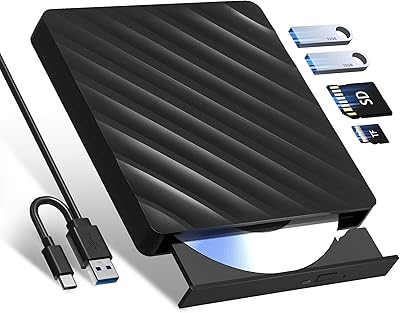
Wbacon 5-in-1 External Blu-ray Drive
66%
88%
Ease of Setup
54%
Disc Read Reliability
51%
Blu-ray Playback Experience
73%
DVD & CD Burning
18%
Blu-ray Disc Burning
More
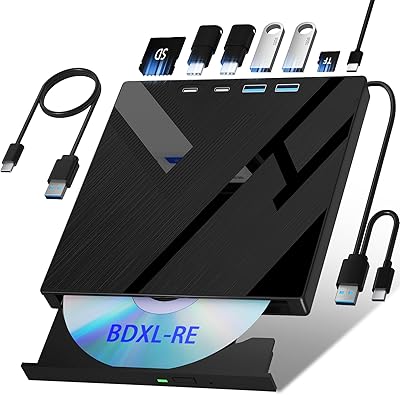
Wbacon 7-in-1 External Blu-ray Drive

71%
67%
Disc Read Reliability
61%
Blu-ray Write Performance
84%
Connectivity & Port Variety
71%
Card Reader Utility
81%
Setup & Plug-and-Play Experience
More
Yaeonku 50GB External Blu-ray Drive

70%
86%
Plug-and-Play Setup
78%
Blu-ray Read & Burn Performance
89%
Dual-Interface Connectivity
41%
Software & Playback Experience
83%
Compatibility Across Operating Systems
More
NOLYTH Portable External Blu-ray Drive

71%
91%
Portability & Form Factor
88%
Plug-and-Play Setup
44%
Blu-ray Playback Software Experience
71%
Disc Read & Write Performance
67%
Build Quality & Materials
More
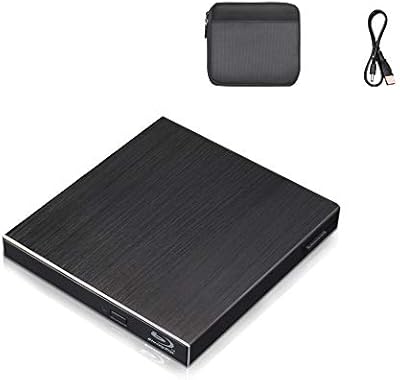
Wintale Portable External Blu-ray Drive
72%
91%
Ease of Setup
72%
Read Performance
69%
Write & Burn Reliability
44%
Software & Out-of-Box Readiness
61%
Build Quality
More
Alphami USB-C External Blu-ray Drive
65%
78%
Ease of Setup
67%
Blu-ray Playback Quality
59%
Compatibility
54%
Portability
56%
Build Quality
More
Cloudtale Portable Slim External Blu-ray Drive

71%
91%
Ease of Setup
61%
Mac Compatibility
78%
Build Quality
74%
Read Performance
88%
Portability
More
LG WP50NB40 External Blu-ray Writer
78%
93%
Portability & Form Factor
91%
Bus-Powered Convenience
89%
Plug-and-Play Setup
86%
Burn Quality & Reliability
78%
Blu-ray Playback Performance
More
NVOPERANG BD015 External Blu-ray Drive
72%
78%
Plug-and-Play Ease
61%
Blu-ray Playback Experience
84%
CD & DVD Performance
67%
Build Quality & Durability
81%
Connectivity & Compatibility
More
VSVABEFV External USB Blu-Ray Drive
82%
93%
Ease of Use
90%
Portability
65%
Write Speed
78%
Software Compatibility
88%
Compatibility with Operating Systems
More

FAQ

It does work on macOS in terms of basic disc reading and writing, but there are a few things to know before you buy. Blu-ray playback is not natively supported on any Mac — you will need third-party software like Cyberlink PowerDVD to watch Blu-ray movies. Some macOS users have also reported driver hiccups, so it is worth checking compatibility with your specific macOS version before committing.

For basic CD and DVD burning, Windows will handle most tasks without extra software. Blu-ray burning and playback, however, require dedicated software — the manufacturer recommends using the Cyberlink BD and 3D Advisor tool to check whether your system is ready. Neither Windows nor macOS includes native Blu-ray support, so budget for a software purchase if you plan to watch movies.

Yes, the enclosure supports both 2.5-inch and 3.5-inch SATA hard drives across SATA I, II, and III generations, so most consumer desktop and laptop drives from the last 15 or more years should be compatible. You simply slot the drive in, connect the unit, and it should appear as an external drive on your computer. It is a genuinely useful feature if you have legacy drives you want to access without buying a dedicated enclosure.

It can charge phones, but manage your expectations around the word fast. The hub supports multiple charging protocols including CDP mode, which is faster than a standard USB port, but it is not comparable to a dedicated USB-C power delivery charger. For casual top-ups while you work it is fine; for rapid charging a flagship smartphone, a proper wall adapter will always beat it.

It requires the included power adapter to operate. Given that it is simultaneously running an optical drive mechanism, potentially powering a hard drive in the enclosure, and supplying power to the USB hub ports, USB bus power from a laptop simply would not be sufficient. The power adapter is included in the box, so there is nothing extra to purchase.

It will read commercially pressed Blu-ray movie discs, but playing the video content back requires compatible software with Blu-ray decryption support — the hardware alone does not handle that. On Windows, options like Cyberlink PowerDVD work well. On macOS, native Blu-ray movie playback software is harder to find and more expensive, so factor that in if movie watching is your primary goal.

Optical drives at high read speeds do produce some noise — spinning a disc at 16x generates a noticeable hum and occasional vibration. For casual home use this is rarely a problem, but in a quiet office environment it may be more noticeable than a slim, slower external drive. Most users report acceptable noise levels rather than anything disruptive.

Yes, a Type-C adapter is included in the box specifically for this scenario. You plug the USB-A cable into the adapter and then into your USB-C port. Keep in mind that if your laptop has only USB-C ports with limited power delivery, having the wall adapter connected is especially important to ensure stable operation.

User reviews are mixed on this point. The unit is functional and reasonably well constructed for its price tier, but it is not in the same league as drives from established brands like LG or ASUS in terms of materials and finish. For desk use where it stays in one place and is not handled roughly, most buyers find it acceptable. If durability is a top priority, the limited brand history of this manufacturer is worth factoring into your decision.

MthsTec states that customer support is available to help resolve issues, and they do respond to inquiries through Amazon. That said, the brand does not have the established service infrastructure of larger peripheral manufacturers, so resolution times and outcomes can vary. It is a reasonable idea to purchase through a channel with a solid return policy as an added safety net.