
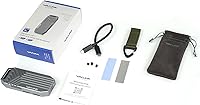
Overview

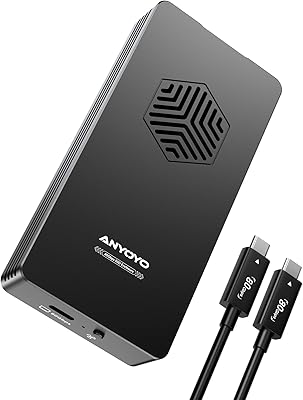
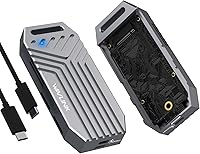
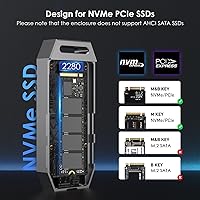
The WAVLINK U41F USB4 NVMe SSD Enclosure arrives as a compact, aluminum-bodied solution for anyone who needs serious external storage speed without hauling a bulky drive setup around. It fits in a palm, weighs almost nothing, and connects without installing any drivers — plug it in and go. That said, a few things are worth knowing before buying: no SSD is included, and AHCI or SATA drives won't work here — this is strictly PCIe NVMe territory. It supports M-key and B+M-key 2280 drives and works across Thunderbolt 3, Thunderbolt 4, USB4, and USB-C hosts, though the fastest speeds only appear when your system truly supports full USB4 bandwidth.

Features & Benefits

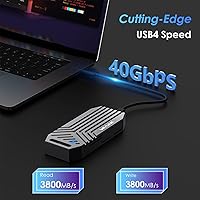
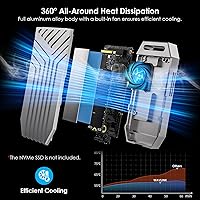
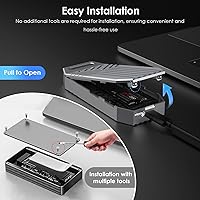
The headline spec is the ASM2464PD controller paired with a USB4 interface capable of sustaining reads near 3800MB/s — but that ceiling only opens up with a Gen 4 NVMe drive and a genuinely USB4-capable host. Pair it with something older and you'll still get solid throughput, just not that peak. On the thermal side, this USB4 enclosure uses an active fan, a silicone thermal pad, and an aluminum heat strip to move heat away during long transfers. The perforated chassis helps too, though the fan does spin up audibly under load. Tool-free installation means swapping drives takes seconds, and S.M.A.R.T. monitoring lets you track drive health over time without extra software.

Best For

This NVMe enclosure works best for people who already have a fast NVMe drive available — maybe pulled from a recent laptop upgrade — and want to put it back to work. Video editors and photographers will appreciate the throughput when offloading large RAW files or project caches from external cards. MacBook Pro users with Thunderbolt 4 ports get near-full bandwidth without adapters. It also performs well as a portable boot drive for power users who want a consistent environment across machines. Gamers moving large installs between systems will find the speed genuinely practical. The compact footprint — barely larger than the SSD itself — keeps it truly pocketable.

User Feedback

Buyers consistently praise the build quality and speeds on compatible setups, particularly those running off Thunderbolt 4 MacBooks where results align closely with advertised peaks. Setup earns positive mentions too — most people have it running within minutes. The recurring criticism centers on two things. First, the fan is not silent; during sustained transfers it becomes noticeable, which matters in quiet environments. Second, a handful of users report that USB-C hosts lacking true USB4 support see significantly lower speeds, catching some buyers off guard. The tool-free latch generally earns approval, though a few noted it feels slightly loose after repeated drive swaps. Overall, sentiment at this price tier leans clearly positive.

Pros

  • Plug-and-play setup works instantly across Windows, macOS, and Linux with zero driver installation.
  • The all-aluminum chassis feels genuinely premium and survives daily bag and pocket carry without issue.
  • Tool-free SSD installation means drive swaps take under two minutes, even when traveling.
  • S.M.A.R.T. monitoring integrates cleanly with existing disk utilities for effortless drive health tracking.
  • Supports drives up to 8TB including double-sided 2280 NVMe modules, giving real long-term capacity headroom.
  • On a true USB4 or Thunderbolt 4 host with a Gen 4 NVMe, transfer speeds feel close to internal storage.
  • UASP and Trim support keep sustained throughput steady rather than degrading mid-transfer.
  • Broad protocol compatibility covers Thunderbolt 3, Thunderbolt 4, USB4, and standard USB-C in one device.
  • This NVMe enclosure is light enough to forget it is in your bag until you actually need it.

Cons

  • SATA and AHCI drives are completely unsupported, making the enclosure useless for a large category of existing SSDs.
  • The built-in fan becomes clearly audible during sustained transfers, which is disruptive in quiet environments.
  • Achieving peak advertised speeds requires both a USB4 host and a Gen 4 NVMe — most users will see less.
  • Thunderbolt 3 connections introduce a bandwidth cap that meaningfully limits real-world performance.
  • The latch mechanism can feel noticeably less secure after repeated drive insertions over time.
  • No SSD is included, so buyers must factor in an additional purchase to use the enclosure at all.
  • The attached cable is short enough to cause awkward positioning on some desktop setups.
  • Bundled documentation is minimal, leaving less experienced users without guidance on compatibility requirements.
  • A few buyers on older Windows 10 builds reported intermittent recognition issues requiring a reboot or port change.

Ratings

The WAVLINK U41F USB4 NVMe SSD Enclosure has been scored by our AI after processing verified buyer reviews from global markets, with spam, bot submissions, and incentivized feedback actively filtered out. The scores below reflect a honest cross-section of real-world experience — where this USB4 enclosure genuinely impresses and where it falls short for certain users and setups.

Transfer Speed Performance
88%
On Thunderbolt 4 MacBooks and true USB4 hosts paired with a Gen 4 NVMe drive, buyers consistently report read speeds that rival internal storage — a meaningful difference when offloading 100GB+ video projects. The ASM2464PD controller keeps throughput stable across longer transfers rather than spiking and dropping.
Speed potential is heavily dependent on the host machine and the SSD installed. Users connecting via older USB-C ports or using mid-range Gen 3 NVMe drives see a significant gap between advertised peaks and actual results, which has caught some buyers off guard.
Build Quality
91%
The full aluminum alloy chassis feels noticeably solid for its size and weight — buyers frequently describe it as punching above its class compared to plastic-bodied competitors. The compact form factor combined with a premium feel makes it a reliable daily carry for professionals.
A small number of users noted minor cosmetic blemishes on arrival, and a few questioned whether the dual-perforated design might accumulate dust in pocket or bag use over time. Nothing structural, but worth noting for detail-oriented buyers.
Thermal Management
74%
26%
The combination of an active fan, thermal silicone pad, and aluminum heat strip does its job during sustained workloads — most users report the enclosure stays warm but never alarmingly hot, even during large file migrations that run for several minutes.
The fan is audible under load, and in quiet environments like recording studios or late-night editing sessions, some buyers find the noise distracting. Thermal performance is adequate rather than exceptional; it solves the heat problem but introduces a noise trade-off.
Compatibility Range
78%
22%
Support for Thunderbolt 3, Thunderbolt 4, USB4, and USB-C across Windows, macOS, and Linux is genuinely broad. Mac users in particular report plug-and-play recognition without any driver hunting, and the enclosure handles both M-key and B+M-key NVMe configurations without fuss.
The lack of AHCI and SATA support is a hard wall that trips up buyers who assumed broader drive compatibility. Thunderbolt 3 hosts also see bandwidth capping that limits real-world speeds noticeably, and the listing could do more to set those expectations upfront.
Ease of Installation
93%
The tool-free mechanism is one of the most consistently praised aspects across buyer feedback — most people go from unboxed to connected in under two minutes. There are no screws to lose, no brackets to align, and no manual to consult, making drive swaps practical even on the road.
After repeated insertions and removals, a handful of users reported the latch mechanism feeling slightly less snug than on first use, raising minor concerns about long-term retention security. It is not a widespread complaint, but worth monitoring if you plan to swap drives frequently.
Portability
94%
At 142g and roughly the footprint of the SSD itself, this NVMe enclosure disappears into a jacket pocket or laptop bag without adding meaningful bulk. Content creators who travel frequently between shoots and edit suites consistently call it one of the most packable storage solutions they have used.
The attached cable is convenient for minimalism but limits flexibility if you need a longer reach to a port in an awkward location. A few buyers would have preferred a removable cable to reduce wear at the connector over time.
Value for Money
76%
24%
For users who already own a spare Gen 4 NVMe drive, the enclosure delivers a compelling cost-per-performance ratio against dedicated external SSDs. The aluminum build and active cooling feel like features typically reserved for pricier enclosures in this category.
Buyers who factor in the cost of purchasing a suitable NVMe SSD separately find the total outlay pushes into premium territory. A couple of direct competitors offer comparable speeds at a slightly lower price point, making the value case less clear-cut for pure budget shoppers.
Fan Noise Level
61%
39%
Users performing occasional backups or short burst transfers rarely notice the fan at all — it tends to stay quiet during light use and only ramps up under sustained heavy loads, which covers a large portion of typical daily use cases.
For professionals working in acoustically sensitive environments, the fan noise during intensive transfers is a genuine annoyance. Several reviewers specifically flagged this as the single feature they would change, and it is the most recurring negative across user feedback on the product.
Software & Monitoring
82%
18%
S.M.A.R.T. support integrates cleanly with third-party tools like CrystalDiskInfo and macOS disk utilities, giving users real visibility into drive health and temperature without any proprietary software installation. UASP and Trim support also work transparently in the background.
There is no bundled management software of any kind, which suits most advanced users but may leave less experienced buyers unsure how to interpret health data. Some users expected a companion app and were mildly disappointed by its absence.
Setup Experience
89%
The plug-and-play approach holds up across all three supported operating systems — buyers on Linux in particular appreciated not needing to hunt for drivers, which is not always guaranteed with enclosures in this price range. First-time users report confidence from the very first connection.
The included documentation is minimal, and buyers unfamiliar with NVMe compatibility nuances — particularly around PCIe keys or SATA limitations — occasionally run into initial confusion that a better quick-start guide could resolve easily.
Capacity Support
86%
Support for drives up to 8TB, including double-sided 2280 modules, gives this enclosure real longevity as high-capacity NVMe drives become more affordable. Users planning to store large media archives or multi-project video libraries find this headroom genuinely useful.
In practice, double-sided NVMe SSDs can vary in fit depending on the specific drive brand and thickness, and a few users noted tighter-than-expected tolerances with certain models. Checking physical dimensions before purchasing a specific SSD is advisable.
Cable Quality
67%
33%
The included USB4 cable is functional and rated for the full 40Gbps bandwidth, which is not always a given in the box at this price. Buyers appreciate not having to source a separate cable immediately after purchase to achieve rated performance.
The cable is relatively short, limiting flexibility in desktop setups where ports are positioned awkwardly. A small number of users also reported the cable feeling thinner and less robust than they expected given the premium enclosure it ships with.
Driver-Free Operation
92%
Verified across Windows 11, recent macOS versions, and several Linux distributions — this NVMe enclosure truly requires zero driver installation. For IT professionals managing multiple machines or travelers who cannot install software on work devices, this matters more than it might seem.
A very small subset of users on older Windows 10 builds reported intermittent recognition issues on first connection, requiring a port change or reboot to resolve. These cases appear isolated rather than systemic, but worth acknowledging.

Suitable for:

The WAVLINK U41F USB4 NVMe SSD Enclosure is built for users who already operate in a high-bandwidth ecosystem and want external storage that keeps up. Video editors and photographers working with large RAW or ProRes files will get the most out of it, particularly when connected to a Thunderbolt 4 MacBook Pro or a USB4-equipped Windows laptop with a fast Gen 4 NVMe drive inside. It is also a smart pick for power users who have recently upgraded their desktop or laptop SSD and want to repurpose the old drive rather than let it sit in a drawer. Professionals who need a portable boot drive or a reliable high-speed backup destination for field work will find the compact aluminum build and driver-free setup genuinely practical. Gamers moving between rigs with large game libraries will also appreciate how quickly large transfers complete compared to slower external drive options.

Not suitable for:

The WAVLINK U41F USB4 NVMe SSD Enclosure is not the right choice for buyers expecting broad drive compatibility out of the box. If you have a SATA or AHCI SSD you were hoping to house here, this enclosure will not recognize it at all — that is a hard limitation, not a firmware fix. Users connecting to older USB-C hosts that do not support the USB4 protocol should also temper expectations significantly, as real-world speeds will fall well short of what the product advertises. Anyone working in a quiet environment — a recording studio, a late-night shared workspace — may find the fan noise during sustained transfers more intrusive than anticipated. Finally, buyers on a tight budget who still need to purchase a compatible Gen 4 NVMe SSD separately should calculate the combined cost carefully before committing, as the total outlay enters premium territory quickly.

Specifications

  • Interface: Uses a USB4 Type-C port rated at 40Gbps for maximum throughput when paired with a compatible host.
  • Compatible Protocols: Works with Thunderbolt 4, Thunderbolt 3, USB4, and standard USB-C connections, though bandwidth varies by host capability.
  • Controller Chip: Powered by the ASM2464PD controller, which manages data flow, heat reduction, and protocol compliance across supported interfaces.
  • Supported SSD Keys: Accepts M-key and B+M-key PCIe NVMe solid-state drives only; AHCI and SATA drives are not supported.
  • SSD Form Factor: Designed for the 2280 form factor (80mm length), accommodating both single-sided and double-sided NVMe modules.
  • Max Capacity: Supports NVMe drives up to 8TB, providing substantial room for large media libraries, backups, or multi-project archives.
  • Max Read Speed: Capable of read speeds up to approximately 3800MB/s under optimal conditions with a Gen 4 NVMe drive and a USB4 host.
  • Cooling System: Combines an active cooling fan, a thermal silicone pad, and an aluminum heat-conduction strip to manage temperatures during sustained workloads.
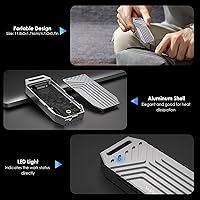
  • Body Material: Constructed from full aluminum alloy with a dual-sided perforated design intended to facilitate 360-degree passive and active airflow.
  • Dimensions: Measures 4.7 x 2 x 0.7 inches, making it compact enough to slip into a jacket pocket or laptop bag side pocket.
  • Weight: The enclosure itself weighs 142g, not including the SSD, which keeps the total carry weight minimal even with a drive installed.
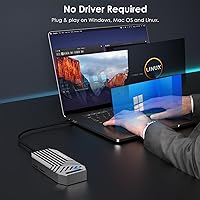
  • OS Support: Compatible with Windows, macOS, and Linux operating systems without requiring any additional driver installation.
  • Installation: Features a tool-free mechanism that allows NVMe drives to be installed or swapped without screwdrivers or mounting hardware.
  • Plug and Play: Recognized immediately by supported operating systems upon connection, requiring no software setup before use.
  • Advanced Features: Supports UASP for reduced command overhead, Trim to maintain long-term drive efficiency, and S.M.A.R.T. for health and status monitoring.
  • SSD Included: No SSD is included in the package; a compatible PCIe NVMe M.2 2280 drive must be purchased separately.
  • Cable: Ships with a USB4-rated cable suitable for achieving the full 40Gbps interface speed on compatible hosts.
  • Model Number: Officially designated as model U41F by WAVLINK, the manufacturer of this enclosure.

Related Reviews

WAVLINK Dual-Bay NVMe M.2 SSD Cloner

75%
83%
Offline Cloning Reliability
78%
Transfer Speed
71%
Compatibility Range
76%
Build Quality
86%
Ease of Setup
More
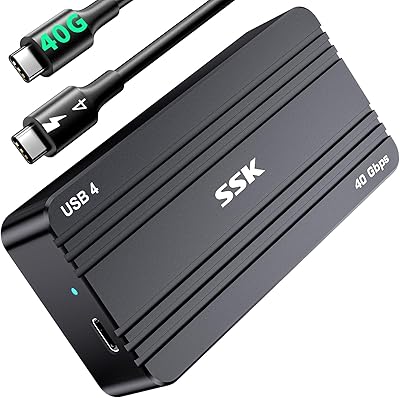
Cable Matters USB4 40Gbps M.2 NVMe Enclosure
80%
88%
Data Transfer Performance
83%
Build Quality & Materials
79%
Thermal Management & Cooling
91%
Portability & Form Factor
74%
Compatibility Range
More
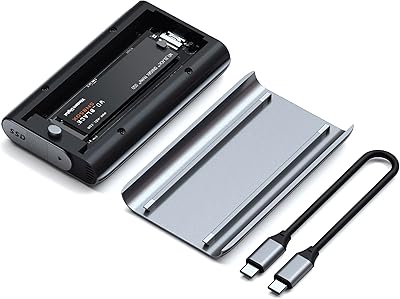
SSK HE-C401 M.2 NVMe SSD Enclosure
79%
78%
Transfer Speed Performance
88%
Build Quality
69%
Compatibility
74%
Ease of Setup
71%
Thermal Management
More
Satechi ST-EU4NPM USB4 M.2 NVMe SSD Enclosure

81%
86%
Transfer Speed Performance
91%
Build Quality & Materials
93%
Installation & Setup Ease
74%
Thermal Management
54%
Included Accessories & Cable
More
ineo C2605-NVMe M.2 NVMe SSD Enclosure

77%
88%
Write Protection Reliability
79%
Transfer Speed Performance
82%
Thermal Management
61%
Fan Noise Level
76%
Build Quality & Materials
More
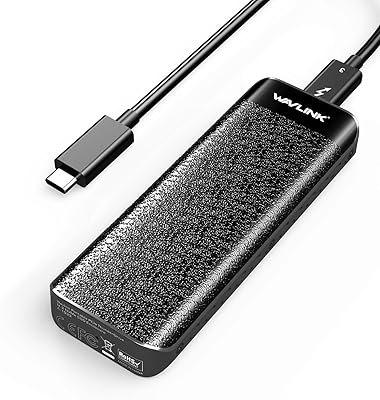
Plugable M.2 NVMe SSD Enclosure
87%
94%
Ease of Setup
92%
Data Transfer Speed
88%
Build Quality
90%
Port Compatibility
87%
Cooling & Thermal Management
More
ORICO TCM2 M.2 NVMe SSD Enclosure
78%
83%
Transfer Speed
61%
Thermal Management
74%
Build Quality
91%
Ease of Installation
86%
Cable Bundle Quality
More
ANYOYO TB502Pro NVMe SSD Enclosure
78%
91%
Transfer Speed Performance
88%
Thermal Management
89%
Build Quality
86%
Thunderbolt 5 Compatibility
41%
TB3 Fallback Behavior
More
JEYI Quad 4-Bay M.2 NVMe Enclosure
76%
83%
Build Quality
88%
Transfer Speed (RAID 0)
61%
Single-Drive Performance
67%
Thermal Management
86%
RAID Flexibility
More
GRAUGEAR G-M2U4-40G-F USB4 NVMe SSD Enclosure

71%
88%
Thermal Performance
83%
Transfer Speed
91%
Build Quality
54%
Setup & Ease of Use
72%
Compatibility
More

FAQ

Yes, as long as your MacBook Pro has Thunderbolt 3 or Thunderbolt 4 ports, the WAVLINK U41F USB4 NVMe SSD Enclosure will connect without any driver installation. Thunderbolt 4 models will get the best performance, while Thunderbolt 3 hosts will work but may see lower peak speeds due to bandwidth differences.

Unfortunately, no. This enclosure only supports PCIe NVMe drives — SATA and AHCI-based SSDs are not compatible and will not be recognized at all. If you are unsure which type you have, check your SSD packaging or the manufacturer spec page before purchasing.

Only under specific conditions: you need a USB4-capable host port and a Gen 4 NVMe SSD inside the enclosure. If either element is missing — for instance, you are using a standard USB-C port or a Gen 3 drive — real-world speeds will be noticeably lower. Most users on Thunderbolt 4 MacBooks with fast NVMe drives do report impressive results, but managing expectations upfront is important.

It is audible. During light or intermittent use the fan is barely noticeable, but under sustained heavy transfers — think moving dozens of gigabytes at once — the fan spins up and you can hear it in a quiet room. It is not aggressively loud, but if you work in a recording environment or a shared quiet space, it is worth factoring in.

Yes, the enclosure functions as a standard USB storage device on Linux and does not require proprietary drivers. Most modern Linux distributions recognize it immediately. S.M.A.R.T. data is also accessible through standard tools like smartmontools if you want to monitor drive health.

No tools required. The enclosure uses a tool-free mechanism where you slide the NVMe drive into the slot and secure it with a clip or latch. The whole process takes well under two minutes. Just make sure you handle the drive by its edges to avoid static discharge during installation.

Yes, and this is actually one of the most popular use cases for this USB4 enclosure. Both macOS and Windows support booting from external NVMe drives, though setup steps differ by OS. On macOS with a Thunderbolt 4 Mac, the experience is particularly smooth with near-internal-storage responsiveness.

Absolutely, provided the old drive is a PCIe NVMe M.2 2280 with an M-key or B+M-key connector. This is one of the best ways to get value from this NVMe enclosure — repurposing a replaced drive rather than letting it sit unused. Just double-check the key type before assuming compatibility.

For most users it holds fine, but a small number of buyers who swap drives frequently have noted the mechanism feels slightly less firm after many cycles compared to when it was new. It is not a safety issue in normal use, but if you plan to switch drives very regularly, it is something to keep an eye on over time.

It will connect, but the speed you get depends entirely on what that USB-C port actually supports. A USB-C port running USB 3.2 Gen 2 will cap at 10Gbps, which is a fraction of the enclosure's capability. The hardware is backward compatible, so it will function — just not at the speeds that make this enclosure worth choosing over cheaper alternatives.