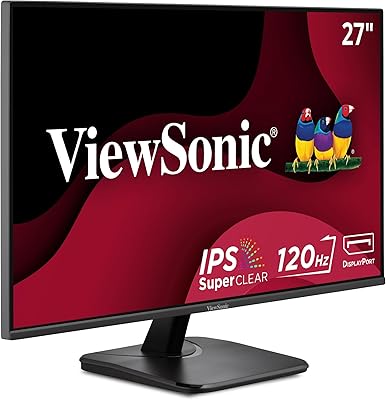
ViewSonic VA2715-2K-MHD 27-inch QHD Monitor


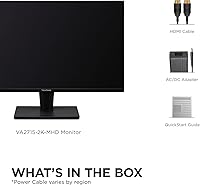
Overview
The ViewSonic VA2715-2K-MHD 27-inch QHD Monitor sits squarely in the mid-range bracket, targeting home office workers and casual gamers who want a real step up from 1080p without spending a fortune. It runs a VA panel with a matte screen finish — two practical choices that favor contrast depth and glare resistance over the cooler color rendering you get from IPS alternatives. The thin-bezel design keeps things tidy, and it works well in a side-by-side dual-monitor arrangement. Just be clear going in: this is not a color-grading workstation display or a high-refresh competitive gaming screen. It is priced and built for everyday versatility.
Features & Benefits
The jump from 1080p to 2560x1440 resolution is immediately noticeable — text is crisper, fine image details sharpen up, and spreadsheet grids stop looking soft. The 100Hz refresh rate, paired with Variable Refresh Rate support, keeps motion fluid enough for everyday gaming and general desktop use. Flicker-Free technology and a built-in Blue Light Filter make long work sessions more comfortable, which matters if you sit in front of a screen for six-plus hours a day. The matte coating handles ambient light well. Connectivity is straightforward — HDMI and DisplayPort cover most setups — and the five onboard presets let you switch visual profiles quickly without hunting through complex menus.
Best For
This ViewSonic QHD monitor makes the most sense for people upgrading from an aging 1080p display — the sharpness difference alone justifies the switch for anyone doing reading-heavy work or detailed editing. Students and remote workers who need a spacious, clean screen at a reasonable cost will feel right at home here. Casual gamers who play at a relaxed pace will appreciate the smoother frame delivery, but anyone chasing competitive response times should look at higher-refresh IPS options. It also works well for Mac and PC users who want straightforward plug-and-play connectivity without adapter headaches, and for anyone building a tidy side-by-side desk setup on a budget.
User Feedback
Owners generally point to image sharpness and overall value as the main reasons they are satisfied with the VA2715-2K-MHD. That said, the stand's limited adjustability — tilt-only, with no height or pivot options — surfaces regularly as a frustration, and buyers who care about ergonomics often end up pairing it with a third-party monitor arm. Some note that color accuracy is acceptable but not exceptional, with the VA panel showing the typical contrast-versus-vibrancy trade-off common in this category. Out-of-box setup is widely described as quick and painless, and long-term reliability appears solid based on the pattern of verified purchaser reviews available.
Pros
- Sharp 2560x1440 resolution makes a visible difference for text-heavy work and detailed media.
- 100Hz refresh rate with Variable Refresh Rate keeps motion noticeably smoother than entry-level 60Hz panels.
- Matte screen surface handles reflections well in bright rooms and near windows.
- Blue Light Filter and Flicker-Free tech reduce eye fatigue during long daily work sessions.
- Dual HDMI and DisplayPort inputs make it easy to connect most laptops, desktops, and Macs without adapters.
- Thin bezels keep the look clean and work well in side-by-side dual-monitor configurations.
- Five built-in view presets let you switch quickly between work, gaming, and media modes.
- Out-of-box setup is straightforward with minimal assembly and immediate plug-and-play functionality.
- Competitive pricing for the resolution and refresh rate combination makes it a smart mid-range buy.
- Reliable build quality based on consistent long-term owner feedback.
Cons
- The stand offers tilt-only adjustment, so height and pivot control require purchasing a separate monitor arm.
- VA panel color accuracy falls short of IPS alternatives, which matters for color-sensitive creative tasks.
- No USB-C port limits connectivity options for newer laptops that rely primarily on that standard.
- No built-in USB hub means your desk stays dependent on a separate hub for peripheral connections.
- 100Hz is a modest ceiling for fast-paced competitive gaming where higher refresh rates are now common.
- Speakers are absent, so external audio is required for any media or communication use.
- Color uniformity near panel edges can show slight inconsistency typical of VA technology at this price tier.
- Limited adjustability of the stand becomes a real frustration for taller desks or non-standard seating setups.
Ratings
The ViewSonic VA2715-2K-MHD 27-inch QHD Monitor earns a well-rounded profile across our AI-driven rating system, which synthesizes verified buyer reviews from global markets while actively filtering out incentivized, bot-generated, and low-signal feedback. The scores below reflect an honest picture of where this 27-inch display genuinely delivers and where real-world owners have run into friction. Both the strengths that keep buyers satisfied and the recurring pain points that temper enthusiasm are transparently represented.
Image Sharpness
Value for Money
Eye Comfort
Refresh Rate & Motion
Glare Resistance
Color Accuracy
Connectivity
Ergonomics & Stand
Build Quality
Setup Experience
Bezel & Aesthetics
Matte Finish Quality
Preset Modes Usefulness
Suitable for:
The ViewSonic VA2715-2K-MHD 27-inch QHD Monitor is a strong fit for anyone making the jump from a 1080p screen who wants noticeably sharper text and detail without pushing into premium price territory. Remote workers and students who spend most of their day reading, writing, or managing documents will appreciate how much easier the higher resolution is on the eyes over long sessions. The built-in Blue Light Filter and Flicker-Free technology add genuine value for that crowd, not just as marketing checkboxes but as features that make a tangible difference during extended use. Casual gamers who play story-driven titles or strategy games at a relaxed pace will also find the 100Hz refresh and Variable Refresh Rate support a clear upgrade over a standard 60Hz panel. It suits Mac and PC users equally well given the dual-input setup, and its thin bezels make it a natural choice for anyone assembling a two-monitor desk arrangement on a budget.
Not suitable for:
Buyers with serious ergonomic needs should think carefully before committing to this 27-inch display, as the stand almost certainly offers tilt adjustment only — no height raise, no pivot, no swivel — which means added expense for a monitor arm if your setup requires precise positioning. Creative professionals who depend on accurate color reproduction for photo editing, video grading, or design work will find the VA panel's color volume limiting compared to wide-gamut IPS or OLED alternatives. Competitive gamers who prioritize response time and refresh rate above all else should look elsewhere, since 100Hz does not satisfy the demands of fast-paced multiplayer titles where 144Hz or higher is now the baseline expectation. Anyone hoping for USB-C connectivity or built-in USB hub functionality will also come away disappointed, as the port selection is limited to HDMI and DisplayPort. If you need a display that flexes across professional color work and intense gaming simultaneously, the VA2715-2K-MHD is simply not designed for that role.
Specifications
- Screen Size: The display measures 27 inches diagonally, offering a spacious viewing area well-suited for multitasking and side-by-side window layouts.
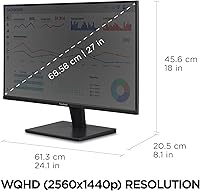
- Resolution: Native resolution is 2560x1440 (QHD), delivering roughly 1.77 times the pixel count of a standard 1080p panel for noticeably sharper detail.
- Panel Type: Uses a VA (Vertical Alignment) panel, which provides stronger contrast ratios than IPS but trades some color volume and off-axis accuracy.
- Refresh Rate: Rated at 100Hz, enabling smoother motion during everyday gaming and fast-scrolling tasks compared to a standard 60Hz display.
- Variable Refresh Rate: Supports Variable Refresh Rate technology to synchronize the display output with the GPU frame rate, reducing screen tearing without introducing significant input lag.
- Screen Surface: The matte anti-glare coating diffuses ambient light effectively, making the display practical in brightly lit rooms or near windows.
- Aspect Ratio: Standard 16:9 widescreen aspect ratio, compatible with virtually all modern content formats and operating system interfaces.
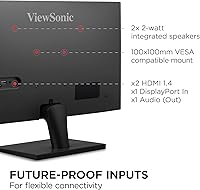
- Connectivity: Equipped with one HDMI input and one DisplayPort input, covering the most common connection types for laptops, desktops, and Macs.
- Eye Care: Incorporates both Flicker-Free backlight technology and a built-in Blue Light Filter to reduce visual fatigue during prolonged screen use.
- View Presets: Offers five onboard display presets — Game, Movie, Web, Text, and Mono — accessible directly through the monitor's OSD menu.
- Bezel Design: Features thin bezels on three sides, keeping the footprint visually compact and making it a practical choice for multi-monitor desk configurations.
- Dimensions: The monitor with stand measures approximately 24.1 inches wide, 18 inches tall, and 8.9 inches deep.
- Weight: Complete unit with stand weighs 7.92 pounds, light enough for a single person to position and reposition without difficulty.
- Power Input: Operates on 12V DC input; an appropriate power adapter is included in the box.
- Color Finish: Available in a matte black finish that blends cleanly into most desk setups without drawing visual attention to the monitor frame.
- Brand: Manufactured by ViewSonic, a display-focused brand with a long track record in monitors for both consumer and business markets.
- Release Date: This model was first made available in July 2022, making it a relatively current entry in the mid-range QHD monitor segment.
Related Reviews
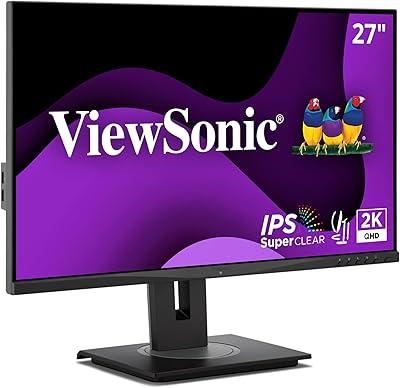
ViewSonic VG2748A-2K 27-inch QHD Monitor
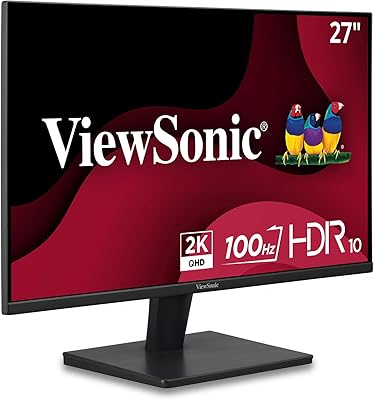
ViewSonic VS2725-2K 27-inch QHD Monitor
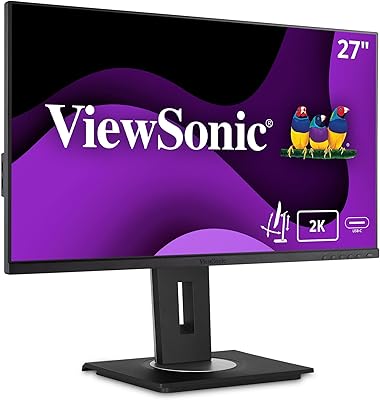
ViewSonic VG2756A-2K 27-inch Docking Monitor
ViewSonic VP2756-2K 27-inch QHD IPS Monitor
ViewSonic VX2767-MHD 27-inch Gaming Monitor
ViewSonic VX2728J-2K 27-inch Gaming Monitor
ViewSonic VX3276-2K-MHD 32-inch QHD Monitor
ViewSonic VX2767U-2K 27-inch 1440p IPS Monitor
ViewSonic VG2455-2K 24-inch QHD IPS Monitor