Overview

The Prechen HD-270 27-inch QHD Gaming Monitor arrived in late 2024 as one of the more affordable ways to get both 2K resolution and a 240Hz refresh rate in the same package. Made by Shenzhen Kenowa Electronics, a brand with little established track record, it targets buyers who want competitive-tier performance without paying flagship prices. The IPS panel is a genuine selling point here — at this price, many alternatives use TN panels that sacrifice color quality for speed. Going in with realistic expectations matters, though. This is a value-tier display, not a precision instrument, and the brand's newness means long-term reliability data is still sparse.
Features & Benefits

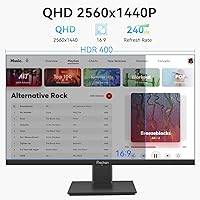
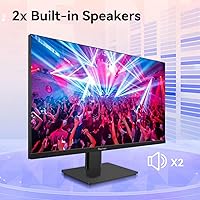
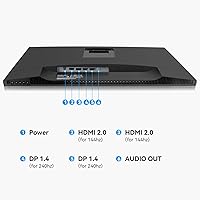
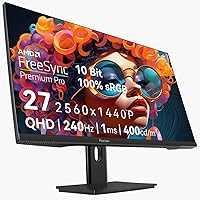
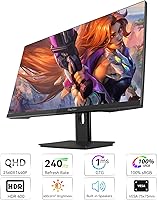
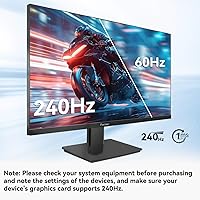
The headline spec is 240Hz, but there is a catch worth knowing upfront: you need DisplayPort 1.4 to hit that ceiling. Plug in via HDMI 2.0 and you are capped at 144Hz — a detail buried in the fine print that trips up more buyers than it should. Beyond that, the 2560x1440 IPS panel delivers solid sharpness with a 1ms GTG response time and 400 cd/m² brightness. AMD FreeSync Premium Pro keeps motion smooth across the variable refresh range, and 100% sRGB coverage makes it usable for light creative work. The HDR 400 badge is entry-level at best — a modest improvement, not a transformative one. Built-in speakers and VESA mounting support add everyday convenience, though the stand offers tilt adjustment only.

Best For

This 27-inch QHD gaming monitor makes the most sense for competitive PC gamers running AMD graphics cards, where FreeSync Premium Pro works natively and the 240Hz ceiling gets fully utilized. That said, you do need a GPU with a DisplayPort 1.4 output — non-negotiable if 240Hz is actually the goal. Budget-conscious buyers who have been priced out of similar displays from more established brands will find genuine value here. It also works well as a secondary display in a multi-monitor workspace where image quality and price efficiency outweigh ergonomic flexibility. Anyone who relies on precise height positioning during long sessions may find the fixed-height stand a real frustration over time.

User Feedback

Buyers who have picked up the Prechen HD-270 generally report being impressed by out-of-box image quality for the price, with colors looking reasonably accurate without much calibration effort. The 240Hz experience draws consistent praise from those who connected via DisplayPort, though several users noted initial confusion about why the refresh rate would not activate — unaware of the HDMI cap. Build quality feedback is mixed; the stand feels adequate but not particularly solid, and some units show mild backlight bleed along panel edges. Speaker quality is predictably average — fine for background audio, not for serious listening. Long-term reliability remains an open question given the brand's short history on the market.

Pros

  • QHD 2560x1440 resolution at 240Hz is genuinely rare at this price bracket.
  • The IPS panel delivers better color and viewing angles than TN alternatives in the same range.
  • AMD FreeSync Premium Pro keeps motion smooth and tear-free for compatible GPU users.
  • 100% sRGB coverage makes this budget 240Hz display usable for light creative tasks beyond gaming.
  • Two DisplayPort 1.4 and two HDMI 2.0 ports give you real flexibility for multi-device setups.
  • Built-in dual speakers remove the need for external audio in casual or secondary use scenarios.
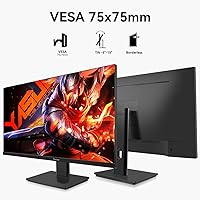
  • VESA 115x115mm compatibility makes it easy to mount on a third-party arm for better ergonomics.
  • At 400 cd/m² brightness, the panel holds up well in moderately lit rooms without looking washed out.
  • 1ms GTG response time keeps motion blur minimal during fast-paced competitive gameplay.

Cons

  • Reaching 240Hz requires DisplayPort 1.4 specifically — HDMI users are silently capped at 144Hz.
  • The stand offers tilt adjustment only, with no height, swivel, or pivot options included.
  • HDR 400 certification is entry-level and produces only a marginal real-world improvement over SDR.
  • Prechen is a very new brand with almost no long-term reliability data available yet.
  • Some units have shown mild backlight bleed along panel edges, which is common but worth knowing.
  • Built-in speaker quality is average at best and unsuitable for music or immersive media audio.
  • The glossy screen surface increases glare in bright or window-facing environments.
  • Nvidia users may not receive the full benefit of FreeSync Premium Pro depending on GPU generation.
  • No factory color calibration report is included, so out-of-box accuracy may vary between units.

Ratings

Our AI scoring for the Prechen HD-270 27-inch QHD Gaming Monitor was built by analyzing verified global buyer reviews, with spam, incentivized posts, and bot-generated feedback actively filtered out before any score was calculated. The ratings below reflect an honest synthesis of what real users experienced — covering both the genuine strengths that made buyers happy and the friction points that caused frustration or returns. Nothing has been softened to protect the brand.
Value for Money
88%
Most buyers feel this budget 240Hz display punches well above its price tag, particularly when compared to alternatives from established brands that charge significantly more for the same resolution and refresh rate combination. For first-time QHD buyers or those upgrading from a 1080p 60Hz panel, the perceived jump in quality feels substantial.
A small but vocal group of reviewers feel the value calculation breaks down if you factor in the stand limitations, the absence of height adjustment, and the uncertainty around long-term reliability from a brand with no established service history. For buyers who need a monitor arm anyway, the added cost narrows the gap.
Image Quality
81%
19%
The IPS panel consistently earns praise for delivering clean, vibrant colors straight out of the box, with most users reporting minimal calibration needed for everyday gaming and media consumption. At 27 inches, the QHD resolution produces sharp, detailed images that make a noticeable difference in games with dense environments or fine text.
Some units show backlight bleed along the lower panel edges, which becomes visible in dark scenes or when watching content with black bars. The glossy surface also introduces glare in brighter rooms, which can undercut the otherwise solid image quality depending on your setup environment.
Refresh Rate Performance
83%
Users who correctly connected via DisplayPort 1.4 consistently describe the 240Hz experience as a genuine competitive advantage in fast-paced titles — enemy movement is visibly clearer and mouse tracking feels markedly more precise compared to their previous 144Hz displays. The smoothness improvement is not subtle.
The 240Hz headline creates real frustration for buyers who assume HDMI will deliver the same result — it does not, and the monitor does not make this distinction obvious during setup. A meaningful portion of early negative reviews trace back entirely to this single misunderstanding rather than any actual panel deficiency.
Adaptive Sync
84%
AMD GPU users report that FreeSync Premium Pro works reliably across a wide frame rate range, keeping gameplay smooth and tear-free even during drops below the 240Hz ceiling. In titles like competitive shooters where frame rates can swing dramatically, the adaptive sync noticeably reduces visual disruption.
Nvidia users have a more inconsistent experience — while G-Sync Compatible mode works on many recent cards, some users report flickering or sync drops that AMD owners do not encounter. This is partly a driver and GPU compatibility issue, but buyers with Nvidia hardware should treat the FreeSync benefit as conditional.
Response Time
79%
21%
The 1ms GTG rating translates into a noticeably clean motion presentation in practice — ghosting is minimal even in high-speed chase sequences or rapid camera panning in shooters. Buyers upgrading from older IPS monitors at slower response times appreciate the difference in fast motion clarity.
At extreme overdrive settings, a small number of users report inverse ghosting artifacts — a bright trailing effect that appears behind fast-moving objects. This is a known trade-off with aggressive pixel response tuning on IPS panels and can typically be mitigated by dialing back the overdrive in the OSD settings.
Color Accuracy
76%
24%
The 100% sRGB coverage means colors are well-represented for casual photo editing, digital art, and content consumption — buyers who dabble in creative work alongside gaming find it capable enough to avoid needing a dedicated work monitor. Out-of-box color temperature is reported as reasonably neutral by most users.
There is no factory calibration report included, and some users note unit-to-unit variation in white balance and gamma. Buyers with a calibration device can correct this without much difficulty, but those relying purely on out-of-box accuracy may experience slightly warmer or cooler tones depending on their specific unit.
HDR Performance
52%
48%
Enabling HDR 400 does produce a mild brightness boost in highlight areas on supported content, which some users describe as making daytime outdoor scenes look more natural. For casual viewers who have never used a higher-tier HDR display, the difference can feel like a modest visual upgrade.
Experienced users and those familiar with HDR 600 or HDR 1000 panels consistently describe the HDR 400 mode as underwhelming — the panel lacks the local dimming or peak brightness needed to produce genuine HDR impact. Several reviewers recommend simply leaving HDR disabled and optimizing the SDR color settings instead.
Build Quality
67%
33%
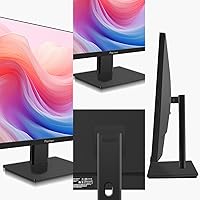
The monitor body has a clean, minimal aesthetic that blends well into most desk setups, and the bezels are slim enough to work comfortably in a dual-monitor configuration. Most buyers describe the overall build as feeling acceptable for the price tier — not premium, but not obviously cheap either.
The stand is the most frequently cited weak point: it feels plasticky under hand and introduces some wobble when adjusting desk items nearby. A few buyers also noted creaking from the chassis when moving the monitor, suggesting tolerances in the housing are tighter than ideal for a display meant to be repositioned regularly.
Ergonomics
54%
46%
The tilt adjustment works smoothly and covers a reasonable range that suits most seated viewing positions. For buyers who plan to add a VESA-compatible monitor arm, the 115x115mm mounting pattern makes the ergonomics limitation largely irrelevant at a modest additional cost.
The complete absence of height, swivel, and pivot adjustment is a real daily-use problem for anyone who cannot modify their desk height or seating position to compensate. Buyers spending several hours at a time in front of this display report neck and eye strain from suboptimal viewing angles that a height-adjustable stand would easily solve.
Connectivity
77%
23%
Having two DisplayPort 1.4 and two HDMI 2.0 inputs is genuinely useful for buyers running multiple PCs, a gaming console alongside a desktop, or a streaming device simultaneously. The dual-DP configuration in particular is relatively uncommon at this price point and earns real appreciation from multi-device users.
The HDMI 2.0 limitation to 144Hz is a recurring source of disappointment, particularly for console gamers who assumed the 240Hz label applied to all inputs. There is also no USB hub, no headphone jack listed in verified specs, and no KVM functionality — omissions that buyers coming from more feature-rich monitors will notice immediately.
Speaker Quality
46%
54%
The built-in speakers are clear enough for video calls, system notifications, and background music at low to moderate volumes. For buyers using the Prechen HD-270 as a secondary desk monitor, having any usable audio output without extra cabling is a genuine convenience.
For gaming or media consumption, the speakers fall noticeably short — bass is virtually absent, and volume headroom is limited before distortion becomes audible. Nearly every buyer who comments on audio recommends treating the built-in speakers as a last resort and budgeting for even a modest desktop speaker set.
Setup Experience
71%
29%
Physical assembly of the stand is straightforward and tool-free, with most buyers reporting the monitor is desk-ready within a few minutes of unboxing. Cable management along the stand base is functional, keeping the setup looking tidy without extra accessories.
The software side of setup is where friction appears — getting to 240Hz requires navigating display settings manually, and the monitor OSD controls are reported as sluggish and unintuitive by multiple users. The lack of on-screen guidance around the DP vs HDMI refresh rate difference leaves too many buyers troubleshooting unnecessarily.
Brand Reliability
58%
42%
Early adopters who have owned the display for several months report no major failures or degradation, suggesting at least short-term build consistency is acceptable. The product listing and basic documentation are clear enough to indicate a manufacturer that understands the category.
Prechen has virtually no track record outside of this recent product launch, which makes it impossible to assess how the panel holds up over two to three years or how responsive the brand is to warranty claims. Buyers who prioritize peace of mind over upfront cost savings may find this uncertainty hard to accept.
Gaming Performance
86%
When used as intended — with a DisplayPort 1.4 connection and an AMD GPU — this 27-inch QHD gaming monitor delivers a compelling competitive experience that genuinely rivals displays from well-known brands at a higher price. Fast-paced titles benefit visibly from the combination of QHD clarity, 240Hz motion, and effective adaptive sync.
The gaming performance ceiling is somewhat GPU-dependent — pushing consistent frame rates above 200fps at 1440p requires a capable and relatively modern graphics card, which not all buyers in this price bracket may already own. Users with mid-range GPUs may spend most of their time below the 240Hz ceiling anyway.

Suitable for:

The Prechen HD-270 27-inch QHD Gaming Monitor is a practical pick for competitive PC gamers who run an AMD graphics card with a DisplayPort 1.4 output and want 2K resolution at 240Hz without stretching their budget. If you are upgrading from a 1080p or 144Hz display and want a noticeable jump in both clarity and smoothness, this monitor delivers that combination at a price point most alternatives cannot match. AMD GPU owners benefit particularly well here, since FreeSync Premium Pro works natively and keeps gameplay free of tearing across a broad refresh range. It also suits buyers setting up a secondary or dedicated gaming monitor where price efficiency outweighs the need for a recognized brand name. For casual creative work like photo editing or light design tasks, the 100% sRGB panel coverage makes it more capable than a pure TN gaming display at a similar price.
Not suitable for:

The Prechen HD-270 27-inch QHD Gaming Monitor is not the right choice for anyone planning to connect via HDMI and expecting 240Hz — the HDMI 2.0 ports hard-cap at 144Hz, and many buyers only discover this after setup. Professionals who need accurate, calibrated color output for photo editing, video grading, or print work should look elsewhere, as this is a gaming-oriented IPS panel with no factory calibration guarantee. People who spend long hours at a desk and rely on precise ergonomic positioning will find the tilt-only stand genuinely limiting; without height adjustment, achieving a comfortable eye-level setup often requires a monitor arm or riser purchased separately. Nvidia GPU users should also note that FreeSync Premium Pro does not work on all Nvidia cards, so the adaptive sync benefit may be reduced depending on your setup. Buyers who prioritize brand reliability and after-sale support should be cautious — this is a first-generation product from a brand with a very short track record and limited user data on durability.
Specifications

  • Panel Type: Uses an IPS (In-Plane Switching) panel, which provides wider viewing angles and more accurate color reproduction compared to TN panels at a similar price.
  • Screen Size: 27-inch diagonal display with a 16:9 aspect ratio and a glossy screen surface.
  • Resolution: Native resolution of 2560x1440 (QHD), delivering roughly 1.78 times the pixel density of a standard 1080p display at this screen size.
  • Refresh Rate: 240Hz maximum refresh rate is achievable only via DisplayPort 1.4; connecting through HDMI 2.0 limits output to a maximum of 144Hz.
  • Response Time: 1ms GTG (gray-to-gray) response time, which minimizes motion blur and ghosting during fast-paced gameplay.
  • Brightness: Peak brightness rated at 400 cd/m², suitable for moderately lit indoor environments but may appear washed out in very bright or sunlit rooms.
  • Contrast Ratio: Static contrast ratio of 1000:1, which is standard for IPS panels and produces adequate depth for gaming and everyday content.
  • Color Gamut: Covers 100% of the sRGB color space, making it appropriate for color-sensitive work such as photo editing and graphic design at a casual level.
  • HDR Support: Certified DisplayHDR 400, which is an entry-level HDR standard that offers a modest improvement in dynamic range but falls short of true HDR performance.
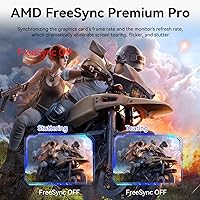
  • Adaptive Sync: AMD FreeSync Premium Pro certified, synchronizing the display refresh rate with a compatible GPU to eliminate screen tearing and reduce stuttering during variable frame-rate gameplay.
  • Connectivity: Equipped with 2x DisplayPort 1.4 and 2x HDMI 2.0 ports, offering four total video inputs for connecting multiple devices simultaneously.
  • Built-in Audio: Includes dual integrated speakers intended for casual listening; no external amplifier or subwoofer is included, and no headphone jack specifications are listed.
  • VESA Mounting: Supports 115x115mm VESA wall mounting, allowing the monitor to be used with most third-party monitor arms and wall brackets.
  • Stand Adjustment: The included stand supports tilt adjustment only; height, swivel, and pivot adjustments are not available without a third-party arm.
  • Dimensions: Overall product dimensions measure 24.8 x 12.2 x 0.59 inches, with a total weight of 12.32 pounds including the stand.
  • Manufacturer: Designed and sold under the Prechen brand, manufactured by Shenzhen Kenowa Electronics Co., LTD, based in China.
  • Model Number: The official model identifier is HD-270, which can be used to cross-reference accessories, firmware, and support documentation.
  • Market Availability: First listed on Amazon in October 2024, making this a recently introduced product with a limited track record of long-term user reliability data.

Related Reviews

memzuoix 27-inch QHD 165Hz Gaming Monitor
70%
88%
Image Clarity
84%
Refresh Rate Performance
91%
Value for Money
82%
Adaptive Sync (FreeSync/G-Sync)
77%
Color Accuracy
More
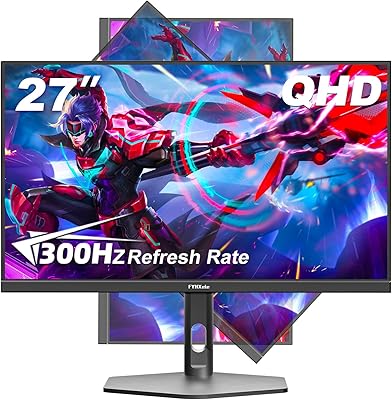
FYHXele 27-inch 300Hz QHD Gaming Monitor
79%
91%
Refresh Rate Performance
88%
Image Sharpness
74%
Color Accuracy
51%
HDR Quality
86%
Response Time & Motion Clarity
More
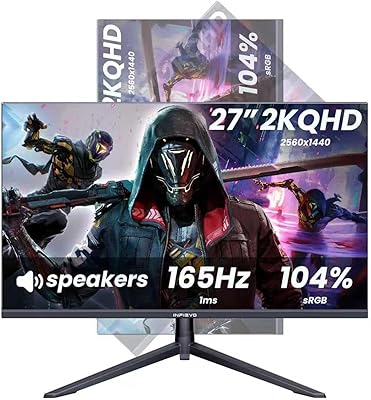
INFIEVO 27-Inch QHD 165Hz Gaming Monitor
76%
88%
Image Clarity
91%
Refresh Rate & Smoothness
93%
Ergonomic Stand
94%
Value for Money
52%
HDR Performance
More
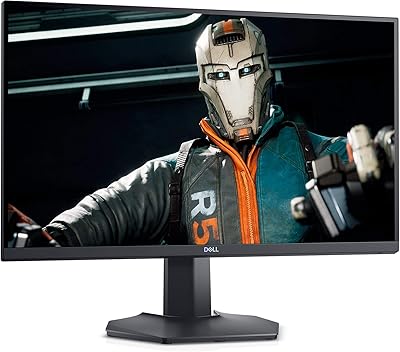
Dell S2721DGF 27-inch QHD Gaming Monitor
77%
91%
Image Clarity
88%
Refresh Rate Performance
86%
Color Accuracy
89%
Adaptive Sync
87%
Ergonomic Stand
More
Dell S2722DGM 27-inch Curved Gaming Monitor
81%
88%
Image Clarity
91%
Refresh Rate Performance
84%
Response Time
86%
Panel Curvature & Immersion
71%
Color Accuracy
More
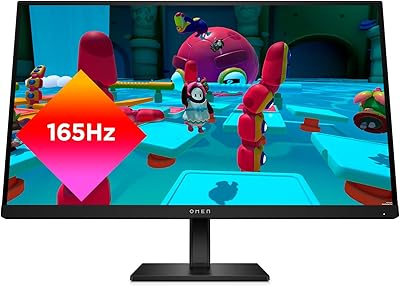
HP OMEN 27q QHD Gaming Monitor
79%
88%
Image Clarity
91%
Refresh Rate Performance
84%
Color Accuracy
61%
Brightness & HDR
57%
Glare & Reflections
More
Gawfolk GF270L 27-inch QHD Gaming Monitor

74%
88%
Image Clarity
83%
Gaming Performance
74%
Color Accuracy
79%
Motion Handling
81%
Refresh Rate & Sync
More
Samsung Odyssey G50D 27-Inch Gaming Monitor
81%
88%
Image Clarity
91%
Refresh Rate Performance
86%
Response Time & Motion Handling
84%
Color Accuracy
58%
HDR Performance
More
Samsung 27-Inch Odyssey G51C Series QHD Gaming Monitor
87%
92%
Display Quality
94%
Gaming Performance
87%
Value for Money
89%
Ergonomics & Comfort
74%
Brightness
More
LG 27GN800-B 27-inch QHD Gaming Monitor
77%
88%
Image Quality
86%
Motion Performance
91%
Adaptive Sync
41%
Ergonomics & Stand
87%
Value for Money
More

FAQ

You do need DisplayPort — specifically a DisplayPort 1.4 cable and a GPU output that supports it. The HDMI 2.0 ports on this monitor top out at 144Hz, which is a meaningful difference if 240Hz is the reason you are buying it. Always double-check your graphics card outputs before purchasing.

It depends on your specific Nvidia card and driver version. Nvidia has supported FreeSync on many of its GPUs since 2019 under the G-Sync Compatible program, but not every card handles it equally well. If you have a relatively recent Nvidia GPU, you are likely fine, but AMD users will get the most consistent experience here by default.

Once connected via DisplayPort 1.4, you need to manually set the refresh rate in your operating system display settings — Windows does not always default to the maximum rate. Go to Display Settings, then Advanced Display Settings, and select 240Hz from the refresh rate dropdown. If you do not see 240Hz listed, check that you are using the DisplayPort input and not HDMI.

Honestly, HDR 400 is the lowest tier of HDR certification, and the difference compared to a well-calibrated SDR image is subtle at best. It does improve perceived brightness in highlights slightly, but do not expect the deep blacks and vivid contrast you would see on an OLED or a proper HDR 1000 panel. You can enable it and see if you notice a difference, but it is not a headline feature.

It can, especially if you have a window or bright light source behind you or to the side. Glossy panels tend to reflect ambient light more noticeably than matte alternatives. If your gaming space is well-controlled for lighting, it is rarely a problem — and glossy panels do tend to look more vivid. If you game near a bright window, consider repositioning your setup or adding a blind.

Yes, you can connect a PS5 or Xbox Series X via HDMI 2.0, and the monitor will display up to 1440p at 144Hz depending on the console's output settings. Keep in mind that neither current-generation console supports DisplayPort, so 240Hz is off the table for console use. For console gaming at 144Hz on a QHD panel, it still works well.

The stand is serviceable for basic use but is not particularly rigid — some users report minor wobble when adjusting their desk setup. Since it only tilts and offers no height adjustment, buyers who prefer eye-level positioning will almost certainly want a VESA-compatible monitor arm. The 115x115mm VESA pattern makes finding a compatible arm straightforward.

The 100% sRGB coverage is genuinely useful for casual creative tasks, and most buyers report colors looking reasonably natural straight out of the box. That said, there is no factory calibration report included, so unit-to-unit consistency can vary. If you need precise color work for professional output, a calibration tool is worth using — but for hobbyist editing, most people are happy with a few manual adjustments in the OSD.

They are fine as a backup option — clear enough for system sounds, video calls, and casual YouTube watching. For anything immersive like gaming audio or music, they fall short of even budget desktop speakers. Think of them as a convenient fallback rather than a primary audio solution.

That is a fair concern and one worth taking seriously. Prechen only entered the market in late 2024, which means there is very little long-term ownership data available yet. Early buyers report mostly positive experiences, but panel longevity and after-sale support are still unknowns. If brand reliability and warranty track record matter to you, an established brand at a slightly higher price may be the safer choice.