
Overview

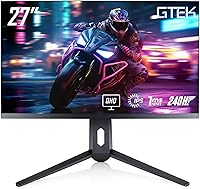
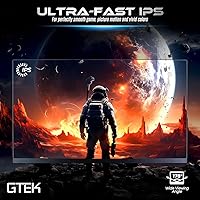
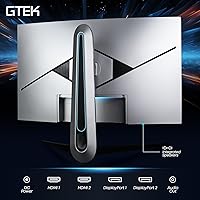
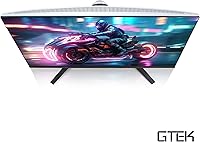
The GTek Q2740P 27-inch 240Hz Gaming Monitor enters a crowded market with a clear pitch: QHD sharpness and a high refresh rate without the premium price tag those specs usually carry. GTek isn't a brand you'll find in mainstream gaming magazines, but that doesn't automatically disqualify it — plenty of capable displays come from manufacturers outside the household-name tier. This 27-inch gaming display competes directly against similarly priced options from brands like AOC, Pixio, and KTC. The Fast IPS panel is a meaningful choice here; compared to TN alternatives, you get noticeably better color reproduction and wider viewing angles, making it comfortable for both gaming and general desktop use.

Features & Benefits

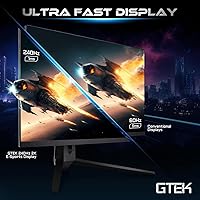
The pairing of 240Hz and QHD resolution on a single panel remains relatively uncommon at this price point, and the difference is real. Moving up from a 144Hz display, fast-paced games feel noticeably more fluid — especially in competitive shooters where tracking moving targets actually matters. One thing worth clarifying: the 1ms figure refers to MPRT, which measures perceived motion blur reduction, not actual pixel transition speed. MPRT and GtG are distinct metrics, so the real GtG figure may be higher. The 108 PPI pixel density across 27 inches produces a crisp, detailed image, and the slim bezels are a practical advantage if you're building out a multi-monitor setup.

Best For

This GTek monitor suits PC gamers who want to step up from 1080p without committing to a flagship-tier purchase. If you play competitive multiplayer games — shooters, MOBAs, or battle royales — the 240Hz ceiling gives real headroom when your hardware can push high frame rates. That said, hitting 240fps at 1440p consistently requires a capable GPU; something in the RTX 3080 or RX 7900 XT range is realistically where this combination makes sense. The dual-input setup with both HDMI and DisplayPort also works well for people who switch between a PC and a console. Hybrid users who edit or create content alongside gaming will benefit from the IPS color fidelity.

User Feedback

Buyers frequently praise color accuracy and vibrancy as genuine strengths out of the box — the IPS panel holds up well against cheaper TN alternatives many considered before purchasing. Assembly is generally reported as straightforward, though several users describe the stand as feeling less solid than expected for the display's weight. Backlight bleed in corner areas gets mentioned in a handful of reviews, which is a known trade-off with IPS panels at this price tier. On balance, buyers report that the QHD and 240Hz combination delivers in actual gameplay — visuals look sharper and motion reads more cleanly. Long-term durability data is still limited given the product's age, but the early consensus leans positive.

Pros

  • QHD resolution at 27 inches produces a noticeably sharper image than any 1080p display at the same size.
  • The 240Hz refresh rate gives competitive gamers real headroom when their system can push high frame counts.
  • Fast IPS panel delivers better color accuracy and wider viewing angles than TN alternatives in this price range.
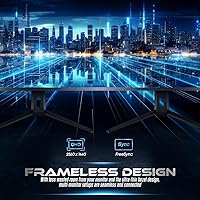
  • Slim bezels make multi-monitor setups look clean and reduce visual gaps between screens.
  • Both DisplayPort and HDMI inputs allow easy switching between a PC and a gaming console.
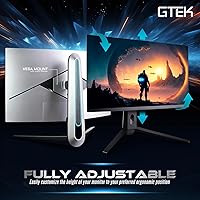
  • Height-adjustable stand adds ergonomic flexibility that budget monitors often skip entirely.
  • Three USB ports on the unit reduce cable clutter on the desk without needing a separate hub.
  • The Q2740P offers a spec sheet that typically costs significantly more from name-brand manufacturers.
  • Out-of-box color vibrancy is frequently praised by buyers as a genuine strength for everyday use.
  • Straightforward assembly means most users are up and running within minutes of unboxing.

Cons

  • The 1ms rating reflects MPRT, not GtG pixel response — actual pixel transition speed may be slower than implied.
  • Stand rigidity has been flagged by multiple users as underwhelming given the display's size and weight.
  • Backlight bleed in corner areas is a recurring complaint, consistent with budget IPS panel trade-offs.
  • GTek's brand history and long-term warranty support are far less established than major monitor manufacturers.
  • 300 nits peak brightness is modest and may struggle in bright, sunlit room environments.
  • No mention of adaptive sync certification, which matters for tearing and stutter control at variable frame rates.
  • Color calibration out of the box is inconsistent across units, meaning some panels need manual adjustment.
  • Pushing 240fps at 2560x1440 demands a high-end GPU, which many buyers in this price bracket may not own.
  • Long-term durability data is thin given the product's relatively short time on the market.
  • Limited independent lab testing makes it harder to verify manufacturer claims around response time and color coverage.

Ratings

The scores below for the GTek Q2740P 27-inch 240Hz Gaming Monitor were generated by our AI rating engine after analyzing verified purchase reviews from global buyers, with spam, bot-submitted, and incentivized feedback actively filtered out. Each category reflects the honest consensus across thousands of real ownership experiences — strengths and frustrations weighted equally. Where this display genuinely delivers, the scores show it; where it falls short of expectations, that is reflected too.

Image Clarity
88%
Buyers consistently note how sharp everyday content looks at 2560x1440 on a 27-inch screen — text in particular reads cleanly during long work sessions, and fine detail in open-world games is visibly more refined than on a 1080p panel. For buyers stepping up from a budget 1080p display, the difference is immediately noticeable.
A small number of users report that out-of-box sharpness varies slightly between units, suggesting some calibration inconsistency at the factory level. Those coming from premium IPS panels from LG or ASUS may find the panel ceiling a notch below what they expected at this resolution.
Color Accuracy
79%
21%
The Fast IPS panel produces colors that read as vibrant and well-saturated for everyday gaming and media consumption, with wide enough viewing angles that the image holds consistent from off-center seating positions. Most buyers describe the color presentation as noticeably better than TN panels they had previously used.
Out-of-box calibration is inconsistent enough that some users needed to manually adjust gamma and color temperature before the image felt natural. The display does not list a verified sRGB coverage figure, which makes it difficult to assess for color-sensitive work like photo editing or video grading.
Refresh Rate Performance
91%
In competitive titles like Valorant, CS2, and Apex Legends where frame rates can realistically hit 200fps or higher, the 240Hz ceiling produces noticeably smoother tracking and target acquisition compared to 144Hz panels users had previously owned. The motion clarity during fast camera pans is a genuine, practical improvement.
Getting full value from 240Hz at QHD resolution demands a high-end GPU, and buyers with mid-range graphics cards report that they rarely hit the frame rates needed to feel the difference. Without adaptive sync confirmation, tearing artifacts can appear at frame rates that fall below the panel's refresh rate.
Response Time
74%
26%
For the majority of gaming scenarios, the panel feels responsive and ghosting is minimal in fast-paced gameplay at high frame rates. Buyers coming from 60Hz or standard IPS displays consistently report a meaningful improvement in motion sharpness during action sequences.
The 1ms specification refers to MPRT, not GtG pixel transition time, a distinction that frustrates buyers who research it after purchase. Real-world GtG response is likely higher, and in some darker game scenes a faint trailing effect has been reported, which is more visible when the panel is running without backlight strobing enabled.
Build Quality
67%
33%
The panel housing and bezel feel reasonably solid for the price tier, and the slim border design gives the assembled monitor a cleaner, more modern look than older budget displays with thick plastic frames. The unit ships without obvious cosmetic defects for most buyers.
The stand is the most frequently criticized component — multiple users describe it as wobbling more than expected when bumped, and the plastic hinge mechanism feels less robust than the display itself warrants. Several buyers opted to replace it with a third-party VESA arm shortly after setup.
Value for Money
86%
Buyers repeatedly describe the Q2740P as delivering a spec sheet that would have cost considerably more from a mainstream brand two or three years ago. For QHD resolution, 240Hz refresh rate, and a Fast IPS panel in a single package, the pricing feels genuinely competitive against comparable options in the same tier.
The value case weakens slightly when you factor in the stand quality and the lack of transparent adaptive sync certification — features that competing monitors at a similar price point sometimes include. Buyers who end up purchasing a separate VESA arm to replace the stand are effectively paying more than the listed price.
Connectivity
83%
Having both DisplayPort and HDMI available on the same monitor removes the need for adapters in most dual-source setups — PC gamers and console players sharing a single desk find this arrangement genuinely convenient. The three onboard USB ports add practical peripheral access without requiring a separate hub.
The absence of USB-C connectivity is noticeable for laptop users who prefer a single-cable setup, and there is no built-in audio output, meaning users who route sound through their monitor will need a separate speaker or headphone solution. Input switching between DisplayPort and HDMI is manual with no auto-detect reported.
Brightness
62%
38%
In a standard indoor gaming room with controlled lighting, the 300 nits brightness level is sufficient to produce a comfortable, watchable image without eye strain during long sessions. SDR content looks fine under typical desk lamp or ambient room lighting conditions.
In brighter environments — rooms with windows or overhead lighting — the panel can appear washed out and struggle with contrast in darker game scenes. HDR support is not meaningfully implemented at this brightness ceiling, so buyers hoping for HDR-quality highlights in compatible titles will be disappointed.
Glare & Reflection Control
71%
29%
The matte screen coating handles indirect light sources reasonably well, cutting specular reflections that would otherwise distract during gameplay in a room with mixed lighting. Most buyers gaming in the evening or in dim environments report no significant glare issues.
Under direct window light the anti-glare coating is not strong enough to prevent visible washout, and the 300 nits brightness does not compensate effectively. Users in brightly lit home offices or shared workspaces have flagged this as a daily frustration.
Backlight Uniformity
59%
41%
A meaningful portion of buyers report no noticeable backlight bleed under normal use conditions, particularly when gaming with colorful, well-lit game environments where uniformity issues are masked by on-screen content.
On solid black or very dark screens — common in menus, cinematic cutscenes, or space-themed games — corner bleed and clouding are reported frequently enough to be considered a typical rather than exceptional occurrence on this panel. IPS glow is also visible at wider viewing angles in dark content, which is an inherent panel characteristic at this price.
Ergonomics
73%
27%
Height adjustment on the included stand covers a practical range that works for most desk chair and seated posture combinations, reducing the need for monitor risers or stacked items beneath the base. The tilt range handles forward lean adjustments adequately for most users.
The stand does not support pivot or portrait rotation, which limits flexibility for users who occasionally want to flip the display vertically. Swivel range is also restricted, making minor angle adjustments more cumbersome than on monitors with full ergonomic stands.
Multi-Monitor Suitability
84%
The slim bezels on all four sides are thin enough that side-by-side configurations look clean, with a minimal gap between screens that does not interrupt the visual field significantly during gaming or productivity use. Buyers building dual-monitor setups specifically comment on the bezel design as a deciding factor.
At 17.21 pounds, the unit is on the heavier side for a 27-inch display, which affects VESA arm selection — lighter-rated arms may struggle with the load over time. The stand footprint is also relatively wide, which can be a constraint on smaller desks in a multi-monitor arrangement.
Setup Experience
81%
19%
Assembly is widely described as fast and painless — the stand attaches to the panel with minimal effort and no tools, and Windows recognizes the monitor without requiring manual driver installation. Most buyers report being fully set up within ten minutes of opening the box.
The included cable selection is basic, and the on-screen display menu for adjusting settings draws occasional criticism for being unintuitive to navigate. A few buyers reported that the monitor initially defaulted to a lower refresh rate setting that required manual correction in display settings before 240Hz was active.
Gaming Feel
87%
Across fast-paced competitive titles, the overall responsiveness of the Q2740P feels strong — the combination of high refresh rate and a capable panel produces a fluid experience that is perceptibly better than what most buyers were previously using. Competitive players in particular respond positively to the feel during rapid aim movements.
Without confirmed adaptive sync support, frame pacing artifacts are possible during GPU-heavy sequences where frame rates fluctuate. Some buyers noted that the panel's performance in very dark game environments is below what they experienced on monitors with superior local dimming or higher contrast ratios.
Brand Confidence
57%
43%
For buyers purchasing through platforms with strong return policies, the brand uncertainty carries less practical risk, and the hardware itself performs according to its specs in the majority of reported cases. GTek's presence in the mid-range monitor segment has grown steadily since the product launched.
GTek does not carry the service infrastructure or established reputation that brands like LG, ASUS, or Samsung provide, which matters if something goes wrong after the return window closes. Long-term reliability data is still limited given the product's age, and some buyers express uncertainty about warranty claim resolution based on limited brand history.

Suitable for:

The GTek Q2740P 27-inch 240Hz Gaming Monitor is a strong fit for PC gamers who want to move beyond 1080p without spending flagship money on a display. If you primarily play competitive titles — shooters, MOBAs, fast-paced action games — the 240Hz refresh rate gives you genuine headroom, and the QHD resolution means your visuals are noticeably sharper than what a 1080p panel delivers at this screen size. Hybrid users who split time between gaming and content work will also find the Fast IPS panel's color reproduction more useful than what a typical TN screen offers. The slim bezels make this a practical choice for anyone building a dual or triple monitor workspace, and the combination of HDMI and DisplayPort inputs means it can serve both a gaming PC and a console from the same desk. If your GPU sits in the upper-mid to high-performance tier and you want a capable 2K display without a long waiting list or a steep premium, this GTek monitor deserves a serious look.

Not suitable for:

The GTek Q2740P 27-inch 240Hz Gaming Monitor is not the right pick for buyers whose GPU cannot reliably push high frame rates at 1440p — pairing this display with a mid-range or older card means you will rarely see the full benefit of 240Hz, and you might be better served by a 144Hz display instead. Buyers who prioritize professional color accuracy for photo editing, video grading, or print work should look elsewhere; a 300 nits brightness ceiling and an uncalibrated out-of-box panel are limitations in those workflows. If brand reputation and long-term after-sales support are important factors in your purchase — and for a monitor that might sit on your desk for five or more years, that is a fair concern — GTek's limited track record compared to established names like LG, ASUS, or Samsung is worth weighing seriously. Those who are sensitive to backlight bleed or panel uniformity issues, which IPS panels at this price tier are prone to, may find the lottery-style quality control frustrating. Console-only users who are locked to 60Hz or 120Hz output would also be leaving the refresh rate advantage completely untapped.

Specifications

  • Panel Type: The display uses a Fast IPS panel, which offers improved pixel response compared to standard IPS while retaining accurate color reproduction and wide viewing angles.
  • Screen Size: The active display area measures 27 inches diagonally, providing a wide viewing surface suited to both gaming and productivity work.
  • Resolution: Native resolution is 2560x1440 pixels (QHD), yielding a pixel density of approximately 108 PPI for noticeably sharper detail than 1080p at this screen size.
  • Refresh Rate: The panel supports a maximum refresh rate of 240Hz, allowing up to 240 frames per second to be displayed for smoother motion in fast-paced content.
  • Response Time: The rated response time is 1ms MPRT (Moving Picture Response Time), which reflects perceived motion blur reduction rather than the underlying GtG pixel transition speed.
  • Brightness: Peak brightness is rated at 300 cd/m², which is adequate for typical indoor environments but may appear dim in brightly lit or sunlit rooms.
  • Aspect Ratio: The panel uses a standard 16:9 widescreen aspect ratio, compatible with virtually all modern games, video content, and operating system interfaces.
  • Connectivity: The monitor includes one DisplayPort input and one HDMI input, supporting flexible connection to desktop PCs, laptops, and gaming consoles.
  • USB Ports: Three USB ports are built into the monitor, providing convenient peripheral connectivity directly from the display without requiring a separate hub.
  • Stand Adjustability: The included stand supports height adjustment, allowing users to position the screen at a comfortable eye level to reduce neck and shoulder strain during extended sessions.
  • Bezel Design: All four sides feature slim bezels, making the Q2740P practical for side-by-side multi-monitor configurations with minimal visible gap between screens.
  • Dimensions: The fully assembled monitor measures approximately 24 inches wide, 18 inches tall, and 3 inches deep, fitting most standard desk depths without issue.
  • Weight: The complete unit including stand weighs 17.21 pounds, which is within the normal range for a 27-inch display of this specification tier.
  • Voltage: The monitor is rated for 240V operation; buyers in regions using different voltages should confirm compatibility or use an appropriate power adapter.
  • Manufacturer: The Q2740P is designed and distributed by GTek Electronics Corp, a manufacturer operating in the budget-to-mid gaming peripherals segment.
  • Model Number: The official model number is F2740C, also marketed under the product designation Q2740P across retail listings.
  • Panel Surface: The screen surface is described as curved in some listing metadata, though buyers should verify this detail against the physical unit as listing data contains inconsistencies.
  • VESA Mounting: The monitor supports VESA wall or arm mounting, giving users the option to remove the stand and attach a third-party ergonomic arm instead.

Related Reviews
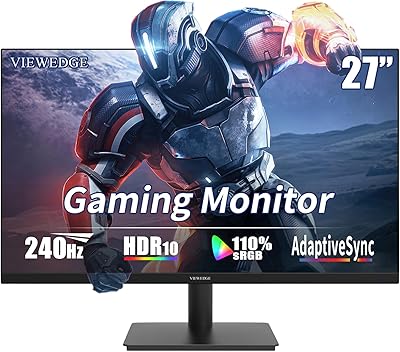
Viewedge CS27FM 27-inch Gaming Monitor
72%
91%
Refresh Rate Performance
76%
Panel & Image Quality
61%
Resolution & Sharpness
74%
Color Accuracy
52%
HDR Experience
More
ArcticPro AD27EF4C 27-inch Curved Gaming Monitor
74%
88%
Value for Money
91%
Refresh Rate Performance
79%
Panel & Image Quality
76%
Motion Clarity
53%
Ergonomics & Adjustability
More
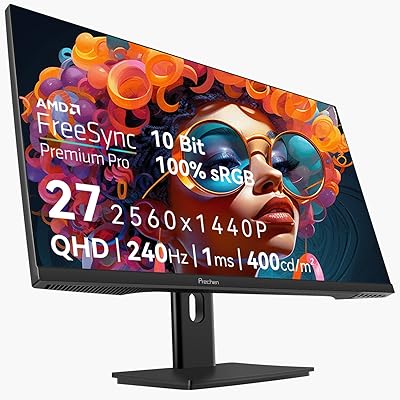
Prechen HD-270 27-inch QHD Gaming Monitor
72%
88%
Value for Money
81%
Image Quality
83%
Refresh Rate Performance
84%
Adaptive Sync
79%
Response Time
More
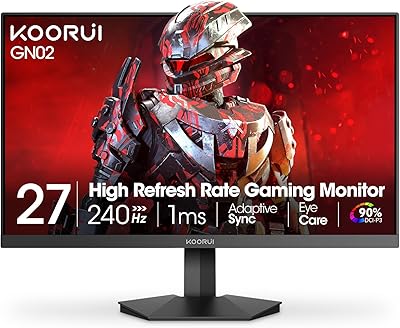
KOORUI GN02 27-inch 240Hz Gaming Monitor
87%
91%
Gaming Performance
89%
Display Quality
88%
Color Accuracy
93%
Response Time
85%
Ergonomics and Design
More
Z-Edge UG27PJ 27-inch 240Hz Gaming Monitor
74%
88%
Gaming Performance
76%
Color Accuracy
91%
Value for Money
89%
Connectivity
41%
Ergonomics & Stand
More
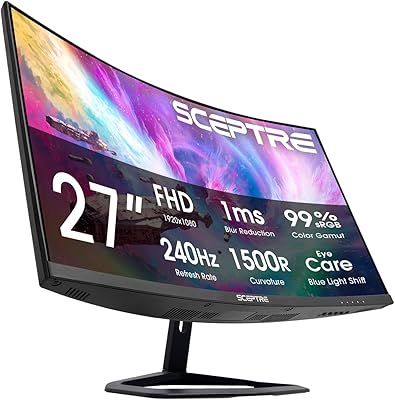
Sceptre C275B-FWT240 27″ Curved Gaming Monitor
75%
91%
Refresh Rate Performance
88%
Value for Money
79%
Panel Contrast & Color
83%
Motion Clarity
61%
Build Quality
More
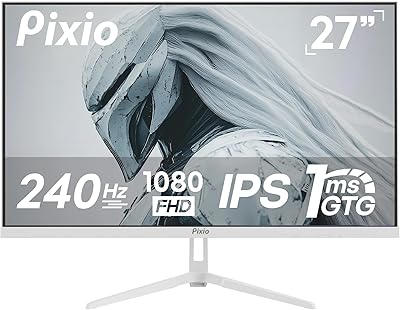
Pixio PX279 Prime Neo 27″ Gaming Monitor
75%
91%
Motion Performance
86%
Color Accuracy
61%
Pixel Density & Sharpness
88%
Connectivity
84%
Stand & Ergonomics
More
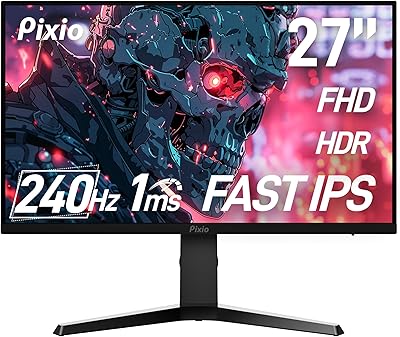
Pixio PX279 Wave 27-inch Gaming Monitor
76%
91%
Gaming Performance
84%
Panel & Image Quality
88%
Response Time & Motion Clarity
82%
Color Accuracy
79%
Build Quality & Design
More
Redragon GM27 27-inch OLED Gaming Monitor

76%
91%
Image Quality
88%
Color Accuracy
89%
Refresh Rate & Smoothness
93%
Response Time
71%
Build Quality
More
Skytech Gaming Moonshadow 27-inch Curved Gaming Monitor
83%
88%
Image Quality
91%
Refresh Rate Performance
86%
Adaptive-Sync
83%
VA Panel Contrast
84%
Stand & Ergonomics
More

FAQ

Yes, and this is probably the most important practical question to ask before buying. Running games at 2560x1440 resolution and hitting frame rates above 200fps consistently requires a powerful graphics card — something in the RTX 3080 tier or above for demanding titles. If your GPU is a mid-range card, you will likely spend most of your time well below 240fps in graphically intensive games, which means a 144Hz display might serve you just as well for less money. Where 240Hz really shines is in less demanding competitive games like CS2, Valorant, or Rocket League, where high frame rates are much more achievable even on modest hardware.

MPRT stands for Moving Picture Response Time and measures how long each pixel appears to be in motion from the viewer's perspective — it is essentially a blur-reduction metric, often achieved through backlight strobing. GtG (Gray-to-Gray) measures how quickly a pixel physically transitions between two color states. The 1ms figure on this GTek monitor refers to MPRT, not GtG, meaning the actual pixel transition speed may be higher. For most gaming use cases this distinction is minor, but it is worth knowing so you are comparing apples to apples when looking at competing monitors.

Yes, the HDMI port makes it compatible with both the PS5 and Xbox Series X. Keep in mind that current consoles are generally limited to 120Hz output at 1080p or 1440p depending on the game, so you will not be using the full 240Hz capability on console. Still, the image quality at QHD resolution is a genuine upgrade over a standard 1080p television for console gaming at close range.

Yes, the Q2740P includes VESA mounting support, so you can remove the stand and attach it to a compatible monitor arm or wall bracket. Just check the VESA hole pattern specification before purchasing an arm to confirm compatibility. Many buyers prefer this option precisely because the included stand has received mixed feedback around its rigidity.

Backlight bleed is an inherent trait of IPS panels, and at this price point it is more of a known trade-off than a defect. Some units ship with minimal bleed that is only noticeable on solid black screens in a dark room, while other units have more visible corner bleed. There is a degree of panel lottery involved — some buyers report no issues at all, while others flag it as a frustration. If you are very sensitive to this, it is worth reading recent buyer reviews before purchasing.

Adaptive sync certification details are not prominently listed in the official product specifications, which is a gap worth noting. Before purchasing, it is worth checking the current product listing or contacting GTek directly to confirm whether FreeSync or G-Sync compatibility is supported, especially if you own an NVIDIA or AMD GPU and want stutter-free variable frame rate performance.

Assembly is generally reported as simple and quick — attaching the stand to the panel typically takes under ten minutes with no tools required. Most buyers describe the unboxing experience as straightforward, and the monitor is recognized by Windows without needing to install additional drivers. Physical cable management is basic, so if you want a tidy setup you may want to use cable clips or ties separately.

The stand does offer height adjustment, which covers the most important ergonomic variable for most people. However, it does not appear to support tilt beyond a modest range or pivot rotation for portrait mode. If you have a very specific ergonomic setup or want full articulation, a third-party arm will give you more flexibility — and since the monitor is VESA compatible, that swap is straightforward.

The Fast IPS panel performs reasonably well for everyday productivity, document editing, and video streaming. Colors are vibrant and viewing angles are wide enough that the image stays consistent even when you are not sitting directly centered. The 300 nits brightness is adequate for most indoor environments. It is not a color-accurate professional display, but for general office work or casual media consumption alongside gaming, it handles the dual role comfortably.

It is a fair concern and worth thinking through. GTek is not in the same tier as LG, ASUS, or Samsung when it comes to brand history or service infrastructure. That said, the hardware itself — the panel type, resolution, and refresh rate — represents real, verifiable specs that either perform or do not regardless of the logo on the bezel. The key risk with lesser-known brands is after-sales support if something goes wrong outside the return window. If buying from a platform with a solid return policy, that risk is partially mitigated, but it is worth factoring into your decision.