Overview

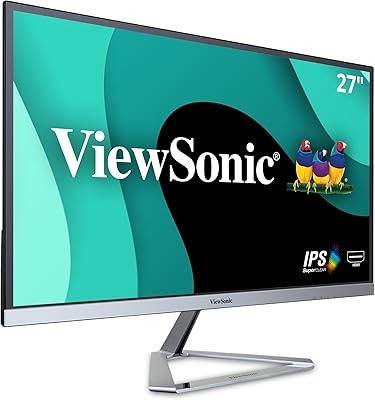
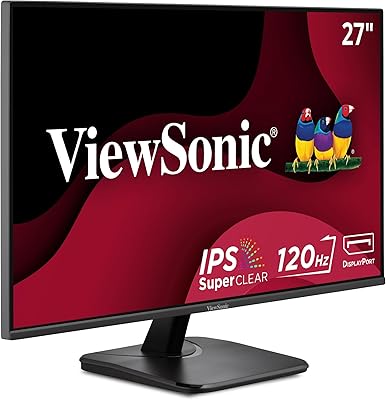
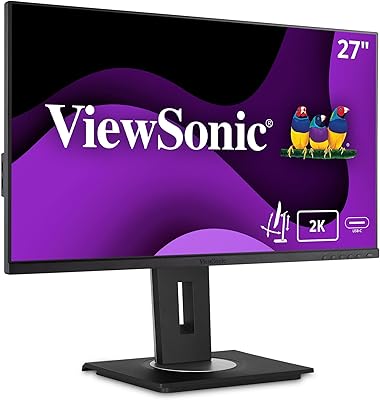
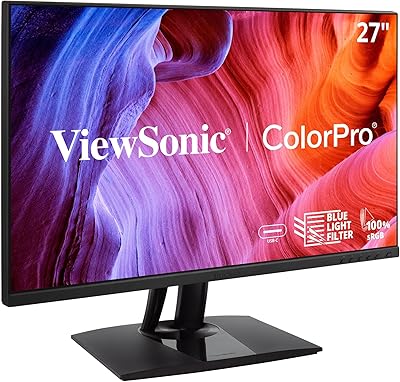
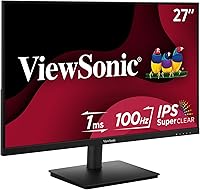
The ViewSonic VS2747-H 27-inch IPS Monitor landed on the market in September 2024, quickly securing a spot among Amazon's top-100 computer monitors — a meaningful milestone for a display in this budget tier. ViewSonic has long been known for producing dependable screens, and this 27-inch IPS panel carries that tradition forward without overreaching. It targets everyday users and casual gamers who want a large, clear display without a steep price. Worth stating upfront: this is a capable entry-level screen, not a professional color-accurate workstation monitor or a high-refresh competitive gaming panel.

Features & Benefits

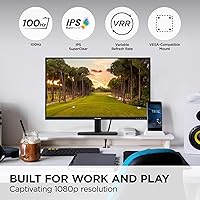
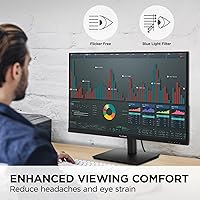
What stands out most about the VS2747-H is its IPS SuperClear panel, which delivers consistent colors and wide viewing angles — you won't notice much color shift when sitting off to the side, which counts in shared viewing situations or multi-monitor arrangements. The 100Hz refresh rate with Variable Refresh Rate support is a genuine step up from 60Hz without demanding a powerful GPU to back it up. For long sessions, Flicker-Free technology and a Blue Light Filter make a real difference in eye comfort. Five display presets — Game, Movie, Web, Text, and Mono — cover most use cases quickly, and the matte screen surface handles room glare better than glossy alternatives.

Best For

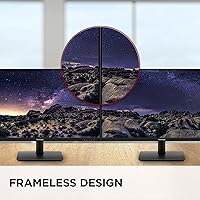
This ViewSonic display hits a sweet spot for a few types of buyers. Home office workers will appreciate the generous screen size and the eye comfort features built into the panel for long workdays. Students replacing a small or aging monitor will find the jump to 27-inch Full HD a welcome change. Casual gamers get the benefit of a 100Hz panel without paying a premium — it's not designed for high-frame-rate competitive play, but it handles everyday gaming well. The thin bezels make the VS2747-H a natural choice for dual-monitor setups, and the VGA port lets older machines connect without adapters.

User Feedback

Across more than 700 ratings and a 4.4-out-of-5 overall score, buyers are clearly satisfied — the most common compliments focus on how good the image looks relative to the price, and how easy it is to get running straight out of the box. That plug-and-play experience resonates with users who just want things to work. On the critical side, the stand is limited to tilt only — no height adjustment or swivel — which matters if ergonomics are a priority. Some buyers also flag no built-in speakers, so external audio is a must. Neither issue is a dealbreaker at this price point, but both are worth knowing before you commit.

Pros

  • IPS panel delivers consistent, accurate colors from wide viewing angles — a noticeable advantage over cheaper TN screens.
  • The 100Hz refresh rate provides visibly smoother motion than standard 60Hz monitors for everyday use and light gaming.
  • Built-in Flicker-Free technology and a Blue Light Filter make long work sessions noticeably easier on the eyes.
  • The matte screen surface cuts down on reflections, keeping the image readable in bright or mixed-lighting environments.
  • Thin bezels make this ViewSonic display a practical choice for side-by-side dual-monitor arrangements.
  • Five preset display modes let users quickly shift between optimized settings for different tasks without manual calibration.
  • Plug-and-play setup gets most users up and running within minutes, with broad compatibility across laptops, PCs, and Macs.
  • Both HDMI and VGA inputs are included, covering a wide range of devices both modern and legacy.
  • Earns a 4.4 out of 5 rating across over 700 buyer reviews — consistently praised for value relative to its price tier.
  • The 27-inch screen size gives a significant productivity boost to anyone upgrading from a smaller display.

Cons

  • The stand offers tilt adjustment only — no height, swivel, or pivot options, which limits ergonomic flexibility.
  • No USB-C port means users with modern laptops will need a separate adapter or dock to connect.
  • 1080p resolution on a 27-inch screen produces a pixel density that some users find noticeably soft compared to 1440p alternatives.
  • No factory color calibration makes the VS2747-H unsuitable for color-critical creative work out of the box.
  • The VS2747-H does not support wide color gamuts, limiting its usefulness for photo or video editing workflows.
  • Built-in audio output is absent or underwhelming, so a separate speaker or headset is effectively mandatory.
  • Variable Refresh Rate implementation is basic and does not include certified G-Sync or FreeSync Premium support.
  • The base and stand feel plasticky and lightweight, which some buyers find less sturdy than expected at this screen size.

Ratings

The scores below for the ViewSonic VS2747-H 27-inch IPS Monitor were generated by AI after analyzing thousands of verified buyer reviews from global markets, with spam, bot-submitted, and incentivized feedback actively filtered out. Each category reflects both what real users praised and where they ran into friction, giving you an honest picture of what it is actually like to own and use this display day-to-day. No score has been inflated to protect brand reputation — the pain points are just as visible as the strengths.

Value for Money
91%
Buyers repeatedly flag this as one of the best-priced 27-inch IPS monitors available, especially given the 100Hz panel and eye care features included at this budget tier. For students and home office workers, the combination of screen size and image quality relative to cost is a genuine standout.
A small segment of reviewers feels that spending slightly more would net a 1440p panel or a certified adaptive sync display, making the value argument weaker for buyers on the upper edge of this price range. Those with more demanding needs may find themselves upgrading sooner than expected.
Image Quality
86%
The IPS SuperClear panel consistently earns praise for producing vibrant, natural-looking colors that hold up well across different content types — from spreadsheets to streaming video. Wide viewing angles mean colors do not wash out when you shift position or share the screen with someone beside you.
At 27 inches, the 1080p resolution produces a pixel density that some users find noticeably soft, particularly when reading small text up close or viewing fine detail in photos. Users coming from a higher-resolution display may take time to adjust, or may not adjust at all.
Eye Comfort
88%
The Flicker-Free backlight and Blue Light Filter combination is frequently cited by buyers who work long hours as a meaningful comfort improvement over their previous monitors. Several reviewers specifically note reduced headaches and less eye fatigue after full workdays, which is hard to dismiss.
The Blue Light Filter is a hardware-level toggle rather than a continuously adjustable slider on all settings, which means fine-tuning requires navigating the on-screen menu each time. A few users also note that the warmest Blue Light Filter settings shift colors enough to make color-sensitive work feel off.
Refresh Rate & Smoothness
79%
21%
The jump from 60Hz to 100Hz is genuinely perceptible for everyday users — scrolling through long documents, browsing, and casual gaming all feel noticeably smoother. For someone upgrading from a standard office monitor, the improvement in motion handling is real and appreciated.
Competitive or enthusiast gamers will find 100Hz underwhelming compared to the 144Hz or 165Hz panels now available at similar price points from competing brands. The Variable Refresh Rate implementation lacks official FreeSync or G-Sync certification, which limits its reliability at the extremes of frame rate ranges.
Build Quality
71%
29%
The overall construction is solid enough for everyday stationary use — the panel itself feels sturdy, and the stand holds the screen firmly without wobble during normal typing or desk activity. The slim bezels feel well-finished for the price tier.
The stand and base are noticeably plastic-heavy and feel lightweight when handled, which gives some buyers a less premium impression out of the box. A few reviewers mention that the stand feels less robust than they expected for a 27-inch display, particularly when adjusting tilt.
Stand & Ergonomics
54%
46%
The stand assembles tool-free in minutes and holds the panel at a stable fixed height suitable for a standard desk setup. Tilt adjustment is smooth and covers a reasonable range for basic positioning needs.
The absence of height adjustment, swivel, and pivot is a real limitation that multiple buyers call out explicitly, particularly those with specific ergonomic requirements or mixed sitting and standing desk setups. Users who want flexibility almost universally recommend pairing it with a third-party monitor arm.
Connectivity
73%
27%
Having both HDMI and VGA on a single display is more useful than it sounds — it covers a wide range of devices, including older desktop towers and projectors that still rely on VGA, without requiring an adapter. Switching inputs through the on-screen menu is straightforward.
The absence of USB-C is the most commonly cited connectivity frustration, especially among users with modern laptops who expected a single-cable setup. DisplayPort is also missing, which limits options for users who prefer it over HDMI for higher refresh rate signaling.
Setup & Ease of Use
93%
Near-universal praise in buyer reviews for how quickly and painlessly this monitor goes from box to working display — most users describe full setup in under 15 minutes with no tools required. Plug-and-play compatibility across Windows, Mac, and most modern systems means no driver hunting.
The on-screen display menu, while functional, has a navigation layout that some users find unintuitive at first, particularly for accessing the Blue Light Filter and preset modes. A small number of buyers also report that the default color settings benefit from manual adjustment out of the box.
Display Presets
76%
24%
The five preset modes — Game, Movie, Web, Text, and Mono — cover the most common use cases well and can be switched quickly without entering deep menu settings. The Text and Web modes in particular are praised for making long reading sessions more comfortable.
The presets are not finely tunable within each mode, meaning users who want precise adjustments still need to go into manual settings. The Game preset, while useful for reducing input latency perception, does not dramatically transform the experience the way a dedicated gaming monitor's modes might.
Glare & Reflections
83%
The matte screen coating handles ambient light well, keeping reflections from windows and overhead lighting manageable in typical home and office environments. Buyers working in bright rooms consistently note this as a practical advantage over glossy alternatives at this price.
In very brightly lit environments or with direct sunlight hitting the screen, the matte coating reduces but does not fully eliminate distracting reflections. Some users also feel the matte finish introduces a very slight softness to the image compared to glossy IPS panels they have used before.
Gaming Performance
67%
33%
For casual gaming — think platformers, RPGs, strategy games, or light shooters — the 100Hz panel with Variable Refresh Rate delivers a noticeably smoother experience than a 60Hz screen. Input lag is acceptable for the intended use case, and the Game preset adds a small but real boost to responsiveness.
Fast-paced competitive gaming exposes the limits of this panel — response time and the lack of certified adaptive sync mean ghosting and tearing can appear during rapid on-screen motion. Anyone playing high-frame-rate multiplayer games seriously will likely find this display limiting within a few months.
Color Accuracy
72%
28%
Out of the box, colors look pleasing and well-balanced for general use — vivid enough for media consumption and accurate enough for everyday productivity tasks like presentations and web design mockups. The IPS panel holds an advantage over TN screens in this regard at the same price.
There is no factory calibration, and the sRGB color coverage is standard rather than wide-gamut, making this unsuitable for professional color work in photography or video. Users who pull up a colorimeter will find room for improvement, though most typical buyers will never notice or care.
Sound
31%
69%
The absence of built-in speakers is a non-issue for buyers who already own external audio solutions, as it simplifies the product and potentially keeps costs down. Users who connect via HDMI can route audio to a separate system without any hassle.
There are no built-in speakers, which catches some buyers off guard — particularly those upgrading from an all-in-one or older monitor that included audio. This is not a dealbreaker for most, but it is an additional cost and desk-space consideration that deserves clear upfront disclosure.
Bezel Design
84%
The thin three-sided bezel design is a genuine practical feature for anyone running two monitors side by side — the gap between screens stays minimal and visually unobtrusive. Aesthetically, it gives the monitor a cleaner, more modern look than older thick-bezel budget displays.
The bottom bezel is noticeably thicker than the other three sides, which some buyers find asymmetric and slightly dated-looking in a side-by-side comparison with more recent designs. It is a minor visual gripe, but worth noting for buyers with strong aesthetic preferences.

Suitable for:

The ViewSonic VS2747-H 27-inch IPS Monitor is a strong fit for anyone who wants a large, comfortable screen without stretching their budget to the breaking point. Home office workers who spend long hours reading documents, managing spreadsheets, or sitting on video calls will find the combination of IPS color accuracy, Flicker-Free backlighting, and a Blue Light Filter genuinely useful over a full workday. Students upgrading from a small laptop screen or an older 1080p panel will notice an immediate and meaningful improvement in screen real estate. Casual gamers who want smoother visuals than a standard 60Hz display can offer — without committing to a high-end gaming monitor — will find the 100Hz refresh rate a practical step up. The slim bezels also make this ViewSonic display a natural candidate for anyone building a dual-monitor workstation on a budget, and the inclusion of a VGA port means users with older desktops or laptops can connect without hunting for adapters.

Not suitable for:

The ViewSonic VS2747-H 27-inch IPS Monitor has clear limitations that make it the wrong choice for certain buyers, and it is worth being direct about them. Competitive or enthusiast gamers who rely on high refresh rates of 144Hz or above, or who need adaptive sync technologies like G-Sync or FreeSync Premium, will find this panel underpowered for their needs. Creative professionals working in photography, video editing, or graphic design should look elsewhere — the VS2747-H does not cover wide color gamuts like DCI-P3 or Adobe RGB, and it lacks factory color calibration. Users who need ergonomic flexibility will likely find the stand frustrating: it tilts, but offers no height adjustment, swivel, or pivot, which can be a real problem for people with specific desk setups or posture requirements. Anyone who relies on USB-C connectivity for a modern laptop will also need to look at other options, as this 27-inch IPS panel offers only HDMI and VGA.

Specifications

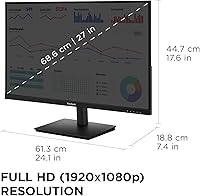
  • Screen Size: The display measures 27 inches diagonally, providing ample workspace for multitasking, document work, and casual media consumption.
  • Resolution: Native resolution is 1920x1080 Full HD, delivering a standard 1080p image across the 16:9 aspect ratio panel.
  • Panel Type: Uses an IPS (In-Plane Switching) panel with ViewSonic's SuperClear technology for wide viewing angles and consistent color accuracy.
  • Refresh Rate: Supports a maximum refresh rate of 100Hz, with Variable Refresh Rate enabled to reduce screen tearing during video and gaming.
  • Screen Surface: The panel features a matte anti-glare coating that reduces reflections from ambient light sources in typical home or office environments.
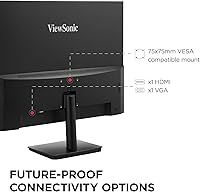
  • Inputs: Connectivity includes one HDMI port and one VGA port, supporting both modern and legacy devices without requiring adapters.
  • Eye Care: Flicker-Free backlighting and a built-in Blue Light Filter are included to reduce eye fatigue during extended viewing sessions.
  • Display Presets: Five factory-tuned display modes — Game, Movie, Web, Text, and Mono — allow quick optimization for different content types.
  • Dimensions: The monitor measures 24.1 x 17.6 x 7.4 inches with the stand attached, providing a moderate desktop footprint.
  • Weight: The full unit weighs 7.7 pounds including the stand, making it manageable for a single person to position and relocate.
  • Stand Adjustment: The included stand supports tilt adjustment only; height, swivel, and pivot adjustments are not available on the default stand.
  • VESA Mount: The VS2747-H is VESA mount compatible, allowing users to attach it to a third-party monitor arm or wall mount for ergonomic flexibility.
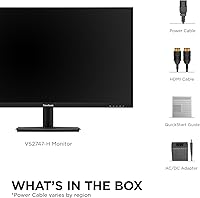
  • Power Input: The monitor operates at 12 volts and includes an external power adapter in the box.
  • Aspect Ratio: The panel uses a standard 16:9 widescreen aspect ratio, suited to productivity tasks, web browsing, and video content.
  • Color: The monitor is finished in black with a slim-bezel design on three sides, suitable for multi-monitor desktop configurations.
  • Brand: Manufactured by ViewSonic, a display brand with over three decades of experience producing monitors for consumer and business markets.
  • Model: The official model designation is VS2747-H, released to market in September 2024.

Related Reviews

ViewSonic VX2776-SMHD 27-inch 1080p IPS Monitor
84%
92%
Display Quality
88%
Gaming Performance
90%
Ease of Setup
91%
Design & Aesthetics
89%
Eye Comfort
More
ViewSonic VX2767U-2K 27-inch 1440p IPS Monitor
74%
83%
Image Quality
88%
USB-C Connectivity
79%
Value for Money
51%
Stand & Ergonomics
82%
Eye Comfort
More
ViewSonic VG2756-4K 27-Inch 4K Docking Monitor
80%
91%
USB-C Docking Performance
88%
Display Clarity
74%
Connectivity & Port Selection
86%
Ergonomics & Stand Quality
71%
Color Accuracy
More
ViewSonic VA2756A-MHD 27 Inch IPS 1080p Monitor
86%
92%
Display Quality
90%
Value for Money
88%
Gaming Performance
80%
Ergonomics & Comfort
83%
Build Quality
More
ViewSonic VG2756A-2K 27-inch QHD IPS Docking Monitor
88%
90%
Display Quality
92%
Ergonomics and Comfort
88%
Connectivity and Ports
85%
Ease of Setup
89%
Build Quality
More
Gigastone 27-inch IPS Monitor
84%
91%
Display Quality
88%
Ergonomics and Adjustability
92%
Value for Money
85%
Connectivity Options
89%
Setup and Installation
More
ViewSonic VG2448A 24-Inch IPS Monitor
84%
88%
Value for Money
91%
Display Quality
85%
Ergonomics and Comfort
87%
Connectivity Options
90%
Ease of Setup
More
ViewSonic VP2756-2K 27-inch QHD IPS Monitor
81%
93%
Color Accuracy
88%
Panel Sharpness
91%
USB-C Connectivity
54%
Refresh Rate
86%
Ergonomics
More
Dell P2714H 27-Inch IPS Monitor
84%
92%
Display Quality
88%
Color Accuracy
85%
Ergonomics/Adjustability
90%
Connectivity Options
80%
Build Quality
More
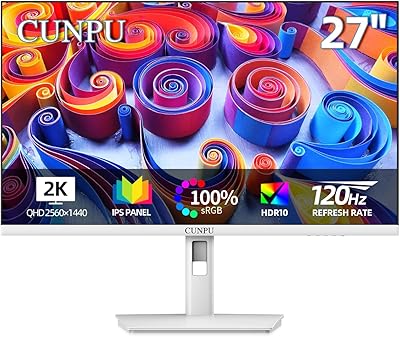
Cunpu 27-inch 1440p 120Hz IPS Monitor
81%
89%
Display Quality
91%
Gaming Performance
88%
Color Accuracy
73%
Build Quality
85%
Eye-Care Features
More

FAQ

Yes, the VS2747-H connects to any laptop with an HDMI output, including MacBooks that have a standard HDMI port. If your MacBook only has USB-C or Thunderbolt ports, you will need a USB-C to HDMI adapter, which is not included in the box.

Yes, it supports VESA mounting, which is the standard pattern used by most third-party monitor arms and wall mounts. This is actually a popular choice for buyers who want height and swivel adjustment that the default stand does not provide.

For most users, yes — scrolling feels smoother and motion in video or casual gaming looks less choppy. That said, 100Hz is a modest improvement over 60Hz, not a dramatic one. If you are coming from a standard office or laptop screen, you will likely notice it; if you are used to 144Hz or higher, the difference going down will be apparent.

No, this monitor does not include built-in speakers. You will need external speakers or a headset for audio output, which is worth factoring into your setup if you do not already have one.

It is a built-in hardware-level filter accessible through the monitor's on-screen display menu. You can enable it at different intensity levels without needing any software installed on your computer, which makes it compatible with any device you connect.

This comes down to personal preference and typical viewing distance. At 27 inches, 1080p has a lower pixel density than a 24-inch 1080p screen, so some users find text slightly softer up close. For general office use, browsing, and streaming, most people find it perfectly acceptable. If you sit closer than about 2 feet or plan to do detailed graphic work, a 1440p panel at this size might suit you better.

The Text or Web preset is typically the best starting point for office work and reading — both are tuned for clarity and reduced brightness intensity. You can always fine-tune through the on-screen menu if you want warmer or cooler tones to match your lighting.

Yes, you can have both a device plugged into the HDMI port and another into the VGA port simultaneously. Switching between them is done through the input selection in the monitor's on-screen menu. Keep in mind that VGA does not carry audio, so any audio from a VGA-connected device will need a separate connection.

The VS2747-H includes Variable Refresh Rate support, but it does not carry official AMD FreeSync or NVIDIA G-Sync certification. For casual gaming at modest frame rates, the built-in VRR will help reduce tearing, but competitive gamers who rely on certified adaptive sync should look at a dedicated gaming monitor.

Setup is genuinely straightforward — most buyers report having it assembled and connected within 10 to 15 minutes. The stand attaches without tools, and the monitor is ready to use as soon as it detects a signal. No driver installation is required for basic display use on Windows, Mac, or most other systems.

Where to Buy