Overview

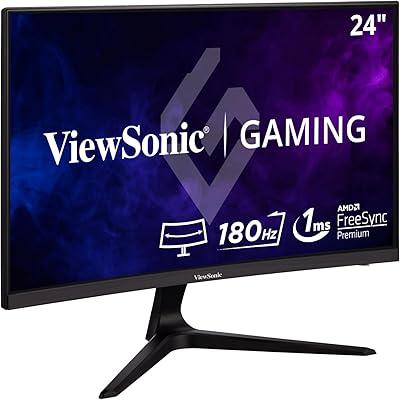
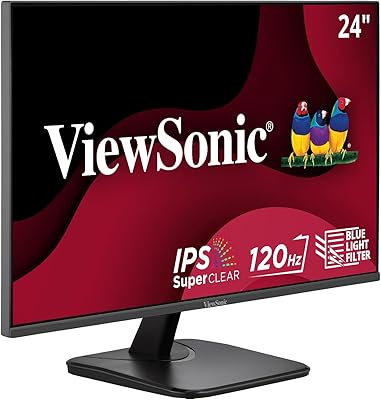
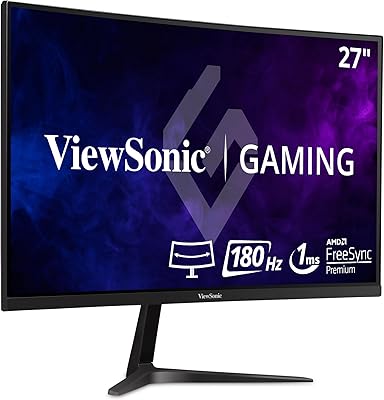
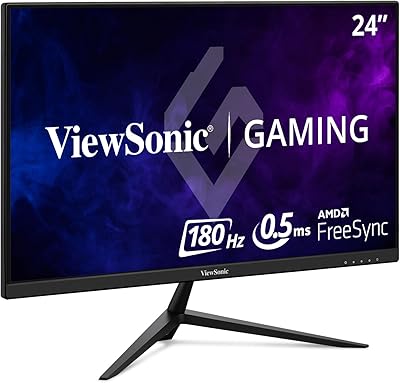
The ViewSonic VX2467-MHD 24-inch Gaming Monitor is a solid entry-level option from a brand with a long track record in the display space. This 24-inch gaming display uses an MVA panel, which is worth understanding before you buy. MVA falls between IPS and TN: you get deeper contrast than IPS typically delivers, but viewing angles aren't as forgiving. The ultra-thin bezels keep things looking clean on any desk, and 1080p at 24 inches is a pairing that still holds up well. Don't expect 4K clarity or 144Hz speed here — this is a value-focused display built for everyday gaming and general use.
Features & Benefits

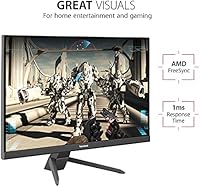
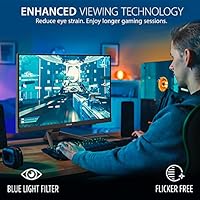
The jump from 60Hz to 100Hz is more noticeable than most people expect — motion in fast games looks visibly smoother and less blurry. The VX2467-MHD pairs that with a 1ms response time, though it's worth knowing this is measured using MPRT, not the gray-to-gray method. MPRT reflects how long a pixel appears lit during motion, which can reduce perceived blur, but doesn't directly equal lower input lag. AMD FreeSync handles tearing well for most users, especially those on mid-range AMD cards. Three input options — HDMI, DisplayPort, and VGA — cover nearly every device you'd want to connect. The Blue Light Filter and Flicker-Free tech are genuinely useful for anyone spending long hours in front of a screen.

Best For

This ViewSonic monitor makes the most sense for a few specific types of buyers. If you're stepping up from an older 60Hz display and want a tangible improvement without a big spend, this is a natural upgrade. Casual gamers playing MOBAs, shooters, or RPGs will feel the benefit of the higher refresh rate without needing to chase 144Hz. Students and remote workers who also game in the evenings will appreciate how well it handles both roles — the matte screen finish cuts down on reflections during the day, and the visual presets add flexibility at night. AMD GPU owners get the most out of FreeSync here. At 24 inches, it's also a great fit for smaller desk setups.

User Feedback

Buyers who've picked up this 24-inch gaming display tend to come away satisfied, and the strong rating across a solid number of reviews reflects that. Image quality for the price is the most consistent praise — people aren't expecting professional-grade color accuracy, and the MVA contrast delivers a solid picture for gaming and media. Setup gets mentioned as quick and painless. On the flip side, the stand is a common gripe: it offers limited tilt and no height adjustment, which is frustrating if ergonomics matter to you. There's no USB hub and no built-in speakers. Some users also note that while contrast is strong, colors aren't as vivid as an IPS panel. Realistic expectations go a long way with this monitor.

Pros

  • The step up from 60Hz to 100Hz is immediately noticeable, making motion in games visibly smoother.
  • AMD FreeSync keeps gameplay tear-free without needing an expensive graphics card.
  • MVA panel delivers deeper contrast than typical TN displays, giving darker scenes more depth.
  • Three input types — HDMI, DisplayPort, and VGA — make it easy to connect almost any device.
  • The matte screen surface handles ambient light well, reducing reflections during daytime use.
  • Thin bezels keep the setup looking clean and work nicely if you ever expand to a dual-monitor arrangement.
  • Built-in Blue Light Filter and Flicker-Free mode make long sessions noticeably less fatiguing.
  • Setup is straightforward, with most buyers reporting the monitor is up and running in minutes.
  • At 24 inches with 1080p resolution, image sharpness is solid and well-suited to the screen size.
  • Genre-specific visual presets for FPS, RTS, and MOBA games add a practical layer of customization.

Cons

  • The stand has no height adjustment, which can be a real problem for ergonomic comfort over long sessions.
  • No built-in speakers means you need external audio for any sound output.
  • The 1ms spec is MPRT-based, not gray-to-gray, so perceived input lag may not match the advertised figure.
  • Color accuracy lags behind IPS panels, which matters if you do any photo or video work on the side.
  • Viewing angles are narrower than IPS — colors and contrast shift noticeably when viewed from off-center.
  • No USB hub means one fewer convenience for desks already crowded with peripherals.
  • Nvidia GPU users miss out on adaptive sync benefits, since G-Sync compatibility is not supported.
  • At 100Hz, the refresh rate ceiling will feel restrictive for competitive gamers used to higher-end displays.
  • The physical footprint is larger than expected given the screen size, which can crowd smaller desks.

Ratings

Our AI-generated scores for the ViewSonic VX2467-MHD 24-inch Gaming Monitor were built by analyzing verified buyer reviews from multiple global markets, with spam, incentivized submissions, and bot activity actively filtered out before any scoring took place. The result is a balanced picture that reflects where this 24-inch gaming display genuinely earns its praise — and where real users ran into friction. Both the strengths and the trade-offs are represented transparently in the categories below.
Value for Money
91%
At its price point, buyers consistently feel they're getting more than they paid for — particularly those upgrading from aging 60Hz displays. The combination of 100Hz refresh, FreeSync support, and a clean matte panel in one package is hard to match without spending noticeably more.
A small segment of buyers who compared it directly to competing IPS monitors at similar prices felt the color output didn't justify the choice. For those who didn't research panel types beforehand, the MVA limitations felt like a disappointment relative to expectations.
Image Quality
78%
22%
The MVA panel's contrast performance is a genuine strong point — darker scenes in games and movies look noticeably richer than what typical TN panels can produce. Most users sitting directly in front of the screen find the picture clean, well-defined, and more than adequate for 1080p gaming and video consumption.
Color accuracy falls behind what an IPS panel delivers, and users who edit photos or work with color-sensitive content frequently flag this as a problem. Viewing angles are also a real limitation — shift slightly off-center and the image visibly shifts in both color and contrast.
Gaming Performance
83%
The jump to 100Hz makes a tangible difference for users coming from 60Hz monitors — motion in shooters and fast-paced games feels noticeably smoother, and FreeSync does a solid job of keeping tearing in check when frame rates fluctuate. Genre-specific presets for FPS and MOBA games add a layer of customization most casual gamers genuinely appreciate.
Competitive gamers pushing above 100 frames per second will hit the refresh ceiling quickly, and the MPRT-based response time spec can give a misleading impression of raw input lag performance. Players used to 144Hz or 165Hz panels will find the experience noticeably less fluid.
Ergonomics & Adjustability
44%
56%
The monitor is lightweight enough to reposition without effort, and the VESA mount compatibility means users who invest in a third-party arm can achieve a fully adjustable setup. Several buyers who paired it with an aftermarket arm reported a much more comfortable long-session experience.
The included stand is where this monitor takes its sharpest hit from real users — no height adjustment and only minimal tilt means many people end up propping it on books or boxes to get it at eye level. For anyone who spends long hours at a desk, this is a genuine daily frustration rather than a minor inconvenience.
Setup & Ease of Use
89%
Out of the box, this is one of the easier monitors to get running — the stand clicks together without tools, and cable connections are clearly laid out. First-time monitor buyers in particular appreciate how little friction is involved in going from box to working display.
The OSD menu, while functional, has a learning curve for users who want to fine-tune color settings or switch between input sources frequently. Button placement on the rear edge can also be awkward to navigate by feel, especially in a dark room.
Build Quality
72%
28%
The overall construction feels solid for the price tier, and the thin-bezel design gives the monitor a more polished look than its cost suggests. The matte black finish resists fingerprints reasonably well and blends cleanly into most desk setups.
The plastic chassis, while acceptable, does feel noticeably lightweight compared to mid-range or premium alternatives — some users noted slight flex along the back panel. The stand in particular feels less sturdy than the display itself, with minor wobble reported on desks that experience any vibration.
Connectivity
86%
Three input options — HDMI, DisplayPort, and VGA — cover a wide range of devices, and users with mixed setups (a PC plus a laptop, for instance) appreciate not needing an adapter. This breadth of connectivity is a real practical advantage at this price level.
There is no USB hub onboard, which is a missing convenience that buyers with cable-heavy desks frequently mention. Audio pass-through is present via the DisplayPort, but without speakers, any audio output requires external hardware regardless.
Eye Comfort
81%
19%
Flicker-Free technology and the Blue Light Filter are features that users working or gaming for three or more hours at a stretch genuinely notice. Several buyers specifically mentioned reduced end-of-day eye fatigue compared to their previous monitors, which adds real quality-of-life value for daily users.
The Blue Light Filter mode shifts the white balance toward warmer tones, which some users find too yellow for accurate reading or productivity work. It's an either-or trade-off — accurate colors or reduced eye strain — rather than a refined middle ground.
Screen Glare & Finish
79%
21%
The matte anti-glare coating handles office lighting and windows reasonably well, and daytime users working near natural light sources appreciate not having to reposition constantly to avoid reflections. This is a practical advantage for anyone using the display in a multi-purpose room.
Matte coatings inherently soften perceived sharpness slightly compared to glossy panels, and some users who expected a crisper image were mildly disappointed. In low-light gaming environments, the coating can make the image look slightly flat compared to glossy alternatives.
Audio
31%
69%
There is nothing to critique in terms of failing audio hardware — the monitor is simply transparent about not including speakers, and the DisplayPort does carry audio signal to devices that support it. Buyers who already own headphones or external speakers are unaffected by this omission.
The complete absence of built-in speakers is a recurring complaint, particularly from buyers who assumed basic audio output was included at this price point. Users setting up in a bedroom or compact space where a speaker system isn't practical are left needing an additional purchase they may not have budgeted for.
FreeSync Performance
84%
AMD GPU owners consistently report that FreeSync works as expected — tearing disappears noticeably during gaming sessions where frame rates hover below the refresh ceiling, and the experience feels smoother without any visible artifacts. This is a well-implemented feature that adds real value for its target audience.
Nvidia GPU users get no adaptive sync benefit whatsoever, which is a meaningful limitation given how many PC gamers run Nvidia hardware. The monitor is not G-Sync Compatible certified, so this advantage is effectively locked to one GPU ecosystem.
Visual Presets
68%
32%
The FPS, RTS, and MOBA presets are a genuinely useful touch for genre-switching gamers who don't want to manually dig through OSD color settings. Users who tried them reported that the FPS preset in particular made targets easier to spot in darker game environments.
The presets aren't universally loved — some users found them over-processed, with contrast pushed high enough to blow out highlights in certain games. Buyers who prefer natural or calibrated color output often end up ignoring the presets entirely and setting the display manually.
Bezel Design
82%
18%
The thin three-sided bezel design is one of the more visually appealing aspects of this display, and users who run dual-monitor setups specifically called it out as a reason for their purchase. Side-by-side placement looks noticeably cleaner than older monitors with chunky borders.
The bottom bezel is thicker than the other three sides, which disrupts the symmetry slightly when the monitor is viewed head-on. It's a minor cosmetic point, but buyers expecting a truly uniform thin-bezel experience on all four sides may notice it.

Suitable for:

The ViewSonic VX2467-MHD 24-inch Gaming Monitor is a genuinely smart pick for casual and entry-level gamers who want a noticeable upgrade from an aging 60Hz display without committing to a high-end budget. Students who use their monitor for classes and productivity during the day, then shift to gaming in the evening, will find this 24-inch gaming display handles both roles comfortably — the matte finish reduces glare in bright rooms, and the pre-set visual modes add a bit of flexibility for different game types. AMD GPU users get particular value here, since FreeSync works well at this tier and helps keep gameplay smooth even when frame rates fluctuate. The compact 24-inch footprint also makes it a natural fit for dorm rooms, small apartments, or any setup where desk space is limited. If you're connecting a mix of devices — a PC, a laptop, or even an older console — the three input options mean you're unlikely to run into compatibility headaches.
Not suitable for:

The ViewSonic VX2467-MHD 24-inch Gaming Monitor is not the right call for buyers who prioritize color accuracy, wide viewing angles, or competitive-level performance. Serious gamers who play fast-paced titles at high frame rates will likely find 100Hz limiting compared to 144Hz or 165Hz panels available at a modest price difference. Creative professionals — photographers, video editors, or anyone who needs precise, consistent color reproduction — will find the MVA panel falls short of what a quality IPS display delivers. The stand offers very little ergonomic flexibility: no height adjustment and minimal tilt means you may need a third-party monitor arm to get a comfortable position. The absence of built-in speakers and a USB hub also means extra cables and peripherals if your setup relies on those conveniences. Nvidia GPU owners won't get adaptive sync benefits since G-Sync compatibility is not supported.
Specifications

  • Brand: Manufactured by ViewSonic, a brand with decades of experience producing displays for consumer and professional markets.
  • Model: The exact model identifier is VX2467-MHD, part of ViewSonic's VX gaming monitor lineup.
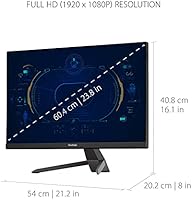
  • Screen Size: The display measures 24 inches diagonally, a widely used size that balances screen real estate with desk footprint.
  • Panel Type: Uses an MVA (Multi-domain Vertical Alignment) panel, which offers stronger contrast ratios than TN panels but narrower viewing angles than IPS.
  • Resolution: Native resolution is 1920x1080 (Full HD), delivering a pixel density well-suited to 24-inch viewing distances.
  • Refresh Rate: Supports a maximum refresh rate of 100Hz, a meaningful improvement over standard 60Hz displays for smoother on-screen motion.
  • Response Time: Rated at 1ms using the MPRT (Moving Picture Response Time) measurement method, which reflects pixel visibility during motion rather than pixel transition speed.
  • Adaptive Sync: Compatible with AMD FreeSync, which synchronizes the display's refresh rate with a compatible GPU's output to reduce screen tearing.
  • Aspect Ratio: Standard 16:9 widescreen aspect ratio, compatible with virtually all modern content and gaming formats.
  • Screen Surface: Matte anti-glare coating reduces reflections from ambient light sources, making it more comfortable in brightly lit environments.
  • Connectivity: Equipped with one HDMI port, one DisplayPort input, and one VGA port, covering a wide range of devices from modern PCs to older hardware.
  • Eye Care: Includes ViewSonic's Flicker-Free technology and a Blue Light Filter mode to reduce visual fatigue during extended use.
  • Bezel Design: Features ultra-thin bezels on three sides, keeping the overall footprint compact and making it suitable for side-by-side dual-monitor setups.
  • Visual Modes: Comes with pre-configured display presets optimized for FPS, RTS, and MOBA game genres, adjustable through the OSD menu.
  • Dimensions: The monitor measures approximately 21.2″ wide, 16.1″ tall, and 8″ deep with the stand attached.
  • Weight: Complete unit with stand weighs approximately 7.7 pounds, making it easy to reposition or mount with a standard VESA arm.
  • Color: Available in a matte black finish that fits cleanly into most desk setups without drawing attention.
  • VESA Mount: The monitor supports VESA mounting, allowing users to replace the included stand with a third-party monitor arm for better ergonomic positioning.

Related Reviews

ViewSonic XG2431 24-Inch Gaming Monitor
86%
92%
Gaming Performance
88%
Display Quality
93%
Response Time
85%
Ergonomics and Comfort
89%
Visual Clarity
More
ViewSonic VX2767-MHD 27-inch Gaming Monitor
82%
92%
Gaming Performance
88%
Display Quality
91%
Value for Money
85%
Build Quality
87%
Eye Comfort Features
More
ViewSonic VX2267-MHD 22-Inch 1080p Gaming Monitor
83%
90%
Value for Money
89%
Gaming Performance (Refresh Rate & Response Time)
86%
Image Quality & Color Accuracy
75%
Build Quality
91%
Ease of Setup
More
ViewSonic VA2456A-MHD 24-inch IPS Monitor
77%
83%
Image Quality
78%
Refresh Rate Performance
89%
Eye Comfort & Fatigue Reduction
91%
Value for Money
54%
Stand & Ergonomics
More
ViewSonic VX2418C 24-inch Curved Gaming Monitor
74%
88%
Gaming Performance
91%
Value for Money
63%
Image Quality
89%
Refresh Rate & Smoothness
82%
Eye Comfort
More
ViewSonic VX2428A 24-inch Gaming Monitor
77%
88%
Gaming Performance
79%
Image Quality
91%
Refresh Rate & Smoothness
86%
Response Time
83%
Eye Comfort
More
ViewSonic VX2718-PC-MHD 27-inch Curved Gaming Monitor
85%
89%
Gaming Performance
85%
Display Quality
91%
Immersive Experience (Curvature)
87%
Eye Comfort (Flicker-Free & Blue Light Filter)
90%
Refresh Rate & Response Time
More
ViewSonic VX3218-PC-MHD 32-inch Curved Gaming Monitor
72%
88%
Gaming Performance
79%
Image Quality
61%
Resolution Clarity
86%
Immersion & Curve
84%
Value for Money
More
ViewSonic VX3258-PC-MHD 32-inch Curved 1080p Gaming Monitor
82%
91%
Gaming Performance
84%
Visual Quality
95%
Refresh Rate & Response Time
80%
Build Quality
70%
Ergonomics & Adjustability
More
ViewSonic VG2455 24-inch Monitor
83%
91%
Ergonomic Comfort
88%
Display Quality
94%
USB-C Connectivity
89%
Eye Care Features
75%
Build Quality
More

FAQ

FreeSync is AMD's adaptive sync technology, so you get the full tear-reduction benefit with a compatible AMD graphics card. That said, the VX2467-MHD will work fine as a standard display with an Nvidia GPU — you just won't have adaptive sync active. Some newer Nvidia cards support G-Sync Compatible mode with select FreeSync monitors, but this one is not officially certified for that.

Yes, easily. The HDMI port handles console connections without any issues. Keep in mind that most consoles output at 60Hz by default, so you may not always hit the full 100Hz refresh rate depending on the game and console generation. The display will still work well for console gaming at standard frame rates.

It depends on how you interpret it. The ViewSonic VX2467-MHD 24-inch Gaming Monitor uses MPRT (Moving Picture Response Time) to measure that 1ms figure, which is different from the gray-to-gray (GTG) method you'll see on many spec sheets. MPRT measures how long a pixel remains visible during motion, not how fast it transitions between colors. In practice, you'll notice reduced motion blur, but this shouldn't be confused with ultra-low input lag. It's a solid performer for casual gaming, but competitive players sensitive to input delay may want to look at dedicated low-latency panels.
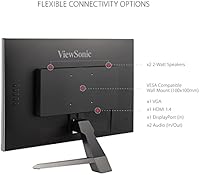
No, there are no built-in speakers on this display. You'll need external speakers or headphones for audio. This is fairly common at this price tier, so it's worth factoring into your setup planning if you don't already have an audio solution.

The included stand only offers basic tilt adjustment, and there's no height adjustment built in. This is one of the more common complaints from buyers. If ergonomics are important to you — especially if you work long hours at your desk — a VESA-compatible monitor arm is a practical upgrade worth considering, since the panel does support standard VESA mounting.

Honestly, not the best choice for that use case. The MVA panel produces strong contrast and decent color for everyday use and gaming, but it doesn't match the color accuracy or wide viewing angles of a quality IPS display. If accurate color reproduction is a priority for your work, you'd be better served by an IPS-based monitor designed for content creation.

MVA panels typically offer better native contrast — darker blacks compared to most IPS panels. The trade-off is that viewing angles are narrower: colors and contrast can shift if you're viewing the screen from the side rather than straight on. IPS panels handle off-angle viewing better and generally produce more accurate, vivid colors. For gaming and general use sitting directly in front of the screen, MVA is perfectly capable; for color-critical work or shared viewing, IPS tends to be the safer pick.

Very straightforward. Most buyers report having the stand attached and the monitor running within a few minutes. The OSD (on-screen display) menu for adjusting settings is accessible and reasonably intuitive. You shouldn't need any technical know-how to get it up and running.

Yes, and this is actually one of the stronger use cases for this 24-inch gaming display. The matte screen surface works well in daytime office lighting, and the pre-set visual modes let you quickly shift to a gaming-optimized picture when you're done for the day. It's not a specialized productivity monitor or a dedicated gaming panel — it sits comfortably in the middle, which suits dual-purpose users well.

Yes, the panel is VESA-compatible, which means you can remove the stock stand and attach a third-party monitor arm. This is actually a good idea if the limited stand adjustability bothers you, since a decent monitor arm will give you full control over height, tilt, and swivel — something the included stand doesn't offer.

Where to Buy