ViewSonic TD2465 24-Inch Touch Screen Monitor


Overview
The ViewSonic TD2465 24-Inch Touch Screen Monitor occupies an interesting middle ground — commercial-grade enough for a retail counter or kiosk, yet approachable enough for a home office desk. One of its most overlooked details is the dual-stand design: it ships with both a freestanding tablet-style base and a traditional upright stand, giving you genuine flexibility depending on how you deploy it. Unlike older resistive-touch panels, this one uses projected capacitive technology, which means touch input feels genuinely responsive rather than sluggish. It holds a solid 4.2-star rating across a few hundred reviews — respectable, though not universally loved. Think of the TD2465 as a productivity-first display, not a panel built for color-critical creative work.
Features & Benefits
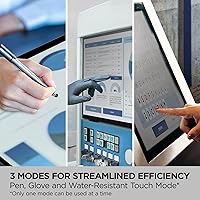
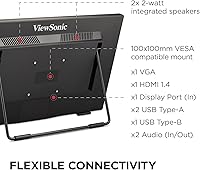
What sets the TD2465 apart from budget touch displays is its 10-point PCAP touch layer — projected capacitive technology tracks multiple simultaneous inputs with minimal lag, a meaningful upgrade from any resistive screen that demands firm, deliberate presses. Three touch modes (Pen, Glove, and Wet Hand) extend its usefulness into environments where standard monitors fail, like stockrooms, medical check-in stations, or food-service counters. Mac users get a notable bonus: ViewSonic's vTouch driver unlocks native gesture support that macOS doesn't provide on external touch displays by default — worth checking against your specific OS version before buying. Connectivity covers HDMI, DisplayPort, VGA, and USB, and the scratch-resistant matte surface holds up well in high-traffic shared settings.
Best For
This touch monitor is a strong fit for retail and point-of-sale environments where durability and glove-mode compatibility matter. Small business owners, educators, and front-desk operators who want reliable touch interactivity without spending on a premium display will find it hits a practical sweet spot. Home office users can take advantage of the freestanding tablet mode for presentations, annotation, or casual browsing — then switch to upright when doing regular desktop work. If you're running macOS and have struggled to find a touch display with real driver support, this ViewSonic display is one of the few that actually delivers it. And if you're still on a resistive-touch monitor, the responsiveness gap will feel significant from day one.
User Feedback
Across verified buyer reviews, the themes are fairly consistent. Touch accuracy and responsiveness get high marks — most users report it works reliably right out of the box with no noticeable drift or calibration issues. Mac compatibility via the vTouch driver earns specific praise from Apple users who've found alternatives lacking. That said, two concerns come up often enough to take seriously: color reproduction and panel brightness. This ViewSonic display isn't calibrated for design work, and users doing photo editing or video review tend to notice. A smaller group mentions stand stability in freestanding mode — the tablet orientation can feel slightly wobbly on uneven surfaces. For productivity, POS, or utility-driven use, satisfaction runs high. For creative-focused workflows, temper expectations.
Pros
- PCAP touch technology delivers fast, accurate multi-touch input that resistive panels cannot match.
- Three touch modes — Pen, Glove, and Wet Hand — make this touch monitor practical in demanding real-world environments.
- The vTouch driver gives Mac users gesture support that is genuinely rare among external touch displays.
- Wide connectivity including HDMI, DisplayPort, VGA, and USB means it works with nearly any existing setup.
- The 7H-rated matte surface resists everyday scratches well, holding up in shared or high-traffic deployments.
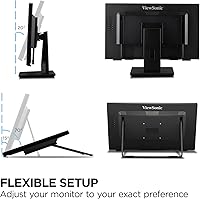
- Dual-stand design offers real flexibility — switch between tablet and traditional upright modes without buying accessories.
- Touch response is consistently reported as smooth and ready to use straight out of the box.
- Compatible with Windows PCs, Macs, and POS systems, making it a versatile choice across different business types.
- Ergonomic height and tilt adjustments help reduce fatigue during extended use at a desk or kiosk station.
Cons
- Color accuracy and panel brightness fall short for anything beyond basic productivity or data entry tasks.
- The freestanding tablet-mode base can wobble noticeably on surfaces that are not perfectly flat.
- Full HD resolution may feel dated to users upgrading from sharper, higher-density displays.
- The vTouch driver requires version compatibility checks — not all macOS builds are guaranteed to work without friction.
- At roughly 12.5 pounds, the TD2465 is not particularly easy to reposition frequently in a dynamic workspace.
- No built-in speakers, which means additional hardware is needed for any audio-dependent use case.
- The 60Hz refresh rate makes this a poor fit for anyone who also wants to use the display for gaming or fast video playback.
- Viewing angles, while acceptable head-on, degrade noticeably when the screen is used in tablet mode at low or angled positions.
Ratings
The scores below reflect an AI-driven analysis of verified global buyer reviews for the ViewSonic TD2465 24-Inch Touch Screen Monitor, with spam, bot-submitted, and incentivized feedback actively filtered out to ensure reliability. Our model weighs both the enthusiasm of satisfied users and the frustrations of those who ran into real-world limitations, so the ratings you see here capture the full picture — strengths and shortcomings alike. Whether this display earns a place on your desk or counter ultimately comes down to how well its specific strengths match your actual use case.
Touch Responsiveness
Touch Mode Versatility
macOS Compatibility
Build Quality & Durability
Stand Design & Stability
Display Color Accuracy
Connectivity Options
Ergonomics & Adjustability
Setup & Installation
Value for Money
Screen Brightness
Stylus & Pen Input
Long-Term Reliability
Suitable for:
The ViewSonic TD2465 24-Inch Touch Screen Monitor is a smart pick for anyone who needs reliable touch interactivity in a real working environment rather than a casual home setup. Retail operators and point-of-sale businesses will appreciate the glove and wet-hand touch modes, which handle the messy realities of a shop floor or food-service counter far better than a standard display ever could. Educators and small business owners running Windows or macOS will find the PCAP touch layer genuinely responsive and easy to calibrate, without the frustrating input lag that plagues older resistive panels. Mac users in particular get a rare advantage here — the vTouch driver unlocks gesture controls that most external displays simply cannot offer on Apple hardware, though it is worth confirming compatibility with your current macOS version before purchasing. Home office workers who toggle between presentations, annotation tasks, and standard desktop use will also get solid mileage from the dual-stand design, which lets the display shift between upright and freestanding tablet orientations depending on the task at hand.
Not suitable for:
If color accuracy, high brightness, or wide viewing angles are priorities, the TD2465 is not the right tool. Photographers, graphic designers, video editors, and anyone doing color-critical work should look at panels built specifically for that purpose — this ViewSonic display is tuned for durability and touch utility, not visual fidelity. The Full HD resolution, while perfectly adequate for productivity and POS use, will feel limiting to users accustomed to higher-resolution panels, especially on a 24-inch screen viewed at close range. Gamers or multimedia enthusiasts will also find little to love here — the 60Hz refresh rate and underwhelming contrast make it a poor choice for entertainment-driven setups. Those who need a truly rock-solid freestanding configuration should also be cautious, as the tablet-mode base has received enough wobble complaints from buyers to suggest it works best on flat, stable surfaces rather than uneven counters or mobile carts.
Specifications
- Screen Size: The display measures 24 inches diagonally, providing a comfortable working area suited to both desktop and kiosk-style deployments.
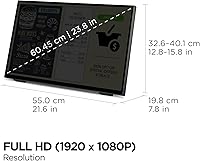
- Resolution: Native resolution is 1920x1080 (Full HD), delivering clear, sharp text and images for productivity, POS, and general office use.
- Refresh Rate: The panel runs at 60Hz, which is standard for business and productivity monitors but not optimized for fast-motion gaming or video.
- Touch Technology: 10-point Projected Capacitive (PCAP) touch technology enables accurate, low-latency multi-touch input across the full display surface.
- Touch Modes: Three selectable touch modes — Pen, Glove, and Wet Hand — allow reliable input in environments where hands may be covered or damp.
- Surface Coating: The matte anti-glare surface carries a 7H hardness rating, offering meaningful scratch resistance in high-traffic or shared-device settings.
- Aspect Ratio: Standard 16:9 widescreen aspect ratio ensures compatibility with typical presentation formats, video conferencing layouts, and productivity software.
- Connectivity: Input options include HDMI, DisplayPort, VGA, and USB, covering both legacy and modern systems including laptops, desktop PCs, and POS hardware.
- macOS Support: ViewSonic's vTouch driver enables gesture and touch support on compatible macOS systems; this driver does not apply to iPhone or iPad devices.
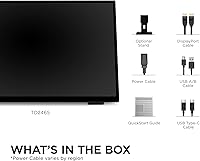
- Stand Options: The monitor ships with two stand configurations: a freestanding tablet-style base for low-angle or flat interaction, and a traditional upright desktop stand.
- Dimensions: Overall product dimensions measure approximately 7.8 x 21.6 x 15.82 inches, making it a moderately compact footprint for a 24″ commercial display.
- Weight: The unit weighs approximately 12.54 pounds with stand, which is typical for a commercial-grade touch monitor of this size and build quality.
- Color Finish: The chassis is finished in matte black, a neutral, professional look that suits retail counters, office desks, and medical reception environments equally well.
- Compatibility: The display is compatible with Windows PCs, macOS systems, and POS setups, making it a flexible option across a range of business and personal configurations.
- User Rating: The product holds a 4.2 out of 5 rating based on 261 Amazon customer reviews, reflecting solid overall satisfaction with occasional notes on panel brightness and stand stability.
Related Reviews
ViewSonic TD2455 24-inch Touch Monitor
ViewSonic TD2423D 24-Inch Touch Monitor
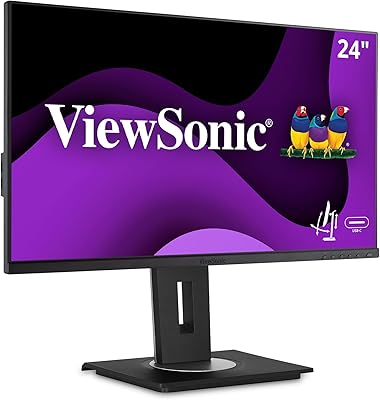
ViewSonic VG2455 24-inch Monitor
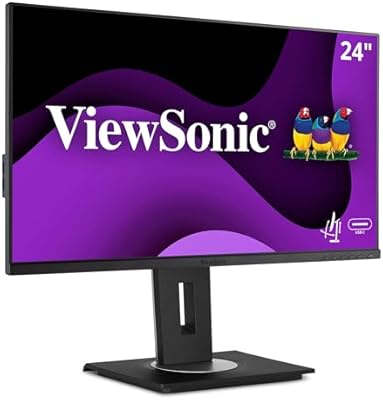
ViewSonic VG2456A 24-inch IPS Monitor
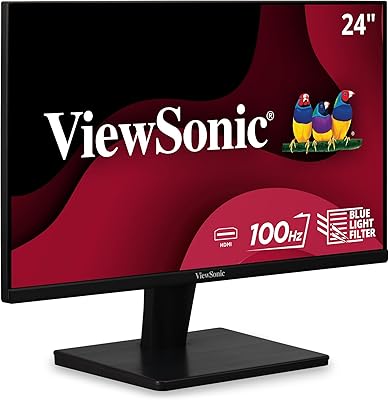
ViewSonic VS2447M 24-Inch FHD Monitor

ViewSonic XG2431 24-Inch Gaming Monitor

ViewSonic VG2448A 24-inch IPS Monitor
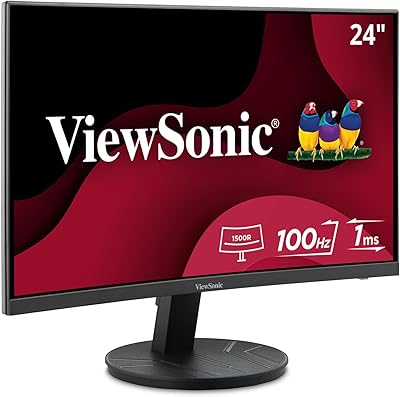
ViewSonic VA2416C 24-inch Curved Monitor
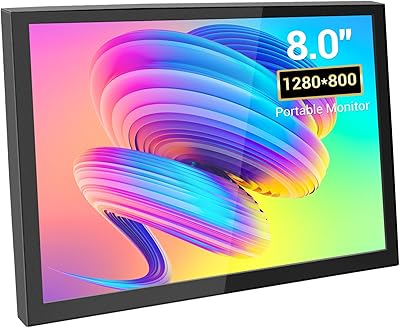
VIEWMEI 8-Inch Portable Touch Screen Monitor