
Overview
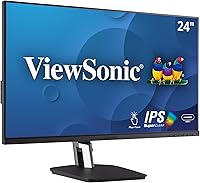
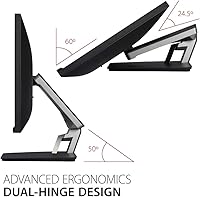
The ViewSonic TD2455 24-inch Touch Monitor sits comfortably in the mid-range segment, targeting professionals, small business operators, and creatives who need dependable touch input without paying flagship prices. What immediately sets it apart physically is the dual-hinge ergonomic stand, which offers a range of motion that most flat-panel monitors simply don't provide. The IPS panel delivers solid color accuracy and wide viewing angles — genuinely useful whether you're reviewing design work or running a customer-facing kiosk. It works across Windows, macOS, and POS systems. One honest caveat worth stating upfront: 1080p at 24 inches is perfectly workable, but it isn't the sharpest picture available at this price tier today.
Features & Benefits
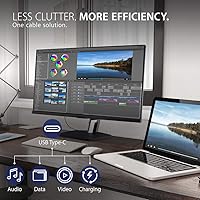
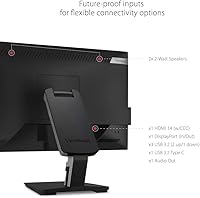
The 10-point PCAP touch technology is where the TD2455 earns its credibility — projected capacitive touch responds immediately to fingertip input, handling pinches, swipes, and multi-finger gestures in a way older resistive panels simply couldn't match. Plugging in via USB-C handles video, audio, data, and 60W laptop charging over a single cable, which genuinely tidies up a cluttered desk. The dual-hinge stand can lie nearly flat, making it practical for kiosk setups or light drawing use. There's also a DisplayPort output for daisy-chaining a second monitor. Mac users should know touch gesture support requires installing ViewSonic's vTouch driver — it works, but setup takes a few deliberate extra steps.
Best For
This touch display makes the most sense for a few well-defined buyer types. Small business owners running point-of-sale systems or customer kiosks will appreciate the rugged build and flexible stand positioning. Creatives who want a secondary screen for annotation, document signing, or light digital sketching will find it capable for those tasks. Mac users searching for a touch-enabled external monitor with actual gesture support will find this is one of the few realistic options in the category. IT teams deploying shared workstations also benefit from the USB-C simplicity — one cable, one connection. It's less suited to anyone who prioritizes pixel density for photo editing or detailed video work.
User Feedback
Across roughly 260 ratings, this ViewSonic touch monitor holds a 4.2-star average — a solid score reflecting a mostly satisfied user base. Buyers frequently praise the responsive touch calibration straight out of the box, the sturdiness of the stand, and how uncomplicated the USB-C connection is in daily use. The criticisms worth taking seriously: several users find that 1080p resolution at this screen size looks noticeably soft compared to sharper modern panels, especially for text-heavy work. The macOS vTouch driver draws mixed reactions — functional for most, but some report calibration drift or compatibility issues after system updates. No widespread durability complaints, though long-term touch surface wear remains worth watching.
Pros
- 10-point PCAP touch responds accurately to multi-finger gestures with no perceptible lag in everyday use.
- USB-C single-cable connection handles video, audio, data, and 60W laptop charging simultaneously.
- The dual-hinge stand tilts to near-flat, making kiosk and countertop deployments genuinely practical.
- IPS panel delivers consistent colors and wide viewing angles — reliable for shared or customer-facing screens.
- DisplayPort output enables daisy-chaining a second monitor, adding real multi-display flexibility.
- Five USB 3.0 ports provide ample connectivity for peripherals without needing a separate hub.
- Matte screen surface keeps glare manageable without making the touch layer feel sluggish.
- Compatible with Windows, macOS, and POS systems, covering a wide range of professional environments.
- Build quality is consistently praised by buyers — the stand and chassis feel solid for daily commercial use.
- Touch calibration works accurately out of the box on Windows with no extra software required.
Cons
- 1080p resolution at 24 inches looks noticeably soft compared to sharper displays available at similar prices today.
- macOS touch support requires installing a separate vTouch driver that can break after system updates.
- At 14.2 pounds, the TD2455 is heavier than many competing monitors, making repositioning more cumbersome.
- No height adjustment on the stand — tilt range is generous, but vertical positioning is fixed.
- 60Hz refresh rate rules it out for any use case involving smooth motion, including casual gaming.
- Some buyers report that touch calibration drifts gradually on macOS, requiring periodic recalibration.
- No built-in speakers, which may require an extra purchase for setups where audio output is needed.
- The vTouch driver for macOS is not compatible with iPhone or iPad, limiting broader Apple ecosystem use.
- At this price tier, the absence of USB-C video input as a backup alongside the primary port limits flexibility.
- A relatively small pool of around 260 ratings means long-term reliability patterns are still less established than higher-volume competitors.
Ratings
The scores below were generated by our AI after analyzing verified buyer reviews for the ViewSonic TD2455 24-inch Touch Monitor from global sources, with spam, incentivized submissions, and bot-pattern reviews actively filtered out. The result is an honest, data-driven snapshot that reflects both the real strengths buyers keep coming back to praise and the friction points that have surfaced consistently across hundreds of purchases. Nothing is glossed over — if a category underwhelms in practice, the score reflects that plainly.
Touch Responsiveness
Build Quality
Ergonomics & Stand
Display Clarity
USB-C Connectivity
macOS Compatibility
Port Selection
Glare & Visibility
Setup & Installation
Value for Money
Multi-Monitor Support
Long-Term Durability
Noise & Heat
Adjustability
Suitable for:
The ViewSonic TD2455 24-inch Touch Monitor is a strong fit for small business owners who need a reliable, no-fuss touch display for point-of-sale terminals or customer-facing kiosks — the flexible dual-hinge stand and broad input options make deployment straightforward in almost any physical setup. Mac users who have struggled to find a touch monitor that works natively with macOS gestures will find this one of the few genuinely viable options in the category, provided they're comfortable installing the vTouch driver. Creative professionals who want a secondary screen for document annotation, digital signing, or light sketching will get real mileage out of the responsive PCAP touch layer. IT teams and office managers equipping shared workstations will appreciate how USB-C simplifies the whole connection story — one cable covers power, video, and data, which cuts down on setup time across multiple desks. Educators who spend long hours in front of a screen will also benefit from the ergonomic tilt range, which flat-panel alternatives simply can't match.
Not suitable for:
The ViewSonic TD2455 24-inch Touch Monitor is not the right call for buyers who prioritize sharp pixel density for detail-intensive work like photo retouching, fine illustration, or 4K video editing — at 24 inches, 1080p resolution produces a noticeably softer image than what sharper modern panels offer at comparable prices. Gamers should also look elsewhere; the 60Hz refresh rate and absence of any adaptive sync technology make it a poor match for fast-paced titles. If you're a Mac user hoping for plug-and-play touch support, be aware that the vTouch driver requires deliberate setup and has shown compatibility hiccups after certain macOS updates — this is not a monitor you can simply connect and expect to work touch-perfectly without some configuration effort. Buyers in need of a primary, all-purpose office monitor who don't actually require touch input will likely find better value in a non-touch IPS display at this price point. Those working in very bright, window-lit environments may also find the matte surface reduces glare adequately but slightly dulls color vibrancy compared to glossy alternatives.
Specifications
- Screen Size: The display measures 24 inches diagonally, offering a practical working area for POS terminals, shared workstations, and secondary creative setups.
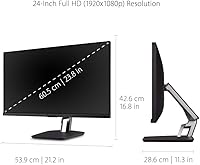
- Resolution: Native resolution is 1920x1080 (Full HD), delivering standard 1080p output at a 16:9 aspect ratio.
- Panel Type: An IPS panel provides accurate color reproduction and wide viewing angles, so image quality remains consistent even when viewed from the side.
- Touch Technology: 10-point Projected Capacitive (PCAP) touch supports simultaneous multi-finger gestures including pinch-to-zoom, swipe, and tap with low latency.
- Refresh Rate: The display runs at 60Hz, which is adequate for productivity, POS, and creative annotation use cases but not suited to fast-motion gaming.
- Screen Surface: A matte coating reduces ambient glare and reflections, making the panel more comfortable in office or retail lighting conditions.
- USB-C: A single USB-C port handles video input, audio, high-speed data transfer, and up to 60W of pass-through power delivery for connected laptops.
- Other Inputs: Additional connectivity includes one HDMI input, one DisplayPort output for daisy-chaining, and five USB 3.0 ports for peripherals.
- Stand Design: The dual-hinge ergonomic stand allows the screen to tilt from upright to near-flat, accommodating countertop kiosk, standard desk, and drawing-surface orientations.
- Compatibility: Works with Windows PCs, macOS devices (touch support requires the free vTouch driver), and most POS system configurations.
- Dimensions: The assembled unit measures approximately 21.2 x 11.3 x 16.8 inches (W x D x H) in standard upright position.
- Weight: The complete unit with stand weighs 14.2 pounds, which is on the heavier side for a 24-inch monitor and worth considering for mobile or frequently repositioned setups.
- Power: The monitor operates at 110V and does not require an external power brick when connected via USB-C to a host device providing sufficient wattage.
- Audio Output: There are no built-in speakers; audio must be routed through an external output device or connected via the USB-C or HDMI audio signal path.
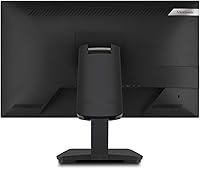
- Color: The chassis is finished in matte black, with thin bezels on three sides for a relatively clean, professional look on a desk or counter.
- Manufacturer: Produced by ViewSonic, a display-focused manufacturer with an established presence in the commercial monitor and projector market.
- Model Number: The official model identifier is TD2455, which should be used when searching for compatible mounts, drivers, or replacement parts.
- VESA Mount: The TD2455 supports standard VESA mounting, allowing the display to be attached to compatible wall mounts or articulating arms if the integrated stand is removed.
Related Reviews
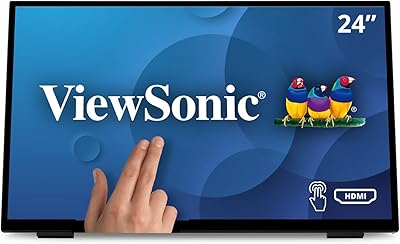
ViewSonic TD2465 24-Inch Touch Screen Monitor
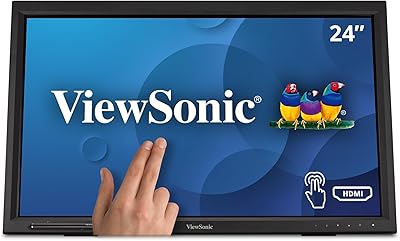
ViewSonic TD2423D 24-Inch Touch Monitor
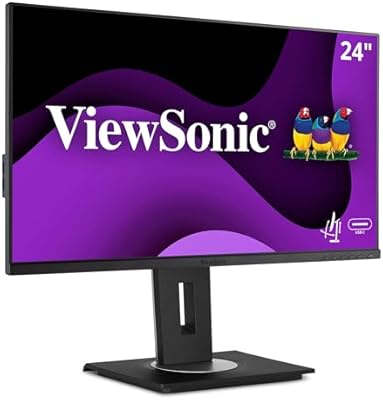
ViewSonic VG2456A 24-inch IPS Monitor
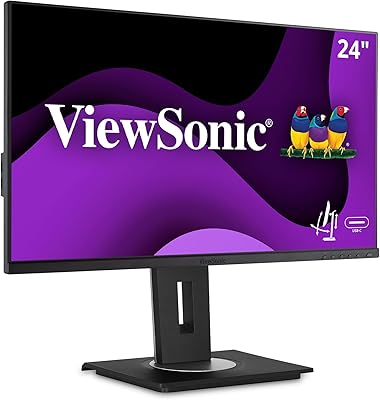
ViewSonic VG2455 24-inch Monitor

ViewSonic XG2431 24-Inch Gaming Monitor
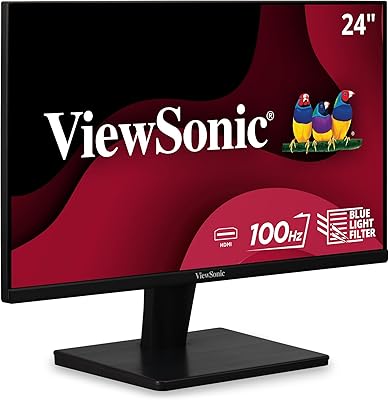
ViewSonic VS2447M 24-Inch FHD Monitor

ViewSonic VG2448A 24-inch IPS Monitor
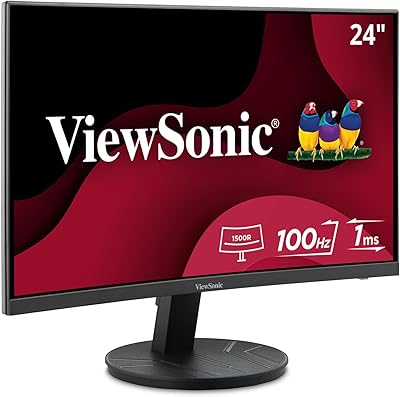
ViewSonic VA2416C 24-inch Curved Monitor
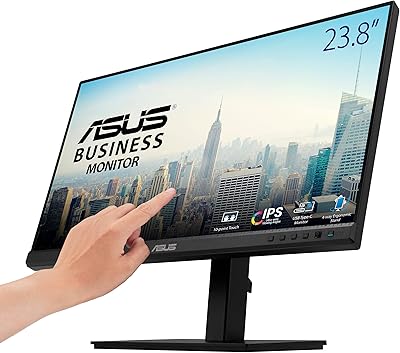
ASUS BE24ECSBT 24-inch Touch Monitor