
Overview

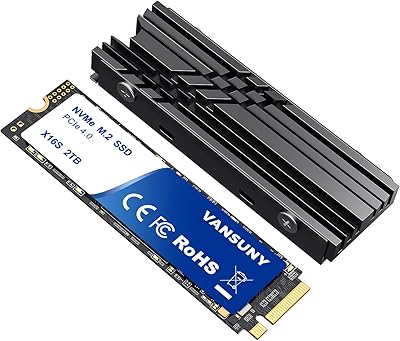
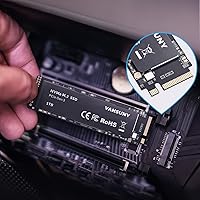
The Vansuny X15 1TB NVMe M.2 SSD is a practical, budget-focused NVMe upgrade aimed at users tired of slow HDDs or aging SATA drives. Vansuny isn't a brand most people recognize, and honesty matters here — but the drive runs on a PCIe Gen 3 x4 interface with the standard M.2 2280 form factor, putting it firmly in NVMe-class territory. Since its late 2022 launch, it has reached #63 in Internal SSDs on Amazon with over 850 ratings — a respectable foothold for an emerging brand. Think of this as a value-tier NVMe drive, not a premium one, and expectations align nicely.

Features & Benefits

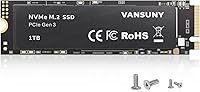
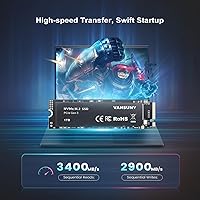
Where this M.2 SSD makes its case is everyday speed. Real-world reads approaching 3400MB/s mean your operating system boots in seconds, and large transfers that would drag on a SATA drive wrap up noticeably faster. The 3D TLC NAND is worth understanding — TLC packs more data per cell than MLC, which keeps costs down, but it does carry a lower write endurance over time compared to pricier options. For moderate daily use, that trade-off is perfectly reasonable. The 2280 form factor fits most laptops and desktops, and the package even includes six mounting screws in two sizes — a small but genuinely practical touch.

Best For

This Vansuny NVMe drive is a natural fit for budget-conscious upgraders — anyone still running a spinning hard drive or an aging SATA SSD will notice a dramatic jump in everyday responsiveness. Casual gamers benefit from faster load times without paying for a Gen 4 drive, since most titles don't push anywhere close to Gen 3 bandwidth limits anyway. Students and home builders assembling a mid-range PC will find the 1TB capacity strikes a practical balance between price and usable space. It also works nicely as a secondary storage drive for creators handling moderate photo or video work who want more room without a serious financial commitment.

User Feedback

With 4.5 stars across more than 850 ratings, the X15 has earned a surprisingly strong reputation for a brand most buyers hadn't heard of before purchasing. The most consistent praise centers on easy installation and noticeably quicker boot times — users upgrading from an HDD especially report the difference feeling significant. On the flip side, some reviewers raise fair questions about long-term reliability, which is a legitimate concern when buying from a brand without a decades-long track record. It's also worth noting that advertised peak speeds are benchmark figures — real-world performance can vary depending on your system. Customer service responsiveness is cited positively, which offers some reassurance.

Pros

  • NVMe PCIe Gen 3 speeds deliver a dramatic, noticeable improvement over HDDs and older SATA SSDs in everyday use.
  • Boot times drop sharply — users consistently report Windows loading in seconds after a clean install.
  • One terabyte of capacity comfortably holds an OS, a library of games, and active working files at once.
  • The standard M.2 2280 form factor fits the vast majority of modern desktops and laptops without adapters.
  • Six mounting screws in two sizes are included, saving the hassle of sourcing hardware separately before installation.
  • Solid-state construction means quieter operation and lower heat output compared to any spinning hard drive.
  • Ranked #63 in Internal SSDs on Amazon — a credible sign of buyer satisfaction for a relatively new brand.
  • Customer service responsiveness is cited positively by multiple reviewers, which adds a reassuring layer of post-purchase support.
  • At under an ounce, the X15 is easy to handle and install even in tight laptop chassis.

Cons

  • Vansuny has no publicly documented TBW endurance rating, making long-term durability harder to evaluate objectively.
  • TLC NAND carries lower write endurance than MLC alternatives, a real consideration for write-intensive workloads over time.
  • Warranty terms are not prominently detailed, which adds uncertainty to long-term ownership and potential RMA situations.
  • Real-world sequential speeds often fall noticeably short of the advertised peak figures depending on system configuration and thermal conditions.
  • Limited brand history makes it difficult to assess how firmware support or replacement policies will hold up several years from now.
  • Independent third-party benchmark coverage for this specific drive is sparse compared to drives from well-established manufacturers.
  • Buyers in PCIe Gen 4-capable systems may find themselves leaving meaningful performance on the table by choosing a Gen 3 drive.

Ratings

The scores below for the Vansuny X15 1TB NVMe M.2 SSD were produced by our AI system after analyzing verified purchase reviews from buyers worldwide, with spam, bot-submitted, and incentivized feedback actively identified and filtered out. Each category score reflects what real owners consistently reported — both what impressed them and what fell short of their expectations. Strengths and pain points are weighted transparently so you can make a genuinely informed decision.

Read & Write Performance
82%
18%
Users upgrading from mechanical hard drives or SATA SSDs consistently describe boot times dropping from over a minute to under ten seconds — a shift that feels immediately significant in daily use. Game load screens also shorten noticeably, which is the most tangible speed win casual gamers report.
Sequential read and write peaks are benchmark figures — real-world sustained transfers on mixed workloads often land well below the advertised 3400MB/s ceiling. Several reviewers note that thermal throttling during extended large-file operations pulled speeds down meaningfully, which is worth knowing before planning heavy data migration tasks.
Value for Money
89%
For users who simply need a capable NVMe drive without paying a premium-brand markup, this M.2 SSD consistently earns high marks. Getting genuine PCIe Gen 3 NVMe performance at this price point, with 1TB of usable space, is seen by buyers as one of the drive's clearest strengths.
Some buyers who paid a modest premium over the cheapest SATA options feel the value equation shifts if reliability concerns materialize early. Without a published TBW rating or well-documented warranty terms, quantifying long-term value remains genuinely difficult, which leaves some buyers feeling exposed on the back end.
Installation Ease
91%
Installation feedback is among the most consistently positive aspects reported by buyers, including first-time builders who had never installed a storage drive before. The included mounting screws in two sizes remove a common friction point, and most users report the physical installation taking under five minutes.
A small number of reviewers flagged that BIOS recognition required enabling NVMe mode manually on certain older motherboards, which caught them off guard. No setup guide or bundled software is included, so buyers who have never done a fresh OS install may need to consult external tutorials before proceeding.
Brand Reliability
58%
42%
Vansuny has accumulated over 850 verified ratings since late 2022 with a strong average score, suggesting the drives are not failing en masse during the initial ownership period. Customer service is cited as responsive and willing to address issues, which is a positive early signal for a newer brand.
Vansuny lacks the multi-decade track record of established storage brands, and there is no publicly available MTBF or TBW endurance data to validate long-term performance claims. Buyers who have owned the drive for two or more years are underrepresented in review data, making durability over time genuinely unknown.
Capacity Utility
86%
One terabyte sits in a practical sweet spot — enough to install Windows, a handful of large AAA games, and a working folder of creative projects without constantly shuffling files around. Home users building their first NVMe system consistently describe 1TB as the right balance between cost and breathing room.
Heavy gamers with large modern title libraries may find 1TB fills up faster than expected, particularly as game install sizes continue to grow each year. There is currently no 2TB variant listed under the same product family, limiting upgrade paths for buyers who anticipate outgrowing this capacity quickly.
Speed Consistency
68%
32%
For typical workloads — booting Windows, opening applications, loading game levels — the X15 delivers consistent, responsive performance that holds up well in normal daily use without obvious stutters or pauses. Users upgrading from HDDs in particular find the improvement in perceived responsiveness significant and sustained over time.
Sustained sequential transfers over large data sets — moving a 50GB video archive, for example — see speed drops once the drive's SLC cache is exhausted. Some technically minded buyers ran their own benchmarks and found results landing noticeably below the advertised peaks under real-world test conditions.
Thermal Management
74%
26%
Running without moving parts means this M.2 SSD generates significantly less heat than a mechanical drive under equivalent workloads, which matters in compact laptops where airflow is already constrained. For routine use — web browsing, document work, moderate gaming — temperatures stay comfortably within safe operating ranges.
Under sustained heavy workloads in systems without adequate airflow or a heatsink, the drive can reach temperatures that trigger throttling, pulling sequential write speeds down noticeably. Desktop builders running demanding applications for extended hours should consider adding a low-cost M.2 heatsink to maintain consistent output over long sessions.
Compatibility
83%
The M.2 2280 form factor is the most widely supported standard, fitting the vast majority of modern consumer desktops and laptops without adapters or special configuration. Reviewers across a broad range of systems — from budget mini-ITX builds to mid-range gaming laptops — generally report straightforward recognition after installation.
A handful of users with older motherboards that only support SATA M.2 found the drive was incompatible — a compatibility check most buyers skip when ordering. Mac users face significant barriers as well, since this drive is not a supported storage solution for Apple systems without considerable additional configuration work.
Long-Term Durability
56%
44%
In the short-to-medium term — covering the first year or two of typical daily use — reported failure rates appear low relative to the review volume, which is a modest but meaningful positive indicator. No widespread surge of early failure reports has emerged from the existing buyer base so far.
TLC NAND inherently offers lower write endurance than MLC equivalents, and without a published TBW figure from Vansuny, buyers have no objective benchmark for when to expect degradation. The brand's short history means there is almost no multi-year ownership data available to confidently assess how these drives hold up over time.
Power Efficiency
77%
23%
Compared to mechanical hard drives, the X15 draws considerably less power at idle and under load, translating to modest but real improvements in battery life for laptop users. Writers and students working on battery-powered machines report that the drive does not noticeably accelerate battery drain during typical daily sessions.
NVMe drives as a category draw more power than SATA SSDs during active workloads, and the X15 is no exception — ultra-portable laptop users chasing maximum battery life may see a slight trade-off versus a SATA alternative. No official idle or active power consumption figures are published by the manufacturer.
Noise & Vibration
94%
As a solid-state drive with no mechanical components, the X15 operates in complete silence under all conditions — a genuine improvement for anyone who previously lived with the clicking, spinning, and seeking noise of a hard disk drive. Users in quiet work environments or recording setups particularly appreciate this benefit.
Silence is a baseline expectation for any solid-state drive, so the X15 earns its score here without doing anything exceptional — this category does not differentiate it meaningfully from competing NVMe or even SATA drives. Buyers switching from HDDs will notice the improvement, but it is a category-wide trait, not a brand distinction.
Packaging & Accessories
76%
24%
The inclusion of six mounting screws covering two common M.2 mount types is a thoughtful detail that most competing budget drives skip entirely. Buyers who attempted installation on their first build mention that having the right hardware in the box prevented an unexpected trip to the hardware store mid-project.
Beyond the screws, the package is minimal — no installation guide, no software, and no data migration tool is included, which creates a barrier for first-time builders unfamiliar with fresh OS installations. The packaging itself is functional rather than polished, though for a budget-tier drive this is a relatively minor complaint.
Customer Support
73%
27%
Multiple verified buyers report that when they reached out to Vansuny with questions — ranging from installation queries to compatibility concerns — responses came back faster than expected for a budget brand. This responsiveness suggests some meaningful investment in post-sale customer experience, which is reassuring for a manufacturer this new to the market.
The scope and reliability of formal warranty support is not well documented, making it difficult to know what recourse buyers actually have if the drive fails outside the return window. Compared to brands like Samsung or WD, which have established RMA processes and warranty portals, Vansuny's support infrastructure is considerably less transparent.

Suitable for:

The Vansuny X15 1TB NVMe M.2 SSD is an ideal match for everyday upgraders who are still running a mechanical hard drive or an aging SATA SSD and want a real, tangible speed improvement without a hefty price tag. Students building a first PC, refreshing a hand-me-down laptop, or setting up a home study machine will find the 1TB capacity and PCIe Gen 3 performance more than sufficient for schoolwork, media, and light multitasking. Casual gamers on a budget benefit here too, since most titles never push Gen 3 bandwidth to its limits — paying extra for Gen 4 simply isn't necessary for their use case. Home office users and content creators who want a reliable secondary drive for project files, photos, or video exports will also get solid day-to-day utility. If your motherboard or laptop only supports PCIe Gen 3, this M.2 SSD fills that slot capably and without unnecessary overhead.

Not suitable for:

Buyers who put long-term reliability guarantees at the top of their checklist should approach the Vansuny X15 1TB NVMe M.2 SSD with realistic expectations — Vansuny simply does not have the decade-long track record or publicly published endurance ratings (TBW figures) that brands like Samsung, Western Digital, or Sabrent can offer. Power users running constant heavy write workloads — think database servers, professional video production pipelines, or always-on NAS systems — need a drive with proven stamina, and TLC NAND from an unverified manufacturer is a gamble in those scenarios. If your system supports PCIe Gen 4 and your workload genuinely taxes storage bandwidth, spending more on a Gen 4 drive is the smarter move. Anyone who wants to install a drive and never think about it again for five or more years would feel more confident with an established brand that carries a clear warranty and a documented RMA process. This is also strictly an internal drive, so anyone looking for portable or external storage should look elsewhere entirely.

Specifications

  • Capacity: The drive provides 1TB of usable storage, enough to hold an operating system, applications, and a large library of games or project files simultaneously.
  • Interface: It connects via PCIe Gen 3 x4 using the NVMe protocol, delivering substantially higher bandwidth than any SATA-based SSD connection.
  • Form Factor: The M.2 2280 format measures 22mm wide and 80mm long, which is the most common M.2 slot size found in modern desktops and laptops.
  • NAND Type: Storage cells use 3D TLC (Triple-Level Cell) NAND flash, which prioritizes high capacity and lower manufacturing cost over the maximum write endurance of MLC alternatives.
  • Sequential Read: Advertised sequential read speed reaches up to 3400MB/s under controlled benchmark conditions using optimal data patterns.
  • Sequential Write: Advertised sequential write speed reaches up to 2900MB/s under controlled benchmark conditions using optimal data patterns.
  • Installation: This is a strictly internal drive that mounts directly into an available M.2 slot inside a compatible desktop PC or laptop chassis.
  • Dimensions: The drive measures 3.15 x 0.87 x 0.18 inches, keeping it compact and well within the clearance requirements of slim laptop designs.
  • Weight: At 0.704 ounces, the drive adds negligible mass to any system and presents no installation challenges even in tightly packed builds.
  • Compatible Devices: Designed for use in desktop PCs and laptops that include an M.2 slot with PCIe Gen 3 x4 or PCIe Gen 4 backward-compatible NVMe support.
  • Included Screws: Six mounting screws in two sizes are included — KM2x5mm and KM3x6mm — covering the most commonly encountered motherboard and laptop mounting configurations.
  • Model Number: The official model identifier is X15-Black-1T, as listed on the product packaging and typically visible in system identification utilities after installation.
  • Brand: Manufactured and sold under the Vansuny brand, a budget-focused storage brand that launched its NVMe product line in late 2022.
  • Availability Date: The drive first became available for purchase in December 2022, giving it a growing base of real-world user feedback since launch.
  • Sales Ranking: This M.2 SSD holds a Best Sellers Rank of #63 in the Internal Solid State Drives category on Amazon, representing strong market traction for a newer brand.

Related Reviews
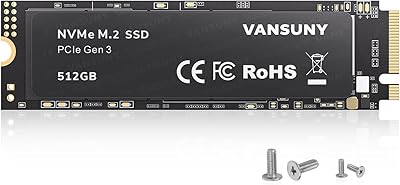
Vansuny X15 512GB NVMe M.2 SSD

75%
88%
Value for Money
74%
Read/Write Performance
91%
Installation Ease
69%
Build Quality
62%
Long-Term Reliability
More
Vansuny 2TB NVMe M.2 Internal SSD
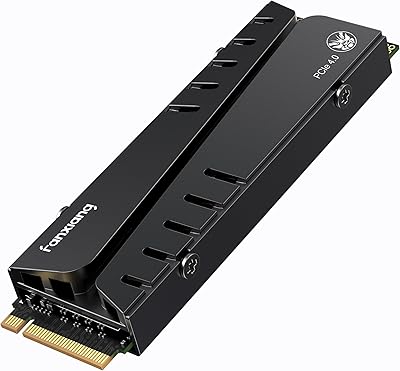
78%
88%
Value for Money
79%
Read/Write Speed
91%
PS5 Compatibility
74%
Thermal Management
93%
Installation Experience
More
GAMERKING 1TB M.2 2280 NVMe SSD
75%
88%
Value for Money
83%
Read Performance
76%
Write Performance
71%
Thermal Management
73%
Build Quality
More
INLAND TN320 1TB NVMe M.2 SSD
77%
91%
Value for Money
88%
Sequential Read Speed
64%
Sustained Write Performance
93%
Installation Ease
94%
Warranty & Support
More
ORICO J10-2242 256GB NVMe M.2 SSD
78%
83%
Read Speed Performance
61%
Write Speed & Sustained Performance
78%
Thermal Management
88%
Value for Money
81%
Build Quality & Packaging
More
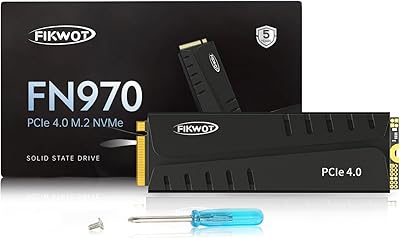
Fikwot FN970 1TB M.2 NVMe SSD
87%
93%
Performance
88%
Ease of Installation
91%
Compatibility with PS5
85%
Thermal Management (Heatsink)
86%
Write Speed
More
iDsonix D7450 1TB M.2 NVMe SSD
85%
94%
Performance
89%
Thermal Management
92%
Read/Write Speed
85%
Compatibility with PS5
88%
Build Quality
More
WD_BLACK SN850P 1TB NVMe SSD for PS5
84%
93%
Installation Experience
89%
Load Time Performance
67%
Value for Money
88%
Thermal Management
91%
Build Quality
More
fanxiang S770 1TB NVMe M.2 SSD
79%
88%
Read Speed Performance
91%
PS5 Compatibility
86%
Value for Money
83%
Thermal Management
67%
Write Speed Consistency
More
PNY CS2230 1TB M.2 NVMe SSD
82%
83%
Read & Write Performance
91%
Value for Money
94%
Installation Ease
86%
Boot & Load Times
78%
Build Quality & Reliability
More

FAQ

You need to confirm two things: that your system has an available M.2 slot, and that it supports the NVMe protocol over PCIe rather than only SATA signaling. Some older machines have M.2 slots that are SATA-only, and an NVMe drive plugged into one either will not function or will run at reduced speeds. Your motherboard manual or laptop specifications page will tell you which slot types are present — it is worth double-checking before you order.

Yes, without any issues. PCIe is backward compatible, so the X15 will slot in and function normally — it just operates at Gen 3 speeds rather than Gen 4. If your system supports Gen 4 and you genuinely need maximum throughput for demanding workloads, a native Gen 4 drive might serve you better. For typical gaming or everyday computing, though, the practical speed difference between Gen 3 and Gen 4 is fairly modest.

No migration or cloning software is bundled with this M.2 SSD. If you want to transfer your existing Windows installation rather than doing a fresh setup, you will need a third-party tool. Macrium Reflect Free and Clonezilla are both widely used free options that handle the process reliably.

For most people, no. TLC NAND means each memory cell stores three bits instead of two, which lowers the cost per gigabyte but means individual cells wear out somewhat faster under heavy, sustained writing. In everyday use — booting Windows, loading games, editing documents, storing media — a TLC drive will last many years without issue. Where it starts to matter is in workloads with constant high-volume writes, like database servers or professional video production pipelines running all day.

For casual home or office use, a heatsink is generally not required. NVMe drives do generate more heat than SATA SSDs, but most systems handle thermal management adequately for typical workloads. If you are building a performance desktop and plan to run sustained heavy workloads for extended periods, an inexpensive M.2 heatsink can help the drive maintain its peak speeds without throttling.

In benchmarks, the difference is dramatic — a typical SATA SSD peaks around 550MB/s read, while this Vansuny NVMe drive targets up to 3400MB/s. In daily use, the improvement is real but more moderate: noticeably faster boot times, snappier application launches, and quicker large file transfers. For everyday tasks like browsing or word processing, both drive types feel similarly responsive since those tasks rarely saturate either interface.

It is a strong option for budget gaming builds or upgrades. Most modern games load comfortably within the bandwidth ceiling of PCIe Gen 3, so you get genuinely faster load times compared to an HDD without paying for Gen 4 headroom you would rarely use. If you are assembling a high-end system and want to squeeze out every advantage, a drive from a more established brand with documented endurance ratings might feel like a safer long-term bet.

This is one of the less transparent aspects of this drive. Vansuny does not prominently publish specific warranty duration or TBW (terabytes written) endurance figures the way brands like Samsung or WD do. Customer service is cited as responsive in reviews, which is reassuring, but if a formal documented warranty is important to you, this ambiguity is worth factoring into your decision.

Those figures are measured under controlled benchmark conditions — think best-case scenarios with specific tools and data types. In real-world use, sustained speeds depend on your system configuration, the nature of the files being transferred, and thermal conditions. You will see a clear, meaningful improvement over SATA in everyday tasks, but do not expect to consistently hit the ceiling numbers outside of synthetic benchmarks.

Absolutely — it works well as a Windows boot drive. Install Windows directly onto it using a USB installer and your system will recognize it as the primary NVMe drive. For macOS, compatibility is much more limited due to Apple's proprietary storage requirements; this drive is not a plug-and-play solution for most Mac systems, so Mac users should research their specific model's M.2 compatibility carefully before purchasing.