
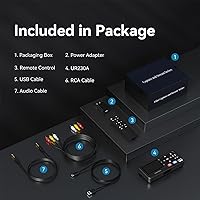
Overview
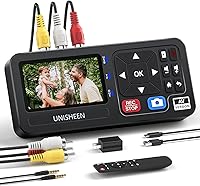
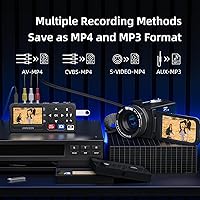
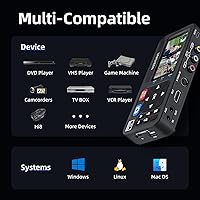
The UNISHEEN UR230A Video Capture Converter is a standalone box designed for anyone who wants to rescue old tapes and recordings from obsolescence without touching a computer. It accepts input from VHS decks, VCRs, DVD players, Hi8 camcorders, Mini DV devices, and even retro gaming consoles through composite AV and S-Video connections, then saves the result directly to a USB drive or SD card as an MP4 file. The output container goes up to 1080p at 30Hz, though keep in mind the actual picture quality is dictated by the source tape, not the hardware. UNISHEEN is not a household name, but the three-year warranty and lifetime technical support are worth factoring in before dismissing it.
Features & Benefits
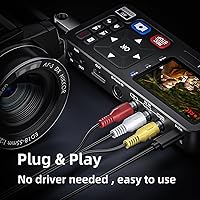
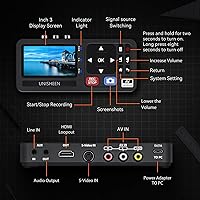
The most practical thing about this capture box is that there is genuinely nothing to install. Plug your tape player into the AV or S-Video port, insert a USB stick or SD card, and hit record. S-Video, for those unfamiliar, carries the color and brightness signals separately from standard composite, which typically means a cleaner picture on sources that support it. Audio is captured as uncompressed LPCM at up to 48KHz, which holds up better over time than compressed formats. A small 3-inch LCD screen lets you monitor what is being recorded on the spot, and the device works across PAL, NTSC, and SECAM standards, so tapes recorded abroad are not a problem.
Best For
This standalone digitizer is a strong fit for families sitting on boxes of VHS or Hi8 tapes they have never had the equipment or patience to transfer. It works equally well for retro gaming hobbyists who want to capture footage from older consoles without building a full PC-based capture setup. Because the workflow requires no software knowledge whatsoever, it is one of the more accessible options for older users or anyone who finds driver installations frustrating. It is also worth flagging for people whose tapes were recorded outside the US, since multi-standard format support genuinely expands who can use this device practically.
User Feedback
Reviewers consistently praise the UNISHEEN converter for how quickly they get it running — most report being up and recording within minutes, with no troubleshooting required. That ease of setup earns it real goodwill. Where opinions divide is on output quality: a handful of buyers expected a visual improvement over their original tapes and were disappointed, which is a misunderstanding of what any capture device can do with analog source material. A few users noted that not all SD cards and USB drives behave reliably, so using a name-brand, properly formatted card matters. The LCD screen draws mixed reactions — handy for checking the feed, but too small for detail. Customer support feedback is generally positive, though response times reportedly vary.
Pros
- Truly plug-and-play setup with no drivers, software, or computer required at any stage.
- Supports a wide range of analog sources including VHS, Hi8, Mini DV, DVD, and retro gaming consoles.
- S-Video input delivers a noticeably cleaner signal compared to standard composite AV for compatible sources.
- Uncompressed LPCM audio capture preserves sound quality better than devices that only record compressed audio.
- Multi-standard format support covers PAL, NTSC, and SECAM, making it practical for tapes from outside the US.
- The built-in 3-inch LCD screen lets you monitor recordings on the spot without connecting to an external display.
- Saves directly to USB drives or SD cards with no stated capacity limit, so long digitizing sessions are not interrupted.
- A three-year warranty and lifetime technical support stand out meaningfully in this price category.
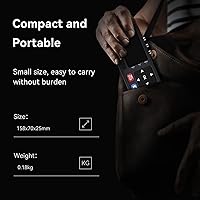
- Compact and lightweight enough at under 1.4 pounds to carry between locations or share among family members.
- Ranked in the top 150 in its Amazon category with a solid user rating, suggesting real-world reliability for most buyers.
Cons
- Video output quality is entirely dependent on the source tape — do not expect any visual improvement over the original recording.
- Not all SD cards and USB drives are recognized reliably; users report needing to test brands and ensure proper formatting before long sessions.
- The 3-inch LCD preview screen is too small to catch subtle recording issues or verify picture quality with any confidence.
- No control over encoding settings, bitrate, or compression means advanced users have little flexibility over the output files.
- UNISHEEN is a lesser-known brand with limited independent reviews outside of Amazon, making long-term reliability harder to verify.
- Customer service response times have been inconsistent according to some buyers, despite the brand advertising strong support.
- The device cannot function as a standalone player — a separate tape deck or disc player is always required.
- 30Hz frame rate cap may be a drawback for users capturing content originally recorded at higher or variable frame rates.
- No built-in editing or trimming tools mean raw footage must be processed elsewhere after capture.
- Some users report the remote control feels cheap and has limited range, making it less convenient for unattended recording sessions.
Ratings
The scores below reflect AI-powered analysis of verified global buyer reviews for the UNISHEEN UR230A Video Capture Converter, with spam, bot activity, and incentivized feedback actively filtered out before any score was calculated. Both what users genuinely appreciated and what frustrated them are represented here without softening either side. The result is an honest snapshot of where this standalone digitizer delivers and where it falls short in real-world use.
Ease of Setup
Compatibility Range
Video Output Quality
Audio Fidelity
Storage Flexibility
Build Quality
LCD Preview Screen
Multi-Standard Support
Value for Money
Warranty & Support
Portability
Format Output Options
On-Device Playback
Suitable for:
The UNISHEEN UR230A Video Capture Converter is built for people who have a stack of old tapes collecting dust and simply want them converted to digital files without learning new software or buying a new computer. Families with decades of VHS home movies, Hi8 camcorder recordings, or Mini DV footage will find the self-contained workflow genuinely freeing — insert storage media, press record, and walk away. It is also a practical pick for retro gaming hobbyists who want to capture gameplay from older consoles using nothing more than a single box and a USB drive. The multi-standard support across PAL, NTSC, and SECAM formats makes this capture box particularly valuable for anyone dealing with tapes recorded in Europe, Asia, or Latin America, where format compatibility is often overlooked by cheaper alternatives. Small community archives, local history projects, or school groups needing a portable and shareable digitizing solution will also find it fits the job without demanding technical expertise from volunteers.
Not suitable for:
Buyers expecting the UNISHEEN UR230A Video Capture Converter to improve or sharpen the picture quality of their old tapes will be let down, because no capture device can conjure detail that the original analog recording never contained. The 1080p output specification describes the file container, not a visual upgrade — VHS footage will still look like VHS footage. This standalone digitizer is also a poor fit for videographers or archivists who need advanced control over encoding settings, bitrate, or file compression, since those options simply do not exist here. Anyone planning to edit footage in professional software may find the MP4 output limiting depending on their workflow requirements. Users who do not own an external tape player or disc device should know this box cannot play back media independently — it only captures what another device feeds into it. Finally, those who frequently use obscure or off-brand SD cards may run into compatibility friction that more polished solutions at a higher price point tend to handle more gracefully.
Specifications
- Brand: Manufactured by UNISHEEN under model number UR230A.
- Dimensions: The unit measures 7.28 x 5.87 x 3.11 inches and weighs 1.37 pounds.
- Video Output: Records video files in MP4 format at resolutions up to 1080p at 30Hz.
- Audio Output: Captures audio as uncompressed 2-channel LPCM or MP3, with a sampling rate of up to 48KHz.
- Video Inputs: Accepts analog signals via composite AV, S-Video, and AUX input ports.
- TV Standards: Compatible with PAL, NTSC3.58, NTSC4.43, SECAM, PAL/M, and PAL/N broadcast formats.
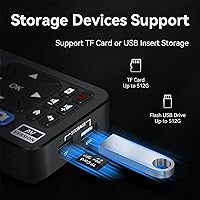
- Storage Media: Records directly to USB drives or TF/SD cards with no stated maximum storage capacity limit.
- Display: Features a built-in 3.0-inch LCD preview screen for on-device monitoring during and after recording.
- Speaker: Includes a built-in speaker for immediate audio playback without requiring an external device.
- PC Requirement: No computer, software, or driver installation is needed at any point during operation.
- OS Compatibility: When used in conjunction with a computer, it is compatible with Windows 10, Mac OS, and Linux.
- Interface: Uses an HDMI hardware interface for digital output connectivity.
- Source Devices: Supports input from VHS decks, VCRs, DVD players, Hi8 camcorders, Mini DV players, and retro gaming consoles.
- Warranty: Covered by a 3-year manufacturer warranty with lifetime technical support included.
- Market Rank: Holds a Best Sellers Rank of #143 in the Video Converters category on Amazon.
- User Rating: Carries an average rating of 4.1 out of 5 stars based on 113 customer ratings.
- Launch Date: First made available for purchase on July 19, 2023.
- Playback Note: This device is a capture and converter unit only and cannot play back source media independently without an external player connected.
Related Reviews
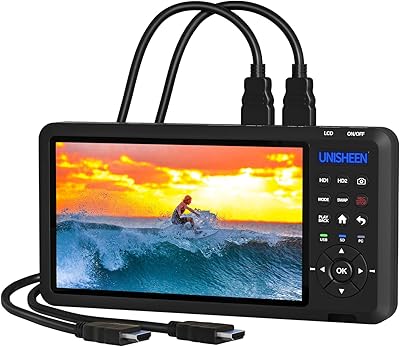
UNISHEEN UR500 Dual HDMI Video Capture Box

XIIXMASK MS2131 Video Capture Card
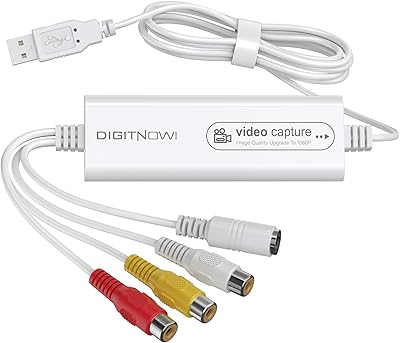
VIXLW Video Capture Card Pro+
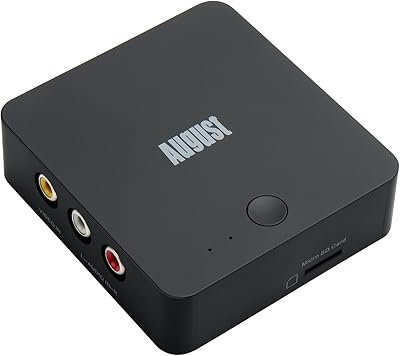
August VGB400 Video Capture Card
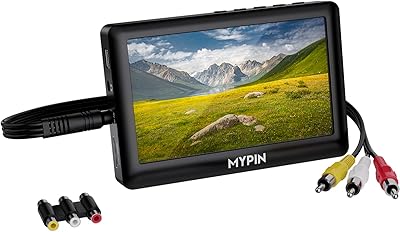
MYPIN VG0109 Video to Digital Converter
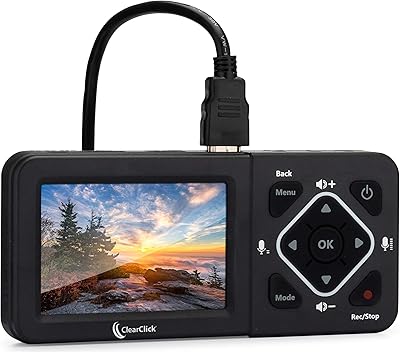
ClearClick HD Video Capture Box Ultimate
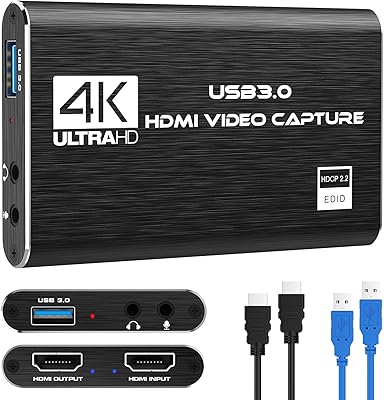
Rybozen V316B-FR Capture Card

HeavenBird 4K HDMI Video Capture Card
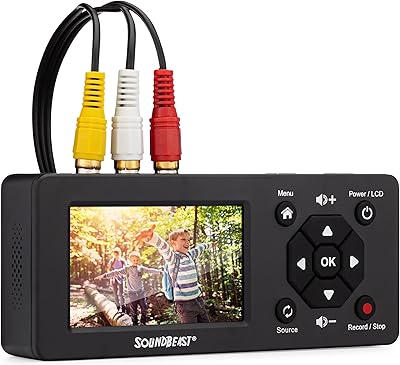
SoundBeast Video Capture Box 2.0