Overview

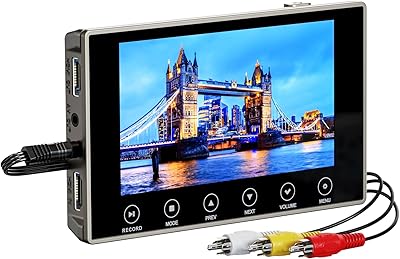
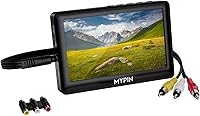
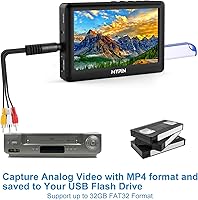
The MYPIN VG0109 Video to Digital Converter is a standalone device built for one purpose: getting your old tapes off the shelf and into a format you can actually watch today. No laptop, no software, no fuss. MYPIN sits at the more affordable end of the digitization market, well below professional capture cards, and that positioning shapes everything about this gadget — its simplicity, its limitations, and its intended audience. The built-in battery, compact body, and integrated screen make it genuinely self-contained, which is rare at this price. It's designed for people who want results without a learning curve.
Features & Benefits

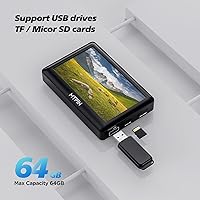
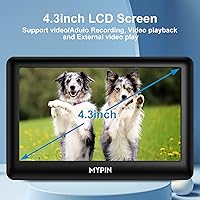
The 4.3″ preview screen is genuinely useful — you can watch the tape play out in real time and know immediately if the connection is solid before committing a full hour to recording. Capture quality tops out at 480p at 15fps, which is good enough in practice for preserving memories but won't satisfy anyone hoping for crisp, smooth playback. The pause-recording function is a quiet standout: it lets you skip the boring stretches without splitting your footage into separate files. Storage goes up to 64GB via microSD or USB, and HDMI out means you can plug it straight into a TV once you're done.

Best For

This capture device was made for the box of VHS tapes sitting in someone's closet since 1997. It's ideal for non-technical users — parents, grandparents, or anyone who has never installed a video driver and has no interest in starting now. If you have a pile of Hi8 or Mini DV camcorder tapes and no functioning device to play them, this digitizing gadget bridges that gap without requiring a computer at all. The built-in battery adds some flexibility, though two hours means you'll need to plan around longer tape collections. Anyone needing HD output or frame-perfect captures should look elsewhere.

User Feedback

Buyers consistently praise the setup simplicity — plug in the AV cable, insert a card, hit record. That frictionless experience earns a lot of goodwill. The complaints, though, cluster around a few predictable spots. Several users were caught off guard by the FAT32 formatting requirement; their cards didn't work straight out of the box, and the manual wasn't much help. The 15fps output draws mixed reactions — some find it perfectly acceptable for old home footage, others notice the choppiness right away. Audio sync issues appear occasionally in longer recordings. Build quality gets described as functional but plasticky. Most buyers seem satisfied as long as expectations stay realistic.

Pros

  • No computer, drivers, or software installation needed — just plug in the AV cable and press record.
  • The pause-recording function lets you skip dead air or unwanted scenes without creating separate files.
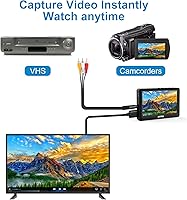
  • Works with VHS, Hi8, Mini DV, DVD players, and set-top boxes — broad compatibility with common tape formats.
  • The 4.3″ live preview screen lets you confirm the signal is coming through before committing to a full recording.
  • HDMI output means you can watch your digitized footage on a TV without transferring files to another device.
  • Built-in stereo speakers and a headphone jack make on-device playback genuinely usable.
  • Compact and light enough to carry to a family member's home for an afternoon of tape digitizing.
  • Files save directly as MP4, which plays on virtually every device without conversion.
  • The pause feature and single-file output make post-session file management straightforward.

Cons

  • 15fps capture rate produces noticeably choppy footage on any content involving movement or action.
  • Memory cards and drives must be formatted to FAT32 or exFAT first — new storage media often requires reformatting out of the box.
  • Two-hour battery life is insufficient for uninterrupted long-tape sessions without a power source nearby.
  • The built-in mic input only accepts TRS standard microphones, excluding the vast majority of consumer mics.
  • Storage is capped at 64GB, which limits how much footage you can capture before transferring files.
  • Audio sync drift has been reported on longer recordings, requiring a re-do if it occurs.
  • Plastic construction feels fragile, and the AV input port can loosen with repeated use.
  • The instruction manual fails to address common setup issues like storage formatting or mic compatibility.
  • No post-recording editing — you cannot trim, merge, or adjust clips on the device itself.

Ratings

The MYPIN VG0109 Video to Digital Converter has been scored by our AI system after processing thousands of verified buyer reviews from global marketplaces, with spam, incentivized posts, and bot-generated feedback actively filtered out. The scores below reflect genuine user experiences — the real wins and the recurring frustrations — so you can make an informed decision before committing.
Ease of Setup
88%
Most buyers were up and running within minutes. Connecting the AV cable, inserting a formatted memory card, and pressing record is about as simple as it gets — no driver installation, no software prompts, no account creation. Users who had never touched a capture device before reported completing their first recording without consulting the manual.
The FAT32 formatting requirement trips up a surprising number of buyers. Cards and drives purchased new often come pre-formatted in exFAT or NTFS, and the device simply won't recognize them until reformatted — something the included instructions don't communicate clearly enough.
Video Capture Quality
61%
39%
For the core goal of preserving family memories from VHS or Hi8 tapes, the output is genuinely passable. Footage from old birthday parties, holidays, or school plays transfers clearly enough to be watchable and shareable, especially when the source tape itself is decades old and already degraded.
The 15fps capture rate is a real limitation that shows up plainly on anything with movement — panning shots, kids running, sports clips. Compared to the original tape played through a TV, the digitized MP4 looks noticeably choppier. Buyers expecting near-original smoothness will be disappointed.
No-Computer Workflow
91%
This is genuinely the device's strongest suit. The entire capture-to-playback pipeline happens on the unit itself — no laptop, no software, no USB tethering to a PC. For older users or anyone who finds desktop video software intimidating, that independence is a meaningful practical advantage.
The standalone nature also means there is no post-processing capability whatsoever. You cannot trim clips, adjust brightness, or merge files through the device. What you capture is exactly what you get, which frustrates users who discover a recording issue only after the tape has finished.
Preview Screen Usability
73%
27%
Having a live 4.3″ screen to monitor your capture in real time means you can catch a loose cable connection or weak signal before wasting an hour of recording time. Users appreciated being able to confirm the footage was actually coming through before walking away.
At 4.3 inches, the screen is adequate for monitoring but not comfortable for extended playback viewing. Color accuracy and brightness in well-lit rooms drew some criticism, and a few users noted the display looked washed out when trying to review captured footage outdoors or near a window.
Battery Life
58%
42%
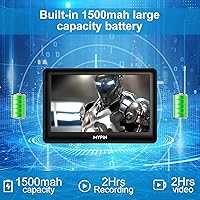
The built-in 1500mAh battery makes the device genuinely portable — useful for digitizing tapes at a relative's home or in a room without a nearby power outlet. For short tapes of 30–45 minutes, the battery handles the job comfortably with charge to spare.
Two hours is a hard ceiling, and that ceiling is reached faster than expected if playback and recording alternate frequently. A box of 10 standard 2-hour VHS tapes would require multiple recharge cycles, each taking up to 2.5 hours. Extended digitizing sessions essentially require keeping it plugged in the whole time.
Build Quality & Durability
63%
37%
The unit feels reasonably solid for its weight class — at under 12 ounces it is light, and the button layout is straightforward enough that you are unlikely to press the wrong one accidentally. The Type-C charging port feels well-seated and not flimsy.
The overall plastic construction leaves users with the impression of something fragile rather than durable. Several reviewers noted the casing flexes slightly under hand pressure, and a few reported the AV input port feeling loose after moderate use. It does not feel like something built for years of heavy handling.
Audio Quality
69%
31%
For standard home video audio — conversations, background music, event ambience — the captured audio is clean and intelligible. The built-in stereo speakers work well for quick playback checks, and the 3.5mm headphone output delivers noticeably better quality for more careful listening.
Audio sync drift appears in a minority of recordings, particularly on longer continuous captures. It is not universal, but enough users have flagged it to treat it as a real risk. The mic-in jack only accepts TRS standard microphones, so common TRRS smartphone mics will not work without an adapter.
Storage Compatibility
66%
34%
Support for both microSD and USB flash drives gives users flexibility in how they store and transfer files. A 64GB card holds a substantial number of hours of footage at the device's capture bitrate, and files transfer easily to a computer once recording is done.
The strict FAT32 or exFAT requirement and the hard 64GB ceiling are genuine friction points. Users with larger drives or NTFS-formatted storage have to reformat before the device will cooperate, and the 64GB cap means very large tape archives require multiple cards or drives to complete.
Playback Versatility
77%
23%
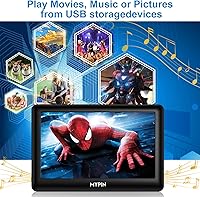
Beyond just recording, the device functions as a capable little media player. It handles a wide range of video and audio formats from a memory card or USB drive, which means you can load up converted files and share them with family directly on the screen or through the HDMI output on a TV.
Playback performance on higher-bitrate files can be inconsistent. Some users reported stuttering on MKV or high-bitrate MP4 files not produced by the device itself. It works best with files it recorded natively, and treating it as a general-purpose media player pushes it beyond its comfort zone.
HDMI Output
74%
26%
The HDMI output is a practical touch that lets you hook the unit up to a modern TV and watch your digitized footage on a proper screen. Family viewing sessions where multiple people want to watch old home videos together become straightforward without needing to move files to another device first.
HDMI output mirrors the 480p source content, so on a large 4K television the upscaled footage looks soft and pixelated. This is a source limitation rather than a device flaw, but buyers sometimes blame the device when the TV picture disappoints. No upscaling is applied.
Portability
67%
33%
The compact square footprint and sub-12-ounce weight make this genuinely pocketable for short trips. Carrying it to a parent's house to digitize a few tapes stored there is practical, and the integrated battery means you are not hunting for a free power outlet the moment you arrive.
The 2-hour battery constraint undermines the portability promise for anything beyond a few short tapes. The charging cable is Type-C to USB-A, which requires a USB charger or power bank — not always on hand when you are working in an older home. Long sessions inevitably require a power source.
Microphone Input
54%
46%
Having a dedicated mic input is a thoughtful addition that lets users add live narration to their recordings — narrating what year it was or who appears on screen can add real context to old footage that might otherwise be unidentifiable to younger family members.
The TRS-only standard is a frustrating limitation in an era where nearly every consumer microphone uses TRRS. Buyers who plug in a standard smartphone headset or lavalier mic and get no audio output are understandably confused. The manual does not explain the TRS requirement prominently enough to prevent this.
Value for Money
72%
28%
For a user whose only goal is to stop their VHS collection from degrading further and get the footage into MP4 format, the price-to-utility ratio holds up reasonably well. It does the primary job without requiring any additional software purchases or subscription services.
Buyers who compare the output quality against services that professionally digitize tapes — or against PC-based capture cards at a similar price — often feel the limitations more sharply. The value proposition weakens if your expectations extend beyond basic preservation to genuinely high-quality digital files.
Instruction Manual Quality
41%
59%
The basics are covered — enough to get the AV cable connected and start a first recording. For a truly first-time user who follows the steps in order with a compatible formatted card, the manual does get you to a working recording.
Multiple specific edge cases go unexplained or underexplained: the TRS mic requirement, the FAT32 formatting step, and what to do when the device does not recognize a storage medium. These are exactly the situations where new users need guidance most, and the thin documentation leaves them stranded.

Suitable for:

The MYPIN VG0109 Video to Digital Converter is built for people who have a box of old tapes gathering dust and simply want those memories saved before the magnetic media deteriorates further — no technical background required. It is especially well-suited to older adults or retirees who grew up recording family life on VHS or Hi8 camcorders and find the idea of installing video capture software on a computer genuinely daunting. If you need to digitize tapes at a relative's home where there is no desktop PC available, the self-contained design with built-in battery and screen makes that practical. Households with a moderate tape collection — say, 10 to 20 tapes of 60 to 90 minutes each — will find the device capable of working through that backlog over a few sessions without frustration. Anyone whose primary benchmark for success is watchable, shareable MP4 files rather than pristine high-fidelity digital archives will find this capture device delivers on its core promise.

Not suitable for:

The MYPIN VG0109 Video to Digital Converter is a poor fit for anyone who cares seriously about output quality, because 480p at 15fps is simply not good enough when the footage involves fast motion, sports recordings, or anything you intend to edit and distribute beyond private family viewing. Video enthusiasts or semi-professionals looking to archive tapes with the best possible fidelity should invest in a PC-based capture card that records at full 30fps and gives you control over encoding settings. If you have a large collection of full 2-hour VHS tapes to get through, the 2-hour battery runtime means you will spend as much time waiting for recharges as you will recording, which turns a straightforward project into a drawn-out one. Users who own TRRS microphones — the kind that come with most smartphones and consumer recording kits — will find the mic input incompatible without a separate adapter. Anyone expecting the HDMI output to upscale their old footage to HD quality on a modern television will be disappointed; the output is only as sharp as the original analog source allows.
Specifications

  • Brand & Model: Manufactured by MYPIN under model number VG0109.
  • Dimensions: The unit measures 5.04 × 5.04 × 2.24 inches, making it roughly square and compact enough to hold in one hand.
  • Weight: The device weighs 11.7 ounces including the internal battery.
  • Display: A 4.3″ TFT color screen is built in for real-time preview during capture and standalone playback.
  • Record Quality: Video is captured at 480p and 15fps — NTSC resolution is 720×480 and PAL resolution is 720×576.
  • Record Format: Video is saved as MP4 and audio-only recordings are saved as MP3.
  • Video Input: Composite video is accepted via a 3.5mm to 3RCA AV cable (included).
  • Audio Input: Analog stereo audio is accepted via the same 3RCA AV cable or a direct 3.5mm audio cable.
  • Video Output: HDMI output allows the device to connect directly to a television or monitor for large-screen playback.
  • Audio Output: Audio can be routed through the HDMI port, a 3.5mm headphone jack, or the built-in stereo speakers.
  • Mic Input: A 3.5mm mic jack accepts TRS standard microphones only; TRRS microphones are not compatible without an adapter.
  • Storage Media: Records to microSD cards or USB flash drives formatted as FAT32 or exFAT, with a maximum supported capacity of 64GB.
  • File Size: Captured video occupies approximately 4.2MB per minute, which works out to roughly 250MB per hour of recorded footage.
  • Battery: An internal 1500mAh lithium-ion battery provides approximately 2 hours of continuous recording or playback on a full charge.
  • Charging: The device charges via USB Type-C input and reaches a full charge in approximately 2.5 hours using a 5V 2A adapter.
  • Compatible Sources: Accepts analog video from VHS players, Hi8 camcorders, Mini DV camcorders, DVD players, and set-top boxes via composite AV.
  • Playback Formats: The built-in media player supports common video formats including MP4, AVI, MOV, MKV, VOB, and MPG, as well as MP3, WAV, FLAC, and OGG audio.
  • Power Supply: The included cable is Type-C to USB-A for charging only; a USB power adapter or power bank is required and not included.
  • Storage Format Note: NTFS-formatted drives are not supported and will not be recognized by the device.
  • Compatibility: Works with standard 3RCA composite AV sources; does not accept S-Video, component video, or any digital input signal.

Related Reviews
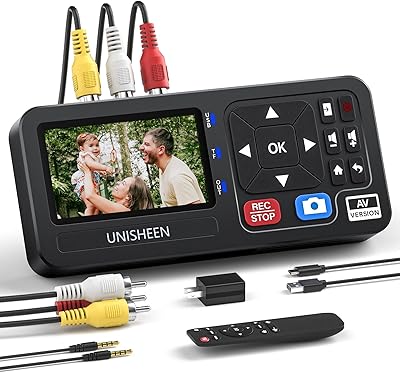
UNISHEEN UR230A Video to Digital Converter
82%
91%
Value for Money
93%
Ease of Setup
78%
Video Quality
83%
Device Compatibility
88%
Portability
More
VIXLW VHSDC01 VHS to Digital Converter
78%
91%
Ease of Setup
87%
Compatibility
72%
Video Capture Quality
61%
Audio Sync Accuracy
88%
Value for Money
More
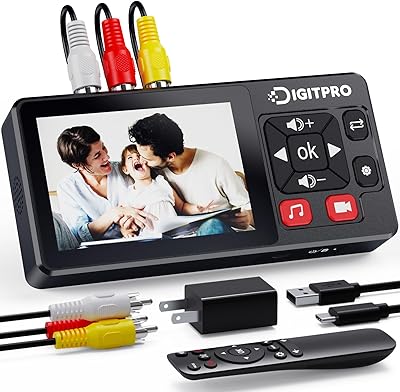
DigitPro V121 VHS to Digital Converter
78%
89%
Ease of Setup
84%
Video Conversion Quality
80%
Audio Capture Performance
77%
Screen and Preview Experience
82%
Feature Completeness
More
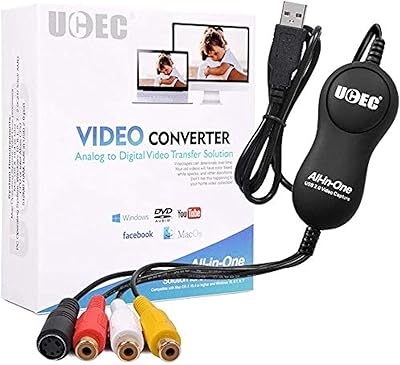
UCEC VHS to Digital Converter Kit
81%
88%
Ease of Use
91%
Value for Money
75%
Video Quality
68%
Software Compatibility
94%
Setup and Installation
More
iView 3500STB III
iView 3500STB III
79%
88%
Ease of Setup
82%
Signal Reception Stability
74%
Recording Functionality
86%
Remote Control Versatility
93%
Legacy Connectivity
More
Diamond Multimedia VC500
85%
88%
Ease of Installation
91%
Build Quality
84%
Video Capture Stability
93%
Value for Money
87%
Windows Compatibility
More
DigitPro VHS to Digital Converter 3.0
82%
93%
Video Quality
88%
Ease of Use
85%
Portability
72%
Battery Life
90%
Compatibility with Legacy Formats
More
Soundavo HP-DAC1 Digital to Analog Converter
84%
92%
Audio Quality
89%
Ease of Setup
87%
Headphone Amplifier Performance
85%
Build Quality
91%
Value for Money
More
TIMBOOTECH Digital Converter Box BTUS-ATSC001
85%
88%
Setup and Installation
91%
DVR Functionality
75%
Remote Control Usability
85%
Reception Quality
82%
Build Quality
More
Ematic AT103B Digital TV Converter Box
77%
86%
Signal Conversion Quality
91%
Initial Setup & Scanning
68%
DVR Functionality
54%
Menu Interface & Navigation
89%
Value for Money
More

FAQ

Correct — the entire process happens on the device itself. You connect your VCR or camcorder via the included AV cable, insert a formatted memory card or USB drive, and press the record button. The footage saves directly as an MP4 file that you can later copy to a computer if you want, but that step is entirely optional.

This is the most common setup issue with the MYPIN VG0109 Video to Digital Converter, and the answer is almost always the same: your card needs to be formatted as FAT32 or exFAT before the device will read it. New cards often ship in NTFS or other formats. On a Windows PC, right-click the drive in File Explorer, choose Format, and select FAT32 or exFAT. On a Mac, use Disk Utility and choose MS-DOS (FAT) or ExFAT.

That depends on your expectations. The capture quality is 480p at 15fps, which is adequate for watching old home videos and sharing memories with family. On a large 4K television, the footage will look soft because the source material was never high-definition to begin with. If the original tape looks good, the digitized version will be a reasonable representation of it — just do not expect a sharp or cinematic result.

Unfortunately, no. The mic jack only accepts TRS standard plugs, while smartphone headsets and most consumer earbuds use TRRS connectors. Plugging in a TRRS mic will result in no audio being recorded from the microphone. You would need a TRRS-to-TRS adapter, which is inexpensive and widely available, to make a standard mic work.

The battery lasts about 2 hours on a full charge, which covers a standard VHS tape. For longer sessions, it is worth keeping the device plugged into a USB charger or power bank via the Type-C cable while recording — this effectively removes the battery limit. The storage cap of 64GB means you can record roughly 256 hours of footage before a card fills up, so the battery is the practical constraint, not the storage.

Yes, and this is one of the more thoughtful features on this digitizing gadget. Pressing the pause button during recording suspends capture without closing the file. When you press record again, it continues writing to the same file. This lets you skip over blank sections or unwanted content without ending up with dozens of separate clips to manage afterward.

The device uses a 3.5mm to 3RCA composite AV cable, which should be included in the box. The three RCA ends are the familiar red, white, and yellow plugs — yellow for video, red and white for left and right audio. Most VHS players and older camcorders have these outputs. If your camcorder only has an older proprietary connector, you may need a separate adapter cable specific to that camera model.

Yes, two ways. You can connect the capture device directly to a TV using an HDMI cable and play files back through the built-in media player. Alternatively, you can copy the MP4 files from your memory card to a USB drive and plug that into most modern smart TVs, which will play MP4 files natively. The MP4 format is widely supported across devices.

It is a per-card or per-drive limit — the device will not recognize any single storage medium larger than 64GB. You can swap in a fresh card once one fills up and continue recording. A 64GB card holds roughly 256 hours of footage at the device's capture rate, so for most home tape collections a single card will cover the entire project.

Audio sync drift on longer recordings is a known issue that a small percentage of users encounter. A few things can help: make sure your storage card is fast enough (Class 10 or UHS-I rated cards tend to perform better), keep recording sessions under 90 minutes when possible, and ensure the card is freshly formatted before starting a new project. If drift persists consistently, it may be worth trying a different brand of memory card, as card write speed can affect timing accuracy on this type of device.