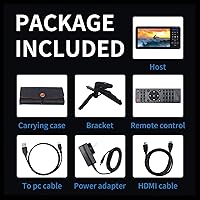
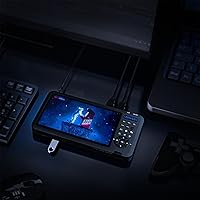
Overview
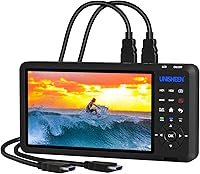
The UNISHEEN UR500 Dual HDMI Video Capture Box is a standalone recorder that handles two HDMI sources simultaneously — no laptop required. It accepts signals up to 4K60 from cameras, consoles, or PCs, though recordings top out at 1080p60, so don't expect 4K output files. The built-in 7-inch display is what genuinely sets this capture box apart from typical capture cards; you can monitor your feed, switch layouts, and confirm your recording is running without opening a single software window. Field users will appreciate the optional battery support via F-series camcorder batteries — sold separately, but a real advantage when working away from a power outlet.
Features & Benefits
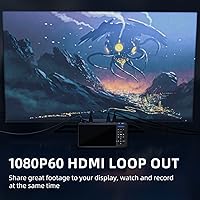
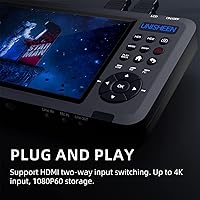
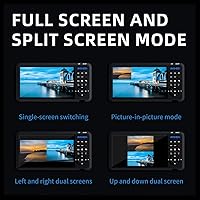
The UR500 takes two HDMI 1.4 inputs — each capable of handling signals up to 4096x2160 at 60fps — and lets you switch between them or combine them using PIP, POP, or PMP layouts on the fly. The HDMI loop-out keeps your downstream monitor fed while you record, which is critical for live event work. Storage is flexible: plug in a USB drive, an external hard disk, or an SD card, and footage saves as H.264 MP4 files compatible with virtually every editing suite. UVC/UAC plug-and-play support means it works with OBS on Windows, Mac, and Linux without installing a single driver. A remote control and hot-shoe mount round out a feature set that punches well above its category.
Best For
This dual-input recorder is a natural fit for event videographers who need to record a speaker and a slide deck simultaneously without hauling a laptop. Small production crews switching live between a camera feed and a PC output will get real mileage from the multi-screen layout modes. Console gamers can use it too, though the HDCP restriction means copy-protected titles will produce a black screen — worth knowing before purchase. For run-and-gun fieldwork, running on camcorder batteries makes the UR500 genuinely portable. Content creators who want a dedicated hardware preview while streaming to OBS will find the built-in screen a practical upgrade over relying on a software window all session.
User Feedback
With a 4.1-star average across 114 ratings, buyers are broadly satisfied but vocal about a few specific pain points. The 7-inch screen gets consistent praise — people genuinely find it useful rather than a gimmick. On the flip side, the 1080p recording ceiling catches some buyers off guard, particularly those who assumed 4K input meant 4K output; it does not. The HDCP issue surfaces repeatedly in critical reviews, especially from users trying to capture streaming boxes or copy-protected console content. Setup documentation draws mild complaints from first-timers. Battery compatibility with third-party F-series cells is a recurring question, with mixed results reported. Overall, this capture box earns its rating among users who go in with accurate expectations.
Pros
- The built-in 7-inch display lets you monitor, switch, and confirm recordings without any software open.
- Two simultaneous HDMI inputs mean you can record or switch between two sources in one compact unit.
- UVC/UAC support makes this dual-input recorder plug-and-play on Windows, Mac, and Linux — no drivers needed.
- PIP, POP, and side-by-side layout modes offer real flexibility for live switching scenarios.
- The HDMI loop-out keeps a downstream monitor fed while recording, which is essential for live events.
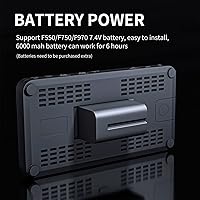
- Optional F-series battery support makes the UR500 genuinely portable for location work.
- Storage flexibility is strong — USB drives, SD cards, and external hard disks all work out of the box.
- H.264 MP4 output is universally compatible with editing and streaming software.
- Remote control support is a practical bonus for solo operators managing the unit from a distance.
- A 4.1-star average from over 100 buyers reflects consistent real-world satisfaction among its target audience.
Cons
- Recording is capped at 1080p60 regardless of input resolution — 4K output files are not possible.
- HDCP-protected sources produce a black screen, ruling out streaming boxes and many console titles entirely.
- F-series batteries are not included and third-party compatibility is not guaranteed — budget accordingly.
- Setup documentation is reportedly thin, creating a steeper learning curve for first-time users.
- The price sits at a prosumer level that is hard to justify for occasional or casual recording needs.
- No native 4K recording means the capture box may age out of workflows as 4K delivery becomes standard.
- At 14.1 ounces and roughly 8 inches long, it is portable but not pocketable for truly minimal kit setups.
Ratings
The scores below reflect an AI-assisted analysis of verified global buyer reviews for the UNISHEEN UR500 Dual HDMI Video Capture Box, with spam, bot-generated, and incentivized submissions actively filtered out before scoring. Ratings are derived from real purchase feedback across multiple markets, weighted to surface the issues that matter most to working videographers, streamers, and event producers. Both the genuine strengths and the recurring frustrations are transparently baked into every score.
Built-in Display
Dual Input Functionality
Recording Quality
HDCP Compatibility
Portability & Form Factor
Ease of Setup
Storage Flexibility
Multi-Screen Modes
OBS Integration
Audio Handling
Remote Control
Build Quality
Value for Money
Suitable for:
The UNISHEEN UR500 Dual HDMI Video Capture Box is built for semi-professional users who need a self-contained recording solution without tethering to a laptop or desktop. Event videographers and corporate presenters will find it particularly practical — plug in a camera and a PC slide output, switch between them or show both on screen simultaneously, and walk away with clean MP4 files on a USB drive. Small production teams doing live event coverage will appreciate the built-in 7-inch monitor, which removes the need for a separate preview display. Content creators who stream via OBS but want dedicated hardware monitoring during a session get a genuine quality-of-life improvement here. For fieldwork, the optional F-series battery support makes this capture box a credible portable option — assuming you already own compatible batteries or budget for them separately.
Not suitable for:
The UNISHEEN UR500 Dual HDMI Video Capture Box is the wrong tool if your primary sources are HDCP-protected — streaming media boxes, Blu-ray players, and certain console titles will simply output a black screen, and there is no workaround. Buyers expecting 4K output files will also be disappointed; the device accepts 4K signals but records at a maximum of 1080p60, which is a meaningful gap for anyone building a 4K post-production workflow. Casual users who just want a simple plug-and-play capture card for occasional screen recording may find the feature set overkill and the setup learning curve steeper than expected. If budget is a primary concern, the price point reflects a prosumer tier, and simpler single-input capture cards exist at a fraction of the cost for basic use cases. Anyone relying entirely on battery power should also verify third-party F-series compatibility before committing, as results from real users have been inconsistent.
Specifications
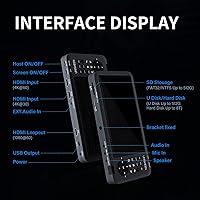
- HDMI Inputs: The device features two HDMI 1.4 inputs, each accepting signals up to 4096x2160 at 60fps from cameras, consoles, PCs, or other HDMI sources.
- Recording Resolution: Footage is recorded at a maximum of 1920x1080 at 60fps regardless of the input signal resolution.
- HDMI Output: One HDMI loop-out port passes the signal through to a downstream monitor or display while recording or streaming is in progress.
- Preview Display: A built-in 7-inch screen allows real-time monitoring and layout management without any external monitor or connected PC.
- Recording Format: Video is saved as MP4 files using the H.264 codec, which is broadly compatible with editing and streaming software.
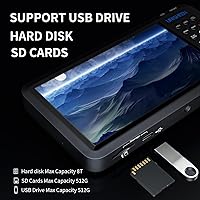
- Storage Support: Compatible with USB flash drives up to 512GB, external hard disks up to 8TB, and SD cards up to 512GB.
- File Systems: Supports FAT32, exFAT, and NTFS formatted storage devices for broad compatibility across operating systems.
- Screen Modes: Supports single-screen, picture-in-picture (PIP), side-by-side (PMP), and stacked dual-screen (POP) layout modes for flexible multi-source display.
- Audio Input: Accepts audio via embedded HDMI, external line-in, and microphone input for flexible audio source management.
- OS Compatibility: Works with Windows 10, macOS, and Linux as a UVC/UAC plug-and-play device requiring no additional driver installation.
- Power Supply: Powered by an included 12V DC 1.5A adapter, or optionally by F550, F750, or F970 camcorder batteries sold separately.
- Remote Control: A remote control is included, enabling basic operation from a distance without touching the unit directly.
- Screenshot Support: The device supports capturing still screenshots while a recording session is actively in progress.
- Dimensions: The unit measures 8.06 x 4.4 x 0.75 inches, making it compact enough for field kits and portable production setups.
- Weight: The capture box weighs 14.1 ounces, balancing portability with the structural requirements of a built-in display unit.
- Model Number: The official model identifier is UR500, manufactured by UNISHEEN and first available in October 2021.
- HDCP Support: The device does not support HDCP-protected content; copy-protected HDMI sources will display and record as a black screen.
- Hot-Shoe Mount: A hot-shoe mounting point is built into the unit, allowing it to be attached to camera rigs or broadcast-style setups.
Related Reviews
Qonakism Dual HDMI Capture Card with Switcher
Rybozen V316B-FR Capture Card

HeavenBird 4K HDMI Video Capture Card
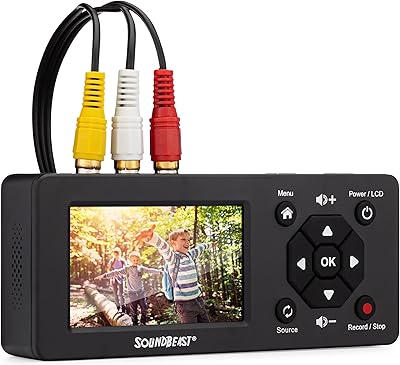
SoundBeast Video Capture Box 2.0
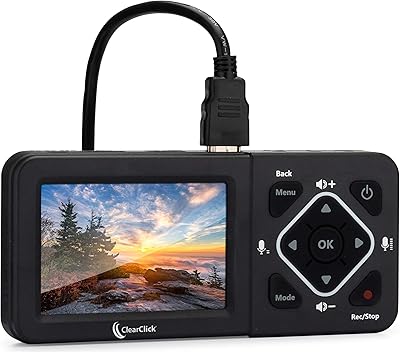
ClearClick HD Video Capture Box Ultimate
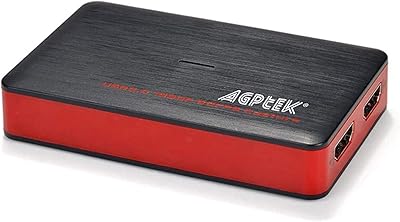
AGPTEK VG0061 HDMI Capture Card
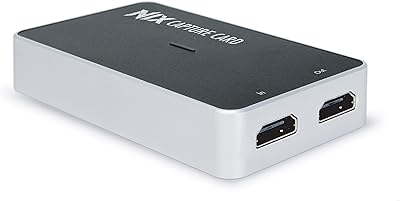
Plugable USBC-CAP60 HDMI Video Capture Card
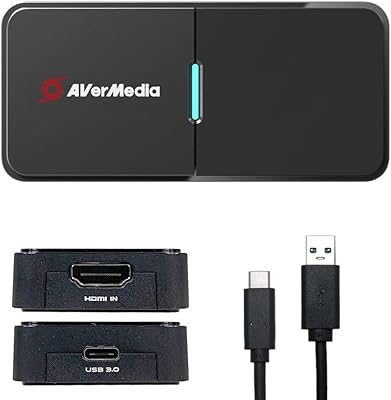
AVerMedia BU113 Live Streamer Cap 4K

XIIXMASK MS2131 Video Capture Card