Overview
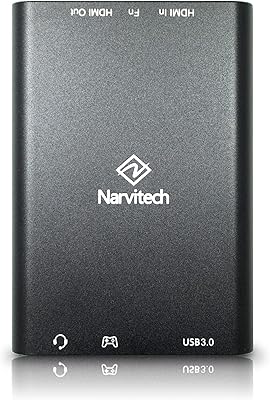
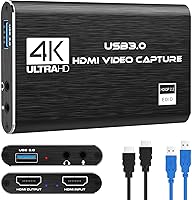
The Rybozen V316B-FR Capture Card enters a crowded market of entry-level streaming gear, but it distinguishes itself right away with a surprisingly solid aluminum chassis. While many affordable options feel like disposable plastic, this budget capture card has a bit of heft and durability that suggests it can handle being tossed into a laptop bag. Inside the box, you get the necessary cables to get started immediately, which is a nice touch for those who do not have a drawer full of spares. It feels more like a professional tool than a toy. Testing it out reveals a straightforward experience that respects your time, avoiding the usual headaches associated with bargain-bin electronics. It is a compact, no-nonsense solution for anyone looking to bridge the gap between their console and their computer without overspending.
Features & Benefits
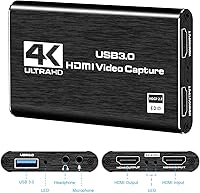
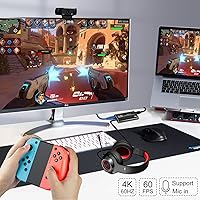
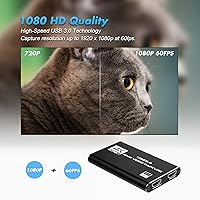
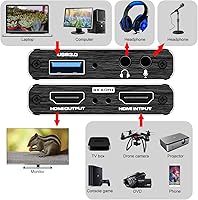
Performance is where this Rybozen video grabber proves its worth by delivering a consistent 1080p 60fps signal that looks sharp during fast-paced gameplay. One vital distinction to keep in mind is that while it supports 4K input and loop-out, the actual recording is capped at Full HD. This means you can still play in high resolution on your TV while the stream sees a smooth 1080p feed. The dedicated microphone port is a standout addition, though you must ensure you are using a 3.5mm TRS standard jack for it to function correctly. Since it uses a driverless setup, your operating system treats it like a standard webcam, making it ready to use within seconds of plugging it in. It handles the heavy lifting without taxing your computer processor too heavily, which is a relief for older laptops.
Best For
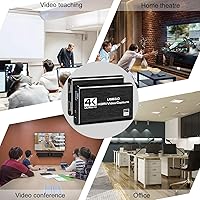
If you are a Nintendo Switch player looking to start a Twitch journey, this HDMI capture interface is an ideal starting point. It simplifies the process of getting clean console footage onto your desktop without the high entry price of name-brand alternatives. Beyond gaming, it serves as a fantastic bridge for photographers who want to repurpose a high-end mirrorless camera as a pro-grade webcam for video calls or high-fidelity recording. It fills a specific niche for creators who need a reliable backup or a secondary input for multi-cam setups. Whether you are documenting your latest speedrun or upgrading your home office visuals, it provides a cost-effective path to improved production value. It essentially removes the technical barriers that often discourage new creators from getting their content online quickly and efficiently.
User Feedback
Real-world usage highlights that this budget capture card is instantly recognized by OBS and other popular broadcasting software, saving users from tedious troubleshooting sessions. Long-form streamers have noted that the metal housing does an excellent job with heat dissipation, staying relatively cool even after several hours of continuous operation. However, there are a few practical trade-offs to consider. The included USB cables are somewhat short, which might limit your placement options if your PC tower is tucked away under a desk. Some users have mentioned that you may need to purchase a longer high-quality cable to reach your desired setup comfortably. Despite these minor spatial constraints, the general consensus points toward a stable and dependable device that punches well above its weight class for the price.
Pros
- Delivers a consistently smooth 1080p 60fps capture that is perfect for fast-paced console gameplay.
- The sturdy aluminum chassis provides much better durability and heat management than typical plastic alternatives in this price range.
- A zero-latency 4K loop-out allows you to play in high resolution on your TV while recording at 1080p.
- True driverless, plug-and-play operation ensures immediate recognition by popular broadcasting software like OBS Studio.
- Includes a dedicated 3.5mm microphone input, making it easy to add live voiceovers directly to your stream.
- This Rybozen video grabber is compact enough to fit in a pocket, making it ideal for on-the-go streaming setups.
- The USB 3.0 interface ensures low-latency transmission for a responsive experience while monitoring your footage.
Cons
- Video capture resolution is strictly limited to 1080p, even though the device accepts a 4K input signal.
- The provided USB 3.0 and HDMI cables are quite short, which complicates setups with distant PC towers.
- The 3.5mm microphone port only accepts TRS connectors, requiring an adapter for most standard smartphone-style headsets.
- Some users might experience a slight audio hiss if the microphone gain levels are pushed too high in software.
- Lacks advanced hardware-level customization software, forcing users to rely entirely on third-party apps for adjustments.
- The Rybozen V316B-FR Capture Card does not support HDR or high-refresh-rate passthrough for 120Hz gaming monitors.
- The lightweight design can lead to the device being pulled off your desk by the weight of heavy HDMI cables.
Ratings
After aggregating verified global buyer experiences, we have used our AI to filter out bot-driven fluff and distill the actual performance of the Rybozen V316B-FR Capture Card. These scores reflect real-world usage from streamers and creators, highlighting where this budget capture card shines and where it hits technical limitations.
Build Durability
Setup Simplicity
Video Capture Fidelity
Passthrough Performance
Thermal Management
Audio Integration
Included Accessories
App Compatibility
Physical Portability
Value for Money
Suitable for:
The Rybozen V316B-FR Capture Card is a standout choice for beginner streamers who need a reliable way to broadcast Nintendo Switch or PlayStation gameplay without a massive upfront investment. Because it functions as a plug-and-play webcam device, it is also perfect for remote professionals looking to use a high-end DSLR or mirrorless camera for crystal-clear video calls. Hobbyists recording content for YouTube will appreciate the smooth 1080p output and the dedicated microphone input for adding live commentary. Its compact, durable aluminum build makes it an excellent addition to a mobile creator's laptop bag. Essentially, if you need a no-fuss bridge between your HDMI source and your computer, this budget capture card delivers the essentials effectively.
Not suitable for:
Competitive streamers or professional content creators who require native 4K recording or high-refresh-rate passthrough should look elsewhere, as the Rybozen V316B-FR Capture Card is strictly limited to 1080p for its video output. Users with modern TRRS headsets will find the microphone port frustrating, as it requires a specific TRS standard to function properly without an adapter. It is also not the best fit for permanent desktop setups where the PC is far from the monitor, given the short length of the included cables. Those who need advanced hardware-level color grading or proprietary software control will likely feel restricted by its basic, driverless nature. If your workflow depends on 120Hz gaming or HDR recording, this interface will likely become a bottleneck in your setup.
Specifications
- Capture Resolution: The device outputs a maximum video capture resolution of 1080p at 60fps for high-quality recording.
- Input Signal: Supports HDMI input signals up to 4K resolution at a 60Hz refresh rate.
- Video Passthrough: Features a zero-latency HDMI loop-out port supporting 4K 60Hz for real-time monitoring on a TV.
- Data Interface: Utilizes a high-speed USB 3.0 connection for stable data transmission to a PC or Mac.
- Audio Connectivity: Equipped with a dedicated 3.5mm TRS microphone input port for external commentary.
- Chassis Material: Constructed with a premium aluminum alloy shell for enhanced heat dissipation and durability.
- Dimensions: The portable form factor measures approximately 3″ x 2″ x 1″ for easy transport.
- Weight: The total weight of the metal unit is approximately 6.4 oz.
- OS Compatibility: Fully compatible with Windows 7, 8, 10, 11, Mac OS 10.9 or later, Linux, and Android.
- Video Format: Supports MJPEG and MJPG video output formats for efficient encoding.
- Setup Type: Functions as a UVC-compliant plug-and-play device requiring no external drivers.
- Software Support: Works natively with major third-party applications including OBS Studio, VLC, and Amcap.
- Included Cable: Comes with a 0.6M USB 3.0 male-to-male data cable for immediate connectivity.
- Audio Loop-out: Includes a 3.5mm AUX output port for local audio monitoring during streaming.
- Power Source: Powered directly via the USB bus, eliminating the need for an external power supply.
Related Reviews

XIIXMASK MS2131 Video Capture Card
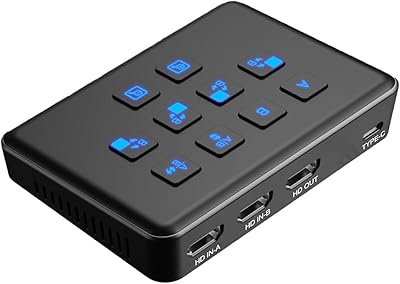
Qonakism Dual HDMI Capture Card with Switcher
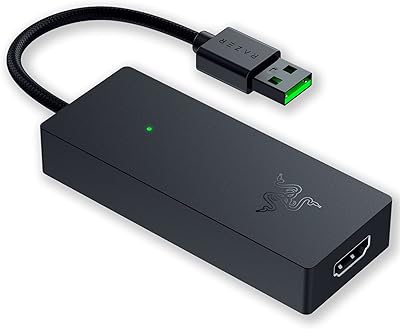
Razer Ripsaw X USB Capture Card
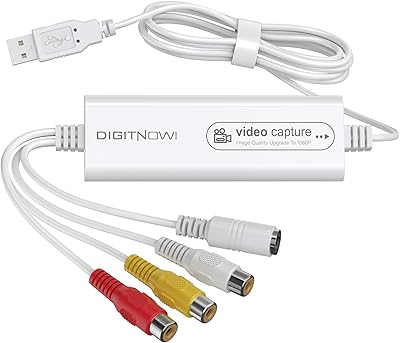
VIXLW Video Capture Card Pro+
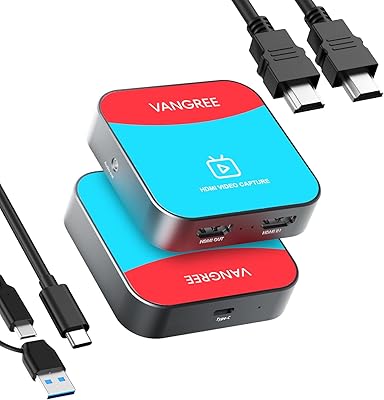
VANGREE VC-003 Capture Card
August VGB400 Video Capture Card
ORIVISION U923 4K HDMI Video Capture Card

Bytebridges 4K HDMI Capture Card (affd05f3)
EVGA XR1 Lite (141-U1-CB20-LR)