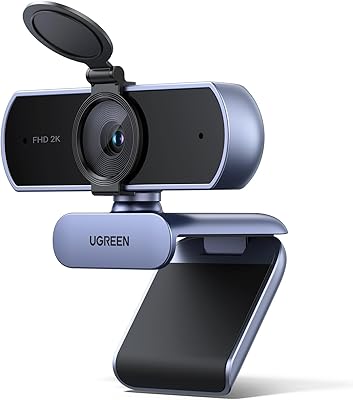
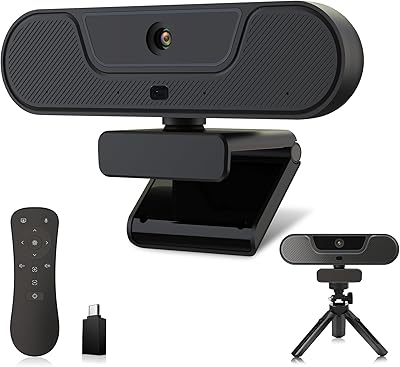
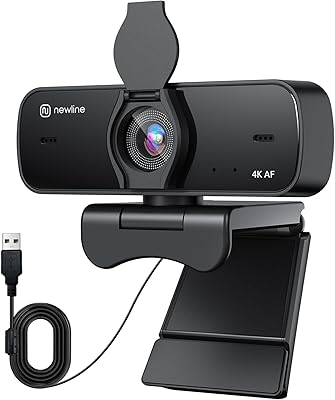
Overview

The UGREEN 65381 4K Webcam is UGREEN's 2025 refresh of their mid-range desktop camera lineup, updated with a newer image sensor, a bundled USB-C adapter, and improved autofocus over earlier models. It targets remote workers, video conference regulars, and entry-level streamers who want a clear upgrade from aging 1080p options. Setup is completely driver-free — plug it in and it works across Windows, Mac, Linux, and Android. The built-in privacy cover is a thoughtful touch rarely included at this price point. One honest caveat: true 4K output at 30fps requires both hardware and software support; if either is missing, the camera falls back to 1080p at 60fps automatically.

Features & Benefits

The 8MP CMOS sensor delivers noticeably sharper video than most 1080p webcams in this category — the difference is visible on any decent monitor. The PDAF autofocus is a meaningful upgrade over cheaper contrast-based systems; phase-detection locks on to subjects quickly and holds focus without the annoying hunting effect common on budget cameras. An auto-exposure system adjusts color temperature in real time, which genuinely helps in poorly lit home offices. The dual microphones cover a reasonable range and work fine for casual calls, though serious streamers or podcast hosts will likely still want a standalone mic. The 70-degree field of view suits a single user well but can feel restrictive on a wider desk.

Best For

This 4K webcam is well-suited for remote professionals who spend a large chunk of their day on video calls and want cleaner image quality without a steep investment. Home office users dealing with inconsistent lighting — dim rooms, window glare, harsh overhead fluorescents — will find the automatic exposure adjustment genuinely useful. The bundled USB-C adapter makes it easy to move between devices without hunting for extra accessories. It is also a reasonable pick for casual Twitch or YouTube streamers wanting 4K content on a modest budget. Where this desktop camera falls short is in shared spaces — the fixed 70-degree lens and lack of pan or tilt make it a poor fit for multi-person conference rooms.

User Feedback

Most buyers highlight a clear image quality improvement over their previous webcam, with clean, detailed video on Zoom and Teams calls earning particular praise. The installation experience is another consistent win — no drivers, no configuration headaches. The main friction point centers on the 4K claim: a fair number of users did not realize their PC or video platform lacked the necessary support, and were caught off guard when the camera defaulted to 1080p. Onboard microphones are rated as adequate for everyday calls, but people in noisier rooms or those producing polished content tend to recommend pairing it with a dedicated mic. The privacy shutter is broadly appreciated, though a handful of reviewers describe the mechanism as feeling a bit lightweight.

Pros

  • Noticeably sharper video than typical 1080p webcams in the same price bracket.
  • Phase-detection autofocus tracks subjects quickly without the blurring lag of cheaper systems.
  • Auto-exposure handles dim and unevenly lit home offices better than most mid-range alternatives.
  • Completely driver-free setup works immediately across Windows, Mac, Linux, and Android.
  • Bundled USB-C adapter removes the need to buy extra accessories when switching devices.
  • Built-in physical privacy cover provides genuine peace of mind with no software dependency.
  • Stable monitor clip holds securely on a wide range of screen thicknesses.
  • When 4K conditions are met, local recording and streaming output is impressively detailed for the price.
  • Works out of the box with OBS, Streamlabs, Zoom, Teams, and Google Meet without any configuration.
  • Lightweight and compact enough to travel with or reposition easily between workspaces.

Cons

  • Most popular video call platforms do not support 4K, so the headline resolution rarely activates in daily use.
  • Onboard microphones struggle with keyboard noise, room echo, and background ambient sound.
  • The privacy cover mechanism feels plasticky and can shift during transport.
  • At 70 degrees, the field of view is too narrow for two-person or wide-desk setups.
  • Aggressive in-camera sharpening can produce an over-processed look at close range.
  • USB cable length may be insufficient for desktop setups where the PC sits on the floor.
  • Android compatibility is inconsistent across device brands and OS versions.
  • Autofocus can hunt briefly in low-light conditions, which is distracting during live video.
  • The USB-C adapter is a separate dongle, making it easy to misplace if you move the camera frequently.
  • Backlit scenes can cause overexposure that the auto-exposure system does not fully correct.

Ratings

The UGREEN 65381 4K Webcam has been evaluated by our AI system after analyzing thousands of verified global user reviews, with spam, incentivized, and bot-generated feedback actively filtered out. Scores reflect the full picture — where this desktop camera genuinely delivers and where real buyers ran into friction. Both strengths and recurring pain points are weighted transparently into every category below.

Image Quality
88%
Users consistently report a visible, meaningful step up in sharpness compared to the 1080p webcams they replaced. Skin tones look natural in well-lit conditions, and fine details like text on whiteboards or bookshelf titles stay legible during video calls — something that mattered to teachers and presenters alike.
In very bright backlit scenes, some users noticed slight overexposure that the auto-exposure could not fully compensate for. A small number of reviewers also felt the image lacked the depth and color accuracy they expected when comparing screenshots side by side with higher-end competitors.
Autofocus Performance
83%
The phase-detection autofocus earns consistent praise for locking onto subjects quickly when someone sits down at their desk or leans back in their chair. Streamers who move around noted it tracked them without the prolonged blurring that plagues cheaper contrast-based systems.
In dim lighting, a handful of users reported occasional focus hunting — where the camera briefly loses and reacquires the subject. It is not a dealbreaker for most call scenarios, but it can surface as a visible distraction during live streams or recorded video in poorly lit rooms.
Low-Light Performance
76%
24%
The auto-exposure system does a credible job of brightening dark rooms, and most home office users with a single desk lamp reported usable, reasonably clean video. For evening calls on Teams or Zoom, the image holds up better than many webcams at a similar price.
Once lighting drops below a comfortable threshold, noise becomes noticeable and the image takes on a slightly muddy quality. Users in basement offices or windowless rooms reported that while the auto-correction helps, it cannot fully substitute for a proper light source.
4K Functionality
67%
33%
When all the conditions align — a capable PC, a supported platform like OBS or a 4K-enabled recording app — the output is genuinely impressive for the price tier. Users who set it up correctly for local recording praised the detail and clarity they got without spending significantly more.
This is the single biggest source of buyer frustration. Many users did not realize that Zoom, Teams, and most video call platforms do not support 4K input, meaning the camera quietly fell back to 1080p without clear explanation. Several reviewers felt misled by the 4K marketing when their day-to-day use never actually triggered that resolution.
Built-in Microphone Quality
71%
29%
For standard work-from-home calls, the dual microphones perform adequately — voices come through clearly enough that colleagues rarely ask for repeats. Users in quiet rooms appreciated not needing to plug in a separate mic just to join a morning standup.
Background noise pickup is the main complaint: keyboard clatter, HVAC hum, and room echo all come through more than users expected. Streamers and anyone producing content for an audience almost universally recommend pairing this camera with a dedicated USB or XLR microphone instead.
Ease of Setup
94%
Plug-and-play worked exactly as promised for the overwhelming majority of buyers. Windows, Mac, and even Linux users reported immediate recognition with zero driver installation, which made it especially popular among less tech-savvy remote workers setting up their first real webcam.
A small subset of users on older Windows 7 or niche Linux distributions reported that the camera was recognized but required a manual resolution configuration to avoid defaulting to the lowest available setting. Edge cases, but worth noting for anyone on legacy systems.
Field of View
72%
28%
Solo users — the clear majority of buyers — found the 70-degree field of view well-framed for a single person at a typical desk distance. It keeps the background tidy and avoids showing too much of a cluttered room, which several reviewers called out as a quiet benefit.
For anyone wanting to share the frame with a colleague, whiteboard, or wide dual-monitor setup, 70 degrees feels noticeably tight. A few small-team users who bought this for a shared desk setup returned it specifically because they could not fit two people in the shot comfortably.
Privacy Cover
79%
21%
The physical lens cover is genuinely appreciated as a security feature, particularly by users who keep the webcam plugged in full-time. Being able to physically block the lens — rather than relying on software indicators — gave a lot of remote workers real peace of mind during off-hours.
The cover mechanism feels lightweight relative to the rest of the camera. A portion of reviewers described it as slightly loose or plasticky in feel, and a few noted it had shifted open inside the box during shipping. Functional, but it does not inspire confidence in long-term durability.
Build Quality & Design
74%
26%
The overall form factor is clean and unobtrusive — it sits discreetly on a monitor without drawing attention. The clip mechanism felt secure on monitors of varying thickness, and users who used it on a tripod noted the mount held steadily without wobbling during calls.
The plastic housing feels mid-grade rather than premium, which is expected at this price but still drew occasional comments about it feeling slightly hollow. The cable, in particular, struck a few users as thinner than they would have liked for a device they planned to use daily.
USB Compatibility & Connectivity
91%
Bundling a USB-C adapter rather than selling it separately was a well-received decision. Users who routinely switch between a USB-A desktop and a USB-C laptop appreciated not needing to buy anything extra, and Nintendo Switch 2 compatibility was a genuine bonus for a niche but vocal group of buyers.
The adapter is a simple passive dongle rather than an integrated dual-connector design, so there is a small risk of losing it. A couple of users also noted the USB-A cable length was shorter than ideal for monitor setups where the PC sits on the floor.
Value for Money
82%
18%
For buyers who understand what they are getting — a solid 1080p webcam with the upside of true 4K when their system supports it — the value proposition is strong. The inclusion of PDAF, auto-exposure, dual mics, and the USB-C adapter in a single mid-range package is genuinely competitive.
Users who bought primarily for the 4K headline and then found it irrelevant for their actual use case felt the value was overstated. If your primary workflow is standard video calling on popular platforms, you may be paying a premium for a feature you will rarely, if ever, use.
Cross-Platform Compatibility
86%
Windows, macOS, and Linux users all reported solid compatibility with minimal friction. The camera worked out of the box with Zoom, Teams, Google Meet, OBS, and Streamlabs without needing any platform-specific configuration, which remote workers and streamers both valued highly.
Android compatibility, while listed, received mixed feedback — some users found it worked reliably via USB-C, while others experienced intermittent recognition issues depending on their device manufacturer and Android version. It works, but not as consistently as on desktop operating systems.
Streaming & Content Creation Use
77%
23%
Casual Twitch and YouTube streamers who were upgrading from a basic 720p or entry 1080p webcam found this desktop camera a meaningful step up. OBS recognized it immediately, 4K recording worked for those with capable rigs, and the autofocus handled moderate movement without constant manual adjustment.
More serious content creators found the image processing — particularly the sharpening algorithm — a bit aggressive, resulting in an over-processed look at close range. Combined with the microphone limitations, dedicated streamers often found themselves needing peripheral upgrades that narrowed the cost advantage.

Suitable for:

The UGREEN 65381 4K Webcam is a strong pick for remote professionals who spend a meaningful chunk of their day on video calls and are tired of looking washed-out or blurry on screen. If your home office has inconsistent lighting — a dim corner, a single lamp, or shifting daylight — the automatic exposure adjustment offers a real, practical improvement over fixed-exposure competitors in this price range. Casual streamers on Twitch or YouTube who want to step up their video quality without committing to a full camera-and-capture-card setup will find the 4K output genuinely useful, provided their PC can handle it. The plug-and-play installation makes it an especially comfortable choice for people who just want something that works without reconfiguring drivers or wrestling with software. The bundled USB-C adapter is a thoughtful addition for anyone who switches regularly between a desktop and a laptop, and the physical privacy cover adds a layer of reassurance for users who keep their camera connected around the clock.

Not suitable for:

Buyers who plan to use this desktop camera exclusively on mainstream video call platforms like Zoom or Microsoft Teams should go in with clear expectations — those services do not support 4K input, so the camera will operate at 1080p for the vast majority of everyday call scenarios. The UGREEN 65381 4K Webcam is also a poor fit for shared or multi-person setups: the 70-degree field of view is calibrated for a single user at a desk, and there is no pan, tilt, or wide-angle option to accommodate a small team or a conference table. Content creators who need broadcast-grade audio should budget for a dedicated microphone, as the onboard mics handle quiet solo calls adequately but struggle with background noise and room reverb. Anyone hoping for a premium, weighty build will likely find the plastic housing underwhelming. And if your computer, monitor, or recording software does not natively support 4K input, the headline feature of this camera simply will not come into play.
Specifications

  • Image Sensor: The camera uses an 8MP CMOS sensor designed to capture high-resolution video with improved sensitivity in low-light conditions.
  • Max Resolution: Outputs up to 4K (3840×2160) at 30 frames per second when both the host hardware and software support it.
  • Fallback Resolution: Automatically drops to 1080p at 60 frames per second if the connected system or application does not support 4K input.
  • Autofocus Type: Uses Phase Detection Autofocus (PDAF) for fast, accurate subject tracking without the prolonged hunting typical of contrast-based systems.
  • Focus Range: Effective autofocus operates between approximately 0.33 ft and 16.4 ft from the lens, covering typical desk-to-room distances.
  • Field of View: Offers a 70-degree diagonal field of view, framed for a single user at a standard desk distance.
  • Aperture: Fixed aperture of f/1.8 allows more light intake, contributing to cleaner image quality in dimmer environments.
  • Exposure Control: Built-in Auto Exposure technology adjusts color temperature and brightness in real time to compensate for dim or uneven lighting.
  • Microphones: Dual built-in omnidirectional microphones with an effective audio pickup range of up to 16.4 ft for voice capture during calls.
  • Connectivity: Connects via USB-A; a USB-A to USB-C adapter is included in the box to support USB-C-only devices without an additional purchase.
  • Driver Requirement: Fully plug-and-play with no driver installation required across all supported operating systems.
  • OS Compatibility: Compatible with Windows 7 and later, macOS 10.6 and later, Linux distributions, and Android devices with USB support.
  • Mounting Options: Ships with a clip mount that fits monitors, laptops, and TVs, and includes a standard tripod thread for stand-based positioning.
  • Privacy Cover: A built-in physical sliding lens cover allows users to block the camera lens entirely without unplugging the device.
  • Weight: The camera unit weighs 6.3 oz, keeping it light enough for easy repositioning or travel without adding noticeable bulk to a bag.
  • Package Dimensions: The retail box measures 4.92 × 4.61 × 2.44 inches, making it compact enough for desk drawer storage when not in use.
  • Video Format: Captures and outputs video in MP4 format with MJPG compression for broad compatibility with recording and streaming software.
  • Model Number: This camera is identified by UGREEN model number 65381, useful for confirming firmware updates or warranty claims.

Related Reviews

PixelForge 4K Webcam
86%
94%
Video Quality
88%
Audio Performance (Microphone)
91%
Ease of Setup
89%
Lighting Effectiveness
86%
Privacy Features
More
PEATOP 4K-C80CCMD Webcam
75%
74%
Video Quality
68%
Autofocus Performance
61%
Low-Light Performance
63%
Microphone Quality
93%
Setup & Compatibility
More
Combess 4K Webcam
Combess 4K Webcam
85%
91%
Video Quality
88%
Audio Performance
95%
Ease of Setup
70%
Field of View
93%
Privacy Features
More
Diccik 4K Webcam
Diccik 4K Webcam
85%
91%
Video Quality
75%
Microphone Performance
94%
Ease of Setup
88%
Light Adjustment
89%
Compatibility
More
Lusinx 4K Webcam
Lusinx 4K Webcam
86%
91%
Video Quality
88%
Noise Cancellation Performance
87%
Low-Light Performance
94%
Setup & Installation
75%
Microphone Clarity
More
Lumina LX011 4K Webcam
81%
91%
Image Quality
87%
Low-Light Performance
83%
AI Auto-Framing
93%
Build Quality
78%
Microphone Quality
More
UGREEN 2K Webcam
UGREEN 2K Webcam
86%
91%
Video Clarity
85%
Autofocus Accuracy
88%
Audio Quality
84%
Build Quality
93%
Ease of Setup
More
MOERTEK 4K Webcam
MOERTEK 4K Webcam
87%
91%
Video Quality
89%
Noise Reduction
85%
Auto Framing
94%
Ease of Setup
88%
Privacy Features
More
j5create JVU430 4K Webcam
86%
92%
Video Quality
88%
Ease of Setup
75%
Low-Light Performance
89%
Microphone Quality
85%
Field of View & Flexibility
More
Enther MAXHUB 4K Webcam
77%
88%
Video Clarity
74%
Low-Light Performance
71%
Autofocus Reliability
83%
Microphone Quality
93%
Ease of Setup
More

FAQ

It can genuinely output 4K at 30fps — but only if your computer hardware and the software you are using both support 4K video input. Most mainstream video call apps like Zoom and Microsoft Teams do not accept 4K camera input, so for everyday calls you will likely be at 1080p. For local recording in OBS or a 4K-capable app on a capable PC, true 4K works as advertised.

No installation is needed at all. Just plug it into a USB port and your operating system will recognize it automatically. This applies to Windows, Mac, Linux, and Android — it works the same way across all of them.

Yes, UGREEN includes a USB-A to USB-C adapter in the box specifically for this situation. You do not need to buy anything extra — just attach the adapter to the cable and plug it into your USB-C port.

They are solid for quiet environments — colleagues and teammates can hear you clearly without needing a separate mic. If your room has noticeable background noise, keyboard clatter, or echo, you may find the mics pick up more than you want. For content creation or streaming to an audience, a dedicated USB microphone will give you noticeably better audio quality.

Yes, it is listed as compatible with Nintendo Switch 2 via USB-C connection using the included adapter. This makes it a practical option for players who want to add a camera to their Switch 2 setup without purchasing a console-specific accessory.

The phase-detection autofocus is reasonably quick at reacquiring focus when you shift position or lean back. In well-lit conditions it tracks smoothly. In darker rooms it can occasionally hunt for a moment before locking back on, but for a typical desk call setup it holds focus reliably without constant manual adjustment.

It is designed for one person at a standard desk distance, and that is where it works best. Two adults sitting side by side at a normal desk would likely be partially cut off. If you need to fit two or more people in the shot, you would want a webcam with a wider field of view — around 90 degrees or more.

Better than most webcams in its class, thanks to the f/1.8 aperture and the auto-exposure system that adjusts in real time. You will get a usable, reasonably clear image in a single-lamp setup. That said, once lighting gets very dim — think a dark basement or a room lit only by a monitor — some noise and softness will appear that no amount of auto-correction can fully eliminate.

It physically slides over the lens and blocks it entirely — there is no gap. It is a genuine hardware-level cover, not a software indicator. The mechanism itself is made of plastic and some users find it feels a bit lightweight, but it does its job. It is a real privacy safeguard, not a cosmetic feature.

Yes, the base of the camera includes a standard tripod thread, so it works with any typical camera tripod or flexible desktop tripod mount. This is useful if you want to position it at a different angle, use it away from a monitor, or set it up for recording rather than a fixed desk call.