

Overview

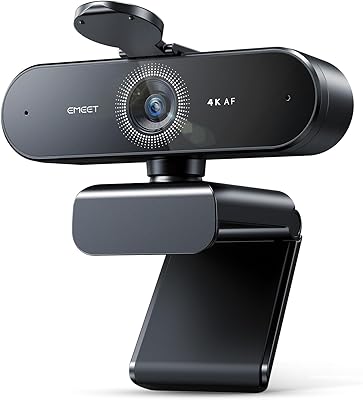
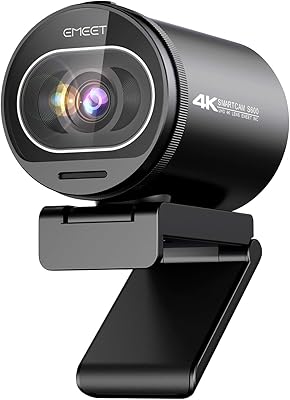
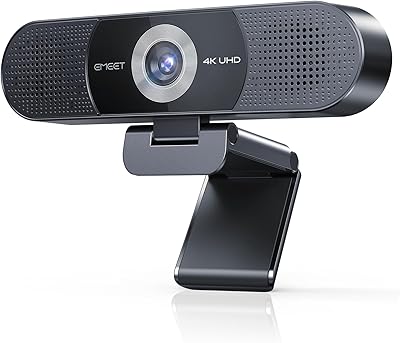
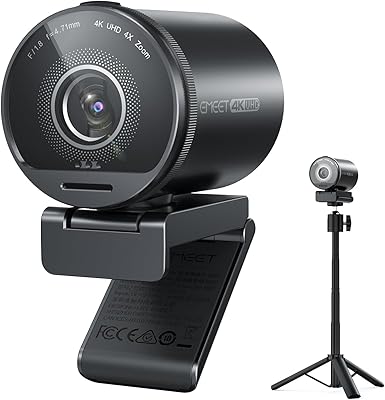
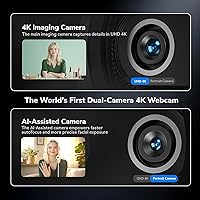
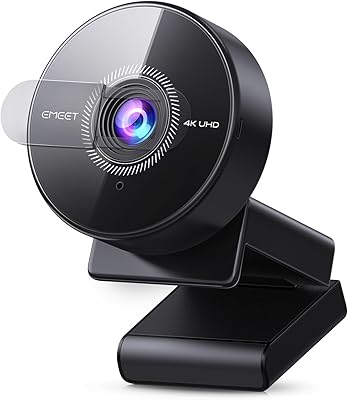
The EMEET Piko 4K Webcam enters a crowded market with a genuinely different approach: instead of a single lens doing everything, it pairs a 4K main sensor with a dedicated AI-assist camera that handles autofocus and face exposure independently. That two-camera architecture is rare at this price point, and it gives the device a real technical argument rather than just a spec-sheet numbers bump. EMEET has a credible background in conferencing audio and video hardware, so this is a natural step into the creator space. It is compact — roughly phone-sized — making it as appealing for desk aesthetics as for actual streaming work. Realistic expectations: strong for creators and educators, not a mirrorless replacement.

Features & Benefits

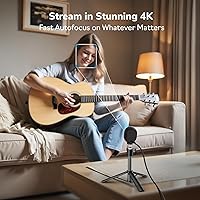
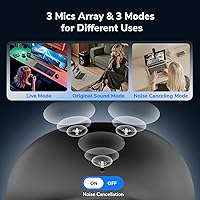
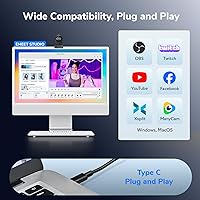
The dual-camera system earns its billing in practice. The 4K main sensor delivers sharp, detailed footage, while the AI-assist camera tracks your face and adjusts exposure independently — useful when you shift position mid-session or have inconsistent room lighting. The three-mic array is more thoughtful than most webcam audio setups, offering three distinct modes: Noise Canceling for busy spaces, Live Mode tuned for gaming and vocal audio, and Original Sound for quiet environments where you want natural ambience preserved. It connects via USB-C and clips onto a monitor without tools. OBS, Twitch, and YouTube recognize it immediately on both Windows and macOS, requiring no driver installation for most users.

Best For

This dual-camera webcam suits solo streamers who are tired of babysitting manual focus settings — the AI handles repositioning automatically, which matters during longer sessions. Remote workers and online educators wrestling with backlit windows will find the adaptive face exposure a practical fix that reduces reliance on external lighting gear. Anyone stepping up from a basic 1080p webcam will notice the sharpness difference right away. The design-forward aesthetic also makes it an attractive pick for anyone building a considered desk setup rather than just chasing specs. And for gift-givers looking for something functional but visually distinctive, EMEET's streaming cam offers a memorable unboxing without feeling frivolous.

User Feedback

Across streamer and remote-work communities, the Piko draws consistent praise for autofocus recovery speed — buyers note it snaps back quickly when they lean away and return to frame. Image sharpness is another frequent positive, especially from those coming off older webcams. On the critical side, some users report the AI exposure can over-brighten faces in very dark rooms, and a portion mention color rendering that skews slightly warm. A few early reviewers flagged minor compatibility friction on specific macOS versions. Audio feedback skews positive overall, with Live Mode standing out as the most-used setting among streamers. Gift buyers consistently single out the packaging and overall design as highlights independent of performance.

Pros

  • The dual-camera autofocus system locks onto your face quickly and recovers fast when you move out of frame.
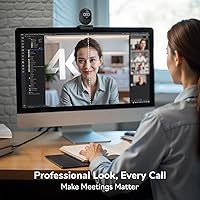
  • Sharp, detailed 4K image quality represents a meaningful and immediately visible upgrade from 1080p webcams.
  • Three distinct microphone sound modes cover a wide range of real-world environments without extra gear.
  • Plug-and-play setup on both Windows and macOS — no driver downloads required for most users.
  • Adaptive face exposure handles backlit windows and dim rooms better than most single-sensor webcams at this price.
  • The compact, eye-like design looks intentional on a desk rather than like generic peripheral hardware.
  • Live Mode audio is particularly well-suited for gaming streams and vocal performance without heavy processing artifacts.
  • USB-C connectivity ensures compatibility with modern laptops and keeps cable management clean.
  • Works immediately with OBS, Twitch, YouTube, Zoom, and Teams without additional configuration.

Cons

  • No dedicated desktop app means advanced exposure and white balance controls require third-party software.
  • Color rendering skews warm under artificial lighting, which bothers creators who need accurate skin tones.
  • AI autofocus can hunt or briefly lock onto background objects in cluttered or very dark environments.
  • 4K output can stress older hardware, sometimes forcing users to drop to 1080p for stable frame rates.
  • The clip mount can feel loose on thinner monitor bezels, limiting secure positioning options.
  • USB-C cable length is short, restricting placement flexibility on deeper or wider desk setups.
  • Original Sound Mode picks up room echo and keyboard noise in anything other than a genuinely quiet space.
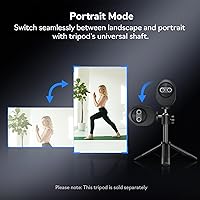
  • No tripod thread on the mount limits alternative positioning for users with non-standard setups.
  • Some macOS users on specific OS versions have reported initial device recognition issues requiring troubleshooting.

Ratings

Our AI rating system analyzed verified global buyer feedback for the EMEET Piko 4K Webcam, actively filtering out incentivized, bot-generated, and repeat submissions to ensure only genuine user experiences shaped these scores. The result is a transparent, balanced assessment that reflects what real streamers, remote workers, and content creators consistently report — both where this dual-camera webcam punches above its weight and where it still has room to grow.

Video Clarity
88%
Buyers regularly describe the 4K output as a visible step up from their previous webcams, noting sharper facial detail and cleaner edge definition during streams and video calls. The large sensor size helps retain texture and depth that smaller webcam sensors tend to flatten.
A portion of users note that 4K output at higher frame rates can tax older laptops, sometimes forcing a drop to 1080p for stable performance. Color rendering skews slightly warm in some lighting conditions, which bothers users who prioritize accurate skin tones.
Autofocus Performance
84%
The AI-driven autofocus is the feature buyers mention most positively — it reacquires focus quickly when users lean out of frame and return, which matters during long gaming sessions or presentations where movement is constant. Most users report it just works without any manual configuration.
In edge cases — very low light, busy or cluttered backgrounds, or sudden scene changes — the autofocus can hunt briefly before locking on. A small but consistent group of reviewers notes it occasionally refocuses on background objects rather than their face.
Low-Light Handling
74%
26%
The adaptive face exposure system does a credible job of keeping faces reasonably bright in dimly lit rooms, which is more than most webcams at this price manage without a dedicated ring light. Users in home offices with a single ambient lamp report noticeably better face visibility compared to their previous setups.
Low-light performance, while improved, is not a complete solution — grain becomes noticeable in very dark environments, and the AI exposure can over-compensate by brightening the face while blowing out highlights. Users expecting ring-light-level results without additional lighting will likely be disappointed.
Audio Quality
81%
19%
The three sound modes give the Piko genuine versatility that single-mode webcam microphones cannot match. Live Mode in particular earns consistent praise from streamers and singers for reducing HVAC and ambient noise while keeping vocal clarity intact during broadcasts.
Original Sound Mode, while useful in truly quiet spaces, picks up room echo and keyboard clatter in typical home environments. A few users also report the microphone input level requires manual adjustment in OBS to avoid clipping on louder voices.
Design & Build
91%
The compact, eye-like dual-lens design consistently draws positive attention from buyers who care about desk aesthetics — it looks intentional rather than utilitarian. Build materials feel solid for the price, and the matte finish resists fingerprints better than glossy competitors.
At 12.3 ounces, it is heavier than its small footprint suggests, and a handful of users note the clip mount can feel slightly loose on thinner monitor bezels. The mint green colorway, which would broaden its appeal further, is not yet available.
Ease of Setup
86%
Most users report a genuinely plug-and-play experience on both Windows and macOS — the camera is recognized immediately without driver downloads, which is a real time-saver for non-technical buyers. OBS and streaming platforms detect it without additional configuration in the majority of cases.
A subset of macOS users on specific OS versions report initial recognition hiccups requiring a USB port swap or system restart. The clip mount setup is intuitive, but the lack of any tripod thread limits mounting flexibility for users with non-standard setups.
Software Compatibility
83%
Out-of-the-box compatibility with OBS, Twitch, YouTube, Zoom, and Teams covers the vast majority of use cases without any workarounds. Buyers who switch between streaming and professional video calls appreciate not needing separate driver profiles.
Advanced camera controls — exposure lock, white balance adjustment, saturation — require third-party software like OBS or ManyCam since there is no dedicated EMEET desktop app for the Piko. Users who prefer a native control panel will find this limiting.
Microphone Noise Cancellation
79%
21%
Noise Canceling Mode handles steady background noise — air conditioning, fans, light street traffic — effectively enough that most users do not need a separate USB microphone for casual streaming. Remote workers in open-plan environments find it meaningfully better than laptop built-in mics.
Sudden transient noises like door slams or keyboard clatter occasionally break through, and the mode reduces some vocal warmth in the process. Users who need broadcast-grade noise rejection for professional podcasting will outgrow this quickly.
Value for Money
82%
18%
For a mid-range asking price, buyers generally feel the dual-camera system and multi-mode audio justify the cost compared to single-lens alternatives at the same tier. Gift buyers in particular feel the premium packaging and distinctive design make it feel more expensive than it is.
Users comparing it directly to established single-lens 4K competitors at a similar price point note that raw video quality can be comparable, making the dual-camera feature the primary differentiator — and not everyone needs it. Those who only need video calls may find the price harder to justify.
Portability
87%
The compact footprint means it travels well — several users mention packing it for remote work trips or moving it between a home and office setup without hassle. The clip mount requires no tools and takes seconds to attach or remove.
The USB-C cable, while modern and capable, is not particularly long, which can limit positioning options on wider or deeper desks. The lack of a carrying case or pouch in the box is a minor but recurring complaint from users who travel with it.
Frame Rate Consistency
76%
24%
On modern laptops and desktops with sufficient USB bandwidth, frame rate holds steady during typical streaming and video call sessions. Users with newer hardware rarely report dropped frames during standard 1080p or 4K streaming at typical bitrates.
Older USB-A adapters and some USB hubs introduce frame drops that frustrate users who do not realize the bottleneck is their port, not the camera. At maximum 4K resolution, CPU and USB overhead can push frame rates lower than advertised on mid-range machines.
Face Tracking Accuracy
77%
23%
For stationary or semi-stationary users — typical for desk streamers and video call participants — the face tracking maintains consistent exposure and focus reliably. Buyers who stay roughly within a defined zone report very few interruptions during hour-long sessions.
Users who move around more expressively — standing streamers, music performers, or educators who walk while presenting — report the tracking struggling to keep pace. Edge cases involving glasses, hats, or heavy studio lighting setups also reduce reliability noticeably.
Gifting Appeal
93%
Gift buyers are among the most enthusiastic reviewers — the distinctive design, clean packaging, and the novelty of the dual-lens layout make for a memorable unboxing. It reads as a thoughtful, functional gift rather than a generic tech accessory.
Its appeal as a gift is partly contingent on the recipient actually needing a webcam upgrade — buyers report that friends or family who primarily use laptops with built-in cameras sometimes underuse it. The lack of a dedicated carrying case slightly undermines the premium gifting impression.
Color Accuracy
67%
33%
Under well-balanced daylight or neutral LED lighting, color reproduction is pleasant and natural-looking for casual streaming and video calls. Most users working in typical home office conditions do not notice significant inaccuracy.
In warmer artificial lighting, skin tones can skew orange and backgrounds shift yellow — a pattern noted by multiple beauty and lifestyle streamers who care about accurate color for their audience. Without manual white balance controls, correcting this requires post-processing or third-party software.

Suitable for:

The EMEET Piko 4K Webcam is a strong fit for solo streamers and gaming content creators who want reliable, hands-free autofocus without constantly tweaking settings mid-session. Remote workers and online educators dealing with inconsistent room lighting will appreciate how the AI-driven face exposure compensates for backlit windows or dimly lit evenings without requiring a ring light purchase. If you are currently using a basic 1080p webcam and want a noticeable upgrade in sharpness and overall image quality, this dual-camera webcam delivers that step-up at a mid-range price that does not require justifying a professional-tier investment. It is also a genuinely good pick for aesthetics-conscious buyers — people who actually care that their desk looks cohesive and intentional, not just functional. And if you need a tech gift that feels distinctive and well-considered rather than generic, the Piko's design and packaging make it one of the more memorable options in this category.

Not suitable for:

The EMEET Piko 4K Webcam is not the right tool for professional broadcast environments, video production studios, or anyone who needs precise manual control over white balance, exposure lock, and color grading at the hardware level — there is no dedicated desktop app to handle that. Users who move around significantly during their content — standing streamers, fitness instructors, or educators who pace while presenting — will find the face tracking struggles to keep up reliably. If you are working on an older laptop or connecting through a USB hub, the 4K output can introduce frame rate instability that undercuts the camera's main appeal. Buyers who need broadcast-quality noise rejection for professional podcasting or voice-over work should pair it with a dedicated USB microphone rather than depending solely on the built-in array. Color-critical creators, particularly beauty or product review streamers who need accurate skin tones under mixed artificial lighting, may find the warm color cast frustrating without post-processing tools to compensate.

Specifications

  • Video Resolution: Captures footage at up to 4K resolution using the primary imaging sensor.
  • Image Sensor: The main camera uses a 1/2.8″ CMOS sensor, which is larger than typical webcam sensors and improves light capture and detail retention.
  • Camera System: Dual-camera design combines a 4K main sensor with a secondary AI-assist camera dedicated to autofocus and adaptive face exposure.
  • AI Features: On-device AI handles real-time autofocus tracking and dynamic face brightness adjustment without requiring any manual configuration.
  • Video Formats: Outputs in YUY2 and MJPEG formats, ensuring broad compatibility with streaming and conferencing software.
  • Microphones: Three-microphone array captures audio from multiple directions, reducing reliance on a separate external microphone for most use cases.
  • Sound Modes: Three selectable modes — Noise Canceling, Original Sound, and Live Mode — each optimized for different environments and content types.
  • Connectivity: Connects via USB-C to USB-C, with no driver installation required on supported Windows and macOS systems.
  • Dimensions: Measures 2.2 x 1.69 x 0.87 inches, making it roughly comparable in footprint to a modern smartphone in terms of portability.
  • Weight: Weighs 12.3 ounces, which is heavier than its compact size suggests but still well within practical desktop use.
  • Mount Type: Ships with a clip mount that attaches to most monitor and laptop bezels without tools and requires no permanent installation.
  • OS Compatibility: Officially supported on Windows and macOS, with plug-and-play recognition on both platforms for most current OS versions.
  • Software Support: Compatible out of the box with OBS Studio, Twitch, YouTube, Zoom, and Microsoft Teams without additional configuration.
  • Audio Format: Records and transmits audio in AAC format, which balances file size and audio quality for streaming and recording use cases.
  • Color Options: Available in Black and Matte White at launch, with a Mint Green variant announced for future availability.
  • Supported Audio Format: AAC audio encoding is used, which is widely supported across major streaming and conferencing platforms.
  • Remote Control: Compatible with an optional remote control accessory sold separately, allowing basic camera control without touching the unit.
  • Flash Storage: Contains no onboard flash storage; all video and audio data is processed and stored by the connected PC or Mac.

Related Reviews
EMEET Nova 4K Webcam
77%
83%
Video Clarity
78%
Autofocus Performance
69%
Microphone Quality
76%
Low-Light & Auto Exposure
86%
Build Quality & Design
More
EMEET C950 4K Webcam
78%
83%
Video Clarity
88%
Autofocus Performance
71%
Microphone Quality
62%
Low-Light Performance
93%
Privacy Features
More
EMEET S600 4K Webcam
83%
88%
Image Quality
91%
Autofocus Performance
79%
Low-Light Performance
71%
Microphone Quality
93%
Setup & Ease of Use
More
EMEET SmartCam S800 4K Webcam
87%
91%
Video Quality
85%
Autofocus Performance
94%
Ease of Setup
88%
Audio Clarity
92%
Flexibility and Positioning
More
EMEET C980 Pro
EMEET C980 Pro
77%
88%
Video Clarity
83%
Audio Capture
67%
Built-In Speaker Quality
91%
Setup & Ease of Use
79%
Wide-Angle Flexibility
More
PEATOP 4K-C80CCMD Webcam
75%
74%
Video Quality
68%
Autofocus Performance
61%
Low-Light Performance
63%
Microphone Quality
93%
Setup & Compatibility
More
Lumina LX011 4K Webcam
81%
91%
Image Quality
87%
Low-Light Performance
83%
AI Auto-Framing
93%
Build Quality
78%
Microphone Quality
More
Combess 4K Webcam
Combess 4K Webcam
85%
91%
Video Quality
88%
Audio Performance
95%
Ease of Setup
70%
Field of View
93%
Privacy Features
More
Lusinx 4K Webcam
Lusinx 4K Webcam
86%
91%
Video Quality
88%
Noise Cancellation Performance
87%
Low-Light Performance
94%
Setup & Installation
75%
Microphone Clarity
More
MOERTEK 4K Webcam
MOERTEK 4K Webcam
87%
91%
Video Quality
89%
Noise Reduction
85%
Auto Framing
94%
Ease of Setup
88%
Privacy Features
More

FAQ

No, the EMEET Piko 4K Webcam is plug-and-play on both Windows and macOS. Just connect it via USB-C and your system should recognize it immediately. A small number of users on older macOS versions have reported needing to swap USB ports or restart, but driver installation is not required in the vast majority of cases.

Yes, the Piko is recognized as a standard UVC camera device, which means OBS, Twitch Studio, YouTube Live, and most other streaming tools pick it up automatically without any special setup. You can select it from the video capture source list just like any other webcam.

Most webcams use a single sensor to handle everything — capturing image, tracking focus, and adjusting exposure — which creates trade-offs. This dual-camera webcam uses its second camera specifically to handle autofocus and face exposure, so those tasks do not compete with or degrade the main 4K image. In practice, this means the camera can keep your face sharp and well-lit even when you shift in your seat, without the main image quality taking a hit.

The AI-assisted exposure system is designed to compensate for backlit situations by prioritizing your face's brightness rather than the overall scene. It does a reasonable job in moderately backlit conditions, but if your background window is extremely bright — direct sunlight streaming in — you will still benefit from closing blinds or adding a front-facing light source. It handles this better than most single-sensor webcams at this price, but it is not a complete substitute for good lighting setup.

Live Mode is the one designed specifically for that scenario. It actively reduces steady background noise like fans or air conditioning while keeping vocal clarity intact, which makes it the preferred choice for gaming streams, karaoke setups, and live vocal performances. Noise Canceling Mode is better suited to busy or office-style environments where sudden or unpredictable noise is the main issue.

The Piko ships with a USB-C cable and a USB-C connector, so if your laptop only has USB-A ports, you will need a USB-C to USB-A adapter. Most generic adapters work fine, though a passive USB hub can introduce frame rate instability at 4K, so a direct port connection is always preferable if possible.

For typical desk-based streaming — leaning back, turning your head, adjusting your position — the autofocus reacquires quickly and handles normal movement well. Where it starts to struggle is if you move very quickly or dramatically, have a busy background, or are working in very low light. Users who stay within a roughly defined zone in front of their monitor report very few autofocus interruptions during extended sessions.

The included clip mount is designed for monitor bezels and the tops of laptop screens. There is no built-in tripod thread, so placing it on a stand or boom arm requires a third-party adapter. The clip is tool-free and attaches in seconds, but it works best on bezels between roughly 10mm and 35mm thick — very thin bezels on some ultrabooks may result in a less secure fit.

Color rendering is pleasant and natural-looking under neutral white or daylight-balanced lighting, which covers most home office and desk setups. Under warmer artificial lighting — incandescent bulbs or warm LEDs — skin tones can shift orange and overall colors may appear warmer than reality. If color accuracy is critical for your content, using a daylight-balanced LED panel and adjusting white balance in OBS or a similar tool will give you significantly better results.

It is actually one of the better options in this space for that purpose. The design is distinctive enough to feel special to open, setup is genuinely simple, and the image quality improvement over a built-in laptop camera is immediately obvious. For someone just starting out with streaming or content creation, EMEET's streaming cam covers video, autofocus, and audio without requiring them to buy separate accessories right away.