Overview

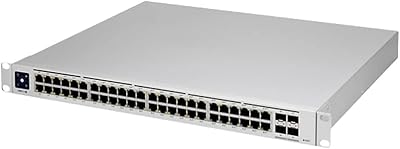
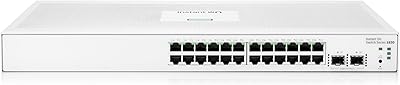
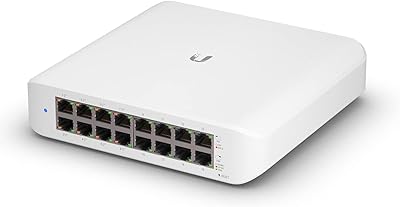
The Ubiquiti USW-Pro-24 Layer 3 Network Switch sits in an interesting spot — capable enough for serious network work, yet priced well below what traditional enterprise vendors charge for comparable port counts. It is a managed switch built for prosumer and SMB environments, and it lives firmly within the UniFi ecosystem, which is both its biggest strength and something buyers should think hard about before committing. One thing worth flagging upfront: no PoE ports here. If you plan to power access points or IP cameras directly from the switch, you need a different model. This is a rack-mount device that expects you to bring a controller — software or hardware — to unlock its full potential.
Features & Benefits

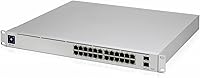
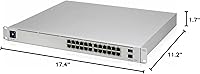
Pack 24 gigabit ports into a 1U rack-mount chassis and you have already solved the density problem for most small-to-mid office deployments. The two 10G SFP+ uplinks are what really make this UniFi switch stand out at its price point — link it directly to a NAS, a 10G-capable router, or another switch in your stack and you will not be creating a bottleneck. The Layer 3 feature set covers static routing, inter-VLAN routing, and OSPF, all configurable through the UniFi Network Controller without touching a command line. The metal chassis runs quietly, and at a max draw of just 30W, thermal management is rarely a concern in a properly ventilated rack.

Best For

This managed Layer 3 switch makes the most sense in the hands of IT admins already running UniFi gear — or those actively building toward it. Think multi-VLAN office setups, small school networks, or hotel infrastructure where you need centralized traffic control without the vendor licensing fees that come with Cisco or HPE. Network engineers who want a capable home lab at a fraction of enterprise cost will also find it compelling. That said, if you need to power wireless access points or VoIP handsets over Ethernet, the non-PoE design is a hard stop — plan your deployment accordingly or look at the PoE variants in the UniFi lineup.

User Feedback

Owners of the USW-Pro-24 consistently highlight two things: build quality and how well it integrates into the UniFi dashboard for day-to-day monitoring. The management interface earns its praise — traffic visibility, firmware updates, and VLAN configuration all happen in one place without hunting through disconnected menus. On the critical side, users new to managed switching report a noticeable learning curve, particularly around the UniFi Controller dependency; the switch does very little in a standalone state. A smaller number of buyers flag limited CLI access as frustrating if they prefer scripting configurations. Compared to Cisco or HPE alternatives at similar port counts, most agree the value proposition is strong — provided you are committed to the ecosystem long term.

Pros

  • Solid Layer 3 feature set — static routing, inter-VLAN routing, and OSPF — without the enterprise price tag.
  • 24 GbE ports handle dense wired office environments without needing an additional switch in the stack.
  • Dual 10G SFP+ uplinks prevent backbone bottlenecks when connecting to servers or upstream routers.
  • UniFi Controller integration gives you traffic analytics, firmware updates, and VLAN management all in one interface.
  • Low 30W max power draw makes it efficient and easy to budget on a UPS.
  • Metal chassis feels durable and rack-mounts cleanly in a standard 19-inch setup.
  • Quiet operation makes it practical in noise-sensitive spaces like small server rooms or open offices.
  • Significantly cheaper than Cisco or HPE alternatives at the same port count and feature tier.
  • Centralized management scales well if you are already running other UniFi devices on the same controller.
  • Regularly receives firmware updates, which is not a given for switches in this price range.

Cons

  • Full functionality requires the UniFi Network Controller — standalone operation is severely limited.
  • No PoE support at all, which forces a separate PoE switch purchase if your endpoints need it.
  • CLI access is restricted, making scripted or terminal-based configuration workflows difficult.
  • New users face a genuine learning curve with the UniFi ecosystem before the switch becomes productive.
  • Deep vendor lock-in means migrating away from UniFi later involves reconfiguring from scratch.
  • Only 55 ratings on Amazon, so long-term reliability data is thinner than for more established models.
  • The controller dependency adds a single point of failure — if the controller goes offline, remote management is lost.
  • Not suitable for environments that require multi-vendor interoperability or open standards-based management like SNMP-heavy setups.

Ratings

Our AI-generated scores for the Ubiquiti USW-Pro-24 Layer 3 Network Switch are derived from analyzing verified global user reviews, with spam, bot-submitted, and incentivized feedback actively filtered out before scoring. Each category reflects what real buyers — IT admins, network engineers, and home lab enthusiasts — consistently reported after hands-on use in live deployments. Both the genuine strengths and the recurring frustrations are transparently factored into every score below.

Build Quality
91%
Users across multiple markets consistently praise the all-metal chassis as feeling genuinely solid and rack-ready, not like a consumer-grade plastic unit trying to punch above its weight. In tight server closets and shared equipment racks, the rigidity and finish hold up well over extended deployment periods.
A small number of reviewers noted that port labeling can be harder to read under dim rack lighting, and a few reported minor cosmetic inconsistencies on the chassis finish out of the box — nothing functional, but noticeable for detail-oriented installers.
UniFi Ecosystem Integration
89%
For anyone already running UniFi access points, gateways, or cameras, dropping this switch into an existing controller setup is remarkably straightforward. VLAN propagation, traffic dashboards, and per-port statistics all surface cleanly in the same interface admins are already familiar with, reducing the operational learning burden significantly.
The integration benefit only applies if you are already in the UniFi ecosystem — buyers coming from Cisco or Aruba environments will find zero native compatibility, and the controller dependency means any lapse in controller availability temporarily limits remote management capability.
Layer 3 Feature Set
86%
Static routing, inter-VLAN routing, and OSPF support cover the vast majority of what SMB and prosumer deployments actually need day to day. Network admins managing segmented guest, IoT, and corporate VLANs in a single building reported that the routing features handled their requirements without needing an additional dedicated router.
Power users who rely heavily on CLI-based configuration or need more advanced features like BGP, multicast routing, or granular QoS policies will find the feature set feels constrained. The controller-driven model limits the depth of protocol-level tuning that experienced engineers sometimes expect at this price tier.
Value for Money
88%
Compared to a Cisco Catalyst or HPE Aruba switch with equivalent port count and Layer 3 capabilities, the USW-Pro-24 typically costs a fraction of the price with no per-device licensing fees. IT managers in budget-conscious SMB environments frequently cited this as the deciding factor, especially when scaling out multiple switches across a site.
The value equation shifts if you factor in the cost of a Cloud Key or dedicated controller hardware for smaller deployments. Buyers who purchase the switch and then realize they need additional infrastructure to manage it properly sometimes feel the total cost of ownership was undersold upfront.
Setup & Initial Configuration
58%
42%
For admins already familiar with the UniFi Controller, initial setup is logical and well-documented — the interface walks you through port configuration, VLAN assignment, and uplink setup in a structured way. Ubiquiti's documentation and community forums are also actively maintained, which helps when troubleshooting specific scenarios.
For buyers new to managed switching or the UniFi platform, the setup process has a steep entry curve that frustrated a meaningful portion of reviewers. The switch is essentially non-functional without the controller, and figuring out how to deploy and configure the controller software added unexpected complexity for less experienced users.
Port Density & Layout
84%
Twenty-four gigabit ports in a single 1U chassis is a practical density for most small-to-mid office deployments, eliminating the need to daisy-chain consumer switches across a workspace. The physical port spacing is generous enough that standard patch cables seat cleanly without blocking adjacent ports.
There is no dedicated out-of-band management port, which some enterprise-minded admins consider a missing safety net for remote recovery scenarios. A small number of users also wished for a few additional 1G SFP ports as a flexible alternative to RJ45 for longer runs.
10G Uplink Performance
87%
The dual SFP+ uplinks performed reliably in real-world deployments connecting to 10G NAS units and upstream routers, with users reporting no unexpected throughput degradation or link instability over extended periods. The flexibility to use either fiber transceivers or DAC cables was highlighted as a practical advantage.
Two uplinks is sufficient for most single-site deployments, but admins building more complex topologies with multiple core switches occasionally found the uplink count limiting. SFP+ transceivers compatible with Ubiquiti hardware also need to be vetted carefully, as third-party optics occasionally caused compatibility warnings in the controller.
Noise & Thermal Management
79%
21%
Under typical mixed-load conditions, the switch runs quietly enough that several users deployed it in open office environments or media production spaces without complaint. The low 30W power draw contributes to a cooler operating temperature, which users in warmer climates appreciated.
Under sustained heavy traffic loads, the internal fans become audible enough to be noticeable in very quiet rooms — not loud, but present. A handful of users in poorly ventilated rack enclosures reported the unit running warmer than they expected, though no thermal shutdowns were widely reported.
Management Interface (UI)
83%
The UniFi Network Controller dashboard gives a clean visual overview of port status, traffic throughput, and device connectivity that experienced admins described as genuinely useful rather than decorative. Firmware updates push reliably and the interface has improved substantially over successive controller versions.
The UI prioritizes ease of use over depth, which means advanced configuration options are sometimes buried, unavailable, or require workarounds. Users who wanted granular per-port DSCP marking or detailed spanning tree controls found the graphical interface insufficient for their needs.
CLI Access
44%
56%
Direct SSH access to the switch is technically possible, and some experienced users leverage it for low-level diagnostics or to verify running configurations outside of the controller interface. For admins who just need to check a status or clear a table, the CLI access available is adequate.
The CLI is deliberately restricted compared to what most enterprise switching platforms offer, and Ubiquiti does not officially support or document many of the underlying commands. Network engineers accustomed to full IOS-style or Comware CLI environments will find the limitations genuinely frustrating when trying to script or automate configuration tasks.
PoE Availability
31%
69%
The absence of PoE keeps the switch's power consumption low and its cost accessible, which is a deliberate and reasonable design decision for wired-only environments. Organizations with existing PoE injectors or separate PoE switches in their stack may not feel this limitation at all.
For buyers who did not fully register the no-PoE limitation before purchasing, this was by far the most cited source of post-purchase regret in user reviews. Having to buy a separate PoE switch or individual injectors to power access points adds cost and complexity that erodes some of the switch's value advantage.
Firmware & Long-term Support
77%
23%
Ubiquiti has maintained a consistent firmware update cadence for the USW-Pro-24, and several users noted that features present at launch have been expanded or refined through software updates over time. The active UniFi community also surfaces compatibility issues quickly, often before they affect a wide user base.
Ubiquiti's track record with firmware stability has historically been uneven — some controller updates have introduced regressions that temporarily disrupted managed features. Users who run mission-critical networks cautioned against updating firmware immediately upon release, preferring to wait for community feedback first.
Rack Integration & Cable Management
82%
18%
The 1U profile fits neatly into standard 19-inch racks, and the front-facing ports make patching straightforward in most rack configurations. Users who installed it alongside other UniFi equipment noted that cable organization remained manageable even at full port utilization.
The switch does not ship with a cable management arm or integrated velcro ties, which is a minor but recurring complaint among users who prefer a fully organized rear-exit cable setup. The power inlet position also required some planning in tightly packed racks to avoid cord interference with neighboring equipment.
Compatibility with Non-Ubiquiti Devices
71%
29%
As a standard gigabit switch, the USW-Pro-24 passes traffic to and from any IEEE-compliant wired device without issue — workstations, printers, VoIP phones, and servers all connect reliably regardless of manufacturer. Basic interoperability with non-Ubiquiti routing hardware is functional.
Advanced inter-vendor features like LLDP-MED with third-party VoIP systems or full SNMP integration with external NMS platforms have mixed reliability. Users managing hybrid environments with Cisco routers or other vendors' access points reported occasional gaps in visibility and control that required workarounds outside the UniFi interface.

Suitable for:

The Ubiquiti USW-Pro-24 Layer 3 Network Switch is purpose-built for IT administrators and network professionals who need serious routing and switching capabilities without the steep licensing costs of traditional enterprise vendors. It fits naturally into offices, schools, clinics, and hospitality environments where managing multiple VLANs, segmenting guest traffic, and maintaining visibility across dozens of wired endpoints is a daily reality. Existing UniFi users will find it slots into their setup with minimal friction — the controller-based management means this switch becomes part of a unified dashboard alongside access points, gateways, and cameras. Home lab enthusiasts who want to practice real-world Layer 3 configurations, OSPF routing, or inter-VLAN policies will also get significant mileage from it. Organizations that run purely wired endpoints — workstations, servers, printers, IP-based AV equipment — and have no need for Power over Ethernet will appreciate the leaner design and lower power draw.
Not suitable for:

Buyers who expect to unbox a switch, plug it in, and have it running in ten minutes should look elsewhere — the Ubiquiti USW-Pro-24 Layer 3 Network Switch requires the UniFi Network Controller to access most of its configuration options, and that setup process alone has a real learning curve for anyone unfamiliar with managed networking. If your deployment relies on powering wireless access points, VoIP phones, or IP cameras directly from the switch, this model is an immediate dead end since it carries no PoE ports whatsoever. Small businesses or home users who only need basic switching with no VLAN or routing requirements are also overpaying for features they will never touch. Network engineers or admins who prefer full CLI control and the flexibility to script configurations will find the UniFi ecosystem's relative lock-in limiting. Finally, anyone not already invested in the UniFi platform should honestly weigh whether committing to a single-vendor management ecosystem aligns with their long-term infrastructure goals before purchasing.

Specifications

  • Port Count: The switch provides 24 x GbE RJ45 ports for wired device connections, plus 2 x 10G SFP+ ports dedicated to high-speed uplinks.
  • Switching Capacity: Total non-blocking switching capacity is 44 Gbps, sufficient for full line-rate throughput across all ports simultaneously.
  • Layer 3 Routing: Supports Layer 3 features including static routing, inter-VLAN routing, and OSPF dynamic routing protocol via the UniFi Network Controller.
  • PoE Support: This model does not include Power over Ethernet on any port; all 24 RJ45 ports are data-only connections.
  • Uplink Ports: Two SFP+ slots support 10G optical or DAC connections, enabling fast backbone links to servers, NAS devices, or upstream routers.
  • Management: Fully managed via the UniFi Network Controller, which can run on dedicated hardware, a self-hosted server, or Ubiquiti's cloud-based portal.
  • Form Factor: Rack-mountable 1U chassis designed for standard 19-inch equipment racks; rack-mount hardware is included in the box.
  • Dimensions: The unit measures 11.2″ in length, 17.4″ in width, and 1.7″ in height, fitting a single rack unit slot.
  • Weight: The switch weighs 7.72 pounds, reflecting its all-metal chassis construction.
  • Power Consumption: Maximum power draw is rated at 30W, making it efficient for continuous 24/7 rack operation.
  • Input Voltage: Rated input voltage is 240V; the built-in power supply is internal with no external power brick required.
  • Chassis Material: The enclosure is constructed from metal, providing structural rigidity and passive heat dissipation without relying solely on active cooling.
  • Thermal Rating: The switch is rated to operate reliably at ambient temperatures up to 60 degrees Celsius.
  • Interface Type: All 24 standard ports use RJ45 connectors compatible with Cat5e and Cat6 cabling for gigabit connections.
  • Model Number: The official model identifier is USW-Pro-24, as designated by Ubiquiti Networks.
  • Manufacturer: Designed and sold by Ubiquiti Networks, a US-based networking hardware company focused on the prosumer and SMB market.
  • ASIN: The Amazon Standard Identification Number for this product is B0898MX488.
  • UPC: Registered UPC codes are 810010070821 and 810010070562.
  • Availability Date: This product was first made available for purchase on May 27, 2020.
  • BSR Ranking: At time of review, the switch holds a Best Sellers Rank of approximately 528 in the Computer Networking Switches category on Amazon.

Related Reviews

Ubiquiti Networks UniFi USW-Pro-48-POE Gen2 Switch
85%
92%
Performance & Speed
87%
Ease of Setup
90%
PoE+ Power Delivery
88%
Build Quality & Durability
73%
Software & Firmware Experience
More
Ubiquiti USW-24-POE 24-Port PoE Ethernet Switch
83%
91%
UniFi Controller Integration
83%
PoE Delivery
88%
Build Quality
93%
Fanless Operation
76%
Value for Money
More
Ubiquiti USW-Pro-Max-16-PoE 180W Network Switch
84%
93%
Build Quality
97%
Fanless Silent Operation
88%
PoE Port Flexibility
91%
UniFi Ecosystem Integration
84%
Layer 3 Feature Depth
More
HPE Networking Instant On 1830 24-Port Switch
87%
91%
Ease of Setup
93%
Quiet Operation
89%
Reliability
85%
Build Quality
90%
Port Availability
More
Ubiquiti UniFi Switch USW-Lite-16-PoE
77%
94%
Ecosystem Integration
68%
PoE Power Delivery
88%
Management Software & App
62%
Setup & Initial Configuration
91%
Build Quality & Durability
More
KCEVE KC-303X Triple Monitor KVM Switch
78%
88%
Setup & Installation
83%
Video Signal Quality
79%
Switching Speed & Reliability
71%
Remote Controller
81%
USB Peripheral Performance
More
Ubiquiti UniFi UAP-AC-PRO Access Point
80%
94%
Network Stability & Uptime
89%
Wi-Fi Signal Range & Penetration
58%
Setup & Initial Configuration
81%
Value for Money
86%
Multi-Device Performance
More
HPE Networking Instant On 1430 16-Port Gb Unmanaged Layer 2 Ethernet Switch
85%
92%
Setup and Installation
88%
Performance and Reliability
94%
Silent Operation
89%
Energy Efficiency
85%
Build Quality and Durability
More
HPE Instant On 1830 8-Port PoE Switch
82%
91%
Ease of Setup
74%
PoE Performance
88%
Build Quality
77%
Management Software
83%
Value for Money
More
Ubiquiti UniFi Dream Machine Pro Security Gateway
79%
93%
Reliability & Uptime
89%
Management Interface (UniFi App)
54%
Setup & Initial Configuration
91%
Throughput & Network Performance
88%
WAN Redundancy & Failover
More

FAQ

You will need the UniFi Network Controller to access most configuration options — there is no meaningful standalone web interface on the switch itself. The controller can run free of charge on a local machine, a Raspberry Pi, a Ubiquiti Cloud Key, or through Ubiquiti's hosted cloud portal. Without it, the switch is essentially unmanaged.

No. The Ubiquiti USW-Pro-24 Layer 3 Network Switch has no PoE capability on any of its 24 ports, so it cannot deliver power to access points, VoIP handsets, or IP cameras over Ethernet. If your deployment requires PoE, you will need to pair it with a separate PoE injector or look at the USW-Pro-24-POE variant instead.
Honestly, probably not as a first switch. The learning curve around VLAN configuration, inter-VLAN routing, and the UniFi Controller ecosystem is real. If you are comfortable following technical documentation and willing to invest time learning, it is doable — but plan for several hours of setup and experimentation before everything runs smoothly.

The two SFP+ uplinks are ideal for connecting the switch to a 10G-capable router, a NAS, or another core switch in your network without creating a bandwidth bottleneck. You can use SFP+ transceivers with fiber cable or direct-attach copper DAC cables, both of which are widely available and relatively affordable.

No paid subscription is required. The UniFi Network Controller software is free and can be installed on your own hardware — a Windows PC, Linux server, or even a Raspberry Pi. A Cloud Key is a convenience purchase, not a necessity. Ubiquiti does offer a cloud management option, but local controller hosting works just as well.

The USW-Pro-24 runs very quietly, and in typical conditions most users report it is barely noticeable. It is not technically fanless — there is internal airflow — but the noise level is low enough that it would not stand out in a standard server closet or quiet office environment. Under sustained heavy load, some airflow noise may become faintly audible.

The switch itself is functional hardware regardless of ecosystem, but its configuration and management are deeply tied to the UniFi Controller. If you ever move away from Ubiquiti, you would need to reconfigure the switch entirely from scratch. It is not inherently compatible with Cisco, HP, or other vendors' management platforms, so factor in that dependency before committing.

For the feature set offered — 24 GbE ports, dual 10G uplinks, Layer 3 routing, and centralized management — this UniFi switch typically comes in significantly cheaper than comparable Cisco or Aruba hardware. The trade-off is that Cisco and Aruba offer more mature CLI environments, broader third-party integrations, and more established enterprise support. For SMB and prosumer use, the value difference is hard to ignore.

Cat5e is perfectly fine for gigabit speeds on all 24 RJ45 ports, as long as your cable runs are under 100 meters. Cat6 offers a bit more headroom and less crosstalk in dense environments, but it is not a requirement for this switch to perform at full gigabit throughput.

Yes, the USW-Pro-24 supports Link Aggregation Control Protocol, which lets you bond multiple ports into a single logical link for increased throughput or redundancy — useful for connecting a NAS or server that also supports LACP. Configuration is handled through the UniFi Network Controller interface rather than a traditional CLI.

Where to Buy