Overview

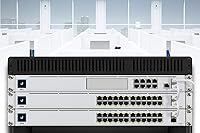
The Ubiquiti USW-24-POE 24-Port PoE Ethernet Switch sits squarely in the prosumer-to-small-business sweet spot — a managed gigabit switch that punches well above unmanaged alternatives at a comparable port count. What sets it apart immediately is its place inside the UniFi ecosystem, meaning every port, VLAN, and traffic graph lives inside a single controller interface rather than scattered across browser tabs and CLI sessions. The 1U rack-mount chassis is fanless, so it runs completely silent — a genuine advantage when the switch lives in an office, recording studio, or anywhere noise matters. Rack hardware ships in the box, which is a small but appreciated touch.

Features & Benefits

All 24 RJ45 ports support auto-sensing PoE and PoE+, so the switch identifies what each connected device needs — a 15-watt access point or a 30-watt PTZ camera — without manual intervention. Two SFP slots handle fiber uplinks, useful when runs exceed copper's practical distance limits or when linking separate buildings. The fanless metal chassis stays operational up to 40°C, handling a warm equipment room without spinning up distracting fans. On the software side, Layer 2 management through the UniFi Network Controller unlocks VLANs, port profiles, and real-time traffic stats. One honest caveat: the total PoE budget is finite, so plan device loads carefully before filling every port.

Best For

This UniFi switch hits its stride in a few distinct scenarios. Small and mid-size businesses rolling out Wi-Fi access points across multiple floors will appreciate having PoE delivery and network segmentation managed by a single device. Home lab users gain enterprise-style VLAN control without the enterprise price tag or the clunky interfaces that often accompany cheaper managed switches. Surveillance setups benefit from running a dozen or more PoE IP cameras directly off the USW-24-POE, keeping cabling clean. VoIP offices can power desk phones without sourcing individual injectors. IT teams already standardized on the UniFi ecosystem will find this switch slots in without any friction.

User Feedback

Owners of this managed PoE switch consistently praise how well it integrates into the UniFi controller — port status, traffic graphs, and firmware updates all accessible in one place with minimal manual setup. The silent fanless operation comes up repeatedly, particularly from users who deployed it in offices or home environments where fan noise would stand out. On the critical side, buyers who expected to run it without a controller were caught off guard — standalone functionality is limited, and that matters for anyone outside the UniFi ecosystem. Some users have flagged PoE budget constraints when pushing all 24 ports hard. Long-term owners broadly report solid build quality and reliable uptime across multiple years.

Pros

  • All 24 ports deliver auto-sensing PoE and PoE+, removing the need for separate power injectors across the network.
  • The fanless design runs completely silent, making it a natural fit for offices, studios, and quiet server rooms.
  • UniFi controller integration gives you real-time traffic visibility, VLAN control, and port profiles from a single dashboard.
  • Two SFP uplink ports extend connectivity options to fiber runs between buildings or floors.
  • The metal chassis is built for 24/7 operation and holds up well in warmer equipment rooms up to 40°C.
  • Rack mount hardware is included in the box, so there is nothing extra to source before installation.
  • Layer 2 management capabilities far exceed what unmanaged alternatives in this port range can offer.
  • Long-term owners consistently report reliable uptime with minimal hardware failures over multiple years.
  • The USW-24-POE fits cleanly into a 1U rack slot without consuming disproportionate space for a 24-port managed switch.
  • For surveillance setups, running multiple PoE IP cameras off a single this managed PoE switch simplifies both cabling and power management significantly.

Cons

  • Full feature access requires a UniFi controller; standalone operation without one is severely limited.
  • Total PoE power budget can run short when many high-wattage devices are connected simultaneously across all 24 ports.
  • SFP uplinks cap at 1 Gbps, which may bottleneck environments where 10G inter-switch throughput is needed.
  • Initial setup has a meaningful learning curve for buyers unfamiliar with the UniFi controller interface.
  • Ongoing dependency on Ubiquiti's ecosystem means switching vendors later requires replacing this hardware entirely.
  • No built-in display or physical port status LEDs beyond basic link indicators, making on-site troubleshooting less intuitive.
  • Cloud management requires either a self-hosted controller or a Ubiquiti cloud key, adding cost and complexity for smaller deployments.
  • Firmware and feature updates are tied to Ubiquiti's release cadence, which has historically been inconsistent at times.

Ratings

The scores below reflect an AI-driven analysis of verified global buyer reviews for the Ubiquiti USW-24-POE 24-Port PoE Ethernet Switch, with spam, bot-generated, and incentivized submissions actively filtered out before scoring. Each category captures both what real users genuinely praised and the friction points that surfaced consistently across deployments of all sizes. The result is a transparent, balanced picture designed to help you decide whether this switch fits your specific network environment.

UniFi Controller Integration
91%
Buyers who were already running a UniFi environment consistently described the adoption process as fast and the controller dashboard as one of the cleaner network management interfaces available at this price tier. Port-level visibility, VLAN assignment, and firmware updates all happen from a single pane, which IT admins managing multi-site deployments found particularly valuable.
The integration story falls apart for anyone outside the UniFi ecosystem. Users who attempted to manage the switch without a controller quickly discovered how limited standalone operation is, and several noted that the learning curve for first-time UniFi adopters is steeper than Ubiquiti's marketing implies.
PoE Delivery
83%
For mixed deployments powering access points, IP cameras, and VoIP phones simultaneously, the auto-sensing PoE and PoE+ implementation works reliably without requiring manual port configuration. Users running moderate loads across 12 to 18 ports reported rock-solid power delivery with no unexpected device dropouts over extended periods.
The total PoE power budget becomes a real constraint in fully loaded, high-draw scenarios. Buyers who filled all 24 ports with PoE+ devices without pre-calculating their wattage needs ran into budget ceilings, which required them to either re-plan their deployments or add a secondary switch.
Build Quality
88%
The all-metal chassis gives this managed PoE switch a noticeably more substantial feel than plastic-bodied competitors in its class. Multi-year owners across home lab and small business environments reported minimal hardware failures and consistent structural integrity even in equipment rooms with moderate heat and vibration.
The chassis finish can show minor cosmetic wear over time in environments where the switch is frequently accessed or moved during reconfigurations. A small number of users noted that port labeling could be more legible under low-light rack conditions.
Fanless Operation
93%
Silent cooling is one of the most consistently praised aspects of the USW-24-POE across user reviews. Deployments in recording studios, open-plan offices, and home environments where fan noise would be disruptive benefit substantially from the completely passive thermal design, which produces zero audible output under normal load.
Passive cooling does require adequate airflow around the unit in the rack. A small subset of users in poorly ventilated or unusually warm equipment closets reported surface temperatures that felt higher than expected, though thermal shutdowns were rarely cited.
Value for Money
76%
24%
Relative to enterprise-grade managed switches with comparable port counts and PoE+ coverage, the USW-24-POE lands at a price point that most small business and prosumer buyers consider fair. The inclusion of rack mount hardware and SFP uplinks without extra cost adds to the perceived value for buyers already invested in the UniFi platform.
For buyers who are not already running UniFi infrastructure, the total cost of ownership climbs once you factor in a controller device. Against simpler unmanaged alternatives, the price gap is significant enough that users with basic connectivity needs consistently noted it felt like paying for features they would never use.
Setup Experience
71%
29%
Users with prior UniFi experience described initial setup as straightforward, with automatic switch discovery in the controller reducing manual configuration steps. The included rack hardware means physical installation is ready to go without a trip to the hardware store.
First-time UniFi users reported a meaningful learning curve, particularly around controller installation and the adoption workflow. Several buyers expected a more guided out-of-box experience and were surprised that the switch offers almost no useful standalone interface during initial configuration.
Port Density & Layout
86%
Twenty-four gigabit ports in a 1U form factor is a practical density for small and mid-size deployments, and the addition of two SFP uplink slots means the switch can slot into a larger network architecture without an extra uplink device. Physical port spacing received positive feedback for being comfortable to cable without crowding.
There is no 10G uplink option on this model, which is a limitation for network segments where inter-switch throughput demands are growing. Users building out denser infrastructure occasionally noted they had to look at pricier models to avoid that bottleneck.
Reliability & Uptime
92%
Long-term owners are among the most positive reviewers of this switch, with many reporting years of continuous operation without a single hardware fault or unexpected reboot. The combination of a solid metal chassis, passive cooling, and mature firmware contributes to an uptime record that holds up well against alternatives in this category.
Occasional firmware update cycles introduced temporary instability for a subset of users, particularly those running controller software that lagged behind switch firmware versions. Keeping the controller and switch firmware synchronized is important and not always intuitive for less experienced administrators.
VLAN & Network Segmentation
84%
The Layer 2 VLAN capabilities are a major draw for home lab users and small businesses that need to separate guest traffic, IoT devices, cameras, and corporate networks without investing in enterprise hardware. Users praised how cleanly port profiles can be applied and updated across multiple switches simultaneously from the controller.
VLAN configuration, while powerful, assumes a baseline of networking knowledge that not all buyers possess. Users without prior managed switch experience reported that misconfigured VLANs caused connectivity issues that were difficult to diagnose without community support or professional help.
Firmware & Software Updates
68%
32%
When updates are well-timed and stable, the UniFi controller delivers them cleanly with rollback options and clear changelogs. Security patches have generally been pushed out at a reasonable cadence, which matters for business-critical deployments.
Ubiquiti's firmware release consistency has drawn criticism from long-term users, with some updates introducing bugs that took additional releases to resolve. Users managing multiple sites noted that staggered testing before applying updates became a necessary precaution rather than an optional one.
Physical Footprint
87%
The 1U profile is exactly what network administrators expect, and the dimensions are standard enough to fit without adjustment into most off-the-shelf rack enclosures. At 6.6 pounds, it is light enough for a single person to install comfortably without assistance.
Users mounting this in half-rack or wall-mount enclosures occasionally found the 17.4-inch width pushed against the limits of smaller enclosures. It is a standard full-rack-width device, so compact rack setups require careful measurement before purchase.
SFP Uplink Flexibility
78%
22%
Having two SFP ports available for fiber or DAC connections gives the USW-24-POE meaningful versatility for inter-building runs or high-density backbone links. Users connecting separate buildings or floors via fiber cited these ports as a key reason for choosing this model over simpler copper-only alternatives.
Both SFP ports are limited to 1 Gbps, which increasingly feels like a ceiling in environments where aggregate uplink traffic from 24 active gigabit ports demands more headroom. Users planning future network growth flagged this as a constraint worth weighing carefully.
IP Camera Support
89%
Surveillance deployments consistently receive strong marks from users who chose this managed PoE switch specifically to consolidate camera power and network access. Auto-sensing PoE eliminates compatibility guesswork, and VLAN support means camera traffic can be cleanly isolated from the rest of the network without additional hardware.
Users running very high-resolution cameras with elevated sustained bandwidth per port noted that aggregate throughput planning becomes critical. The switch handles the load well under normal conditions, but dense 4K surveillance setups require careful uplink bandwidth calculations to avoid congestion.
Community & Ecosystem Support
82%
18%
The UniFi community is large, active, and well-documented, which significantly reduces the friction of troubleshooting for users willing to search before posting. Third-party guides, forums, and YouTube walkthroughs cover almost every configuration scenario relevant to this switch.
Official Ubiquiti support channels have received mixed feedback, with some users reporting slow response times for warranty or technical issues. Buyers who prefer vendor-direct support over community-driven help may find the experience less reassuring than with some competing enterprise brands.

Suitable for:

The Ubiquiti USW-24-POE 24-Port PoE Ethernet Switch was built for buyers who are already in — or ready to commit to — the UniFi ecosystem and need a rack-mounted, managed switch that can handle real network complexity without a rack full of separate injectors and unmanaged hardware. Small and mid-size businesses deploying multiple Wi-Fi access points across floors will get the most out of it, since PoE delivery and VLAN segmentation come managed from a single controller interface. Security installers and surveillance-heavy environments benefit from powering a large number of IP cameras directly from the switch, keeping wiring clean and infrastructure costs down. VoIP offices will appreciate eliminating individual power injectors for desk phones. Home lab enthusiasts who want genuine Layer 2 management — port profiles, traffic monitoring, real VLAN control — without paying for a full enterprise-class platform will find this UniFi switch hits a practical middle ground that is hard to beat at its price tier.

Not suitable for:

The Ubiquiti USW-24-POE 24-Port PoE Ethernet Switch is a poor fit for anyone who expects to run it as a simple plug-and-play device without investing time in the UniFi controller setup. Buyers who have no existing UniFi infrastructure and no intention of running a controller — whether self-hosted or via Ubiquiti's cloud — will find core management features locked away, which is a real frustration that catches many newcomers off guard. It is also not the right call for environments that demand multi-gigabit uplinks or 10G inter-switch connectivity, since the SFP ports top out at 1 Gbps. If your deployment requires powering 24 high-wattage PoE+ devices simultaneously, you need to plan carefully because the total PoE budget is finite and can run short in heavily loaded setups. Network admins who prefer vendor-neutral management platforms or open standards like SNMP-first workflows may find the Ubiquiti-centric controller approach more restrictive than they would like.

Specifications

  • Model: The switch carries the official model designation USW-24-POE, manufactured by Ubiquiti Networks.
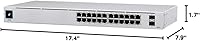
  • Ports: It includes 24 RJ45 Gigabit Ethernet ports and 2 SFP ports for fiber uplink connectivity.
  • PoE Standard: All 24 RJ45 ports support auto-sensing IEEE 802.3af and 802.3at (PoE and PoE+) power delivery.
  • Data Rate: Each port operates at up to 1 Gbps full-duplex for both copper and fiber connections.
  • Switch Layer: This is a Layer 2 managed switch with support for VLANs, port profiles, and traffic monitoring.
  • Dimensions: The chassis measures 7.9″ in length, 17.4″ in width, and 1.7″ in height, fitting a standard 1U rack slot.
  • Weight: The unit weighs 6.6 pounds, making it manageable for a single person to rack-mount.
  • Chassis Material: The enclosure is constructed from metal, providing durability for continuous rack-mounted deployments.
  • Cooling: Cooling is handled entirely by passive fanless thermal design, producing zero operational noise.
  • Max Temperature: The switch is rated for continuous operation in ambient temperatures up to 40°C (104°F).
  • Management: Full management is provided through the UniFi Network Controller, available as self-hosted software or via Ubiquiti's cloud platform.
  • Uplink Ports: Two SFP slots support standard 1 Gbps fiber transceivers for inter-switch or long-distance backbone connections.
  • Rack Mount: Rack mounting hardware is included in the box, allowing immediate installation into a standard 19-inch rack.
  • Interfaces: The switch provides RJ45, SFP, and PoE+ interface types across its port configuration.
  • Release Date: The USW-24-POE was first made available in January 2020 and remains an active product in the Ubiquiti lineup.
  • UPC: The product carries commercial UPC codes 817882028523 and 817882028646 for retail identification.
  • Compatibility: Compatible connected devices include computers, laptops, servers, NAS units, IP cameras, VoIP phones, access points, and gaming consoles.
  • Form Factor: The unit occupies a single rack unit (1U) in a standard equipment rack, optimizing space in dense deployments.

Related Reviews
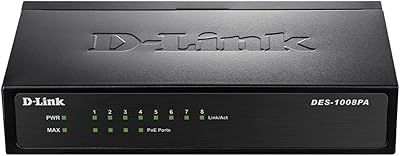
D-Link DES-1008PA 8-Port PoE Fast Ethernet Switch

82%
94%
Ease of Setup
88%
PoE Port Reliability
91%
Build Quality & Durability
58%
Network Speed & Throughput
97%
Noise Level
More
YuLinca 6-Port Gigabit PoE Switch with 4 PoE+ Ports
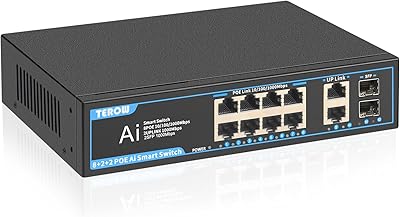
87%
95%
Ease of Installation
88%
PoE Functionality
91%
Build Quality
87%
Performance and Speed
94%
Fanless Operation (Noise)
More
NICGIGA GS2421P 24-Port PoE+ Gigabit Switch
77%
91%
Value for Money
93%
Ease of Setup
78%
PoE Performance
84%
Build Quality
62%
Thermal Management
More
TEROW 12-Port PoE+ Gigabit Network Switch
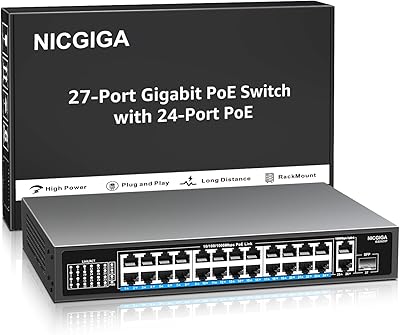
79%
91%
Value for Money
78%
PoE Performance
83%
Build Quality
94%
Ease of Setup
88%
Port Variety & Flexibility
More
Ubiquiti UniFi Switch USW-Lite-16-PoE
77%
94%
Ecosystem Integration
68%
PoE Power Delivery
88%
Management Software & App
62%
Setup & Initial Configuration
91%
Build Quality & Durability
More
NETGEAR GS324 24-Port Gigabit Ethernet Switch
84%
97%
Ease of Setup
94%
Silent Operation
89%
Build Quality
92%
Port Performance & Stability
67%
Thermal Management
More
NETGEAR FS728TP 24-Port PoE Managed Switch
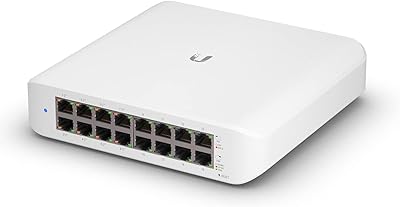
73%
88%
Hardware Reliability
82%
PoE Performance
47%
Port Speed & Throughput
63%
Management Interface
91%
Warranty & Support Value
More
NETGEAR GS305EP 5-Port PoE Gigabit Switch
79%
91%
Ease of Setup
78%
PoE Performance
97%
Noise Level
67%
Management Interface
72%
Build Quality
More
NETGEAR GS308PP 8-Port PoE+ Gigabit Switch
85%
96%
Ease of Setup
93%
PoE Port Coverage
71%
Power Budget Adequacy
88%
Build Quality
67%
Thermal Management
More
NETGEAR GS308EP
NETGEAR GS308EP
81%
88%
PoE+ Performance
91%
Ease of Setup
74%
Build Quality
82%
Network Management Features
93%
Value for Money
More

FAQ

You can plug it in and it will pass traffic without a controller, but you lose almost everything that makes it worth buying — VLANs, port profiles, traffic monitoring, firmware management. If you are not planning to run a UniFi controller, either self-hosted or via a Ubiquiti Cloud Key, this is probably not the right switch for your setup.

The USW-24-POE has a defined total PoE power budget, and it is important to map out your device wattage before assuming all 24 ports can run high-draw hardware simultaneously. PoE devices like basic access points use 8 to 15 watts, while PoE+ devices like PTZ cameras can pull up to 30 watts. Add up your expected loads before committing to this switch for a dense, power-heavy deployment.

Yes, on the physical network layer it will work alongside any brand of equipment. However, the management interface is exclusively UniFi, so you will not get a unified dashboard view if you are mixing vendors. It forwards traffic normally to and from any standards-compliant device.

The metal chassis is specifically designed for passive thermal management and is rated up to 40°C ambient. In a typical equipment room or office network closet, that is well within safe operating range. Just make sure there is adequate airflow around the unit in the rack, and avoid environments where ambient heat consistently approaches or exceeds that limit.

The two SFP ports accept standard 1G SFP transceivers. Ubiquiti sells their own compatible modules, but many third-party 1G SFP transceivers also work without issue — though Ubiquiti does not officially guarantee compatibility with non-Ubiquiti modules. Check the UniFi community forums for a well-maintained list of tested third-party options.

You will need to install the UniFi Network Controller on a server, PC, or a dedicated Ubiquiti device like a Cloud Key or Dream Machine. Once running, the controller discovers the switch on your local network and walks you through adoption. It is not instant, but there are solid setup guides on Ubiquiti's site and a large community forum that covers almost every scenario.

Yes, rack mounting brackets and hardware ship in the box. You do not need to buy a separate rack mount kit, which is a convenience that not every switch manufacturer includes at this price tier.

Remote management is possible through Ubiquiti's cloud portal once the switch is adopted and you have remote access enabled in your controller settings. Alternatively, a self-hosted controller accessible via VPN also works. Without one of those setups, management is local-network-only.

If all you need is to connect devices and share internet access, an unmanaged switch will do that job at a fraction of the cost. The value of this managed PoE switch only becomes clear when you need VLANs to separate guest and staff traffic, centralized control of PoE devices, or traffic visibility across your network. For a simple home setup, it is likely overkill.

Multi-year owners consistently report reliable hardware with minimal failures under normal operating conditions. Ubiquiti offers a one-year limited hardware warranty on this product line. Many users report running these switches for three to five years or more without hardware issues, which reflects well on the build quality for a metal-chassis managed switch at this price point.

Where to Buy