Overview

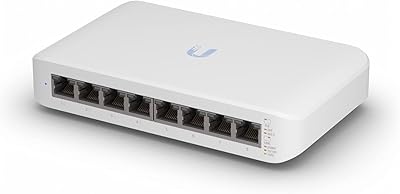
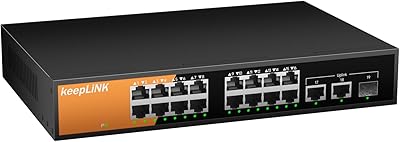
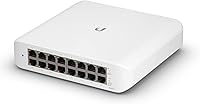
The Ubiquiti UniFi Switch USW-Lite-16-PoE is a compact, wall-mountable managed switch built for prosumers and small businesses who want real network control without filling a rack cabinet. If you're already running UniFi access points or cameras, this switch slots right into that ecosystem — the same controller, the same app, one unified dashboard. It offers 16 gigabit ports, eight of which deliver PoE+, with a shared 45W power budget across those eight ports. That ceiling is worth noting upfront: it's enough for three or four standard access points, but tight if you're powering higher-draw devices. One important caveat: UniFi Controller is required — the Lite-16 PoE switch does not operate standalone.
Features & Benefits

What makes the USW-Lite-16-PoE genuinely useful — not just impressive on paper — is the depth of Layer 2 management packed into a small metal enclosure. You get VLANs, port mirroring, traffic monitoring, and QoS controls, capabilities that typically cost a lot more on competing hardware. The eight PoE+ ports use 802.3at auto-sensing, so they'll detect and power access points, IP cameras, or VoIP handsets without any fiddling. Management happens through the UniFi Network Controller or the mobile app, both of which offer a graphical interface that keeps things accessible even if you've never touched a command line. All 16 ports run at full gigabit, so there's no speed compromise as you add devices.

Best For

This UniFi switch hits a natural sweet spot for anyone already inside the Ubiquiti ecosystem — or seriously considering it. If you're running UniFi access points throughout a home office or small retail space, this becomes the obvious core of your wired network. It's also a practical choice for installers who need a wall-mount solution where a rack simply isn't an option. That said, it's not the right pick for someone wanting a plug-and-play switch with zero software setup. If you're coming from a basic unmanaged switch and comparing this to something like the TP-Link TL-SG2016P, the deciding factor usually comes down to whether you want UniFi's managed feature set or a simpler, standalone experience.

User Feedback

Owners consistently highlight the build quality — the metal chassis feels durable, and the included wall-mount hardware gets practical praise for being thoughtfully designed. The UniFi app experience draws positive comments too, particularly from those already familiar with the platform. On the critical side, the 45W PoE budget catches some buyers off guard; a few reviewers mention running into limits sooner than expected when powering four or more devices at once. The bigger sticking point for newcomers is the controller dependency — if you were hoping to just plug this in and go, that's not how it works. First-time UniFi users report a genuine setup learning curve, though most agree the management depth is worth the initial effort once everything is configured.

Pros

  • Slots directly into existing UniFi setups — no extra configuration hoops to jump through.
  • All 16 ports run at full gigabit, so no bandwidth bottlenecks as devices multiply.
  • Eight auto-sensing PoE+ ports eliminate the need for bulky individual power injectors.
  • VLANs, port mirroring, and traffic monitoring are all accessible without CLI knowledge.
  • Solid metal chassis feels genuinely durable — built for permanent installs, not temporary setups.
  • Wall-mount hardware ships in the box, making closet and utility installs clean and straightforward.
  • Remote management via the UniFi mobile app works reliably once the controller is configured.
  • Fanless design means it runs completely silently — safe to deploy in offices or living spaces.
  • Ranked among the top networking switches on Amazon, reflecting broad real-world adoption.

Cons

  • Requires a UniFi Controller running somewhere — there is no standalone web-based configuration.
  • The 45W shared PoE budget is tight once you mix access points and higher-draw cameras.
  • First-time UniFi users routinely spend hours troubleshooting controller setup before the switch works properly.
  • The external power adapter feels noticeably less premium than the switch itself and has a minor failure history.
  • No Layer 3 routing — inter-VLAN traffic must be handled upstream by a separate device.
  • Ubiquiti's official customer support is widely considered slow and hard to reach for hardware issues.
  • New firmware updates have occasionally introduced instability, requiring community workarounds or factory resets.
  • Total cost of ownership is higher than the switch price alone if you do not already own controller hardware.
  • Only eight of the sixteen ports support PoE, which limits flexibility in heavily PoE-dependent deployments.

Ratings

The Ubiquiti UniFi Switch USW-Lite-16-PoE earns consistently strong marks across verified buyer reviews worldwide, with our AI analysis filtering out incentivized and bot-generated feedback to surface what real network installers, home lab builders, and small business owners actually experience. Scores reflect both the genuine strengths that make this switch a standout in its category and the specific friction points — particularly around PoE budget constraints and controller dependency — that affect a meaningful share of buyers.
Ecosystem Integration
94%
Buyers who already run UniFi access points or cameras describe the integration as the single biggest reason they chose this switch over alternatives. Adding it to an existing UniFi setup takes minutes — the controller discovers it automatically, and everything from traffic stats to port labels is managed in one place.
That tight integration is also a lock-in. Buyers who later want to mix in non-Ubiquiti managed switches find that the unified dashboard experience breaks down, and some report that certain advanced features only work reliably when the entire stack is UniFi hardware.
PoE Power Delivery
68%
32%
For three or four standard UniFi access points — each drawing around 10–12W — the 45W shared budget works comfortably. Installers running a typical small office wireless deployment report no issues, and the 802.3at auto-sensing means devices negotiate power cleanly without manual configuration.
The 45W ceiling becomes a genuine constraint once you mix in higher-draw devices. Powering four access points alongside a couple of PoE IP cameras can push the budget uncomfortably close to the limit, and some buyers report unexpected port shutdowns when total draw spikes. It is a real planning consideration, not a minor footnote.
Management Software & App
88%
The UniFi Network Controller interface is genuinely well-designed for a managed switch at this level — real-time port traffic graphs, per-port VLAN assignment, and remote access via the mobile app make day-to-day administration straightforward once the system is set up. Network-savvy home users especially appreciate having this depth without needing CLI access.
The controller software requires a dedicated host — a Raspberry Pi, a Cloud Key, or the UniFi Dream Machine. Buyers who did not budget for or research this requirement feel blindsided. The initial controller installation also has enough steps that a handful of reviewers describe their first evening with it as frustrating.
Setup & Initial Configuration
62%
38%
For users with prior UniFi experience, setup is straightforward and the switch is up and running in under 30 minutes. The mobile app walks through adoption with a reasonably guided flow, and the controller auto-populates most port defaults sensibly for a typical small network.
First-time UniFi users face a steeper curve than the packaging implies. Understanding the controller-adoption model, choosing where to host the controller, and then correctly configuring VLANs and trunk ports requires meaningful research. Several buyers mention spending multiple hours troubleshooting what turned out to be controller-side configuration issues rather than hardware problems.
Build Quality & Durability
91%
The all-metal chassis is one of the most commented-on physical attributes across reviews. Installers who mount this in utility closets or behind TVs consistently note that it feels built to last — no flex, no cheap plastic panels, and ports that click firmly when cables seat. Several long-term owners report zero hardware issues after two or more years of continuous use.
The external power brick is the weak point in an otherwise solid physical package. A few buyers mention the adapter feels less premium than the switch itself, and at least a small number of one-star reviews trace back to adapter failure rather than switch hardware failure.
Port Count & Layout
83%
Sixteen gigabit ports in a compact footprint gives enough capacity for a growing small office or a densely connected home lab without requiring a 24-port unit. Having eight of those ports PoE-capable covers most real-world wireless and camera deployments without leaving wasted non-PoE ports sitting idle.
The split between eight standard and eight PoE+ ports frustrates some buyers who need PoE on more than half their connections. If your deployment is heavily PoE-dependent — say, ten access points and cameras — this switch simply does not scale to that need, and stepping up to the next UniFi tier adds significant cost.
Wall-Mount Design
86%
The included wall-mount kit is consistently praised as genuinely practical rather than an afterthought. Installers appreciate that it ships in the box, the mounting footprint is small enough for tight spaces, and the unit sits flush against the wall without cable management looking awkward when ports face outward.
Cable routing can get messy with 16 active ports in a wall-mounted configuration — there is no built-in cable management bracket or cover. A few installers mention that getting the cabling to look tidy on a wall requires additional accessories purchased separately.
Layer 2 Feature Set
89%
VLANs, port mirroring, RSTP, IGMP snooping, and traffic monitoring are all present and accessible through the graphical controller — features that on competing hardware at this price point often require CLI knowledge to configure. Home lab users building segmented networks for IoT isolation or guest Wi-Fi find this switch unusually capable.
Layer 3 routing is absent, which matters if you want inter-VLAN routing handled at the switch rather than upstream at a router or firewall. For buyers who outgrow Layer 2 and need routing features, the next step up in the UniFi line carries a noticeably higher price.
Value for Money
78%
22%
Compared to unmanaged switches at the same port count, the management depth and PoE capability represent strong value, especially when you factor in that a competitor like the TP-Link TL-SG2016P costs less but lacks the UniFi controller integration that many buyers are specifically seeking. For existing UniFi environments, the price-to-capability ratio is hard to argue with.
The mandatory UniFi controller infrastructure adds real cost if you do not already own a Cloud Key or Dream Machine. Accounting for that dependency, the total outlay for a buyer starting from scratch is notably higher than the switch price alone suggests, which some reviewers feel should be communicated more clearly.
Standalone Operation
31%
69%
If the controller goes down temporarily, the switch continues forwarding traffic based on its last saved configuration — so existing connections do not drop mid-session. This provides a basic level of resilience for day-to-day operation once everything is properly configured.
Without an active UniFi Controller, you cannot make any configuration changes, view port statistics, or adopt the switch on a new network. Buyers who want a managed switch they can configure directly from a web browser or local IP without additional software will be disappointed — this is simply not how the USW-Lite-16-PoE works.
Mobile App Experience
77%
23%
The UniFi mobile app allows remote monitoring and basic configuration from anywhere with an internet connection, which owners of multiple properties or installers managing client sites find genuinely useful. Port status, device lists, and basic VLAN changes are all accessible without pulling up a full browser session.
Advanced configuration — complex VLAN trunking, mirroring rules, or firmware updates — typically requires the full desktop controller interface. The mobile app experience is solid for monitoring but feels limited for serious administration, which some power users find restrictive when away from a computer.
Noise & Thermal Management
93%
The USW-Lite-16-PoE is fanless, and reviewers installing it in living spaces, home offices, or open retail floors consistently confirm it runs silently. Even under moderate PoE load the chassis stays cool to the touch, which makes it a practical choice anywhere acoustic comfort matters.
In warmer climates or poorly ventilated closets, a small number of users report the chassis running noticeably warm under sustained heavy PoE load. Ubiquiti does not publish a maximum operating temperature for the PoE budget scenario, leaving some installers to rely on community guidance rather than official specs.
Documentation & Support
59%
41%
Ubiquiti's community forums are active and deep — almost any configuration question a new user encounters has been answered somewhere on the UniFi subreddit or official community boards, often with detailed step-by-step guidance from experienced installers. For users willing to self-serve, the knowledge base is extensive.
Official Ubiquiti support has a longstanding reputation for being slow and difficult to reach, and official documentation for edge-case configurations can be sparse or outdated. Buyers accustomed to vendor-backed phone or chat support will find this ecosystem requires significant community reliance, which not everyone finds acceptable.
Firmware Reliability
74%
26%
On stable, well-tested firmware releases the USW-Lite-16-PoE runs reliably for extended periods without requiring reboots. Long-term owners who stay one or two versions behind the bleeding edge report consistently stable performance across months of continuous uptime.
A subset of reviewers report that certain firmware updates introduced temporary instability — dropped PoE ports or controller adoption failures that required a factory reset to resolve. The UniFi community broadly advises against updating immediately when new firmware drops, which is an unusual maintenance posture to require of users.

Suitable for:

The Ubiquiti UniFi Switch USW-Lite-16-PoE is the right call for anyone who is already running — or seriously planning to build — a UniFi-based network. If you have UniFi access points mounted around a home, office, or retail space, this switch becomes the natural wired backbone: it discovers those devices automatically, manages everything from one controller dashboard, and eliminates the need for separate PoE injectors on up to eight ports. Network installers who work in environments without a rack — think small retail stores, dental offices, or residential installs — will appreciate the wall-mount kit and the compact metal footprint that tucks neatly into a utility closet. Home lab enthusiasts who want to experiment with VLANs, traffic segmentation for IoT devices, or isolated guest networks will find the Layer 2 feature set genuinely capable without needing to touch a command line. If your PoE needs are modest — three to four access points or cameras drawing under 10W each — the 45W shared budget covers that deployment comfortably.
Not suitable for:

The Ubiquiti UniFi Switch USW-Lite-16-PoE is a poor fit for anyone who wants a plug-and-play switch they can configure directly from a browser without additional software or hardware. The controller dependency is non-negotiable: without a UniFi controller running somewhere — whether that is a Cloud Key, a Dream Machine, or a self-hosted instance on a PC or Raspberry Pi — you cannot change a single setting on this switch after initial adoption. That infrastructure adds cost and complexity that budget-focused buyers or IT-averse users simply should not have to manage. If your deployment is PoE-heavy — ten or more cameras and access points pulling meaningful wattage — the 45W shared budget will likely leave you managing power limits rather than just plugging things in. Buyers who need inter-VLAN routing handled at the switch itself will also hit a wall, as this is a Layer 2 device only. And if you are comparing this purely on port count and PoE output against something like the TP-Link TL-SG2016P without caring about the UniFi ecosystem, the case for paying the premium here weakens considerably.
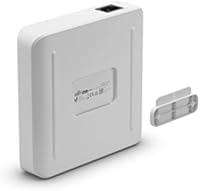
Specifications

  • Model Number: The switch is officially designated USW-Lite-16-PoE, manufactured by Ubiquiti Networks.
  • Total Ports: Sixteen Gigabit Ethernet RJ45 ports are included, all running at up to 1000 Mbps per port.
  • PoE+ Ports: Eight of the sixteen ports support 802.3at PoE+, with automatic power sensing for connected devices.
  • PoE Budget: The total shared PoE power output across all eight active PoE+ ports is capped at 45W.
  • Switching Layer: This is a fully managed Layer 2 switch supporting VLANs, port mirroring, RSTP, IGMP snooping, and traffic monitoring.
  • Data Rate: Each port delivers a maximum data transfer rate of 1000 Mbps, providing full gigabit throughput across all connections.
  • Power Adapter: The switch ships with a 60W external power adapter, which supplies both the switch itself and the 45W PoE budget.
  • Chassis Material: The enclosure is constructed from metal, providing a durable and thermally efficient housing for continuous operation.
  • Dimensions: The unit measures 7.87″ in length, 5.91″ in width, and 5.91″ in height.
  • Weight: The switch weighs approximately 1200g (2.65 lbs), making it suitable for wall mounting without heavy-duty anchoring.
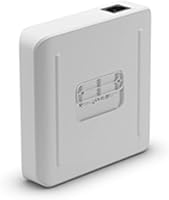
  • Mounting: A wall-mount kit is included in the box, allowing for flush installation in closets, utility spaces, or open office environments.
  • Cooling: The USW-Lite-16-PoE is fanless, relying entirely on passive convection cooling through the metal chassis for silent operation.
  • Management Platform: Configuration and monitoring are handled exclusively through the UniFi Network Controller software or the UniFi mobile app.
  • Interface Type: All data and power delivery is handled over standard RJ45 Ethernet connectors; no SFP uplink ports are included on this model.
  • Standalone Mode: The switch cannot be configured or managed without an active UniFi Controller instance; it does, however, continue forwarding traffic under the last saved configuration if the controller goes offline.
  • Voltage: The switch operates at 28 volts DC, supplied by the included external power adapter.
  • Availability: The USW-Lite-16-PoE has not been discontinued by Ubiquiti Networks and remains actively available as of the latest listing update.
  • Market Rank: This switch holds a Best Sellers Rank of #65 in the Computer Networking Switches category on Amazon, reflecting strong and sustained buyer adoption.

Related Reviews
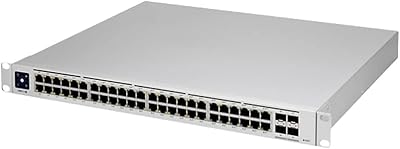
Ubiquiti Networks UniFi USW-Pro-48-POE Gen2 Switch
85%
92%
Performance & Speed
87%
Ease of Setup
90%
PoE+ Power Delivery
88%
Build Quality & Durability
73%
Software & Firmware Experience
More
UbiQuiti USW-LITE-8-POE
84%
88%
Performance
94%
Ease of Setup
89%
PoE Functionality
83%
Build Quality
91%
Energy Efficiency
More
Ubiquiti USW-24-POE Ethernet Switch
85%
91%
Value for Money
88%
Ease of Installation
92%
Build Quality
89%
PoE+ Performance
90%
Fanless Design
More
Ubiquiti USW-Pro-Max-16-PoE (180W)
86%
88%
Performance
92%
Reliability
90%
Installation Ease
93%
Cooling and Noise
75%
PoE Power Output
More
MokerLink POE-F1602G 16-Port PoE Switch
88%
91%
Setup and Installation
93%
Power Output Reliability
88%
Build Quality
87%
Network Stability
90%
Performance for Surveillance Systems
More
Ubiquiti UniFi 6 Lite Access Point U6-Lite-US
83%
88%
Performance
91%
Setup & Installation
84%
Connectivity & Range
80%
Build Quality
85%
Software & App Experience
More
Ubiquiti UniFi Switch Aggregation
85%
91%
Performance & Speed
88%
Ease of Installation
89%
Build Quality & Durability
85%
Network Management Features
83%
Power Efficiency
More
Ubiquiti US-8 Unifi Switch
87%
90%
Performance & Speed
94%
PoE Functionality
86%
Build Quality
88%
Ease of Use
91%
Integration with Unifi System
More
NICGIGA 16-Port PoE+ Switch 250W
87%
88%
Performance & Reliability
90%
Ease of Setup
87%
Power Delivery & Efficiency
85%
Network Stability
92%
Security Features (VLAN & Watchdog)
More
keepLiNK 16-Port Gigabit PoE Switch
85%
88%
Setup & Installation
91%
Value for Money
85%
Performance
89%
Build Quality
92%
Power Distribution
More

FAQ

You will need a UniFi Controller running somewhere on your network before you can configure the Ubiquiti UniFi Switch USW-Lite-16-PoE. That controller can be hosted on a Ubiquiti Cloud Key, a UniFi Dream Machine, or even a free self-hosted instance on a spare PC or Raspberry Pi. The switch ships with the wall-mount kit and power adapter, so the hardware side is complete — it is the controller software that is the additional requirement most buyers do not anticipate.

That depends on which access points you are using. Most standard UniFi access points draw between 9W and 13W each, so with the 45W shared PoE budget you can comfortably power three to four of them with a small margin to spare. If you are mixing in PoE cameras or VoIP phones, add up the wattage carefully — the 45W is a hard ceiling shared across all eight PoE+ ports simultaneously, not a per-port maximum.

Yes, the switch itself does not require other Ubiquiti hardware to function — you just need a UniFi Controller instance, which can run as free software on any computer on your network. That said, the ecosystem genuinely shines when paired with UniFi access points and cameras, since everything manages from a single unified dashboard. Using it purely as a standalone managed switch alongside non-Ubiquiti gear is entirely possible, but you lose some of the cross-device visibility that makes the platform compelling.

Expect a moderate learning curve if this is your first time with the UniFi platform. Installing and running the controller software, adopting the switch into the controller, and then configuring VLANs or PoE settings takes real time and some research on first attempt. The good news is that the community documentation and forums are extensive — most questions first-timers run into have been answered in detail. Once you get through that initial setup, day-to-day management is genuinely straightforward.

No — this UniFi switch is completely fanless, so it produces zero noise during operation. It uses the metal chassis for passive heat dissipation instead. Plenty of buyers have it installed in open office spaces, living rooms, and bedrooms without any issues.

The switch will continue forwarding traffic normally based on its last saved configuration — your devices stay connected and nothing drops. The only thing you lose is the ability to make configuration changes or view real-time port statistics until the controller comes back online. For most home and small office setups, this is an acceptable trade-off.

Yes, the wall-mount kit is included in the box. Reviewers consistently note that the mounting hardware is practical and well-designed — the switch sits flush against the wall and leaves enough clearance for clean cable routing. You will want to plan your cable management separately though, as there is no integrated cable cover or bracket.

Using the built-in PoE+ ports is significantly cleaner than individual injectors. Each port auto-senses the connected device and negotiates power automatically — you do not configure anything. Instead of a separate power brick and injector for each access point or camera, you run a single Ethernet cable from switch to device and everything is handled. The main thing to watch is that shared 45W budget, which injectors obviously do not impose.

No — this is one of the key differences with UniFi hardware. There is no local web-based management interface accessible via the switch's IP address. All configuration happens through the UniFi Controller or the mobile app. If you are accustomed to typing an IP address into a browser and getting a management page, this switch will feel different. It is not better or worse, just a different paradigm — and once the controller is set up, most users find the interface more polished than a typical switch web UI.

The TP-Link TL-SG2016P offers a higher total PoE budget and a traditional browser-based management interface with no additional software required, which makes it a simpler entry point. The Lite-16 PoE switch trades that simplicity for the depth and polish of the UniFi ecosystem — centralized controller management, cross-device monitoring, and tighter integration with UniFi wireless hardware. If you are building a purely UniFi environment, the added setup investment pays off. If you want a capable managed switch with no ecosystem strings attached, the TP-Link is a legitimate alternative worth comparing directly.