Overview

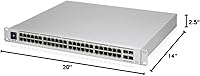
The Ubiquiti UniFi USW-PRO-48-POE Gen2 Network Switch is Ubiquiti's answer to the growing demand for prosumer and SMB-grade managed switching that fits neatly into the broader UniFi ecosystem. The Gen2 revision brought a meaningful upgrade in PoE budget, tighter build tolerances, and improved throughput over its predecessor — not a cosmetic refresh. It slots into a standard 19-inch rack in a 1U rackmount form factor, making it a natural fit for anyone running a proper server cabinet. This is not a device you plug in and forget. It leans heavily on the UniFi Network Controller for configuration and ongoing management, which means you need to be comfortable in that environment before committing.
Features & Benefits

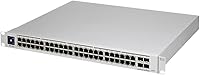
The real backbone of this UniFi Pro switch is its combination of port density and intelligent power delivery. All 48 RJ45 ports support PoE or PoE+, sharing a 600W total power budget — enough for a dense deployment of access points and IP cameras, though you'll want to plan ahead if every port is simultaneously active. Four 10Gbps SFP+ uplinks handle aggregation or fiber backhaul without issue. The switching fabric is non-blocking, so bandwidth contention at the port level is essentially a non-issue. VLANs, link aggregation, RSTP, and IGMP snooping give you real network control, and per-port power monitoring in the UniFi dashboard surfaces data most consumer switches simply don't expose.

Best For

This managed PoE switch hits its stride in environments where UniFi hardware is already the foundation. IT administrators running multi-AP wireless deployments will appreciate having centralized PoE management and per-device power visibility from a single interface. Small and mid-sized businesses consolidating their network stack — wired, wireless, and security cameras — onto a unified platform will find it a natural anchor point. Home lab enthusiasts who want enterprise-grade VLAN segmentation without paying full enterprise prices will also find it compelling. Where it fits less well: pure plug-and-play settings, or shops already standardized on Cisco or Netgear where adding a UniFi controller creates unnecessary complexity.

User Feedback

Among verified buyers, recurring praise centers on long-term reliability and how naturally this switch integrates into an existing UniFi setup. The dashboard experience earns particular attention — people genuinely appreciate having everything under one roof. That said, setup draws consistent criticism from those new to UniFi: the controller dependency can feel like a steep entry fee if you're not already in the ecosystem. A few users mention firmware updates occasionally introducing minor behavioral quirks that needed a patch cycle to resolve. The price point relative to Cisco or Netgear alternatives is a friction point, though most buyers who run the USW-PRO-48-POE Gen2 long-term seem to conclude it was worth the investment.

Pros

  • Deep integration with the UniFi Controller gives IT teams centralized management of the entire network stack from one dashboard.
  • Per-port power monitoring lets administrators catch overloaded devices before they cause downtime.
  • Four 10Gbps SFP+ uplinks handle high-throughput aggregation or fiber backhaul without becoming a bottleneck.
  • Non-blocking switching fabric means all 48 ports can run at full speed simultaneously without internal congestion.
  • Build quality is consistently praised by long-term users; this managed PoE switch holds up well over years of continuous operation.
  • VLAN support, link aggregation, and RSTP give network engineers the segmentation and redundancy tools they actually need.
  • Low-noise operation makes it a viable choice for office environments where acoustic comfort matters.
  • The Gen2 revision delivered a meaningfully higher PoE budget and improved throughput compared to its predecessor.
  • Remote management via the UniFi dashboard reduces the need for on-site intervention during routine configuration changes.

Cons

  • Initial setup is not beginner-friendly; anyone unfamiliar with UniFi software faces a real learning curve before the switch is production-ready.
  • The 600W PoE budget sounds generous until it is spread across 48 simultaneously active PoE+ devices.
  • Firmware updates have occasionally introduced minor behavioral regressions that required waiting on a follow-up patch to resolve.
  • The price premium over comparable Netgear or Cisco managed switches is a genuine friction point for budget-conscious buyers.
  • Without a UniFi controller instance running, advanced features are inaccessible, creating a single point of dependency in the management stack.
  • Organizations outside the UniFi ecosystem will spend more time on integration workarounds than they likely expected.
  • No built-in redundant power supply option, which may be a dealbreaker for environments requiring high availability at the switch level.

Ratings

Our AI scoring model analyzed verified global user reviews for the Ubiquiti UniFi USW-PRO-48-POE Gen2 Network Switch, actively filtering out incentivized, bot-generated, and low-signal feedback to surface what real network administrators and IT professionals actually experience day to day. The scores below reflect both the genuine strengths that keep buyers loyal to this platform and the friction points that come up consistently enough to warrant honest attention. Nothing has been smoothed over — the categories where this switch underdelivers are scored accordingly.

Build Quality
88%
Long-term users consistently describe the chassis as solid and rack-ready, with port labeling that holds up and connectors that seat cleanly after years of use. For a switch that often runs 24/7 in a server closet or equipment room, that physical durability matters more than it gets credit for.
A small number of reviewers noted that the plastic enclosure feels less premium compared to full-metal competitors at similar price points. It is a minor complaint in practice, but buyers coming from Cisco hardware may notice the difference in hand feel during installation.
PoE Performance
82%
18%
In mixed deployments — say, 20 access points, a dozen IP cameras, and a handful of VoIP phones — the 600W budget provides genuine headroom and per-port monitoring through the UniFi dashboard lets administrators catch power anomalies before they cause problems.
When all 48 ports are loaded with power-hungry PoE+ devices simultaneously, the shared 600W ceiling becomes a real constraint. Users who planned deployments without accounting for aggregate draw have run into issues, and the dashboard alerts, while helpful, cannot add watts that are not there.
Ecosystem Integration
93%
For anyone already running UniFi access points and gateways, the way this switch surfaces into the controller dashboard is genuinely impressive — port-level stats, PoE scheduling, VLAN profiles, and firmware management all in one interface. IT teams managing distributed sites especially appreciate the remote visibility.
The tight ecosystem integration is also a dependency: without a running controller instance, advanced configuration is inaccessible. Teams that occasionally take their controller offline for maintenance have found this more disruptive than expected.
Setup & Onboarding
61%
39%
For administrators already familiar with the UniFi platform, adoption is fast. The controller interface is well-documented, community forums are active, and pushing a configuration to a new switch typically takes less time than comparable Cisco provisioning workflows.
For buyers new to UniFi, the initial learning curve is steep enough that several reviewers specifically warned others to budget time for it. The switch does not function as a plug-and-play device, and first-timers who expected an easier entry point have expressed frustration in their feedback.
Throughput & Switching
91%
The non-blocking switching fabric means every port can operate at its rated speed simultaneously, which matters in environments where multiple high-bandwidth streams — NAS transfers, video surveillance feeds, VoIP — are running in parallel without contention.
While raw throughput is excellent, a few users in very high-density environments noted that sustained full-line-rate traffic across all 48 ports with active PoE can push thermal limits slightly. It is a niche scenario, but worth noting for edge-case deployments.
Value for Money
67%
33%
For organizations already invested in the UniFi ecosystem, the cost per port is genuinely competitive when you factor in the management software being free, the 10Gbps uplinks being included, and the absence of recurring licensing fees that competitors like Cisco often charge.
Buyers comparing sticker prices against Netgear's M4300 series or entry-level Cisco Catalyst switches have flagged the price premium as hard to justify without ecosystem context. For teams building from scratch with no existing UniFi investment, the value equation is less clear-cut.
Firmware Stability
71%
29%
The firmware update cadence is reasonably active, with Ubiquiti pushing fixes and feature additions on a regular basis. Most users report stable operation between updates, and the controller makes it easy to schedule updates during low-traffic windows.
A recurring theme in user feedback is that certain firmware releases have introduced minor behavioral regressions — link negotiation quirks, dashboard display bugs — that take one or two patch cycles to resolve. Production environments have learned to wait a week before applying new firmware.
Port Density
94%
48 managed PoE ports in 1U is an objectively strong density for the form factor, and users scaling out wireless networks or surveillance systems have consistently praised not needing multiple smaller switches to achieve the same coverage.
There is no real downside to port count here — the only adjacent concern is the PoE budget already covered separately. In terms of physical port availability, this switch meets the needs of the environments it is designed for.
Uplink Capacity
89%
Having four 10Gbps SFP+ uplinks rather than the 1Gbps uplinks common on cheaper switches gives this UniFi Pro switch genuine backbone potential. Users running it as a distribution layer feeding into a core router or aggregation switch have found the uplinks more than adequate.
Four uplinks is generous, but some reviewers building very high-density aggregation topologies wished for more. It is a minor limitation in extreme scenarios, and most SMB deployments will never saturate all four simultaneously.
Noise & Thermals
78%
22%
Under typical mixed loads, the USW-PRO-48-POE Gen2 is quiet enough for a shared office equipment room without drawing complaints. The thermal management is generally well-tuned for the workloads this switch is intended to handle.
Under sustained heavy PoE load, the internal fans ramp up noticeably. It is not loud by data center standards, but users who installed it in open-plan offices or near workspaces have occasionally found the fan noise more intrusive than expected during peak hours.
Remote Management
87%
The ability to push config changes, reboot ports, and monitor traffic from anywhere through the UniFi dashboard has been called out repeatedly by IT administrators managing multiple sites. It reduces on-site visits for routine tasks significantly.
Remote management is entirely contingent on the controller being reachable. Organizations relying on a locally hosted controller without a backup access path have found themselves locked out of remote management during controller host outages.
VLAN & Segmentation
86%
VLAN configuration through the UniFi Controller is more accessible than traditional CLI-based managed switches, which has opened up proper network segmentation to administrators who previously avoided it. Guest network isolation, IoT separation, and camera VLANs are all common use cases reported by buyers.
Users coming from CLI-heavy environments like Cisco IOS occasionally find the UniFi GUI abstracts away too much, making it harder to implement non-standard configurations that fall outside Ubiquiti's defined workflows.
Long-Term Reliability
85%
Multiple reviewers with multi-year deployments report no hardware failures, with uptime counters running into the hundreds of days without issue. For a switch sitting at the core of a business network, that kind of sustained reliability is exactly what the price point needs to justify.
The sample size of long-term reviews is still relatively limited given the Gen2 model's availability window. A handful of users have noted early unit failures that required RMA, though these appear to be outlier cases rather than a systemic issue.

Suitable for:

The Ubiquiti UniFi USW-PRO-48-POE Gen2 Network Switch is purpose-built for IT administrators and network engineers who are already operating within the UniFi ecosystem and need a high-density, centrally managed PoE switch at the core or distribution layer. Small and mid-sized businesses that are consolidating IP cameras, VoIP phones, and wireless access points onto a single managed switch will find the combination of 48 PoE ports and 10Gbps uplinks genuinely practical rather than overkill. Organizations that need per-port power visibility and granular VLAN segmentation without jumping to full enterprise-tier hardware will also find this a well-positioned option. Home lab operators who want real network control — link aggregation, IGMP snooping, RSTP — and are comfortable standing up a UniFi controller will get a lot of value here. If your infrastructure is already UniFi-based and you are scaling out, this switch slots in with minimal friction.
Not suitable for:

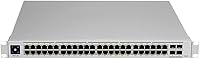
Buyers who expect to unbox a switch, plug it in, and have it work without any software configuration should look elsewhere — the Ubiquiti UniFi USW-PRO-48-POE Gen2 Network Switch is fundamentally dependent on the UniFi Network Controller, and that dependency is not optional. If your team has no prior exposure to the UniFi platform, budget time for onboarding; the learning curve is real and not trivial for someone accustomed to simpler unmanaged or web-GUI switches. Organizations already standardized on Cisco or Netgear ecosystems will face integration friction rather than simplification, making the switch harder to justify on a cost-benefit basis. The 600W PoE budget, while substantial, is shared across all active ports, so environments where all 48 ports run power-hungry PoE+ devices simultaneously may find themselves budget-constrained. Buyers with limited rack space or no rack at all will also find the 1U form factor less convenient than a desktop-friendly alternative.

Specifications

  • Port Count: The switch includes 48 RJ45 ports, all of which support PoE and PoE+ power delivery to connected devices.
  • PoE Budget: The total PoE power budget is 600W, shared dynamically across all active PoE and PoE+ ports.
  • Uplink Ports: Four 10Gbps SFP+ ports are included for fiber, DAC cable, or high-speed aggregation uplinks.
  • Data Rate: All ports support up to 10,000 Mbps (10Gbps) data transfer rates with non-blocking switching capacity.
  • Switching Type: The switching fabric is non-blocking, allowing all 48 ports to operate at full wire speed simultaneously without internal congestion.
  • Layer Support: The switch operates at Layer 2 with partial Layer 3 support, including VLANs, link aggregation, RSTP, and IGMP snooping.
  • Management: Network configuration and monitoring are handled through the UniFi Network Controller software, available as a self-hosted or cloud-based instance.
  • Dimensions: The unit measures 20″L x 14″W x 2.5″H and occupies a single 1U slot in a standard 19-inch rack.
  • Weight: The switch weighs approximately 907 grams, making it relatively lightweight for a 48-port managed rackmount unit.
  • Max Power Draw: Maximum power consumption is rated at 600W, which represents the combined ceiling for both switch operation and PoE delivery.
  • Operating Temp: The switch is rated to operate reliably in ambient temperatures up to 40°C (104°F).
  • Interface Types: Supported interface types include PoE, PoE+, and SFP across the RJ45 and uplink port sets respectively.
  • Form Factor: The USW-PRO-48-POE Gen2 ships in a 1U rackmount chassis designed for standard 19-inch equipment racks.
  • Case Material: The enclosure is constructed from plastic with a rigid chassis suited for permanent rack installation.
  • Manufacturer: This switch is designed and manufactured by Ubiquiti, under the UniFi product line.
  • Model Series: The unit belongs to the USW-Pro-48-POE Gen2 series, representing the second-generation revision of the Pro 48-port PoE platform.
  • Voltage Input: The switch is rated for 220V input voltage as specified in the manufacturer product data.
  • Noise Level: The switch operates at low noise levels suitable for office environments, with internal fans designed to minimize acoustic output under typical loads.

Related Reviews
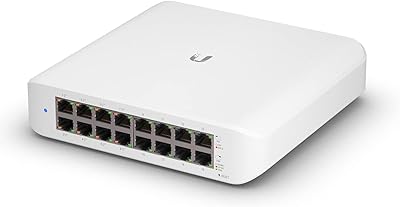
Ubiquiti UniFi Switch USW-Lite-16-PoE
77%
94%
Ecosystem Integration
68%
PoE Power Delivery
88%
Management Software & App
62%
Setup & Initial Configuration
91%
Build Quality & Durability
More
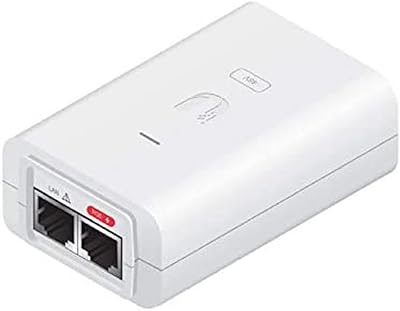
Ubiquiti POE-48-24W-WH PoE Injector
77%
93%
Plug-and-Play Setup
91%
Ecosystem Compatibility
89%
Long-Term Reliability
86%
Value for Money
71%
Build Quality
More
Ubiquiti USW-24-POE 24-Port PoE Ethernet Switch

83%
91%
UniFi Controller Integration
83%
PoE Delivery
88%
Build Quality
93%
Fanless Operation
76%
Value for Money
More
Ubiquiti UniFi US-48-500W Managed PoE Switch

82%
94%
Network Performance
81%
PoE Reliability
88%
Software & Management
74%
Value for Money
62%
Ease of Setup
More
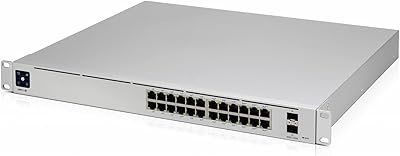
Ubiquiti USW-Pro-Max-16-PoE 180W Network Switch
84%
93%
Build Quality
97%
Fanless Silent Operation
88%
PoE Port Flexibility
91%
UniFi Ecosystem Integration
84%
Layer 3 Feature Depth
More
Ubiquiti UniFi UAP-AC-PRO Access Point

80%
94%
Network Stability & Uptime
89%
Wi-Fi Signal Range & Penetration
58%
Setup & Initial Configuration
81%
Value for Money
86%
Multi-Device Performance
More
Ubiquiti UniFi Dream Machine Pro Security Gateway
79%
93%
Reliability & Uptime
89%
Management Interface (UniFi App)
54%
Setup & Initial Configuration
91%
Throughput & Network Performance
88%
WAN Redundancy & Failover
More
Ubiquiti USW-Pro-24 Layer 3 Network Switch
75%
91%
Build Quality
89%
UniFi Ecosystem Integration
86%
Layer 3 Feature Set
88%
Value for Money
58%
Setup & Initial Configuration
More
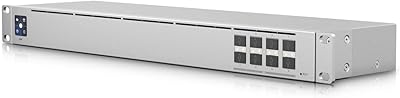
Ubiquiti UniFi USW-Aggregation 8-Port SFP Switch
79%
91%
Build Quality
94%
UniFi Ecosystem Integration
89%
10G Port Performance
63%
Transceiver Compatibility
74%
Value for Money
More
Ubiquiti UniFi US-8 8-Port Network Switch
82%
96%
Ecosystem Integration
88%
Network Performance
61%
Ease of Setup
67%
Build Quality
74%
Value for Money
More

FAQ

Technically the switch will pass traffic without a controller, but you will lose access to virtually all the features that make it worth buying — VLANs, port profiles, traffic monitoring, PoE scheduling, and more. For anything beyond basic layer-2 switching, yes, you need a controller instance running somewhere, whether that is on a local server, a Raspberry Pi, or a cloud-hosted UniFi account.

That depends entirely on what you are powering. The total PoE budget is 600W shared across all active ports, so if you are running 48 devices that each draw 15W, you are at the ceiling. In practice, a mix of access points, IP cameras, and VoIP phones will draw far less than that, and most deployments run well within budget. Just plan your power draw before you commit all 48 ports.

Yes. The RJ45 and SFP+ ports are standard, so non-UniFi switches, servers, NAS devices, and endpoints all connect and communicate normally. The UniFi ecosystem integration only affects management features — non-UniFi devices simply will not appear in the UniFi dashboard with the same level of detail as native hardware.

The switch retains its last pushed configuration if the controller goes offline, so traffic and VLANs will continue functioning. However, you will lose the ability to make changes, monitor port stats, or respond to alerts until the controller is back up. For a production environment, a persistently running controller is strongly recommended.

The Gen2 revision brought a higher total PoE budget, improved build quality, and better throughput performance compared to the first-generation model. If you are evaluating used or refurbished units, it is worth confirming which generation you are purchasing, as the PoE headroom difference can matter in dense deployments.

No. Unlike some competitors such as Cisco who charge for software feature licenses, Ubiquiti does not require ongoing subscription fees to access the switch's full feature set through the UniFi Controller. The controller software itself is free to download and self-host.

Under normal loads it is relatively quiet — Ubiquiti designed it with office environments in mind. Under heavy sustained load the fans will spin up, but most users report it is not disruptive in a standard server closet or small office rack.

The USW-PRO-48-POE Gen2 does not support hardware stacking in the traditional sense, but within the UniFi Controller you can manage any number of UniFi switches from a single interface, apply bulk configurations, and monitor all of them in one place. It functions well as part of a multi-switch deployment even without physical stacking.

The four 10Gbps SFP+ ports are compatible with standard SFP+ transceivers including single-mode and multi-mode fiber modules, as well as DAC direct-attach copper cables. Ubiquiti sells their own branded modules, but third-party SFP+ modules from reputable vendors generally work fine.

Honestly, probably not the best starting point. This managed PoE switch rewards buyers who already have some familiarity with VLANs, IP addressing, and the UniFi platform. If you are new to managed networking, consider starting with a smaller UniFi switch to get comfortable with the controller before committing to a 48-port deployment at this scale.