
Overview

The Ubiquiti UniFi US-8 8-Port Network Switch is a compact managed switch built specifically for Ubiquiti's UniFi ecosystem — and that distinction matters more than anything else on the spec sheet. Since its debut in December 2016, this managed switch has held a consistent spot near the top of its category, which speaks to real staying power in a competitive market. It targets a specific buyer: home lab builders, small-office IT admins, and anyone already running UniFi hardware who needs centralized switching without enterprise costs. Be clear-eyed going in, though — controller-dependent setup means this is not a plug-and-play device for networking newcomers.

Features & Benefits

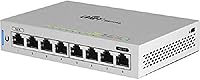
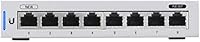
The US-8 packs eight Gigabit RJ45 ports into a fanless, palm-sized chassis — quiet enough for a home office shelf or a networking closet without ventilation concerns. Total switching throughput hits 26 Gbps, which is more than adequate for running multiple HD video streams, VoIP lines, and active access points simultaneously without any perceivable slowdown. The real draw is how cleanly it integrates with the UniFi Network Controller: you get per-port traffic stats, VLAN configuration, and live bandwidth monitoring from a single dashboard. The 48V PoE passthrough means you can power a UniFi access point directly from the switch, eliminating the need for a separate power adapter.

Best For

This UniFi switch makes the most sense if you are already invested in the UniFi ecosystem — think a Dream Machine or UniFi Security Gateway at the edge, with access points throughout the space. It is a strong fit for small business IT setups that need port-level control and traffic visibility without spending heavily on enterprise hardware. Home lab users who enjoy tinkering with VLANs and network segmentation will find it especially rewarding. That said, if you are new to managed networking and do not have a controller instance ready to run — whether on a Cloud Key, a Raspberry Pi, or a local server — this managed switch will feel unnecessarily complex out of the box.

User Feedback

Long-term owners tend to stick with the US-8 for years — and that loyalty says more than any benchmark. Reviewers frequently highlight reliable firmware updates and ongoing software support as key reasons they keep recommending it within the UniFi community. On the flip side, newer buyers sometimes get caught off-guard by the setup process: you need a running UniFi controller before the switch does much of anything, and that dependency is not always obvious at purchase. A handful of reviewers also note the plastic chassis feels light given the price — functional, but not confidence-inspiring to hold. Overall, the 4.6-star rating reflects a switch that consistently delivers for its audience when used as intended.

Pros

  • Tight UniFi ecosystem integration makes centralized switch management genuinely practical, not just theoretical.
  • Built-in PoE passthrough powers UniFi access points directly, removing the need for separate power injectors.
  • Fanless design runs completely silently — ideal for home offices, living rooms, or quiet server closets.
  • 26 Gbps switching capacity handles simultaneous 4K streams, VoIP calls, and active APs without congestion.
  • VLAN support allows meaningful network segmentation, keeping IoT devices isolated from sensitive traffic.
  • The UniFi dashboard provides real-time per-port traffic statistics that are genuinely useful for diagnosing issues.
  • Firmware has remained stable and actively maintained for years — rare for hardware in this price range.
  • Compact footprint fits easily on a shelf, in a rack, or tucked into a networking closet without dedicated mounting.
  • Strong long-term user satisfaction reflected in a 4.6-star rating across hundreds of real-world reviewments.
  • Works reliably in environments up to 40°C, giving some flexibility in warmer install locations.

Cons

  • Requires a separate UniFi controller instance to access management features — this is a real setup barrier for newcomers.
  • No self-hosted web GUI means the switch is largely unmanageable if your controller goes offline.
  • Plastic chassis feels noticeably light and inexpensive given the asking price compared to metal-bodied competitors.
  • Only eight ports — growing networks will need additional hardware sooner than they might expect.
  • Initial configuration has a steeper learning curve than typical plug-and-play consumer switches.
  • PoE passthrough budget is limited, so powering multiple high-draw devices simultaneously may not be feasible.
  • No built-in SFP uplink port limits high-speed backbone connectivity options as your network scales.
  • Controller software dependency creates a single point of failure that purely hardware-managed switches avoid.

Ratings

The scores below for the Ubiquiti UniFi US-8 8-Port Network Switch were generated by our AI rating engine after analyzing verified purchase reviews from buyers worldwide, with spam, bot activity, and incentivized feedback actively filtered out. Each category reflects what real users consistently reported — both the strengths that keep this managed switch near the top of its category and the friction points that affect specific types of buyers. Nothing has been smoothed over to make the picture look rosier than it is.

Ecosystem Integration
96%
Among UniFi users, the level of ecosystem cohesion this switch delivers is consistently described as one of its defining qualities. It adopts into the UniFi Controller within minutes, appears in the same dashboard as gateways and access points, and behaves exactly as expected when policies or VLANs are pushed from the controller.
That deep integration is entirely exclusive to the Ubiquiti ecosystem — outside of it, the switch loses nearly all of its management advantages. Buyers who later switch network platforms have reported that migrating away from UniFi is more disruptive than they anticipated.
Network Performance
88%
Users running demanding home lab setups — multiple 4K streams, active NAS transfers, and several access points simultaneously — report zero congestion or slowdown in everyday use. The 26 Gbps switching capacity provides enough headroom that throughput is rarely a bottleneck in the environments this switch is designed for.
Performance feedback is almost entirely positive, but a small number of users in denser deployments note that the lack of an SFP uplink becomes a real constraint when trying to build high-speed backbone connections between switches. For most home and small office use, this is not an issue.
Ease of Setup
61%
39%
For buyers who already have a UniFi controller running — whether on a Dream Machine or a self-hosted server — adding the US-8 to an existing network is genuinely quick and low-effort. The controller auto-discovers the switch, and most basic configurations can be applied in under ten minutes.
First-time UniFi buyers consistently flag the controller dependency as a surprise that adds significant setup time and complexity. Reviewers without prior networking experience describe the process as frustrating, particularly when they discover that the controller software needs to be set up separately before the switch can be meaningfully configured.
Build Quality
67%
33%
The compact plastic chassis is reported as perfectly adequate for shelf, closet, or rack-adjacent installations where the switch is never handled after initial setup. Long-term owners note that units purchased in 2017 and 2018 are still running without any physical degradation.
Holding the US-8 in your hands, the plastic body feels noticeably lightweight relative to its price point — a frequent observation from reviewers comparing it to metal-chassis competitors. For buyers accustomed to enterprise hardware, the tactile experience can feel underwhelming and raise initial doubts about longevity.
Value for Money
74%
26%
Within the UniFi ecosystem, the US-8 is consistently regarded as a fair trade for what you get: centralized management, VLAN support, PoE passthrough, and long-term firmware support bundled into a compact package. Long-term owners particularly note that sustained software updates have extended the useful life well beyond the initial purchase.
Outside the UniFi ecosystem, the price-to-value equation weakens considerably — competitors offer more ports or metal construction at similar price points. Buyers who end up underusing the management features because they skipped the controller setup often feel they overpaid for a switch they are using as a basic unmanaged device.
PoE Delivery
82%
18%
For users powering one or two UniFi access points — the most common use case — the 48V passive PoE works reliably and eliminates the need for power injectors entirely. IT professionals deploying UAP-AC-Lite or UAP-AC-Pro units at remote locations specifically call out PoE passthrough as a setup time-saver.
The passive PoE implementation is incompatible with devices that require 802.3af or 802.3at active PoE standards, which limits flexibility when mixing hardware from different vendors. Users trying to power IP cameras or VoIP phones from non-Ubiquiti brands have reported compatibility issues that required additional adapters.
Software & Firmware
91%
Firmware reliability is one of the most frequently praised aspects of the US-8 among long-term owners, with multiple reviewers noting they have run through years of updates without a single bricking incident or forced rollback. The UniFi Controller interface itself has matured significantly since 2016 and now presents a clean, well-organized management experience.
A small number of users report that major UniFi Controller version upgrades occasionally require manual re-adoption of the switch, which can be disruptive in production environments. The controller software has also grown more resource-intensive over time, which can strain older or lower-powered hosting hardware.
Noise Level
97%
Fanless passive cooling means this switch produces absolutely no audible sound under any load, which buyers in living room AV setups and open-plan home offices specifically highlight as a meaningful quality-of-life advantage. Several reviewers noted they placed the US-8 in bedroom networking closets specifically because of its silence.
There are essentially no noise-related complaints in the user feedback pool, making this one of the clearest strengths of the US-8. The only adjacent concern raised by a handful of users is that fanless cooling in very warm environments warrants attention to airflow around the unit.
Port Count & Density
69%
31%
For a home network or small office with a modest number of wired endpoints, eight Gigabit ports is genuinely sufficient — especially when one or two ports are serving access points via PoE rather than workstations. The port density is appropriate for the switch's intended entry-level managed positioning.
Users who purchase the US-8 as their first managed switch frequently report outgrowing it faster than expected as they add IP cameras, smart home devices, or additional workstations. Expanding requires purchasing another UniFi switch, and that added cost is something several reviewers felt should have been communicated more clearly at the point of sale.
Physical Footprint
89%
The compact form factor earns consistent praise from users who needed to fit networking hardware into tight spaces — behind AV equipment, on a small utility shelf, or inside a shallow wall cabinet. At 15.2 oz, it is light enough to mount or reposition without tools or assistance.
The lack of a standard rack-mount form factor means users who want to integrate it into a 1U rack enclosure need a third-party bracket or adapter. A few reviewers in more formal networking setups found this added minor friction to an otherwise clean installation.
Remote Management
78%
22%
When the UniFi Controller is accessible remotely — via Ubiquiti's cloud portal or a site-to-site VPN — users report a fully functional remote management experience with no meaningful feature degradation compared to local access. IT professionals managing multi-site deployments find this particularly useful.
Remote management is entirely dependent on the controller's availability, so if the controller host goes down, remote visibility is lost until it recovers. Users hosting their controller on low-reliability hardware have reported brief but disruptive blind spots during maintenance windows.
VLAN & Segmentation
86%
Home lab users building segmented networks for IoT isolation, guest access, and secure workstation traffic cite VLAN support as one of the primary reasons they chose this switch over an unmanaged alternative. The configuration process inside the UniFi Controller is more intuitive than equivalent setups on competing prosumer hardware.
VLAN configuration, while accessible, assumes a reasonable baseline of networking knowledge — users unfamiliar with tagging concepts have reported confusion during setup. There is no simplified VLAN wizard, which means beginners often need to consult community documentation before getting their first VLAN working correctly.
Long-Term Reliability
93%
The US-8 has an unusually strong track record for hardware longevity — a meaningful number of reviewers are still running units purchased in 2016 and 2017 without hardware failures. Continuous firmware support over nearly a decade of availability reinforces confidence in the hardware's staying power.
A small subset of users have reported port-level failures after extended use in warm environments, though these cases appear infrequent relative to the overall install base. The plastic chassis, while durable in practice, does raise occasional long-term durability questions among buyers who compare it to metal-body alternatives.

Suitable for:

The Ubiquiti UniFi US-8 8-Port Network Switch is purpose-built for buyers who are already operating within — or actively building — a Ubiquiti UniFi network environment. If you have a UniFi Dream Machine, Security Gateway, or Cloud Key running as your controller, this switch slots in effortlessly and extends your centralized management to the access layer. Home lab enthusiasts who enjoy configuring VLANs, monitoring per-port traffic, and segmenting IoT devices from their main network will find the US-8 genuinely rewarding to work with. Small offices and retail locations that need reliable, manageable switching without the cost or complexity of enterprise-grade hardware are also a natural fit. IT professionals deploying UniFi access points across a site will appreciate the built-in PoE passthrough, which cuts down on cabling and eliminates the need for separate power injectors at every AP location.

Not suitable for:

The Ubiquiti UniFi US-8 8-Port Network Switch is a poor choice for anyone who wants a switch they can simply unbox, plug in, and forget about. The device requires a UniFi controller — a separate software instance running on a Cloud Key, local server, or Raspberry Pi — to unlock its full management capabilities, and that dependency catches many first-time buyers off guard. If you have no intention of running controller software, you are effectively paying a premium for features you cannot access. Buyers on a strict budget who need more than eight ports should also look elsewhere, since scaling with additional UniFi switches does add up. Anyone shopping for a standalone, browser-managed switch without committing to a broader ecosystem would be better served by alternatives from brands like Netgear or TP-Link that offer self-contained management interfaces out of the box.

Specifications

  • Ports: The switch includes 8 x Gigabit RJ45 ports, each capable of handling standard wired Ethernet connections at up to 1 Gbps per port.
  • Switching Capacity: Total non-blocking switching throughput is 26 Gbps, providing ample headroom for simultaneous high-bandwidth traffic across all ports.
  • PoE Support: The US-8 provides 48V passive PoE passthrough on designated ports, enabling direct power delivery to compatible UniFi access points and cameras.
  • Cooling System: Passive fanless cooling is used throughout, meaning the unit operates in complete silence with no moving parts to wear out over time.
  • Max Temperature: The switch is rated for operation in environments up to 40°C, making it suitable for networking closets and small office deployments without dedicated cooling.
  • Chassis Material: The outer housing is constructed from plastic, keeping the unit lightweight at 15.2 oz while maintaining a compact, shelf-friendly form factor.
  • Management: Full switch management requires a UniFi Network Controller instance, which can be hosted on a Cloud Key, Dream Machine, local server, or Raspberry Pi.
  • VLAN Support: The US-8 supports 802.1Q VLAN tagging, allowing network administrators to segment traffic across multiple logical networks on a single physical switch.
  • Traffic Monitoring: Real-time per-port traffic statistics and bandwidth usage data are available through the UniFi Controller dashboard at no additional software cost.
  • Voltage Input: The switch operates at 48V and is powered via its included power adapter, with no support for standard 802.3af or 802.3at PoE input from upstream switches.
  • Unit Weight: The US-8 weighs 15.2 oz, making it easy to reposition, shelf-mount, or install in tight spaces without additional hardware.
  • Manufacturer: Ubiquiti Networks designs and manufactures the US-8 as part of its UniFi managed switching product line.
  • Series: This switch belongs to the UniFi US-8 series, positioned as an entry-level managed switch within Ubiquiti's broader UniFi ecosystem.
  • Release Date: The US-8 was first made available in December 2016 and has remained in active production and software support since then.
  • Compatibility: The switch is compatible with all UniFi Controller software versions that support the US-8 series, including both self-hosted and cloud-managed deployments.
  • Sales Rank: As of available data, the US-8 holds a ranking of #912 in the Computer Networking Switches category on Amazon, reflecting consistent long-term demand.
  • User Rating: The switch carries an average rating of 4.6 out of 5 stars based on 615 verified ratings, indicating strong and sustained buyer satisfaction.
  • Interface Type: The primary network interface type is PoE, used for both data transmission and passive power delivery to connected compatible devices.

Related Reviews

Ubiquiti UniFi Express WiFi 6 Cloud Gateway
71%
78%
Ease of Setup
74%
WiFi Performance
83%
Build Quality & Design
81%
Value for Money
71%
Software & App Experience
More
Ubiquiti UniFi US-48-500W Managed PoE Switch
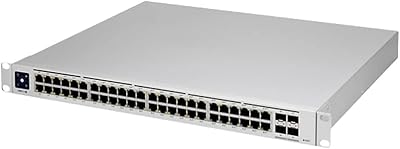
82%
94%
Network Performance
81%
PoE Reliability
88%
Software & Management
74%
Value for Money
62%
Ease of Setup
More
HPE Instant On 1930 8-Port PoE Switch
83%
91%
Ease of Setup
83%
Management App Quality
74%
PoE Performance
88%
Build Quality
72%
Value for Money
More
Ubiquiti Networks UniFi USW-Pro-48-POE Gen2 Switch
85%
92%
Performance & Speed
87%
Ease of Setup
90%
PoE+ Power Delivery
88%
Build Quality & Durability
73%
Software & Firmware Experience
More
HPE Instant On 1430 8G Unmanaged Switch
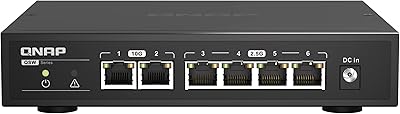
83%
96%
Ease of Setup
93%
Reliability & Uptime
97%
Noise & Acoustic Performance
88%
Port Performance & Speed
84%
Value for Money
More
QNAP QSW-2104-2T Unmanaged Network Switch
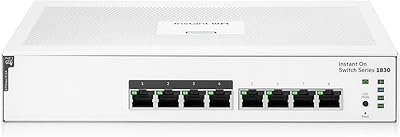
84%
96%
Ease of Setup
88%
Port Configuration & Versatility
97%
Noise Level
63%
Thermal Performance
84%
Build Quality
More
HPE Instant On 1830 8-Port PoE Switch
82%
91%
Ease of Setup
74%
PoE Performance
88%
Build Quality
77%
Management Software
83%
Value for Money
More
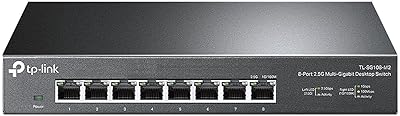
TP-Link TL-SG108-M2 8-Port 2.5G Unmanaged Switch
81%
93%
Network Performance
97%
Ease of Setup
89%
Build Quality
74%
Thermal Management
81%
Value for Money
More
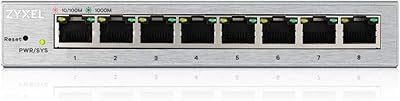
Zyxel GS1200-8 8-Port Gigabit Managed Switch
82%
88%
Ease of Setup
83%
Web Interface Usability
79%
Build Quality
97%
Noise Level
81%
VLAN Performance
More
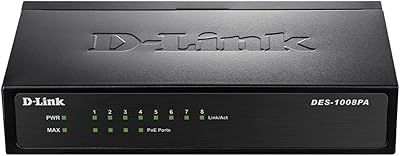
D-Link DES-1008PA 8-Port PoE Fast Ethernet Switch
82%
94%
Ease of Setup
88%
PoE Port Reliability
91%
Build Quality & Durability
58%
Network Speed & Throughput
97%
Noise Level
More

FAQ

You do need a UniFi Controller to access the management features — without one, the switch will pass traffic but you cannot configure VLANs, monitor ports, or adjust settings. The controller is free software you can run on a spare PC, a Raspberry Pi, a Ubiquiti Cloud Key, or a Dream Machine. It is not a subscription service, but it is a real setup requirement you should plan for before purchasing.

Yes, that is one of its most practical features. The switch supports 48V passive PoE passthrough, which means it can deliver power to compatible UniFi access points like the UAP-AC-Lite or UAP-AC-Pro without needing a separate power injector. Just confirm your access point supports passive PoE at 48V, as some devices require 802.3af or 802.3at PoE instead.

It depends on your setup. For a home network with a few wired devices, a NAS, and one or two access points, eight ports is usually plenty. If you are wiring up a small office with many workstations, printers, and IP cameras, you may hit the limit sooner than expected. The good news is that UniFi switches stack and integrate cleanly, so adding another switch later is straightforward.

Completely silent. The US-8 uses passive fanless cooling with no moving parts, so there is zero noise at any load level. This makes it a good choice for living room AV setups, home offices, or anywhere fan noise would be disruptive.

Yes, if your UniFi Controller is accessible remotely — either through Ubiquiti's cloud portal or via a VPN into your network — you can view and adjust the switch settings from anywhere. Without remote controller access, you cannot manage the switch from outside your local network.

For basic switching, yes — any standard Ethernet device will connect and pass traffic normally. However, the advanced management features like per-port statistics, VLAN tagging, and PoE control are only meaningful within a UniFi controller environment. If you want to use it purely as a dumb switch alongside non-Ubiquiti gear, it will work but you will be paying for capabilities you cannot fully use.

It is more involved than a typical consumer switch. You need to install and configure the UniFi Controller first, then adopt the switch through the software before you can do anything meaningful with it. Ubiquiti's documentation is solid and the community forums are active and helpful, but expect to spend an hour or two on first-time setup if you are new to the ecosystem.

In practice, most users report no issues with build quality over years of continuous use. The chassis is lightweight and does not feel particularly rugged in your hands, but for a switch that sits on a shelf or in a closet and never gets touched, it holds up well. If physical durability is a top concern for a harsh environment, a metal-chassis switch might give you more peace of mind.

Existing traffic continues to flow normally — the switch keeps operating based on its last saved configuration. You just lose the ability to make changes or view live statistics until the controller comes back online. It is worth noting that for most home and small office setups, the controller going down briefly has no impact on day-to-day connectivity.

Ubiquiti has continued pushing firmware updates to the US-8 line since its 2016 launch, and long-term owners frequently cite this ongoing support as one of the main reasons they recommend it. Ubiquiti tends to maintain support for its UniFi hardware well beyond what many competitors offer at a similar price point, though there are no formal guarantees on future update timelines.

Where to Buy