Overview

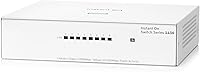
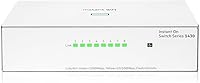
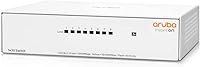
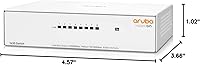
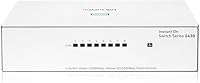
The HPE Instant On 1430 8G Unmanaged Switch is what happens when an enterprise networking company decides to build something genuinely simple for small offices and home setups. Aruba and HPE carry decades of credibility in corporate infrastructure, and that pedigree shows in the build quality and reliability you get here. There's no web interface, no VLAN configuration, no login page — you plug it in and it works. For anyone tired of wrestling with consumer-grade hardware or running out of router ports, that simplicity is exactly the point. The fan-less silent design also makes it a natural fit for desk environments where noise matters.
Features & Benefits

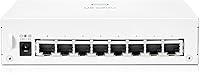
Eight gigabit RJ45 ports handle everything from desktop workstations to NAS drives and network printers without breaking a sweat. The passive cooling system means there are no fans to spin up, generate noise, or eventually fail — a real advantage if you're placing this under a desk or on a shelf in a quiet room. Mounting flexibility is surprisingly thoughtful: wall brackets are included and support ports facing up or down, and there are holes for under-table installation too. The unit draws power from an external 12V DC adapter, keeping the chassis compact. Perhaps the most underrated detail is the limited lifetime warranty — something you simply don't get from most budget networking brands.

Best For

This unmanaged switch is a strong pick for home office workers who've maxed out their router's built-in ports and want a clean, reliable wired solution without any setup headaches. Small business owners connecting a few computers, a shared printer, and maybe a NAS box will find it plenty capable. Home lab enthusiasts who want a reputable enterprise brand without paying enterprise prices will appreciate the value here. It's also worth considering for noise-sensitive spaces — a recording room, a bedroom workstation, or a library corner where a buzzing fan would be distracting. Just be clear on one thing: if you need VLANs, port management, or a web dashboard, this isn't that switch.

User Feedback

Buyers consistently point to easy setup as the main reason they're satisfied — most describe plugging it in and having everything work instantly, which is the whole promise. Build quality gets mixed mentions; some find it feels solid for the price, while others wish the casing felt less plasticky. The external power brick draws occasional grumbles, particularly from users with tight desk setups or limited outlet space. Heat management appears to be a non-issue in practice — no one seems to report warmth problems despite the fan-less design. Against brands like TP-Link or Netgear, the Instant On 1430 8G earns points for brand reliability and the lifetime warranty, even when competitors offer comparable port counts for less.

Pros

  • Plug-and-play setup means anyone can have it running in under a minute, no manual needed.
  • All eight ports deliver full gigabit speeds, so there are no slow-lane ports hiding in the lineup.
  • Completely silent operation makes it ideal for desks, bedrooms, and any space where fan noise is unwelcome.
  • Flexible mounting options — wall, table-top, and under-desk — give you real choices for cable management.
  • The limited lifetime warranty is a genuine standout at this price tier and beats most competing brands.
  • Aruba and HPE enterprise heritage means the firmware and hardware have been stress-tested far beyond what home use demands.
  • Energy-efficient Ethernet automatically reduces power draw on idle ports without any manual configuration.
  • The external 12V DC adapter uses a standard connector, making it straightforward to replace if ever needed.
  • Compact dimensions mean it takes up very little real estate on a desk or shelf.

Cons

  • No management interface whatsoever — you cannot monitor traffic, set port priorities, or configure anything.
  • The external power brick can feel like clutter, especially on a tidy desk with limited outlet space.
  • Plastic casing feels functional rather than premium, which may disappoint buyers used to metal-bodied hardware.
  • Eight ports fills up faster than expected once you count a desktop, NAS, printer, smart TV, and console.
  • No rack-mount option makes it unsuitable for anyone planning a proper patch-panel or server-room setup.
  • No PoE support on this model, so IP cameras, VoIP phones, and wireless access points will still need separate power.
  • Wall-mount brackets are included but the installation process requires a bit of patience to get ports oriented correctly.
  • Buyers coming from managed switches may find the total lack of diagnostics frustrating when troubleshooting connectivity issues.

Ratings

The HPE Instant On 1430 8G Unmanaged Switch was evaluated by our AI system after processing verified buyer reviews from global marketplaces, with spam, incentivized submissions, and bot-generated feedback actively filtered out. Scores reflect the genuine consensus of real-world users — from home office workers and small business owners to home lab enthusiasts — and transparently capture both the standout strengths and the honest frustrations that surface repeatedly across buyer experiences.
Ease of Setup
96%
This is where the Instant On 1430 8G earns its most consistent praise. Buyers across all technical levels — from first-time network expanders to seasoned IT folks — report having devices connected and running within minutes of opening the box. No drivers, no apps, no configuration steps whatsoever.
A small subset of buyers who expected at least a basic status page or LED legend found the total absence of any feedback mechanism mildly disorienting at first. There is no way to confirm port speeds or connection status beyond the front-panel link lights.
Reliability & Uptime
93%
Long-term buyers consistently note that this unmanaged switch simply keeps running without dropouts, reboots, or degraded performance over months of continuous use. The enterprise-grade component quality behind the HPE and Aruba brand genuinely shows in sustained day-to-day reliability that budget alternatives sometimes fail to match.
A small number of users reported a unit failing within the first year, though the lifetime warranty made replacement straightforward. Isolated incidents aside, premature failures appear to be outliers rather than a systemic pattern.
Noise & Acoustic Performance
97%
The fan-less passive cooling design produces zero audible noise under any load, which buyers working in home offices, recording environments, and bedroom setups specifically call out as a deciding factor. Running a switch silently on a desk or shelf next to a microphone or during late-night work sessions is a genuine quality-of-life benefit.
There is essentially nothing to criticize here from an acoustic standpoint. The only theoretical concern is whether passive cooling holds up in very warm enclosed spaces, though user reports of heat-related issues are exceptionally rare.
Port Performance & Speed
88%
All eight ports negotiate gigabit speeds reliably, and buyers moving large files between NAS drives, workstations, or media servers report consistently fast transfers that max out their drives rather than the switch. The 16 Gbps non-blocking fabric means you are not sharing bandwidth across ports in a way that creates bottlenecks.
A handful of users noted that occasionally a port would initially negotiate at 100 Mbps rather than 1 Gbps, typically resolved by reseating the cable or swapping to a higher-quality patch cord. This appears to be cable-quality sensitivity rather than a hardware defect.
Value for Money
84%
Buyers consistently feel they are getting more than they paid for, primarily because of the Aruba/HPE manufacturing quality and the lifetime warranty — two things you simply do not get from similarly priced switches from no-name brands. For a set-it-and-forget-it home or small office switch, the long-term cost of ownership argument is compelling.
A portion of buyers note that competing brands like TP-Link offer comparable port counts and gigabit speeds at a noticeably lower price, which makes the value proposition feel slightly less clear-cut for buyers who are indifferent to brand pedigree or warranty depth.
Build Quality
71%
29%
The chassis feels sturdy enough for desk or shelf use, and the unit does not flex or creak when cables are plugged in and out. For buyers placing it out of sight under a desk or mounted on a wall, the construction is perfectly adequate and there are no reported issues with ports becoming loose over time.
The white plastic enclosure draws the most consistent criticism in this category — buyers expecting a metal housing given the HPE branding are often surprised. Several reviewers described it as feeling closer to a consumer-grade product than an enterprise one purely based on the materials.
Power Adapter Experience
62%
38%
The external adapter uses a standard 12V DC barrel connector, which means replacements are widely available and affordable if the original is ever lost or damaged. Buyers who mount the switch on a wall or under a desk find that the adapter tucks away neatly once cable management is sorted.
This is the most polarizing physical aspect of the product. Buyers with tight desk setups or limited outlet space specifically call out the external brick as inconvenient, particularly compared to switches that draw power cleanly over USB-C or have internal supplies. It is a real trade-off, not a trivial one.
Mounting Flexibility
82%
18%
The inclusion of wall-mount brackets that support both upward and downward port orientation is an unusually thoughtful detail at this price point, and buyers who wall-mounted the switch in a utility closet or behind a TV specifically praise how cleanly cables can be routed. The under-desk mounting option is equally appreciated by minimalist desk setups.
The mounting bracket attachment screws are small and fiddly, and a couple of reviewers noted the bracket itself feels less robust than the switch body. Instructions for mounting could be more detailed for less technically confident buyers.
Heat Management
89%
In practice, the switch runs warm to the touch at most — never hot — even when all eight ports are active and transferring data continuously. Buyers who have run this unmanaged switch 24 hours a day for extended periods report no thermal throttling, unexpected reboots, or heat-related degradation.
A small number of buyers in hotter climates or enclosed cabinet installations reported the unit feeling noticeably warmer than expected. While no failures were attributed to heat directly, placing it in a sealed, unventilated enclosure is probably not advisable.
Warranty & Support
91%
The limited lifetime warranty is a meaningful differentiator that buyers reference repeatedly as a reason to choose this over budget alternatives. Those who did need to invoke support reported a relatively smooth RMA process compared to smaller networking brands where warranty claims can be a frustrating ordeal.
Some buyers noted that reaching HPE support as a residential customer rather than a business account holder required navigating corporate support channels that were not always intuitive. The warranty is strong on paper; the support experience for home users is occasionally inconsistent.
Indicator Lights & Diagnostics
58%
42%
The front-panel link and activity LEDs do their basic job — you can confirm at a glance that a port is connected and passing traffic. For unmanaged use cases where troubleshooting is minimal, most buyers find this sufficient.
Buyers coming from managed switches or even mid-range consumer hardware found the LED feedback sparse and occasionally ambiguous. There is no way to distinguish gigabit from 100 Mbps connections at a glance, and the lack of any speed-indication LED frustrates users who want to verify their Cat6 cables are actually negotiating at full speed.
Physical Footprint & Portability
86%
At just over 4.5 inches long and weighing about 2 pounds including the external adapter, this is a genuinely compact unit that fits easily on crowded desks, inside AV cabinets, or in small utility closets. Buyers appreciate not having to dedicate significant shelf real estate to basic network expansion.
The power adapter adds bulk to what would otherwise be an extremely portable device, which matters for buyers who occasionally relocate the switch between rooms or take it to temporary office setups. The switch body alone is easy to move; the adapter and cable situation is slightly less elegant.
Energy Efficiency
79%
21%
Energy Efficient Ethernet support means idle ports draw measurably less power, which adds up meaningfully for users running the switch around the clock. Buyers who are mindful of electricity consumption or who run home labs with multiple devices appreciate that this switch does not waste power on unused ports.
The efficiency gains are real but modest in absolute terms for an 8-port device, and buyers hoping for dramatic power savings will find the difference hard to notice on an electricity bill. It is a nice-to-have rather than a deciding factor for most buyers.
Brand Trust & Perceived Quality
87%
Buyers frequently mention the Aruba/HPE name as a direct reason for their purchase decision, citing it as a trust signal that offsets any hesitation about price. The perception that enterprise-grade engineering is behind the product — even at an accessible price — carries real weight in buyer confidence.
A few buyers felt the physical product did not fully live up to the premium brand expectations, particularly around the plastic housing. The gap between the HPE name on the box and the consumer-grade feel of the enclosure creates a minor credibility disconnect for some.

Suitable for:

The HPE Instant On 1430 8G Unmanaged Switch is built for people who want wired networking to just work — no setup, no maintenance, no learning curve. Home office workers who have run out of router ports and need to connect a desktop, a NAS, a printer, and a work laptop will find eight gigabit ports more than sufficient. Small business owners who need a handful of reliable wired drops for workstations or point-of-sale terminals, but have no interest in managing VLANs or traffic policies, are exactly the right audience. Home lab enthusiasts on a budget who want a trustworthy brand backing their gear — rather than rolling the dice on a no-name switch — will appreciate the Aruba/HPE pedigree. The completely silent, fan-less design also makes it a smart choice for noise-sensitive environments like bedrooms, recording spaces, or any desk where a humming fan would be an irritant.
Not suitable for:

Anyone who needs network management features should look elsewhere — the HPE Instant On 1430 8G Unmanaged Switch has no web interface, no VLAN support, no QoS controls, and no port mirroring. IT administrators managing even a moderately complex office network will quickly find its Layer 2 unmanaged design too limiting for real traffic segmentation or troubleshooting. Businesses that need to prioritize VoIP traffic, isolate guest networks, or run multiple subnets require a managed switch, full stop. Power users who prefer a single clean cable run without an external brick on their desk may find the external power adapter mildly frustrating, especially in tight spaces. Finally, buyers expecting a metal-chassis, rack-mountable unit should know this is a compact plastic desktop switch — sturdy enough for its purpose, but not built for a server room.

Specifications

  • Port Count: The switch provides 8 active RJ45 ports, each supporting 10/100/1000 Mbps (gigabit) speeds.
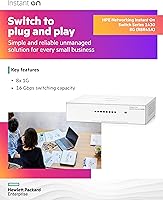
  • Switching Capacity: Total non-blocking switching capacity is 16 Gbps, ensuring all ports can operate at full gigabit speed simultaneously.
  • Throughput: Forwarding throughput is rated at 11.90 Mpps (million packets per second) under full load.
  • Network Layer: This is an unmanaged Layer 2 switch with no configuration interface, web dashboard, or CLI access.
  • Cooling System: Passive fan-less cooling is used exclusively, producing zero acoustic noise during operation.
  • Power Supply: Power is delivered via an included external adapter outputting 12V DC; no internal power supply is present.
  • Dimensions: The unit measures 4.57 x 3.66 x 1.02 inches (approximately 116 x 93 x 26 mm), making it genuinely compact.
  • Weight: The switch weighs 2.16 pounds including the chassis, which is light enough for wall or under-desk mounting without heavy hardware.
  • Mounting Options: Three mounting configurations are supported: flat table-top placement, wall-mount with ports facing up or down, and under-desk surface mounting.
  • Warranty: Aruba HPE provides a limited lifetime warranty on this switch, covering hardware defects for the product's usable lifespan.
  • Manufacturer: The product is designed and manufactured by Aruba, a Hewlett Packard Enterprise company, under the Instant On product line.
  • Certification: The switch carries Class B certification, confirming it meets emissions standards suitable for home office and residential network environments.
  • Reliability (MTBF): Mean time between failures is rated at 416.2 years, reflecting the high-reliability components typical of HPE enterprise-grade hardware.
  • Energy Efficiency: The switch supports Energy Efficient Ethernet (IEEE 802.3az), automatically reducing power consumption on ports that are idle or lightly loaded.
  • Cable Compatibility: All ports are copper RJ45 and are compatible with standard Cat5e, Cat6, and Cat6a Ethernet cables up to 100 meters per segment.
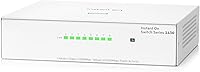
  • Color & Housing: The enclosure is finished in white and constructed from plastic, designed for low-profile placement in office or home environments.

Related Reviews

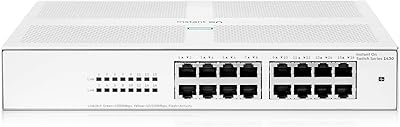
HPE Networking Instant On 1430 16-Port Gb Unmanaged Layer 2 Ethernet Switch
85%
92%
Setup and Installation
88%
Performance and Reliability
94%
Silent Operation
89%
Energy Efficiency
85%
Build Quality and Durability
More
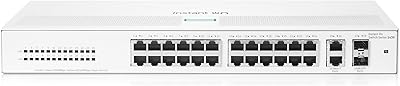
HPE Networking Instant On 1430 26-Port Switch
84%
94%
Ease of Setup
91%
Energy Efficiency
88%
Performance & Reliability
85%
Mounting Flexibility
83%
Build Quality
More
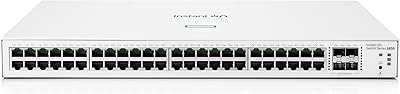
HPE Instant On 1830 48G 4SFP Switch
77%
88%
Ease of Setup
84%
Build Quality
91%
Fanless Performance
76%
Management Software
87%
Port Density & Layout
More
HPE Networking Instant On 1830 24-Port Switch
87%
91%
Ease of Setup
93%
Quiet Operation
89%
Reliability
85%
Build Quality
90%
Port Availability
More
HPE Instant On 1930 8-Port PoE Switch
83%
91%
Ease of Setup
83%
Management App Quality
74%
PoE Performance
88%
Build Quality
72%
Value for Money
More
HPE Instant On 1830 8-Port PoE Switch
82%
91%
Ease of Setup
74%
PoE Performance
88%
Build Quality
77%
Management Software
83%
Value for Money
More
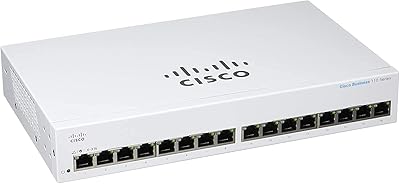
Cisco CBS110-16T 16-Port Unmanaged Network Switch
84%
96%
Ease of Setup
88%
Network Performance
74%
Build Quality
67%
Value for Money
97%
Noise Level
More
Cisco CBS110-24T Unmanaged Network Switch
84%
96%
Ease of Setup
88%
Build Quality
91%
Port Performance
97%
Noise Level
78%
Value for Money
More
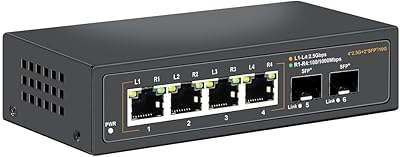
Davuaz Da-K6402W 2.5G Ethernet Switch
79%
93%
Value for Money
88%
Throughput Performance
96%
Noise Level
74%
Build Quality
61%
SFP Compatibility
More
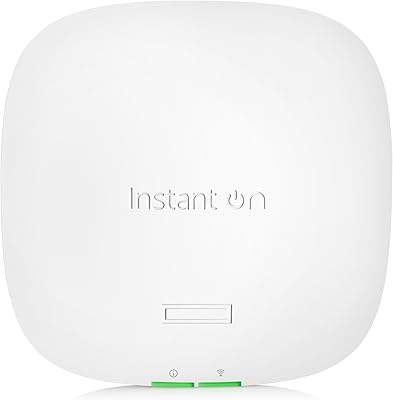
HPE Instant On AP22 Wi-Fi 6 AP
80%
88%
Wireless Performance
91%
Setup & Installation
79%
App & Management Experience
86%
Build Quality & Design
74%
Value for Money
More

FAQ

No, not at all. The HPE Instant On 1430 8G Unmanaged Switch is a true plug-and-play device — you connect the power adapter, plug in your Ethernet cables, and the ports go live automatically. There is no web interface, no app, and no configuration required.
No, this unmanaged switch does not support VLANs, QoS, port mirroring, or any traffic management features. If you need those capabilities, you would need to look at a managed switch instead. This one is built purely for simple, direct connectivity.

Passive cooling works well here because the switch draws very little power and runs cool by design. The MTBF rating of over 400 years reflects how conservatively the hardware is stressed during normal operation. Most users report no warmth issues even when the switch runs continuously.

The box includes the switch, the external power adapter with a US cord, and wall-mounting brackets. The brackets let you orient the ports facing up or down depending on your cable routing preference, so you should not need to buy anything extra for basic mounting.

You can absolutely run cables to other rooms. Each port supports standard Ethernet runs up to 100 meters (roughly 328 feet), which is enough to reach most areas of a home or small office. Just make sure you are using Cat5e or better cabling for reliable gigabit speeds.

It can be a minor inconvenience if your desk or shelf space is already crowded, since the adapter is a separate brick rather than a built-in supply. That said, the switch itself is very compact, and the adapter uses a standard 12V DC barrel connector, so third-party replacements are easy to find if needed.

Yes, it will work with any router. You simply connect one of your router's LAN ports to any port on this switch using an Ethernet cable, and all eight ports on the switch effectively become extensions of your router's network. No special configuration is needed on the router side.

No, this model does not support PoE. If you need to power IP cameras, VoIP phones, or wireless access points through the Ethernet cable, you would need a PoE-capable switch. Aruba does offer PoE variants in the same 1430 family if that is a requirement.

At a similar price point, you will find comparable port counts from budget brands, and they generally work fine for basic use. The main differentiators here are the Aruba/HPE enterprise heritage, the limited lifetime warranty which most budget brands do not match, and a slightly higher confidence in long-term reliability. For most home users the practical day-to-day performance will feel similar.

It is designed for easy DIY installation. The included brackets attach to the switch with screws, and then you mount the bracket to any flat wall surface. The main decision is simply whether you want the ports facing up or down, which affects how your cables will hang. No special tools or networking knowledge are required.

Where to Buy