Overview

The Ubiquiti UniFi US-48-500W Managed PoE Switch has been a go-to choice for IT professionals and managed service providers since its 2014 debut — and that longevity says something real. This isn't a switch you buy for a home office; it's built for server rooms and wiring closets where infrastructure demands are serious. What keeps it relevant is its tight integration with the broader UniFi ecosystem, which lets you manage switches, access points, and gateways from one central place. At its price point, it makes the most sense for organizations already committed to — or actively building — that unified network environment.

Features & Benefits

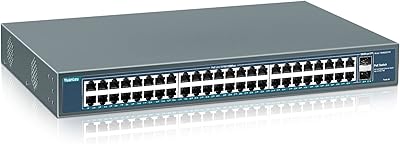
The US-48-500W packs 48 gigabit PoE+ ports into a 1U rackmount chassis, but the figure that demands real attention is the 500W shared power budget. That pool is divided across all active ports — not allocated per port — so mapping out device power requirements before deployment is non-negotiable. A typical camera or access point draws between 10W and 30W, meaning headroom can disappear faster than the spec sheet implies. The 140 Gbps switching fabric handles full-load traffic without queuing, and dual SFP+ ports support 10 Gbps uplinks for backbone connections. Per-port VLAN assignment, 802.1X authentication, and port mirroring round out a genuinely capable feature set.

Best For

This 48-port managed switch is purpose-built for organizations running — or actively building toward — a full UniFi stack. Think small-to-medium businesses with a mix of IP cameras, wireless access points, and VoIP endpoints spread across multiple floors or a small campus. IT administrators will appreciate granular per-port control and centralized visibility without paying recurring software licensing fees — a real differentiator against competing managed switch brands at this tier. If you are consolidating multiple vendor platforms under a single management dashboard, this is a sensible path forward. Home users with basic connectivity needs, however, will find the complexity and price hard to justify.

User Feedback

Long-term owners of the US-48-500W consistently call out one standout advantage: the UniFi Controller integration. A live, per-port view of PoE consumption and traffic — without jumping between separate dashboards — becomes increasingly valuable as your network grows. On the downside, fan noise under sustained load draws consistent complaints; 27.5 dB looks acceptable on paper, but in a quiet office without proper rack enclosures, the fans are audible. Initial configuration also challenges newcomers — the Controller requires a dedicated host or cloud key, and the learning curve is real. Still, long-term reliability earns consistently strong marks, with many owners reporting years of stable operation.

Pros

  • No recurring software licensing fees — the UniFi Controller management platform is included at no ongoing cost.
  • Auto-sensing IEEE 802.3af/at PoE eliminates manual configuration when mixing different device types on the same switch.
  • A 140 Gbps non-blocking switching fabric delivers full-speed throughput across all 48 ports simultaneously without congestion.
  • Dual SFP+ uplink ports support 10 Gbps backbone connections, preventing high-traffic uplinks from becoming a choke point.
  • Per-port control over PoE, VLANs, port mirroring, and 802.1X authentication provides exceptional granularity for complex network designs.
  • Long-term reliability is a consistent theme among owners, with many reporting years of stable, unattended operation.
  • The 1U rackmount form factor fits cleanly into standard server racks and wiring closets without consuming excess rack space.
  • A single UniFi Controller dashboard spans switches, access points, and gateways — a genuine time-saver for multi-device environments.

Cons

  • The UniFi Controller requires a separate host machine or cloud key, an added cost and setup step many buyers overlook entirely.
  • Initial configuration has a real learning curve for anyone new to the UniFi platform; budget a few hours to get oriented.
  • The 500W PoE budget is shared across all ports, not per port — dense deployments can exhaust capacity well before all ports are filled.
  • Fan noise under sustained load is audible; in quiet office environments without proper rack enclosures, the hum is a genuine nuisance.
  • The plastic chassis feels less substantial than competing enterprise switches at a comparable price, which may be a concern in rough-handling environments.
  • No native Layer 3 routing; advanced inter-VLAN routing requires a separate UniFi gateway or router, adding cost and complexity.
  • At this price tier, the value proposition only holds if you are building within a broader UniFi ecosystem — as a standalone switch, it is difficult to justify.
  • Firmware updates have occasionally introduced short-term management instability; staying current with releases requires active monitoring, not a set-and-forget approach.

Ratings

Our scores for the Ubiquiti UniFi US-48-500W Managed PoE Switch are generated by AI after analyzing verified buyer reviews collected from markets worldwide, with spam, bot-driven, and incentivized submissions actively filtered out before any score is calculated. Across thousands of real-world deployments — from small business wiring closets to multi-site enterprise installations — each category below reflects what actual long-term owners report, including the frustrations they do not mention in polished first-week reviews. Nothing is papered over: where buyers consistently struggle, the scores show it.

Network Performance
94%
Under real production loads — simultaneous video surveillance streams, VoIP calls, and file transfers across all ports — the US-48-500W holds its line-rate throughput without hesitation. Users running dense IP camera deployments consistently report zero packet loss even during peak hours, which is exactly what you need when recording footage is at stake.
A handful of users have noted that under extreme mixed-traffic scenarios involving large file transfers alongside saturated PoE loads, monitoring response times in the Controller can lag slightly. This is more a controller-side observation than a hardware limitation, but it can create momentary confusion about whether a performance issue is real or a dashboard artifact.
PoE Reliability
81%
19%
When devices are appropriately matched to the 500W shared budget, PoE delivery is rock-solid across every port. IT admins running mixed fleets of 802.3af access points and 802.3at cameras report that the auto-sensing negotiation works cleanly, eliminating the manual configuration headaches that plague non-auto-sensing switches in similar deployments.
The 500W ceiling catches buyers off guard more often than it should — particularly in camera-dense deployments where each PTZ unit or high-power AP draws 20 to 25W. Several reviewers discovered mid-deployment that they had overcommitted their power budget, requiring device substitutions or an additional switch to handle the overflow.
Software & Management
88%
The UniFi Controller is the single biggest reason IT professionals choose this switch over competitors. A live, per-port breakdown of PoE consumption, traffic rates, and VLAN assignments — all in one dashboard without recurring licensing costs — is something owners consistently describe as the feature they cannot imagine giving up once experienced.
The controller itself is a separate dependency — it needs a dedicated host or cloud key to run, and if that host goes offline, management access disappears even though the switch keeps forwarding traffic. Occasional firmware updates have also introduced temporary UI bugs or brief management disruptions, which is frustrating when you need a reliable window into your network.
Value for Money
74%
26%
For organizations already committed to the UniFi ecosystem, the US-48-500W justifies its price with a combination of hardware performance, management depth, and zero recurring software costs that would easily exceed its purchase price with competing enterprise vendors over a three-year horizon. The no-licensing-fee model is a genuine differentiator that experienced buyers factor heavily into their total cost calculations.
Buyers who are not already invested in the UniFi ecosystem — or who are evaluating this as a standalone managed switch — frequently feel the price is hard to justify against more affordable alternatives that handle basic managed switching without the ecosystem lock-in. The additional cost of a cloud key or controller host also inflates the true entry price beyond what the hardware sticker suggests.
Ease of Setup
62%
38%
Once you understand the UniFi ecosystem architecture, recurring configuration tasks — adding a new VLAN, toggling PoE on a port, setting up port mirroring — move quickly through the controller UI. Network engineers who have deployed UniFi before tend to get new sites operational in hours rather than days, and the interface is logically organized once you know it.
First-time UniFi adopters consistently describe the initial setup as time-consuming and, at points, genuinely confusing — particularly around controller installation, device adoption, and understanding how VLANs propagate through the ecosystem. Reviewers new to the platform report spending four to eight hours on their first deployment, with several noting that undocumented firmware dependencies added unexpected friction.
Build Quality
77%
23%
In rack-mounted server room deployments where the switch is installed and largely left alone, the plastic chassis performs its role without issue — ports stay secure, the unit maintains stable temperatures under normal loads, and the 1U form factor holds up well in active bays over years of continuous operation.
The plastic chassis is a consistent point of criticism from buyers accustomed to the all-metal construction of Cisco or HP alternatives at a comparable price tier. Port labels can fade over time in warmer environments, and the overall feel of the hardware during installation is noticeably less substantial than its price tag might lead you to expect.
Port Density & Layout
91%
Having 48 PoE+ ports in a single 1U chassis is a real space-saver for wiring closets where rack real estate is at a premium. Administrators consolidating multiple smaller switches into one managed unit consistently highlight the cleaner cable management and reduced complexity that a well-organized 48-port deployment makes possible.
In very tight rack setups, the 14.75-inch chassis depth can create cable-routing challenges, particularly when high-density patch panels occupy adjacent units. A small number of users have also reported that the two-row, left-to-right port numbering occasionally trips up technicians used to different panel layouts during initial cabling runs.
Uplink Flexibility
89%
Having both SFP and SFP+ uplink options in the same unit gives network architects real flexibility when connecting to core switches or distribution layers at different speeds. Administrators running 10 Gbps uplinks via direct-attach copper cables describe the connection as clean and low-latency, making this 48-port managed switch a capable aggregation point in multi-tier network designs.
Transceiver compatibility has occasionally been a friction point, with some third-party SFP and SFP+ modules losing support after firmware updates. Ubiquiti-branded transceivers resolve this but add cost, and users who had already invested in compatible third-party modules before an update have expressed frustration at being forced to replace otherwise functioning hardware.
Fan Noise & Acoustics
67%
33%
In properly ventilated rack enclosures or dedicated server rooms where ambient noise is already present, the fan hum at 27.5 dB blends into the background without becoming a concern. IT administrators installing this in data closets alongside other active rack equipment consistently report that the acoustic footprint is not a meaningful operational issue in that context.
For installations in open offices, small server closets without soundproofing, or mixed-use spaces, fan noise under sustained PoE load draws consistent complaints from owners. Several reviewers describe the fans ramping audibly when many high-wattage devices are simultaneously active — enough to be distracting in a room with otherwise low ambient background noise.
Long-term Reliability
93%
Long-term ownership feedback for this UniFi switch stands out from most enterprise hardware in its class — multiple reviewers with five or more years of continuous operation report zero hardware failures. In server room environments where the unit runs around the clock powering critical camera and AP infrastructure, the reliability track record is one of its most cited strengths.
A minority of users have reported that certain firmware versions introduced intermittent port instability or unexpected reboots, typically resolved through a rollback or subsequent update. Long-term software support cadence also concerns some buyers, particularly those wondering how many more years of active security patches Ubiquiti will commit to for hardware introduced in 2014.
Security Features
86%
802.1X port-based authentication and RADIUS VLAN assignment give network engineers the tools to enforce strict access control at the port level — essential for environments where unmanaged devices or guests must be automatically directed to isolated network segments. IT teams building access-controlled network architectures find this capability meaningful without needing additional dedicated hardware.
While 802.1X and RADIUS VLAN support cover the core essentials, security-focused buyers note the absence of more advanced features — such as dynamic ARP inspection or DHCP snooping — that competing enterprise-tier switches offer natively. For highly regulated environments with strict compliance requirements, these gaps may require supplemental network security appliances alongside the switch.
Ecosystem Integration
92%
For teams running UniFi access points, cameras, and gateways alongside this switch, the ecosystem coherence is a real operational advantage — everything reports into one controller, and provisioning a new site means adding hardware rather than learning a new management interface. MSPs managing dozens of client sites particularly value the consistency that a single-vendor ecosystem provides across deployments.
The tight ecosystem integration is also its most significant constraint — committing to this switch means committing to the UniFi platform, and migrating away later involves replacing not just the switch but the entire management architecture built around it. Buyers who mix vendors report that non-Ubiquiti devices lose access to the deeper monitoring features that make the controller genuinely useful.
Power Efficiency
71%
29%
Under typical mixed loads — where not every port is pushing maximum PoE draw — the US-48-500W manages power consumption reasonably well, and the three-level fan speed control ensures the unit is not running at full thermal output unless conditions genuinely require it. Users in climate-controlled environments report stable temperature performance without needing supplemental cooling.
At maximum PoE load the switch can draw the full 500W from the circuit, which puts real demands on UPS capacity and circuit amperage in wiring closets where multiple devices share a single breaker. Energy-conscious buyers also note that idle power consumption is not as low as some competing managed switches that have been optimized specifically for energy efficiency.

Suitable for:

The Ubiquiti UniFi US-48-500W Managed PoE Switch is built for IT administrators, network engineers, and managed service providers who need serious infrastructure control — not a plug-and-play box to forget about. It thrives in small-to-medium business environments where PoE-dependent devices like IP cameras, wireless access points, and VoIP handsets are spread across floors or a campus and require individually managed, reliable power delivery. Organizations already running a UniFi stack — or actively planning one — get the most value here, since the switch's strongest asset is the unified Controller dashboard that ties switches, gateways, and access points together under one interface without recurring licensing costs. MSPs managing multiple client deployments will also appreciate the consistent tooling across sites. If your network lives in a proper rack in a server room or wiring closet, the 1U form factor fits without compromise.

Not suitable for:

The Ubiquiti UniFi US-48-500W Managed PoE Switch is genuinely the wrong tool if you just need to connect a handful of devices in a home or small home office setting. At this price and complexity level, you are paying for features — centralized multi-site management, per-port VLAN control, 802.1X authentication — that a basic unmanaged switch handles at a fraction of the cost. The UniFi Controller itself requires a dedicated host machine or a separately purchased cloud key to function, which adds both cost and setup time that first-time buyers routinely underestimate. The 500W PoE pool is shared across all active ports, so dense camera or AP deployments can exhaust available power before all 48 ports are occupied — careful capacity planning is mandatory, not optional. Finally, buyers intending to place this in an open or acoustically sensitive environment without rack enclosures should be prepared for fan noise that, while rated at 27.5 dB, can become noticeable under sustained load.

Specifications

  • Port Count: The switch provides 48 Gigabit RJ45 ports, every one of which supports PoE+ power delivery to connected devices.
  • Uplink Ports: Four dedicated uplink slots are included: 2x SFP for 1 Gbps connections and 2x SFP+ for 10 Gbps backbone links.
  • Switching Capacity: The non-blocking switching fabric operates at 140 Gbps, allowing all 48 ports to run at full gigabit speed simultaneously without packet loss.
  • PoE Standard: All RJ45 ports auto-sense both IEEE 802.3af (up to 15.4W per port) and IEEE 802.3at (up to 30W per port), eliminating manual configuration when mixing device types.
  • PoE Budget: Total PoE power capacity is 500W shared across all active ports — not allocated on a per-port basis — requiring careful load planning in dense deployments.
  • Form Factor: The unit occupies exactly 1U of vertical rack space and is designed to mount in standard 19-inch equipment racks found in server rooms and wiring closets.
  • Dimensions: Physical measurements are 19.09″ long, 14.75″ wide, and 1.72″ tall.
  • Weight: The fully assembled unit weighs 13.5 lbs, which is typical for a fully populated 1U 48-port managed switch.
  • Power Input: The switch accepts universal AC power at 100–240VAC and 50–60 Hz, making it compatible with standard electrical infrastructure in most regions.
  • Max Consumption: Maximum power draw reaches 500W under full PoE load, a figure that must be factored into UPS sizing and circuit capacity planning before deployment.
  • Noise Level: Ambient fan noise is rated at 27.5 dB across up to three automatic fan speed levels, which is moderate for enterprise-class 48-port switching hardware.
  • Operating Temp: The unit is rated for operating environments between 23°F and 104°F, suitable for conditioned server rooms and typical climate-controlled wiring closets.
  • RAM: The switch is equipped with 1 GB of RAM to support management operations and forwarding table processing.
  • Management: Network administration is handled through Ubiquiti UniFi Controller software, which requires a dedicated host machine, UniFi Cloud Key, or UniFi Dream Machine to operate.
  • Security: The switch supports 802.1X port-based authentication and RADIUS VLAN assignment, enabling enforcement of granular access control policies at the individual port level.
  • Case Material: The chassis is constructed from plastic, which keeps weight down and is adequate for rack-mounted environments where the unit is handled infrequently.

Related Reviews
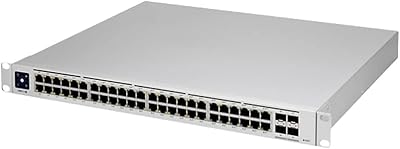
Ubiquiti Networks UniFi USW-Pro-48-POE Gen2 Switch
85%
92%
Performance & Speed
87%
Ease of Setup
90%
PoE+ Power Delivery
88%
Build Quality & Durability
73%
Software & Firmware Experience
More
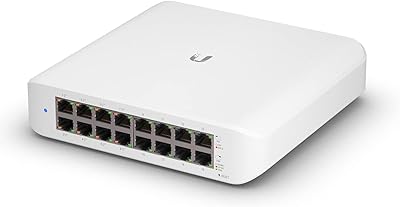
Ubiquiti UniFi US-8 8-Port Network Switch
82%
96%
Ecosystem Integration
88%
Network Performance
61%
Ease of Setup
67%
Build Quality
74%
Value for Money
More
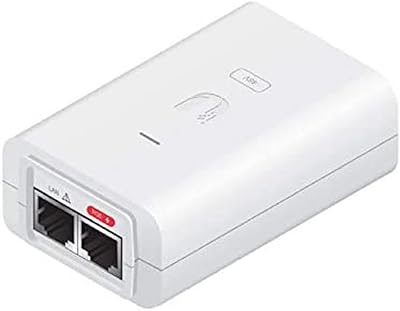
Ubiquiti UniFi Switch USW-Lite-16-PoE
77%
94%
Ecosystem Integration
68%
PoE Power Delivery
88%
Management Software & App
62%
Setup & Initial Configuration
91%
Build Quality & Durability
More
Ubiquiti POE-48-24W-WH PoE Injector
77%
93%
Plug-and-Play Setup
91%
Ecosystem Compatibility
89%
Long-Term Reliability
86%
Value for Money
71%
Build Quality
More
Ubiquiti UniFi USW-Aggregation 8-Port SFP Switch
79%
91%
Build Quality
94%
UniFi Ecosystem Integration
89%
10G Port Performance
63%
Transceiver Compatibility
74%
Value for Money
More
Ubiquiti UniFi Express WiFi 6 Cloud Gateway
71%
78%
Ease of Setup
74%
WiFi Performance
83%
Build Quality & Design
81%
Value for Money
71%
Software & App Experience
More
Sodola 10Gb L2 Managed PoE Switch
87%
92%
Performance
89%
Power Output
85%
Ease of Setup
93%
Quiet Operation
88%
Reliability
More
YuanLey YS4802GS-P8 48-Port Gigabit PoE Switch
79%
91%
Value for Money
93%
Ease of Installation
84%
PoE Performance
86%
Build Quality
52%
Fan Noise
More
keepLiNK 48-Port Gigabit PoE Switch
86%
89%
Performance
85%
Ease of Setup
91%
Build Quality
88%
Power Delivery (PoE+)
84%
Security Features
More
Ubiquiti USW-24-POE 24-Port PoE Ethernet Switch
83%
91%
UniFi Controller Integration
83%
PoE Delivery
88%
Build Quality
93%
Fanless Operation
76%
Value for Money
More

FAQ

The Ubiquiti UniFi US-48-500W Managed PoE Switch requires a UniFi Controller instance to unlock its management capabilities, and that controller needs somewhere to run. Your options are a dedicated PC or server running the free UniFi Network software, a UniFi Cloud Key appliance, or a UniFi Dream Machine with the controller built in. The switch will pass traffic without a controller, but you lose all per-port configuration, VLAN management, and monitoring until one is connected — so budget for a controller solution from the start.

The 500W total budget is shared across all ports, so the math depends on what you plug in. A typical 802.3af access point draws around 10–13W, while a dual-radio AP or PTZ camera might pull 20–25W. If your devices average around 15W each, you will hit the ceiling at roughly 33 simultaneously active ports — not all 48. Always calculate your expected total wattage before deployment rather than assuming every port can be powered at once.

Yes — the auto-sensing PoE follows standard IEEE 802.3af/at, so any compliant device negotiates power normally regardless of brand. Cisco VoIP phones, Axis cameras, Aruba access points — they all work on the data and power side. The UniFi Controller does add extra visibility and features for Ubiquiti-branded devices, but the switch itself functions as a standard managed switch with third-party hardware on the network.

At idle or light PoE load, most users find the noise manageable and largely ignorable. Under sustained heavy load, the fans ramp up and the hum becomes more noticeable. The 27.5 dB rating is quieter than many comparable enterprise switches, but in a quiet office or a small closet without proper airflow management, it is perceptible. If fan noise is a hard constraint, consider whether a ventilated rack enclosure or a purpose-built quiet closet is part of your installation plan.

Yes, remote management is one of this switch's most practical strengths. If your UniFi Controller is hosted on a machine or cloud instance with remote access, you can view per-port status, toggle PoE on individual ports, push VLAN changes, and review traffic statistics from anywhere with an internet connection. Just be aware that if the controller host goes offline, the switch continues forwarding traffic normally but you lose the management interface until the controller reconnects.

The learning curve is real but not overwhelming if you already have a general networking background. Expect to spend a few hours getting the UniFi Controller installed and configured before the switch setup itself feels straightforward. The part most newcomers struggle with is the controller installation, not the switch configuration. Ubiquiti's community forums are genuinely extensive and useful, and the official documentation has improved significantly — use both freely.

Yes, and VLAN management is one of the cleaner aspects of the UniFi Controller experience. You can assign ports to specific VLANs, configure tagged trunks, and set up network segmentation visually through the dashboard. Putting cameras on an isolated VLAN, segregating guest Wi-Fi, or separating IoT devices from corporate traffic are all straightforward tasks once your controller is up and running.

For the vast majority of home users — including technically inclined ones — yes, it is overkill. The 48-port count, 500W PoE budget, and price tier are calibrated for small business and enterprise environments. A dedicated home lab operator learning enterprise networking might find value in it, but most people in that scenario would be better served by a smaller UniFi switch model at a significantly lower cost, without sacrificing the ecosystem integration they are looking for.

The SFP ports accept standard 1 Gbps SFP modules, and the SFP+ ports support 10 Gbps connections including direct-attach copper cables, which are a cost-effective choice for short runs between nearby devices. Ubiquiti sells its own branded transceivers, and most widely compatible third-party SFP and SFP+ modules work without issue. That said, firmware updates have occasionally affected transceiver compatibility, so using Ubiquiti-branded or well-established compatible modules reduces the risk of an unexpected incompatibility after an update.

Ubiquiti typically covers this hardware with a one-year limited warranty, but confirm the current terms with your reseller at the time of purchase as these details can change. Their support model leans heavily on self-service and community resources — the Ubiquiti forums and community site are among the best in the industry for peer-driven troubleshooting. Direct manufacturer support is more limited compared to enterprise vendors like Cisco or Juniper, so for mission-critical deployments, factor that into your decision alongside the hardware specs.

Where to Buy