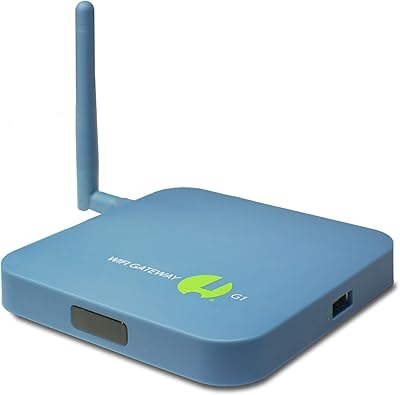
Overview

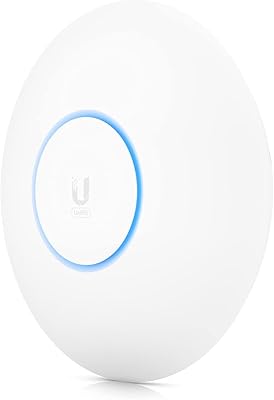
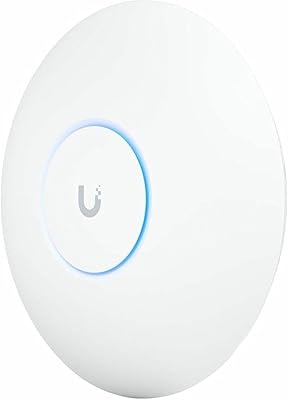
The Ubiquiti UniFi Express WiFi 6 Cloud Gateway is one of those rare devices that actually delivers on its premise: a full network controller, router, and access point packed into a puck-sized unit measuring just 3.9 x 3.9 x 1.2 inches. Ubiquiti built this to run the UniFi Network software natively, meaning there's no separate controller hardware required — a significant shift from how the ecosystem traditionally worked. Powered by a standard USB-C cable, this compact gateway fits on a shelf, behind a TV, or tucked inside a cabinet without any fuss. It's a genuinely practical starting point for anyone curious about managed networking.
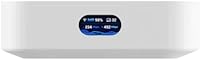
Features & Benefits

What stands out most about the UniFi Express is that it runs the full UniFi Network controller locally on-device — no cloud subscription, no dedicated server sitting in a closet. That means you get VLAN support, traffic monitoring, and client management right out of the box. The WiFi 6 dual-band radio handles congested environments better than older standards, particularly helpful if you have a dozen or more devices competing for bandwidth. It can also function as a mesh access point, extending an existing UniFi network rather than acting as the primary gateway. Remote management through the UniFi app works reliably for checking in on your network from anywhere.

Best For

This compact gateway hits a sweet spot for people who want real network control without buying into a full rack of Ubiquiti gear. It's ideal for small home offices or even a single-floor small business where one device can handle both routing and wireless coverage. Existing UniFi users will appreciate being able to drop it in as a mesh node, extending coverage in a dead zone without disrupting the main setup. That said, it does assume some comfort with concepts like VLANs and network segmentation to get the most out of it — casual users should expect a short learning curve before everything clicks.

User Feedback

Buyers tend to split fairly predictably: network enthusiasts already in the UniFi ecosystem love how this WiFi 6 gateway lowers the cost of entry without stripping out real features. Setup is widely praised as much smoother compared to older UniFi hardware that required a separate controller. Some users note that throughput limits are noticeable below what Ubiquiti's higher-end gateways can push, which matters if you're on a gigabit-plus internet plan. The USB-C power setup drew criticism from those expecting Power over Ethernet support. A handful of reviewers flag occasional app inconsistencies, though the general consensus is that the overall value at its price tier is hard to argue with.

Pros

  • Runs a full managed network controller on-device, eliminating the need for a separate cloud key or server
  • WiFi 6 dual-band radio handles crowded device environments better than older router standards
  • Functions as both a primary router and a mesh access point, giving real deployment flexibility
  • The USB-C power setup means it can be placed virtually anywhere a small power source exists
  • Remote network monitoring and device management work reliably through the mobile app
  • Compact enough to sit on a shelf or tuck behind furniture without being an eyesore
  • Setup is noticeably easier than previous UniFi hardware that required separate controller configuration
  • Delivers enterprise-style features like VLAN support and traffic inspection at a reasonable price tier
  • Regular firmware updates have meaningfully improved stability and app responsiveness since launch

Cons

  • Only two Ethernet ports limits wired connectivity without adding an external switch
  • No Power over Ethernet support complicates clean professional wall or ceiling installations
  • Routing throughput shows strain on multi-gigabit internet plans when advanced features are active
  • The UniFi app interface can overwhelm first-time users unfamiliar with managed networking concepts
  • Wireless mesh backhaul lacks the reliability and speed of a wired backhaul connection
  • The unit runs noticeably warm under sustained load, with no external ventilation slots
  • No mounting hardware is included in the box despite the form factor suggesting wall placement
  • Official customer support is largely community-driven, which slows resolution of uncommon issues
  • Older negative reviews from early firmware instability still skew overall perception unfairly

Ratings

The Ubiquiti UniFi Express WiFi 6 Cloud Gateway has been evaluated by our AI rating system after analyzing verified buyer reviews from multiple global markets, with spam, bot-generated, and incentivized feedback actively filtered out. Scores reflect the real distribution of user sentiment — including where this compact gateway genuinely impresses and where it leaves some buyers wanting more. Both the strengths that keep networking enthusiasts loyal to this device and the friction points that frustrate newcomers are represented transparently below.
Ease of Setup
78%
22%
Compared to older UniFi hardware that required a separate controller device, most buyers found the UniFi Express refreshingly straightforward to get running. The guided setup through the mobile app walks users through the initial configuration without needing to touch a command line, which was a genuine surprise for first-time UniFi adopters.
Users coming from consumer routers like Eero or Google Wifi still report a noticeable learning curve, particularly around understanding network segmentation concepts during initial configuration. A handful of reviewers noted occasional app connectivity hiccups during the first setup that required restarting the process.
WiFi Performance
74%
26%
In apartments and single-floor homes, the dual-band WiFi 6 radio handles a dense mix of laptops, phones, and smart home devices without obvious congestion issues. Users streaming 4K video or on video calls consistently report stable connections within a reasonable range of the device.
Coverage drops off noticeably in larger homes or spaces with thick walls, and the device is not designed to replace a dedicated high-performance access point in demanding environments. Buyers on gigabit internet plans sometimes note that real-world throughput does not fully saturate their connection, especially over WiFi.
Build Quality & Design
83%
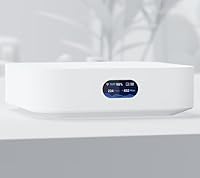
The matte white finish and compact disc-like shape feel genuinely premium for a networking device — it does not look out of place sitting on a desk or shelf. At just over 10 ounces, the physical construction feels solid without being heavy, and the minimalist aesthetic matches modern home interiors well.
The enclosure has no ventilation slots visible externally, and some users report the unit running warm under sustained load, which raises occasional long-term durability questions. There is no mounting kit included in the box, so wall or ceiling installation requires sourcing third-party hardware.
Value for Money
81%
19%
For buyers who want genuine managed networking features — VLANs, traffic inspection, guest network isolation — without purchasing a separate controller, the price feels justified. It essentially replaces two or three pieces of hardware that would previously have been required to run a proper UniFi setup at home.
Buyers comparing it purely on wireless specs against consumer mesh systems at similar price points sometimes feel underserved, since those alternatives often cover more square footage. Power users who later find they need more gateway throughput may end up purchasing an additional device, which makes the initial spend feel less efficient.
Software & App Experience
71%
29%
The UniFi Network app provides a genuinely deep level of visibility into connected devices, bandwidth usage, and network health — features most consumer router apps do not come close to offering. Remote management works reliably for routine check-ins, and the interface has improved significantly with recent firmware updates.
The app occasionally loses connection to the device temporarily, requiring a refresh or app restart before stats reload properly. New users frequently describe the interface as overwhelming at first, with settings organized around networking logic rather than user-friendly task flows.
Power & Installation Flexibility
62%
38%
The USB-C power delivery at 5V makes it easy to run the device from a phone charger, a USB port on a UPS battery, or virtually any modern power strip — a practical advantage for unconventional placement locations. The included USB-C cable and adapter are adequate quality for everyday use.
The absence of Power over Ethernet support is a recurring frustration for network installers and users who want to run a single cable to a wall-mounted location. In professional small office installs, this limitation often forces the use of a separate power outlet where PoE would have kept the setup clean.
Mesh & Expandability
77%
23%
Dropping this WiFi 6 gateway into an existing UniFi network as a secondary mesh node works reliably, and the transition between gateway mode and access point mode is handled cleanly in the app without a full reset. For UniFi users filling in a coverage gap in a hallway or secondary room, it performs that role well.
Mesh backhaul is wireless only in this unit, which limits throughput between nodes compared to wired backhaul alternatives in the UniFi lineup. Users building larger multi-node networks sometimes find this device becomes a bottleneck before they expected it to.
Remote Management
76%
24%
Being able to pull up live network stats, reboot connected devices, or check for firmware updates from a phone while away from home is genuinely useful, and the UniFi app handles these tasks without requiring a separate cloud key or subscription. Most users describe day-to-day remote access as reliable.
Some buyers report that remote access can take longer than expected to load stats when the device is under load, and occasional cloud relay latency affects how snappy the experience feels. There is no local web interface fallback that is as polished as the app when on-site management is preferred.
Port Selection
57%
43%
The two Ethernet ports cover basic needs — one for the incoming internet connection and one for a wired device or switch, which is sufficient for most small setups. For a minimalist deployment with primarily wireless clients, this arrangement causes no issues.
Two Ethernet ports is genuinely limiting for anyone wanting to connect more than one wired device without adding a switch, and more experienced buyers find this the most glaring hardware constraint. There is no SFP option or USB data port, which reduces future flexibility compared to mid-range competitors.
Throughput & WAN Performance
66%
34%
For the majority of home internet plans under 500 Mbps, the UniFi Express handles routing and security features without noticeable speed reduction. Buyers on standard cable or fiber plans report getting very close to their subscribed speeds in wired tests.
Users on multi-gigabit internet plans consistently report hitting a routing ceiling under full load, particularly when deep packet inspection or IDS features are enabled simultaneously. Compared to Ubiquiti's own higher-tier gateways, the processing power available here is a clear step down.
Firmware Reliability
73%
27%
Most buyers report that firmware updates over the past year have brought meaningful improvements to stability and app responsiveness, and the over-the-air update process is handled cleanly through the app with minimal downtime. The device recovers well from power interruptions without needing manual intervention.
A subset of reviewers report occasional reboots after firmware updates that temporarily disrupted their network, and rollback options are not prominently exposed in the interface. Early firmware versions had more instability than the current state, which colors some older reviews negatively.
Documentation & Support
59%
41%
The Ubiquiti community forums are a genuinely valuable resource, and most common configuration questions have detailed answers from experienced users. Official quick-start documentation covers the basics clearly enough to get the device online without needing outside help.
Official support from Ubiquiti is primarily community-driven, meaning users without prior networking experience can struggle to resolve more complex issues quickly. Direct customer support responsiveness has been a recurring complaint across the broader Ubiquiti user base, and this device is no exception.

Suitable for:

The Ubiquiti UniFi Express WiFi 6 Cloud Gateway is a strong fit for anyone who wants genuine control over their home or small office network without assembling a full stack of separate hardware. It particularly suits tech-curious users — people who have outgrown their ISP-provided router and want features like VLAN segmentation, client monitoring, and guest network isolation, but are not ready to invest in a dedicated rack unit. Apartment dwellers and single-floor small offices will find that one device handles both routing and wireless coverage for the space without overcomplicating the setup. Existing UniFi users who need to fill a coverage gap or add a secondary access point to their mesh will also find this a natural, cost-effective addition. If you are comfortable spending a short evening learning a new app interface in exchange for meaningful long-term network visibility, this compact gateway is a genuinely rewarding purchase.
Not suitable for:

Buyers expecting a plug-and-play experience similar to consumer mesh systems should be aware that the Ubiquiti UniFi Express WiFi 6 Cloud Gateway operates in a different league — one that rewards networking knowledge rather than replacing it. If your internet plan exceeds 1 Gbps and you run bandwidth-heavy tasks on multiple wired devices simultaneously, the routing throughput of this unit may become a bottleneck sooner than expected, especially with advanced security features enabled. Users who need more than two Ethernet ports without adding a separate switch will find the hardware limiting from day one. Those who require Power over Ethernet for clean cable management in a professional wall-mount installation will need to look elsewhere or add a PoE injector, which partially defeats the simplicity of the form factor. Anyone unwilling to engage with the UniFi app ecosystem and its periodic learning curve will likely find the experience more frustrating than freeing.
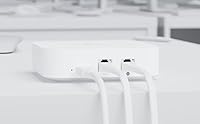
Specifications

  • Brand: Manufactured by Ubiquiti Networks, a company known for professional-grade networking hardware used in homes, small businesses, and enterprise environments.
  • Model: The unit's official model designation is UX-US, part of the UniFi Express series introduced in early 2024.
  • Dimensions: The device measures 1.2″ x 3.9″ x 3.9″, making it one of the most compact all-in-one gateways in the UniFi product lineup.
  • Weight: The unit weighs 10.7 oz, light enough to place on a shelf or secure behind a panel without structural concerns.
  • WiFi Standard: Supports 802.11ax (WiFi 6) along with backward-compatible standards 802.11a, 802.11b, 802.11g, and 802.11n across dual-band frequencies.
  • Frequency Bands: Operates as a dual-band device, broadcasting on both 2.4 GHz and 5 GHz bands simultaneously to support a wide range of devices.
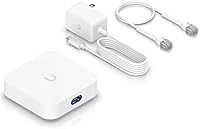
  • Power Input: Powered via USB-C at 5V DC / 3A, with a compatible power cable included in the box — no proprietary power brick required.
  • Ethernet Ports: Equipped with two Ethernet ports, one designated for WAN (internet uplink) and one for LAN (wired device or switch connection).
  • Operating System: Runs the UniFi Network Controller software natively on-device, eliminating the need for a separate cloud key, server, or subscription.
  • Wireless Modes: Can be deployed as a primary cloud gateway and router, or reconfigured as a secondary mesh access point within an existing UniFi network.
  • Color: Available in a matte white finish that blends with modern home and office interiors without drawing visual attention.
  • Connectivity: Uses Ethernet as its primary wired connectivity method, with WiFi 6 handling all wireless client and mesh communication.
  • Special Features: Includes WPS (WiFi Protected Setup) support for simplified wireless device pairing on compatible client devices.
  • In the Box: Package includes the UniFi Express unit, a USB-C power cable (5V DC / 3A), and basic documentation — no mounting kit is included.
  • Availability: First made available for purchase on February 21, 2024, with the US model listed under ASIN B0CW2KC9VT on Amazon.

Related Reviews
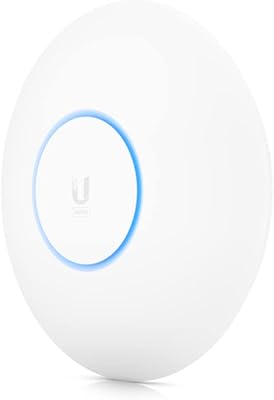
Ubiquiti UniFi 6 Pro (U6-Pro)
80%
93%
Wireless Performance
89%
Range & Coverage
54%
Setup & Installation
78%
Value for Money
88%
Build Quality & Design
More
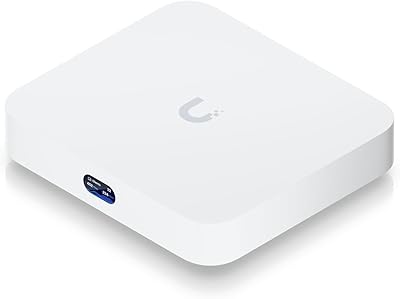
Ubiquiti Cloud Gateway Ultra (UCG-Ultra)
87%
89%
Performance
94%
Security Features (IDS/IPS)
85%
Ease of Setup
88%
Network Management
92%
Multi-Device Support
More
Ubiquiti UniFi 6 Long-Range (U6-LR)
86%
92%
Performance
90%
Coverage Range
88%
Speed and Throughput
85%
Multi-Device Performance
80%
Ease of Setup
More
Ubiquiti UniFi U7 Pro
82%
91%
Wireless Performance
88%
Build Quality
83%
Range & Coverage
67%
Ease of Setup
78%
Value for Money
More
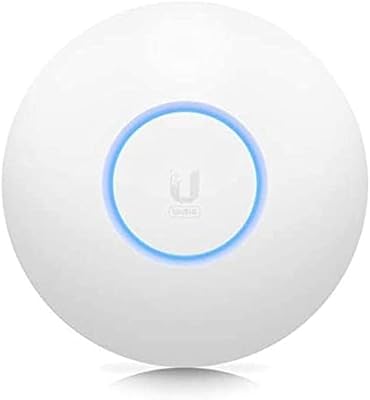
Ubiquiti AmpliFi Alien WiFi 6 Mesh Router
72%
83%
Wireless Performance
78%
Coverage & Range
86%
Device Handling Capacity
51%
Setup & Ease of Use
48%
Companion App Quality
More
Ubiquiti UniFi 6 Lite Access Point U6-Lite-US
83%
88%
Performance
91%
Setup & Installation
84%
Connectivity & Range
80%
Build Quality
85%
Software & App Experience
More
Ubiquiti U6-Mesh Wi-Fi 6 Access Point
79%
93%
Wireless Performance
54%
Setup & Configuration
91%
Build Quality & Durability
88%
Coverage Range
74%
Value for Money
More
WAVLINK WN588HX3 WiFi 6 Outdoor Access Point
75%
83%
Outdoor Signal Range
91%
Build Quality & Weatherproofing
78%
Installation & Mounting
61%
Setup & Configuration Experience
86%
WiFi 6 Performance
More
Ubiquiti UniFi Switch Aggregation
85%
91%
Performance & Speed
88%
Ease of Installation
89%
Build Quality & Durability
85%
Network Management Features
83%
Power Efficiency
More
SensorPush G1 WiFi Temperature Humidity Gateway
84%
91%
Cloud Connectivity Reliability
88%
Setup & Initial Configuration
93%
Remote Monitoring Performance
86%
Alert System
67%
Bluetooth Sensor Range
More

FAQ

No, that is one of the main reasons people buy this device. The UniFi Express runs the full UniFi Network controller software directly on the hardware itself, so you manage everything through the UniFi mobile app or a local browser — no extra server or subscription needed.

You can use it either way. It ships ready to act as a standalone gateway and router, but you can reconfigure it in the UniFi app to run as a mesh access point instead, extending an existing UniFi network rather than managing the internet connection directly.

It is probably the most approachable entry point into the UniFi ecosystem, but you should still expect a short learning curve. The app-based setup is simpler than older UniFi hardware required, but concepts like VLANs and network segmentation are part of the interface, so some patience upfront pays off.

For most standard gigabit plans it performs well in basic routing mode, but if you enable features like deep packet inspection or intrusion detection simultaneously, you may see throughput drop below your subscribed speed. For plans above 1 Gbps, a higher-tier UniFi gateway would be a more reliable match.

Yes, the included USB-C cable connects to a standard USB-C power adapter rated at 5V / 3A, which comes in the box. One thing worth knowing is that the device does not support Power over Ethernet, so if you want to mount it on a wall or ceiling and run a single cable, you will still need a separate power outlet nearby.

Ubiquiti rates this unit for smaller deployments, and in practice it handles home networks of 20 to 40 connected devices without notable performance issues. Dense office environments or setups with heavy simultaneous bandwidth demands from many clients would benefit from additional access points or a more capable gateway.

Yes, remote management works through the UniFi mobile app once the device is registered to your Ubiquiti account. You can check device status, view bandwidth usage, reboot clients, and push settings changes from anywhere with a reliable connection on both ends.

In most cases, yes. You would connect your ISP modem to the WAN port of this compact gateway, and it handles all the routing, firewall, and wireless functions from there. Some ISPs require specific PPPoE or VLAN tagging configurations, which the UniFi interface supports but does require you to enter those settings manually.

No. The on-device UniFi Network controller does not require a paid subscription to access its core features, including VLANs, traffic monitoring, and remote management through the app. Ubiquiti does offer optional cloud-based services separately, but they are not required to use this device fully.

In an open apartment or single-floor layout up to around 1,000 to 1,500 square feet, this WiFi 6 gateway performs well as a standalone unit. Larger homes or spaces with multiple walls and floors will likely need an additional access point to maintain strong signal throughout — which is where adding it to a mesh setup makes a lot of sense.

Where to Buy