Overview
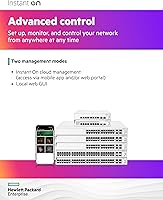
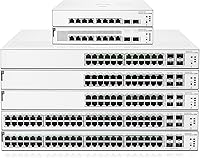
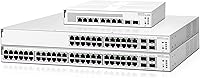
The HPE Instant On 1930 8-Port PoE Switch sits in an interesting spot in the SMB networking market — it offers genuine managed switch functionality without demanding a dedicated IT department to run it. Unlike purely unmanaged switches, this HPE Instant On switch gives you real control over your network through both a mobile app and a standard web browser, with no recurring subscription to worry about. It operates at Layer 2+, meaning you get static routing and access control lists without the steep complexity of a full Layer 3 platform. The fanless design keeps things quiet enough for a front desk or retail counter, and a limited lifetime warranty makes it a credible long-term infrastructure investment for small businesses.
Features & Benefits
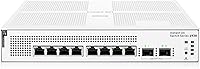
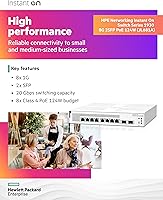
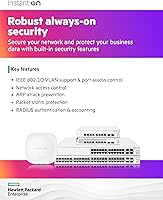
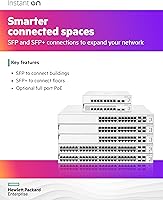
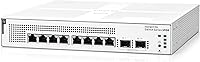
Each of the 8 Gigabit ports on the 1930 PoE switch delivers Class 4 PoE, drawing from a shared 124W power budget. That is workable for most small deployments — think three or four access points alongside a couple of IP cameras and a VoIP phone — though you will want to map out your power draw carefully before assuming every port can run a high-wattage device at once. Two SFP uplink slots handle fiber or extended copper backbone runs without fuss. The Instant On app is genuinely straightforward for initial setup, while the local web interface unlocks static routing and ACLs for those who need deeper control. Built-in DDoS mitigation adds a practical layer of network protection without requiring a separate security appliance.
Best For
This Aruba-backed switch is a natural fit for small business owners who need to power and manage a handful of access points, security cameras, or desk phones without buying separate PoE injectors for every device. IT administrators running lean operations will appreciate the dual management paths — the app for quick adjustments, the full web UI when something more precise is needed. Hospitality and retail settings benefit from the compact, fanless footprint, which lets it live on a shelf or wall without disrupting staff. Teams already invested in the Aruba Instant On ecosystem will find the integration especially practical. If you are weighing the non-PoE sibling model, the premium here is essentially the cost of consolidating device power into one managed box.
User Feedback
Across roughly 70 ratings, this HPE Instant On switch holds a 4.4-star average — respectable, though the sample size means a handful of outlier reviews carry more weight than they would on a high-volume product. Buyers consistently highlight how fast initial setup goes and how usable the Instant On app is for day-to-day monitoring; build quality earns positive mentions as well. On the critical side, some users find the shared PoE budget feels tight when running several power-hungry devices simultaneously, and the two SFP ports are occasionally flagged as insufficient for more complex uplink configurations. Overall, SMB and prosumer reviewers rate it favorably against unmanaged alternatives, treating the management capabilities as a worthwhile step up.
Pros
- No subscription or licensing fees for app or web-based management — that cost saving adds up over time.
- The Instant On mobile app makes initial setup fast enough that non-technical staff can handle basic deployment.
- All 8 ports deliver Class 4 PoE, eliminating the need for separate power injectors for cameras or access points.
- Two SFP uplink slots give flexibility for fiber runs or connecting to a higher-capacity backbone switch.
- Fanless operation means it can live in a customer-facing space without the hum of a cooling fan.
- Layer 2+ features like ACLs and static routing provide real network segmentation without a steep learning curve.
- Built-in DDoS mitigation and access controls add a baseline security layer with no extra hardware required.
- The lifetime warranty is a genuine differentiator for a business that wants to install and not worry about replacement cycles.
- Solid build quality from Aruba, a brand with a strong track record in SMB and enterprise networking alike.
- Compact footprint works for desktop, wall, or surface mounting — flexible enough for most small office layouts.
Cons
- The 124W PoE budget feels tight when several power-hungry devices are all drawing near their maximum simultaneously.
- Only two SFP uplink ports may not be enough for businesses that need multiple fiber or redundant uplink connections.
- No dynamic routing protocols means the 1930 PoE switch cannot grow into more complex routed network architectures.
- The review sample of roughly 70 ratings is still relatively small, making it harder to assess long-term reliability trends.
- Rack mounting requires sourcing compatible ears separately, which adds cost and hassle for rack-based deployments.
- The local web interface, while capable, can feel dense for users who expect a consistently modern UI throughout.
- Buyers in regions with limited Aruba service infrastructure may find warranty support slower to access than expected.
- Port count is fixed at 8 copper ports, so any expansion requires adding another switch rather than upgrading this one.
Ratings
The HPE Instant On 1930 8-Port PoE Switch has been scored across 12 categories by our AI rating engine after analyzing verified buyer reviews from multiple global markets, with spam, bot-submitted, and incentivized feedback actively filtered out. Scores reflect the genuine consensus of real SMB owners, IT administrators, and prosumer buyers who have deployed this Aruba-backed switch in live environments. Both the standout strengths and the recurring frustrations are transparently represented so you can make a fully informed decision.
Ease of Setup
Management App Quality
PoE Performance
Build Quality
Value for Money
Web Interface Depth
Uplink Flexibility
Network Security
Silent Operation
Ecosystem Integration
Physical Footprint
Reliability and Longevity
Suitable for:
The HPE Instant On 1930 8-Port PoE Switch is built for small and medium businesses that want more network control than an unmanaged switch provides, without the overhead of enterprise-grade gear. It makes the most sense for owners or office managers deploying a modest mix of IP cameras, wireless access points, and VoIP phones — all drawing power directly from the switch without separate injectors. Retail shops, small hospitality venues, and professional offices will appreciate the fanless, compact body that sits quietly on a desk or mounts on a wall without drawing attention. IT-lite environments benefit particularly from the no-subscription app management, which lets a non-specialist check in on the network from a phone without needing to learn CLI commands. Teams already using Aruba Instant On access points will find the ecosystem integration genuinely useful, keeping everything visible from one management interface. Organizations that want infrastructure they can set up and largely forget — backed by a lifetime warranty — will find this Aruba-backed switch a practical, low-drama choice.
Not suitable for:
The HPE Instant On 1930 8-Port PoE Switch is not the right tool for environments with heavy PoE demands across all ports simultaneously; the 124W shared budget works fine for moderate loads but will fall short if you are running eight high-wattage devices at full draw. Larger offices or growing businesses that anticipate needing more than eight access ports in the near term should look at the 24- or 48-port siblings in the same Instant On 1930 family rather than buying multiple units. Network engineers who require robust Layer 3 dynamic routing protocols — OSPF, RIP, or BGP — will hit a ceiling quickly, since the 1930 series tops out at static routing. Organizations that rely on fiber-heavy or multi-uplink backbone architectures may also find just two SFP slots limiting. If your environment demands rack mounting as a standard practice, the physical form factor of this Aruba-backed switch is not designed with rack ears included, which adds friction for data-center-style deployments. Budget-focused buyers who do not actually need PoE or managed features would be better served by the non-PoE sibling at a noticeably lower price point.
Specifications
- Copper Ports: The switch includes 8 Gigabit RJ45 ports, each supporting 10/100/1000 Mbps auto-negotiation for flexible wired device connections.
- PoE Standard: All 8 copper ports deliver Class 4 Power over Ethernet, supporting devices that draw up to 30W per port within the shared power budget.
- PoE Budget: The total PoE power budget is 124W shared across all active PoE ports, which requires planning when running multiple high-draw devices simultaneously.
- Uplink Ports: Two SFP slots support 1GbE fiber or copper SFP transceivers, enabling flexible backbone or long-distance uplink connections.
- Switching Capacity: The switch delivers 20 Gbps of non-blocking switching capacity, sufficient for full wire-speed throughput across all ports.
- Throughput: Forwarding performance is rated at 14.88 Mpps, covering full-line-rate traffic across all 10 active ports.
- Layer Support: The switch operates at Layer 2+ and supports static routing, ACLs, and SNMP, without implementing dynamic Layer 3 routing protocols.
- Management Options: Network administrators can manage the switch via the Aruba Instant On mobile app, a standard web browser, or the integrated local web interface — all at no additional cost.
- Security Features: Built-in protections include DDoS attack mitigation and network access control to limit unauthorized device connections.
- Cooling System: The switch uses passive fanless cooling, producing no audible fan noise and making it appropriate for quiet, customer-facing environments.
- Form Factor: The compact unit supports desktop, wall, and surface-mount installation, with all ports and LEDs oriented toward the front panel for easy access.
- Dimensions: The unit measures 254mm deep by 254mm wide by 43.9mm tall, fitting comfortably on a shelf or small networking cabinet.
- Weight: The switch weighs approximately 7.6 pounds (3.45 kg), which is typical for a metal-cased managed switch in this class.
- Case Material: The enclosure is constructed from metal, providing structural durability and contributing to passive heat dissipation.
- Warranty: HPE covers this switch under a limited lifetime warranty, which includes hardware replacement and access to support resources for the life of the product.
- Manufacturer: The 1930 series is designed and supported by Aruba, a Hewlett Packard Enterprise company, with global service and support infrastructure.
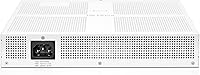
- Power Input: The switch ships with a US power cord and is rated for up to 150.2W total power draw when PoE ports are under heavy load.
- MTBF: Mean time between failures is rated at 95 years under standard operating conditions, indicating a high-reliability design for continuous business use.
- Release Date: The switch was first made available in June 2020 and remains an active, non-discontinued product in the Aruba Instant On lineup.
- Model Number: The PoE variant reviewed here carries the model designation JL681A, distinguishing it from the non-PoE JL680A sibling in the same series.
Related Reviews
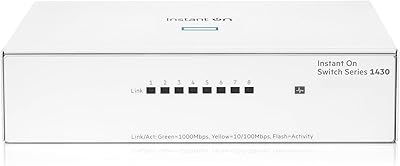
HPE Instant On 1430 8G Unmanaged Switch
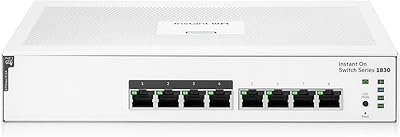
HPE Instant On 1830 8-Port PoE Switch
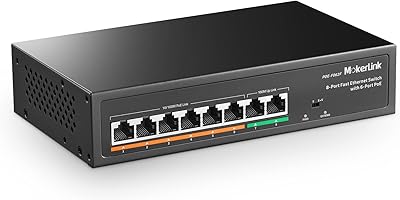
MokerLink POE-F062F 8-Port PoE Switch
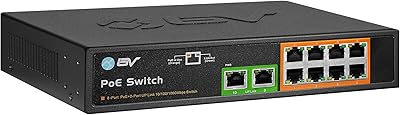
BV-Tech POE-SW802G 8-Port Gigabit PoE+ Switch
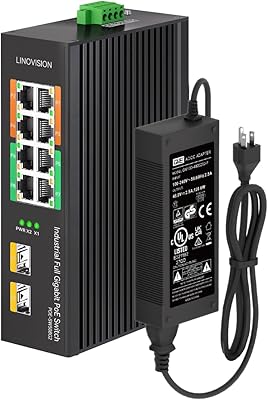
LINOVISION POE-SW508G Industrial 8-Port PoE++ Switch
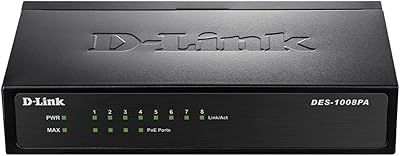
D-Link DES-1008PA 8-Port PoE Fast Ethernet Switch

YuLinca 6-Port Gigabit PoE Switch with 4 PoE+ Ports
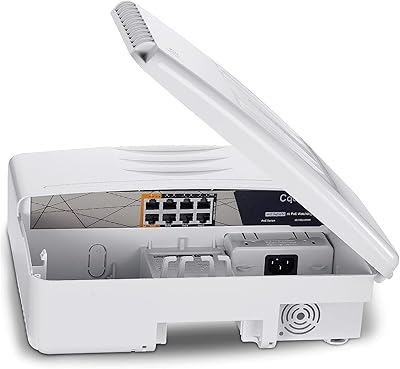
Cqenpr 8-Port 120W Outdoor Gigabit PoE Switch
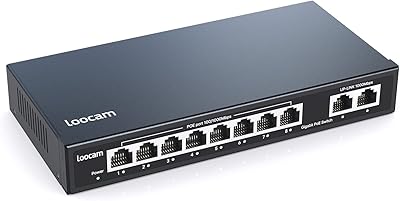
Loocam LNA-SPG1008 8-Port Gigabit PoE Switch