Overview

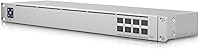
The Ubiquiti UniFi USW-Aggregation 8-Port SFP Switch is purpose-built for one job: acting as the high-speed backbone that ties together multiple access switches in a growing UniFi deployment. Rather than handling end-device connections, this aggregation switch sits at the core of your network, moving traffic between edge switches at 10 Gigabit speeds across all eight SFP+ ports. It's aimed squarely at IT professionals and serious home lab builders who've outgrown a single-switch setup. The 1U rack-mountable alloy steel chassis keeps things tidy in a server rack, and because it's a native UniFi device, it integrates directly into the UniFi Controller without any awkward third-party workarounds.
Features & Benefits

All eight ports on the UniFi USW-Aggregation run at 10 Gigabit Ethernet, delivering a combined 160 Gbps of aggregate throughput — enough headroom for even bandwidth-hungry environments. On the management side, it supports IGMP snooping, port mirroring, and spanning tree protocol, giving network admins real control over traffic flow and loop prevention without needing a separate managed device. The built-in internal power supply is a small but appreciated detail; there's no external power brick cluttering your rack. Optical fiber support means you can run low-latency backbone connections between floors or buildings with the right transceivers. The alloy steel chassis handles heat dissipation well, and the compact 1U form factor won't hog precious rack space.

Best For

This SFP+ switch is the right call for network admins managing several UniFi access switches who need a clean aggregation layer to consolidate upstream bandwidth. Small and medium-sized businesses that have outgrown their flat network topology will find it particularly useful — it's built to handle that next stage of growth without forcing a full infrastructure overhaul. Home lab enthusiasts chasing an enterprise-style tiered network on a prosumer budget also get solid value here. That said, it's worth being direct: if you're not already in the UniFi ecosystem, this switch offers little reason to start. Its value is tightly tied to UniFi Controller integration, and outside that environment, it's simply not competitive.

User Feedback

Across over 100 ratings, this aggregation switch holds a strong 4.6-star average, and the praise is consistent: buyers love how cleanly it drops into existing UniFi setups and how reliably it runs once configured. The build quality gets frequent mentions — the metal chassis feels solid, and several users noted it operates quietly with minimal fan noise under normal loads. On the flip side, a recurring frustration is the cost of SFP+ transceivers, which are not included and can add up fast depending on how many ports you populate. A handful of reviewers also flagged that transceiver compatibility isn't always predictable with third-party modules. Buyers who understood this is an aggregation layer — not a general-purpose switch — came away satisfied.

Pros

  • All 8 ports run at 10 Gigabit Ethernet, giving the network core serious headroom for high-traffic environments.
  • Integrates natively into the UniFi Controller dashboard — no extra licensing or third-party software needed.
  • Built-in internal power supply means a cleaner rack install with no external brick to manage.
  • Optical fiber support across all SFP+ ports enables reliable, long-distance backbone connections between locations.
  • Alloy steel chassis feels genuinely solid and handles heat well during sustained operation.
  • Layer 2 management features like IGMP snooping, port mirroring, and spanning tree are all present and functional.
  • The 1U rack footprint is compact enough to leave room for other gear without sacrificing port density.
  • Buyers consistently report quiet, stable operation once the switch is configured and running.
  • At 160 Gbps aggregate throughput, this aggregation switch handles multi-switch uplink consolidation without breaking a sweat.

Cons

  • No RJ45 copper ports at all — you cannot connect end devices directly without a separate access switch.
  • SFP+ transceivers are not included, and populating all 8 ports can add significant cost to the total investment.
  • Third-party SFP+ module compatibility is inconsistent and may require testing before committing to a bulk purchase.
  • Practically useless outside the UniFi ecosystem — management capabilities depend entirely on the UniFi Controller.
  • No PoE support, so it cannot power access points or cameras directly under any configuration.
  • Setup requires familiarity with UniFi Controller and basic network architecture; not beginner-friendly out of the box.
  • Eight SFP+ ports may feel limiting if your deployment grows and requires more aggregation uplinks in the future.

Ratings

Our AI rating system analyzed verified global buyer reviews for the Ubiquiti UniFi USW-Aggregation 8-Port SFP Switch, filtering out incentivized submissions and outlier noise to surface what real network professionals and home lab builders actually experience day to day. Scores reflect both the genuine strengths that keep this aggregation switch rated above 4.6 stars and the recurring frustrations that informed buyers consistently flag. Nothing has been smoothed over — the pain points are reflected as honestly as the wins.

Build Quality
91%
The alloy steel chassis earns consistent praise from buyers who've racked it alongside other enterprise gear — it feels appropriately dense and well-finished for the price tier. Multiple reviewers noted the unit runs cool under sustained loads, suggesting the metal housing is doing real thermal work rather than just looking the part.
A small number of users found the rack ears and mounting hardware to be less refined than the chassis itself, with a couple of reports of slight alignment issues during install. Nothing structurally concerning, but it's a minor detail that stands out given the otherwise solid construction.
UniFi Ecosystem Integration
94%
This is where the aggregation switch genuinely shines — buyers who dropped it into an existing UniFi setup reported it appeared in the controller almost immediately and required minimal configuration to get running. Network admins managing dozens of devices from a single UniFi dashboard describe the experience as exactly as frictionless as Ubiquiti advertises.
The flip side is that the integration is so tight it creates a real dependency. Several reviewers who later considered moving to a mixed-vendor environment noted the switch loses nearly all of its managed functionality outside the UniFi Controller, which makes it a long-term ecosystem commitment rather than a flexible infrastructure investment.
10G Port Performance
89%
Under real-world aggregation workloads — consolidating uplinks from multiple access switches in SMB environments and busy home labs — buyers report rock-solid throughput with no dropped links or instability. The 10 Gbps per port performance holds up consistently even when multiple ports are saturated simultaneously.
A handful of technically sophisticated buyers pointed out that without included transceivers, validating actual line-rate performance requires additional investment before you can even run your first test. There are also occasional reports of link negotiation quirks with certain third-party DAC cables, though these are not widespread.
Transceiver Compatibility
63%
37%
Ubiquiti's own SFP+ modules pair with this switch reliably and without any controller warnings, and several buyers reported success with well-known third-party brands like FS.com and 10Gtek after some testing. For buyers who do their homework upfront, compatible options exist at a range of price points.
This is the most consistently cited frustration across reviews — third-party transceiver compatibility is hit or miss, and the switch does not always provide clear feedback about why a module is not linking up. Buyers who assumed any SFP+ module would work out of the box encountered unexpected troubleshooting time and in some cases had to return incompatible hardware.
Value for Money
74%
26%
For buyers already running a multi-switch UniFi deployment, the price point is considered fair given the 10G port density, internal power supply, and native controller integration — all of which would cost meaningfully more from enterprise-tier vendors. Home lab builders in particular see it as a cost-effective path to a structured aggregation layer.
The value equation shifts significantly once you factor in the cost of populating all eight SFP+ ports with transceivers, which are not included and can add a substantial sum to the total outlay. Buyers who didn't account for this upfront felt the effective cost was higher than the listing price suggested.
Noise & Thermal Management
83%
The vast majority of buyers describe the switch as quiet enough for office or home lab environments where ambient noise matters. Under normal operating loads, the internal fan stays at a low, unobtrusive speed, and the alloy chassis handles passive heat dissipation effectively enough that the unit does not run hot to the touch.
Under sustained heavy traffic across multiple ports, a portion of users noted the fan speed increases to a level that becomes audible in quiet environments. It's not disruptive, but buyers planning to install this in a bedroom home lab or a noise-sensitive workspace should be aware it isn't entirely silent under load.
Setup & Configuration
82%
18%
For anyone familiar with the UniFi ecosystem, initial setup is described as quick and predictable — adopt the device in the controller, configure your uplink ports, and it's operational within minutes. The learning curve is minimal for network professionals who've worked with managed switches before.
Buyers new to UniFi or to managed switching generally found the setup less intuitive, particularly around VLAN configuration and SFP+ module provisioning. The switch itself provides almost no standalone feedback during setup, so troubleshooting without the controller interface can feel like working blind.
Port Density
71%
29%
Eight SFP+ ports cover the aggregation needs of most small-to-medium deployments comfortably, and the 1U footprint means you're not sacrificing significant rack space for that capacity. Buyers building out tiered networks with four to six access switches found eight uplink ports to be a practical fit.
Several reviewers noted that eight ports feels limiting as deployments grow, and Ubiquiti does not offer an easy upgrade path within the same product line without jumping to a significantly more expensive core switch. Buyers with fast-growing infrastructure flagged this as a planning constraint worth considering before purchasing.
Rack Mountability
88%
The 1U form factor and included rack ears make physical installation straightforward, and buyers consistently noted the unit sits securely without any flex or play once mounted. The compact dimensions mean it fits comfortably in half-depth racks common in smaller server closets and home lab setups.
The power cable routing can be slightly awkward depending on rack layout, as the internal power connector placement doesn't always align conveniently with standard cable management approaches. A few buyers also noted they needed longer rack screws than what was included for certain rack types.
Layer 2 Feature Set
86%
The inclusion of IGMP snooping, spanning tree protocol, and port mirroring covers the practical Layer 2 management needs of most SMB and prosumer deployments without requiring a more expensive Layer 3 switch. Buyers managing multicast-heavy environments specifically called out IGMP snooping as working reliably through the UniFi Controller.
Buyers who needed Layer 3 routing capabilities — inter-VLAN routing in particular — found this switch falls short and requires a separate routing device in the stack. It is a pure Layer 2 device, and while that's by design, a few buyers discovered this limitation only after purchase.
Fiber Backbone Support
87%
Buyers running fiber connections between separate buildings or across floors reported clean, stable links once compatible transceivers were installed. The SFP+ interface handles both single-mode and multi-mode fiber well, making it a practical choice for environments where copper runs are not feasible.
The absence of included transceivers means fiber deployment requires a separate purchasing step that adds both cost and compatibility research before the first cable can be run. Buyers unfamiliar with SFP+ fiber options found the transceiver selection process more complex than expected.
Controller Dependency
58%
42%
Within the UniFi ecosystem, tight controller integration is genuinely a feature — centralized visibility, consistent configuration management, and unified alerting across all network devices are things buyers who've used competing platforms say they genuinely miss when they switch away.
The heavy reliance on the UniFi Controller is a real operational risk that several buyers flagged: if the controller goes offline or becomes unavailable, management access to the switch is effectively lost. This architectural dependency makes some IT administrators uncomfortable compared to switches with standalone web interfaces or CLI access.
Documentation & Support
67%
33%
Ubiquiti's online community forums and the UniFi documentation base are extensive, and experienced buyers reported finding answers to most configuration questions through community resources and the official Ubiquiti help center without needing to contact support directly.
Formal Ubiquiti technical support received mixed feedback — response times and the quality of assistance varied considerably. Buyers without prior UniFi experience and without access to community forums found the out-of-box documentation insufficient for troubleshooting transceiver issues or advanced VLAN configurations.

Suitable for:

The Ubiquiti UniFi USW-Aggregation 8-Port SFP Switch is purpose-made for network administrators and IT professionals who are scaling a multi-switch UniFi environment and need a dedicated aggregation layer to handle the upstream traffic load. If you're running several UniFi access switches across a building, multiple floors, or a campus-style setup, this is the device that ties them together at 10 Gigabit speeds without creating a bottleneck at the core. Small and medium-sized businesses that have grown past a flat, single-switch topology will find it a natural fit — it handles bandwidth consolidation cleanly and slots into the UniFi Controller dashboard without any additional configuration headaches. Home lab enthusiasts building a structured, tiered network who want enterprise-style aggregation without enterprise-level complexity are also a strong match. Anyone running fiber backbone connections between wiring closets or separate physical locations will particularly appreciate the optical SFP+ support across all eight ports.

Not suitable for:

The Ubiquiti UniFi USW-Aggregation 8-Port SFP Switch is not the right purchase if you are not already committed to the UniFi ecosystem — its management features are tightly integrated with the UniFi Controller, and outside that environment it offers little advantage over competing options at similar or lower price points. This is also not a switch for connecting end devices directly; it has no RJ45 copper ports whatsoever, so anyone expecting to plug in computers, printers, or IP cameras will be disappointed. Buyers on a tight overall budget should factor in the additional cost of SFP+ transceivers, which are sold separately and can add meaningful expense depending on how many ports you need active. If your network is simple — say, a single location with one or two switches — this aggregation switch is architectural overkill and the investment won't translate into any noticeable benefit. Lastly, anyone running a mixed-brand network infrastructure should look elsewhere, as the value of this device drops sharply without a UniFi Controller to manage it.

Specifications

  • Port Count: The switch includes 8 SFP+ ports, each supporting 10 Gigabit Ethernet connectivity.
  • Throughput: Aggregate data transfer capacity reaches 160 Gbps across all ports simultaneously.
  • Port Speed: Each individual SFP+ port operates at up to 10 Gbps full-duplex.
  • Interface Type: All ports use the SFP+ form factor, supporting both fiber and compatible direct-attach copper modules.
  • Switch Layer: This is a Layer 2 managed switch with support for IGMP snooping, port mirroring, and spanning tree protocol.
  • Media Support: Optical fiber media is supported across all SFP+ ports for long-distance backbone deployments.
  • Power Supply: A built-in internal power supply is included, rated at a maximum draw of 30 Watts at 4 Amps.
  • Form Factor: The chassis follows a 1U rack-mountable design suitable for standard 19-inch server racks.
  • Dimensions: The unit measures 4.7″ (L) x 17.4″ (W) x 1.7″ (H).
  • Weight: The switch weighs 5.84 pounds, making it straightforward to install in a rack without additional support.
  • Chassis Material: The enclosure is constructed from alloy steel, providing structural durability and passive heat dissipation.
  • Management: The switch is fully compatible with the Ubiquiti UniFi Controller for centralized network configuration and monitoring.
  • Model Number: The official model identifier is USW-AGGREGATION, as designated by the manufacturer.
  • Manufacturer: This switch is designed and produced by Ubiquiti Networks.
  • Transceivers: SFP+ transceivers are not included in the box and must be purchased separately based on deployment requirements.
  • PoE Support: The switch does not provide Power over Ethernet on any port and cannot supply power to connected devices.
  • Copper Ports: There are no RJ45 copper ports on this switch; all connectivity is exclusively through SFP+ interfaces.
  • UPC: The product UPC is 810010074157 as listed by the manufacturer.

Related Reviews
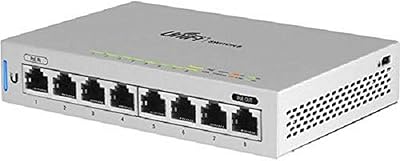
Ubiquiti UniFi US-8 8-Port Network Switch
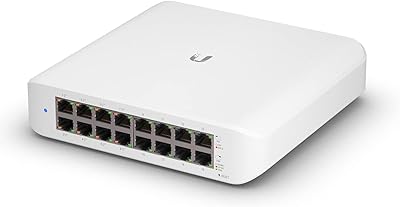
82%
96%
Ecosystem Integration
88%
Network Performance
61%
Ease of Setup
67%
Build Quality
74%
Value for Money
More
Ubiquiti UniFi Switch USW-Lite-16-PoE
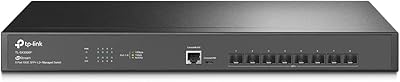
77%
94%
Ecosystem Integration
68%
PoE Power Delivery
88%
Management Software & App
62%
Setup & Initial Configuration
91%
Build Quality & Durability
More
Ubiquiti Networks UniFi USW-Pro-48-POE Gen2 Switch
85%
92%
Performance & Speed
87%
Ease of Setup
90%
PoE+ Power Delivery
88%
Build Quality & Durability
73%
Software & Firmware Experience
More
TP-Link TL-SX3008F 8-Port 10G SFP+ Switch
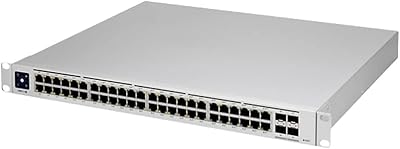
82%
91%
Value for Money
94%
Port Performance
96%
Noise & Cooling
78%
Management & SDN Integration
86%
Build Quality
More
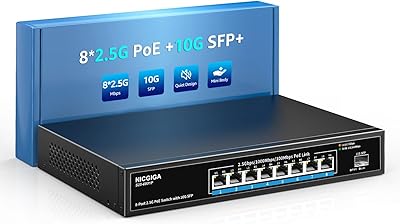
NICGIGA S25-0801P 8-Port 2.5G PoE Switch
79%
88%
Network Performance
79%
PoE Reliability
84%
Build Quality
76%
Thermal Management
93%
Ease of Setup
More
Zyxel GS1200-8 8-Port Gigabit Managed Switch

82%
88%
Ease of Setup
83%
Web Interface Usability
79%
Build Quality
97%
Noise Level
81%
VLAN Performance
More
ienRon 6-Port 2.5Gb PoE Switch with 2-Port 10Gb SFP+
85%
86%
Performance
91%
Ease of Setup
88%
PoE Power Delivery
84%
Build Quality
93%
Fanless Operation
More
D-Link DES-1008PA 8-Port PoE Fast Ethernet Switch
82%
94%
Ease of Setup
88%
PoE Port Reliability
91%
Build Quality & Durability
58%
Network Speed & Throughput
97%
Noise Level
More
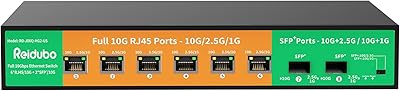
Reidubo 8-Port 10G Unmanaged Network Switch
76%
83%
Real-World Throughput
91%
Ease of Setup
61%
Fan Noise
78%
Build Quality
86%
SFP+ Port Utility
More
UbiQuiti USW-LITE-8-POE
84%
88%
Performance
94%
Ease of Setup
89%
PoE Functionality
83%
Build Quality
91%
Energy Efficiency
More

FAQ

No, they do not. The switch ships without any transceivers, so you will need to budget for those separately. Ubiquiti sells their own SFP+ modules, and many buyers use those for guaranteed compatibility, though some third-party options work fine too — just verify before buying in bulk.

It can pass traffic without a controller, but you lose all management functionality — VLANs, port mirroring, monitoring, and everything else that makes it useful. For a pure unmanaged aggregation role you could technically run it standalone, but that's not what it's designed for. If you're not running a UniFi Controller already, this switch is not the right choice.

Not without an adapter or transceiver. There are no RJ45 ports on this unit — every port is SFP+. It's built to connect switches to switches, not to serve as an access layer for end devices. You'll still need standard access switches for your workstations, printers, and access points.

Mostly yes, but with caveats. Many users report success with reputable third-party modules, but compatibility is not guaranteed across the board. Ubiquiti's own modules are the safest option. If you're buying third-party, test one before purchasing a full set, since some modules may not be recognized or may cause link instability.

Generally quiet. Multiple buyers have noted it runs with minimal fan noise under typical loads, which makes it reasonable for office or home lab environments where noise is a concern. Under sustained heavy traffic it may spin up slightly, but it's not the kind of device that will distract you from across the room.

It takes up exactly 1U in a standard 19-inch rack. At 17.4 inches wide, it fits standard rack widths without any modifications. It's a relatively compact unit for what it does, so it won't consume a disproportionate amount of rack space.

Yes, VLAN configuration is supported through the UniFi Controller interface. As a Layer 2 managed switch, it handles 802.1Q tagged VLANs, which is a common requirement for segmenting traffic in business and home lab environments.

That's actually one of its strongest use cases. With the right fiber SFP+ transceivers installed, you can run single-mode or multi-mode fiber connections across long distances, making it well-suited for inter-building backbone links or connecting wiring closets on separate floors.

Probably not the most cost-effective choice. This aggregation switch shines when you're consolidating uplinks from several access switches and need a dedicated high-speed core. In a small flat network with just a couple of switches, a standard managed switch with 10G uplinks would likely serve you better at a lower total cost.

No cloud account is required. The UniFi Controller can be run locally on your own hardware or a self-hosted server, so this switch can be fully managed without any dependency on Ubiquiti's cloud services. Many users prefer this approach for privacy and reliability reasons.

Where to Buy