
Overview

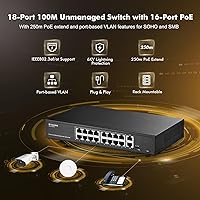
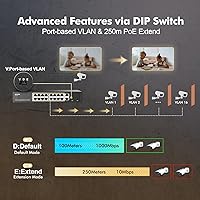
The MokerLink POE-F1602G 16-Port PoE Switch sits in a crowded but practical corner of the networking market — budget unmanaged PoE switches built for surveillance rigs, small offices, and home networks that need to power cameras or access points without a complicated setup. What stands out at this price point is the all-metal fanless chassis and genuine rackmount support, both of which you'd normally pay more to get. There's no management software, no web interface, nothing to configure — you plug it in and it works. A small DIP switch on the unit lets you flip between three operating modes: Default, VLAN port isolation, and Extend. One thing to be clear about upfront: the PoE ports run at 100Mbps, not Gigabit — the two Gigabit ports are uplinks only.

Features & Benefits

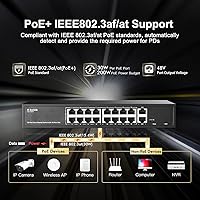
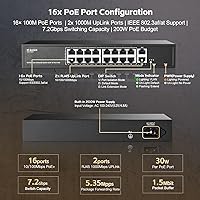
The 16 PoE+ ports each support the 802.3af and 802.3at standards, meaning they'll power everything from basic IP cameras drawing under 15W to beefier devices pulling up to 30W per port. The total power budget is 200W across all ports combined, which is more than adequate for typical camera or AP deployments as long as you're not maxing out every port simultaneously with high-draw devices. The two Gigabit uplink ports handle your router or NVR connection cleanly. Extend mode is genuinely useful — flip the DIP switch and ports 1 through 16 can push PoE data up to 250 meters, though the trade-off is speed drops to 10Mbps. The VLAN port isolation mode isn't a true managed VLAN; it simply prevents PoE ports from talking to each other, which is still a solid security measure for camera networks.

Best For

This PoE switch hits a sweet spot for anyone deploying IP cameras, PoE-based access points, or similar low-to-mid bandwidth devices across a home or small business. If you're running a 16-camera NVR setup where each stream stays well below 100Mbps, the port speed ceiling simply isn't an issue. Extend mode makes it particularly well-suited for installations where cable runs push past the standard 100-meter limit — outdoor perimeter cameras or APs in detached buildings are obvious use cases. People who want basic network isolation between surveillance devices without learning managed switch concepts will appreciate the VLAN isolation mode. One important caveat: if you own gear that relies on passive 24V PoE, this switch won't work — it supports 802.3af/at only.

User Feedback

Buyers tend to respond well to the build quality for the price — the all-metal shell feels more substantial than plastic competitors in the same range, and most report that PoE delivery to cameras and access points is consistent and reliable from day one. The extend mode gets positive mentions from installers running cable to outbuildings or distant cameras. Where frustration surfaces most often is around port speeds: some buyers expect full Gigabit on every port based on the product title, only to realize that the 16 data ports are Fast Ethernet. A smaller share of users note the 200W power budget holds up well under typical loads, though a few flagged running tight when pushing many high-draw devices at once. Overall sentiment leans positive for the intended use case.

Pros

  • All-metal, fanless chassis runs completely silent — a genuine build quality edge at this price tier.
  • Plug-and-play setup means no software, logins, or configuration headaches from day one.
  • Extend mode pushes PoE reach to 250 meters, ideal for cameras or APs far from the closet.
  • Each PoE port delivers up to 30W, covering the vast majority of cameras and access points on the market.
  • Included rack-mount brackets make clean, professional rack installations straightforward.
  • Port isolation mode adds a practical security layer for keeping surveillance devices off the main network.
  • Supports both 802.3af and 802.3at standards, ensuring compatibility with a wide range of PoE hardware.
  • Universal input voltage (100–240V) means no adapter hassles whether installed domestically or abroad.
  • Sixteen powered ports in a metal rackmount body represents strong hardware value at this price point.

Cons

  • All 16 PoE ports are capped at 100Mbps — the Gigabit spec applies only to the two uplink ports.
  • Passive 24V PoE devices will not be powered; compatibility is strictly limited to 802.3af and 802.3at.
  • The VLAN feature is port isolation only — there is no true VLAN tagging, trunking, or traffic management.
  • No management interface means zero visibility into port status, traffic load, or network errors.
  • Extend mode drops throughput to 10Mbps, ruling it out for high-bitrate streams on long cable runs.
  • The 200W shared power budget prevents all 16 ports from running near their 30W ceiling simultaneously.
  • MAC address table is limited to 2K entries, which may constrain larger or denser network deployments.
  • No SFP or fiber uplink port limits options for connecting to backbone infrastructure over longer distances.

Ratings

Our scores for the MokerLink POE-F1602G 16-Port PoE Switch are generated by AI after systematically analyzing verified global buyer reviews, with spam, bot-generated ratings, and incentivized feedback actively filtered out before any scoring takes place. Drawing on real-world install reports from surveillance technicians, small business owners, and home network enthusiasts across multiple markets, the ratings capture both what this unmanaged switch consistently delivers and where it genuinely falls short. Nothing is glossed over — the pain points carry the same weight as the strengths.

Value for Money
91%
At this price point, getting 16 PoE ports in an all-metal, rackmountable chassis with a 200W power budget is genuinely hard to beat. Buyers who priced out alternatives from better-known brands consistently noted that this PoE switch offered the same core functionality at a fraction of the cost.
The value calculation shifts for buyers who later discovered the 100Mbps port limitation — anyone needing all-port Gigabit performance will need to spend significantly more on a different switch. Passive 24V PoE incompatibility also caught some Ubiquiti users off guard, adding unexpected extra hardware cost.
Setup & Ease of Use
94%
This unmanaged switch is about as close to instant deployment as networking hardware gets — installers report being up and running in under five minutes with no drivers, logins, or firmware steps involved. Even non-technical users setting up a home camera system found it straightforward enough to handle without outside help.
The physical DIP switch that controls operating modes lacks labeling beyond the printed legend on the chassis, which some users found confusing when first trying to activate VLAN or Extend mode without the manual nearby. There is also no way to verify current mode status without physically inspecting the unit.
PoE Reliability
87%
The vast majority of users report consistent, stable PoE delivery to IP cameras and wireless access points over months of continuous operation without a single port dropping out unexpectedly. Long-term surveillance installers particularly appreciated the reliable uptime compared to cheaper plastic switches that had failed intermittently under similar loads.
A small number of users reported individual ports that failed to deliver power on arrival, requiring cable swaps or reseating to diagnose. Running the switch near its 200W ceiling with many high-draw devices simultaneously led a few installers to report occasional instability, suggesting the power budget headroom is tighter than the spec implies.
Port Speed Performance
57%
43%
For the use cases this switch targets — standard IP cameras, entry-level wireless APs, and basic IoT devices — 100Mbps per port is genuinely sufficient, and users running low-to-mid bitrate camera streams reported zero throughput complaints. The two Gigabit uplink ports handle NVR and router connections cleanly.
The 100Mbps ceiling on PoE ports is the single most common source of buyer dissatisfaction, with numerous users expressing frustration after assuming the product title implied all-port Gigabit. Anyone planning to run 4K IP cameras or high-density wireless traffic will find this switch creates a genuine bottleneck that cannot be resolved through configuration.
PoE Compatibility
62%
38%
The switch handles standard 802.3af and 802.3at devices without issue, covering the vast majority of mainstream IP cameras, access points, VoIP phones, and PoE-enabled IoT devices. Users with modern TP-Link, Hikvision, Reolink, and Dahua cameras consistently reported immediate recognition and stable power delivery.
The complete lack of passive 24V PoE support is a meaningful gap that affects a specific but significant segment of buyers — particularly those with older Ubiquiti equipment. Several users only discovered the incompatibility after installation, having relied on the product title without reading through the fine print about passive PoE exclusions.
Build Quality
83%
The all-metal enclosure genuinely stands out compared to the plastic-bodied competition at this price tier, and long-term installers who left it running in utility closets for a year or more reported no warping, corrosion, or structural degradation. Port labeling is clear and the LED indicators are bright enough to read in most lighting conditions.
The rack-mount brackets feel lighter than the switch body itself, and a few users noted they required careful alignment to sit flush in a rack without wobble. The surface finish also attracts fingerprints noticeably, which is a minor but visible concern in customer-facing or presentation environments.
Noise Level
96%
The fanless design delivers near-perfect silence, something users deploying this switch in open-plan offices, home living areas, and client reception spaces genuinely noticed and appreciated. Unlike fan-cooled switches in the same category that develop an audible hum over time, there are simply no moving parts to generate noise.
The absence of active cooling means the chassis surface can feel noticeably warm to the touch when all ports are heavily loaded for extended periods, which concerned a small number of users in poorly ventilated spaces. Ensuring adequate airflow around the unit matters more than it might initially appear.
Power Budget Management
71%
29%
For typical camera or AP deployments where devices average 7 to 12W each, the 200W shared budget is more than sufficient, and users running 12 or fewer standard cameras had no power-related complaints whatsoever. The built-in power supply also simplifies installation compared to switches requiring separate external adapters.
Users who attempted to run all 16 ports simultaneously with higher-draw devices — particularly PTZ cameras or dual-band APs pulling 15 to 25W each — reported instability and unexpected port drops when aggregate load approached the 200W ceiling. The switch provides no warnings or indicators when the power budget is being stressed.
Extend Mode Functionality
78%
22%
Real-world installers running cable to detached garages, barn structures, or distant parking lot fixtures consistently reported that Extend mode worked as advertised, keeping devices online over runs that would otherwise fail at standard Ethernet limits. For low-bitrate surveillance cameras specifically, the 10Mbps restriction in this mode rarely caused any practical issue.
The hard speed cap of 10Mbps in Extend mode rules it out entirely for modern high-resolution cameras streaming at higher bitrates, or for access points serving more than a couple of concurrent users at the far end. Some users also noted that activating Extend mode applies globally to all PoE ports, not selectively to individual ports.
Port Isolation / VLAN
66%
34%
For home security setups where the primary goal is simply keeping cameras off the main LAN, the port isolation mode works reliably and requires no technical knowledge to enable — just a flip of the DIP switch. Users who wanted a basic layer of network separation without learning VLAN configuration found it a practical middle ground.
Network professionals pointed out clearly that this is not true VLAN tagging — there is no 802.1Q support, no traffic segmentation by tag, and no ability to create multiple isolated groups. For anyone expecting enterprise-grade VLAN functionality, this limitation makes the feature largely symbolic rather than a serious network management tool.
Thermal Management
88%
Under normal operating conditions — a mix of standard cameras and APs spread across the 16 ports — the chassis remains within a comfortable temperature range and the passive cooling design handles sustained loads without thermal throttling. Users who mounted it in ventilated racks or open cabinets reported no heat-related issues across extended deployments.
In tight enclosed spaces — wall-mount boxes, locked metal cabinets, or stacked rack configurations without dedicated airflow — the surface temperature under heavy load made a few users uncomfortable enough to add supplemental ventilation. The dual-side vents need clear surrounding space to work effectively, which is not always possible in dense installations.
Mounting Flexibility
81%
19%
The inclusion of rack-mount brackets in the box is a genuine differentiator at this price tier — most competing budget switches treat rackmount hardware as an optional add-on purchase. Desktop and wall-mount configurations also work cleanly, giving installers flexibility to place the switch wherever the cabling demands.
Wall mounting requires the user to source their own screws and wall anchors, which were not included in the package. A few users also found the bracket screw holes did not align perfectly with all rack rail spacing variants, requiring minor adjustments or alternative mounting hardware.
Uplink Port Performance
84%
The two Gigabit uplink ports handled router and NVR connections reliably in the vast majority of real-world deployments, providing enough headroom for the aggregated traffic from all 16 PoE ports without becoming a bottleneck under typical camera loads. Installers connecting directly to a Gigabit NVR found throughput consistent and latency low.
With only two uplink ports, there is limited redundancy for setups that require failover or dual-path connectivity. The absence of a fiber or SFP uplink option also limits how the MokerLink 16-port switch can integrate into larger infrastructure where longer uplink distances or optical connectivity are required.

Suitable for:

The MokerLink POE-F1602G 16-Port PoE Switch is a strong fit for anyone building or expanding a small-scale IP camera system, particularly where each camera stream runs comfortably under 100Mbps. Home and small business owners who want to power up to 16 PoE cameras or wireless access points from a single, silent unit will find it does exactly what it promises without requiring any configuration. Installers who routinely deal with long cable runs — outbuildings, parking lots, warehouse corners — will appreciate the Extend mode, which pushes PoE reach out to 250 meters when Gigabit speeds are not required. The all-metal chassis and included rack-mount brackets make it a practical choice for anyone who wants a tidy, professional-looking installation in a server rack or utility cabinet. It also suits buyers who want basic device isolation on a camera network but have no interest in learning or managing a fully featured managed switch.

Not suitable for:

The MokerLink POE-F1602G 16-Port PoE Switch is not the right tool if your devices need Gigabit speeds on every port — the 16 PoE ports are capped at 100Mbps, and mistaking the Gigabit uplinks for all-port Gigabit performance is a common and costly misunderstanding. Anyone running high-resolution IP cameras that stream at bitrates approaching 100Mbps, or using PoE-powered devices that demand consistent high throughput, will hit a real ceiling here. This unmanaged switch also falls short for network environments that require proper VLAN tagging, QoS policies, traffic monitoring, or any software-based configuration — what it offers is basic port isolation, not genuine network management. Buyers who use gear running passive 24V PoE should be aware that this switch is strictly 802.3af/at compliant; passive PoE devices simply will not be powered. It is also worth noting that the 200W total power budget means you cannot drive all 16 ports at their 30W maximum simultaneously, so high-draw deployments need careful planning.

Specifications

  • PoE Ports: Sixteen RJ45 ports operate at 10/100Mbps and support IEEE 802.3af (up to 15.4W) and IEEE 802.3at (up to 30W) Power over Ethernet standards.
  • Uplink Ports: Two dedicated Gigabit (1000Mbps) RJ45 uplink ports are provided for connection to routers, NVRs, or backbone switches.
  • PoE Power Budget: Total shared PoE output capacity is 200W, distributed across all 16 powered ports simultaneously.
  • Per-Port Power: Each PoE port can supply a maximum of 30W to a single connected device when operating under the 802.3at standard.
  • PoE Standards: Compliant with IEEE 802.3af and IEEE 802.3at active PoE standards; passive 24V PoE is explicitly not supported.
  • Switching Bandwidth: The internal switching fabric delivers 7.2 Gbps of total bandwidth with a packet forwarding rate of 5.35 Mpps.
  • Extend Mode: Extend mode enables PoE power and data transmission up to 250 meters over Cat5 or higher cabling, with port speed reduced to 10Mbps.
  • DIP Switch Modes: A physical DIP switch on the unit selects between three operating modes: Default (normal operation), VLAN (port isolation), and Extend (long-range PoE).
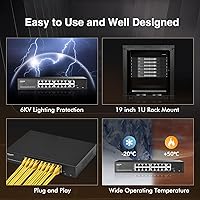
  • Chassis: The enclosure is constructed entirely of metal with dual-side ventilation slots and relies on fanless passive cooling with no moving parts.
  • Mounting Options: Supports desktop placement, wall mounting, and standard 19″ rackmount installation using the included pair of mounting brackets.
  • Input Voltage: Accepts universal AC input ranging from 100–240V at 50–60Hz, compatible with power infrastructure worldwide.
  • Operating Temp: Rated for operation between -10°C and 50°C, with a storage temperature range of -40°C to 70°C.
  • MAC Table: Supports up to 2,000 MAC address entries and uses a store-and-forward packet processing mode.
  • Port Speed: All 16 PoE ports auto-negotiate at 10 or 100Mbps only; Gigabit throughput is available exclusively on the two uplink ports.
  • Dimensions: The unit measures 268 × 181 × 44mm with a net weight of 1.29 kg and a packaged weight of 1.77 kg.
  • Network Protocols: Supports IEEE 802.3, 802.3u, 802.3ab, and 802.3x (flow control) networking standards.
  • Cable Requirements: Requires Cat3 or higher for 10Base-T, Cat5 or higher for 100Base-TX, and Cat5 or higher for 1000Base-T uplink connections.
  • Package Contents: Box includes the switch unit, one power cord, one user manual, and one pair of rack-mount brackets.

Related Reviews
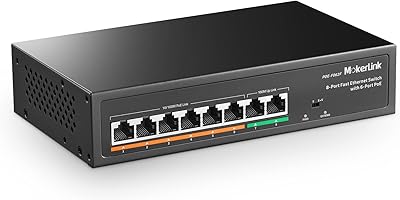
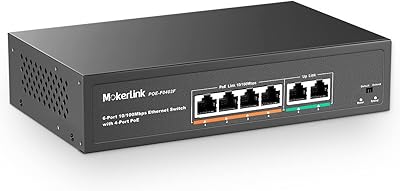
MokerLink POE-F062F 8-Port PoE Switch
86%
91%
Value for Money
88%
Performance Stability
95%
Ease of Installation
85%
PoE Power Output
82%
Build Quality
More
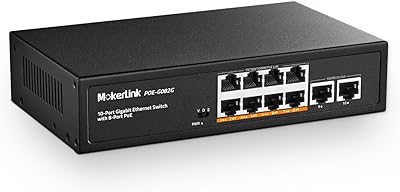
MokerLink POE-G082G 10-Port Gigabit PoE Switch
78%
94%
Ease of Setup
88%
PoE Reliability
83%
Build Quality
91%
Value for Money
71%
Thermal Management
More
MokerLink POE-G1604GS 20-Port Gigabit PoE Switch
77%
86%
Build Quality
81%
PoE Power Delivery
89%
Ease of Setup
88%
Value for Money
93%
Noise & Cooling
More
MokerLink POE-G041GO Outdoor Gigabit PoE Switch
81%
93%
Ease of Setup
84%
PoE Power Delivery
78%
Build Quality
76%
Weather Resistance
88%
Value for Money
More
MokerLink 6-Port 78W PoE+ Network Switch
83%
96%
Ease of Setup
78%
PoE Compatibility
88%
Build Quality
93%
Value for Money
61%
Port Speed & Throughput
More
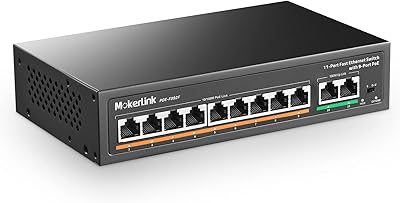
MokerLink POE-F092F 11-Port PoE+ Network Switch
79%
93%
Ease of Setup
89%
PoE Reliability
84%
Build Quality
91%
Value for Money
58%
Port Speed & Throughput
More
YuLinca 6-Port Gigabit PoE Switch with 4 PoE+ Ports
87%
95%
Ease of Installation
88%
PoE Functionality
91%
Build Quality
87%
Performance and Speed
94%
Fanless Operation (Noise)
More
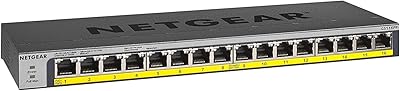
NETGEAR GS116PP 16-Port PoE+ Gigabit Switch
83%
96%
Ease of Setup
93%
PoE Port Coverage
68%
Power Budget Adequacy
88%
Build Quality
97%
Noise Level
More
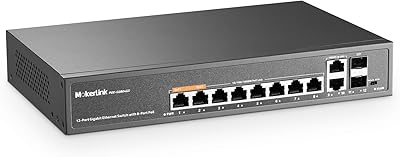
MokerLink 12-Port Gigabit PoE+ Unmanaged Switch
74%
93%
Ease of Setup
86%
PoE Reliability
88%
Build Quality
91%
Value for Money
94%
Fanless & Noise
More
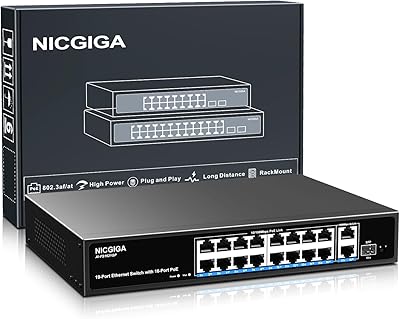
NICGIGA NIC-AI-FS1621GP 16-Port Unmanaged PoE Switch
76%
88%
Value for Money
93%
Ease of Setup
54%
PoE Port Speed
84%
PoE Power Delivery
79%
AI Watchdog Reliability
More

FAQ

Only the two uplink ports (ports 17 and 18) operate at Gigabit speed. The 16 PoE ports are Fast Ethernet, capping out at 100Mbps each. For most IP cameras and wireless access points this is more than enough, but if you were expecting all-port Gigabit performance, that is an important distinction to confirm before purchasing.

No, it will not. This unmanaged switch only supports active IEEE 802.3af and 802.3at PoE standards. Passive 24V PoE, which Ubiquiti uses on certain older hardware, is not compatible. Plugging passive PoE devices into this switch means they will receive data but no power through the cable.

Extend mode lets you push both PoE power and data well beyond the standard 100-meter Ethernet limit — up to 250 meters over a single uninterrupted Cat5 or better cable run. You activate it by flipping the physical DIP switch on the unit to the Extend position. The trade-off is that port speed drops to 10Mbps, so it works well for standard-definition cameras or basic access points but is not practical for high-bitrate video streams.

It is genuinely plug-and-play with no software, web interface, or app involved. You connect your uplink cable to your router and plug your PoE devices into the numbered ports, and everything comes up automatically. The only user-facing control is the physical DIP switch on the chassis for changing operating modes.

You can achieve basic isolation, but it is worth understanding what this mode actually does. It is port isolation rather than true managed VLAN tagging — the 16 PoE ports cannot communicate directly with each other and can only pass traffic through the two uplink ports. If your router or NVR is on an uplink port, your cameras will stay off your main LAN, which works well for most home security setups.

It depends on how much power each camera draws. Most standard IP cameras consume between 7W and 12W, meaning you can comfortably run all 16 ports within the 200W budget in a typical deployment. Where the budget gets stretched is with higher-draw devices like PTZ cameras, heated dome enclosures, or dual-band access points — in those cases it is worth adding up your expected wattage before assuming all 16 ports can run simultaneously at full load.

Completely silent. There is no fan — the switch uses passive cooling through ventilation slots on both sides of the metal chassis. You could put it on an open shelf in a quiet room and never hear it.

Yes on both counts. The mounting brackets are included and fit a standard 19″ equipment rack. It occupies 1U of rack space, so it is compact enough to sit alongside other networking gear without taking up much room. If a rack is not part of your setup, it also supports desktop placement or wall mounting.

Cat5e or Cat6 is strongly recommended for long runs, even though Cat5 meets the technical minimum. The key requirement is that the cable run must be a single continuous length — avoid patch panels, keystone jacks, or cable couplers mid-run, as signal degradation compounds over long distances and any extra connection point adds resistance.

There is no software or remote monitoring capability — this is an unmanaged switch with no management interface of any kind. Port status is visible only through the front-panel LEDs: a solid green light indicates an active connection and a flashing light indicates data activity. If you need traffic visibility, bandwidth reporting, or remote monitoring, you would need a managed switch instead.