Overview

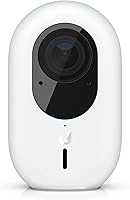
The Ubiquiti UniFi G4 Instant launched in April 2022 as a compact wireless addition to the UniFi Protect camera lineup, and it comes with one important caveat worth knowing upfront: this camera is built for people already inside the Ubiquiti ecosystem. If you are running a UniFi network and Protect setup, it slots right in. If not, the experience gets complicated fast. The 2K/5MP resolution is a genuine step up from standard 1080p — enough extra detail to actually distinguish faces in a crowded entryway rather than squinting at a blurry blob. At its mid-range price point, it is a considered purchase, not an impulse buy.
Features & Benefits

The G4 Instant's 5MP CMOS sensor is where this camera earns its keep. At 2K, you get noticeably sharper footage than a typical budget indoor cam — the kind of clarity where you can actually read a name badge or make out a face at the door. Going wireless means no PoE switch required, which cuts installation headaches considerably. The body is genuinely small, so it tucks away without drawing attention. A Micro SD slot provides local backup storage if your NVR goes offline, and MPEG-4 format keeps recordings compatible with most playback tools. The deeper value comes from UniFi Protect: smart detections, timeline reviews, and centralized multi-camera control all in one place.

Best For

This UniFi indoor camera is a strong fit for homeowners and small business owners already invested in the Ubiquiti ecosystem. Think retail counters, small office entryways, or a home hallway where you want coverage without running cable through walls. The wireless setup genuinely lowers the barrier compared to wired UniFi models, but to be clear — you still need UniFi Protect running somewhere, whether on a Cloud Key, Dream Machine, or similar hardware, to unlock most of what this camera can do. If image detail matters more than a wide-angle view, this compact security camera delivers well. Those new to IP cameras without existing Ubiquiti infrastructure should think carefully before committing.

User Feedback

Buyers already running UniFi Protect tend to be genuinely satisfied with the G4 Instant — image sharpness and software integration come up repeatedly as highlights. Setup is frequently described as far less painful than running Ethernet to a wired camera. That said, the most common criticism is blunt: this camera does very little without the right Ubiquiti hardware to pair it with. Motion detection gets mixed marks — reliable in many cases, but some users flag occasional false alerts in high-traffic areas. A smaller number of long-term owners have noted the build feels adequate rather than premium for indoor use, which is worth weighing given the price.

Pros

  • 2K/5MP resolution delivers footage clear enough to identify faces and read small text on labels.
  • Wireless installation means no PoE switch, no cable runs, and a much faster setup process.
  • Micro SD local storage keeps recording even when the network or NVR goes offline.
  • The G4 Instant integrates natively with UniFi Protect for centralized multi-camera management.
  • Compact body fits discreetly in tight corners, on shelves, or above doorframes without standing out.
  • Smart detection features in UniFi Protect reduce unnecessary motion alerts in stable environments.
  • MPEG-4 video format ensures broad compatibility with playback and export tools.
  • Long-term hardware reliability is consistently reported as solid by users past the 18-month mark.
  • Local NVR storage keeps footage off third-party cloud servers, which privacy-focused users appreciate.

Cons

  • Completely non-functional without a UniFi Protect host device — no standalone operation at all.
  • Total cost of ownership rises sharply if you need to buy supporting Ubiquiti hardware first.
  • Motion detection generates false alerts in busy or high-traffic areas without careful manual tuning.
  • Low-light indoor performance is inconsistent and falls short of more specialized night-vision cameras.
  • Field of view is too narrow for open-plan rooms, often requiring multiple units for adequate coverage.
  • Firmware updates occasionally introduce temporary bugs that disrupt recording or detection behavior.
  • Audio capture is basic and one-directional — no two-way communication is supported.
  • Micro SD card management within UniFi Protect can require reformatting after certain firmware updates.
  • No native compatibility with third-party smart home platforms like HomeKit or Google Home.

Ratings

Our AI rating system analyzed thousands of verified global user reviews for the Ubiquiti UniFi G4 Instant, actively filtering out incentivized submissions and bot activity to surface what real buyers actually experienced. The scores below reflect a balanced picture — where this compact security camera genuinely excels and where it falls short depending on your setup. Strengths and recurring frustrations are both represented transparently across every category.

Image Quality
88%
The 5MP sensor delivers noticeably sharper footage than the 1080p cameras many users were upgrading from. In real-world conditions — a home entryway or a retail counter — faces are readable and small details like package labels hold up well under review.
Low-light performance gets inconsistent feedback. Some users report acceptable night footage, but others find the image quality drops meaningfully in dimly lit indoor spaces, which limits its usefulness in poorly lit back rooms or garages.
Ecosystem Integration
91%
For buyers already running UniFi Protect, the G4 Instant fits right into the existing dashboard with minimal configuration. Timeline scrubbing, smart detections, and multi-camera management all work as expected — a genuinely cohesive experience for established UniFi users.
This tight integration is also its biggest restriction. The camera offers almost nothing useful without a compatible UniFi Protect host device, and buyers who discover this after purchase are among the most vocal critics in verified reviews.
Installation & Setup
83%
Going wireless removes a real headache. Users who previously struggled with running Ethernet through finished walls consistently praise the straightforward Wi-Fi pairing process and the compact mounting footprint that works in tight corners.
Setup still requires the UniFi Protect app and a compatible host, which trips up first-time Ubiquiti buyers who assumed this was a plug-and-play standalone camera. The learning curve for network configuration is steeper than most consumer-grade alternatives.
Motion Detection Accuracy
71%
29%
In controlled environments — a single-entry hallway or a small office reception — the motion detection works reliably and the smart detection features within UniFi Protect add useful filtering that reduces unnecessary alerts.
High-traffic areas expose the weak spots. False alerts from pets, shifting light patterns, or outdoor movement visible through windows are a recurring theme in user feedback. Some users report needing to tune sensitivity settings repeatedly to get consistent results.
Build Quality & Design
68%
32%
The small, unobtrusive form factor is genuinely well-suited for discreet indoor placement. Long-term users generally report no hardware failures over one to two years of continuous operation, which suggests solid basic reliability.
The physical construction feels functional rather than premium for the price. Several users note that the plastic housing feels light compared to competing cameras at the same tier, and the mounting hardware is described as just adequate rather than confidence-inspiring.
Value for Money
74%
26%
For an existing UniFi Protect user, the value calculus is straightforward — the wireless convenience and 2K resolution at this price point is competitive within the Ubiquiti lineup and avoids the added cost of PoE switches.
For anyone outside the ecosystem, the value drops sharply. Paying a mid-range price for a camera that requires additional Ubiquiti hardware to function properly leaves some buyers feeling the total cost was understated at the point of purchase.
Wireless Connectivity Stability
76%
24%
Most users report a stable Wi-Fi connection once the camera is positioned within reasonable range of the access point. In home setups with a dedicated UniFi network, dropped connections are rare.
Edge cases around Wi-Fi range and interference do surface in feedback. Users placing the camera farther from access points or in signal-congested environments report intermittent disconnects that require manual reconnection through the Protect app.
Audio Quality
62%
38%
Audio capture is functional for general surveillance purposes — adequate enough to understand speech at close range or confirm ambient sounds during a recorded event.
Audio is consistently described as a secondary feature rather than a strength. Background noise bleeds easily, microphone sensitivity is limited, and two-way audio — if expected — is not a feature this camera supports, which surprises some buyers.
Local Storage Reliability
66%
34%
The Micro SD fallback is a genuinely useful safety net. When an NVR goes offline or a network hiccup interrupts cloud recording, having local storage prevents gaps in footage — a feature some competing cameras at this tier skip entirely.
Micro SD card management inside UniFi Protect is not the most polished experience. A handful of users report having to reformat cards after firmware updates, and the supported card capacity and write longevity draw occasional complaints from heavier users.
App & Software Experience
81%
19%
UniFi Protect as a platform is well-regarded among its user base. Timeline reviews, clip exporting, and live view access all work reliably, and the interface has matured considerably since the camera launched in 2022.
The software experience is tied entirely to Ubiquiti's update cadence. Firmware updates occasionally introduce bugs that temporarily affect camera behavior, and users who rely on the camera for critical monitoring find these interruptions disproportionately disruptive.
Physical Footprint & Placement
85%
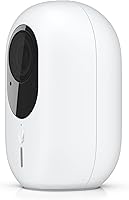
At just over 3 inches wide and under 2 inches tall, this compact security camera disappears into most indoor environments. Entryways, shelves, and ceiling corners all work well, and the neutral design blends without drawing attention.
The compact size comes with a narrower field of view than bulkier cameras. Users hoping to cover a wide open room with a single unit often find they need more than one camera to achieve the coverage they expected.
Long-Term Durability
72%
28%
Users who have run the G4 Instant continuously for 18 months or more generally report no significant hardware degradation. The camera handles extended operation in climate-controlled indoor spaces without reported overheating or sensor issues.
There is limited feedback from users past the two-year mark, making long-term durability harder to assess with confidence. A small subset of reviews cite Wi-Fi module issues emerging after prolonged use, though this remains a minority experience.
Field of View
63%
37%
The focal length works well for narrow corridors, doorways, and counter-level coverage where a tighter frame is actually an advantage — you get more detail on a smaller subject area rather than a washed-out wide panorama.
For open-plan spaces like living rooms or warehouse floors, the field of view is simply too narrow to be useful as a single-camera solution. Buyers expecting broad room coverage regularly flag this as an unmet expectation.
Privacy & Data Handling
78%
22%
Keeping recordings on a local NVR or Micro SD rather than a mandatory third-party cloud is a genuine selling point for privacy-conscious users. Data stays within the buyer's own infrastructure by default, which draws consistent positive feedback.
Ubiquiti's broader history with data security incidents remains a reference point in some user discussions. While the camera itself stores locally, buyers who connect their UniFi system to external access remain cautious about potential exposure.

Suitable for:

The Ubiquiti UniFi G4 Instant is built for a specific kind of buyer, and that buyer knows who they are: someone already running a UniFi network at home or in a small business who wants to add indoor wireless coverage without pulling new cable. If you have a Dream Machine, Cloud Key, or another UniFi Protect host already humming along, this camera slots in cleanly and immediately benefits from smart detections, centralized management, and timeline-based footage review. It works particularly well in focused coverage scenarios — a front door corridor, a reception desk, a server room entrance — where image detail matters more than panoramic width. Small business owners who want a step up from consumer-grade cameras without jumping to a full enterprise deployment will find the 2K resolution and local storage options genuinely useful. For anyone comfortable managing their security setup through a single, well-designed platform, the G4 Instant delivers a cohesive, reliable indoor monitoring experience.
Not suitable for:

If you do not already own compatible Ubiquiti hardware, the Ubiquiti UniFi G4 Instant is a purchase you should pause on. The camera does not function as a standalone device — without a UniFi Protect host, you have an expensive paperweight, and adding that infrastructure to make this camera work pushes the real total cost significantly higher than the sticker price suggests. Buyers looking for a simple plug-in security camera that works with a smartphone app out of the box, or those hoping to integrate it with non-Ubiquiti platforms like Google Home or Apple HomeKit, will be disappointed. It is also a poor fit for large open spaces — a warehouse floor, a wide living room — where the narrow field of view means you would need multiple units to achieve adequate coverage. Anyone on a tight budget who needs just one no-fuss indoor camera has far more practical options available that do not require building out an ecosystem to support them.
Specifications

  • Model Number: The camera is identified by Ubiquiti's official model number UVC-G4-INS-US, designating the North American variant of the G4 Instant.
  • Image Sensor: A 5-megapixel CMOS sensor captures video at 2K resolution, providing noticeably sharper detail than standard 1080p cameras.
  • Video Resolution: Maximum video capture resolution is 5MP (2K), delivering enough clarity to distinguish facial features or read printed text in frame.
  • Video Format: Footage is recorded and stored in MPEG-4 format, which is broadly compatible with most media players and NVR export tools.
  • Audio Support: The camera supports AAC and MP3 audio formats for recorded footage; PCM support is also indicated as a possible additional format.
  • Connectivity: The camera connects exclusively via Wi-Fi, eliminating the need for a PoE switch or Ethernet cable run during installation.
  • Local Storage: A Micro SD card slot provides on-device local storage as a fallback recording option when network or NVR connectivity is unavailable.
  • Focal Length: The maximum focal length is 12mm, which produces a tighter field of view suited to corridors, doorways, and focused indoor coverage areas.
  • Aperture: The maximum aperture is f/5mm, which is adequate for well-lit indoor environments but limits performance in low-light conditions.
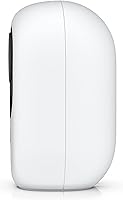
  • Dimensions: The camera body measures 3.21 x 1.97 x 1.86 inches, making it compact enough for discreet placement on shelves, walls, or ceiling corners.
  • Weight: The unit weighs 1.46 pounds, which is light enough for standard drywall mounting without requiring reinforced hardware.
  • Ecosystem: Full functionality requires a UniFi Protect host device (such as a Dream Machine, Dream Wall, or Cloud Key Gen2 Plus) and the UniFi Protect application.
  • Smart Detections: When paired with UniFi Protect, the camera supports smart motion detection with configurable sensitivity zones and activity timeline scrubbing.
  • Release Date: The G4 Instant was first made available in April 2022 as a wireless addition to Ubiquiti's growing UniFi Protect indoor camera range.
  • Intended Use: The camera is designed for indoor use only and is not rated for outdoor or moisture-exposed environments.
  • Power Source: The camera is powered via a standard USB or direct power adapter connection rather than Power over Ethernet, consistent with its wireless-first design.
  • Multi-Camera Support: The UniFi Protect platform supports centralized management of multiple cameras simultaneously, including live view dashboards and shared recording timelines.

Related Reviews

Ubiquiti UniFi Protect G4-PRO Camera
86%
91%
Video Quality
94%
Ease of Setup
88%
Weather Resistance
80%
Software Integration
85%
Night Vision Performance
More
Ubiquiti Networks UniFi Protect G4 Dome Camera 4MP
83%
92%
Image Quality
85%
Ease of Installation
90%
Night Vision Performance
87%
Build Quality
82%
Motion Detection Accuracy
More
Ubiquiti UniFi Protect G4-Bullet 4MP Outdoor Security Camera
86%
88%
Performance
91%
Night Vision Quality
89%
Ease of Installation
85%
Weather Resistance
80%
Audio Quality
More
Ubiquiti UniFi Switch Aggregation
85%
91%
Performance & Speed
88%
Ease of Installation
89%
Build Quality & Durability
85%
Network Management Features
83%
Power Efficiency
More
Ubiquiti UniFi AP AC LR
84%
89%
Wi-Fi Performance
84%
Range & Coverage
92%
Ease of Setup
87%
Build Quality
85%
Software & App Experience
More
Ubiquiti US-8 Unifi Switch
87%
90%
Performance & Speed
94%
PoE Functionality
86%
Build Quality
88%
Ease of Use
91%
Integration with Unifi System
More
Ubiquiti UniFi G5 Dome Camera
87%
92%
Video Quality
83%
Ease of Installation
78%
Night Vision Performance
89%
App Interface
91%
Durability (Outdoor Use)
More
Ubiquiti UniFi Security Appliance USG
88%
92%
Performance & Speed
87%
Ease of Setup
90%
VPN Capabilities
88%
Build Quality
94%
Integration with UniFi Controller
More
Ubiquiti UniFi 6 Pro (U6-Pro)
80%
93%
Wireless Performance
89%
Range & Coverage
54%
Setup & Installation
78%
Value for Money
88%
Build Quality & Design
More
Ubiquiti UniFi Switch US-48-500W
89%
94%
Performance
92%
Reliability
88%
Ease of Setup
90%
PoE Support
93%
Speed & Uplink Capability
More

FAQ

No, it does not — and this is the single most important thing to know before buying. The Ubiquiti UniFi G4 Instant requires a compatible UniFi Protect host device to function. Without one, the camera cannot be configured, viewed, or used in any meaningful way. If you do not already own a Dream Machine, Cloud Key Gen2 Plus, or similar Ubiquiti host, you will need to factor that cost into your purchase decision.
It is not rated for outdoor use. The camera is designed specifically for indoor environments and lacks the weatherproofing needed to handle rain, humidity, or temperature extremes. Mounting it outside — even under an overhang — risks damage and is not supported by Ubiquiti.

Ubiquiti recommends using a high-endurance Micro SD card rated for continuous write cycles, such as those marketed for dash cams or security cameras. A 64GB or 128GB card is a practical starting point for most indoor setups, giving you several days of local footage buffer depending on recording resolution and motion frequency.

The difference is most noticeable when you need to identify something specific in the footage. At 2K/5MP, faces are more distinguishable at a distance, printed text on packages is often readable, and details that blur out on a 1080p feed stay clear when you zoom in during review. It is not a dramatic visual leap in live view, but it becomes meaningful when you need to go back and examine recorded footage closely.

No, the G4 Instant does not support two-way audio. It captures audio from the environment for recording purposes, but there is no built-in speaker or intercom functionality. If two-way communication is important to your use case, you would need to look at other cameras in the UniFi lineup, such as the G4 Doorbell.

No, native integration with third-party smart home platforms is not supported. This camera operates entirely within the Ubiquiti ecosystem and is managed through the UniFi Protect app. If smart home platform compatibility is a requirement, this particular camera is not the right fit.

Like any Wi-Fi device, performance depends heavily on the distance and obstacles between the camera and your access point. In typical home environments with a reasonably modern router, most users report stable connections within normal indoor ranges. Weak signal areas can lead to intermittent disconnects, which show up as gaps in recorded footage. Running a UniFi access point helps significantly, since the camera is designed to pair optimally with Ubiquiti networking hardware.

Yes, remote access is available through the UniFi Protect mobile app when your host device is connected to the internet. Ubiquiti offers this through their cloud relay service, which allows you to view live feeds and review recorded footage from anywhere. Keep in mind that remote access quality depends on your home network's upload speed.

UniFi Protect includes activity zone configuration, which lets you define specific regions of the camera's frame that should trigger alerts and exclude others. Reducing the sensitivity level and limiting detection zones to areas like a doorway rather than the entire frame significantly cuts down on false alerts. It takes a few minutes of adjustment, but most users find a reliable balance fairly quickly.

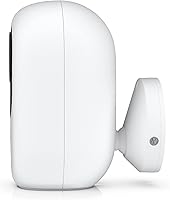
Yes, basic mounting hardware is included in the box. Physical installation is straightforward — the compact body attaches to most flat surfaces with just a couple of screws, and the small footprint means it is easy to position discreetly. The more involved part of setup is the software side: adding the camera to your UniFi Protect system, configuring recording settings, and adjusting detection zones, which takes more time but is well-documented in Ubiquiti's support materials.