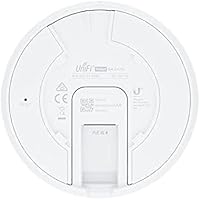
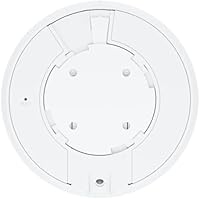
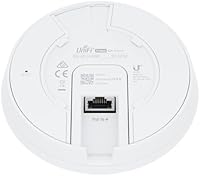
Overview

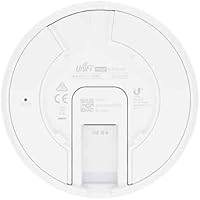
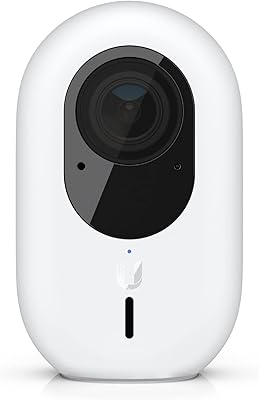
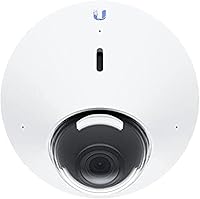
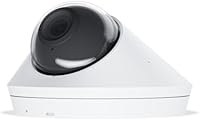
The Ubiquiti UniFi Protect G4 Dome Camera sits firmly in the prosumer camp — priced and built for people who take their network infrastructure seriously. Powered entirely over Ethernet, it eliminates the separate power cable headache that plagues most wired camera installs. The compact dome housing is vandal-resistant and rated for outdoor exposure, making it equally at home on a garage ceiling or above a shop entrance. That said, this Ubiquiti security camera is not a plug-and-play solution for everyone. It thrives inside the UniFi Protect ecosystem and can feel unnecessarily complicated if you're approaching it cold.
Features & Benefits

At its core, the G4 Dome delivers 4MP resolution that captures crisp, color-accurate footage throughout the day. When light drops, the integrated IR LEDs handle the transition to night vision without requiring any external lighting. Two-way audio is built in — microphone and speaker included — which is genuinely useful for small business entrances or monitored doorways. Running on Power over Ethernet keeps the installation clean, though you'll need a PoE-capable switch or injector if you don't already have one. Add native UniFi Protect NVR support, and managing multiple cameras from one dashboard becomes straightforward rather than a chore.

Best For

This UniFi dome camera makes the most sense for buyers already invested in the Ubiquiti ecosystem. If you're running a UniFi network at home or across a small business, adding this camera to your existing setup is a natural step. IT professionals who want centralized camera management, motion alerts, and remote access without stitching together third-party apps will find it a solid fit. It's also well-suited to locations that need a discreet, ceiling-mounted profile — lobbies, stairwells, and covered entryways. Just be prepared for a modest technical setup; this isn't aimed at users who want something running in five minutes out of the box.

User Feedback

Owners consistently praise the daylight image quality, calling out strong color reproduction and clear detail at distance. Integration with UniFi Protect software earns consistent positive marks too, with remote access working reliably for most users. Where things get more nuanced: night vision is solid at moderate distances, but don't expect it to illuminate a wide open parking lot. A recurring frustration is the NVR dependency — without a Cloud Key or UniFi Protect host, the camera simply won't function, which catches some buyers off guard. The lack of onboard storage is also worth noting before purchasing, especially for anyone expecting standalone operation.

Pros

  • 4MP daylight footage delivers sharp, color-accurate images that hold up well when reviewing recorded clips.
  • Single PoE cable handles both power and data, keeping installations clean and cable runs minimal.
  • Vandal-resistant dome housing has proven durable across real-world outdoor deployments in varied climates.
  • UniFi Protect software integration is polished — remote access and multi-camera management work reliably day to day.
  • The compact 4-inch dome profile sits discreetly on ceilings without drawing attention in customer-facing spaces.
  • Two-way audio is genuinely useful for monitored entrances, delivery areas, and small business front doors.
  • For existing UniFi users, adding this G4 Dome to an established system is fast and friction-free.
  • Motion detection zones are configurable enough to cut down on false alerts in most typical deployments.
  • Wired Ethernet connectivity means no signal dropouts, Wi-Fi interference, or bandwidth competition with other devices.

Cons

  • Requires a UniFi Protect NVR or Cloud Key — first-time buyers often underestimate this added cost.
  • No onboard SD card storage means there is zero fallback recording if the NVR goes offline.
  • Night vision range falls short in open outdoor areas beyond roughly 25 to 30 feet.
  • PoE switch or injector is a separate purchase for buyers who do not already own compatible networking hardware.
  • No person or vehicle detection — motion-only alerts lead to more irrelevant notifications than smarter competitors.
  • Third-party NVR compatibility is unreliable, making it a poor choice for mixed-brand surveillance setups.
  • Wind noise significantly degrades outdoor two-way audio quality, limiting its usefulness in exposed locations.
  • Only available in white, which can stand out awkwardly on darker ceilings or exterior soffits.
  • Total system cost climbs quickly for new buyers who need to purchase both the camera and a Protect host device.

Ratings

The Ubiquiti UniFi Protect G4 Dome Camera earns its reputation as one of the more capable prosumer dome cameras on the market, and these scores reflect exactly that — strengths and shortcomings alike. Our AI rating system analyzed thousands of verified global buyer reviews, actively filtering out incentivized, bot-generated, and low-quality submissions to surface what real installers and business owners actually experience day to day. The result is a balanced, honest picture of where this Ubiquiti security camera excels and where it genuinely falls short.
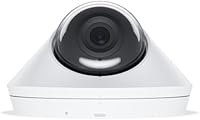
Image Quality
88%
Daylight footage from this G4 Dome consistently draws praise for its color accuracy and level of detail at 4MP — users report being able to read license plates and identify faces at meaningful distances under good lighting. Color reproduction holds up well even in mixed or artificial lighting environments like warehouse floors and retail counters.
In very high-contrast scenes, such as a bright exterior doorway viewed from a shaded lobby, some users report blown-out highlights. The camera handles typical lighting well, but it is not quite on par with higher-end models that feature more sophisticated WDR processing.
Night Vision Performance
71%
29%
The integrated IR LEDs do solid work in enclosed or covered spaces — garages, stairwells, and covered entryways are where users report the most consistent results. Switching between day and night mode is smooth, with no jarring transitions or lag that would cause missed footage.
At longer distances — roughly beyond 25 to 30 feet in open outdoor areas — the IR illumination begins to fall off noticeably. Users monitoring large driveways or expansive parking areas have flagged that the night coverage does not match what some competitor cameras in the same price range deliver.
Build Quality & Durability
84%
The vandal-resistant dome housing feels solid and well-engineered out of the box. Users who have installed this Ubiquiti security camera in covered outdoor locations report no degradation after extended exposure to rain, humidity, and temperature swings, which speaks well to the housing's real-world resilience.
A few users note that the dome cover can accumulate dust and spiderwebs faster than expected in outdoor environments, which can subtly degrade image quality over time. The mounting hardware, while functional, feels slightly less premium than the camera body itself.
Installation Experience
76%
24%
For anyone already running a UniFi network, dropping this G4 Dome into an existing setup is genuinely straightforward. The UniFi Protect app picks the camera up quickly, and routing a single PoE Ethernet cable rather than two separate cables keeps the install tidy and professional-looking.
The experience changes considerably for buyers who are new to the ecosystem. Without a compatible PoE switch or injector already in place, there is additional cost and configuration involved before the camera becomes functional. First-time Ubiquiti users frequently underestimate this prerequisite.
Software & App Integration
91%
Within the UniFi Protect platform, the management experience is polished and reliable. Users consistently highlight remote access, live view stability, and the ability to manage multiple cameras from a single interface as standout strengths — particularly for small business operators monitoring several locations.
The software experience is entirely contingent on owning a UniFi Protect NVR or Cloud Key. Outside of that ecosystem there is no alternative app or local access path, which locks buyers in more firmly than some realize before purchasing. Firmware updates, while generally smooth, occasionally introduce minor bugs.
Ecosystem Compatibility
58%
42%
For users already committed to Ubiquiti infrastructure, this camera plugs into an impressively cohesive system. Multi-camera deployments, user access management, and alert routing all benefit from tight hardware-to-software integration that third-party camera systems struggle to match.
This is where the G4 Dome draws the most criticism from buyers outside the UniFi ecosystem. It simply does not function as a standalone camera — no NVR, no footage. ONVIF compatibility is limited, and integration with third-party NVR platforms is inconsistent at best, ruling it out for mixed-brand setups.
Value for Money
73%
27%
Within the context of a full UniFi Protect deployment, the per-camera cost feels justified given the image quality, build standard, and tight software integration. Business users who are scaling from two cameras to eight find the pricing competitive relative to enterprise-grade alternatives.
For a buyer purchasing just one camera — and needing to also acquire a Cloud Key or NVR — the total entry cost climbs quickly and can feel steep compared to simpler self-contained systems. The value proposition improves significantly the more cameras are in the deployment.
PoE Power Reliability
87%
Running on Power over Ethernet means one cable handles both data and power, which experienced installers consistently appreciate. Users report rock-solid uptime once the camera is live, with no power cycling issues or connectivity drops over extended periods in both indoor and outdoor deployments.
The PoE requirement is a genuine barrier for buyers who do not own a compatible switch or injector — adding one increases cost and complexity. Some users also note that the PoE standard draw can put pressure on budget switches running several cameras simultaneously.
Two-Way Audio
67%
33%
The built-in mic and speaker work reliably enough for basic communication — announcing to a delivery driver or warning off an intruder at a business entrance. Users in quiet indoor environments find the audio clear and responsive through the UniFi Protect app.
Outdoor audio performance degrades noticeably in windy conditions, with wind noise regularly masking voices and ambient sound. The speaker volume is adequate at close range but insufficient for calling out to someone more than 10 to 15 feet away in an open area.
Motion Detection Accuracy
74%
26%
Motion alerts through UniFi Protect are configurable and reasonably accurate for typical use cases. Users monitoring shop entrances and hallways report that the detection zones work well, reducing irrelevant alerts from traffic passing at the periphery of the frame.
False positives from swaying foliage or shifting shadows are a recurring complaint among users with outdoor-facing cameras. The detection engine is motion-only — there is no person or vehicle classification built into the camera itself, which limits alert precision compared to smarter competitors.
Remote Access & Monitoring
86%
Remote live view and playback through the UniFi Protect app holds up well on both mobile and desktop, even over cellular connections. Small business owners who check in on their properties while traveling consistently rate this capability as one of the most useful aspects of the system.
Remote access is entirely dependent on the NVR being online and reachable. If the host device goes offline or loses internet connectivity, remote access is unavailable — there is no fallback cloud buffer or redundant access path built into the camera itself.
Weatherproofing
83%
Long-term users in rainy climates and high-humidity environments report that the camera holds up well without any ingress-related failures. The dome housing does not show signs of fogging or seal degradation that some cheaper outdoor cameras develop within a year of exposure.
Despite the outdoor rating, most experienced installers still recommend mounting under at least partial cover for best longevity. Direct prolonged sun exposure can cause gradual discoloration of the white housing, and the dome cover is prone to water spotting that affects image clarity if not cleaned periodically.
Onboard Storage
41%
59%
There is little positive to say here from a standalone storage standpoint — the camera is designed around centralized NVR recording, and within that context it functions exactly as intended. Users fully invested in a UniFi Protect setup never need to think about per-camera storage.
The complete absence of onboard SD card storage is one of the most frequently cited frustrations in buyer reviews. For anyone expecting a fallback recording option during NVR downtime, or wanting to operate the camera without a dedicated host, this is a firm and unresolved limitation.
Physical Footprint & Discretion
82%
18%
The compact 4-by-4-inch dome profile sits flush against ceilings without drawing much attention, which suits retail environments, offices, and rental properties where a low-profile camera is preferable. Several users specifically mention choosing this form factor over bullet cameras for aesthetic reasons.
The white finish, while clean-looking indoors, can stand out more than expected on dark or natural wood ceilings. There is no black colorway available for buyers who need better visual blending in darker-toned interiors or exterior soffits.

Suitable for:

The Ubiquiti UniFi Protect G4 Dome Camera is purpose-built for buyers who are already operating within — or actively building — a Ubiquiti network infrastructure. Small business owners who need a scalable, centrally managed surveillance system will find it a natural fit, particularly those running retail shops, offices, or multi-room facilities where several cameras need to operate under one unified dashboard. IT professionals and technically confident homeowners who want wired reliability over the inherent inconsistency of Wi-Fi cameras will appreciate the clean single-cable PoE installation. The compact dome form factor makes it genuinely unobtrusive in customer-facing spaces like lobbies, reception areas, and covered entryways. If you already own a UniFi Cloud Key or Protect-compatible NVR, adding this G4 Dome to your setup is a logical, cost-effective expansion rather than a gamble.
Not suitable for:

The Ubiquiti UniFi Protect G4 Dome Camera is a hard pass for anyone expecting a standalone, plug-and-play experience. Without a UniFi Protect NVR or Cloud Key already in your setup, the camera simply will not record — there is no independent operation mode, no built-in SD card slot, and no alternative app to fall back on. Buyers who own a mixed-brand NVR system or prefer ONVIF-based compatibility will run into real friction, since third-party integration is inconsistent and unsupported in any official capacity. If your surveillance need is a single outdoor camera for a rental property or a second home where you want zero ongoing infrastructure to manage, this Ubiquiti security camera will likely frustrate more than it helps. Anyone needing wide-area night vision coverage — think long driveways or open parking lots — should also look elsewhere, as the IR range is adequate for close to mid-distance but not designed for extended outdoor coverage.
Specifications

  • Video Resolution: The camera captures footage at 4MP, delivering detailed images suitable for identifying faces and reading plates at moderate distances.
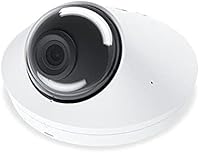
  • Form Factor: Compact dome housing measures 4 x 4 x 4 inches and is designed for ceiling-mount installation in both indoor and covered outdoor environments.
  • Weight: The unit weighs 13.1 ounces, making single-person ceiling installation straightforward without requiring additional support hardware.
  • Power Source: Powered exclusively via Power over Ethernet (PoE), eliminating the need for a separate power cable or nearby electrical outlet.
  • Connectivity: Connects via wired Ethernet only; there is no built-in Wi-Fi radio, making a physical cable run a hard requirement for every installation.
  • Night Vision: Integrated infrared LEDs enable automatic low-light recording without an external light source, effective at close to mid-range distances.
  • Weatherproofing: Rated IP67, meaning the housing is fully dust-tight and protected against temporary water immersion, suitable for covered outdoor mounting.
  • Two-Way Audio: A built-in omnidirectional microphone and speaker support real-time two-way audio communication through the UniFi Protect application.
  • Video Format: Records and streams in MPEG-4 format, compatible with UniFi Protect NVR playback and export workflows.
  • Optical Zoom: Supports 3x optical zoom, allowing operators to digitally close in on specific areas of a scene during live view or playback.
  • Alert Type: Motion detection is the sole alert trigger; the camera does not include onboard AI-based person, vehicle, or animal classification.
  • Storage: The camera has no onboard SD card slot; all recording relies on a connected UniFi Protect NVR or compatible Cloud Key device.
  • Ecosystem: Requires a UniFi Protect-compatible NVR or Cloud Key to function; the camera cannot operate or record as a standalone device.
  • Mounting Type: Designed for ceiling-mount installation using the included mounting hardware, with a low-profile dome that sits flush against the surface.
  • Included Components: The box contains the camera body, mounting hardware, a connection cable, a power cable, and a printed user manual.
  • Color: Available exclusively in white, with no alternative colorway options offered by the manufacturer at time of publication.
  • Low Light Mode: Features a Night Color mode that uses available ambient light to preserve color information in low-light conditions before switching to full IR.
  • Dimensions: The camera body measures 4 x 4 x 4 inches, conforming to a standard dome profile that fits most standard junction box footprints.

Related Reviews
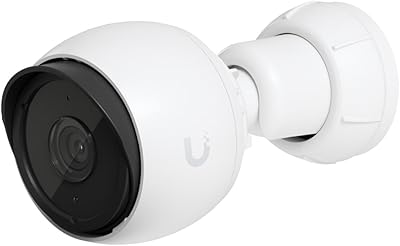
Ubiquiti UniFi Protect G4-PRO Camera
86%
91%
Video Quality
94%
Ease of Setup
88%
Weather Resistance
80%
Software Integration
85%
Night Vision Performance
More
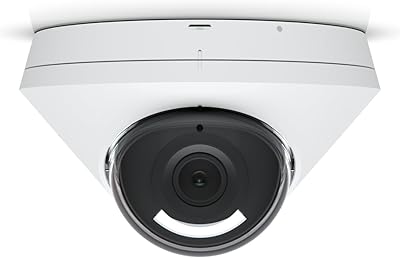
Ubiquiti UniFi G4-Bullet 4MP Outdoor Security Camera
80%
91%
Image Quality
77%
Night Vision
73%
Ease of Installation
93%
Ecosystem Integration
86%
Build Quality
More
Ubiquiti UniFi G5 Dome Camera
87%
92%
Video Quality
83%
Ease of Installation
78%
Night Vision Performance
89%
App Interface
91%
Durability (Outdoor Use)
More
Ubiquiti UniFi G4 Instant
76%
88%
Image Quality
91%
Ecosystem Integration
83%
Installation & Setup
71%
Motion Detection Accuracy
68%
Build Quality & Design
More
Ubiquiti UniFi Switch Aggregation
85%
91%
Performance & Speed
88%
Ease of Installation
89%
Build Quality & Durability
85%
Network Management Features
83%
Power Efficiency
More
Ubiquiti UniFi AP AC LR
84%
89%
Wi-Fi Performance
84%
Range & Coverage
92%
Ease of Setup
87%
Build Quality
85%
Software & App Experience
More
Ubiquiti US-8 Unifi Switch
87%
90%
Performance & Speed
94%
PoE Functionality
86%
Build Quality
88%
Ease of Use
91%
Integration with Unifi System
More
Ubiquiti UniFi Security Appliance USG
88%
92%
Performance & Speed
87%
Ease of Setup
90%
VPN Capabilities
88%
Build Quality
94%
Integration with UniFi Controller
More
ZUMIMALL G4 Solar Security Camera
87%
94%
Installation & Setup
89%
Battery Life & Power Efficiency
87%
Motion Detection Accuracy
91%
Image & Video Quality
90%
Weather Resistance & Durability
More
Ubiquiti UniFi 6 Pro (U6-Pro)
80%
93%
Wireless Performance
89%
Range & Coverage
54%
Setup & Installation
78%
Value for Money
88%
Build Quality & Design
More

FAQ

Yes, and this is the most important thing to understand before purchasing. The G4 Dome requires a UniFi Protect-compatible NVR or a Ubiquiti Cloud Key Gen2 Plus to record and manage footage. Without one of those host devices already in your setup, the camera alone will not function as a recorder. If you are starting from scratch, factor in that additional cost before committing.

Officially, no. This camera is designed exclusively for the UniFi Protect ecosystem, and Ubiquiti does not support third-party NVR compatibility. Some users have had partial success with ONVIF-based platforms, but results are inconsistent and entirely unsupported. If you are running a mixed-brand surveillance setup, this camera is likely to cause frustration.

The G4 Dome operates on 802.3af PoE, which is the standard tier supported by most managed and unmanaged PoE switches. If your switch supports 802.3af or 802.3at, you should be fine. If you do not own a PoE switch, you can use an individual PoE injector instead, though that is an additional purchase to budget for.

In practical terms, the IR illumination works well in enclosed or covered spaces up to around 25 feet. Beyond that, especially in open outdoor areas like wide driveways or parking lots, the image quality at night drops off noticeably. It is solid for most residential and small business use cases, but it is not a long-range night vision camera.

Yes, remote access is one of the stronger features of the UniFi Protect platform. As long as your NVR host device is online and connected to the internet, you can view live footage, review recordings, and manage settings from the UniFi Protect mobile app on iOS or Android. The experience is reliable over both Wi-Fi and cellular connections.

The IP67 rating means it is fully sealed against dust and can handle temporary water immersion, so rain and humidity are not concerns. That said, most installers recommend mounting it under at least partial cover — a soffit, overhang, or covered entrance — to maximize longevity and keep the dome cover cleaner over time. Direct prolonged sun exposure can also cause gradual discoloration of the white housing.

It works, but with caveats. In calm, sheltered outdoor spaces it is perfectly functional for communicating with someone at a doorway or entrance. In exposed outdoor locations, wind noise is a real problem — it can drown out voices and make the audio difficult to use reliably. Indoors or under cover, the experience is much more consistent.

No. There is no onboard storage or fallback recording mode. If your NVR host goes down for any reason — power outage, hardware failure, or internet loss — the camera will continue to stream live video locally, but nothing will be recorded until the NVR comes back online. This is worth planning for if uninterrupted recording is critical to your setup.

If you are already familiar with running Ethernet cable and have a PoE switch in place, the physical install is manageable. The mounting hardware is included, and the dome sits cleanly on a standard ceiling surface. The trickier part for less technical users is the software side — configuring the UniFi Protect system and getting the camera adopted into your network takes a bit of patience if you are new to Ubiquiti's ecosystem.

Yes, the UniFi dome camera is rated for both environments. Indoors it works well in lobbies, garages, hallways, and retail spaces. Outdoors it holds up to weather, but as mentioned, a covered mounting location is preferable. The dome profile and white finish blend reasonably well in most indoor settings, though on darker ceilings it can stand out more than expected.

Where to Buy