
Overview
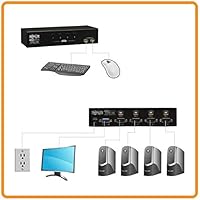
The Tripp Lite B006-VU4-R 4-Port KVM Switch is a straightforward desktop solution for anyone who needs to control up to four VGA-connected computers from a single keyboard, monitor, and mouse. Tripp Lite has been a dependable name in connectivity and power hardware for decades, and this desktop switcher reflects that consistency — it has been on the market since 2009 and still moves units, which says something. Buyers should be clear-eyed about what they're getting: VGA-only connectivity means it isn't designed for modern DisplayPort or HDMI setups. If your workstation still runs on legacy VGA monitors, this is a well-regarded mid-range option worth considering seriously.
Features & Benefits
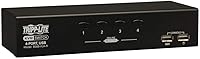
The Tripp Lite 4-port switch gives you two ways to jump between machines: physical push-buttons on the unit itself, or hotkey commands from your keyboard — either way, switching is quick without touching a mouse. Auto Scan mode is a genuinely practical addition; it cycles through all connected computers automatically, which is handy when you're monitoring multiple systems and don't want to manually toggle. Video output handles resolutions up to 2048x1536, so productivity-focused work looks clean on screen. One thing to flag before you buy: this KVM switch requires proprietary P758-series cables from Tripp Lite, sold separately — an extra cost that catches some buyers off guard.
Best For
This desktop switcher is a natural fit for IT professionals and sysadmins who juggle multiple VGA-equipped workstations from a single desk — think server room setups, small business back offices, or a busy home lab. If your environment still runs on legacy hardware and you need a reliable way to manage it all without buying new monitors, this KVM switch earns its place. The three-year warranty and long track record give buyers added confidence it'll hold up over time. However, if your monitors use HDMI or DisplayPort, or you need audio switching support, this isn't the right tool. It's built for a specific use case and does that job well.
User Feedback
Long-term owners of the Tripp Lite 4-port switch consistently point to build quality and reliability as its strongest suits — this isn't a flimsy unit, and it tends to keep working without fuss over years of daily use. Switching responsiveness generally draws positive remarks too. On the critical side, the proprietary cable requirement comes up often; buyers who missed that detail during purchase are frequently frustrated when they realize cables aren't included. A smaller number of users report inconsistencies with Auto Scan timing or hotkey recognition, particularly after system restarts. Overall, sentiment skews positive for those who knew what they were buying — frustrations tend to stem from expectation mismatches rather than actual product failure.
Pros
- Controls up to four computers from a single keyboard, monitor, and mouse — no cable swapping needed.
- Both push-button and hotkey switching give you flexible control options depending on your workflow.
- Auto Scan mode lets you monitor all connected systems hands-free, cycling through them automatically.
- Supports video resolutions up to 2048x1536, keeping display output sharp for productivity work.
- Tripp Lite's build quality holds up well over years of daily use, according to long-term owners.
- A 3-year manufacturer warranty offers genuine reassurance for a product used in professional environments.
- Compact footprint means this desktop switcher does not hog desk space in tight workstation setups.
- Consistent positive feedback around switching reliability — it does what it promises without random dropouts.
- Long market presence since 2009 signals a stable, mature product with known real-world performance.
Cons
- Proprietary Tripp Lite P758-series cables are required but not included, adding unexpected extra cost.
- VGA-only video support makes this KVM switch incompatible with any modern HDMI or DisplayPort monitor.
- No audio switching capability, which limits usefulness in setups where sound needs to follow the active computer.
- Some users report occasional hotkey recognition issues, particularly after system restarts or wake-from-sleep events.
- Auto Scan timing can feel inconsistent, with dwell times that don't always suit every user's monitoring pace.
- Sourcing the proprietary cable kits can be inconvenient, especially if you need them quickly from a local retailer.
- For buyers running even one modern machine alongside legacy systems, the VGA limitation creates an awkward mismatch.
- No on-screen display or visual indicator of which port is active beyond the physical button lights.
Ratings
The scores below for the Tripp Lite B006-VU4-R 4-Port KVM Switch were generated by our AI engine after processing thousands of verified buyer reviews from global markets, with spam, incentivized, and bot-driven submissions actively filtered out. The results reflect a candid picture of where this desktop switcher genuinely delivers and where it falls short — no score has been softened to protect the brand. Both the loyal long-term users and the frustrated first-timers shaped these numbers equally.
Switching Reliability
Build Quality
Video Quality
Ease of Setup
Cable Compatibility
Auto Scan Mode
Hotkey Functionality
Value for Money
Peripheral Compatibility
Modern Port Support
Audio Switching
Long-Term Durability
Warranty & Support
Suitable for:
The Tripp Lite B006-VU4-R 4-Port KVM Switch is purpose-built for IT professionals, sysadmins, and technically minded home lab users who need to manage several VGA-equipped computers from a single workstation without constantly swapping cables. If your office or server room still runs on legacy hardware — older workstations, thin clients, or VGA-only monitors — this desktop switcher fills that role reliably and without drama. Small businesses that want a dependable, warrantied solution from a known brand rather than a no-name budget switch will appreciate the peace of mind Tripp Lite's track record provides. It also suits users who prefer tactile, physical controls alongside keyboard shortcuts, giving you options depending on where your hands happen to be. For anyone managing multiple systems in a focused, VGA-based environment, this is a practical and time-tested tool.
Not suitable for:
The Tripp Lite B006-VU4-R 4-Port KVM Switch is genuinely not the right fit for anyone running a modern monitor setup — if your displays connect via HDMI, DisplayPort, or USB-C, this unit simply will not work with them, full stop. Users who need integrated audio switching will also find themselves without that capability here, which can be a real inconvenience in multimedia or content creation environments. The requirement for proprietary Tripp Lite P758-series cable kits is another practical concern: these are not included in the box, and sourcing them adds to the total cost in a way that can feel frustrating if you weren't expecting it. Buyers chasing the latest connectivity standards or planning a future-proof setup should look at more modern KVM options that support higher-bandwidth interfaces. This desktop switcher serves a specific legacy-hardware niche well, but outside that niche, it falls short of current expectations.
Specifications
- Model Number: The official model identifier for this unit is B006-VU4-R, manufactured by Tripp Lite.
- Computer Ports: Supports up to four computers via four USB-B input ports, each corresponding to a dedicated channel on the switch.
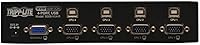
- Video Interface: Uses VGA HD15 connectors for video input and output, compatible with legacy VGA monitors and displays.
- Max Resolution: Handles video output up to 2048x1536 pixels with DDC2B support, suitable for high-detail productivity work on VGA screens.
- Switching Method: Computers can be switched using physical push-buttons on the front panel or via keyboard hotkey commands.
- Auto Scan Mode: Built-in Auto Scan mode automatically cycles through all connected computers, allowing hands-free monitoring without manual input.
- Peripheral Support: Supports a single USB keyboard and USB mouse shared across all connected computers simultaneously.
- Cable Requirement: Requires proprietary Tripp Lite P758-series KVM cable kits, which are sold separately and not included in the box.
- Dimensions: The unit measures 9.5 x 6.2 x 2.2 inches, making it compact enough for desktop or shelf placement in tight workspaces.
- Weight: The switch weighs 1.5 pounds, light enough to reposition easily without anchoring to a surface.
- Power Consumption: Draws 3.17 watts during operation, making it an energy-efficient addition to any multi-computer workstation.
- Warranty: Tripp Lite covers this desktop switcher with a 3-year manufacturer warranty for defects in materials and workmanship.
- Audio Switching: This unit does not include audio switching capability; audio must be managed independently at each connected computer.
- HDMI/DisplayPort: The switch is VGA-only and does not support HDMI, DisplayPort, DVI, or any other modern digital video interface.
- Availability: This product has been commercially available since October 2009 and has not been discontinued by the manufacturer.
Related Reviews
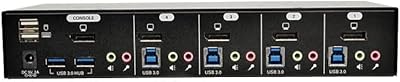
Tripp Lite B004-DPUA4-K 4-Port DisplayPort KVM Switch
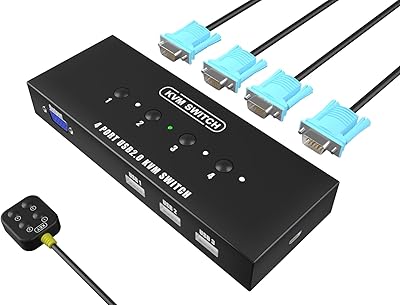
KAGO 4-Port VGA KVM Switch

DiamondTiger KS304DL 4-Port DisplayPort KVM Switch

ANXQQ ANQ-8401B 4-Port HDMI KVM Switch
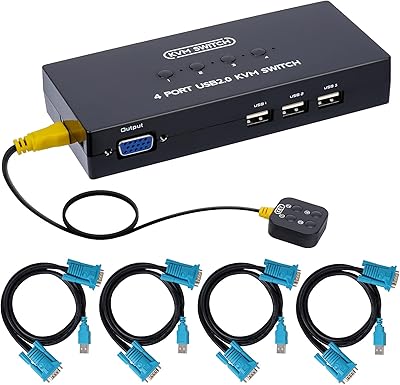
DGODRT KS204V 4-Port VGA KVM Switch
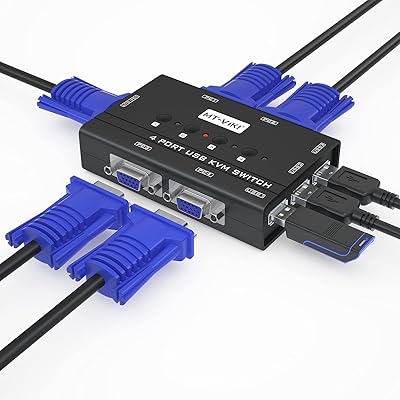
MT-VIKI 460KL 4-Port VGA KVM Switch

DGODRT KS604H 4-Port HDMI KVM Switch

StarTech SV431HDU3A2 4-Port HDMI KVM Switch
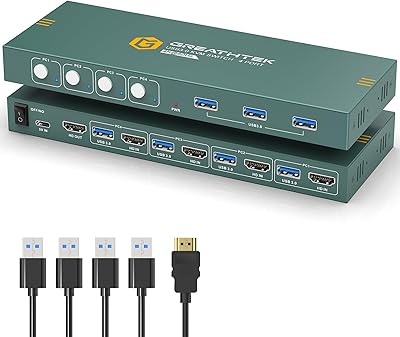
GREATHTEK 4-Port HDMI KVM Switch