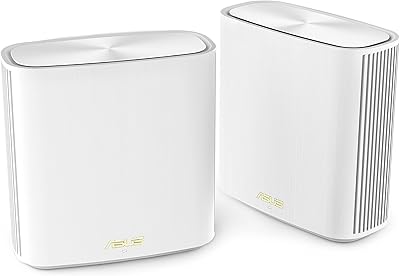
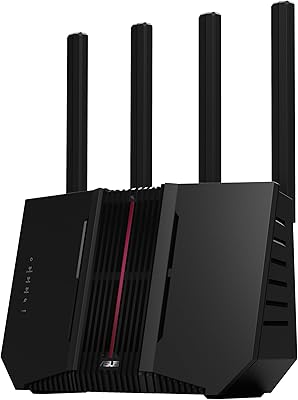
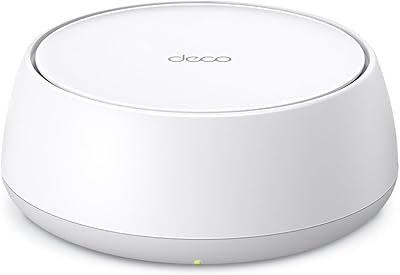
Overview

The ASUS ZenWiFi BT6 WiFi 7 Mesh Router arrived in late 2024 as a practical entry point into WiFi 7 territory for households still running older mesh or single-router setups. ASUS has built serious credibility in home networking over the years, and this ZenWiFi mesh router slots neatly into that lineage — compact enough to sit on a shelf without dominating a room, yet capable of covering up to 3,000 square feet on its own. With roughly 75 ratings and a 4.0-star average so far, early reception looks promising, though the product is simply too new to draw firm long-term conclusions.
Features & Benefits

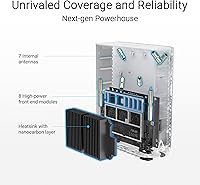
What makes the BT6 worth considering isn't just the WiFi 7 badge — it's how the hardware is assembled. Multi-Link Operation, or MLO, lets the router transmit data across multiple bands simultaneously, which in practical terms means more consistent speeds and lower lag even when your network is busy. Seven internal antennas and eight high-power front-end modules handle signal distribution without the cluttered external-antenna look. The dual 2.5G Ethernet ports are a genuine bonus for anyone running a NAS or a gaming PC. AiProtection Pro adds network-level security at no recurring subscription cost, though it performs best when firmware is kept current.

Best For

This WiFi 7 mesh node fits best in homes ranging from roughly 1,500 to 3,000 square feet where a single unit can carry the load before adding satellites. It suits home-office and small business setups especially well — VPN support, parental controls, and IoT device isolation are all manageable from one interface rather than pieced together from separate tools. Existing ASUS router owners will find AiMesh expansion relatively straightforward. One honest caveat: if your ISP plan tops out well below 1 Gbps, much of what WiFi 7 delivers at the hardware level simply won't be noticeable in daily use.

User Feedback

With just 75 reviews and a 4.0-star rating, the picture is encouraging but still forming. Buyers consistently highlight how approachable the app-based setup is and how reliable the signal holds across different rooms. Parental controls earn particular praise for being genuinely usable rather than buried under menus. On the critical side, the ASUS app can feel cluttered for less technical users, and the full browser-based interface demands patience to navigate. A few buyers also noted that older client devices won't connect to the 6 GHz band — expected behavior, but worth factoring in if your household runs a mix of older hardware alongside newer gear.

Pros

  • WiFi 7 support with Multi-Link Operation keeps latency low even when multiple devices are active simultaneously.
  • AiProtection Pro delivers network-level threat detection with no monthly subscription fee attached.
  • Dual 2.5G Ethernet ports let you run a wired backhaul or connect a NAS and gaming rig at full speed.
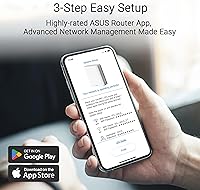
  • The ASUS app makes initial setup approachable, even for users who are not networking experts.
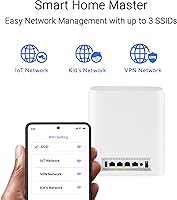
  • IoT device isolation through Smart Home Master SSIDs is straightforward to configure without touching VLANs manually.
  • 4G and 5G USB tethering provides a genuine backup internet option most routers in this class simply skip.
  • Seven internal antennas keep the design clean while still delivering solid signal distribution across floors.
  • Alexa compatibility adds voice control for basic network functions without needing a third-party integration workaround.
  • AiMesh support means you can expand coverage later by adding compatible ASUS nodes rather than replacing everything.
  • Flexible operating modes — router, mesh node, or access point — make it a useful addition to varied network setups.

Cons

  • The ASUS app can feel cluttered and bloated once you move beyond basic setup tasks.
  • Advanced settings live inside a dense browser-based interface that requires patience and some networking knowledge.
  • Older client devices cannot connect to the 6 GHz band, which limits how much of the WiFi 7 investment pays off immediately.
  • With only 75 reviews at the time of writing, long-term reliability data is still very thin.
  • Real-world throughput gains over good WiFi 6E hardware are modest unless your devices and ISP plan can actually keep up.
  • Single-pack coverage tops out at 3,000 square feet, meaning larger homes face additional hardware costs right away.
  • AiProtection Pro security depends entirely on keeping firmware updated — there is no set-and-forget protection guarantee.
  • No multi-gig WAN port beyond 2.5G, which may become a limitation as faster ISP tiers roll out more widely.

Ratings

The scores below reflect our AI-driven analysis of verified global user reviews for the ASUS ZenWiFi BT6 WiFi 7 Mesh Router, with spam, bot-submitted, and incentivized feedback actively filtered out before scoring. Each category is weighted against real-world usage patterns reported by buyers across home, home-office, and small-business environments. Both standout strengths and recurring frustrations are reflected honestly in every score.

Wireless Performance
83%
Users with WiFi 7 compatible devices consistently report noticeably lower latency and more stable throughput compared to their previous WiFi 6 setups, particularly in congested multi-device households. Gaming and video conferencing sessions held up well even when a dozen or more devices were active simultaneously.
Buyers whose devices top out at WiFi 5 or WiFi 6 report far more modest real-world gains, and a handful noted that advertised peak speeds are only achievable under near-ideal lab-like conditions rather than typical home environments with walls and floors in the way.
Coverage & Range
79%
21%
For open-plan homes and single-floor spaces in the 1,500 to 2,500 square foot range, most buyers found the single node more than adequate, with signal reaching garages and back patios without significant drop-off. The seven internal antennas appear to do genuine work keeping signal distribution even.
Multi-story homes pushing toward the 3,000 square foot ceiling occasionally reported weak zones on far floors, particularly in older construction with thicker interior walls. The coverage claim holds best in modern open layouts rather than compartmentalized floor plans.
Setup & Ease of Use
74%
26%
The ASUS Router app handles initial configuration smoothly for most users, with a guided flow that gets the average buyer online in under fifteen minutes without needing to open a browser. App-based parental controls were specifically called out as genuinely intuitive by parents setting them up for the first time.
Once you move past basic setup, the app starts to feel cluttered and hard to navigate, with too many options competing for attention on each screen. Users who needed to configure VPNs or set up IoT SSIDs manually reported that the browser-based admin panel has a steep learning curve that is not friendly to casual users.
Build Quality & Design
81%
19%
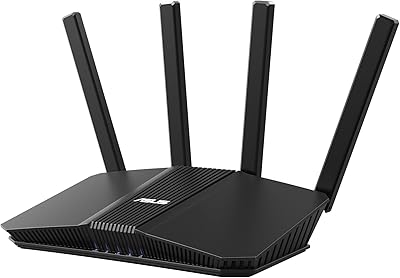
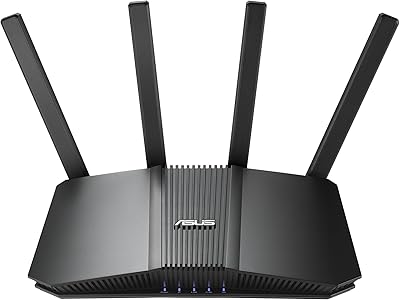
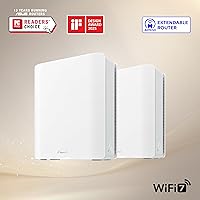
The compact white enclosure fits comfortably on a bookshelf or media cabinet without looking out of place, and the absence of external antennas is appreciated by buyers who wanted something less visually intrusive than typical routers. The unit feels solid and well-assembled for its size and weight.
A few buyers noted the all-white finish shows dust and scuffs more readily than darker alternatives, and the lack of any status LED customization means you cannot easily silence indicator lights in bedroom or living room placements without covering them manually.
Security Features
86%
AiProtection Pro stood out as a meaningful differentiator for buyers who had previously paid for separate network security subscriptions — getting commercial-grade threat blocking included at no recurring cost was consistently praised. Home-office users appreciated being able to set per-device access rules and monitor unusual traffic without third-party tools.
Several technically minded reviewers pointed out that the threat database is only as current as the last firmware update, and ASUS does not push updates automatically by default, meaning less attentive users may run outdated protection for extended periods without realizing it.
App & Software Experience
66%
34%
The ASUS app covers the essentials well — network overview, device management, speed testing, and parental scheduling are all accessible without opening a browser. For users who only need these core functions, the app gets the job done without major friction.
Beyond basic use, the app experience degrades noticeably: menus feel redundant in places, loading times between sections are sluggish on older phones, and some advanced settings are split confusingly between the app and the full web interface rather than consolidated in one place.
Value for Money
77%
23%
Compared to other WiFi 7 mesh options, the BT6 packs a convincing feature set for the price — the combination of tri-band WiFi 7, no-subscription security, dual 2.5G ports, and AiMesh expandability is hard to replicate at this tier. Buyers who factor in the long-term security savings rate the overall value favorably.
For buyers whose ISP caps speeds well below 1 Gbps, or whose devices are all WiFi 6 or older, the value proposition weakens considerably because so much of what they are paying for goes unused. Needing an additional node to cover larger homes also pushes the effective cost higher than the single-pack price implies.
IoT & Smart Home Management
82%
18%
The Smart Home Master SSID approach resonated strongly with buyers running large smart home setups — isolating thirty-plus IoT devices onto a dedicated network segment without touching VLAN configuration manually was described as genuinely useful by multiple reviewers. Alexa integration worked reliably for basic voice commands.
Users with more complex smart home ecosystems, particularly those mixing Matter, Zigbee, and older Z-Wave devices, noted that the BT6 handles WiFi-based IoT well but does not natively bridge non-WiFi smart home protocols, which limits its role as a true smart home hub.
Parental Controls
84%
Parents consistently praised the scheduling and content filtering controls as practical and straightforward to configure from the app — setting time limits per device without needing a separate subscription service was a clear selling point. Profile-based control allowed different rules for different children's devices without conflicts.
The content filtering categories are broad rather than granular, which means some parents found that certain borderline content slipped through while legitimate educational sites were occasionally blocked. More nuanced per-category control would improve the experience for families with older children.
Wired Connectivity
88%
The dual 2.5G Ethernet ports are a standout hardware choice — users who connected a NAS or gaming PC directly reported getting full-speed wired throughput without the bottleneck of a standard gigabit port. Using one port for wired backhaul while keeping the other free for a device connection works well in practice.
Two ports is the full count, which means users who want to run wired backhaul and connect multiple wired devices simultaneously need an external switch, adding cost and complexity that is not immediately obvious when purchasing. There is no built-in switch functionality beyond those two ports.
Mobile Tethering
71%
29%
For buyers in areas prone to brief broadband outages, the 4G and 5G USB tethering option provided genuine peace of mind — home-office users in particular appreciated having a cellular failover without needing a separate modem or dedicated backup device. The feature worked reliably with supported modems during testing.
USB modem compatibility is not universal, and ASUS's supported device list is narrower than buyers might expect, leading to frustration when a newly purchased modem is not recognized. Smartphone tethering via USB also worked inconsistently across Android and iOS depending on carrier configuration.
AiMesh Expandability
85%
Existing ASUS router owners found adding the BT6 to their network — or adding older ASUS nodes to the BT6 — a relatively friction-free process through the app. The ability to reuse older ASUS hardware as satellite nodes while upgrading the primary router represents real cost savings for this audience.
AiMesh is an ASUS-only ecosystem, which is a hard wall for buyers with non-ASUS networking hardware. Users who upgraded from a competing mesh system found they had to replace every node rather than integrate existing satellites, which raised the true cost of switching significantly.
Reliability & Stability
78%
22%
The majority of buyers reported consistent uptime over the weeks following setup, with no spontaneous reboots or dropped connections under normal household load. Signal stability during extended video calls and long gaming sessions was a recurring positive theme in early user reports.
Given the November 2024 launch date and fewer than 100 reviews at the time of analysis, drawing firm reliability conclusions is premature — early-lifecycle firmware issues have affected other ASUS products before maturing through updates, and the BT6 has not yet been stress-tested across a full year of real-world use.
6 GHz Band Compatibility
67%
33%
Buyers with genuinely recent WiFi 7 or WiFi 6E devices found the 6 GHz band delivered on its promise of lower interference and higher throughput, particularly in dense apartment environments where the 2.4 GHz and 5 GHz bands are heavily congested by neighboring networks.
A meaningful share of reviewers discovered after purchase that most of their devices could not access the 6 GHz band at all, limiting them to the same two bands they already had on their previous router. The marketing emphasis on 6 GHz performance set expectations that only a fraction of current device ecosystems can actually meet.
VPN Performance
73%
27%
Home-office users and privacy-conscious buyers appreciated having both VPN server and client modes built in without needing a separate appliance or service. Running a persistent VPN tunnel for remote work connections performed adequately for standard productivity tasks including video calls and file transfers.
VPN throughput under load is noticeably lower than the router's raw wireless ceiling, and configuring anything beyond basic VPN presets requires navigating the dense web admin panel rather than the app. Users expecting plug-and-play VPN setup were often surprised by the configuration complexity involved.

Suitable for:

The ASUS ZenWiFi BT6 WiFi 7 Mesh Router is a strong fit for homeowners covering roughly 1,500 to 3,000 square feet who want a capable single-node setup with room to grow by adding compatible ASUS nodes later. If you work from home and need dependable uptime, built-in VPN support, and network-level security without paying for a separate service, this router handles all three without requiring you to stitch together multiple tools. Tech-savvy buyers who like managing IoT devices, running guest networks, and tweaking parental controls from one interface will feel right at home here. It also makes particular sense for existing ASUS router owners looking to bring their network up to WiFi 7 speeds while keeping their current AiMesh hardware in play.

Not suitable for:

The ASUS ZenWiFi BT6 WiFi 7 Mesh Router is not the right call for buyers who simply want to plug something in and forget it exists — the advanced feature set comes with a web interface that can be genuinely dense and takes time to learn. Large homes over 3,000 square feet will need additional nodes to avoid weak spots, which pushes the total cost higher than this single-pack price suggests. Households running mostly older laptops, phones, or smart home devices won't benefit much from WiFi 7 or the 6 GHz band, since those devices cannot connect to it. Budget-conscious buyers who have a mid-tier ISP plan well under 1 Gbps will find that most of the raw speed capability sits unused in everyday browsing and streaming. And if you are already invested in a competing mesh ecosystem like Eero or Google Nest, this router won't slot in — it works within the ASUS AiMesh world only.
Specifications

  • WiFi Standard: Supports WiFi 7 (802.11be) along with backward compatibility for WiFi 6E, WiFi 6, WiFi 5, and WiFi 4 devices.
  • Frequency Bands: Tri-band operation across 2.4 GHz, 5 GHz, and 6 GHz simultaneously for flexible device distribution.
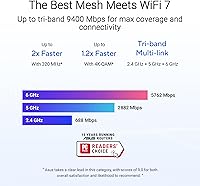
  • Max Throughput: Combined wireless throughput reaches up to 9.4 Gbps across all three bands under ideal conditions.
  • 2.4 GHz Speed: The 2.4 GHz band delivers speeds up to 688 Mbps, suitable for smart home devices and lower-bandwidth clients.
  • 5 GHz Speed: The 5 GHz band supports speeds up to 4,323 Mbps for mid-range clients and general household use.
  • 6 GHz Speed: The 6 GHz band reaches up to 8,643 Mbps and is reserved for WiFi 7 and WiFi 6E compatible devices only.
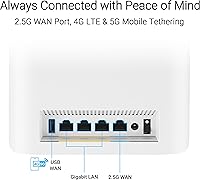
  • Ethernet Ports: Two 2.5G Ethernet ports support wired backhaul connections or direct high-speed links to a NAS, gaming PC, or switch.
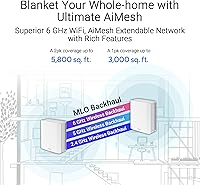
  • Coverage Area: Designed to cover up to 3,000 square feet as a single node, with AiMesh expansion available via compatible ASUS routers.
  • Antennas: Seven internal antennas paired with eight high-power front-end modules distribute signal without any external antenna hardware.
  • Security: AiProtection Pro provides commercial-grade network threat detection and blocking at no recurring subscription cost, subject to firmware updates.
  • Mobile Tethering: USB port supports 4G LTE and 5G mobile tethering for use as a backup internet source during primary connection outages.
  • Operating Modes: Functions as a standalone wireless router, an AiMesh node extending an existing ASUS network, or a dedicated access point.
  • Dimensions: Physical footprint measures 7.32 x 2.83 x 6.26 inches, compact enough for a shelf or desk without occupying significant space.
  • Weight: Unit weighs 1.88 pounds, making it lightweight and easy to reposition during initial placement and testing.
  • Voice Assistant: Compatible with Amazon Alexa for basic voice-controlled network management tasks.
  • Parental Controls: App-based parental controls allow per-device scheduling and content filtering without requiring a third-party subscription service.
  • IoT Management: Smart Home Master SSIDs create dedicated network segments for IoT devices, keeping them isolated from primary client traffic.
  • VPN Support: Built-in VPN server and client functionality supports multiple protocols for both remote access and privacy-conscious home users.
  • Color: Available in white with a clean, minimal exterior that blends into most home and office environments.
  • In the Box: Package includes the BT6 router unit, a power adapter, a quick start guide, one RJ45 cable, and a warranty card.

Related Reviews
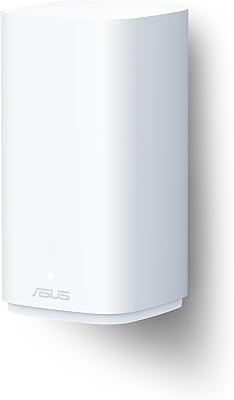
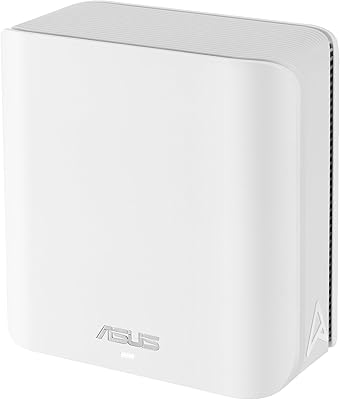
ASUS ZenWiFi BD5 Outdoor WiFi 7 Router
83%
88%
Wireless Performance
91%
Build Quality & Durability
93%
Weather Resistance
89%
Temperature Range & Climate Versatility
86%
Installation & Mounting
More
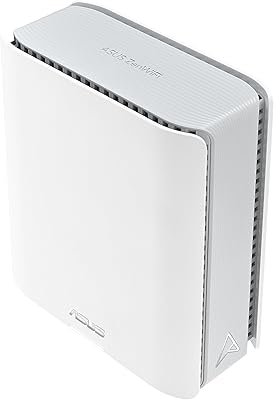
ASUS ZenWiFi BD4 Dual-Band WiFi 7 Mesh Router
86%
93%
Wi-Fi Performance
89%
Setup & Installation
91%
Security Features
88%
Gaming & Streaming Performance
84%
Value for Money
More
ASUS ZenWiFi BQ16 Pro WiFi 7 Mesh Router
77%
91%
Wireless Performance
78%
Coverage & Range
86%
Setup & App Experience
63%
Firmware Stability
88%
10G Port Utility
More
ASUS ZenWiFi BT8 WiFi 7 Mesh Router
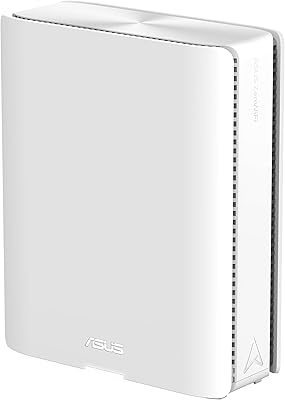
77%
83%
Wireless Performance
71%
Coverage & Range
54%
Firmware Reliability
88%
Setup Experience
67%
App & Management
More
ASUS RT-BE58U WiFi 7 Router
80%
83%
Wireless Performance
81%
Range & Coverage
91%
Setup & Ease of Use
88%
Security Features
86%
Smart Home & IoT Management
More
ASUS RT-BE86U BE6800 Dual-Band WiFi 7 Router
77%
83%
Wireless Performance
91%
Wired Connectivity
77%
Setup & Ease of Use
58%
Mobile App Experience
62%
Firmware Stability
More
ASUS RT-BE82U WiFi 7 Dual-Band Router
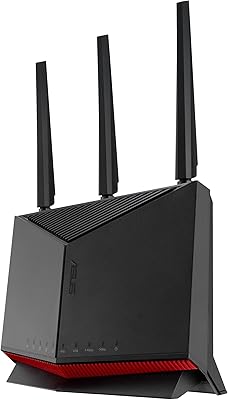
84%
88%
Wireless Performance
93%
Wired Connectivity
82%
Setup & Ease of Use
74%
Firmware & Software
86%
AiMesh Integration
More
ASUS ZenWiFi XD6 Mesh WiFi 6 System
86%
93%
Wi-Fi Coverage
85%
Ease of Setup
89%
Performance and Speed
80%
App Experience
91%
Parental Controls
More
TP-Link Deco BE23 WiFi 7 Mesh Router
82%
93%
Value for Money
91%
Setup & Ease of Use
84%
Wi-Fi Speed Performance
82%
Coverage & Signal Range
89%
Wired Port Quality
More
ASUS RT-BE92U WiFi 7 Router
81%
88%
Wireless Performance
83%
Coverage & Range
84%
Setup & Initial Configuration
91%
Network Security (AiProtection)
86%
Latency & Gaming Performance
More

FAQ

Your older devices will connect just fine — the BT6 is fully backward compatible with WiFi 6, WiFi 5, and even older standards. The 6 GHz band and the fastest WiFi 7 features like Multi-Link Operation are only accessible to newer devices that support WiFi 7 or WiFi 6E, but everything else on your network runs on the 2.4 GHz and 5 GHz bands as normal.

Most buyers find the initial setup manageable through the ASUS Router app on their phone, which walks you through the basics step by step. You won't need to touch a browser or any advanced settings just to get online. That said, if you want to dig into VPN configuration, IoT network separation, or traffic monitoring, the web-based interface is more complex and takes some patience to learn.

Yes — the BT6 supports AiMesh, which means it can pair with a wide range of compatible ASUS routers to form a unified mesh network. You can add it as a new node to an existing setup or use your old ASUS router as a satellite node under the BT6 acting as the primary. Just check ASUS's AiMesh compatibility list to confirm your existing hardware is supported.

It depends on your layout and construction materials. Open floor plans and modern drywall construction typically get solid coverage at that size. Older homes with thick walls, concrete floors between levels, or long narrow layouts may develop weak spots toward the far end. It is worth trying a single unit first and adding a satellite node if needed — that flexibility is one of the practical advantages of a mesh system.

No, AiProtection Pro is included at no additional cost. There is no subscription required to keep it running. The important caveat is that the threat database stays effective only if you keep the router firmware updated — ASUS pushes updates periodically through the app, and it takes only a few taps to install them.

It lets you plug a compatible USB mobile modem or a tethered smartphone into the router to use cellular data as a backup internet connection if your main broadband goes down. For home offices or small businesses where downtime is costly, this is a useful safety net. Not every USB modem or carrier configuration is guaranteed to work, so it is worth checking ASUS's compatibility notes before relying on it for critical backup use.

If your current WiFi 6 router is handling your home well and your devices are mostly WiFi 6 or older, the real-world difference day to day will be modest. The upgrade makes more sense if you have several newer WiFi 7 devices, a fast ISP plan above 1 Gbps, or you want the built-in security and mesh expandability that many basic WiFi 6 routers lack. Think of it less as a raw speed upgrade today and more as future-proofing for the next few years.

The tri-band design helps here — IoT and lower-priority devices can be assigned to the 2.4 GHz band via a dedicated Smart Home SSID, while your phones and laptops use 5 GHz or 6 GHz. Multi-Link Operation on WiFi 7 clients also helps reduce congestion by allowing the router to communicate across more than one band at a time with a single device. For high-density households, this architecture is meaningfully better than a single-band or basic dual-band setup.

A small number of early buyers noted that certain client devices had trouble maintaining a stable 6 GHz connection, which is not unusual for a relatively new frequency band still maturing in terms of device driver support. If you run into this, checking for firmware updates on both the router and your device usually helps. In the meantime, those devices simply connect to the 5 GHz band instead without any manual intervention required.

It works with virtually any ISP modem or modem-router combo — you connect the BT6 to your modem via one of the 2.5G Ethernet ports and set it to router mode. If your ISP provides a modem-router combination unit, you may need to put that device into bridge or passthrough mode to avoid double-NAT issues, which is a standard step for any third-party router installation. Your ISP's support team can help walk you through that if needed.

Where to Buy