Overview

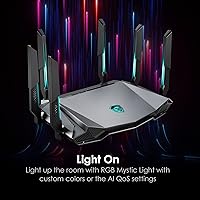
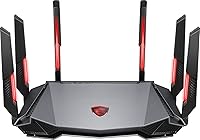
The MSI Radix AXE6600 WiFi 6E Gaming Router sits in an interesting spot — capable enough to satisfy serious gamers, yet priced accessibly enough to attract households that simply want a meaningful upgrade. MSI's gaming identity comes through clearly: six RGB antennas, Mystic Light compatibility, and a game-first QoS system that feels deliberate rather than cosmetic. The headline here is the 6GHz band, which opens up a less congested wireless lane for compatible devices — a genuine advantage in apartments or homes dense with competing signals. There is also a 2.5Gbps WAN port onboard, which future-proofs the hardware for multi-gig internet plans. Just keep expectations grounded: this is a strong single-unit router, not a mesh system replacement.
Features & Benefits

The tri-band setup does real work here. The 2.4GHz band handles smart home devices and longer-range connections; the 5GHz band covers everyday streaming and browsing; and the 6GHz band becomes a private, high-speed lane for WiFi 6E-capable laptops and gaming handhelds. The AI QoS system quietly sorts traffic in the background — gaming packets get prioritized without you ever touching a settings menu. Driving all of it is a quad-core processor paired with ample RAM, which keeps things stable even when a dozen devices hammer the network at once. The USB 3.0 port adds light file-sharing functionality, and WPA3 encryption rounds out security for the whole network.

Best For

This WiFi 6E router earns its place most clearly for gamers who want a dedicated, low-interference 6GHz channel for their primary device. Worth noting upfront: that 6GHz band has shorter range than the 2.4GHz or 5GHz alternatives, so it performs best when your gaming setup is in the same room or close to the router. It is also a natural pick for anyone already running MSI hardware who wants Mystic Light synchronization across their rig. Households juggling ten or more devices will appreciate the hands-off traffic management, and users on a multi-gig internet plan will finally have a WAN port that keeps pace. Those upgrading from WiFi 5 will feel a noticeable difference.

User Feedback

With roughly 277 ratings and a 4.1-star average, the Radix AXE6600 has earned a solid but not unanimous endorsement. The most consistent praise focuses on how straightforward setup is and how stable the connection feels during online gaming sessions. Long-range signal strength gets frequent mentions, and MSI ecosystem owners are reliably happy with the Mystic Light integration. On the critical side, the companion mobile app draws recurring complaints for feeling less refined than what ASUS or TP-Link offer at comparable price points — it functions, but power users may find it limiting. The sample size is respectable, though not large enough to treat any single trend as a definitive verdict.

Pros

  • Dedicated 6GHz band provides a low-congestion, high-speed lane for compatible gaming devices.
  • AI QoS handles traffic prioritization automatically — no manual rules or network expertise needed.
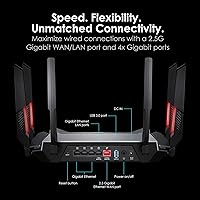
  • The 2.5Gbps WAN port supports multi-gig internet plans that standard gigabit ports would bottleneck.
  • Quad-core processor keeps the network stable and responsive even with many simultaneous connections.
  • Setup is consistently praised as fast and straightforward, even for users new to router configuration.
  • Mystic Light integration is a genuine perk for MSI desktop and laptop owners who want a unified RGB setup.
  • WPA3 security support puts this WiFi 6E router ahead of older hardware on network protection.
  • Long-range signal stability on the 2.4GHz and 5GHz bands gets strong marks from real-world users.
  • USB 3.0 port adds light NAS functionality for homes that want basic file or media sharing.

Cons

  • The companion mobile app feels underdeveloped and less intuitive than competing router software.
  • The 6GHz band range drops off quickly through walls, limiting its real-world reach in larger homes.
  • No mesh support means dead zones cannot be addressed by adding a second unit from the same ecosystem.
  • RGB antennas and gaming-focused design add visual bulk that looks out of place in neutral home environments.
  • Advanced users looking for granular QoS controls may find the AI-only approach too hands-off.
  • The 1Gbps LAN ports are standard, but wired multi-gig connectivity beyond the WAN port is absent.
  • Firmware update history and long-term software support from MSI are less established than from networking-specialist brands.
  • At nearly 2.5 pounds with a wide footprint, placement options are limited in tighter spaces.

Ratings

The scores below reflect our AI-driven analysis of verified global buyer reviews for the MSI Radix AXE6600 WiFi 6E Gaming Router, with spam, bot-generated, and incentivized feedback actively filtered out before any scoring was applied. We examined patterns across hundreds of real-world responses to surface both the genuine strengths and the honest frustrations that repeat across different household setups and use cases. Nothing has been smoothed over — where users hit walls, the scores reflect it.

Gaming Performance
88%
Gamers consistently report a noticeable drop in latency after switching to this router, particularly those who moved their primary device onto the 6GHz band. The AI QoS handling means sessions stay stable even when other household members are streaming or downloading in the background.
A minority of users with WiFi 6E-capable devices found the 6GHz band benefits harder to realize from across the house, where walls and distance cut into the signal meaningfully. Those without WiFi 6E devices see solid but less dramatic improvements.
Setup & Installation
84%
First-time router setup is one of the most praised aspects across the review pool. Most buyers report getting fully online in under ten minutes using the guided app flow, with no need to touch a browser-based admin panel unless they want to.
A handful of users encountered hiccups during firmware updates during initial setup, requiring a restart to complete. Those coming from routers with more detailed setup wizards occasionally found the onboarding guidance a little thin on explanation.
App & Software Experience
58%
42%
For basic tasks — renaming networks, setting up a guest WiFi, checking which devices are connected — the companion app handles things without much friction. Casual users who never need advanced settings tend to rate the app experience positively.
Power users and anyone familiar with ASUS's ASUSWRT or TP-Link's Tether app will feel the gap immediately. Controls are limited, the interface feels unpolished, and advanced QoS customization is largely absent — a real shortcoming for a router marketed at technical gamers.
WiFi Range & Coverage
76%
24%
The 2.4GHz and 5GHz bands deliver reliable, stable coverage across typical medium-sized homes, and users in apartments report strong wall penetration on those two bands. Long-range signal stability on 5GHz in particular earns consistent praise.
The 6GHz band range is noticeably shorter — physics, not a flaw — and users who expected it to cover their whole home were disappointed. In larger houses or layouts with thick internal walls, coverage gaps on the premium band are a recurring frustration.
Multi-Device Handling
83%
Households juggling smart TVs, phones, laptops, and gaming consoles simultaneously report impressively stable performance. The combination of MU-MIMO, OFDMA, and the dedicated 6GHz band keeps congestion manageable even during peak evening usage.
Beyond roughly 20 simultaneous active devices, some users noted occasional slowdowns, suggesting this router is well-suited to typical households but not ideal for dense smart-home setups or small offices with heavy concurrent traffic.
Build Quality & Design
74%
26%
The chassis feels solid and the six antennas are sturdy rather than flimsy. MSI's angular gaming aesthetic is well-executed for its audience, and the overall construction does not feel cheap for its price tier.
The large footprint is a genuine placement challenge in smaller desks or entertainment units. Users who prefer a discreet, minimal router design will find the aggressive gamer styling and size more of a drawback than a feature.
RGB & Mystic Light Integration
79%
21%
For users already running MSI components with Mystic Light, the synchronization works reliably and adds a satisfying cohesion to a full MSI desk setup. The lighting effects are smooth and the ability to disable them entirely is a welcome option.
Outside of the MSI ecosystem, the RGB is purely decorative with no integration value. Users who bought this expecting broad RGB sync with non-MSI hardware were let down, and a few noted the app-based lighting controls are limited compared to dedicated RGB software.
Value for Money
81%
19%
The combination of WiFi 6E tri-band support, a 2.5Gbps WAN port, and a capable processor at this price point is genuinely competitive. Buyers upgrading from aging WiFi 5 routers feel they are getting meaningful hardware for what they spent.
Compared to similarly priced options from networking specialists, the software ecosystem feels less mature, which chips away at the overall value case for users who care about long-term firmware updates and advanced configuration options.
AI QoS Effectiveness
77%
23%
For households that do not want to manage network rules manually, the automatic traffic prioritization works well enough that most users never notice it — which is exactly the point. Gaming sessions stay smooth during simultaneous household use without any manual input.
Users who want granular control over which devices or applications get priority will find the AI-only approach limiting. There is no straightforward way to override or fine-tune the automatic decisions, which frustrates network-savvy buyers.
Security Features
82%
18%
WPA3 support puts this WiFi 6E router ahead of older hardware still limited to WPA2, and the guest network functionality lets households isolate IoT devices cleanly. Most users feel confident in the baseline security setup.
Advanced security features like built-in VPN server capability or detailed intrusion detection are absent, which matters to users who want their router to double as a security layer. Those features require separate hardware or services.
Wired Connectivity
71%
29%
The inclusion of a 2.5Gbps WAN port is a forward-looking addition that most competitors at this price still skip. For users with multi-gig fiber plans, this single port alone justifies the choice over slower alternatives.
The four LAN ports are capped at 1Gbps each, which is standard but unremarkable. Users who need multi-gig wired speeds to more than one device — like a NAS and a gaming PC simultaneously — will need to add a separate multi-gig switch.
USB & File Sharing
63%
37%
The USB 3.0 port handles basic network storage duties adequately — plugging in a flash drive or portable hard disk for Samba-based sharing across Windows PCs works without much configuration effort.
Transfer speeds and reliability in NAS mode are not competitive with dedicated storage hardware, and the DLNA media server functionality is bare-bones. Users expecting robust file-sharing performance from this port tend to be underwhelmed.
Firmware & Long-Term Support
61%
39%
Initial firmware versions have been stable for most users, and MSI has pushed updates since launch to address early bugs. The Linux-based platform provides a reasonably stable foundation.
MSI does not have the same track record for long-term router firmware support as dedicated networking brands like ASUS or Netgear, and the update cadence has been inconsistent. Users who plan to keep a router for four or five years may have legitimate concerns about ongoing support.

Suitable for:

The MSI Radix AXE6600 WiFi 6E Gaming Router is a strong match for households where gaming is the primary use case and at least one device — a laptop, PC, or handheld console — supports the 6GHz band. If you are upgrading from a WiFi 5 router and want a noticeable jump in responsiveness and network capacity without committing to a full mesh system, this is a sensible step up. It also fits naturally into MSI-heavy setups where Mystic Light synchronization across the desktop, monitor, and router adds a cohesive aesthetic without extra effort. Busy households with ten or more connected devices will appreciate the AI-driven traffic prioritization, which keeps gaming sessions stable even when others are streaming or video-calling simultaneously. Anyone whose ISP already delivers multi-gig speeds will get direct value from the 2.5Gbps WAN port, which most routers in this category still omit.

Not suitable for:

If your home spans multiple floors or a large footprint, the Radix AXE6600 is a single-unit router and will not fill dead zones the way a mesh system would — buyers with coverage as their top concern should look elsewhere. The 6GHz band, while impressive on paper, has meaningfully shorter range than the 2.4GHz band, so users hoping to take advantage of it from a distant room may be disappointed. Those who prefer deep manual network configuration through a polished app interface may also find the mobile software lacking compared to what ASUS or TP-Link offer at similar price points. Small apartment users with only a handful of devices and basic internet needs are likely overpaying for capabilities they will rarely use. And if RGB lighting is not part of your setup at all, the design aesthetic feels like a tax you are paying for features that benefit someone else.

Specifications

  • WiFi Standard: Supports WiFi 6E (802.11ax) along with backward-compatible WiFi 5, WiFi 4, and older 802.11a/b/g standards.
  • Frequency Bands: Tri-band operation across 2.4GHz, 5GHz, and 6GHz simultaneously for flexible device distribution.
  • Max Throughput: Combined wireless throughput reaches up to 6.6Gbps across all three bands under optimal conditions.
  • Processor: A 1.8GHz quad-core CPU handles routing, QoS prioritization, and multi-device traffic without performance degradation.
  • Memory: Equipped with 512MB DDR4 RAM and 256MB of flash storage to support stable operation under heavy network loads.
  • WAN Port: One 2.5Gbps WAN/LAN port accommodates multi-gigabit internet service plans that standard gigabit ports cannot fully utilize.
  • LAN Ports: Four 1Gbps Ethernet LAN ports provide wired connectivity for desktops, consoles, and other stationary devices.
  • USB Port: One USB 3.0 port supports file sharing via DLNA, Samba server, and FTP for light network-attached storage use.
  • Antennas: Six fixed external antennas with RGB lighting are compatible with MSI Mystic Light for synchronized lighting effects.
  • Security: Supports WPA3-PSK, WPA2-PSK, and WPA-PSK encryption protocols for broad device compatibility with up-to-date protection.
  • WiFi Features: Includes MU-MIMO, OFDMA, Beamforming, AI QoS, Smart Connect, Guest WiFi, WPS, and scheduled WiFi controls.
  • Dimensions: The unit measures 13.3 x 8.8 x 7.8 inches, requiring a clear, open surface for optimal antenna performance.
  • Weight: Weighs 2.49 pounds, making it a desktop-only unit not suited for wall or ceiling mounting.
  • Operating System: Runs on a Linux-based firmware platform managed through a companion mobile app and web interface.
  • 6GHz Band Speed: The 6GHz band delivers up to 4804Mbps using a 4x4 antenna configuration and 160MHz channel width.
  • 5GHz Band Speed: The 5GHz band supports up to 1201Mbps via a 2x2 configuration across 20, 40, and 80MHz channels.
  • 2.4GHz Band Speed: The 2.4GHz band operates at up to 573.5Mbps using a 2x2 antenna configuration and 40MHz channel width.
  • Box Contents: Package includes the router, an Ethernet cable, a power adapter, and a printed quick start guide.

Related Reviews
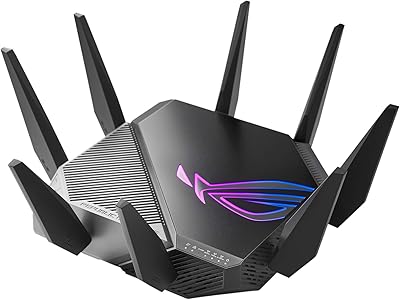
ASUS ROG GT-AXE11000 WiFi 6E Gaming Router
73%
88%
Wireless Performance
83%
Gaming Latency
54%
Setup & Ease of Use
76%
Range & Coverage
91%
Feature Depth
More
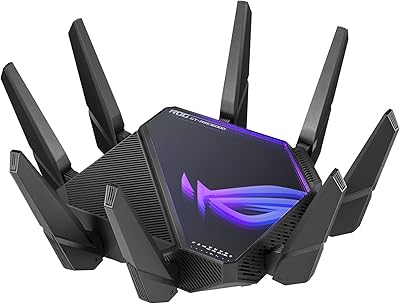
ASUS ROG GT-AXE16000 WiFi 6E Gaming Router
79%
93%
Wireless Performance
91%
Wired Connectivity
88%
Setup & Ease of Use
86%
Gaming-Specific Features
89%
Security & Privacy
More
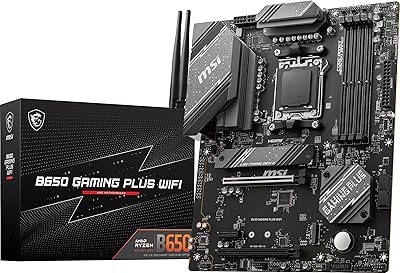
MSI B650 Gaming Plus WiFi
80%
83%
Value for Money
88%
BIOS & Software Experience
91%
Power Delivery & Stability
84%
Wireless Connectivity
79%
Memory Performance & Overclocking
More
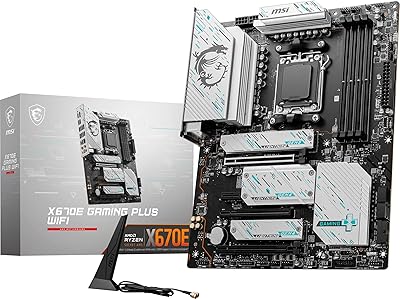
MSI X670E Gaming Plus WiFi AM5 Motherboard
80%
86%
Build Quality
89%
Power Delivery
91%
PCIe 5.0 & Storage Support
71%
DDR5 Memory Compatibility
78%
BIOS Experience
More
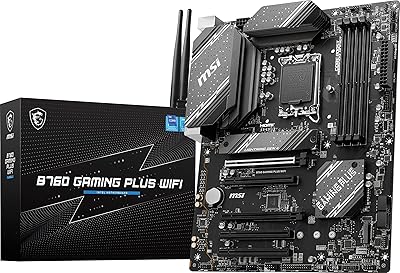
MSI B760 Gaming Plus WiFi Motherboard
87%
92%
Performance
88%
Stability during Gaming
90%
Connectivity (Wi-Fi 6E & LAN)
85%
Thermal Performance
87%
Build Quality
More
NETGEAR Nighthawk RAXE500 WiFi 6E Tri-Band Router
78%
88%
Wireless Speed Performance
71%
6GHz Band Utility
86%
Multi-Device Handling
73%
Setup & App Experience
82%
Coverage & Range
More
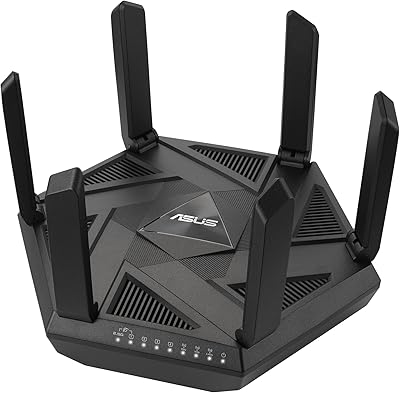
ASUS RT-AXE7800 Tri-Band WiFi 6E Router
79%
88%
Wireless Performance
83%
Setup & Installation
79%
Signal Range & Coverage
91%
Network Security
84%
Parental Controls
More
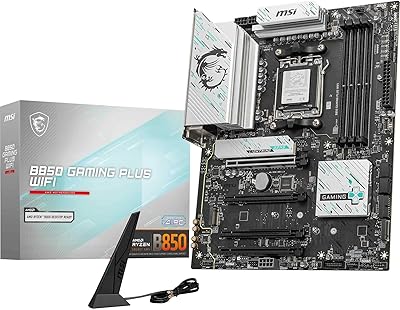
MSI B850 Gaming Plus WiFi Motherboard
86%
92%
Performance
90%
Cooling Efficiency
88%
Connectivity Options
85%
Build Quality
80%
Ease of Installation
More
MSI MAG X870 Tomahawk WiFi
87%
89%
Build Quality
94%
External Connectivity
91%
Networking Performance
87%
Ease of Installation
83%
Value for Money
More
MSI MAG Z890 Tomahawk WiFi Gaming Motherboard
80%
88%
Value for Money
84%
Build Quality
86%
BIOS Experience
79%
DDR5 Compatibility
77%
Wireless Performance
More

FAQ

Not at all. Older devices will connect via the 2.4GHz or 5GHz bands just as they always have. The 6GHz band is simply available as an additional option for devices that support it, and those devices will benefit most from its lower congestion and higher potential speeds. Everyone else still gets a capable WiFi 6 experience.

This is worth being upfront about: the 6GHz band has a shorter range than 2.4GHz or 5GHz signals, and it does not pass through walls as well. It performs best when your device is in the same room or within close line-of-sight of the router. If you are counting on the 6GHz band from two rooms away, you may be underwhelmed.

Yes, the initial setup is one of its stronger points. Most users report getting online within a few minutes using the companion app, with no need to log into a web portal or configure advanced settings. The AI QoS also removes the need to manually prioritize devices, which makes it genuinely approachable for non-technical households.

AI QoS automatically analyzes your network traffic and prioritizes data packets for gaming and high-demand applications without you needing to set anything up. In practice, it means your gaming session is less likely to stutter when someone else starts streaming video. It is not a magic fix for a congested network, but it does a solid job of keeping latency-sensitive traffic moving.

Yes, and this is one area where the Radix AXE6600 stands out. The 2.5Gbps WAN port means your internet connection will not be artificially capped at 1Gbps the way it would be on most routers in this price range. If your ISP delivers speeds above 1Gbps, this router is actually built to keep pace.

Honestly, the app is functional but it is the weakest part of the overall package. Basic tasks like changing your WiFi password, setting up a guest network, or checking connected devices work fine. Where it falls short is in advanced controls and polish — users who have experience with ASUS or TP-Link apps tend to notice the difference. It gets the job done, but do not expect a premium software experience.

No, this is a standalone single-unit router. There is no mesh system to pair it with under the MSI ecosystem. If coverage across a large home or multiple floors is your primary concern, a dedicated mesh system would serve you better than this WiFi 6E router.

Yes. The RGB effects on the antennas can be adjusted or disabled entirely through the router settings. If you have no interest in the Mystic Light integration, you can simply switch the lights off and the router functions identically without them.

You can plug in a USB storage drive and share files across your local network using DLNA for media streaming, Samba for Windows file sharing, or FTP for remote access. It is a handy bonus for households that want basic centralized storage, but it is not a substitute for a proper NAS device if you have serious file-sharing needs.

In most cases, yes. The jump from WiFi 5 to WiFi 6E brings better handling of multiple simultaneous connections, lower latency under load, and access to the uncongested 6GHz band if your devices support it. Even devices that do not support WiFi 6E will generally perform more reliably because the overall network is better at managing traffic. The difference is most noticeable in busier households rather than for a single user with one device.

Where to Buy