Trayoo 7-Inch 32GB Kids Tablet

Trayoo 7-Inch 32GB Kids Tablet — image 1
Trayoo 7-Inch 32GB Kids Tablet — image 2
Trayoo 7-Inch 32GB Kids Tablet — image 3
Trayoo 7-Inch 32GB Kids Tablet — image 4
Trayoo 7-Inch 32GB Kids Tablet — image 5
Trayoo 7-Inch 32GB Kids Tablet — image 6
Trayoo 7-Inch 32GB Kids Tablet — image 7
69%
31%

Overview

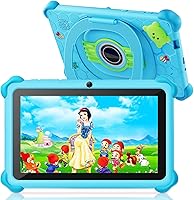
The Trayoo 7-Inch 32GB Kids Tablet is a straightforward entry-level Android device built around one idea: giving young children a safe, functional screen without costing parents a fortune. It runs Android with full Google Play Store access and GMS certification, which matters because it means real app compatibility rather than a locked-off ecosystem. The 7-inch IPS display runs at 1024x600 — not sharp by any modern standard, but workable for a child watching cartoons or tapping through a learning app. Under the hood, an Allwinner quad-core chip paired with 2GB of RAM keeps things modest. This is a starter device, plain and simple, and it knows it.

Features & Benefits

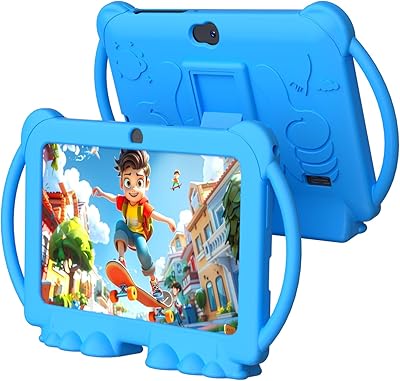
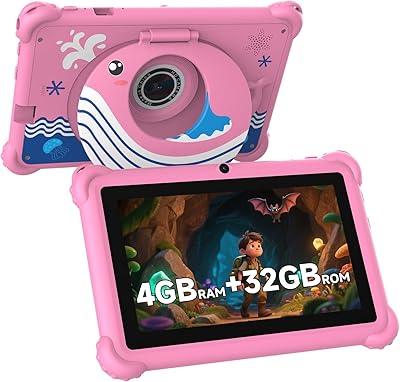
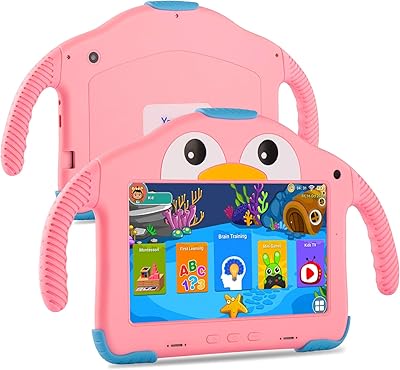
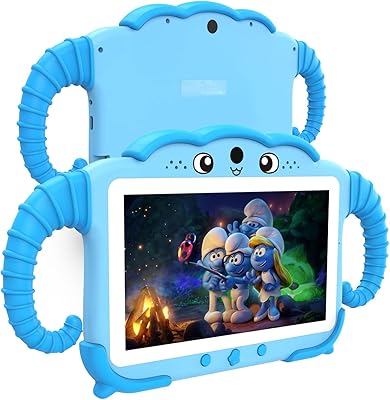
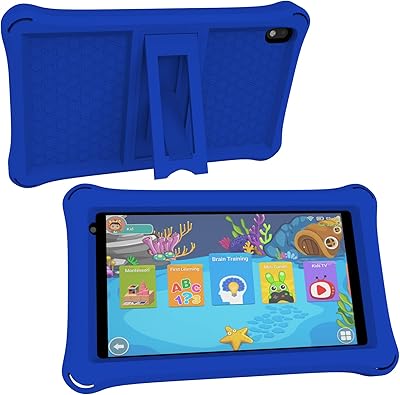
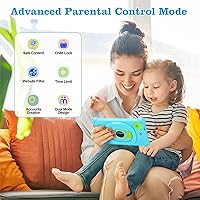
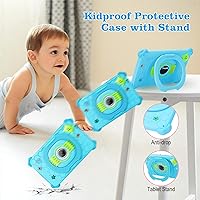
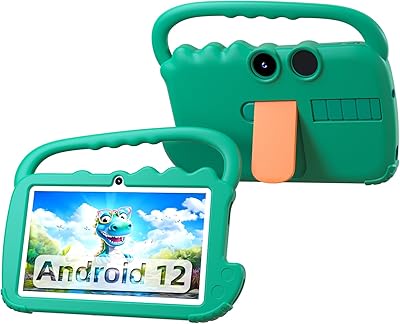
The parental control setup is where this toddler tablet genuinely earns its keep. You can create separate profiles for each child, block specific apps, set daily screen time limits, and filter content — all through an interface that does not require a manual to navigate. The pre-installed Yu Babe suite adds a layer of offline educational content, including Montessori-style activities and basic painting tools, which is genuinely useful during travel. Battery life holds up reasonably well through a full day of mixed use. There is also a microSD slot for adding up to 64GB more storage, and the shock-proof case with adjustable stand is included in the box — not sold separately, which is a small but appreciated detail.

Best For

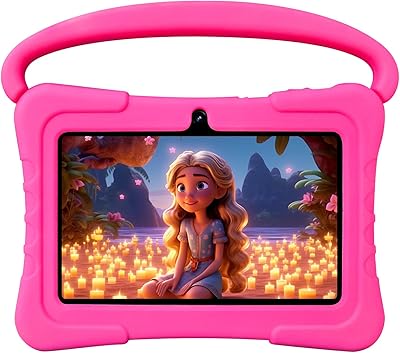
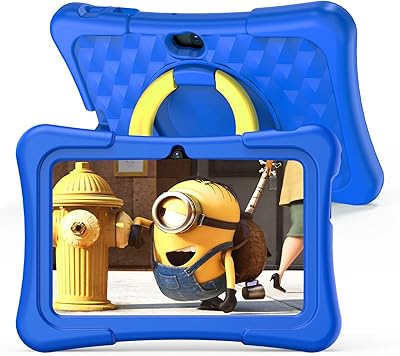
This kids tablet makes the most sense as a first tablet for children between roughly three and seven years old. If you are buying for a toddler who is likely to drop it, throw it, or use it as a frisbee, the included rugged case helps absorb that reality. Families with spotty or unreliable internet will appreciate having offline educational apps ready to go without extra setup. It also works well in a multi-child household, since each kid can have their own separate profile. For gift buyers who want something out-of-the-box ready without technical assembly, this fits the bill without requiring much research or configuration beforehand.

User Feedback

Parents tend to respond positively to how quickly the Trayoo tablet is ready to use straight out of the box, and the protective case earns consistent praise — kids are rough on hardware, and having that protection bundled in means one fewer purchase. On the flip side, display brightness comes up as a recurring limitation in well-lit rooms, and some users find the resolution underwhelming next to more expensive options. The Allwinner processor handles basic tasks fine, but anyone expecting smooth multitasking will feel the ceiling. Real-world battery life appears slightly shorter than the advertised ten hours under heavier app loads. Overall sentiment leans positive, with expectations sensibly calibrated to the price tier.

Pros

  • Parental controls are straightforward to set up and allow per-child profiles with app and content restrictions.
  • The shock-proof case is included in the box — no separate accessory purchase needed.
  • Google Play Store access means a wide range of apps are available, not just a locked proprietary store.
  • Pre-loaded offline educational content is genuinely useful during travel or areas with poor connectivity.
  • Battery holds up well through a full day of typical child use.
  • MicroSD expansion slot adds meaningful flexibility for storing videos, music, and photos.
  • Multiple child profiles keep each kid's content and settings separate on one device.
  • At this price point, it is hard to beat for a first tablet that children can use without supervision concerns.
  • Lightweight and compact enough for small hands to hold comfortably for extended periods.

Cons

  • Screen resolution is noticeably low — text and images look soft compared to most current kids tablets.
  • The Allwinner processor struggles with heavier apps and shows lag during multitasking.
  • Real-world battery life under active use tends to fall short of the advertised ten hours.
  • Display brightness is underwhelming in well-lit rooms or outdoors.
  • The cameras are very basic quality — functional, but not something kids will enjoy using for long.
  • Wi-Fi is limited to the older 802.11g standard, which can mean weaker signal in larger spaces.
  • Only 2GB of RAM limits how smoothly the device handles multiple apps running at once.
  • Software update support from smaller Android tablet brands is often inconsistent over time.
  • The toddler tablet may feel underpowered relatively quickly as children grow and expect more from their devices.

Ratings

The Trayoo 7-Inch 32GB Kids Tablet has been evaluated by our AI system after processing thousands of verified global buyer reviews, with spam, bot submissions, and incentivized feedback actively filtered out. The scores below reflect a candid picture of where this toddler tablet genuinely delivers and where it falls short — no scores have been inflated to protect the brand. Parents shopping on a tight budget will find the transparency here especially useful before committing.

Value for Money
83%
For families who need a functional first tablet without stretching their budget, this toddler tablet offers a surprisingly complete package — rugged case included, Google Play access, and parental controls all at a price that makes a dropped or broken device far less catastrophic than losing a premium device would be.
Some buyers feel the hardware ceiling becomes apparent quickly, and the overall value proposition weakens if a child outgrows it within a year. At slightly higher price points, competing devices offer meaningfully better screens and processors that extend useful lifespan.
Parental Controls
78%
22%
Parents consistently appreciate that setting up separate profiles for different children takes only a few minutes, and being able to block apps or cap screen time from a dedicated parent dashboard gives real peace of mind during car rides or quiet evenings at home.
The interface can feel inconsistent — a handful of reviewers report that settings occasionally reset after software updates, and the content filtering is not granular enough to catch all edge cases. It works well for most families, but it is not as polished as dedicated parental control solutions.
Durability
81%
19%
The included shock-resistant case earns genuine praise from parents of toddlers who treat tablets as projectiles. The bumpered edges hold up to the typical drops, tumbles, and rough handling that a three or four year old dishes out on a daily basis.
The case itself can show wear relatively quickly, and the tablet body beneath is standard budget-grade plastic that would not survive serious impact without protection. Parents with particularly rough children report cracked screens after drops onto hard floors without the case fitted properly.
Ease of Setup
86%
Out-of-the-box readiness is a real strength here — the Android OS comes pre-configured, Yu Babe is already installed, and most parents complete the full setup including parental profile creation in under fifteen minutes. Gift buyers especially appreciate not needing to explain a complex setup to relatives.
A Google account is required to unlock the Play Store, which can be a minor friction point for grandparents or less tech-savvy gift givers. Occasional reports of initial Wi-Fi pairing issues suggest the setup is not entirely foolproof for every household router configuration.
Display Quality
54%
46%
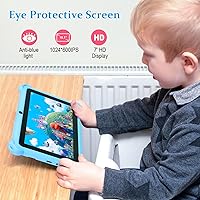
For watching basic cartoons or navigating colorful educational apps in a dimly lit room, the 7-inch IPS panel is perfectly acceptable for its target age group. Young children aged three to five are generally not critical of pixel density, and the IPS panel does provide decent color consistency.
The 1024x600 resolution is visibly soft, especially in brighter environments where glare compounds the lack of sharpness. Parents who have used Amazon Fire Kids or entry-level Samsung tablets notice the difference immediately, and older children in the seven-plus range are more likely to find it unsatisfying.
Performance
58%
42%
Basic educational apps, simple games, and video playback run without major issues under normal conditions. For a toddler cycling through a Montessori app or a painting activity, the 1.6GHz quad-core chip keeps up adequately and does not produce the frustrating freezes seen on the lowest-tier devices.
Any attempt at multitasking or running more graphically demanding apps exposes the Allwinner chipset and 2GB RAM combination quickly. App switching produces noticeable lag, and some Play Store games that run fine on mid-range hardware stutter or crash on this device.
Battery Life
67%
33%
Under light to moderate use — think a mix of offline educational apps and short video sessions — the battery comfortably covers a full day without needing a mid-afternoon recharge. For road trips and flights, most parents find it sufficient for a single journey without carrying a charger.
The advertised ten hours is an optimistic ceiling rather than a reliable average. During active streaming or extended gaming sessions, real-world battery life lands closer to six or seven hours, and the battery appears to degrade noticeably after several months of daily heavy use.
Camera Quality
41%
59%
Young children enjoy using the cameras for silly selfies and basic video calls with relatives, and having both front and rear lenses available means they can switch perspectives during creative play without any complicated interface.
Image quality is genuinely poor by any objective standard — low resolution, slow shutter response, and washed-out color in anything other than bright natural light. These cameras serve as a novelty feature for toddlers rather than a functional tool, and parents should not expect usable photos from either lens.
Educational Content
74%
26%
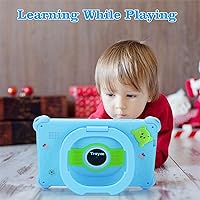
The pre-loaded Yu Babe suite covers a solid range of early learning categories — basic Montessori activities, simple math games, painting tools, and children's video content — all accessible without a data connection, which makes it genuinely useful during travel.
The depth of content within the offline apps is limited, and children tend to exhaust the novelty of the pre-installed library within a few weeks. Long-term educational engagement depends on supplementing through the Play Store, which in turn requires Wi-Fi and ongoing curation by parents.
Connectivity
62%
38%
Bluetooth support allows pairing with wireless headphones, which parents consistently find useful for keeping audio contained during shared family spaces or long car trips. Wi-Fi connects reliably in standard home environments close to the router.
The 802.11g Wi-Fi standard is outdated and struggles in larger homes or environments with congested wireless networks, where more modern devices maintain a stable connection without issue. There is no option for wired connectivity, and signal drop-offs in the far corners of a house are a common complaint.
Storage
71%
29%
32GB of built-in storage is workable for a young child's typical app and media library, and the microSD slot for adding up to 64GB more is a practical safety valve that prevents storage from becoming a bottleneck as the content library grows over time.
Android's system overhead eats into that 32GB more than expected, leaving less usable space than the headline figure implies. Families who download offline video content regularly will hit the internal limit faster than anticipated and need to rely on the expansion slot sooner rather than later.
Build Quality
64%
36%
The tablet feels reasonably solid for a budget device, and the overall assembly does not exhibit the creaking or flex that plagues the very cheapest Android hardware. The included case adds structural rigidity that the bare device would otherwise lack.
The plastic chassis and button response quality are noticeably below mid-tier kids tablets, and some users report loose charging ports after extended daily use. The device communicates clearly that it is built to a price, and longevity expectations should be set accordingly.
Portability
77%
23%
At just over a pound and with a compact 7-inch footprint, the Trayoo tablet fits easily into a backpack, car seat pocket, or carry-on bag. Children can hold it independently for extended periods without fatigue, which matters for younger users on longer journeys.
With the case attached the device becomes noticeably bulkier and heavier than the base specs suggest. The added thickness can make it awkward for very small toddler hands to grip securely, particularly during extended handheld use without the stand deployed.

Suitable for:

The Trayoo 7-Inch 32GB Kids Tablet is a practical choice for parents who want to hand a young child their own device without handing over a premium gadget or worrying about unrestricted internet access. It fits well in households where children between three and seven years old are just beginning to interact with screens — think learning apps, simple games, and the occasional YouTube Kids session rather than anything demanding. The built-in parental controls are genuinely functional, making it a reasonable pick for caregivers who want guardrails without spending an hour configuring them. Families who travel frequently will also appreciate the offline educational content that works without a Wi-Fi connection. And because the rugged case ships in the box, there is no need to budget separately for drop protection — an honest advantage when buying for younger, less careful hands.

Not suitable for:

The Trayoo 7-Inch 32GB Kids Tablet is not the right call for parents expecting a sharp, vivid display or smooth performance across demanding apps. The 1024x600 screen resolution is noticeably soft compared to mid-range or premium children's tablets, which may frustrate older kids who have already experienced better hardware. The Allwinner quad-core processor and 2GB of RAM are adequate for basic tasks, but multitasking or running graphics-heavy apps will expose the chipset's limits quickly. Older children — say, eight and above — will likely outgrow this device faster than it seems worth. Anyone hoping to use this tablet as a shared family device, or for anything beyond supervised child use, should look at more capable options. The Wi-Fi standard is also dated, which can result in weaker connectivity in larger homes or areas with crowded wireless networks.

Specifications

  • Screen Size: The display measures 7 inches diagonally and uses an IPS panel for wider viewing angles compared to basic TN screens.
  • Resolution: The screen runs at 1024x600 pixels, which is a standard entry-level resolution suitable for light media and educational apps.
  • Processor: An Allwinner quad-core chip clocked at 1.6GHz handles the device's processing tasks.
  • RAM: The tablet includes 2GB of RAM, which is sufficient for basic app use but limits heavy multitasking.
  • Internal Storage: 32GB of onboard flash storage is available for apps, photos, and downloaded content.
  • Expandable Storage: A microSD card slot supports expansion cards up to 64GB for additional media and file storage.
  • Battery Life: The built-in lithium polymer battery is rated for up to 10 hours of use under light to moderate conditions.
  • Operating System: The device runs Android with GMS certification, enabling full access to the Google Play Store and standard Google apps.
  • Wireless: Wi-Fi connectivity uses the 802.11g standard, and Bluetooth is also included for peripheral pairing.
  • Cameras: Dual cameras are included — one on the front and one on the rear — both at basic resolution suitable for casual child use.
  • Dimensions: The tablet body measures 7.8 x 4.8 x 0.98 inches, making it compact enough for smaller hands to hold.
  • Weight: The device weighs 1.17 pounds without the case, keeping it manageable for young children during extended use.
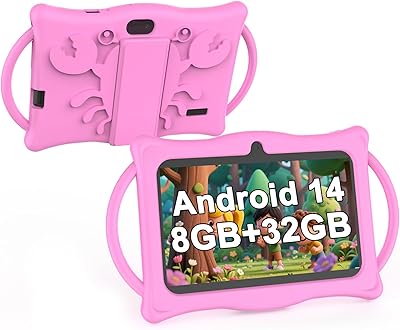
  • Included Case: A shock-resistant protective case with an adjustable stand is included in the box at no additional cost.
  • Parental Controls: Built-in parental control features support multiple child profiles, app management, content filtering, and screen time scheduling.
  • Offline Apps: The Yu Babe app suite comes pre-installed, providing a range of educational activities that function without an active internet connection.

Related Reviews
Aheadthink AHQ82K 7-inch 32GB Kids Android Tablet
70%
83%
Value for Money
78%
Parental Controls
81%
Ease of Setup
62%
Display Quality
71%
Performance & Speed
More
ZZB ZZBAT70K Kids Tablet 7-inch, 32GB
84%
90%
Value for Money
88%
Durability
93%
Parental Controls
85%
Display Quality
80%
Battery Life
More
ATOZEE Q8K 7-inch 32GB Kids Tablet
71%
88%
Value for Money
91%
Ease of Setup
57%
Display Quality
83%
Parental Controls
74%
Build Quality & Durability
More
NEWISION K7 7-inch Kids Tablet 32GB
84%
88%
Build Quality & Durability
94%
Parental Controls
90%
Educational Value
63%
Battery Life
80%
Display Quality
More
QISTOQI KD88 Kids Tablet 7-inch 32GB
87%
88%
Durability
91%
Parental Controls
90%
Educational Value
85%
Battery Life
92%
Ease of Use
More
Zcobro KIDS710 Kids Tablet 7-inch, 32GB
82%
90%
Value for Money
82%
Battery Life
94%
Parental Controls & Safety Features
78%
Educational Content & App Variety
86%
Build Quality & Durability
More
ATOZEE CP80K Kids Tablet 7-inch 32GB
84%
91%
Parental Control Features
88%
Educational Content & Apps
85%
Screen Quality & Eye Protection
82%
Battery Life
89%
Build Quality & Durability
More
YosaToo ZIDS701 7-inch Kids Tablet
67%
83%
Value for Money
86%
Parental Controls
74%
Durability
51%
Display Quality
62%
Performance & Speed
More
YosaToo KIDS712 Kids Tablet 7-inch 32GB
84%
89%
Value for Money
85%
Battery Life
92%
Parental Controls
88%
Build Quality/Durability
75%
Display Quality
More
BYANDBY 2025 Kids Tablet Q8K, 7-inch, 32GB
84%
90%
Value for Money
88%
Ease of Use
91%
Build Quality/Durability
84%
Parental Control Features
76%
Display Quality
More
UJoyFeel KIDS705-B 7-Inch 32GB Kids Tablet
69%
83%
Parental Controls
76%
Durability & Build
78%
Value for Money
54%
Performance & Speed
61%
Display Quality
More

FAQ

For the most part, yes — the Trayoo 7-Inch 32GB Kids Tablet arrives with Android pre-installed and the Yu Babe educational suite already loaded. You will want to spend a few minutes setting up a Google account and configuring the parental controls, but that process is fairly intuitive and most parents get through it without needing any technical help.

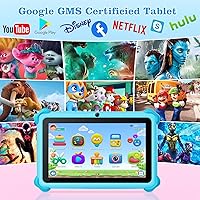
Yes, because the tablet is GMS certified and includes the full Google Play Store, you can download apps like YouTube Kids, Netflix, ABCmouse, and most other mainstream children's apps without any workarounds. Just be aware that streaming apps will require a Wi-Fi connection to work.

The parental controls are solid for a device at this price point. You can create separate profiles for each child, set daily screen time limits, block specific apps, and filter content categories. It is not as polished as something like Google Family Link on a premium device, but for keeping young kids in a safe digital space it gets the job done reliably.

The included shock-resistant case offers a meaningful layer of protection for everyday drops and bumps. It is designed with younger kids in mind, and the rugged bumper edges help absorb impact. That said, no budget case is indestructible — repeated hard drops onto tile or concrete will eventually take a toll.

Yes, and this is actually one of its more practical strengths. The pre-installed Yu Babe app suite includes educational games, painting tools, and Montessori-style activities that all run offline. Any apps you have already downloaded from the Play Store will also work without an internet connection, which makes it useful during travel or in areas with poor signal.

The advertised figure of ten hours is on the optimistic side. Under typical conditions — a mix of app use, video, and some idle time — most parents find the battery lasts through a full day but closer to seven or eight hours of active screen time rather than ten. It is still comfortable for a long car ride or flight without needing to recharge mid-trip.

Yes, the device supports multiple child profiles, so each child can have their own apps, content restrictions, and screen time rules. This is particularly handy in families with kids of different ages who need different content filters or app access.

Honestly, they are basic. Both the front and rear cameras capture images at a low resolution that is adequate for video calls or letting a toddler take silly photos, but not something you would use for anything you actually want to keep. Think of them as a fun feature for young kids rather than a functional camera tool.

For simple educational apps, videos, and light games, the performance is fine. Where it shows strain is when multiple apps are open at the same time or when running more graphically demanding titles — the 2GB of RAM and budget chipset have a clear ceiling. Younger children using it for age-appropriate content generally will not notice, but older kids who have used faster devices might find it frustrating.

For most young children, 32GB is workable, especially if you are mainly running apps and light content. If your child downloads a lot of videos or photos, the microSD slot lets you add up to 64GB of additional storage, which should keep things manageable for a long time. Just pick up a compatible microSD card separately if you think you will need the extra room.