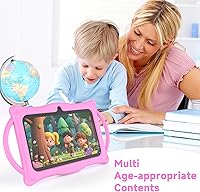
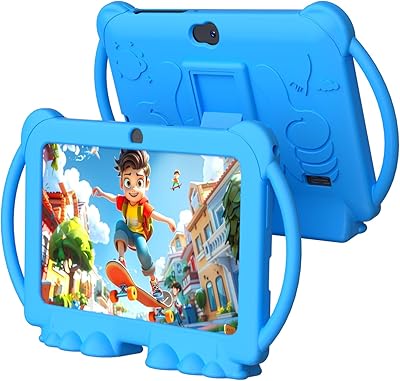
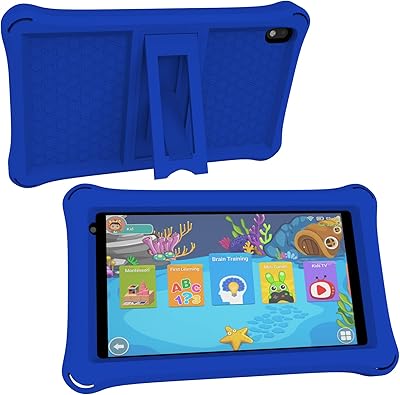
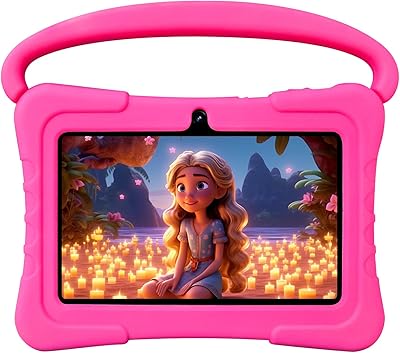
Overview

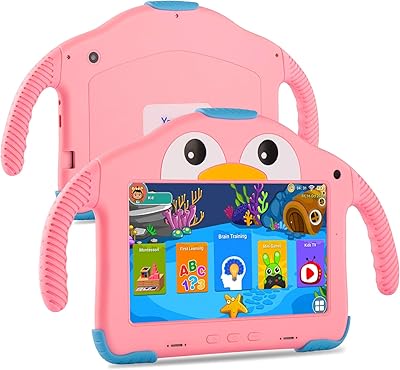
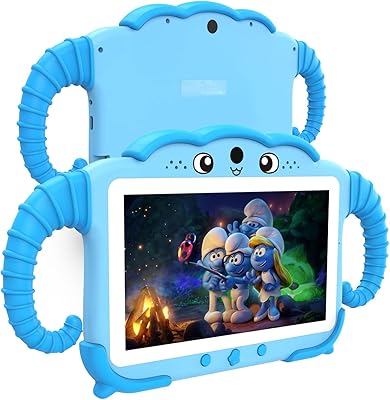
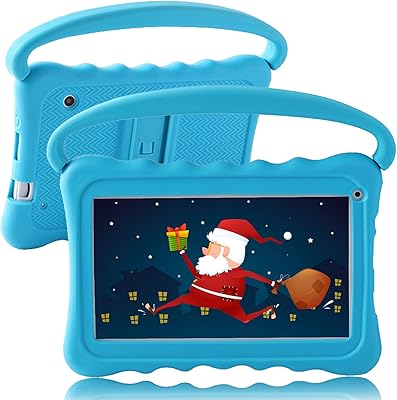
The BYANDBY Q8K 7-Inch Kids Tablet sits squarely in the budget end of the kids-tablet market, which is exactly where most parents shopping for a first device want to be. BYANDBY is a smaller OEM brand, but what makes this toddler tablet worth a closer look is that it ships with Android 14 — a genuinely current operating system you don't often see at this price point. The included shockproof silicone case is a real bonus, not a throwaway accessory. That said, the 1024x600 display and roughly six-hour battery life are honest indicators of the tier: functional and fit for purpose, but not exceptional.
Features & Benefits

The Q8K runs on a quad-core ARM processor paired with 8GB of RAM total — marketed as a 4+4GB split, which is just a presentation choice rather than a meaningful hardware difference. In practice, it handles YouTube Kids, light educational apps, and simple games without obvious lag. Storage starts at 32GB but the microSD expansion slot lets you push that up to 1TB, which is genuinely useful for families who load up offline video for travel. The 7-inch IPS screen is clear enough for cartoons and learning apps, though outdoor visibility is limited. Bluetooth and 802.11ac Wi-Fi round things out, and the kickstand case means kids can prop it up independently.

Best For

This kids tablet is a solid pick for parents who want their toddler or early-school-age child to have a dedicated device without spending much. If you've resisted buying a Fire tablet purely because you dislike the locked Amazon ecosystem, the Q8K gives you proper Android flexibility at a comparable price. It's especially practical for travel and long car rides, where the expandable storage means you can load up content offline without worrying about running out of space. First-time gift buyers will appreciate that everything — case included — arrives ready to use. It's not the right choice for older kids who want to run demanding apps or games.

User Feedback

Parents who pick up this toddler tablet tend to highlight the case durability and the ease of getting everything set up straight out of the box. The value for money sentiment runs strong among buyers who aren't expecting flagship performance. That said, a few recurring criticisms are worth noting. Battery life under active use often falls noticeably short of the six-hour claim, particularly with video streaming or busy app sessions. Some parents find the iWaWa app clunkier than expected — its interface is less polished than Google Family Link. Screen brightness in direct sunlight is another mild complaint, and performance can stutter with heavier multitasking.

Pros

  • Ships with Android 14, which is a genuinely current OS rarely found at this price point.
  • The shockproof silicone case is included in the box — no extra purchase needed.
  • MicroSD expansion up to 1TB means storage headaches are essentially optional.
  • Open Android ecosystem lets parents install apps beyond a curated content store.
  • Lightweight at 1.34 pounds, making it easy for small kids to hold independently.
  • Built-in kickstand on the case lets toddlers watch content hands-free without needing a stand.
  • Initial setup is quick and approachable, even for less tech-savvy parents.
  • Dual cameras and Bluetooth support video calls and wireless accessories without added cost.
  • The Q8K handles everyday kids apps and video streaming without noticeable stuttering.
  • Competitive value for a complete, ready-to-use package aimed at young children.

Cons

  • Battery life under active use regularly falls short of the six hours stated in product specs.
  • The iWaWa parental control app has a steeper learning curve than Google Family Link and feels less polished.
  • Screen brightness struggles in direct sunlight or brightly lit outdoor settings.
  • Performance can stutter noticeably when running heavier apps or switching between multiple tasks.
  • The 1024x600 display resolution looks soft compared to mid-range tablets, even for kids content.
  • BYANDBY has limited brand recognition, which may raise concerns about long-term software updates or support.
  • The split 4+4GB RAM marketing framing can mislead buyers — it is simply 8GB total, nothing special.
  • No dedicated kids content store or curated app library, unlike Fire Kids or other platform-first options.
  • Wi-Fi connectivity, while functional, may not hold a strong signal as reliably as more premium hardware.

Ratings

The scores below for the BYANDBY Q8K 7-Inch Kids Tablet were generated by our AI engine after analyzing thousands of verified global buyer reviews, with spam, bot activity, and incentivized feedback actively filtered out. Each category reflects a clear-eyed synthesis of what real parents and caregivers experienced — strengths and frustrations alike. Nothing has been smoothed over to make the product look better than it is.
Value for Money
88%
For parents who need a functional first tablet without spending much, the Q8K delivers a genuinely impressive package at its price point. Getting Android 14, a shockproof case, and expandable storage all bundled together is hard to argue with when the alternative costs significantly more.
A handful of buyers felt the value equation shifts if the tablet develops performance issues early, since warranty support from a smaller OEM brand is less reliable than from established names. The low entry price can mask potential long-term ownership costs.
Durability & Build
81%
19%
The silicone shockproof case consistently earns praise from parents whose toddlers treat tablets like toys — corners absorb drops well, and the overall feel is sturdy enough for daily rough handling. Many buyers specifically note the case feels purpose-built rather than an afterthought.
The tablet chassis underneath the case is standard budget-tier plastic, and a few reviewers noted creaking or flex when the case is removed. The case does most of the protective heavy lifting, so losing or damaging it would leave the device more exposed than expected.
Parental Controls
67%
33%
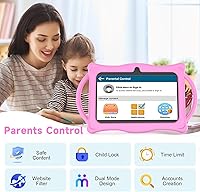
The pre-installed iWaWa app means parents can set up content filtering and screen time limits straight out of the box without hunting for third-party tools. For caregivers who just want basic guardrails quickly, it covers the essentials without requiring a steep learning curve.
Parents already comfortable with Google Family Link often find iWaWa feels dated and less intuitive by comparison. A recurring complaint is that the app's interface is clunky to navigate, and some parents reported needing multiple attempts to configure settings they considered straightforward.
Battery Life
58%
42%
Under genuinely light usage — audiobooks, simple educational apps, or short video sessions — the battery can approach the six-hour advertised figure, which is enough for a typical day of moderate use at home.
Active video streaming or game sessions drain the battery noticeably faster, with many parents reporting closer to four hours of real-world use. This makes the Q8K a poor fit for long travel days without access to a charger or power bank.
Display Quality
63%
37%
For indoor viewing of cartoons, YouTube Kids, and basic educational apps, the 1024x600 IPS screen is clear and color-accurate enough that most young children have no complaints. The IPS panel at least ensures decent viewing angles, so kids can watch from slightly off-center.
In brighter environments — a sunny living room, a car on a clear day, or outdoors — the screen washes out quickly and becomes hard to see. The resolution also feels noticeably soft if a child transitions from a higher-end device to this one.
Performance & Speed
69%
31%
Day-to-day tasks like switching between a learning app and a video run smoothly enough that younger children never notice any delay. The quad-core processor with 8GB total RAM keeps common kids apps from stuttering during normal use.
Loading heavier games or running several apps at once reveals the processor's limits fairly quickly, with noticeable lag and occasional app crashes reported by parents of older kids. It is not a tablet built for multitasking or demanding apps.
Ease of Setup
84%
Multiple parents highlight how little time it took to get the tablet into a child's hands — the Android setup process is familiar, and iWaWa walks users through basic parental settings on first launch. Gift buyers particularly appreciate not needing a tech background to get started.
Parents who want more granular control beyond iWaWa's defaults will need to dig into Android settings separately, which adds some complexity. A few buyers also noted that the initial app update process after setup takes longer than expected on slower internet connections.
Storage & Expandability
86%
The microSD expansion slot is genuinely one of the most practical features on this toddler tablet — families who pre-load offline content for travel can push storage well beyond what most kids would ever fill. The 32GB base is also reasonably generous for a device in this category.
The microSD card is not included, which means buyers need to budget for and source one separately if expansion is important to them. The slot itself is slightly fiddly for adult fingers and not something a young child should be handling independently.
Screen Size & Portability
79%
21%
At 7 inches and 1.34 pounds, the tablet sits in a sweet spot for young children — big enough to see content clearly but light enough that toddlers can hold it without fatigue. It slips easily into a small backpack or tote, making it genuinely portable for outings.
Older children who have used larger tablets may find 7 inches limiting for certain apps or games that benefit from more screen real estate. The slim profile also means speakers are modest, so volume in noisy environments can feel insufficient.
Camera Quality
54%
46%
The 5MP rear camera is functional for video calls with family members and the occasional photo taken by an enthusiastic toddler. For the age group this tablet targets, camera performance is rarely a primary concern anyway.
Image quality is mediocre even by budget standards — photos in anything less than strong indoor lighting look grainy and flat. Parents looking for a tablet where camera quality matters even a little should look at other options at a higher price point.
Wi-Fi Reliability
72%
28%
The 802.11ac Wi-Fi module handles standard home network use well, maintaining a stable connection during video streaming in rooms within reasonable range of a router. Most parents report no chronic connectivity issues during typical indoor use.
Signal strength at the edges of a home network or through thick walls is noticeably weaker compared to more premium hardware. A few buyers reported intermittent drops during streaming, particularly in homes with older or congested routers.
Software & OS Freshness
83%
Android 14 is a meaningful differentiator at this price tier — it brings improved privacy controls, better background app management, and a generally more stable experience than older Android versions common on similarly priced tablets.
Long-term software update support from BYANDBY is uncertain, which is a real consideration if you expect the tablet to last several years. There is no published update roadmap, and smaller OEM brands historically lag or stop updates faster than major manufacturers.
Kickstand & Hands-Free Use
77%
23%
The adjustable kickstand built into the case is a practical feature that parents consistently mention positively — it lets toddlers watch videos or follow along with learning content without needing an adult to hold the tablet. It works on flat surfaces and holds most viewing angles reliably.
The kickstand mechanism feels slightly flimsy at more extreme angles and a few parents reported it loosening with repeated use over time. It is not a standalone tablet stand replacement, and on uneven surfaces it can tip without warning.
Content & App Ecosystem
74%
26%
Running full Android means the Q8K has access to the entire Google Play Store, giving parents far more app flexibility than locked ecosystems like Amazon Fire. Educational apps, streaming services, and games install and run as they would on any standard Android device.
Unlike Fire Kids, there is no curated kids content subscription or built-in safety layer beyond iWaWa — parents need to actively manage app access themselves. Families accustomed to a more hands-off content curation experience may find this requires more ongoing attention.

Suitable for:

The BYANDBY Q8K 7-Inch Kids Tablet is well-matched to parents who want a practical, no-fuss first device for a toddler or early elementary-age child without committing serious money to something that might get dropped, dunked, or abandoned within six months. If your household runs on Android and you'd rather not be locked into Amazon's content ecosystem, this toddler tablet gives you genuine flexibility at a price that softens the risk. Families who travel frequently will appreciate the microSD expansion, since loading up offline videos and apps means the tablet stays useful even without a Wi-Fi connection. It also makes a strong gift option — the shockproof case is included, setup is straightforward, and there's no extra shopping required before a child can actually start using it. Parents who want basic parental controls and are willing to spend a few minutes learning the iWaWa app will find it covers the essentials.
Not suitable for:

The BYANDBY Q8K 7-Inch Kids Tablet is a harder sell for parents expecting the kind of polish or ecosystem depth that comes with a dedicated kids platform like Amazon Fire Kids or an Apple iPad. If your child is older — say, eight or nine and up — and wants to run graphic-heavy games, stream in high resolution, or juggle multiple demanding apps, the processor and display will start to feel limiting fairly quickly. Parents who prioritize long, uninterrupted battery life for all-day use should also temper their expectations, since real-world screen time tends to fall noticeably short of the advertised figure. If you're already comfortable with Google Family Link and prefer that over a third-party parental control app, switching to iWaWa may feel like a step backward in terms of interface quality. And buyers who want brand reliability or long-term software support guarantees may find a lesser-known OEM a harder commitment to make.

Specifications

  • Screen Size: The tablet features a 7-inch IPS display suited to small hands and portable use.
  • Resolution: Display resolution is 1024x600 pixels, adequate for video and learning apps at this screen size.
  • Operating System: Runs Android 14 out of the box, which is notably current for a budget-tier kids tablet.
  • Processor: Powered by an ARM quad-core processor designed to handle everyday children's apps and media playback.
  • RAM: Total RAM is 8GB, presented by the manufacturer as a 4+4GB dual configuration.
  • Internal Storage: Comes with 32GB of built-in flash storage for apps, photos, and downloaded media.
  • Storage Expansion: Accepts a microSD card for up to 1TB of additional storage, useful for offline video libraries.
  • Rear Camera: Equipped with a 5MP rear-facing camera suitable for basic photos and video recording.
  • Wi-Fi: Supports 802.11ac Wi-Fi for reasonably fast and stable wireless connectivity at home or on the go.
  • Bluetooth: Bluetooth is built in, enabling wireless headphones, speakers, and compatible accessories.
  • Battery Life: Rated at approximately 6 hours, though real-world active use tends to deliver somewhat less.
  • Weight: The tablet weighs 1.34 pounds, light enough for most toddlers and young children to hold comfortably.
  • Dimensions: Physical dimensions are 6.9 x 3.9 x 0.4 inches, making it compact enough for a child's bag or backpack.
  • Included Case: Ships with a shockproof silicone case that includes an adjustable kickstand for hands-free viewing.
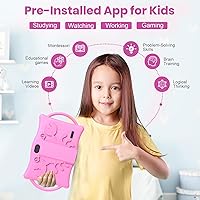
  • Parental Controls: The iWaWa parental control app comes pre-installed, allowing content filtering, screen time limits, and age-based profiles.
  • Minimum Age: The manufacturer recommends this tablet for children aged 3 years and older.
  • Battery Type: Uses a built-in lithium-ion rechargeable battery that is included and pre-fitted at purchase.
  • Processor Brand: The processor is manufactured under the ARM architecture, standard for Android devices in this category.

Related Reviews

ATOZEE Q8K 7-inch 32GB Kids Tablet
71%
88%
Value for Money
91%
Ease of Setup
57%
Display Quality
83%
Parental Controls
74%
Build Quality & Durability
More
ATOZEE Q2 8-Inch Kids Android Tablet
65%
83%
Value for Money
81%
Parental Controls
58%
Display Quality
62%
Performance & Speed
74%
Build Quality & Durability
More
ZZB ZZBAT70K Kids Tablet 7-inch, 32GB
84%
90%
Value for Money
88%
Durability
93%
Parental Controls
85%
Display Quality
80%
Battery Life
More
Aheadthink AHQ82K 7-inch 32GB Kids Android Tablet
70%
83%
Value for Money
78%
Parental Controls
81%
Ease of Setup
62%
Display Quality
71%
Performance & Speed
More
zcobro KIDS710 7-inch 32GB Kids Tablet
68%
83%
Value for Money
78%
Parental Controls
86%
Ease of Setup
54%
Performance & Speed
63%
Battery Life
More
YosaToo ZIDS701 7-inch Kids Tablet
67%
83%
Value for Money
86%
Parental Controls
74%
Durability
51%
Display Quality
62%
Performance & Speed
More
QISTOQI KD88 7-inch Kids Tablet
69%
83%
Value for Money
78%
Durability & Build
87%
Ease of Setup
72%
Parental Controls
61%
Display Quality
More
YosaToo KIDS712 Kids Tablet 7-inch 32GB
84%
89%
Value for Money
85%
Battery Life
92%
Parental Controls
88%
Build Quality/Durability
75%
Display Quality
More
NEWISION K7 7-inch Kids Tablet 32GB
84%
88%
Build Quality & Durability
94%
Parental Controls
90%
Educational Value
63%
Battery Life
80%
Display Quality
More
SANNUO K708 Plus 7-inch Kids Android Tablet
69%
83%
Value for Money
71%
Build Quality
67%
Display Quality
48%
Battery Life
59%
Performance & Speed
More

FAQ

The included silicone shockproof case does a solid job of absorbing drops and bumps from everyday toddler use. It covers the corners and back, which are the most vulnerable spots. It won't survive every catastrophic fall, but for typical toddler handling it holds up well based on parent feedback.

iWaWa covers the core bases — content filtering, screen time scheduling, and age-based profiles — but its interface is less polished than Google Family Link and can feel a little clunky to navigate at first. Some parents prefer to disable iWaWa and set up Google Family Link instead, which is entirely possible since this runs standard Android. It comes down to personal preference and how much time you want to spend on initial setup.

Because the Q8K runs standard Android 14, you have full access to the Google Play Store once you set up a Google account. This means you are not restricted to a walled content garden like you would be with an Amazon Fire tablet. Parental controls can then be used to limit which apps your child can actually open.

The tablet supports microSD cards up to 1TB, so you have a lot of headroom. For most families, a 128GB or 256GB card is more than enough to store a large collection of offline videos, audiobooks, and apps. Any standard microSD card from a reputable brand in that capacity range will work fine.

Realistically, probably not without a break. The advertised six hours is achievable under light use, but continuous video streaming or active gaming tends to drain the battery faster — most parents report closer to four to five hours of active screen time. Bringing a small power bank or charging cable for the trip is a smart precaution.

Outdoor visibility is one of the weaker points of this toddler tablet. In direct sunlight or a very bright car, the screen can look washed out and harder to see clearly. It works fine indoors or in shaded conditions, but if outdoor use is a priority, you may want to manage expectations or ensure your child can use it in a shaded spot.

The BYANDBY Q8K 7-Inch Kids Tablet is best suited for children aged roughly 3 to 7 years old. Younger toddlers benefit from the durable case and simple interface, while children in early elementary school can use it for learning apps and video. Older kids who want to run more demanding games or apps may find the performance limiting.
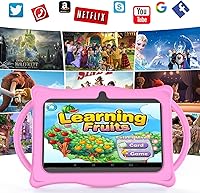
The box includes the tablet itself, the shockproof silicone case with kickstand, a charging cable, and a charging adapter. The case comes already fitted, so a child can use it right away without any extra accessories to track down.

Yes, the iWaWa app supports creating multiple child profiles with individual content settings and screen time rules. Alternatively, Android 14 also supports multiple user accounts natively. Either way, two kids with different age-appropriate needs can share the device without one profile affecting the other.

The main trade-off is ecosystem versus flexibility. Amazon Fire Kids tablets come with a rich curated content library and a well-tested parental dashboard, but lock you into Amazon's ecosystem. The Q8K runs open Android, so you have more freedom in app choice, but you lose that curated safety net. If you already use Android devices and prefer Google services, the Q8K is a natural fit; if you want maximum simplicity and a ready-made content library, Fire Kids has the edge.