

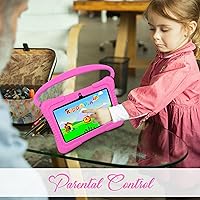
Overview

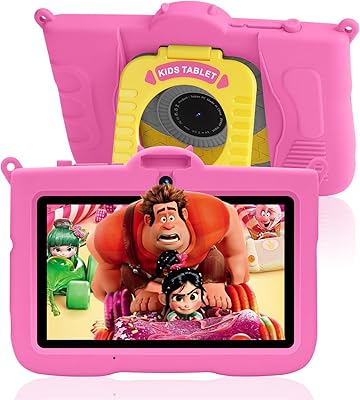
The QISTOQI KD88 7-inch Kids Tablet entered the market in late 2024 as a budget option for families who want a real Android experience without spending much. QISTOQI is not a household name, so expectations should be set accordingly — this is a no-frills starter device, not a polished product from an established brand. What it does offer out of the box is genuinely useful: a protective silicone case, a pre-installed parental control app, and access to Google Play. At this price tier, you are not getting premium build quality or a crisp display, but for a young child's first tablet, the value proposition is reasonable.

Features & Benefits

The 7-inch IPS screen runs at 1024x600 resolution — watchable for cartoons and reading apps, though do not expect vivid colors or fine detail. The bigger story is Android 11 with GMS certification, which gives parents full Google Play access rather than a locked-down proprietary app store. The Allwinner quad-core processor with 2GB of RAM keeps things moving for basic tasks — YouTube Kids, simple games, e-books — but demanding apps will expose its limits. Storage starts at 32GB and expands via microSD. The iWawa parental app handles screen time scheduling and content filtering reasonably well, and Bluetooth plus dual cameras round out a surprisingly capable feature set for the price.

Best For

This kids tablet is a practical pick for parents who want to hand a young child their own device without the anxiety of handing over an expensive one. It works well as a travel companion — the rugged case absorbs drops, and the built-in stand lets kids prop it up in the back seat without holding it. It suits home learning routines equally well. Parents who specifically want Google Play access at this price tier will find few alternatives that offer it. Gift-givers will appreciate that everything arrives ready to use straight out of the box. It is not the right fit for older kids needing performance, but for ages three to six, it is well-matched.

User Feedback

Parents who have picked up the KD88 tend to praise the case durability and how quickly a child can start using it — setup is refreshingly straightforward. On the downside, some report occasional lag when switching apps, which aligns with what you would expect from 2GB of RAM. Battery life draws mixed opinions; some parents are satisfied with a day of casual use, while others wanted longer runtime. The iWawa app earns decent marks for basic controls, though a few users prefer the flexibility of native Android parental settings. Customer support responsiveness gets positive mentions in several reviews. Screen brightness in well-lit rooms is a recurring minor complaint worth noting.

Pros

  • Full Google Play access on a budget tablet is a genuine advantage over many locked-down competitors at this price.
  • The shockproof silicone case is included in the box, so there is no extra purchase needed to protect it from drops.
  • Setup is quick and straightforward — parents report kids are up and running within minutes of unboxing.
  • 32GB of onboard storage is expandable via microSD, giving families flexibility as content libraries grow.
  • The iWawa parental control app covers the basics well: screen time scheduling, content filtering, and safe browsing.
  • Bluetooth connectivity lets kids pair wireless headphones, which is a real quality-of-life feature for shared households.
  • The built-in case stand is a small but practical touch that reduces hand fatigue for young kids watching videos.
  • Android 11 with GMS certification means access to a wide range of educational apps, not just a handful of pre-selected titles.
  • Customer support responsiveness gets positive mentions from buyers, which matters when dealing with a newer brand.

Cons

  • App switching and loading times can feel sluggish, particularly when running multiple children's apps back to back.
  • Battery capacity is not officially disclosed, making it hard to gauge real-world runtime before purchase.
  • Screen brightness struggles in direct sunlight or well-lit rooms, limiting outdoor usability.
  • The 1024x600 display resolution looks noticeably soft compared to even mid-range tablets in the same age-group category.
  • QISTOQI has a limited track record, so long-term software updates and product support remain uncertain.
  • The dual 2MP cameras are functional at best — photo and video quality is too low for anything beyond casual snapshots.
  • At nearly two pounds, the KD88 is on the heavier side for small hands during extended holding sessions.
  • Wi-Fi is limited to the older 802.11n standard, which may affect streaming quality on busy home networks.
  • Brand recognition is low, which can make resale value and warranty confidence harder to assess than with established names.

Ratings

The scores below for the QISTOQI KD88 7-inch Kids Tablet were generated by our AI engine after analyzing verified purchase reviews from buyers worldwide, with spam, bot-generated, and incentivized feedback actively filtered out. Each category reflects what real parents and caregivers experienced during daily use — from the first setup to months of toddler handling. Both the standout strengths and the genuine frustrations are represented transparently in every score.

Value for Money
83%
At this price tier, getting a GMS-certified Android 11 tablet with a protective case included and full Google Play access is genuinely hard to beat. Most parents feel they are getting more than expected for what they paid, particularly when compared to locked-down competitors at a similar price.
The value calculation changes if you factor in the uncertain long-term support from a newer brand. A few buyers felt the performance limitations became frustrating sooner than expected, making the savings feel less significant over time.
Durability & Build
78%
22%
The bundled silicone case does a solid job absorbing the routine drops and throws that toddlers are known for. Parents traveling with the KD88 on road trips and flights report it holds up well to the physical punishment young kids dish out on a daily basis.
The tablet itself — without the case — feels lightweight and somewhat plasticky, which raises questions about long-term structural integrity. A handful of users noted the charging port felt a little loose after several months of regular use.
Ease of Setup
87%
Out-of-the-box setup consistently draws positive feedback from parents who are not particularly tech-savvy. The iWawa parental app launches automatically and walks caregivers through the core configuration steps without needing to dig through Android settings menus.
Some parents found that fine-tuning controls beyond what iWawa offers required navigating standard Android settings, which felt less intuitive. A small number of users also reported needing to manually update the OS before the device felt fully stable.
Parental Controls
72%
28%
The iWawa app covers the basics that most parents actually need day-to-day: capping screen time, filtering content by age group, and keeping kids away from unvetted websites. For a first tablet setup, it removes a lot of the friction that would otherwise come with manually configuring Android restrictions.
Parents with more specific control needs found iWawa somewhat limited compared to robust solutions like Google Family Link or Amazon's Parent Dashboard. The app has also been described as occasionally buggy, with screen time limits needing to be reset after restarts in some cases.
Display Quality
61%
39%
For a young child watching cartoons, nursery rhymes, or simple learning videos, the 7-inch IPS screen does the job without causing obvious eyestrain. Colors are decent in low to moderate lighting conditions, and touch responsiveness is reliable enough for toddler-level interaction.
The 1024x600 resolution looks noticeably soft compared to even mid-range tablets, and brightness caps out at a level that struggles in direct sunlight or bright rooms. Older children or adults glancing at the screen will immediately notice how dated it looks by current standards.
Performance & Speed
57%
43%
For its intended audience — children playing simple puzzle games, watching YouTube Kids, or flipping through digital books — the Allwinner quad-core processor handles the workload without completely grinding to a halt. Basic day-to-day kids tasks are generally manageable.
App switching is sluggish, and load times on heavier titles are long enough that kids notice and complain. The 2GB of RAM means the system runs close to its ceiling during normal use, and multitasking of any kind tends to result in visible lag or occasional app crashes.
Battery Life
63%
37%
For casual home use spread across a morning or afternoon, most parents report getting through a session without needing to reach for the charger. The tablet handles light, intermittent use reasonably well for a device at this price point.
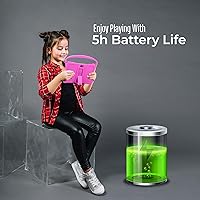
Battery capacity is undisclosed, and real-world runtime under heavier use — longer video sessions or multiple apps running — falls short of what many parents hoped for. It is not a device you can confidently pack for a full travel day without bringing the charger along.
Camera Quality
44%
56%
Both the front and rear 2MP cameras are functional enough for a quick video call with a grandparent or a spontaneous snapshot from a child. They serve their purpose for the basic, low-stakes photography and video chat use cases typical of this age group.
Image quality is genuinely poor by any modern standard — photos appear grainy, colors look washed out, and low-light shots are nearly unusable. Parents who envision their child capturing meaningful memories or using the camera for creative projects will be disappointed.
Audio Quality
59%
41%
The built-in speaker is loud enough to follow along with videos and learning songs in a quiet room, which covers the primary use case for most young children. Bluetooth connectivity also means parents can pair a wireless headphone set for quieter household environments.
Speaker audio sounds tinny and compressed at higher volumes, and there is no noticeable stereo separation. In noisier environments like cars or busy rooms, the volume ceiling is not quite high enough for comfortable, clear playback.
App Compatibility
76%
24%
GMS certification means the Google Play Store works as expected, and the vast majority of popular children's apps — Khan Academy Kids, PBS Kids, Duolingo ABC — install and run without issues. This puts the KD88 ahead of budget tablets that force users into restricted storefronts.
A handful of more resource-intensive apps either run poorly or flag the device as incompatible due to its hardware tier. Parents who want to run certain premium educational apps should check compatibility before assuming everything on Google Play will work well.
Portability
81%
19%
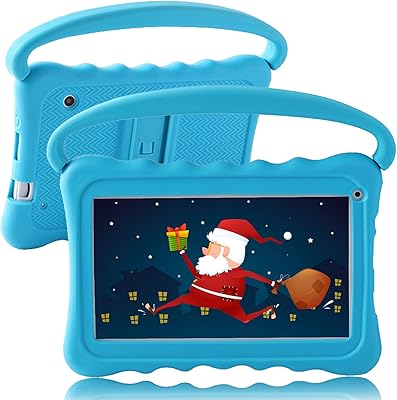
At 7 inches and with a form factor small enough for a young child to carry independently, this toddler tablet is genuinely easy to bring along on outings. The side handles on the case make it manageable even for three- and four-year-olds who want to carry it themselves.
The combined weight of the tablet and case at nearly two pounds feels heavier than expected for its size, and extended handheld use can tire out small arms. It is better suited for propped-up use on a surface than for long stretches of being held.
Screen Time Management
69%
31%
The iWawa app gives parents a central place to set daily limits and schedule usage windows, which works well as a basic routine enforcement tool. Many parents appreciate having these controls pre-configured rather than having to install and set up a third-party solution from scratch.
The scheduling features lack the granularity that more experienced parents want, such as different limits for different app categories or day-of-week variations. Timer enforcement has also been reported as inconsistent after device restarts or software updates.
Unboxing & Accessories
84%
Everything a parent needs to get started arrives in the box: the tablet, the protective case, a charger, a USB cable, and a basic user manual. There are no frustrating first-day surprises about needing to order a case separately or hunt for a compatible charger.
The included charger is a basic adapter without fast-charging capability, so top-up times are slow. The user manual is thin and does not cover troubleshooting scenarios that new users commonly encounter with Android setup or the iWawa app configuration.
Brand Trust & Support
53%
47%
The brand advertises 24-hour customer support, and a portion of buyers who reached out report receiving helpful and timely responses. For a newer name in the market, that responsiveness is a positive signal that they are at least trying to build a reputation.
QISTOQI has a short track record and limited visibility outside of online marketplaces, which makes it hard to gauge long-term reliability or warranty follow-through. There is no established community, user forum, or substantial review history to draw confidence from when something goes wrong.

Suitable for:

The QISTOQI KD88 7-inch Kids Tablet is genuinely well-matched for parents shopping for a first dedicated device for a toddler or preschool-age child. If your kid is between three and six years old and you want them to have something they can freely use — without the stress of handing over your own phone or a costly tablet — this fits that role comfortably. Families who specifically want Google Play access at a budget price will find this toddler tablet particularly appealing, since many competitors at this tier lock you into a curated app store instead. It also works well as a travel device: the rugged silicone case handles the inevitable drops, and the built-in stand is a practical touch for car seats and long flights. Gift-givers looking for a ready-to-use, out-of-the-box option for a young child will appreciate that everything needed arrives in the package.

Not suitable for:

The QISTOQI KD88 7-inch Kids Tablet is not the right call if you are shopping for a child older than seven or eight who has moved past simple games and basic videos. The Allwinner quad-core processor and 2GB of RAM will frustrate anyone expecting smooth multitasking, fast app switching, or the ability to run more demanding titles without lag. Parents who prioritize long-term software support and brand reliability should also pause — QISTOQI is a newer, lesser-known name, and there are no guarantees around OS updates or sustained product support the way there are with Amazon, Lenovo, or Samsung kids lines. The display resolution, while acceptable for young eyes watching cartoons, will feel noticeably low-quality to adults or older children used to sharper screens. If you need a tablet that will grow with a child over many years, it makes more sense to invest in a more capable device from the start.

Specifications

  • Screen Size: The tablet features a 7-inch IPS touchscreen display suited for young children's hands and lap use.
  • Resolution: Display resolution is 1024x600 pixels, adequate for children's video content and basic apps but not high-definition.
  • Processor: Powered by an Allwinner quad-core processor, designed for light tasks such as streaming, e-books, and simple educational games.
  • RAM: Equipped with 2GB of RAM, which supports basic multitasking but may show slowdown with more demanding applications.
  • Internal Storage: Comes with 32GB of built-in storage for apps, videos, and downloaded content.
  • Expandable Storage: Storage can be expanded up to 128GB using a microSD card, sold separately.
  • Operating System: Runs Android 11 with full GMS certification, enabling access to the Google Play Store and Google services.
  • Cameras: Includes dual 2MP cameras — one front-facing and one rear-facing — suitable for basic photos and video calls.
  • Wireless: Supports Wi-Fi connectivity via the 802.11n standard and includes Bluetooth for pairing headphones and accessories.
  • Battery: Houses a built-in rechargeable lithium-ion battery; exact capacity is not officially disclosed by the manufacturer.
  • Weight: The tablet weighs 1.98 pounds, which includes the protective silicone case.
  • Dimensions: Physical dimensions measure 7 x 3 x 1 inches, making it compact enough for young children to carry.
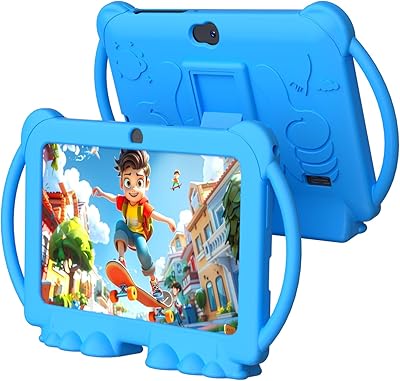
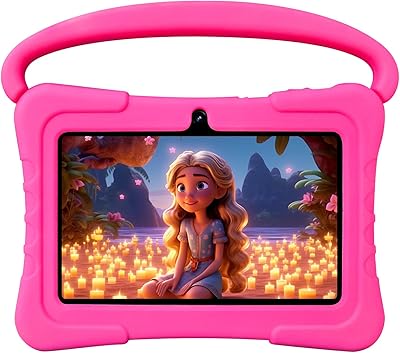
  • Case: Includes a shockproof silicone case with side handles for grip and a built-in kickstand for hands-free viewing.
  • Parental Controls: Comes with the iWawa app pre-installed, offering screen time limits, content filtering, and safe browsing features.
  • Age Recommendation: Designed for children aged 3 years and older, with content and hardware suited to toddlers and early school-age kids.
  • Color Options: Available in Pink; other color variants may be offered depending on the retailer listing.
  • In-Box Contents: Package includes the tablet, shockproof silicone case, charger, USB cable, and a printed user manual.
  • Availability: First made available in December 2024, positioning it as a recent entry in the budget kids tablet market.

Related Reviews
NEWISION K7 7-inch Kids Android Tablet
72%
84%
Value for Money
88%
Ease of Setup
81%
Parental Controls
51%
Battery Life
87%
Kid-Friendliness
More
ATOZEE Q8K 7-inch 32GB Kids Tablet
71%
88%
Value for Money
91%
Ease of Setup
57%
Display Quality
83%
Parental Controls
74%
Build Quality & Durability
More
ZZB ZZBAT70K Kids Tablet 7-inch, 32GB
84%
90%
Value for Money
88%
Durability
93%
Parental Controls
85%
Display Quality
80%
Battery Life
More
zcobro KIDS710 7-inch 32GB Kids Tablet
68%
83%
Value for Money
78%
Parental Controls
86%
Ease of Setup
54%
Performance & Speed
63%
Battery Life
More
Aheadthink AHQ82K 7-inch 32GB Kids Android Tablet
70%
83%
Value for Money
78%
Parental Controls
81%
Ease of Setup
62%
Display Quality
71%
Performance & Speed
More
ATOZEE Q2 8-Inch Kids Android Tablet
65%
83%
Value for Money
81%
Parental Controls
58%
Display Quality
62%
Performance & Speed
74%
Build Quality & Durability
More
YosaToo ZIDS701 7-inch Kids Tablet
67%
83%
Value for Money
86%
Parental Controls
74%
Durability
51%
Display Quality
62%
Performance & Speed
More
YosaToo KIDS712 7-Inch Kids Android Tablet
66%
78%
Value for Money
82%
Parental Controls
54%
Performance
63%
Battery Life
87%
Ease of Setup
More
PRITOM K7 Pro 7-inch Kids Tablet
66%
83%
Value for Money
71%
Parental Controls
88%
Ease of Setup
58%
Performance
43%
Battery Life
More
UJoyFeel KIDS705-B 7-Inch 32GB Kids Tablet
69%
83%
Parental Controls
76%
Durability & Build
78%
Value for Money
54%
Performance & Speed
61%
Display Quality
More

FAQ

Yes, it runs Android 11 with GMS certification, which means full access to the Google Play Store. Parents can download apps just as they would on any standard Android device, which is a genuine advantage over many budget kids tablets that restrict you to a limited proprietary store.

The pre-installed iWawa app covers the core bases — screen time scheduling, content filtering by age category, and restricting access to inappropriate websites. It is not as feature-rich as dedicated solutions like Google Family Link, but for younger children it handles the basics well. Parents who want deeper controls can also layer in Android's built-in parental settings.

For the most part, yes. The silicone case has side handles that make it easier for small hands to grip, and the built-in stand means they do not have to hold it for long stretches. The interface is straightforward enough that most toddlers figure it out quickly, especially once a parent sets up the iWawa kids mode.

For everyday kids' content — cartoons, simple games, e-books, drawing apps — it performs acceptably. Where it shows its limits is when switching between multiple apps quickly or loading heavier titles. Do not expect a snappy experience; there will be occasional lag, but for a young child who is not comparing it to anything else, it is generally not a dealbreaker.

The manufacturer does not publish an official battery capacity, which makes it tricky to give a precise answer. From general user reports, casual use over a few hours on a single charge is realistic. It is not a device that will last an entire day of heavy screen time, so keeping the charger handy on longer trips is a good idea.

The shockproof silicone case is included right in the box — no extra purchase needed. It wraps around the tablet, has side handles for grip, and doubles as a kickstand. It is not military-grade protection, but it handles the routine drops and bumps that come with toddler use reasonably well.

Yes, the tablet supports microSD cards up to 128GB. The 32GB that comes built in is a reasonable starting point, but if your child accumulates a lot of downloaded videos or a large app library, slotting in an affordable microSD card is a straightforward solution.

The dual 2MP cameras are functional but nothing impressive. They will handle a video call with grandparents or the occasional photo without complaint, but image quality is quite basic. If photography or high-quality video calling is a priority, this is not the device for it — but for a young child's casual use, they do the job.

It is actually one of the better fits for that scenario. Everything arrives in the box ready to use — tablet, case, charger, cable, and manual — so there is no scrambling for accessories. Setup is straightforward, and the iWawa app gives the gift-giver or parent a quick way to configure age-appropriate content before handing it over.

It is a fair concern. QISTOQI is a newer brand without the long track record of names like Amazon or Lenovo in the kids tablet space. That said, the device ships with a standard Android OS, so if support ever lapsed you would not be stuck with a completely locked ecosystem. The brand does advertise 24-hour customer support, and some buyers report positive experiences with it. Going in with realistic expectations — and treating it as a starter device rather than a long-term investment — is the right mindset.