Overview

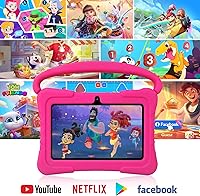
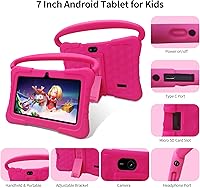
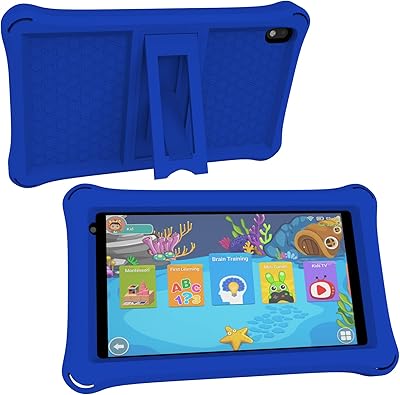
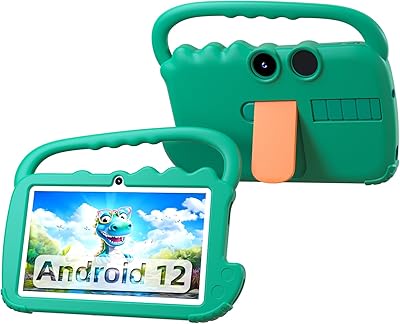
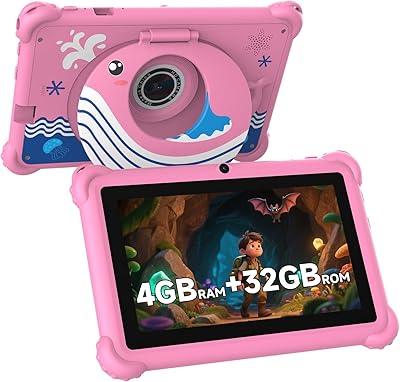
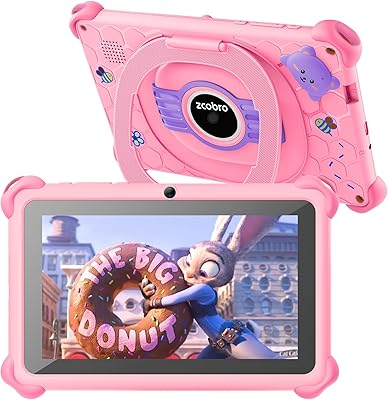
The NEWISION K7 7-inch Kids Android Tablet is a straightforward, no-frills entry point for parents who want to hand a young child their first device without spending a lot. Running Android 13 with full Google Play access, it sits in a different lane from locked-down kids tablets that restrict you to a proprietary app store. Out of the box, you get a silicone protective case with a built-in kickstand — that alone adds real value at this price. The reviewed unit is the pink variant, though it comes in other colors. Manage expectations: the hardware is modest, and that's perfectly fine if you know what you're buying.

Features & Benefits

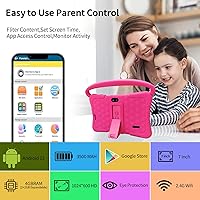
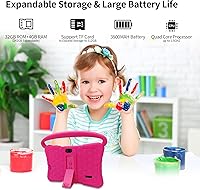
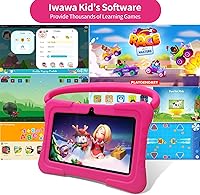
The kids software pre-loaded here is iWawa, which gives children a curated, age-filtered space to explore apps, videos, and learning games without stumbling into inappropriate content. But what separates this toddler-friendly tablet from many rivals is that it doesn't wall you off from Google Play — parents can install apps from the wider Android ecosystem when the iWawa selection runs thin. Parental controls are handled through iWawa or Google Family Link, covering screen time limits and app monitoring. Storage is a genuine strong point: 32GB built-in, expandable to 512GB with a microSD card. There's also a low blue light mode and a one-tap Reading Mode to ease eye strain during longer sessions.

Best For

This kids tablet is best matched to younger children — think ages 3 to 8 — who are just getting comfortable with a touchscreen. It's a practical pick for budget-conscious parents who want something safe and supervised without locking into a brand ecosystem that limits flexibility down the road. The lightweight build and included protective case make it a solid travel companion; parents who have worried about handing a child an uncased device in the back seat will appreciate that this one arrives ready to take a tumble. Households where multiple kids share a single device will also benefit from the robust age-filtering tools built right in.

User Feedback

Buyers tend to agree on a few things: setup is quick, the iWawa interface clicks with young kids almost immediately, and the included case — frequently called out as surprisingly sturdy — absorbs drops better than expected. Where opinions divide is on performance. With 2GB of RAM, lighter apps and kid-focused content run fine, but some parents note sluggishness when loading heavier Google Play titles. The roughly four-hour battery life comes up repeatedly as a limitation on longer outings. And because NEWISION is a relatively new brand, a handful of buyers have raised fair questions about long-term software support — worth keeping in mind before committing.

Pros

  • Arrives with a sturdy silicone case and kickstand already included — no extra purchase needed.
  • Android 13 with Google Play access gives far more app flexibility than many rival kids tablets.
  • iWawa pre-installed software creates a safe, age-filtered starting environment with minimal setup.
  • 32GB of built-in storage expands up to 512GB via microSD, so running out of space is rarely an issue.
  • Google Family Link support means parental controls feel familiar and don't require learning new software.
  • Lightweight at just 1.3 pounds — easy for small hands to hold and carry around the house.
  • Low blue light mode and one-tap Reading Mode are thoughtful additions for parents mindful of screen health.
  • Dual cameras make basic video calls and creative play accessible for young children.
  • The competitive price point makes it a low-risk first tablet if the child is still rough on devices.

Cons

  • Four-hour battery life is short and will require mid-day charging on busy or travel days.
  • 2GB of RAM causes noticeable slowdowns when running heavier apps downloaded from Google Play.
  • The 1024x600 screen resolution looks visibly basic compared to tablets even slightly above this price range.
  • NEWISION is a newer brand with an uncertain long-term track record for software updates and support.
  • 802.11b WiFi is an older wireless standard that may deliver slower speeds on modern home networks.
  • Older kids aged 9 and above will likely outgrow the hardware capabilities within a year or less.
  • Some buyers report inconsistent app load times, particularly with content outside the iWawa ecosystem.
  • No confirmation of regular Android security patch updates, which is a legitimate concern for connected devices.

Ratings

The scores below for the NEWISION K7 7-inch Kids Android Tablet were generated by our AI engine after analyzing verified purchase reviews from buyers worldwide, with spam, bot activity, and incentivized feedback actively filtered out. Each category reflects the honest distribution of real user sentiment — strengths and frustrations weighted equally — so you get a transparent picture before committing to a purchase. Parents of toddlers and early elementary kids will find the most relevant signal in the highlighted categories.
Value for Money
84%
Most buyers feel they got more than expected for the asking price, particularly given that a protective case and kickstand arrive in the box at no extra cost. The combination of Android 13 and Google Play access at this price tier is genuinely unusual and frequently called out as a deciding factor.
A small but vocal segment of buyers feels the hardware limitations — especially the battery and RAM — pull the value perception down over time, once the novelty wears off and real-world constraints become daily frustrations.
Ease of Setup
88%
Parents consistently describe the initial setup as refreshingly quick — most report having the tablet in a child's hands within 15 minutes of opening the box. The iWawa interface launches automatically and walks through basic configuration in plain language, which non-technical parents especially appreciate.
A handful of users note that configuring Google Family Link alongside iWawa can create redundant steps that feel confusing, particularly for parents who aren't familiar with the Android ecosystem and expected a single unified control panel.
Parental Controls
81%
19%
The dual-layer approach — iWawa's built-in filters plus Google Family Link support — gives parents meaningful flexibility. Screen time scheduling, per-app approval, and content filtering all work reliably for the core use cases parents care most about, especially younger children who aren't actively trying to circumvent restrictions.
The two-platform control setup can feel disjointed, and some parents report that app approvals don't always sync smoothly between the two systems. Older children who know their way around Android settings have occasionally found workarounds, which is a known limitation of software-only controls on open Android devices.
Battery Life
51%
49%
For a contained session — an hour of learning games after school or a short car ride — the battery performs adequately and charges back up without issue. Parents using this tablet primarily at home near an outlet report fewer frustrations, since top-ups can happen during natural breaks in the day.
Four hours of real-world use is a recurring sore point, particularly for parents who bought this tablet expecting it to last through a full travel day. Multiple reviews specifically mention dead batteries before reaching a destination, and the lack of fast charging means recovery time is slow when you do plug in.
Kid-Friendliness
87%
The iWawa interface is well-calibrated for young children — big icons, simple navigation, and an app library curated for the 3–8 age range mean kids can operate it largely independently. Parents note that even 3-year-olds figure out the basic layout quickly, which reduces the constant requests for parental help.
For children at the upper end of the stated age range — around 10 to 12 — the kid-focused interface starts to feel patronizing, and they often want to bypass iWawa entirely for a more standard Android experience that the hardware then struggles to support smoothly.
Display Quality
58%
42%
For watching cartoons and running colorful learning apps, the screen is bright enough in normal indoor lighting and the colors render reasonably well for the content it's designed for. Young children who haven't used higher-resolution devices are generally unbothered by the technical limitations.
The 1024x600 resolution is visibly low compared to even modestly priced competing tablets, and parents switching from another device often find the screen noticeably less sharp. Text-heavy educational content can look slightly blurry at smaller font sizes, which is a real concern for early readers.
Performance & Speed
57%
43%
Within the iWawa environment and for lightweight apps specifically built for children, the tablet runs acceptably — switching between a learning game and a video rarely causes outright crashes under normal conditions. Most buyers using it strictly for intended age-appropriate content report tolerable day-to-day responsiveness.
Two gigabytes of RAM is simply not enough headroom for anything demanding, and buyers who try to run popular Google Play games or streaming apps at higher quality settings report lag that makes the experience frustrating. App load times on anything outside the curated kids library draw consistent criticism.
Build Quality & Durability
79%
21%
The included silicone case is the standout durability story here — it's thick, grippy, and has absorbed accidental drops from table and couch height without apparent damage in numerous buyer accounts. The tablet feels reasonably solid inside the case, with no major complaints about creaking or flex in the chassis.
Without the case, the tablet itself feels lightweight in a way that some parents describe as slightly cheap. A few buyers who removed the case for cleaning reported the bare device felt more fragile than expected, and there's no IP rating or dust resistance to speak of.
Storage & Expandability
83%
The 32GB built-in storage is a reasonable starting point for a kids tablet at this tier, and the microSD expansion up to 512GB essentially future-proofs the device for growing video libraries and app collections. Parents who added a card early report never running into storage warnings.
A small number of buyers found that some downloaded apps do not transfer cleanly to external storage on Android, meaning the 32GB base can still feel constrained if a child accumulates many locally installed titles. The slot itself is reported as slightly awkward to access physically.
Content & App Library
76%
24%
The iWawa curated store covers the essentials — basic learning apps, drawing tools, simple games, and kid-safe video content — well enough for children in the 3 to 7 range. The full Google Play access is the real asset here, giving parents room to supplement with higher-quality educational apps not available in iWawa.
The iWawa store alone is limited, and parents hoping for a rich built-in library without needing to manually curate Google Play additions will find the pre-loaded selection thin over time. A few buyers also note that some iWawa content feels dated or repetitive after a few weeks of daily use.
Eye Comfort Features
74%
26%
Having a dedicated low blue light mode and a one-tap Reading Mode accessible without digging through settings is a thoughtful inclusion that health-conscious parents genuinely appreciate. Several buyers specifically mention these features as a deciding factor when comparing this to rival devices in the same range.
The blue light filtering is software-based rather than a hardware panel feature, which means it works by shifting screen color temperature rather than physically blocking wavelengths — a distinction that matters to some parents who wanted a more clinical-grade solution. The reading mode also noticeably desaturates the display.
Portability & Design
82%
18%
At 1.3 pounds with the case attached, this toddler-friendly tablet is genuinely easy for small children to carry, and the cased form factor fits neatly into a standard kids backpack. The kickstand is stable enough for propping up on an airplane tray table or car seat back pocket for hands-free viewing.
The 7″ screen size is ideal for portability but occasionally draws comments from parents of older kids who wish it were slightly larger for shared viewing or reading. The lanyard attachment point, while mentioned in marketing, is not always present on every unit shipped — a minor but notable inconsistency.
Camera Usability
61%
39%
Young children tend to love having cameras available regardless of quality, and for the core use cases — video calls with relatives and taking silly photos — the front and rear cameras serve their purpose without issue. Kids in the 4 to 8 range who use it as a creative play tool are rarely critical of the output.
The cameras are firmly in entry-level territory, and image quality in anything other than bright daylight is noticeably poor. Parents who hoped their child could use this for genuine creative photography or video projects will find the output underwhelming compared to even a basic smartphone camera.
Brand Trust & Support
47%
53%
For buyers who simply want a working tablet for a young child and have modest expectations around brand support, day-to-day use is unaffected by NEWISION's relatively new market presence. The product arrives functional and the hardware works as described in the listing.
NEWISION lacks the established support infrastructure of larger electronics brands, and buyers who have needed post-purchase assistance report inconsistent response times. The bigger concern raised by tech-aware parents is the absence of a clear Android security update commitment, which is a legitimate long-term risk for any connected device.

Suitable for:

The NEWISION K7 7-inch Kids Android Tablet is a genuinely solid pick for parents who want to hand a young child — say, a 4 or 5 year old — their first dedicated device without spending a lot or worrying constantly about drops. The included silicone case and kickstand mean it's ready to use straight out of the box, which matters when you're setting something up for a toddler who won't wait. Families who value Android's openness will appreciate that this isn't locked into a proprietary app store; you get iWawa's curated kids environment as a starting point, with the full Google Play library available when you need it. It's also a practical choice for households where parental controls are a must — Google Family Link integration means you're not stuck learning a new system from scratch. If the primary use case is cartoons, basic learning games, and the occasional video call with grandparents, this toddler-friendly tablet covers all of it without overcomplicating things.
Not suitable for:

The NEWISION K7 7-inch Kids Android Tablet is a harder sell once kids start pushing past the early elementary years and wanting to run more demanding apps or games. With 2GB of RAM and a 1024x600 screen, it handles simple content well but starts to show its limits with anything heavier — expect some lag and occasional sluggishness with more complex Google Play titles. The roughly four-hour battery life is another real constraint; on a long car trip or a full day out, you will likely need a charger before the day is done. Parents who prioritize long-term software guarantees or dedicated after-sales support from an established brand may also feel uneasy here, since NEWISION is a newer name without the track record of larger manufacturers. And if the child in question is older than 8 or already used to a higher-resolution screen, the display quality alone could be a point of frustration.
Specifications

  • Screen Size: The tablet features a 7″ display, making it compact enough for small hands to hold comfortably during extended use.
  • Resolution: The screen outputs at 1024x600 pixels, which is adequate for children's videos and learning apps at this price tier.
  • Operating System: It runs Android 13, giving it access to current app compatibility and basic modern security architecture.
  • RAM: The device is equipped with 2GB of RAM, suitable for light multitasking and kid-focused applications.
  • Internal Storage: 32GB of built-in storage is included, providing room for a reasonable library of apps, videos, and educational content.
  • Storage Expansion: A microSD card slot supports expansion up to an additional 512GB, effectively eliminating storage as a long-term concern.
  • Battery Life: Under typical use, the battery lasts approximately 4 hours before requiring a recharge via the included cable.
  • Wireless: Connectivity is handled by 802.11b WiFi, an older standard that supports basic browsing and streaming on home networks.
  • Cameras: The tablet includes both a front-facing and rear-facing camera, suited for video calls and casual photo-taking.
  • Dimensions: The unit measures 7 x 4.7 x 0.2 inches, keeping its footprint slim and easy to slip into a bag or backpack.
  • Weight: At 1.3 pounds including the case, it is light enough for young children to carry and hold without fatigue.
  • Included Case: A silicone protective case with an adjustable rear kickstand and lanyard compatibility ships in the box with the tablet.
  • Pre-installed Apps: The iWawa kids platform comes pre-loaded, offering a curated, age-filtered environment for safe app discovery and learning.
  • Parental Controls: Screen time limits, app monitoring, and content filtering are available through both the iWawa app and Google Family Link.
  • Eye Protection: A low blue light display mode and a one-tap Reading Mode are built in to help reduce digital eye strain during use.
  • App Ecosystem: Beyond the iWawa store, the Google Play Store is fully accessible, allowing parents to install apps from the broader Android library.
  • Target Age Range: The manufacturer recommends this tablet for children between 3 and 12 years old, with core features optimized for the younger end of that range.
  • Battery Type: Power is supplied by a built-in lithium polymer battery, which is non-removable and included with the device.
  • Color Options: The tablet is available in multiple color variants, including the pink version evaluated in this review.
  • Brand & Model: This device is produced by NEWISION under the K7 model designation, first made available in December 2024.

Related Reviews
NEWISION K7 7-inch Android Tablet
69%
83%
Value for Money
54%
Performance
67%
Display Quality
61%
Battery Life
71%
Build Quality
More
PRITOM K7 Pro 7-inch Kids Tablet
66%
83%
Value for Money
71%
Parental Controls
88%
Ease of Setup
58%
Performance
43%
Battery Life
More
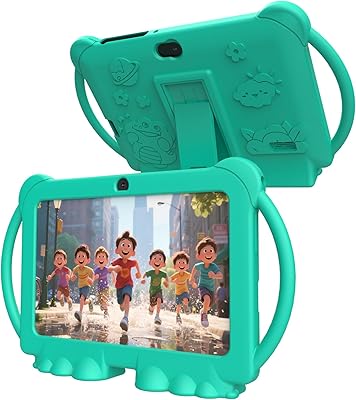
qunyiCO Y7 7-inch Kids Android Tablet
69%
83%
Value for Money
88%
Ease of Setup
54%
Performance & Speed
81%
Parental Controls
72%
Display Quality
More
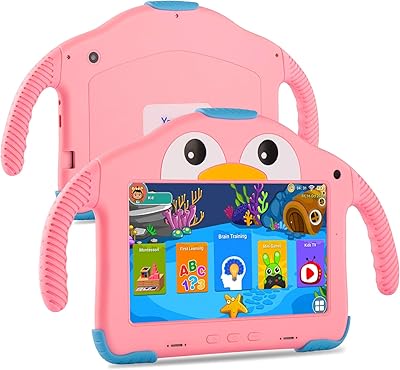
PEICHENG PCQ8 7-Inch Kids Android Tablet
68%
83%
Value for Money
78%
Parental Controls
67%
Display Quality
62%
Performance & Speed
71%
Build & Durability
More
YosaToo ZIDS701 7-inch Kids Tablet
67%
83%
Value for Money
86%
Parental Controls
74%
Durability
51%
Display Quality
62%
Performance & Speed
More
zcobro KIDS710 7-inch 32GB Kids Tablet
68%
83%
Value for Money
78%
Parental Controls
86%
Ease of Setup
54%
Performance & Speed
63%
Battery Life
More
ATOZEE Q2 8-Inch Kids Android Tablet
65%
83%
Value for Money
81%
Parental Controls
58%
Display Quality
62%
Performance & Speed
74%
Build Quality & Durability
More
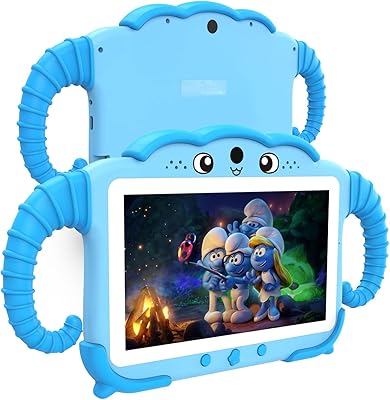
YosaToo KIDS712 7-Inch Kids Android Tablet
66%
78%
Value for Money
82%
Parental Controls
54%
Performance
63%
Battery Life
87%
Ease of Setup
More
QISTOQI KD88 7-inch Kids Tablet
69%
83%
Value for Money
78%
Durability & Build
87%
Ease of Setup
72%
Parental Controls
61%
Display Quality
More
ATOZEE Q8K 7-inch 32GB Kids Tablet
71%
88%
Value for Money
91%
Ease of Setup
57%
Display Quality
83%
Parental Controls
74%
Build Quality & Durability
More

FAQ

Good news — the Google Play Store is fully available, so you can install YouTube Kids, Netflix, or any other standard Android app alongside the pre-loaded iWawa environment. iWawa is the default launch experience, but it doesn't prevent you from going beyond it. Just keep in mind that parental controls through Family Link can restrict which apps kids can open on their own.

The included silicone case is one of the more consistently praised aspects of this tablet among buyers in this category. It wraps the full perimeter of the device and absorbs everyday drops reasonably well. It's not rated for military-grade drops, but for a child dropping it from couch or table height, it should hold up fine in normal use.

Yes, roughly 4 hours is the realistic expectation under active use — videos, games, and a bright screen will land you at that end. If your child is mostly listening to audio or doing lighter tasks, you might stretch it a bit further. For long trips, packing a portable charger or car adapter is genuinely worth it with this device.

You have two solid options: the iWawa app's built-in controls and Google Family Link. Both let you set daily screen time limits and monitor app usage. Family Link is particularly convenient if you already use it for other devices, since everything stays in one place. Setup for either takes about 10 to 15 minutes and doesn't require any technical knowledge.

For the apps this tablet is actually designed for — learning games, simple videos, drawing tools, kids' books — 2GB handles things adequately. Where you'll notice slowdowns is if you push into heavier Google Play apps that weren't designed with low-spec hardware in mind. Think of it as a device for light, age-appropriate use, and it generally behaves well.

Yes, the tablet has a microSD card slot that supports cards up to 512GB. The 32GB built-in storage is workable to start, but if your child accumulates a lot of downloaded videos or offline content, adding a card is a cheap and straightforward upgrade.

Honestly, it's a tighter fit at that age. The hardware and software are optimized for younger kids, and a 9-year-old who's already used to sharper screens or faster devices may find it underwhelming. If your child mainly uses a tablet for basic apps and video, it can still work — but if they're starting to want more demanding games or creative apps, you may hit limitations within a year.

This is a fair concern with newer, lesser-known brands. While it ships with Android 13, there is no publicly confirmed update schedule from NEWISION. For a kids tablet used primarily on a home WiFi network for curated content, the risk is manageable — but it's worth being aware that long-term patch support is not guaranteed the way it would be from a major manufacturer.

The tablet does include a low blue light mode and a Reading Mode, both of which genuinely help reduce eye strain compared to unfiltered screens. That said, no screen feature is a substitute for reasonable daily limits — most pediatric recommendations suggest no more than an hour or two of recreational screen time for young children per day, regardless of device.

You get the tablet itself, the silicone protective case with a built-in kickstand, a charging cable, and a brief user manual. The case comes pre-fitted on the device in most shipments. A lanyard is referenced in the product materials as a compatible accessory, but buyers should confirm whether it is physically included or simply compatible — listings in this category sometimes vary.