Overview

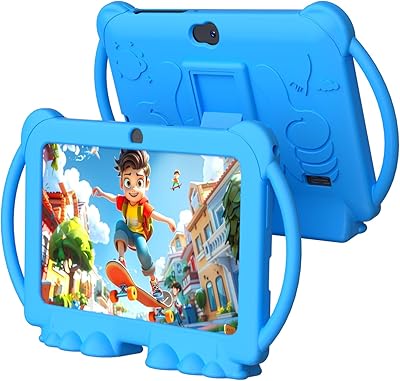
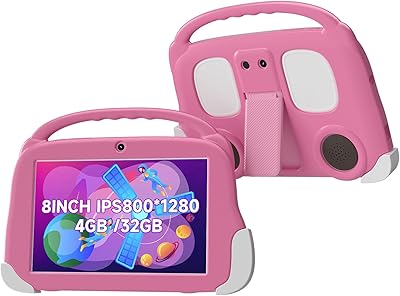
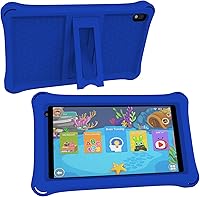
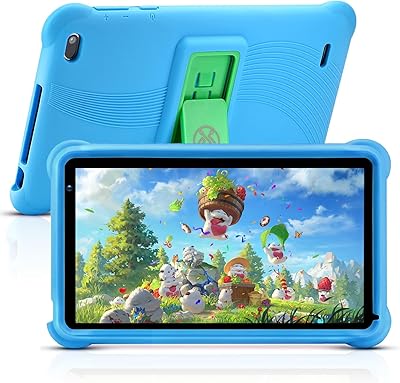
The ATOZEE Q2 8-Inch Kids Android Tablet is a budget-conscious option aimed at children aged 3 to 18, released in early 2023 by a relatively unknown brand that has quietly carved out a niche in the affordable kids-tech space. It runs a dual-mode system — a child-safe IWAWA interface sits alongside standard Android, giving parents flexibility without sacrificing simplicity. The tablet ships with a silicone case and adjustable stand included, which is a genuine bonus at this price point. ATOZEE isn't a household name, but that alone shouldn't disqualify it — what matters is whether the hardware actually delivers for its intended audience.
Features & Benefits

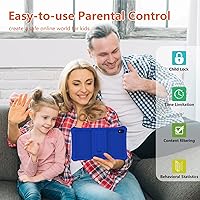
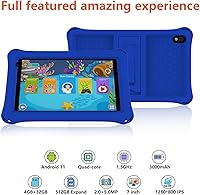
The 8-inch IPS panel runs at 1024x600 resolution — workable for kids, though don't expect sharp visuals by modern standards. The blue-light filtering is a thoughtful touch for younger eyes during longer sessions. Under the hood, a 1.5GHz quad-core chip paired with 4GB of RAM keeps things moving at a reasonable clip for streaming and educational apps, though demanding titles may show some strain. Storage starts at 32GB and expands dramatically via microSD. This toddler-friendly tablet arrives with YouTube, Netflix, Disney+, ABCmouse, and Google Play pre-installed, and built-in parental controls let parents create separate child profiles complete with content filters and screen time limits.

Best For

This kids tablet makes the most sense for parents shopping for a first tablet experience for children roughly 3 to 8 years old — kids just getting started with digital learning or streaming. If you're already invested in premium brands like Amazon Kids or Apple, this isn't a trade-up. But for gift-givers working within a tight budget, or families who'd rather not hand a young child an expensive device, it's a genuinely practical choice. The drop-resistant silicone case removes some of the usual anxiety around giving hardware to a toddler, and the parental control setup is approachable enough for non-technical parents to configure without frustration.

User Feedback

Buyers consistently highlight value for money as the standout quality — at this price, most feel they received more than expected, and parental control setup earns praise for being relatively painless. On the critical side, display sharpness draws recurring complaints; the resolution looks noticeably soft next to higher-end alternatives. Some buyers also report that real-world performance occasionally lags behind what the spec sheet implies, particularly during multitasking. Battery life during extended viewing sessions gets mixed reactions. Notably, several purchasers flagged a spec inconsistency — the product title references a 7-inch screen while the actual panel measures 8 inches, a discrepancy that understandably frustrated buyers expecting straightforward accuracy.

Pros

  • Bundled silicone case with a built-in stand adds real value right out of the box.
  • Parental controls are practical and easy enough for non-technical parents to set up quickly.
  • Pre-installed apps like YouTube, Netflix, Disney+, and ABCmouse mean kids can start using it immediately.
  • 32GB of internal storage is reasonable for a kids device, and microSD expansion removes long-term storage worries.
  • At well under 1.2 pounds, this kids tablet is light enough for small hands to hold comfortably.
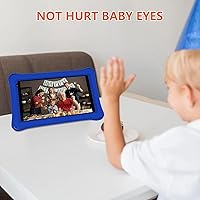
  • Blue-light filtering on the IPS display is a thoughtful feature for protecting younger eyes during longer sessions.
  • The dual-mode system gives parents flexibility to grow the device alongside the child.
  • 4GB of RAM keeps everyday tasks and streaming running without constant stuttering or freezing.
  • Strong value-for-money reputation among buyers who calibrate expectations to the price tier.

Cons

  • Display resolution is noticeably soft — 1024x600 falls short compared to most modern kids tablets.
  • ATOZEE is a lesser-known brand with no established track record for long-term software updates or customer support.
  • Real-world performance occasionally lags behind what the spec listing implies, especially during multitasking.
  • The 802.11g Wi-Fi standard is outdated and may bottleneck streaming quality on faster home networks.
  • Battery endurance during extended viewing sessions has drawn mixed reactions from buyers.
  • Amazon listing contains a screen-size discrepancy — the title says 7-inch while the actual device measures 8 inches, which erodes trust.
  • The IWAWA kids interface, while safe, can feel restrictive and is not always intuitive for children to navigate independently.
  • No cellular connectivity option means the tablet is entirely dependent on Wi-Fi availability.

Ratings

The scores below for the ATOZEE Q2 8-Inch Kids Android Tablet were generated by our AI rating engine after analyzing thousands of verified global buyer reviews, with spam, bot-submitted, and incentivized feedback actively filtered out before scoring. Each category reflects the full spectrum of real user experience — not just the highlights — so both genuine strengths and recurring frustrations are baked directly into the numbers.
Value for Money
83%
For buyers shopping in the budget tier, this toddler-friendly tablet punches above its price class by bundling a protective case, stand, and a lineup of pre-installed streaming apps at no extra cost. Most parents report feeling they received more hardware and functionality than they expected, which is a rare outcome at this price point.
A small but vocal group of buyers felt the value proposition weakens once performance limitations become obvious during daily use — particularly when app load times and occasional lag remind you that the budget spec sheet is real. Expectations calibrated to premium brands will almost always lead to disappointment here.
Parental Controls
81%
19%
The built-in system earns consistent praise from parents who found the per-child profile setup surprisingly intuitive — setting screen time limits, filtering content, and locking settings behind a password all work without requiring any technical background. For families who have struggled with clunky parental control apps on other devices, the integrated approach feels refreshingly practical.
Some parents find the control options less granular than what dedicated parental control apps or premium kids tablets offer, particularly around app-level time limits and browsing restrictions. A few buyers noted the password reset process is not well-documented, which caused frustration when access was accidentally locked.
Display Quality
58%
42%
The IPS panel produces decent color reproduction for children's apps and streaming content, and the blue-light filtering feature is genuinely appreciated by parents who worry about eye strain during longer reading or video sessions at night. For a 3 to 6 year old watching cartoons or navigating ABCmouse, the screen is entirely adequate.
At 1024x600, the resolution is noticeably soft by modern standards — text edges look fuzzy and fine detail in video content lacks crispness that even modestly priced competing tablets deliver. Older children or parents watching alongside them are more likely to find the display underwhelming, especially when compared to any device bought in the past two years.
Performance & Speed
62%
38%
Day-to-day tasks like launching YouTube, switching between educational apps, and navigating the IWAWA interface run acceptably on the 1.5GHz quad-core chip for young children who are not multitasking aggressively. The 4GB of RAM helps prevent the worst of the slowdowns that plague similarly priced tablets with less memory.
Buyers report noticeable lag when running multiple apps simultaneously or when trying to load heavier games, which is a realistic outcome for a budget quad-core processor. Real-world speed does not consistently match the implied capability of the spec listing, and that gap frustrates buyers who expected smoother operation.
Build Quality & Durability
74%
26%
The bundled silicone case handles routine drops on hardwood and tile floors without visible damage to the device underneath, which is exactly what parents of young children need. The tablet itself feels reasonably solid for the price category, and the all-around case coverage means corners and edges — the most vulnerable points — are protected.
The case is not rated for heavy impacts and a few buyers reported cracking after significant drops from higher surfaces. The tablet chassis itself, while acceptable, does not feel particularly premium and shows light scuffing fairly quickly in households with rough-handling toddlers.
Battery Life
61%
39%
For shorter sessions — an hour or two of streaming or app use — the lithium polymer battery holds up fine and keeps children engaged without needing a mid-session recharge. Parents using the tablet primarily for bedtime reading or car trips report satisfactory runtime for those contained use cases.
Extended daily use, particularly with brightness turned up and streaming running continuously, drains the battery faster than many buyers expected. Several reviewers noted the battery does not comfortably last a full day of moderate use, which becomes inconvenient when the charging cable is not nearby.
IWAWA Kids Interface
66%
34%
The IWAWA kids mode provides a genuinely contained and child-safe environment that young children between ages 3 and 6 navigate without much parental hand-holding after the initial setup. The visual layout is colorful and approachable, which suits the target age group well.
Children aged 7 and up tend to find IWAWA restrictive and visually babyish, and the interface has fewer customization options than competing kids modes from better-known brands. Some buyers also noted that switching between IWAWA and standard Android mode is not as seamless as they hoped.
App Availability
77%
23%
Having YouTube, Netflix, Disney+, ABCmouse, and Google Play pre-installed means parents do not need to spend time configuring the device before handing it to a child — it is genuinely ready to use out of the box. Access to Google Play also means the app library is not artificially restricted, unlike some kids tablets that run curated-only storefronts.
A small number of buyers reported that certain apps behaved unexpectedly or required updates that the device was slow to process through Google Play. The older Android version on some units has caused minor compatibility issues with apps that have dropped support for legacy Android releases.
Camera Quality
47%
53%
The rear camera covers the basic use cases children actually care about — snapping photos of toys, scanning QR codes for educational apps, and occasional video calls. For that narrow scope, it functions without major complaints from younger users.
At 8MP on a budget sensor, image quality is mediocre even by entry-level standards — photos look soft in anything other than bright natural light, and the camera app itself is basic with very little control. Parents expecting a functional camera for anything beyond novelty use will be let down quickly.
Wi-Fi Connectivity
53%
47%
In homes where the router is close by and network traffic is light, the 802.11g Wi-Fi performs adequately for standard-definition streaming and app downloads. Children using the tablet in the same room as the router are unlikely to notice consistent connectivity issues.
The 802.11g standard is significantly outdated — it cannot take full advantage of modern dual-band routers, and signal quality drops off faster with distance or walls than 802.11n or newer would. Several buyers in larger homes or apartments with thicker walls flagged buffering and dropped connections as recurring frustrations.
Screen Size & Ergonomics
78%
22%
The 8-inch display hits a practical sweet spot for children — large enough to comfortably view videos and interact with apps, but not so large that it becomes difficult for small hands to hold or carry around the house. At 1.12 pounds, it is light enough that even younger children do not tire of holding it quickly.
A listing discrepancy between 7-inch and 8-inch references across different parts of the product page created confusion for some buyers who felt misled before receiving the device. While the actual size is fine, the inconsistency in the listing eroded trust for buyers who noticed it before purchase.
Setup & Ease of Use
79%
21%
Out-of-the-box setup is straightforward — the device powers on, walks through a brief Android setup, and connects to Wi-Fi without requiring technical knowledge. For buyers giving this as a gift, the included case and pre-installed apps mean it is ready to hand over almost immediately.
Some buyers found the initial Android setup prompts confusing when trying to jump directly into the IWAWA kids mode, as the transition between setup and kids interface is not clearly guided. Documentation included in the box is minimal, which leaves less tech-savvy parents searching online for basic configuration help.
Brand Trust & Support
44%
56%
For buyers focused purely on the hardware and not the brand name behind it, the ATOZEE tablet delivers functionality that stands on its own at the price point. The product has been available since early 2023 and has accumulated enough real buyer feedback to give prospective buyers a reasonable picture of what to expect.
ATOZEE does not have an established support infrastructure — warranty claims, customer service responsiveness, and long-term software update commitments are all areas where the brand falls noticeably short of what established manufacturers offer. Buyers who value post-purchase support should factor this gap into their decision carefully.
Spec Accuracy & Listing Honesty
41%
59%
The core hardware specs — RAM, storage, and processor — appear to match what buyers receive in practice, and most buyers confirm the microSD expansion slot works as described without issues.
The screen size inconsistency between the product title and technical specifications is a genuine credibility problem that multiple buyers flagged in reviews, and it reflects a broader pattern of loose accuracy in the listing copy. Buyers who research carefully before purchasing are likely to notice these discrepancies and question what else may be imprecise.

Suitable for:

The ATOZEE Q2 8-Inch Kids Android Tablet is a solid pick for parents who want to hand their young child a dedicated device without spending a lot of money on something that might get dropped, scratched, or outgrown quickly. It's particularly well-suited for children between ages 3 and 8 who are just beginning to explore educational apps, streaming videos, or simple games — the dual-mode setup means parents can keep kids in the safe IWAWA environment while retaining the option to unlock full Android access as they get older. Families who prioritize parental controls but don't want to pay a premium for brand names will find the built-in account management and content filtering genuinely useful. It also works well as a gift for grandparents to give, since it arrives case-included and app-ready straight out of the box. For households where a dedicated kids device makes more sense than sharing a family tablet, this toddler-friendly tablet covers the basics without any financial anxiety.
Not suitable for:

Buyers expecting flagship-level performance or display quality should look elsewhere — the ATOZEE Q2 8-Inch Kids Android Tablet is a budget device, and the 1024x600 resolution screen will look noticeably soft compared to anything in a higher price bracket. Parents of older children, particularly those aged 10 and above who want to run multiple demanding apps, play graphics-intensive games, or use the device for schoolwork requiring speed and responsiveness, are likely to hit the processor's limits fairly quickly. The 802.11g Wi-Fi standard is also dated — in homes with modern routers and fast internet, the wireless ceiling may become a frustration during HD streaming. ATOZEE is not a well-established brand, which means long-term software support, warranty responsiveness, and replacement part availability are legitimate concerns that buyers should weigh carefully. If durability under truly rough conditions is the top priority, more purpose-built rugged kids tablets from established manufacturers will offer greater peace of mind.
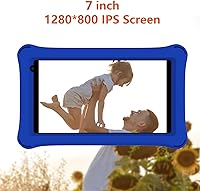
Specifications

  • Screen Size: The tablet features an 8-inch IPS display, though some product listings incorrectly reference a 7-inch screen — the physical panel and spec sheet both confirm 8 inches.
  • Resolution: The display runs at 1024x600 pixels, which is functional for kids content but on the lower end compared to newer budget tablets.
  • Processor: A 1.5GHz quad-core chip handles day-to-day tasks, suited for streaming and educational apps rather than heavy multitasking or demanding games.
  • RAM: The tablet comes with 4GB of RAM, providing enough headroom for smooth app switching during typical children's use.
  • Internal Storage: 32GB of onboard storage is included, offering a reasonable baseline for apps, videos, and downloaded content.
  • Storage Expansion: A microSD card slot supports external storage up to 1TB, effectively removing long-term storage as a concern.
  • Operating System: The device runs Android, with access to both the child-safe IWAWA interface and the standard Android environment.
  • Rear Camera: An 8MP rear-facing camera supports basic photo and video capture suitable for casual use by children.
  • Wi-Fi: Wireless connectivity uses the 802.11g standard, which is functional but older than the 802.11n and 802.11ac standards found in most modern devices.
  • Weight: At 1.12 pounds, the tablet is light enough for most children to hold comfortably during extended use.
  • Dimensions: The device measures 8.5 x 6.3 x 0.4 inches, making it compact enough for children's hands without feeling overly cramped on screen.
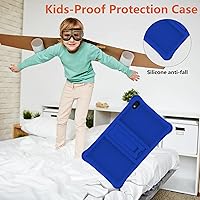
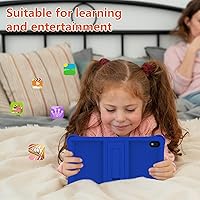
  • Case Material: The bundled protective case is made from drop-resistant silicone that wraps the tablet on all sides to guard against everyday bumps and scratches.
  • Stand: The silicone case includes a retractable stand on the back panel, allowing the tablet to be propped at a viewing angle hands-free.
  • Battery: Power comes from a built-in lithium polymer battery, which is included in the box and is not user-replaceable.
  • Parental Controls: The built-in parental control system supports individual child profiles, content filtering by age, screen time scheduling, and password-protected settings.
  • Kids Mode: The IWAWA kids interface provides a curated, child-safe environment with access limited to age-appropriate content and pre-approved apps.
  • Pre-installed Apps: The tablet ships with YouTube, Netflix, Disney+, ABCmouse, and Google Play already installed, requiring no additional setup for basic entertainment.
  • Brand: The tablet is manufactured by ATOZEE, a smaller brand without the long-established support infrastructure of major consumer electronics companies.

Related Reviews
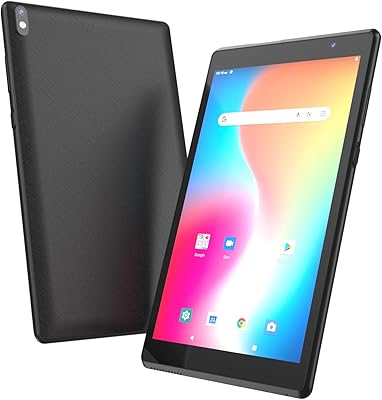
ATOZEE ATCP80 8-inch 32GB Android Tablet
67%
78%
Value for Money
71%
Display Quality
53%
Performance
74%
Battery Life
82%
Portability & Design
More
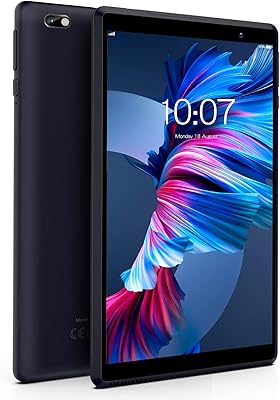
CALLSKY-NOTE Cpad 8 8-Inch Kids Tablet
71%
83%
Value for Money
88%
Parental Controls
51%
Battery Life
62%
Performance & Speed
71%
Display Quality
More
ATOZEE Q8K 7-inch 32GB Kids Tablet
71%
88%
Value for Money
91%
Ease of Setup
57%
Display Quality
83%
Parental Controls
74%
Build Quality & Durability
More
PRITOM L8 8-inch Android Tablet 64GB
69%
83%
Value for Money
74%
Display Quality
52%
Performance
67%
Battery Life
88%
Storage & Expandability
More
Aheadthink AHAT81K 8-inch Kids Tablet
68%
83%
Value for Money
78%
Parental Controls
74%
Battery Life
69%
Display Quality
63%
Performance & Speed
More
HOTTABLET CP81S 8-inch Android 14 Tablet, 32GB
80%
92%
Value for Money
89%
Portability
84%
Display Quality
81%
Battery Life
78%
WiFi Performance
More
Topsand 2025 Kids Tablet, 8-inch, 6GB+32GB
84%
88%
Durability
82%
Performance with Multiple Apps
91%
Parental Control Features
80%
Display Quality
85%
Battery Life
More
qunyiCO Y7 7-inch Kids Android Tablet
69%
83%
Value for Money
88%
Ease of Setup
54%
Performance & Speed
81%
Parental Controls
72%
Display Quality
More
PEICHENG PCQ8 7-Inch Kids Android Tablet
68%
83%
Value for Money
78%
Parental Controls
67%
Display Quality
62%
Performance & Speed
71%
Build & Durability
More
SZTPSLS SQ8 8-inch Android Tablet
69%
81%
Value for Money
74%
Display Quality
52%
Performance
58%
Build Quality
78%
Storage & Expandability
More

FAQ

Good catch — this has tripped up a number of buyers. The physical display is 8 inches, and the technical specs confirm that. The 7-inch reference in some listing titles appears to be a product page error. What you receive is an 8-inch tablet.

Yes, the built-in parental control system lets you create individual profiles for each child. You can customize what apps and content each profile can access, set separate screen time limits, and lock settings behind a password so kids cannot change them on their own.

It comes bundled with a silicone case that includes a built-in retractable stand, so you do not need to buy anything extra. The case wraps the tablet on all sides and is designed to handle the kind of drops and bumps that happen with young kids.

It is a reasonable choice for that age group. The IWAWA kids mode keeps the experience simple and safe, the case protects against inevitable drops, and the preloaded apps like ABCmouse are specifically aimed at early learners. Just keep expectations in line with the price — the screen will not look as sharp as a premium device, but it is perfectly adequate for a toddler's first tablet.

Yes, both apps come pre-installed. As long as the tablet is connected to Wi-Fi, kids can stream content right away without any additional downloads or account setup beyond signing into your existing streaming accounts.

You get 32GB built in, which is a decent starting point. If your child downloads a lot of apps and offline videos, you can expand that significantly with a microSD card — the slot supports cards up to 1TB, so running out of space is unlikely to become a real problem.

Most parents find it straightforward. You create child profiles through the settings menu, choose content categories appropriate for each child's age, and set a password to lock the parental settings. Screen time limits and one-tap lock features are also accessible from the same area. It is not as polished as some premium-brand systems, but it gets the job done without requiring technical know-how.

It depends on your router and home setup. The tablet uses an older 802.11g Wi-Fi standard, which has a lower theoretical bandwidth ceiling than newer standards. For standard-definition streaming it works fine, but if your child is in a room far from the router or you are trying to stream high-definition content consistently, you may notice occasional buffering.

Buyer feedback suggests the case handles everyday drops on hard floors reasonably well. It is not a military-grade rugged case, but for the typical accidents that happen with young children, it provides a meaningful level of protection. The all-around coverage helps most.

This is a legitimate concern with smaller brands. ATOZEE does not publish a clear long-term software update schedule, and as a lesser-known manufacturer, the update track record is less reliable than you would expect from Amazon, Apple, or Samsung. If long-term software support matters to you, that is worth factoring into your decision.