

Overview

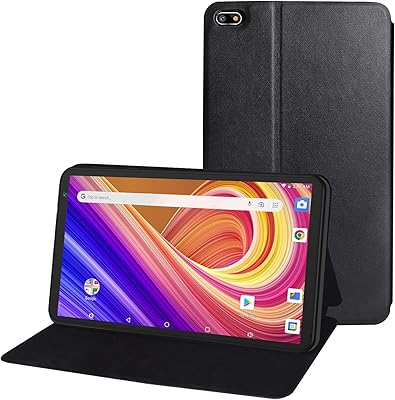
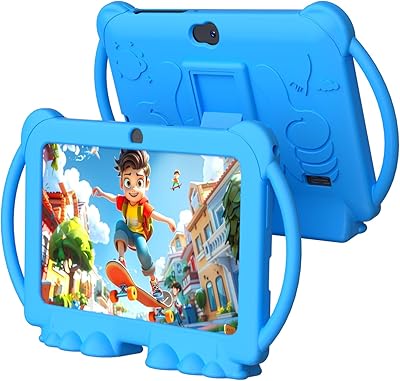
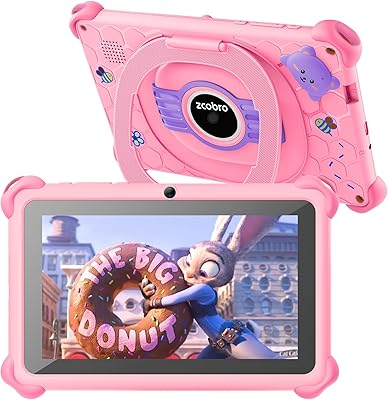
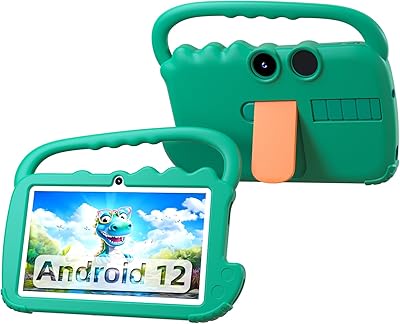
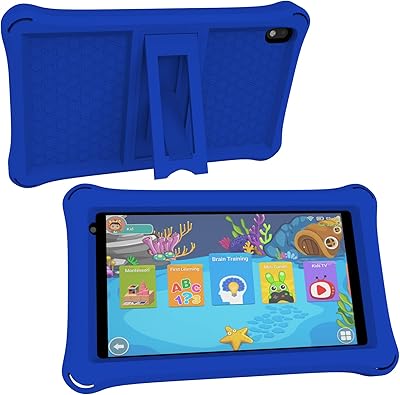
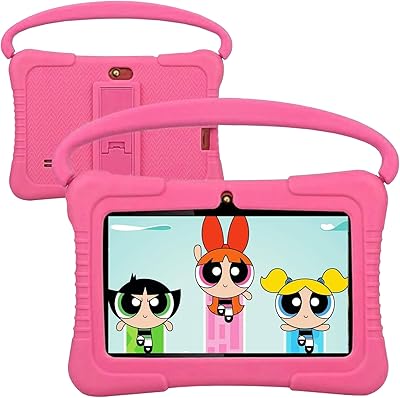
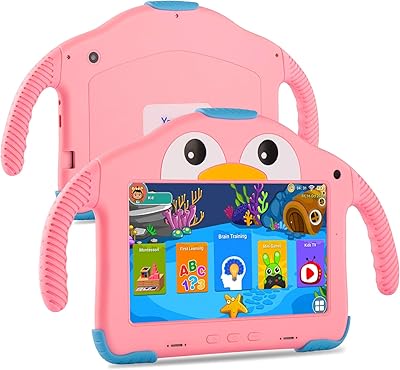
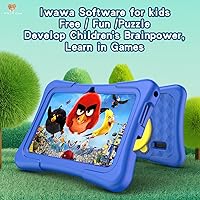
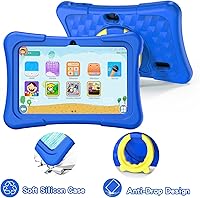
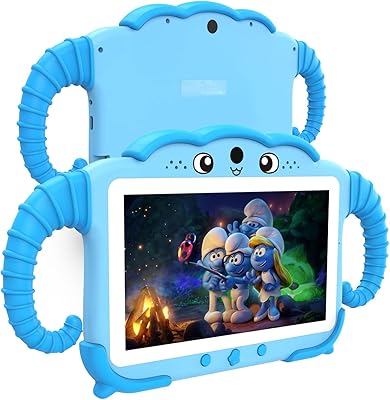
The PRITOM K7 Pro 7-inch Kids Tablet sits squarely at the budget end of the kids tablet market, aimed at children aged 3 to 12 who need a safe, manageable device for learning and light entertainment. It ships with Android 13, a 7-inch IPS display, and a kid-proof silicone case already in the box — a nice touch at this price tier. The pre-installed iWawa software gives kids a curated starting point, while Google Play access means parents can add more apps as needed. A one-year replacement warranty adds meaningful peace of mind that you don't always find on value-priced hardware. Compared to the Amazon Fire 7 Kids, this toddler-friendly tablet trades a locked ecosystem for more Android flexibility.

Features & Benefits

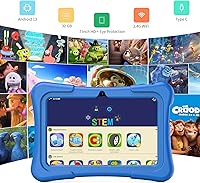
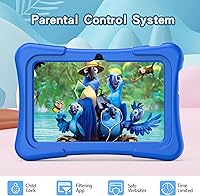
The 7-inch IPS panel renders at 1024x600, which is perfectly watchable for YouTube Kids and educational apps — just don't expect crisp text or vibrant colors by today's standards. Under the hood, a Unisoc quad-core chip clocked at 1.5 GHz drives the experience, paired with 2GB of physical RAM and some virtual headroom on top. It's enough for single-app use, but multitasking will stutter. Storage starts at 32GB and can be expanded via microSD, which is genuinely useful. The iWawa parental controls cover screen time, app filtering, and spending limits with reasonable depth. Battery life, however, lands around three hours — a real constraint that parents should factor into daily routines and longer outings.

Best For

This kids tablet is a strong fit for parents shopping for a first tablet for toddlers who don't yet need high-end performance. If you want parental controls without committing to Amazon's Kids+ subscription or Apple's ecosystem, the Pritom K7 Pro gives you Android flexibility with Google Play access and solid content restrictions built in. Gift-givers will appreciate that it arrives ready to use — case included, apps pre-loaded. It's best suited to kids who stick to YouTube Kids, drawing apps, or alphabet games rather than demanding 3D titles. Families already comfortable with Android and looking to keep costs down will find this a practical, no-frills starting point.

User Feedback

Parents who've spent time with this toddler-friendly tablet generally highlight two things: easy out-of-box setup and the silicone case, which earns real praise for holding up to drops. On the other side, the three-hour battery comes up repeatedly as a genuine frustration, especially on longer trips. Some users note sluggishness when switching between apps, and a handful report Wi-Fi instability following software updates. The iWawa parental controls are considered adequate but a bit basic compared to Amazon's Kids+ tools. Long-term durability is mixed — some units hold up well past a year, while others show wear on the charging port and buttons sooner than most parents would hope.

Pros

  • Arrives ready to use with a silicone protective case and pre-installed kids software already set up.
  • Full Google Play access gives parents flexibility to add apps beyond the pre-loaded selection.
  • iWawa parental controls cover screen time limits, app filtering, and spending restrictions without a subscription fee.
  • 32GB of internal storage is respectable at this price point, and microSD expansion keeps it from filling up fast.
  • Android 13 out of the box is a genuine advantage over older budget tablets still running dated software.
  • The stand built into the case is a small but genuinely useful feature for hands-free viewing.
  • A one-year replacement warranty offers meaningful coverage that budget electronics don't always include.
  • Lightweight and compact enough for small hands to hold comfortably for short sessions.
  • Bluetooth support allows pairing with kid-friendly headphones, keeping household noise down.

Cons

  • Battery life of roughly three hours requires daily charging and makes it unreliable for longer trips.
  • The Unisoc quad-core processor struggles noticeably when switching between apps or running anything resource-intensive.
  • Screen resolution is low enough that text and images look soft compared to similarly priced rivals.
  • Wi-Fi performance on the older 802.11n standard can be inconsistent, particularly after software updates.
  • The 2MP rear camera produces mediocre photos and video that kids may quickly lose interest in using.
  • iWawa parental controls, while functional, feel basic compared to the depth offered by Amazon Kids+ tools.
  • Long-term durability is inconsistent — some units show wear on ports and buttons within the first year.
  • Only one USB 2.0 port limits connectivity and means charging and data transfer cannot happen simultaneously.
  • Virtual RAM expansion is a software workaround, not extra physical memory, so real-world performance gains are modest.

Ratings

Our AI-generated scores for the PRITOM K7 Pro 7-inch Kids Tablet are built by analyzing thousands of verified global user reviews, with spam, bot-submitted feedback, and incentivized reviews actively filtered out before any scoring takes place. The ratings below reflect an honest, unweighted picture of where this toddler-friendly tablet genuinely delivers and where real buyers have run into frustration. Both strengths and recurring pain points are transparently represented so you can make a confident, informed decision.

Value for Money
83%
Most parents who picked this up as a first tablet for a young child felt they got a fair deal for the price. The inclusion of a protective case, pre-loaded software, and Google Play access in a single low-cost package consistently surprised buyers who expected a more stripped-down experience.
A handful of users felt the value proposition weakened after the first few months, particularly when performance limitations became more noticeable with daily use. Buyers who compared it directly to the Amazon Fire 7 Kids occasionally felt the trade-offs in build quality and software polish were harder to ignore over time.
Parental Controls
71%
29%
Parents appreciated that iWawa parental controls are available without any subscription — screen time limits, app filtering, and spending restrictions are all accessible from day one. For families who just want basic guardrails on a young child's device without navigating a complex platform, it gets the job done.
More experienced parents — especially those used to Amazon Kids+ or Google Family Link — found iWawa's interface a bit dated and its content filtering less granular than they hoped. A few users reported that determined older kids found ways around the restrictions with minimal effort.
Ease of Setup
88%
This is one of the most consistently praised aspects across user reviews — parents reported having the tablet ready for their child within 15 to 20 minutes of unboxing, including account setup and app configuration. The out-of-the-box experience is genuinely designed for people who do not want to spend an afternoon reading manuals.
A small number of users ran into Google account setup friction, particularly on units that had been sitting in warehouse stock for a while and required an immediate system update before they could proceed. First-time Android users occasionally needed to look up how to configure Google Play properly.
Performance
58%
42%
For young children running a single app at a time — a coloring game, a phonics app, or YouTube Kids — the Pritom K7 Pro handles it without obvious hiccups. The virtual RAM expansion does appear to reduce the frequency of app crashes compared to similarly priced tablets with no RAM management at all.
The moment a child tries to multitask or run anything moderately demanding, slowdowns become hard to ignore. Parents of kids aged 7 and up reported noticeable lag when switching apps, and a few noted that certain Google Play games were simply too heavy for the hardware to run acceptably.
Battery Life
43%
57%
For very short, structured screen time sessions of an hour or less, the battery is technically adequate — some parents use it specifically in that way, charging between sessions. The battery does recharge at a reasonable pace from a standard USB charger.
Three hours of active use is the most cited complaint in user reviews, and for good reason — it makes the tablet nearly useless for anything beyond home use near an outlet. Parents who tried to use it during a car trip or at a restaurant almost universally found it ran out before they needed it to.
Display Quality
63%
37%
For the content young children typically watch — bright cartoons, simple educational videos, basic apps — the IPS panel provides decent color reproduction and wide enough viewing angles that two kids can watch side by side without color shifting. It is perfectly functional for its intended audience.
Text looks noticeably soft at the 1024x600 resolution, which matters more as kids grow and start reading on the device. Parents who had previously used a Fire HD 8 or an iPad mini with their children reported a clear step down in visual crispness that was hard to overlook.
Build Quality
61%
39%
The silicone case that ships with the tablet is a genuine asset — it absorbs drops effectively and has held up well for many parents through the typical roughhousing a toddler puts a device through. The tablet itself feels reasonably solid in hand for a budget product.
Underneath the case, the tablet's plastic chassis shows its budget origins, and several users reported that the charging port and volume buttons became unreliable within 12 months of regular child use. The case protects the screen and body well, but it cannot compensate for lower-grade internal construction.
Software & App Ecosystem
74%
26%
Running Android 13 gives this tablet access to the full Google Play library, which is a meaningful advantage — parents can install quality educational apps, games, and streaming services without hitting the walled-garden restrictions of a proprietary store. The pre-loaded app selection is a reasonable starting point for young children.
The iWawa launcher, while functional, feels visually dated compared to modern kids UI designs, and a few users found that app updates sometimes disrupted their parental control configurations. There are occasional reports of the Google Play Store behaving inconsistently after system updates.
Camera Quality
38%
62%
Young children who just want to take silly photos of their pets or snap pictures of drawings are generally not bothered by the camera quality — for that casual, low-stakes use case, it does its job. The camera app loads quickly and is simple enough for small children to operate independently.
The 2MP rear camera produces noticeably grainy, washed-out photos even in decent lighting, and video quality is similarly disappointing. Parents who hoped kids could use the camera for creative projects or video calls quickly found it too limited for anything beyond the most basic snapshots.
Wi-Fi Reliability
62%
38%
In homes with a strong, nearby router signal, the 802.11n Wi-Fi module connects reliably and streams YouTube Kids content without frequent buffering. For households where the tablet stays in one room close to the router, most users reported no persistent issues.
The older 802.11n standard struggles with range and congestion in busy households with many connected devices. Several parents reported intermittent disconnections, particularly after software updates, and noted the tablet was noticeably worse at holding a signal in distant rooms compared to newer devices.
Protective Case
84%
The bundled silicone case is consistently one of the highest-rated elements in user reviews — it fits snugly, absorbs real-world drops onto hard floors, and the built-in kickstand is genuinely useful for hands-free viewing during meals or homework time. Parents were relieved not to need an immediate additional purchase.
The case adds noticeable bulk and weight, which some parents of younger toddlers found made it harder for small hands to hold for extended periods. A few users also noted the silicone attracts lint and crumbs aggressively, requiring regular cleaning to stay hygienic.
Durability Over Time
54%
46%
A meaningful portion of users reported their unit performing fine after a full year of daily child use, with the case doing most of the protective work. The one-year replacement warranty provides some safety net if something does fail within that window.
Durability beyond the first year is where user opinions diverge significantly — charging port failure, unresponsive buttons, and software instability are the most commonly reported issues after the 12-month mark. The warranty covers manufacturing defects but not the gradual wear that appears to affect a notable percentage of units.
Audio Quality
66%
34%
The built-in speaker is loud enough for a child to enjoy cartoons and music in a quiet room without straining to hear, and Bluetooth pairing with kids headphones works reliably for those who prefer to contain the sound. Volume range is acceptable for the intended use case.
The speaker produces a tinny, shallow sound at higher volumes with limited bass, which becomes more apparent when kids push it to maximum during videos or games. There is no headphone jack on some unit configurations, making wired headphone use dependent on an adapter that is not included.
Storage & Expandability
77%
23%
The 32GB starting capacity is generous for the price tier and gives families a comfortable runway before needing to manage space. The microSD expansion slot is a practical addition that lets parents offload photos and video downloads without deleting apps.
Android 13's system partition and pre-installed apps consume a chunk of the available storage, leaving somewhat less usable space than the stated 32GB figure suggests. Parents who did not realize this upfront occasionally felt misled when available storage read significantly lower than expected right out of the box.
Portability
72%
28%
At just over a pound without the case, the tablet itself is light and compact enough for young children to carry around the house independently. The 7-inch form factor fits neatly into most backpacks and diaper bags for easy transport between home and a grandparent's house or a waiting room.
With the silicone case attached — which most parents sensibly keep on at all times — the overall package becomes noticeably bulkier and heavier, making extended holding uncomfortable for smaller toddlers. The short battery life also undermines the practical portability benefit significantly.

Suitable for:

The PRITOM K7 Pro 7-inch Kids Tablet is a practical pick for parents who want to hand a young child their own device without spending a lot or worrying about content safety. It works best as a first tablet for kids in the 3 to 8 age range — think alphabet apps, simple drawing games, and YouTube Kids rather than anything demanding. The included silicone case and pre-loaded iWawa software mean it's genuinely ready to use out of the box, which makes it a solid gift option for birthdays or the holidays. Families who prefer Android over Amazon's walled ecosystem will appreciate having full Google Play access alongside the parental controls. If your priority is keeping costs low while still having real content filtering and screen time tools in place, this toddler-friendly tablet covers those bases without requiring a subscription.

Not suitable for:

The PRITOM K7 Pro 7-inch Kids Tablet is not the right choice for parents who need a device that can keep pace with an active, older child across multiple apps and tasks simultaneously. The entry-level Unisoc processor and limited RAM will frustrate kids aged 9 and up who want to run heavier games, stream at higher quality, or jump between apps without waiting. The roughly three-hour battery life is also a dealbreaker for travel or full-day use away from an outlet — it simply isn't designed for that. Buyers who value a sharp, high-resolution display will be disappointed, as the screen is adequate but noticeably soft compared to even mid-range options like the Amazon Fire HD 8 Kids. If you're looking for a device expected to last two or three years with a growing child, the long-term durability track record here gives reason for caution.

Specifications

  • Screen Size: The tablet features a 7-inch IPS display, offering decent viewing angles for young children watching videos or using educational apps.
  • Resolution: The screen renders at 1024x600 pixels, reaching a maximum of 720p — functional for everyday kids content but not particularly sharp by current standards.
  • Processor: A Unisoc quad-core processor clocked at 1.5 GHz handles the device's computing tasks, suited to light app usage rather than intensive workloads.
  • RAM: The tablet includes 2GB of physical DDR3 RAM, supplemented by an additional 2GB of virtual expanded RAM for slightly smoother single-app performance.
  • Storage: Internal storage sits at 32GB, with support for microSD card expansion to accommodate growing libraries of apps, photos, and downloaded videos.
  • Operating System: The device ships with Android 13, which is a notable advantage over budget competitors that often ship on older Android versions.
  • Battery Life: Rated battery life is approximately 3 hours of active use, which requires daily charging and limits usefulness during extended outings without power access.
  • Wireless: Connectivity includes 802.11n Wi-Fi and Bluetooth, covering standard wireless needs for streaming, app downloads, and pairing with accessories like headphones.
  • Rear Camera: A 2MP rear-facing camera is included, suitable for basic photo and video capture but not intended for quality photography.
  • Ports: The tablet has a single USB 2.0 port, used for both charging and data transfer, which limits simultaneous connectivity options.
  • Dimensions: The device measures 9 x 8 x 1 inches overall, making it a compact but slightly chunky form factor that fits comfortably in small hands.
  • Weight: At 1.32 pounds, the tablet is light enough for young children to hold during short sessions without excessive fatigue.
  • Protective Case: An impact-resistant silicone case is included in the box, featuring a built-in kickstand so the tablet can stand upright during hands-free viewing.
  • Parental Controls: The iWawa kids platform comes pre-installed, offering app filtering, screen time scheduling, content management, and spending restrictions without a subscription fee.
  • Warranty: PRITOM offers a one-year replacement warranty covering manufacturing defects, which is a meaningful inclusion at this budget price tier.
  • Age Range: The device is designed for children aged 3 to 12, with its hardware performance and software environment best suited to younger children in that range.
  • Power Source: The tablet operates on AC power for charging and an included lithium-ion battery for portable use.
  • App Ecosystem: Beyond the pre-loaded iWawa library, the tablet supports downloads from the Google Play Store, giving parents access to a broad range of vetted educational and entertainment apps.

Related Reviews

NEWISION K7 7-inch Kids Tablet 32GB
84%
88%
Build Quality & Durability
94%
Parental Controls
90%
Educational Value
63%
Battery Life
80%
Display Quality
More
PRITOM P7 7-Inch Android Tablet
67%
74%
Value for Money
51%
Performance
66%
Display Quality
71%
Battery Life
53%
Build Quality
More
QISTOQI KD88 Kids Tablet 7-inch 32GB
87%
88%
Durability
91%
Parental Controls
90%
Educational Value
85%
Battery Life
92%
Ease of Use
More
YosaToo KIDS712 Kids Tablet 7-inch 32GB
84%
89%
Value for Money
85%
Battery Life
92%
Parental Controls
88%
Build Quality/Durability
75%
Display Quality
More
YosaToo ZIDS701 7-inch Kids Tablet
67%
83%
Value for Money
86%
Parental Controls
74%
Durability
51%
Display Quality
62%
Performance & Speed
More
Zcobro KIDS710 Kids Tablet 7-inch, 32GB
82%
90%
Value for Money
82%
Battery Life
94%
Parental Controls & Safety Features
78%
Educational Content & App Variety
86%
Build Quality & Durability
More
ZZB ZZBAT70K Kids Tablet 7-inch, 32GB
84%
90%
Value for Money
88%
Durability
93%
Parental Controls
85%
Display Quality
80%
Battery Life
More
ATOZEE CP80K Kids Tablet 7-inch 32GB
84%
91%
Parental Control Features
88%
Educational Content & Apps
85%
Screen Quality & Eye Protection
82%
Battery Life
89%
Build Quality & Durability
More
ATOZEE Q8K 7-inch 32GB Kids Tablet
71%
88%
Value for Money
91%
Ease of Setup
57%
Display Quality
83%
Parental Controls
74%
Build Quality & Durability
More
Aheadthink AHQ82K 7-inch 32GB Kids Android Tablet
70%
83%
Value for Money
78%
Parental Controls
81%
Ease of Setup
62%
Display Quality
71%
Performance & Speed
More

FAQ

The silicone case comes in the box — no separate purchase needed. It wraps around the tablet and has a built-in kickstand, which is handy for propping it up on a table during video time.

You can download apps directly from the Google Play Store, which is a real advantage over tablets locked into a proprietary app store. The iWawa parental controls let you decide which downloaded apps your child can actually access, so you stay in control of what they see.

The iWawa software is the core parental control tool on this device. It lets you set daily screen time limits, filter which apps and websites the child can access, and restrict in-app purchases. Most parents find the setup straightforward, though the controls are more basic compared to something like Amazon Kids+.

Honestly, three hours is on the shorter side and it does require some planning. For daily home use with regular charging breaks it is manageable, but if you are hoping to hand it to a child during a long car ride or flight without a charger nearby, it will likely run out before you arrive. A portable battery bank helps if travel use is a priority.

The PRITOM K7 Pro 7-inch Kids Tablet and the Amazon Fire 7 Kids are close in price, but they take different approaches. The Fire 7 Kids locks you into Amazon's ecosystem with a Kids+ subscription for full content access, while this tablet gives you Android flexibility and Google Play without an ongoing fee. Amazon's parental controls are generally considered more polished, but the Pritom K7 Pro gives you more freedom over app choices.

It works best for children in the 3 to 7 age range who are using it for simple apps, drawing, alphabet games, and YouTube Kids. Older kids approaching 9 or 10 tend to outgrow it fairly quickly — they run into its performance limits when trying to play heavier games or juggle multiple apps.

Yes, the tablet supports microSD cards for additional storage. The base 32GB is reasonable to start with, but if your child downloads a lot of offline videos or games, adding a microSD card is a simple and inexpensive fix.

The included silicone case does a decent job absorbing everyday bumps and short drops onto carpet or soft surfaces. That said, this is still a budget device, and some parents report that the charging port and physical buttons show wear after 12 or more months of heavy use. It holds up for typical toddler handling but is not indestructible.

Yes, Bluetooth is built in and works with most standard wireless headphones and earbuds. Pairing is handled through the standard Android Bluetooth settings, so if you have ever paired a device on an Android phone, the process is identical.

The warranty covers manufacturing defects and hardware failures under normal use — not accidental damage like cracked screens from drops. If the tablet has a genuine defect, PRITOM offers a replacement rather than a repair. It is worth keeping your proof of purchase handy and reaching out to their support team directly if an issue comes up within that first year.