



Overview

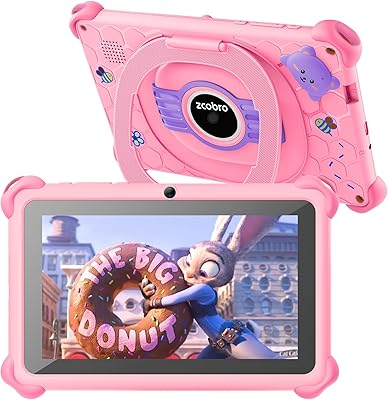
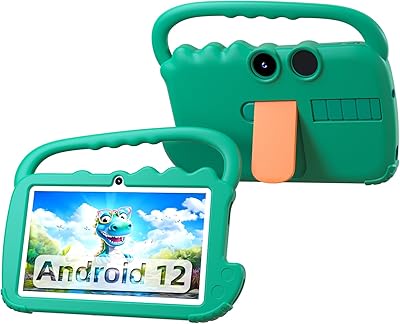
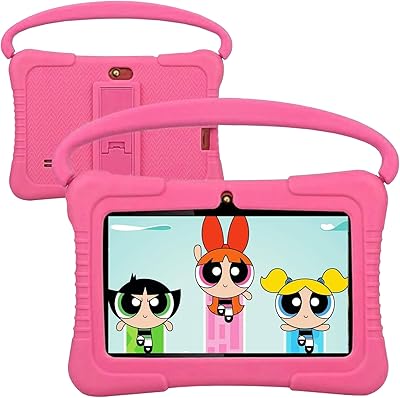
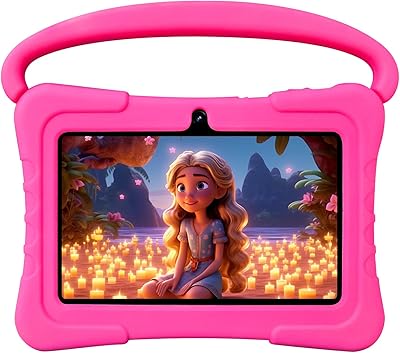
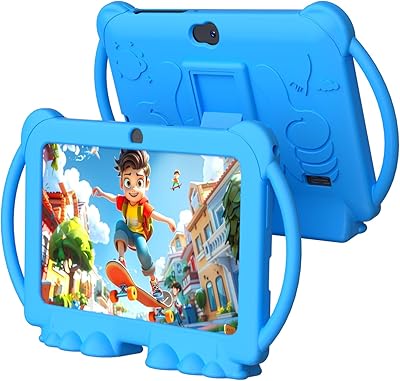
The YosaToo ZIDS701 7-inch Kids Tablet is a budget-oriented Android device built specifically for young children, covering the age range from toddlers all the way up to early tweens. Its goat-inspired silhouette and wraparound silicone case give it a look kids tend to gravitate toward. Under the hood, an Allwinner quad-core processor keeps everyday apps and videos running without much lag — a reasonable expectation at this price point. It comes loaded with educational software spanning STEM activities, Montessori-style exercises, and arts and crafts content. Wi-Fi, Bluetooth, and hotspot support round out the connectivity options, making it practical both at home and on longer trips.

Features & Benefits

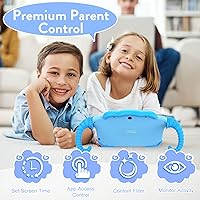
The iWawa app is where the parental controls live, and it is genuinely one of the more straightforward systems you will find on a budget kids tablet. Through it, you can set up separate profiles for different children, block or approve individual apps, and put hard limits on daily screen time — all without digging through obscure settings menus. The 32GB of storage handles a decent library of apps and downloaded videos. Screen quality sits at 1024x600, which is passable for cartoons and simple games but will not impress anyone comparing it to higher-end devices. The dual cameras are basic, and the multilingual support is a thoughtful touch for bilingual households.

Best For

This children's Android tablet makes the most sense as a first device for younger kids — particularly the 3-to-7 crowd just starting to interact with touchscreens. Parents who have wrestled with overriding YouTube restrictions on shared devices will appreciate having dedicated hardware built around child safety from the start. It is a solid pick for car rides and waiting rooms, where having a preloaded device with no setup fuss matters. As a gift, it hits a sweet spot for parents who want something functional without spending heavily. Older kids chasing more demanding games or sharper screen quality will likely outgrow it quickly.

User Feedback

Across the nearly 1,400 reviews this kids tablet has collected, two things come up consistently on the positive side: parents find the controls easy to navigate, and most feel the price-to-value ratio is fair. The silicone case has drawn praise for surviving occasional drops without cracking. On the other side, a recurring concern is the screen's color accuracy and brightness, which several buyers describe as underwhelming compared to other tablets their kids have used. Battery life draws mixed reactions — some find it adequate for a full day, others less so. A handful of reviewers noted minor software glitches during initial setup, though most resolved them without much trouble.

Pros

  • The built-in iWawa parental controls are easy to set up and let parents manage screen time without technical headaches.
  • 32GB of storage is generous at this price and leaves plenty of room for apps and downloaded videos.
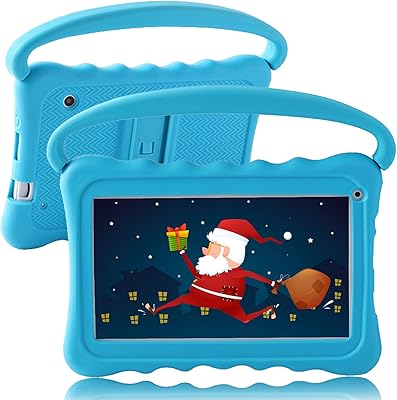
  • The wraparound silicone case and carrying handle hold up well to the drops and bumps typical of young children.
  • Multilingual support makes this kids tablet a practical option for families who speak English, Spanish, or French at home.
  • Wi-Fi, Bluetooth, and hotspot compatibility give it flexible connectivity for home use and travel.
  • Preloaded educational software means kids can start using it right away without parents needing to curate content first.
  • At its price point, the value proposition is hard to argue with for a first device aimed at the toddler age group.
  • Lightweight and compact enough for a young child to carry and hold independently during longer outings.

Cons

  • Screen brightness and color accuracy are noticeably below average, which becomes obvious in well-lit rooms.
  • With only 1GB of RAM, the tablet can feel slow when switching between apps or running anything moderately demanding.
  • The front camera at 0.3MP is barely usable for video calls and produces very low quality images.
  • Some buyers report minor software glitches and setup quirks that require a bit of patience to work through.
  • Battery life is inconsistent — several users found it did not last through a full day of active use.
  • The preloaded educational apps vary in quality and may not hold a child's attention for long.
  • The 802.11g Wi-Fi standard is outdated and may result in slower speeds on modern home networks.
  • Kids above age 7 tend to outgrow this device quickly, limiting its useful lifespan.
  • The Allwinner processor, while adequate for light tasks, struggles with newer or more complex Android applications.

Ratings

The scores below for the YosaToo ZIDS701 7-inch Kids Tablet were generated by our AI review engine after processing verified global buyer feedback, with spam, bot-generated, and incentivized reviews actively filtered out. Each category reflects a candid synthesis of what real parents and caregivers reported across thousands of purchases — strengths and frustrations included. Nothing has been softened to protect the brand.

Value for Money
83%
For parents who need a functional first tablet without spending heavily, the price-to-feature ratio holds up well. The inclusion of a protective case, parental controls, and 32GB of storage at this price point consistently surprised buyers who expected much less.
A handful of reviewers felt the hardware starts to show its limitations fairly quickly, which makes the long-term value weaker for families hoping the device will last more than a year or two of active use.
Parental Controls
86%
The iWawa app is one of the clearest wins on this tablet — parents across reviews repeatedly called it intuitive and stress-free to configure. Setting screen time limits, locking out certain apps, and creating separate profiles for siblings all worked without requiring technical know-how.
The system relies entirely on the iWawa layer rather than deep OS-level controls, which means a determined older child could potentially find workarounds. Some parents also noted the default password setup felt a little basic.
Durability
74%
26%
The wraparound silicone bumper absorbed everyday drops well enough that many parents reported the tablet surviving multiple falls onto tile and hardwood without visible damage. The integrated handle also reduced the number of accidental drops in the first place.
The silicone case showed wear and discoloration faster than expected for some buyers, particularly around the handle where young kids tend to grip tightest. Corner protection is adequate but not exceptional compared to purpose-built rugged cases.
Display Quality
51%
49%
For a 3 or 4 year old watching simple cartoons or navigating a colorful educational app, the 7-inch screen is physically the right size and perfectly usable indoors. Young children at this age rarely notice resolution limitations the way adults or older kids do.
The 1024x600 panel looks noticeably dim and washed out in brighter environments, and several parents who had seen their kids use Amazon or Samsung tablets pointed to the screen as the most obvious quality gap. Colors lack punch and text can look soft at normal viewing distances.
Performance & Speed
62%
38%
For core tasks like running a single educational app, streaming a YouTube Kids video, or navigating the iWawa dashboard, the quad-core processor performs well enough that younger children rarely notice any lag during typical use sessions.
Switching between multiple apps or downloading content in the background exposed the 1GB RAM limitation fairly quickly, with some buyers reporting freezes or slow load times when the device was under any real load. Heavier Android apps simply struggle.
Battery Life
59%
41%
Under light use — a couple of hours of video or simple apps at moderate brightness — the battery gets through a typical afternoon without issue, which satisfied parents using it primarily for short entertainment sessions during errands or commutes.
Buyers expecting the tablet to last through a full day of active use were often disappointed. Heavy app use or bright screen settings drained it noticeably faster, and a few reviewers flagged that battery capacity seemed to diminish after several months of regular charging cycles.
Camera Quality
38%
62%
Young toddlers who are just discovering that a tablet has a camera generally enjoy using it regardless of output quality — the rear 2.0MP camera functions well enough for kids to snap pictures of their toys or pets and feel independent doing it.
By any objective measure, the cameras are poor. The front 0.3MP camera produces blurry, grainy video call images that frustrated parents trying to use it for family calls, and the rear camera cannot compete with even an entry-level smartphone. This is a meaningful limitation if camera use is a priority.
Ease of Setup
71%
29%
Most parents reported having the tablet ready for a child to use within 15 to 20 minutes of opening the box, which is a reasonable expectation for a device aimed at non-technical buyers. The pre-installed iWawa app reduces the initial configuration burden considerably.
A recurring thread in reviews involved minor software glitches during first-time boot — frozen screens, unresponsive app installs, or the need to restart before everything functioned correctly. These issues resolved quickly for most, but added friction during what should be a smooth unboxing experience.
Educational Content
63%
37%
The preloaded suite covers a respectable range of early childhood learning styles — Montessori-style activities, basic STEM concepts, and creative arts — which gave parents something meaningful to point to when justifying the purchase as educational.
Engagement varied widely depending on the child, and a number of parents admitted the preloaded apps felt dated or thin compared to popular alternatives available on the Play Store. Kids who had used more polished educational platforms sometimes found the included content underwhelming after the initial novelty wore off.
Build Quality
66%
34%
The physical construction feels more solid than the price suggests — the chassis does not flex much under normal handling, and the silicone case integration feels intentional rather than like an afterthought add-on snapped onto a bare device.
The bezel around the screen is noticeably thick, which makes the tablet feel a bit dated aesthetically, and some buyers noticed slight creaking from the case edges after a few weeks of use. It is sturdy enough for its purpose but clearly built to a cost.
Portability
78%
22%
At 1.39 pounds with the case already attached, this children's Android tablet is light enough for a 4 or 5 year old to carry independently without fatigue. The integrated handle is a practical design detail that parents consistently appreciated during commutes and trips.
The 11-inch overall footprint with the case means it does not slip easily into a standard bag pocket, and a few parents noted it was bulkier than expected when trying to pack it alongside other travel essentials for a young child.
Connectivity
67%
33%
Wi-Fi connected quickly on standard 2.4GHz home networks, and the addition of Bluetooth support let parents pair wireless headphones to keep audio contained — a feature buyers specifically called out as useful during flights and long car rides.
The 802.11g Wi-Fi standard is several generations behind modern routers, and buyers with 5GHz-only networks discovered the tablet would not connect at all without adjusting router settings. Streaming quality also suffered on congested networks more than newer Wi-Fi standards would have allowed.
Multilingual Support
76%
24%
For bilingual families — particularly Spanish and English households — the ability to switch the interface and preloaded apps between languages added genuine practical value that made this kids tablet stand out from similarly priced competitors that offer English only.
French support, while listed, was noted by a small number of Canadian and European buyers as incomplete in some of the preloaded apps, with certain menus defaulting back to English. The multilingual coverage is real but not fully uniform across every part of the experience.
Packaging & Accessories
58%
42%
The tablet arrives in simple, inoffensive packaging with a charger and cable included, which means it is ready to power up immediately without a separate accessory purchase — a basic but appreciated detail for gift-givers.
The included charger is a low-wattage unit that charges the tablet slowly, and some buyers reported the charging cable felt thin and cheaply made. A few reviewers replaced the cable within the first month after experiencing intermittent charging issues.

Suitable for:

The YosaToo ZIDS701 7-inch Kids Tablet is a strong fit for parents who want a dedicated device for a young child without spending a lot of money or dealing with complicated setup. If your kid is somewhere between 3 and 7 years old and you are looking for their first real tablet experience, this hits the right marks — it is small enough for little hands, protected by a built-in case, and locked down through the iWawa parental control system right out of the box. Families who frequently travel by car will find the preloaded content useful for keeping younger children occupied without relying on a data connection. It also works well for bilingual households, since the interface supports English, Spanish, and French. If your goal is a low-stakes gift that a toddler or preschooler can actually use independently, this children's Android tablet is a practical, honest option.

Not suitable for:

The YosaToo ZIDS701 7-inch Kids Tablet is not the right choice for parents expecting tablet performance anywhere close to mainstream brands like Amazon Fire HD or Samsung. The 1024x600 screen is noticeably dim and color-limited compared to what kids who have used other devices will expect, and the 1GB of RAM means multitasking or running heavier apps can feel sluggish. Children older than 7 or 8 are likely to find this kids tablet underwhelming fairly quickly, particularly if they want to play graphically demanding games or stream high-definition video. The cameras are genuinely entry-level and should not be compared to even a mid-range phone — they are functional for basic exploration but will disappoint any child who cares about photo or video quality. Buyers who want a long-lasting device that a child can grow with for several years should probably look at a higher-tier option.

Specifications

  • Screen Size: The display measures 7 inches diagonally, making it compact enough for small children to hold comfortably.
  • Resolution: The screen runs at 1024x600 pixels, which is adequate for basic video streaming and simple apps but below what higher-end kids tablets offer.
  • Processor: An Allwinner quad-core CPU handles app performance and media playback at a level appropriate for light Android use.
  • GPU: Graphics processing is handled by a Mali-T720 MP2 chip, suited to 2D apps and standard-definition video content.
  • RAM: The tablet includes 1GB of RAM, which is sufficient for running one app at a time but may slow down under heavier multitasking.
  • Storage: 32GB of internal flash storage provides space for a reasonable library of apps, videos, and downloaded educational content.
  • Front Camera: The front-facing camera captures at 0.3MP, functional for basic video calls but not suitable for quality photos.
  • Rear Camera: The rear camera shoots at 2.0MP, offering modest image quality appropriate for casual exploration by young children.
  • Wi-Fi: Wireless connectivity uses the 802.11g standard over a 2.4GHz band, compatible with standard home routers.
  • Bluetooth: Bluetooth is supported, allowing pairing with compatible headphones or speakers for audio playback.
  • Operating System: The tablet runs Android, with the iWawa app providing a child-safe layer on top of the standard operating system.
  • Battery: A built-in lithium-ion battery powers the device, with real-world battery life varying based on screen brightness and app usage.
  • Weight: The tablet weighs 1.39 pounds including its protective case, which is on the lighter side for a device with a built-in bumper.
  • Dimensions: Overall dimensions measure 11 x 6 x 0.8 inches, giving it a manageable footprint for children aged 3 and up.
  • Case: A built-in silicone bumper surrounds the top and bottom edges, and an integrated handle doubles as an adjustable viewing stand.
  • Languages: The interface and preloaded apps support English, Spanish, and French, making it practical for multilingual households.
  • Parental Controls: The iWawa app manages per-child profiles, content filtering, app approvals, and daily screen time limits from a single dashboard.
  • Age Range: YosaToo markets this tablet for children ages 3 through 12, though it is most naturally suited to the 3-to-7 range.
  • Connectivity: In addition to Wi-Fi and Bluetooth, the tablet supports mobile hotspot connectivity for use outside the home.
  • In the Box: Each unit ships with the tablet, a charging cable, and a wall charger; no additional accessories are included.

Related Reviews
YosaToo KIDS712 Kids Tablet 7-inch 32GB
84%
89%
Value for Money
85%
Battery Life
92%
Parental Controls
88%
Build Quality/Durability
75%
Display Quality
More
NEWISION K7 7-inch Kids Tablet 32GB
84%
88%
Build Quality & Durability
94%
Parental Controls
90%
Educational Value
63%
Battery Life
80%
Display Quality
More
ZZB ZZBAT70K Kids Tablet 7-inch, 32GB
84%
90%
Value for Money
88%
Durability
93%
Parental Controls
85%
Display Quality
80%
Battery Life
More
ATOZEE CP80K Kids Tablet 7-inch 32GB
84%
91%
Parental Control Features
88%
Educational Content & Apps
85%
Screen Quality & Eye Protection
82%
Battery Life
89%
Build Quality & Durability
More
Aheadthink AHQ82K 7-inch 32GB Kids Android Tablet
70%
83%
Value for Money
78%
Parental Controls
81%
Ease of Setup
62%
Display Quality
71%
Performance & Speed
More
ATOZEE Q8K 7-inch 32GB Kids Tablet
71%
88%
Value for Money
91%
Ease of Setup
57%
Display Quality
83%
Parental Controls
74%
Build Quality & Durability
More
QISTOQI KD88 Kids Tablet 7-inch 32GB
87%
88%
Durability
91%
Parental Controls
90%
Educational Value
85%
Battery Life
92%
Ease of Use
More
Zcobro KIDS710 Kids Tablet 7-inch, 32GB
82%
90%
Value for Money
82%
Battery Life
94%
Parental Controls & Safety Features
78%
Educational Content & App Variety
86%
Build Quality & Durability
More
UJoyFeel KIDS705-B 7-Inch 32GB Kids Tablet
69%
83%
Parental Controls
76%
Durability & Build
78%
Value for Money
54%
Performance & Speed
61%
Display Quality
More
BYANDBY 2025 Kids Tablet Q8K, 7-inch, 32GB
84%
90%
Value for Money
88%
Ease of Use
91%
Build Quality/Durability
84%
Parental Control Features
76%
Display Quality
More

FAQ

For the most part, yes. The iWawa parental control app is pre-installed, and the default password to access parent settings is 0000, which you can change immediately. A few buyers have reported minor hiccups during first-time setup, usually resolved by restarting the device or clearing a cached app. Overall it is more approachable than setting up a general-purpose Android tablet for a child.

Yes, but access depends on how you configure the parental controls through the iWawa app. You can allow or block YouTube specifically, and many parents choose to permit it only within supervised sessions. Keep in mind this is a standard Android tablet, so the controls work through the iWawa layer rather than through a deeply integrated system like Amazon Kids.

The silicone bumper around the edges handles everyday drops reasonably well, and a number of parents in user reviews mentioned it survived falls onto hard floors without cracking. That said, it is not a rugged military-grade case, so repeated drops from significant heights could still cause damage. The protective case is best thought of as solid daily protection rather than extreme drop resistance.

Battery life is one of the more variable aspects of this kids tablet, based on what buyers have reported. Light use — videos and simple educational apps at moderate brightness — typically gets you through a few hours comfortably. Heavier use with brightness turned up tends to drain it faster. Charging overnight before a long trip is a safe approach.

You can download additional apps from the Google Play Store, which is accessible through the tablet. The iWawa parental control system lets you approve which apps a child can actually open, so you stay in control of what gets used even after downloading something new. The 32GB of storage gives you a decent amount of room to expand the app library.

It is passable for cartoons and simple video content, but do not expect vivid colors or sharp detail. The 1024x600 resolution is on the lower end, and a few parents noted the screen looks a bit dim compared to other tablets their children have used. For a young toddler watching Peppa Pig or a basic learning video, it works fine. For older kids who have experienced better screens, it may feel underwhelming.

The sweet spot is really ages 3 to 7. The YosaToo ZIDS701 7-inch Kids Tablet is designed with very young children in mind — the interface is simple, the handle makes it easy for small hands to grip, and the preloaded content targets early childhood learning. Kids older than 7 or 8 tend to outgrow it quickly once they start wanting more demanding apps or sharper video quality.

Yes, and this is consistently one of the things parents highlight positively in reviews. Setting screen time limits, blocking certain apps, and switching between child profiles is straightforward through the iWawa dashboard. It is not as polished as some premium parental control systems, but for the price and target audience, it does what most parents actually need it to do.

Results vary quite a bit depending on the child. Some parents report that younger kids enjoy the STEM and art activities for extended periods, while others say their children lost interest within a few days. The apps are better thought of as a starting point rather than a complete curriculum. Supplementing with additional downloads from the Play Store tends to help keep things fresh.

Yes, Bluetooth is supported, so you can pair standard wireless headphones or earbuds to it. This is particularly useful in the car or in situations where you need audio contained to the child. Just note that the tablet uses the older 2.4GHz 802.11g Wi-Fi standard, which is worth keeping in mind if your router is set up for 5GHz-only networks, as it will not connect in that case.