
Overview

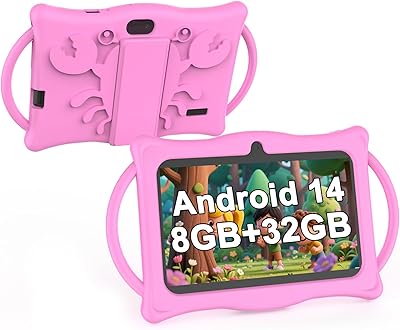
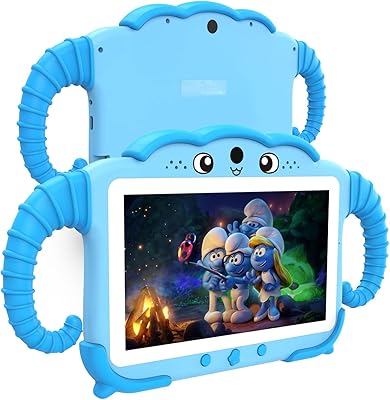
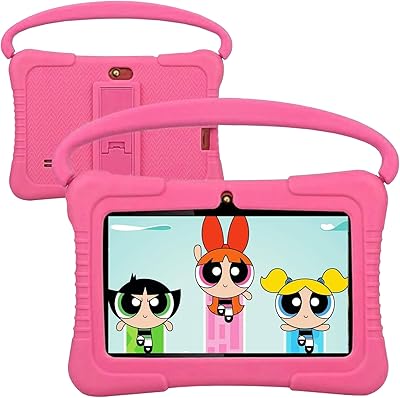
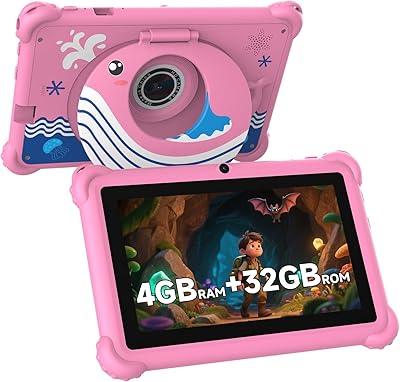
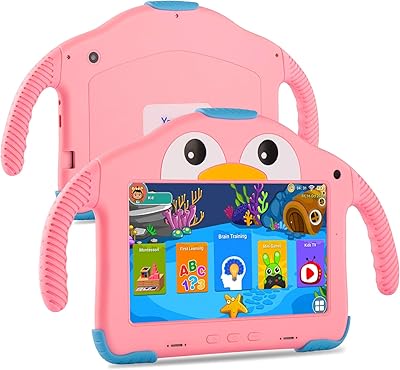
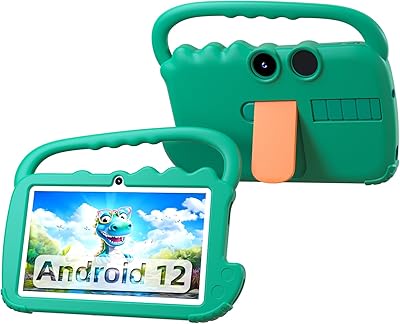
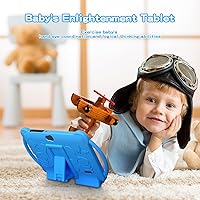
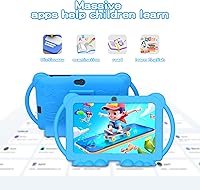
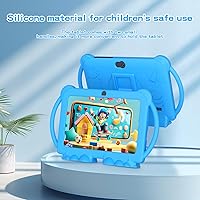
The ATOZEE Q8K 7-inch 32GB Kids Tablet is one of those rare budget devices that doesn't feel like a toy masquerading as a real tablet. It ships with a shockproof kickstand case already included, which is a small but meaningful detail — parents shouldn't have to buy protection separately at this price point. The pre-installed iWawa platform gives kids a curated starting point without overwhelming them, while GMS-certified Android means the full Google Play store is available when children are ready for YouTube, Netflix, or educational apps. This is a genuine Android tablet sized and priced for young children, not a watered-down gadget.

Features & Benefits

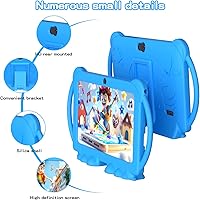
The spec sheet on this kids tablet is more transparent than most in its category, but it pays to read carefully. The 4GB RAM figure includes 2GB of extended virtual memory, so real-world multitasking is adequate for children's apps rather than demanding. Storage is genuinely practical — 32GB built-in with microSD expansion up to 1TB means you won't be managing space every few weeks. Parental controls are built directly into the system, letting you cap screen time and filter content without any subscription. The dual cameras handle video calls and casual snapshots without fuss, and the kickstand case makes hands-free video watching surprisingly convenient on car rides or at the table.

Best For

This children's Android tablet makes the most sense as a first tablet for children roughly between 3 and 8 years old. If you've been frustrated by locked-down kids' devices that only run a curated handful of apps, the full Google Play access here is a genuine advantage — your child can grow into it rather than outgrowing it within a year. It's also a practical travel companion: light enough to hand a toddler in a backseat, with battery life that covers most road trips. Multilingual support, including Spanish, is a quiet but useful feature for bilingual households. Parents wanting no-subscription parental controls built right in will find the setup refreshingly simple.

User Feedback

Parents generally respond well to how quickly the ATOZEE Q8K gets up and running — setup is straightforward, and younger kids tend to engage with iWawa without much adult guidance. Value for money comes up consistently in positive reviews, particularly from buyers who compared it against name-brand alternatives at twice the price. On the critical side, the 1024x600 display is noticeably soft compared to higher-resolution screens, and some parents flag speaker volume that struggles in noisy environments. Real-world battery life tends to land closer to four or five hours under active use rather than the advertised six. Long-term software support remains an open question for a newer brand, which is worth considering before committing.

Pros

  • Full Google Play access means kids are not locked into a limited, curated app store.
  • Parental controls are built in with no subscription fee required.
  • Comes with a shockproof kickstand case included, saving an immediate extra purchase.
  • 32GB of storage plus microSD expansion keeps space management from becoming a recurring headache.
  • At just 8 ounces, this kids tablet is easy for small hands to hold and light to carry.
  • iWawa gives younger children a friendly, structured starting point without parental setup effort.
  • Dual cameras with flash make video calls with grandparents genuinely functional.
  • Multilingual support, including Spanish, adds real value for bilingual households.
  • WiFi connectivity is stable enough for streaming YouTube or Netflix without constant buffering.
  • Setup is straightforward — most parents report having it ready for a child within minutes.

Cons

  • The 1024x600 display resolution is below HD and looks noticeably soft next to modern screens.
  • RAM includes 2GB of virtual extended memory, so true multitasking headroom is more limited than advertised.
  • Real-world battery life under active use tends to fall short of the six-hour manufacturer claim.
  • Speaker volume is reported as underwhelming in noisy environments like cars or busy households.
  • The processor brand is not clearly disclosed, making it hard to benchmark performance expectations.
  • Long-term software update support from a newer brand remains uncertain.
  • The included case, while protective, can feel bulky for smaller toddlers to grip comfortably.
  • No cellular connectivity option means the tablet is entirely dependent on available WiFi.

Ratings

The scores below for the ATOZEE Q8K 7-inch 32GB Kids Tablet were generated by our AI review engine after analyzing verified purchase feedback from buyers worldwide, with spam, bot-submitted, and incentivized reviews actively filtered out before scoring. Each category reflects the honest distribution of real parent experiences — the strengths that genuinely impressed users and the friction points that came up repeatedly across multiple markets. Nothing has been smoothed over to make the product look better than it is.

Value for Money
88%
Parents consistently describe this children's Android tablet as one of the better-value kids' devices they have purchased, particularly given that a protective case is already included in the box. Getting Google Play access, built-in parental controls, and expandable storage at this price tier is a combination most competitors cannot match.
A small number of buyers feel the advertised specs — particularly the RAM figure — are somewhat misleading once they understand that half of it is virtual extended memory rather than physical. That transparency gap leaves some parents feeling the value is slightly overstated on paper.
Ease of Setup
91%
Most parents report having the ATOZEE Q8K ready for a child within 10 to 15 minutes of unboxing, with iWawa launching automatically and Google account sign-in working without any unusual friction. Buyers with limited tech experience specifically appreciated how little guidance was needed to get started.
A small portion of users encountered confusion when setting up separate child profiles within the parental controls, noting that the interface for that specific step is less intuitive than the rest of the setup process. First-time Android tablet owners occasionally needed to look up instructions online.
Display Quality
57%
43%
For very young children — toddlers and early preschoolers — the screen is bright enough and colorful enough that they engage with it happily during iWawa sessions and video calls. At typical viewing distances for a 3 or 4-year-old, the softness of the image is rarely a complaint from the child themselves.
The 1024x600 resolution is a consistent point of criticism from parents who compare it side by side with a modern smartphone or a Fire HD tablet. Text looks noticeably soft, fine details in videos lack sharpness, and children over 6 who have used better screens tend to notice the difference quickly.
Parental Controls
83%
The built-in control suite covers the essentials well — screen time scheduling, content filtering by age, and individual child profiles all work as advertised without requiring a paid subscription. Parents who have previously paid monthly fees for parental control apps find this a genuinely useful inclusion.
The controls lack some of the granularity that dedicated parental control platforms offer, such as per-app time limits or detailed usage reports. Parents of older children within the supported age range sometimes find the filtering options too blunt, blocking content they would actually approve of.
Build Quality & Durability
74%
26%
The included shockproof case handles everyday drops from couch height and table height without visible damage to the device, which is the most common drop scenario parents report. The case feels sturdy rather than flimsy, and the cutouts for ports and cameras are cleanly finished.
Several parents noted that the case corners show wear and scuffing after a few months of regular use, and a handful reported the kickstand hinge loosening over time. The tablet body itself, without the case, feels lightweight in a way some buyers describe as slightly cheap.
Battery Life
62%
38%
Under light use — short video sessions, iWawa games, or occasional video calls — the battery holds up well enough for a day of intermittent use without needing a midday charge. For car rides under three hours, most parents report no issues completing the trip on a single charge.
Active streaming at normal screen brightness tends to drain the battery in four to five hours rather than the advertised six, which is a meaningful gap for parents counting on it during a full travel day. A few buyers noted that the battery appears to degrade noticeably after six to eight months of daily use.
Performance & Speed
66%
34%
For the apps this tablet is designed for — iWawa, YouTube Kids, basic educational titles, and light casual games — performance is adequate and app launches are reasonably quick. Children in the 3 to 6 age range are unlikely to push it hard enough to notice its limitations.
The processor remains unspecified, and that ambiguity shows up in practice when running more demanding apps or when multiple browser tabs are open. Parents of children closer to 8 years old report occasional lag in games and slower recovery after the device sits idle for a period.
Camera Quality
58%
42%
The front camera handles video calls acceptably in well-lit environments, and young children love using the rear camera for simple photography, which it manages without any complicated setup. For its intended purpose — keeping in touch with grandparents and casual snapping — it does the job.
The 5MP rear camera produces images that look noticeably grainy in anything less than strong natural light, and the front camera struggles considerably in dim indoor settings. Parents hoping to capture good-quality memories or use this for any kind of creative photography project will be disappointed.
App Ecosystem
84%
Full Google Play access sets this children's Android tablet apart from many locked-down competitors, giving families access to thousands of apps including ABCmouse, Khan Academy Kids, Duolingo, and every major streaming platform. The GMS certification means apps install reliably and updates come through normally.
A small number of users reported that certain Google Play apps flagged the device as incompatible, which appears to be an intermittent issue rather than a systematic one. The iWawa pre-installed library, while a decent starting point, has a narrower content selection than some parents expected based on the product description.
Portability
86%
At 8 ounces, this kids tablet is genuinely light enough for a 4-year-old to carry independently, and the 7-inch form factor slips into most backpack side pockets without any effort. Parents consistently praise how easy it is to hand to a child in the backseat without feeling like they are passing over something fragile.
With the included shockproof case attached, the overall thickness and grip size increases enough that very small toddler hands can struggle to hold it comfortably for long sessions. There is no slim alternative case option offered by the brand for parents who want protection without the added bulk.
Audio Quality
53%
47%
The speaker output is sufficient for a quiet room, and children watching iWawa content or listening to simple educational audio in a calm environment generally have no trouble hearing it clearly. The audio does not distort noticeably at maximum volume.
In any moderately noisy environment — a car, a busy kitchen, or a playground — the speaker volume falls short, with parents frequently needing to find headphones as a workaround. Multiple buyers noted it as one of the most frustrating day-to-day limitations of an otherwise functional device.
Educational Content
71%
29%
iWawa gives younger children an immediately accessible library of Montessori-style activities, simple mini-games, and children's video content that engages the 3 to 5 age group well without any additional downloads or setup. Multilingual support, including Spanish, adds genuine value for families raising children with more than one language.
Children over 5 or 6 tend to exhaust the iWawa content library relatively quickly and migrate to Google Play apps, meaning the pre-installed platform has a shorter useful lifespan than the product marketing implies. The content selection has not been updated as frequently as parents hoped since the tablet launched.
WiFi Connectivity
73%
27%
Streaming performance on a stable home network is reliable, and parents report smooth YouTube and Netflix playback without frequent buffering during normal household WiFi usage. Initial connection setup is quick and the device reconnects automatically after sleep without requiring manual intervention.
The WiFi specification in the product listing is inconsistent — WiFi 6 is advertised but the technical sheet references 802.11n — and real-world performance reflects the lower standard in most tested environments. Users in homes with older routers or weaker signal areas report occasional drops during longer streaming sessions.
Long-Term Software Support
48%
52%
Out of the box, the Android version runs smoothly and the Google Play ecosystem keeps individual apps updated automatically, which extends the practical lifespan of the software environment beyond what the hardware alone might suggest.
ATOZEE is a relatively new brand with no established history of pushing Android OS-level updates to its devices, and buyers purchasing in mid-2024 have already noted a lack of communication around future firmware plans. Parents who care about long-term security patches and OS upgrades should weigh this uncertainty carefully before committing.

Suitable for:

The ATOZEE Q8K 7-inch 32GB Kids Tablet is a strong fit for parents who want a real Android device for young children without spending heavily on a name-brand alternative. It works particularly well as a first tablet for kids between ages 3 and 8, offering just enough performance to run educational apps, streaming services, and video calls without overwhelming a young user with a complicated interface. Families who travel frequently will appreciate the light 8-ounce weight and the included kickstand case, which makes it easy to prop up on a tray table or car seat without any extra accessories. The built-in parental controls are genuinely useful for households that want screen time limits and content filtering without signing up for a paid service. Bilingual families benefit from multilingual support, including Spanish, which is not always a given at this price tier. If Google Play access matters to you — because your child already uses specific apps or you want flexibility as they grow — this tablet delivers that in a way many dedicated kids' devices simply do not.

Not suitable for:

The ATOZEE Q8K 7-inch 32GB Kids Tablet is not the right choice for parents who prioritize display quality, as the 1024x600 resolution is noticeably soft and falls well short of HD — children accustomed to a modern smartphone or a higher-end tablet will likely notice the difference. Buyers expecting flagship-level performance should also look elsewhere; the processor specs are vague, and while the device handles children's apps capably, it is not built for graphically intensive games or heavy multitasking. The 3000mAh battery sounds adequate on paper, but real-world usage under active streaming or app use tends to fall below the six-hour claim, which could be a problem on longer trips without a charger handy. Parents who rely heavily on customer support or expect regular software updates should factor in that ATOZEE is a relatively new brand with an unproven long-term support track record. If your child is older than 8 or already outgrowing beginner-level apps, the hardware ceiling here may become frustrating sooner than you expect.

Specifications

  • Screen Size: The display measures 7 inches diagonally, making it a comfortable size for small hands without being too large for young children to hold.
  • Resolution: The screen runs at 1024 x 600 pixels, which is below HD and produces a softer image than modern tablets in higher price brackets.
  • RAM: The device carries 4GB of RAM, though only 2GB is physical memory — the remaining 2GB is software-extended virtual memory.
  • Internal Storage: 32GB of built-in storage is included, which comfortably holds a solid library of apps, videos, and photos for everyday children's use.
  • Storage Expansion: A microSD card slot supports expansion up to 1TB, effectively removing storage as a long-term concern for most families.
  • Operating System: The tablet runs Android and holds GMS certification, which grants access to the full Google Play Store including apps like YouTube and Netflix.
  • Battery: A 3000mAh lithium-ion battery powers the device, with the manufacturer rating it for up to 6 hours of mixed use on a single charge.
  • Wireless: WiFi connectivity is onboard, with the spec sheet referencing 802.11n, though the listing also advertises WiFi 6 support.
  • Bluetooth: Bluetooth is built in, allowing the tablet to pair with wireless headphones, speakers, and other compatible accessories.
  • Rear Camera: A 5MP rear-facing camera with flash handles basic photography and scanning tasks suitable for children.
  • Front Camera: A front-facing camera is included, making the tablet capable of video calls through apps like Google Meet or WhatsApp.
  • Pre-installed App: The iWawa kids platform comes pre-installed, offering curated educational games, children's television content, and creative activities.
  • Included Case: A shockproof protective case with a built-in kickstand ships in the box, designed to absorb drops and prop the screen hands-free.
  • Dimensions: The tablet body measures 7 x 5 x 0.3 inches, keeping the overall footprint compact and manageable for young users.
  • Weight: At 8 ounces without the case, the device is light enough for toddlers and young children to hold comfortably for extended periods.
  • Processor: The chipset is not precisely named in official documentation, with the brand listed as either Qualcomm or ARM depending on the unit produced.
  • Parental Controls: A built-in parental control system allows screen time limits, content filtering, and the creation of separate child profiles at no extra cost.
  • Languages: The interface and iWawa platform support multiple languages, including Spanish, making it accessible to bilingual households.
  • Color Options: The tablet is available in at least one color option — blue — as listed in the product specifications at launch.
  • Release Date: The ATOZEE Q8K first became available for purchase in May 2024.

Related Reviews
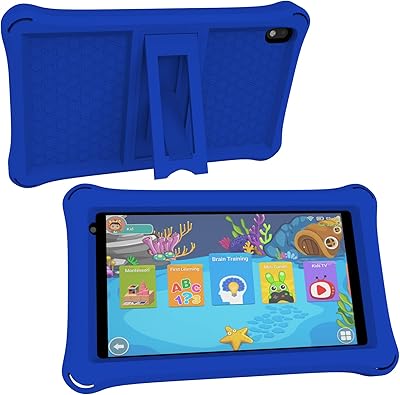
ATOZEE CP80K Kids Tablet 7-inch 32GB
84%
91%
Parental Control Features
88%
Educational Content & Apps
85%
Screen Quality & Eye Protection
82%
Battery Life
89%
Build Quality & Durability
More
BYANDBY 2025 Kids Tablet Q8K, 7-inch, 32GB
84%
90%
Value for Money
88%
Ease of Use
91%
Build Quality/Durability
84%
Parental Control Features
76%
Display Quality
More
Zcobro KIDS710 Kids Tablet 7-inch, 32GB
82%
90%
Value for Money
82%
Battery Life
94%
Parental Controls & Safety Features
78%
Educational Content & App Variety
86%
Build Quality & Durability
More
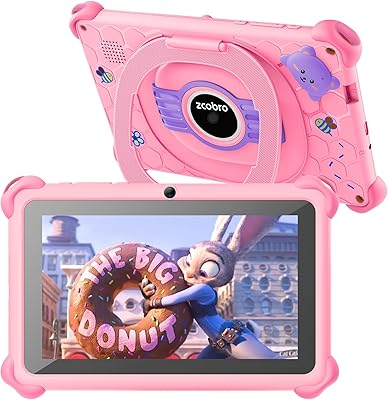
YosaToo ZIDS701 7-inch Kids Tablet
67%
83%
Value for Money
86%
Parental Controls
74%
Durability
51%
Display Quality
62%
Performance & Speed
More
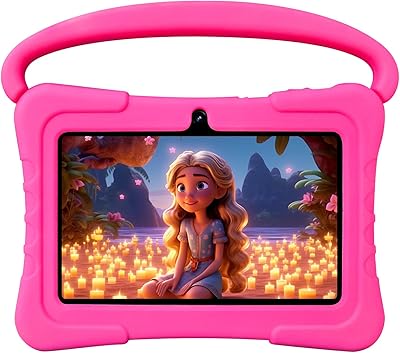
Aheadthink AHQ82K 7-inch 32GB Kids Android Tablet
70%
83%
Value for Money
78%
Parental Controls
81%
Ease of Setup
62%
Display Quality
71%
Performance & Speed
More
NEWISION K7 7-inch Kids Tablet 32GB
84%
88%
Build Quality & Durability
94%
Parental Controls
90%
Educational Value
63%
Battery Life
80%
Display Quality
More
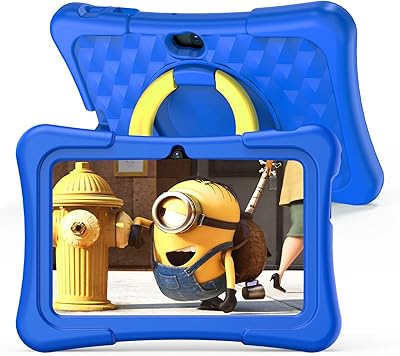
ZZB ZZBAT70K Kids Tablet 7-inch, 32GB
84%
90%
Value for Money
88%
Durability
93%
Parental Controls
85%
Display Quality
80%
Battery Life
More
YosaToo KIDS712 Kids Tablet 7-inch 32GB
84%
89%
Value for Money
85%
Battery Life
92%
Parental Controls
88%
Build Quality/Durability
75%
Display Quality
More
QISTOQI KD88 Kids Tablet 7-inch 32GB
87%
88%
Durability
91%
Parental Controls
90%
Educational Value
85%
Battery Life
92%
Ease of Use
More
UJoyFeel KIDS705-B 7-Inch 32GB Kids Tablet
69%
83%
Parental Controls
76%
Durability & Build
78%
Value for Money
54%
Performance & Speed
61%
Display Quality
More

FAQ

Yes, the tablet is GMS certified, which means Google Play is fully available. Your child can download apps like YouTube, Netflix, ABCmouse, and Cocomelon directly from the store just like on any standard Android device.

For children's apps, light games, and streaming video, it holds up reasonably well. Keep in mind that only 2GB is physical RAM — the rest is virtual extended memory — so you may notice some slowdown if several demanding apps are running at the same time. Sticking to one or two apps at a time keeps things running smoothly.

The bundled shockproof case offers decent everyday protection against bumps and falls onto soft surfaces. Most parents find it handles the typical drops from a couch or low table without issue, though no case is completely drop-proof on hard floors from a significant height.

No, the parental controls are built directly into the tablet and require no subscription or additional purchase. You can set screen time limits, filter content, and create a child-specific profile right from the settings menu.

The manufacturer claims up to 6 hours, but under active use — streaming video or playing games with the screen at normal brightness — most users report landing closer to 4 to 5 hours. It is enough for most day trips or car rides, but you may want a charger handy for longer travel days.

The 1024x600 resolution is functional and young children generally do not notice the difference, but it is noticeably softer than HD screens. If your child is used to watching content on a modern smartphone or a higher-end tablet, the display may look a little less sharp by comparison.

Yes, the tablet supports microSD cards up to 1TB, so running out of space is unlikely to ever become a real problem. A 64GB or 128GB card is plenty for most families and keeps costs low.

It works best for children roughly between 3 and 8 years old. The iWawa platform is designed for that age group, and the 7-inch screen size is manageable for small hands. Older children may eventually outgrow the hardware performance, but younger kids and early schoolers get good mileage from it.

Yes, Bluetooth is built in, so you can pair wireless headphones or earbuds without any adapters. This is particularly useful for keeping things quiet on flights or during a sibling's nap time.

iWawa offers a reasonable mix of educational games, basic creativity tools, and children's video content for the 3-to-6 age range. It is a solid starting point, though older or more curious children tend to migrate toward Google Play apps fairly quickly. Think of iWawa as a helpful on-ramp rather than the entire destination.