Overview

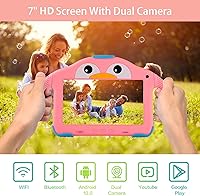
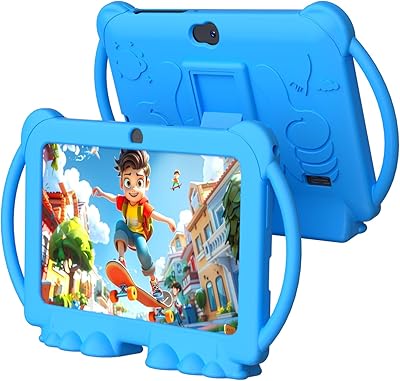
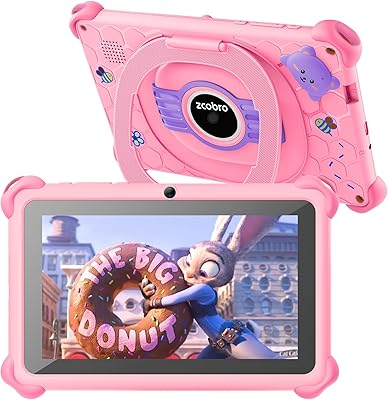
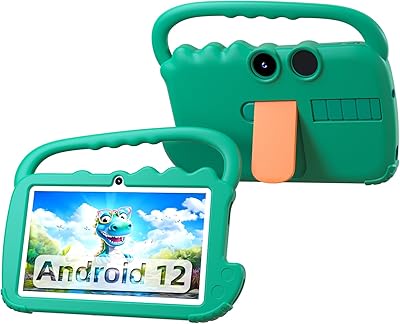
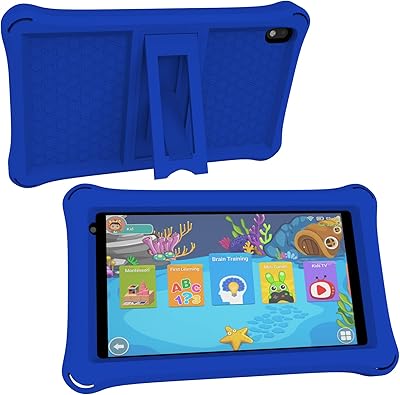
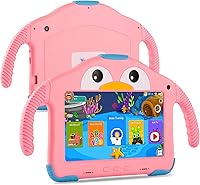
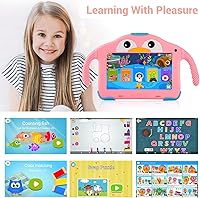
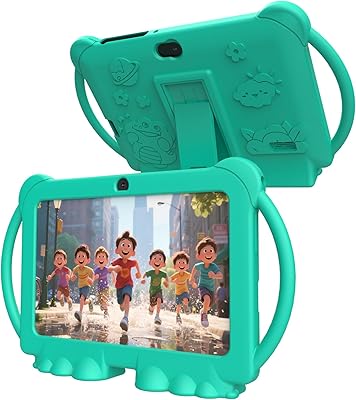
The YosaToo KIDS712 7-Inch Kids Android Tablet is a budget-friendly option built specifically for toddlers and young children between the ages of 3 and 7. It runs Android 10 with a dedicated kids mode that parents can lock with a password, keeping curious hands out of places they shouldn't be. Right out of the box, it comes with a penguin-shaped handle case — a genuinely practical touch for small hands that drop things constantly. It also arrives pre-loaded with a handful of apps covering Montessori-style learning, mini games, and karaoke, which is more than enough to keep a preschooler occupied through a long drive or flight.
Features & Benefits

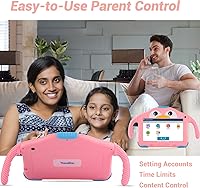
The parental control setup is one of the stronger points here — parents can build separate child profiles, block specific apps, filter content by age, and cap daily screen time, all without paying for a third-party service. A quad-core Allwinner chip at 1.5 GHz handles basic kids apps fine, though the 1 GB of RAM shows real strain if you push it too hard. Storage starts at a workable 32 GB and can expand to 64 GB via a microSD card. The 7-inch screen auto-adjusts brightness to reduce eye strain during longer sessions, and real-world battery life lands somewhere in the five-hour range for most kids.

Best For

This kids tablet makes the most sense for parents hunting for a first tablet for a toddler — someone who just needs something functional, reasonably tough, and simple enough to hand over without anxiety. The built-in parental controls remove any need for an added subscription or separate app, which is a relief at this price point. It also works well as a travel companion, where entertainment value and decent battery life count for more than processing power. Gift buyers will appreciate getting the case already in the box, so there's nothing extra to source before wrapping it.

User Feedback

Across more than 6,000 reviews and a 3.8-star average, the YosaToo toddler tablet sits in a familiar spot for budget kids tech — generally well-received, with some real caveats. Parents consistently praise quick, painless setup and the variety of pre-loaded content their kids actually engage with. The included case gets positive mentions for staying put and absorbing drops. On the downside, the limited RAM leads to occasional stuttering and app crashes that some families find increasingly annoying over time. Camera quality is another consistent complaint — even forgiving reviewers call it underwhelming. A few buyers also report kids mode reliability dipping after software updates.

Pros

  • Parental controls are built in and genuinely practical — no extra subscriptions required.
  • Setup is quick and straightforward, even for parents who are not tech-savvy.
  • The included penguin handle case adds real drop protection without an extra purchase.
  • Pre-loaded content gives kids something to do immediately, right out of the box.
  • Storage can be expanded cheaply via a microSD card, adding flexibility over time.
  • Auto-brightness on the screen helps reduce eye strain during longer viewing sessions.
  • Compact enough for small hands and light enough for kids to carry independently.
  • Supports English, Spanish, and French, making it useful for multilingual households.
  • At this price point, the overall content variety for young children is genuinely decent.
  • A quad-core processor keeps everyday kids apps running acceptably for the target age group.

Cons

  • 1 GB of RAM causes noticeable slowdowns when kids switch between apps or use heavier titles.
  • Camera quality is poor — even basic photo-taking feels underwhelming compared to similar devices.
  • Battery longevity in real-world use often falls short of the advertised six-hour claim.
  • Some parents report that kids mode becomes unreliable or glitchy after certain software updates.
  • The 1024x600 screen resolution looks noticeably soft compared to competing tablets in the same category.
  • Build quality feels lightweight in ways that raise questions about surviving rougher handling over months.
  • Wi-Fi is limited to 2.4 GHz only, which can mean slower or less stable connections in busy households.
  • Long-term software support appears inconsistent, with limited updates reported by buyers over time.
  • App crashes become more frequent as installed content accumulates, frustrating both kids and parents.
  • Rear camera resolution specs are inconsistently listed across product pages, making it hard to know what you actually get.

Ratings

The scores below reflect our AI-driven analysis of thousands of verified global purchases of the YosaToo KIDS712 7-Inch Kids Android Tablet, with spam, bot-generated, and incentivized reviews actively filtered out before scoring. Each category captures both the genuine strengths parents appreciate and the real frustrations that surface after weeks of daily use. Nothing here is softened — the ratings reflect what buyers actually experience, not what the product page promises.

Value for Money
78%
22%
For a first tablet handed to a 3 or 4-year-old, the price-to-feature ratio is hard to argue with. Parents consistently note that getting a protective case, charger, and pre-loaded content all in one box makes it feel like a complete purchase rather than a stripped-down starter device.
The value equation starts to wobble once parents compare it to slightly pricier alternatives that offer more RAM and better long-term software support. Buyers who keep the tablet for more than a year sometimes feel the hardware aging faster than the price justified.
Parental Controls
82%
18%
The built-in control dashboard lets parents manage screen time, block specific apps, and set up separate profiles for different kids without downloading anything extra. Families with two children of different ages particularly appreciate the ability to customize each profile independently.
A recurring complaint involves the kids mode becoming less reliable after certain software updates, with some parents reporting that restrictions reset or behave inconsistently. The interface for the parental dashboard also feels dated and takes a little trial and error to navigate confidently.
Performance
54%
46%
For a child watching a downloaded cartoon or playing a simple drawing game, the quad-core processor keeps things moving well enough that young kids rarely notice any lag. Light single-app use is where this budget Android tablet for kids performs most reliably.
The 1 GB of RAM is the defining hardware limitation here — switching between two or three apps causes visible slowdowns, and more demanding titles from the Play Store can trigger crashes. Parents of older kids in the 6 to 7 age range who want more interactive content will feel this ceiling quickly.
Battery Life
63%
37%
Under moderate use — think one video followed by a learning game and a karaoke session — the battery genuinely holds up for most of a standard road trip leg without needing a top-up. Parents traveling with young children find this adequate for managing screen time in chunks throughout the day.
Running video at full brightness or streaming over Wi-Fi pushes real-world battery life noticeably below the advertised 6-hour ceiling, with some buyers reporting closer to 3.5 to 4 hours under those conditions. Battery degradation over several months of heavy daily use is also a common long-term complaint.
Ease of Setup
87%
Nearly every positive review mentions how quickly the tablet is ready for a child to use — most parents have it configured with a child profile and content restrictions within 10 minutes of opening the box. This makes it especially practical as a gift that can be handed over without a lengthy setup session.
A small but consistent group of buyers struggle when trying to link a Google account or access the Play Store, which can require navigating outside the kids mode in ways that are not immediately obvious. Instructions in the box are minimal and not always helpful for less tech-comfortable parents.
Screen Quality
61%
39%
The auto-brightness feature works reasonably well for adjusting to indoor lighting conditions, and for the age group it targets, the 7-inch size hits a practical sweet spot between portability and visibility. Young children watching cartoons or using drawing apps are generally unbothered by the resolution.
At 1024x600, the display looks noticeably soft to adult eyes, and text or fine detail in educational apps can appear fuzzy. Parents upgrading from a hand-me-down iPad or a Fire HD tablet are likely to find the screen quality a visible step down.
Build Quality
58%
42%
The included penguin handle case adds a practical layer of drop resistance that many parents credit for keeping the device intact through the kinds of tumbles a toddler routinely delivers. Without the case, the tablet itself feels acceptable for the price tier.
The underlying chassis feels noticeably lightweight in a way that raises questions about long-term structural durability, particularly around the charging port and corner edges. A portion of buyers report cosmetic or functional wear showing up after three to six months of regular use.
Content Library
74%
26%
The pre-loaded content variety — spanning Montessori-style learning, karaoke, drawing, and mini games — is broad enough to keep children in the 3 to 5 age range genuinely engaged without parents needing to immediately install anything extra. The multilingual support across English, Spanish, and French is a genuine bonus for many households.
Older children in the upper end of the target age range tend to outgrow the pre-loaded apps relatively quickly, pushing parents toward third-party installs that can stress the limited RAM. Content depth in any individual category is thin compared to dedicated learning platforms.
Camera Quality
38%
62%
The front camera is usable for simple video calls with grandparents or family members, which is the primary use case most parents actually need it for. At close range in good lighting, the rear camera produces recognizable snapshots that satisfy a young child's curiosity.
Camera quality is one of the most frequently criticized aspects across reviews, with many parents describing both cameras as noticeably poor even relative to other budget kids tablets. In anything less than bright natural light, photos become grainy and blurry to a degree that makes the cameras feel like an afterthought.
Storage Flexibility
76%
24%
The 32 GB of internal storage is a comfortable starting point for the target age group, and the microSD slot that extends capacity up to 64 GB gives families a low-cost way to add offline videos and content over time. Parents who download episodes for flights find this expandability genuinely useful.
As installed apps accumulate over months of use, the available internal storage shrinks faster than expected, partly because Android itself and pre-loaded software occupy a portion of that 32 GB. Some buyers report needing to manage storage actively after just a few months of regular use.
Wi-Fi Connectivity
59%
41%
In households with a reliable 2.4 GHz network, the Wi-Fi connection holds steady for standard streaming and app downloads. For young children using educational apps or watching downloaded content offline, the connectivity limitations are rarely a daily problem.
The lack of 5 GHz band support is a real constraint in busy households where the 2.4 GHz band is congested with multiple devices. Parents in dense urban living situations or those with a crowded home network report inconsistent streaming performance as a recurring frustration.
Portability
81%
19%
At just over 14 ounces with the case attached, the YosaToo toddler tablet is light enough for a 4-year-old to carry independently without strain. The compact 7-inch form factor slides easily into a standard backpack pocket, making it a natural travel companion.
The penguin case, while protective and well-received, does add some bulk that parents with very young toddlers occasionally find awkward for lap use in car seats. The charging cable length included in the box is short enough to be inconvenient in some travel charging setups.
Software Stability
52%
48%
Out of the box and on the original firmware, most buyers find the software reasonably stable for everyday light use. Children using a small rotating set of familiar apps rarely push the system into crash territory under normal conditions.
Software reliability drops after updates, with a meaningful number of parents reporting that kids mode restrictions reset, apps disappear from the home screen, or the device becomes sluggish following system changes. Long-term software support from the brand appears inconsistent, which is a real concern for a device expected to last two or three years.
Durability Over Time
55%
45%
For light to moderate use in a home setting, the tablet holds together acceptably through the first several months. Families who treat it as a shared device used in sessions — rather than something left with a child all day — tend to report better longevity.
Buyers using the tablet heavily, or those with rough-and-tumble toddlers, report signs of wear appearing earlier than expected — particularly around the charging port and screen edges. Battery capacity fade over extended ownership is also a consistent theme in longer-term reviews.

Suitable for:

The YosaToo KIDS712 7-Inch Kids Android Tablet is a solid fit for parents who want a dedicated device for a toddler or preschool-aged child without spending a lot of money. If your child is between 3 and 7 and mainly wants to watch cartoons, play simple learning games, or mess around with a drawing app, this kids tablet covers all of that without overcomplicating things. The built-in parental controls are genuinely useful — you can set screen time limits and lock down content without needing a paid subscription, which matters at this price tier. Families who travel frequently will also appreciate the compact size, the included protective case, and a battery that gets through most of a long flight. It also works well as a first-time gift, since everything a child needs arrives in one box.
Not suitable for:

The YosaToo KIDS712 7-Inch Kids Android Tablet is not the right choice for older or more tech-savvy kids who expect a fast, responsive experience. The 1 GB of RAM is a genuine hardware ceiling — if a child tends to switch between apps quickly or use more demanding titles, slowdowns and occasional crashes will become a regular frustration. Parents hoping to use this as a reliable camera device for their child will be disappointed, since both cameras are quite basic even by entry-level standards. If long-term durability is a priority, the mixed feedback on screen resilience and battery consistency over time is worth taking seriously. Buyers who expect frequent software support or smooth system updates should also look elsewhere, as that has been a recurring concern among longer-term users.

Specifications

  • Screen Size: The tablet features a 7-inch display suited to small hands and easy for young children to hold comfortably.
  • Resolution: The screen runs at 1024x600 pixels, which is standard for this category of budget kids tablets.
  • Operating System: It ships with Android 10, which supports a dedicated kids mode and a password-protected parental control dashboard.
  • Processor: An Allwinner quad-core chip clocked at 1.5 GHz powers the device, handling basic apps and light media playback reliably.
  • RAM: The tablet includes 1 GB of RAM, which is adequate for simple kids apps but can show strain under heavier multitasking.
  • Internal Storage: 32 GB of onboard storage comes standard, providing room for a reasonable library of apps, e-books, and downloaded videos.
  • Expandable Storage: A TF card slot supports microSD cards up to 64 GB, allowing families to add more content without replacing the device.
  • Front Camera: A 0.3 MP front-facing camera is included, suitable for basic video calls but not intended for photography.
  • Rear Camera: The rear camera is listed at 2.0 MP and supports casual snapshots, though image quality is limited by budget hardware constraints.
  • Battery Life: The battery is rated for approximately 5 to 6 hours of continuous use, though real-world performance varies with screen brightness and app activity.
  • Connectivity: The tablet connects to 2.4 GHz Wi-Fi networks only; 5 GHz band support is not available on this model.
  • Dimensions: The device measures 10.04 x 5.79 x 0.59 inches, making it compact enough for a young child to carry independently.
  • Weight: At 14.4 ounces with the case, the overall weight is manageable for children in the 3 to 7 age range.
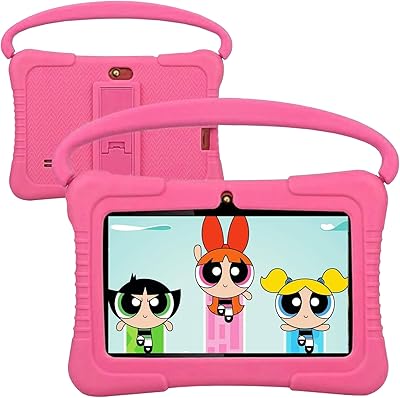
  • Included Accessories: Each unit ships with a penguin-style handle case, a wall charger, and a charging cable — no additional accessories need to be purchased separately.
  • Supported Languages: The interface and pre-loaded content support English, Spanish, and French, making it usable in multilingual households.
  • Target Age Range: The device and its software are designed for children between the ages of 3 and 7, with content and controls matched to that developmental range.
  • Parental Controls: Parents can create separate child profiles, set daily screen time limits, block specific apps, and filter content by age category.
  • Pre-loaded Content: The tablet arrives with a curated selection of kids-focused apps including Montessori-style learning tools, mini games, a drawing app, and a karaoke feature.

Related Reviews
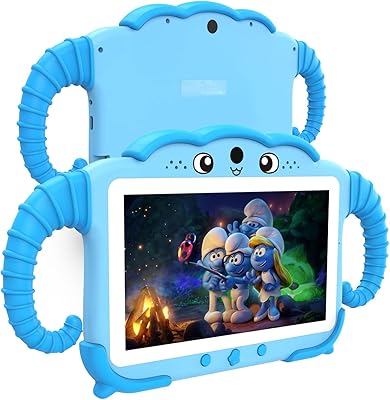
YosaToo ZIDS701 7-inch Kids Tablet
67%
83%
Value for Money
86%
Parental Controls
74%
Durability
51%
Display Quality
62%
Performance & Speed
More
PEICHENG PCQ8 7-Inch Kids Android Tablet
68%
83%
Value for Money
78%
Parental Controls
67%
Display Quality
62%
Performance & Speed
71%
Build & Durability
More
qunyiCO Y7 7-inch Kids Android Tablet
69%
83%
Value for Money
88%
Ease of Setup
54%
Performance & Speed
81%
Parental Controls
72%
Display Quality
More
Aheadthink AHQ82K 7-inch 32GB Kids Android Tablet
70%
83%
Value for Money
78%
Parental Controls
81%
Ease of Setup
62%
Display Quality
71%
Performance & Speed
More
ZZB ZZBAT70K Kids Tablet 7-inch, 32GB
84%
90%
Value for Money
88%
Durability
93%
Parental Controls
85%
Display Quality
80%
Battery Life
More
ATOZEE Q2 8-Inch Kids Android Tablet
65%
83%
Value for Money
81%
Parental Controls
58%
Display Quality
62%
Performance & Speed
74%
Build Quality & Durability
More
NEWISION K7 7-inch Kids Android Tablet
72%
84%
Value for Money
88%
Ease of Setup
81%
Parental Controls
51%
Battery Life
87%
Kid-Friendliness
More
zcobro KIDS710 7-inch 32GB Kids Tablet
68%
83%
Value for Money
78%
Parental Controls
86%
Ease of Setup
54%
Performance & Speed
63%
Battery Life
More
ATOZEE Q8K 7-inch 32GB Kids Tablet
71%
88%
Value for Money
91%
Ease of Setup
57%
Display Quality
83%
Parental Controls
74%
Build Quality & Durability
More
QISTOQI KD88 7-inch Kids Tablet
69%
83%
Value for Money
78%
Durability & Build
87%
Ease of Setup
72%
Parental Controls
61%
Display Quality
More

FAQ

Yes, setup is straightforward. You power it on, follow a short guided process to create a parent account and a child profile, and the kids mode is ready to go. Most parents report having it running within a few minutes, even without a technical background.

You have solid control over browsing and app access. Through the parental dashboard, you can restrict which apps are available, block web content that isn't age-appropriate, and set daily time limits. Kids cannot exit the kids mode without your password.

Access to the full Google Play Store depends on how the parental controls are configured. In standard kids mode, app installation is controlled by the parent. Some buyers report success sideloading apps or enabling Play Store access through the parent dashboard, but it may require a few extra steps.

The included penguin handle case adds a meaningful layer of protection for everyday bumps and drops onto soft surfaces. That said, it is not a rugged military-grade case, so repeated hard drops onto tile or concrete are a different story. For a budget device in this category, the protection level is reasonable.

In most cases, yes — but with some caveats. The official rating is around 5 to 6 hours, and many parents find it holds up well for a typical flight. However, running video content at high brightness will drain it faster, so bringing a charging cable for a longer trip is a smart backup plan.

Yes, the parental control system supports multiple child profiles, so you can customize content, app access, and screen time rules individually for each child. This works well for households with siblings of different ages.

YouTube Kids and Netflix can be installed, but how smoothly they run depends on your Wi-Fi speed and what else is open on the device. With 1 GB of RAM, streaming apps work but may stutter if other apps are running in the background. Closing everything else before streaming helps noticeably.

You can insert a microSD card — up to 64 GB — into the TF card slot to expand storage. This is a practical option for families who download a lot of videos or offline content. Cards in that size range are affordable and widely available.

The display includes auto-brightness adjustment, which helps reduce glare and excessive brightness in varying lighting conditions. For extended use, the standard advice applies: regular breaks and keeping the screen at a comfortable distance. The resolution is functional rather than sharp, which keeps visual strain modest.

The box includes the tablet itself, the penguin-style handle case, a wall charger, and a charging cable. You do not need to buy a case separately, which is one of the more practical aspects of this package for parents buying it as a gift.