

Overview

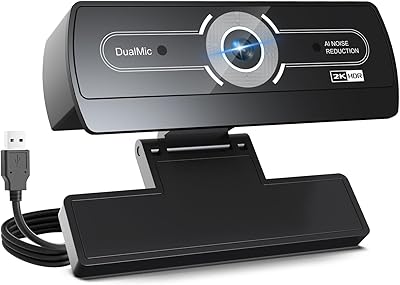
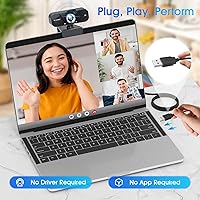
The TRAUSI TW-06 2K HD Webcam is a newcomer in a crowded budget category, having launched in August 2025 and already climbing to #34 in Amazon's Webcams chart — a quick rise that suggests real buyer interest. TRAUSI isn't a household name, so some initial skepticism is fair, but the specs and positioning tell a clear story: this is meant for anyone tired of their laptop's built-in camera but not ready to spend heavily on something like a Logitech. Setup is genuinely effortless — plug-and-play via USB, no driver hunting, no installation wizard. It ships with a 5ft cable and a physical privacy slide cover. At 5.6 ounces, it's light enough to clip onto any monitor without stress.

Features & Benefits

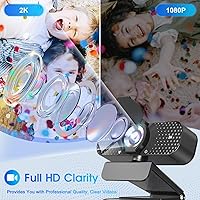
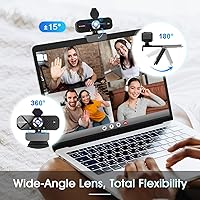
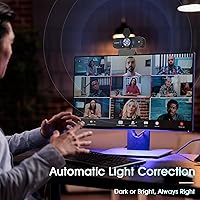
The standout feature for most buyers will probably be the auto light correction, which adjusts brightness, contrast, and color balance on the fly. If you're sitting in front of a window or working under dim overhead lighting, the camera compensates in real time — and while no software algorithm fully replaces good lighting, this one does noticeably reduce the worst-case scenarios. The wide-angle lens at 2K and 30fps delivers a broader field of view without requiring you to scoot back from your desk. The built-in noise-canceling microphone performs reasonably well in quieter environments, though it does start to struggle in noisier settings. And the physical privacy cover — an actual sliding shield — is a genuinely useful addition that doesn't rely on software to block the lens.

Best For

This budget webcam hits a very specific sweet spot. It's built for daily remote workers — the kind who have three back-to-back Zoom or Teams calls and just need to show up looking reasonably presentable on camera. Students in online classes will appreciate not having to fuss with drivers or software. For anyone using a desktop PC that has no built-in camera, or a laptop where the factory camera produces a blurry, grainy image, this 2K USB camera is a practical step up. Casual streamers looking for a low-cost starting point will also find it capable. It's probably not the right fit for anyone expecting broadcast-quality output or shooting in truly challenging environments.

User Feedback

Buyers tend to split pretty clearly on this one. On the positive side, most appreciate the easy setup experience — plug in, open Zoom, and it just works, across Windows and Mac alike. The auto light correction gets frequent praise from users who work near windows or in poorly lit rooms. On the flip side, some reviewers note that the claimed 2K resolution doesn't deliver a dramatic real-world sharpness improvement over 1080p alternatives at this price tier — the difference is there, but subtle. A few mention the microphone struggles in louder, open-plan environments. Build quality concerns also surface: the housing and clip feel lightweight, which is expected at this tier but worth knowing before you buy.

Pros

  • Plug-and-play USB setup works immediately across Windows, Mac, and Linux — zero drivers needed.
  • Auto light correction reduces the impact of backlit windows and dim rooms during calls.
  • Wide-angle lens frames more of your space without needing to move your monitor back.
  • Physical privacy slide cover blocks the lens mechanically, not just through a software toggle.
  • At 5.6 ounces, it clips onto a monitor without any tipping or stability concerns.
  • Works with Zoom, Teams, and Skype right out of the box with no configuration required.
  • The included 5ft USB cable gives enough slack to position the camera at a useful angle.
  • Energy Star certified, meaning it adds virtually nothing to your power consumption during long workdays.
  • The TW-06 climbed to #34 in its Amazon category quickly, suggesting real-world buyer satisfaction.
  • A meaningful visual upgrade over most factory-built laptop cameras for everyday video communication.

Cons

  • TRAUSI is a new, relatively unknown brand with an uncertain track record for after-sale support.
  • The real-world sharpness improvement over a standard 1080p webcam is subtle, not dramatic.
  • The built-in microphone struggles noticeably in louder environments like shared offices or open spaces.
  • Budget-tier plastic construction makes the housing and monitor clip feel less solid over time.
  • No companion software or manual exposure controls — you cannot fine-tune the image yourself.
  • 30fps capture is workable for calls but underwhelming for anyone wanting smoother video output.
  • AVI video format is less universally convenient than MP4 for anyone intending to record directly.
  • Cable stiffness can make it awkward to angle the camera precisely once it is plugged in.
  • Long-term OS driver support is an open question given the brand has no established history.
  • Auto light correction occasionally introduces slightly off-color tones under mixed or unusual lighting conditions.

Ratings

Our AI-generated ratings for the TRAUSI TW-06 2K HD Webcam are built by analyzing thousands of verified buyer reviews from global markets, with automated filtering applied to remove incentivized, duplicate, and bot-generated feedback. Every score reflects the honest consensus across real-world users — not marketing claims — so both the genuine strengths and the recurring frustrations are represented transparently. Whether this budget webcam fits your setup or falls short depends on what you actually need it to do, and these scores are designed to help you make that call with confidence.

Video Quality
74%
26%
Users upgrading from built-in laptop cameras generally notice a real improvement in sharpness and color rendering during daily calls. The wide-angle framing is a practical bonus, letting people show a bit more of their space without repositioning the camera. For everyday remote communication, the image holds up well under normal conditions.
Buyers expecting a dramatic leap over a solid 1080p webcam often come away underwhelmed — compressed video call streams tend to flatten much of the 2K advantage before it even reaches the other person. In side-by-side comparisons against established 1080p alternatives, the perceptible difference is narrower than the spec sheet implies.
Auto Light Correction
78%
22%
The light correction feature draws the most consistent praise from home office users dealing with backlit windows or dim overhead bulbs. It keeps faces reasonably well-exposed across shifting daytime lighting conditions, which is the specific scenario most remote workers encounter every single day during morning and afternoon calls.
Under more complex lighting — mixed color temperatures, very bright direct sunlight, or strong artificial task lighting — the algorithm can overshoot and produce a slightly washed-out or unnaturally warm tone. Users who already have good, consistent lighting in their workspace will find this feature adds less practical value than it would for others.
Microphone Quality
66%
34%
In a quiet home office with typical ambient background sounds — a fan running softly, light keyboard noise, distant street traffic — the built-in mic captures voice clearly enough that most call participants have no complaints. For anyone currently relying on a laptop's stock microphone, this is a meaningful step forward.
Load the microphone with real-world noise — a shared apartment, a dog barking, or an open window facing a busy street — and the noise cancellation starts to break down noticeably. Several users in louder environments reported that colleagues could still hear background interference despite the noise-canceling feature being listed prominently on the packaging.
Ease of Setup
93%
This is genuinely one of the strongest real-world advantages of the TW-06, and buyer feedback consistently backs it up. Users across Windows, Mac, and Linux report the camera was recognized and ready to use in under a minute — no driver downloads, no account creation, no configuration wizard to stumble through before your next meeting.
A small number of users found that the camera was not automatically selected as the default device in apps like Teams or Zoom, requiring a manual switch inside the software settings. It is a minor inconvenience, but it confused a handful of less tech-confident buyers who assumed the transition would be completely automatic.
Value for Money
83%
Measured against what you pay, the TW-06 bundles a reasonable feature set — 2K resolution, real-time light correction, a noise-canceling mic, and a physical privacy cover — that you do not commonly find together at this price tier. For anyone replacing a broken or inadequate built-in laptop camera, the cost-to-benefit ratio is genuinely difficult to argue with.
Stretch the budget slightly toward a more established brand and alternatives from Logitech or Anker become accessible — options that carry longer track records, more reliable customer support, and stronger long-term durability data. If sustained reliability over 18–24 months is a priority, the modest savings may not fully justify choosing a newer, unproven brand.
Build Quality
57%
43%
The compact form factor and light weight mean the monitor clip holds steady without straining thinner laptop or monitor bezels, which is a practical win for everyday desk use. The overall design is clean and unobtrusive, avoiding the bulky aesthetic that plagues some competitors in this price range.
The housing is plastic-forward construction, and the clip mechanism feels noticeably lightweight compared to webcams from more established manufacturers. Several buyers flagged the junction where the fixed USB cable meets the camera body as a potential weak point with daily plugging and unplugging over a longer ownership period.
Privacy Cover
86%
A physical sliding lens cover is a genuinely useful feature for anyone working in sensitive environments or who simply wants visible confirmation the lens is sealed. Unlike software camera-blocking, the slide cover requires no active process running in the background and cannot be inadvertently reversed by an app permission or system update.
The slide mechanism feels a touch loose on some units, and a few users noted it shifts position too easily when repositioning the webcam on a monitor. It is a minor complaint for most, but for buyers who view the privacy cover as a primary reason to choose this camera, the loose feel may be mildly frustrating.
OS Compatibility
89%
The UVC standard is reliable across modern operating systems, and this 2K USB camera benefits from that foundation. Users on Windows 10, Windows 11, and recent Mac OS versions consistently report smooth automatic recognition with no compatibility headaches, and the broad USB port support across 2.0, 3.0, 3.1, and OTG eliminates the need for adapters in most setups.
Linux users have reported a slightly more variable experience, with some distributions requiring manual driver configuration rather than fully auto-detecting the device out of the box. Chromebook compatibility is not officially confirmed, leaving a segment of potential buyers without a guaranteed outcome before purchasing.
Cable & Connectivity
71%
29%
A 5-foot USB cable covers the distance for the majority of standard desk setups, and the broad USB interface compatibility means most users can plug in directly without sourcing an adapter. Users with desktops or monitors sitting within arm's reach consistently find the cable length sufficient for comfortable daily use.
The cable is fixed to the body — there is no detachable connector option — so if it frays or the port wears down, the entire unit becomes difficult to repair. A few buyers with floor-level tower PCs or tall standing desk configurations found 5 feet just barely enough, and a stiff cable can make precise camera angle adjustment more awkward than expected.
Wide-Angle Coverage
77%
23%
The wider field of view is a practical advantage for users who want to show a bit of their physical environment — teachers demonstrating materials, people sharing physical objects on calls, or anyone who simply does not want to feel boxed into a tight headshot frame. It reduces the need to reposition the camera mid-session.
Wide-angle lenses at this price tier typically introduce some geometric distortion at the frame edges, which can make objects close to the camera appear slightly stretched. Users who prefer a tighter, more flattering portrait-style framing for professional video calls may find the wide-angle perspective less ideal for that use case.
Frame Rate Smoothness
73%
27%
At 30fps, video during conversation is fluid enough that it does not read as choppy or laggy on the other end of a call. For the core use cases of remote meetings and online classes, 30fps is functional and produces a comfortable viewing experience for participants across standard broadband connections.
Thirty frames per second sits at the lower threshold of what feels smooth for any on-screen motion beyond conversation, and users demonstrating physical products, gesturing dynamically, or doing entry-level streaming may notice the output looks less polished than a 60fps camera. There is no hardware option to push beyond this ceiling.
App Compatibility
88%
The TW-06 has been confirmed working across all of the platforms most remote workers actually rely on — Zoom, Microsoft Teams, Google Meet, and Skype all recognize it automatically without additional setup steps. Clearing this bar reliably is precisely what most buyers need from a day-to-day conferencing camera.
Beyond mainstream conferencing platforms, compatibility with specialized broadcasting or recording software is less thoroughly documented by users. Those running OBS Studio for streaming have generally had positive results, but niche professional video tools may require manual device configuration that the average buyer would not expect or know how to handle.
Brand Reliability
51%
49%
In the short term, most buyers report no hardware failures in the weeks following purchase, and the Energy Star certification suggests some baseline manufacturing standards were applied during production. For buyers who keep their expectations calibrated to a newer, budget-tier brand, the TW-06 has performed adequately within early ownership windows.
TRAUSI does not yet have the customer service track record or multi-year product longevity data that builds genuine long-term buyer confidence. If something goes wrong after the return window closes, the support experience is largely an unknown variable, and there are simply no long-term ownership reports available yet to draw meaningful conclusions from.

Suitable for:

The TRAUSI TW-06 2K HD Webcam makes the most sense for remote workers who log several video calls a day and simply need to show up looking decent on camera without spending a lot. If your laptop's built-in camera produces a grainy, dim image that makes you look like you're calling from a basement, this is a practical, low-friction upgrade that covers the basics well. Students attending virtual classes or online tutoring sessions will appreciate how little setup is involved — plug it in, and it works, no IT department required. Home office workers dealing with tricky ambient light, whether that's a bright window behind them or weak overhead bulbs, will get real value from the automatic light correction that adjusts the image in real time. Casual streamers and entry-level content creators testing the waters before committing to a more capable setup will also find the TW-06 a reasonable starting point.

Not suitable for:

Anyone whose professional credibility depends on consistently sharp, broadcast-quality video should look elsewhere — the TRAUSI TW-06 2K HD Webcam has a ceiling on optical performance that no software correction can fully overcome, particularly in complex lighting environments. Established content creators, professional streamers, and anyone shooting product demos or client-facing video presentations will notice the limitations quickly. Those working in loud shared spaces — open offices, co-working environments, or homes with kids — should also temper expectations around the built-in microphone, which handles mild background noise but struggles with heavier audio chaos. Buyers who want long-term assurance around warranty support, firmware updates, or responsive customer service may feel uneasy with a newer, lesser-known brand like TRAUSI, which has a limited track record compared to established names in this category. If you are comparing this directly to a mid-range webcam from a well-known manufacturer, the gap in build quality, optics, and overall reliability will be apparent.

Specifications

  • Brand: Manufactured and sold by TRAUSI, a newer consumer electronics brand that entered the webcam market in 2025.
  • Model Number: The specific model designation for this webcam is TW-06.
  • Video Resolution: Captures video at 2K resolution, which corresponds to approximately 2560 x 1440 pixels depending on sensor output.
  • Frame Rate: Records and streams at a fixed 30 frames per second, which is standard for video conferencing applications.
  • Lens Type: Equipped with a wide-angle lens with a focal length of 4mm, providing a broader field of view than standard webcam lenses.
  • Microphone: Features a built-in noise-canceling microphone intended to reduce ambient background sound during calls and recordings.
  • Privacy Cover: Includes a physical sliding lens cover that mechanically blocks the camera sensor when the webcam is not in use.
  • Cable Length: Ships with a 5-foot (approximately 1.5-meter) USB cable attached directly to the webcam body.
  • Connectivity: Compatible with USB 2.0, USB 3.0, USB 3.1, and OTG interfaces, covering the vast majority of modern ports.
  • OS Compatibility: Supports Windows XP through Windows 11 (32-bit and 64-bit), Mac OS, and Linux systems with a UVC-compatible driver.
  • Video Format: Records video in AVI format when used in direct-capture mode outside of conferencing software.
  • Audio Format: Microphone audio output is encoded in AAC format during direct recording sessions.
  • Weight: The webcam weighs 5.6 ounces, making it light enough to sit stably on most monitor clips without tipping.
  • Certification: Holds Energy Star certification, indicating it meets recognized standards for low power consumption during operation.
  • Color: Available in a single color option, matte black, which suits most neutral desk and monitor setups.

Related Reviews
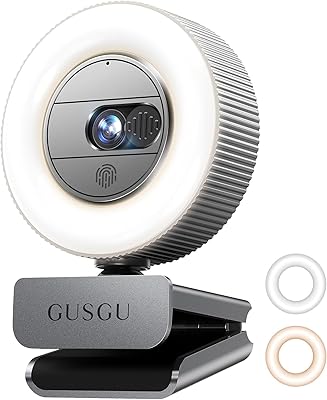
GUSGU G910 Webcam
GUSGU G910 Webcam
80%
83%
Image Quality
88%
Ring Light Effectiveness
91%
Privacy & Security Design
67%
Microphone Performance
94%
Ease of Setup
More
GUSGU G920 Webcam
GUSGU G920 Webcam
80%
84%
Image Quality
88%
Ring Light Performance
73%
Autofocus Reliability
61%
Microphone Quality
86%
Privacy Cover Design
More
MOERTEK 2K HD Webcam with Windows Hello Facial Recognition
85%
89%
Video Quality
93%
Ease of Setup
85%
Facial Recognition Performance
82%
Microphone Quality
76%
Build Quality
More
Pulais 2K HD Webcam with 2 Speakers & Built-in Microphone
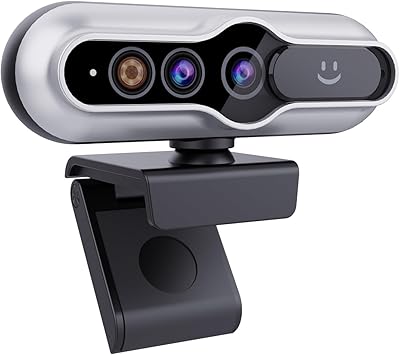
84%
88%
Video Quality
82%
Audio Quality
95%
Ease of Setup
90%
Adjustable Features (Clip & Rotation)
85%
Privacy Features
More
Dobuhont D90-2K Webcam
75%
83%
Image Clarity
61%
Low-Light Performance
68%
Microphone Quality
59%
Build Quality
78%
Privacy Cover
More
UGREEN 25442 2K Webcam
76%
83%
Image Clarity
54%
Low-Light Performance
78%
Autofocus Speed
74%
Microphone Quality
94%
Ease of Setup
More
PixelForge 2K Webcam
76%
83%
Image Quality
88%
Built-In Ring Light
71%
Autofocus Performance
67%
Microphone Quality
91%
Privacy Cover
More
XOCLON 2K Webcam
XOCLON 2K Webcam
86%
89%
Video Quality
91%
Audio Performance
96%
Ease of Setup
85%
Low-Light Performance
87%
Field of View
More
NUROUM V15AFL 2K Autofocus Ring Light Webcam
77%
81%
Video Quality
74%
Autofocus Performance
83%
Ring Light Quality
67%
Microphone Quality
77%
Value for Money
More
Logitech C310 HD Webcam
76%
94%
Ease of Setup
78%
Video Call Quality
58%
Low-Light Performance
62%
Built-in Microphone
81%
Build Quality & Durability
More

FAQ

No, you do not. The camera uses the UVC (USB Video Class) standard, which Windows, Mac OS, and most Linux distributions recognize automatically. Plug it into a free USB port, wait a few seconds, and it should show up as an available camera in Zoom, Teams, or any other app you are using.

It works on both. Mac OS supports UVC devices natively, so the TRAUSI TW-06 2K HD Webcam connects without any additional steps. Users on recent versions of Mac OS have reported no compatibility issues when using it with Zoom or FaceTime.

In a reasonably quiet home office, it handles typical background noise — a fan running, light keyboard clicks, distant conversation — without too much bleed into your voice. Where it starts to show limits is in genuinely loud spaces, like a busy open-plan office or a room with a TV on nearby. For most people working from home, it is perfectly workable.

Honestly, the gap is smaller than you might expect, especially over compressed video call connections where Zoom and Teams will reduce quality automatically based on your bandwidth. The improvement over a standard 1080p webcam is real but subtle — you will notice sharper edges and slightly more detail, but do not expect a dramatic transformation. The bigger upgrade for most people is going from a bad built-in laptop camera to any dedicated external webcam.

It is a physical slide cover, not a software toggle. You push it across the lens manually, and it stays there until you slide it back. That means no software process can reopen it accidentally, which is the main reason physical covers have become a popular feature on webcams over the past few years.

Chromebooks generally support UVC-compatible USB webcams without additional setup, so this 2K USB camera should work in most cases. That said, TRAUSI does not officially list Chromebook as a supported platform, so your experience may vary depending on the Chrome OS version and which video application you are running.

For a typical desk setup where your computer sits within arm's reach, 5 feet is usually sufficient. If your tower sits on the floor or you have a standing desk with a long reach to the USB ports, it may feel limiting. In that case, a quality USB extension cable is an inexpensive fix, though it is worth keeping cable length in mind before purchasing.

It helps meaningfully compared to a camera with no correction at all. The algorithm will try to lift the exposure on your face when it detects strong backlighting, which reduces that silhouette effect common in budget webcams. It does not completely eliminate the problem — a strong backlit scene is still one of the hardest situations for any camera to handle — but it performs noticeably better than cameras that ignore ambient conditions entirely.

The clip is designed to work on both. Most flat-panel monitors and laptop screens fall within a standard thickness range that the clip can grip. The webcam is light enough that it sits without wobbling on thinner panels, though clip build quality at this price tier is worth noting — it feels functional rather than premium.

Teams detects UVC-compatible webcams automatically when you open the app or join a meeting. You may need to select it from the camera dropdown in Teams settings if it does not switch over on its own, but that takes about ten seconds. Most users report no friction getting this budget webcam recognized and running in Teams without any manual configuration.