Overview

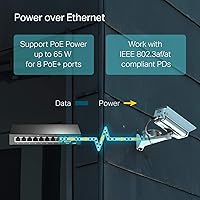
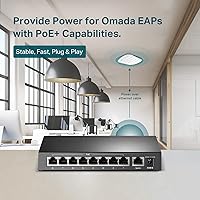
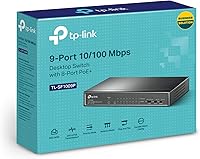
The TP-Link TL-SF1009P 9-Port PoE+ Switch is a compact, no-fuss option for anyone who needs to power a handful of IP cameras or smart devices without buying a separate power injector for each one. It offers 8 PoE+ ports (802.3at/af) plus one uplink, all running at Fast Ethernet speeds — meaning 100 Mbps, not Gigabit, and that distinction is worth stating plainly upfront. The 65W shared PoE budget is the other number to watch: spread across eight ports, it averages roughly 8W each, so powering four or more high-draw cameras simultaneously will require some planning. The metal chassis and shielded ports feel noticeably more substantial than plastic competitors at this price point. Plug it in, and it just works.

Features & Benefits

The standout capability here is Extend Mode, which pushes PoE signals up to 250 meters — well beyond the standard 100-meter Ethernet limit. The trade-off is real, though: speed drops to 10 Mbps in that mode, adequate for a single 1080p camera stream but not much else. Priority Mode on ports 1 and 2 gives latency-sensitive devices first claim on available bandwidth, a practical touch for VoIP phones or cameras that cannot tolerate buffering. Isolation Mode keeps ports from talking to each other unnecessarily, cutting broadcast noise and adding a thin but meaningful layer of LAN security. The fanless passive design runs completely silent, and the metal shell handles heat dissipation well enough for enclosed or wall-mounted installations.

Best For

This PoE switch hits its sweet spot for small surveillance setups — two to four IP cameras covering a home driveway, small retail space, or office entrance. It is also a solid pick for installers dealing with long cable runs where standard distance limits are a problem; Extend Mode can bridge that gap, provided the speed reduction is acceptable. Anyone who has wrestled with managed switch configuration will appreciate the zero-setup approach. Fanless and quiet, it tucks neatly into a server closet without adding noise to the room. It is not the right choice if you need Gigabit throughput, more than 65W of total PoE power, or more than nine ports.

User Feedback

Buyers are broadly satisfied with this 9-port switch, and the most consistent praise centers on how effortlessly it installs — unbox, plug in, done. The price-to-performance ratio earns repeat mentions, particularly from home users who needed to power a camera or two without overcomplicating things. On the critical side, the 65W PoE ceiling catches buyers who did not plan their power draw carefully, and a few report the metal case gets noticeably warm during extended continuous use — worth watching in tight, unventilated spaces. Some reviewers raised concerns about power adapter durability, and a handful questioned whether Extend Mode delivers fully reliable video at the maximum 250-meter range. Long-term owners generally stick with it.

Pros

  • Truly plug-and-play — no app, no login, no configuration needed at any point.
  • Metal chassis and shielded ports feel durable and well-built for the price tier.
  • Extend Mode is a real differentiator for camera runs beyond 100 meters.
  • Priority Mode on ports 1–2 keeps latency-sensitive devices like cameras and VoIP phones stable.
  • Fanless design runs silently around the clock, with no moving parts to wear out.
  • Isolation Mode adds a meaningful layer of LAN security without requiring a managed switch.
  • Three-year warranty with direct weekday support is well above average for this category.
  • Compact footprint fits neatly on a shelf, in a closet, or mounted on a wall.
  • The no-config approach means non-technical users can self-install without outside help.
  • Consistent buyer satisfaction across months of use suggests reliable long-term performance.

Cons

  • 100 Mbps Fast Ethernet is a hard ceiling — Gigabit is simply not available on any port.
  • The 65W total PoE budget runs thin fast once four or more cameras are drawing power simultaneously.
  • Extend Mode forces a drop to 10 Mbps, making it unsuitable for high-bitrate streams at distance.
  • The included power adapter has drawn durability concerns from a subset of long-term users.
  • No management interface means zero visibility into port activity, traffic, or power draw.
  • Metal case can become noticeably warm during extended continuous use in poorly ventilated spaces.
  • Only two ports benefit from Priority Mode, which limits flexibility in multi-device setups.
  • No rack-mount ears or official wall-mount bracket included in the box.
  • Real-world 250-meter Extend Mode reliability varies and is not guaranteed at maximum range.

Ratings

Our AI-generated scores for the TP-Link TL-SF1009P 9-Port PoE+ Switch are derived from analyzing verified buyer reviews collected globally, with spam, bot-submitted, and incentivized feedback actively filtered out before scoring. The ratings reflect a clear-eyed look at both what this 9-port switch consistently delivers and where real users have run into friction — nothing is glossed over.

Ease of Setup
94%
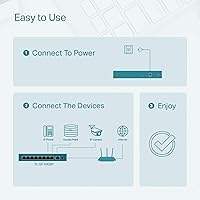
Buyers across all technical skill levels consistently describe setup as near-instant — plug in power, connect the uplink port to a router, and devices start communicating within seconds. For non-technical home users adding their first camera system, this zero-configuration experience is genuinely stress-free and eliminates the learning curve entirely.
The simplicity is also a ceiling: there is no interface to consult if something is not working, so diagnosing a problem requires physical troubleshooting rather than checking a dashboard. A small number of users found the DIP switch positions for Extend and Isolation modes underdocumented in the included guide.
PoE Power Delivery
78%
22%
For setups running two to four standard IP cameras, this TP-Link unmanaged switch delivers clean, stable PoE power without issue. Users running lightweight cameras in the 5–8W range report no power-related dropouts even after months of continuous operation.
The 65W shared budget becomes a real constraint once users start connecting four or more higher-draw devices. Several buyers discovered mid-deployment that their cameras were pulling 12–15W each, which quickly exhausted the budget and left lower-priority ports underpowered or inactive.
Build Quality
86%
The all-metal chassis stands out noticeably in a category where plastic-bodied competitors are the norm. Users who have installed this 9-port switch in dusty garages, ceiling voids, and electrical rooms comment that it feels solid and shows no signs of flex or wear after extended deployment.
The power adapter — a separate component rather than built-in — has drawn scattered complaints about long-term durability, with a handful of users reporting the adapter failing before the switch itself. The unit also ships without any mounting hardware, which feels like an omission for a device commonly installed on walls.
Extend Mode Performance
71%
29%
When it works well, Extend Mode is a meaningful differentiator — several installers note it solved camera placement problems on large properties where pulling new power was not an option. At distances in the 150–200 meter range, most users report stable connectivity and acceptable video quality for standard surveillance use.
The mandatory speed reduction to 10 Mbps catches buyers off guard regularly, and at the full 250-meter limit, real-world reliability becomes less consistent. A few users reported intermittent disconnections at maximum range, suggesting environmental factors like cable quality have a significant impact on whether the full distance claim holds up.
Value for Money
89%
Long-term owners repeatedly cite the price-to-performance ratio as the main reason they recommend this switch to others. Getting eight PoE+ ports, a metal enclosure, Extend Mode capability, and a three-year warranty from a recognized brand at this price tier is difficult to match with competing products.
The value equation holds only if the 65W power budget and 100 Mbps speed cap fit your needs — buyers who later needed more power or Gigabit speeds found themselves replacing the switch entirely, making the initial savings feel less significant in hindsight.
Thermal Management
74%
26%
Fanless operation is a genuine advantage for noise-sensitive installations, and the metal housing does a reasonable job of spreading heat passively during normal loads. Users running two to four cameras in open or semi-ventilated spaces report the chassis staying comfortably warm rather than hot.
Under heavier loads or in confined, unventilated enclosures, the top surface of the case gets notably warm to the touch. A small number of users in sealed network cabinets reported performance instability they attributed to heat buildup, suggesting the passive cooling approach has limits in poorly ventilated installations.
Port & Cable Reliability
81%
19%
Shielded RJ45 ports are a practical advantage in electrically noisy environments — users who have installed this switch near HVAC equipment, fluorescent lighting, or industrial machinery report fewer interference-related packet loss events compared to unshielded alternatives they previously used.
A subset of users noted that individual ports occasionally required reseating cables to restore a stable link after the switch had been moved or bumped. Port durability over multi-year deployments is harder to assess, and feedback on this point is mixed enough to warrant mild caution for high-churn installations.
Network Speed
58%
42%
For the specific use case this switch targets — low-to-medium bitrate IP camera streams and basic network connectivity for PoE devices — 100 Mbps is entirely adequate. Users running typical H.264 or H.265 camera feeds report smooth, uninterrupted streaming with no bottlenecks on the switch itself.
The 100 Mbps Fast Ethernet ceiling is the single most frequently cited limitation in critical reviews, and rightfully so — it disqualifies this switch from any network segment where modern Gigabit speeds matter. Users who did not check the specification before purchasing and expected Gigabit throughput were uniformly disappointed.
Isolation & Security Features
77%
23%
Buyers who enabled Isolation Mode appreciated the added peace of mind it provides on home networks where cameras and personal devices share the same infrastructure. The feature works without any configuration beyond flipping a DIP switch, making it accessible to non-technical users who would never navigate a VLAN setup.
Isolation Mode is a blunt instrument — it prevents all inter-port communication, which can interfere with setups that need cameras to communicate with a local NVR directly rather than through the router. It is either fully on or fully off, with no granular control available.
Priority Mode Effectiveness
73%
27%
Users running VoIP phones or primary cameras on ports 1 and 2 report that Priority Mode makes a noticeable difference in call quality and stream stability during periods of heavier network activity. The feature activates instantly via DIP switch with no reboot required.
Priority Mode coverage is limited to just two ports, which is sufficient for simple setups but frustrating in deployments with three or more latency-sensitive devices. There is also no way to verify the feature is functioning as expected without external traffic monitoring equipment.
Warranty & Support
83%
A three-year warranty on a switch in this price range is well above category average, and multiple users confirmed that TP-Link honored replacement requests without excessive friction. Weekday phone support is a tangible differentiator compared to budget brands that offer only email-based contact.
Support hours — Monday to Friday, 6am to 6pm PST — leave weekend installers and international buyers in time zones outside the Americas without same-day assistance. A few users reported longer-than-expected resolution times when replacement units were needed during high-demand periods.
Physical Footprint
88%
At 7.1″ by 4.1″ and weighing just 12.7 oz, this switch fits neatly on a shelf, inside a media cabinet, or tucked behind a TV. Users with limited space consistently highlight how much easier it is to place compared to larger, bulkier switches with external fan vents.
No mounting hardware is included in the box, so users who want a clean wall or rack installation need to source brackets separately. The compact size also means the ports are closely spaced, which can be slightly awkward when inserting or removing multiple thick patch cables simultaneously.
Compatibility
82%
18%
Support for both 802.3af and 802.3at standards covers the overwhelming majority of PoE-powered devices currently on the market, and users report successful deployments with cameras, access points, and VoIP phones from a wide range of manufacturers without any compatibility issues.
Devices using proprietary passive PoE — including some older Ubiquiti and Mikrotik hardware — are not compatible, which has caught a small number of buyers off guard. The switch also does not support 802.3bt (PoE++), meaning very high-draw devices like pan-tilt-zoom cameras with onboard heaters may not receive adequate power.

Suitable for:

The TP-Link TL-SF1009P 9-Port PoE+ Switch is a practical fit for homeowners or small-business owners who want to add a modest camera system without the hassle of running power cables to each device. If you have two to four IP cameras — a front door, back yard, and a couple of interior spots — this switch can power and connect them all from a single compact unit. Installers who regularly deal with long cable runs will appreciate Extend Mode, which pushes PoE delivery up to 250 meters; that kind of reach genuinely solves problems in large properties, warehouses, or outbuildings where pulling new power is impractical. The completely fanless design also makes it a natural choice for noise-sensitive spaces like reception areas, bedrooms, or small server closets where a fan-cooled unit would be intrusive. Anyone who wants to avoid logging into a management interface, updating firmware tables, or learning CLI commands will find the plug-and-play approach refreshingly straightforward.

Not suitable for:

Buyers who need Gigabit throughput across all ports should look elsewhere — this TP-Link TL-SF1009P 9-Port PoE+ Switch runs at Fast Ethernet speeds (100 Mbps maximum), and that ceiling is a genuine constraint if you are streaming high-bitrate 4K footage or transferring large files over the same network. The shared 65W PoE budget also becomes a limiting factor quickly: five or six cameras drawing 12–15W each will exceed what the switch can supply, forcing you to prioritize or upgrade. Extend Mode sounds attractive on paper, but the mandatory speed drop to 10 Mbps makes it unsuitable for anything beyond a single standard-definition or low-bitrate HD camera at long range. Network administrators who need VLANs, SNMP monitoring, port mirroring, or any other managed-switch capability will find nothing here to work with. If your deployment is growing, or you anticipate adding more than four power-hungry devices within the next year, the power budget alone makes this the wrong foundation to build on.

Specifications

  • Total Ports: The switch provides 9 ports in total: 8 PoE+ data ports and 1 dedicated uplink port for connecting to a router or upstream switch.
  • PoE Standard: All 8 data ports support the 802.3at (PoE+) and 802.3af (PoE) standards, making them compatible with a wide range of IP cameras, access points, and VoIP phones.
  • PoE Per Port: Each of the 8 PoE ports can deliver up to 30W individually, provided the total draw across all active ports stays within the 65W shared budget.
  • Total PoE Budget: The switch supplies a maximum of 65W of PoE power shared across all 8 active ports simultaneously, which averages roughly 8W per port when all are in use.
  • Network Speed: All ports operate at Fast Ethernet speeds only, with a maximum data rate of 100 Mbps; Gigabit throughput is not supported on any port.
  • Switching Capacity: The internal switching fabric provides a total capacity of 8 Gbps, sufficient for non-blocking operation across all Fast Ethernet ports.
  • Extend Mode: Enabling Extend Mode allows PoE power and data to reach devices up to 250 meters away, though network speed is reduced to 10 Mbps while active.
  • Priority Mode: Ports 1 and 2 support Priority Mode, which ensures latency-sensitive traffic from those ports is processed before traffic from lower-priority ports.
  • Isolation Mode: Isolation Mode prevents direct port-to-port communication between connected devices, suppressing broadcast storms and improving overall LAN security.
  • Case Material: The outer housing is constructed from metal, offering better heat dissipation and physical durability compared to plastic-bodied switches in the same category.
  • Port Shielding: All RJ45 ports are shielded, which reduces susceptibility to electromagnetic interference in environments with nearby electrical equipment or cabling.
  • Cooling: The switch uses entirely passive fanless cooling, relying on the metal chassis to dissipate heat with no moving parts and no operational noise.
  • Dimensions: The unit measures 7.1″ in length, 4.1″ in width, and 1.1″ in height, making it compact enough to sit on a shelf or mount in a tight space.
  • Weight: The switch weighs 0.36 kg (12.7 oz), light enough for wall mounting or placement in overhead cable trays.
  • Input Voltage: The switch is powered via the included adapter at 48V DC; no direct AC input is available on the unit itself.
  • Management: This is a fully unmanaged switch with no web interface, app, or CLI; all operational modes are set by physical DIP switches on the unit.
  • Warranty: TP-Link covers this switch with a 3-year limited warranty and provides free technical support Monday through Friday from 6am to 6pm PST.
  • In-Box Contents: The package includes the TL-SF1009P switch, a 48V DC power adapter, and a printed installation guide; no mounting hardware is included.

Related Reviews
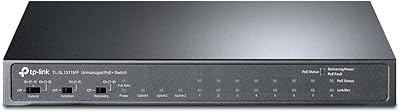
TP-Link TL-SL1311MP 8-Port PoE Switch
88%
92%
Value for Money
95%
Ease of Setup
89%
PoE Range Performance
91%
Build Quality
88%
Customer Support
More
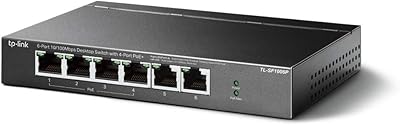
TP-Link TL-SF1006P 6-Port PoE Switch
88%
88%
Performance
95%
Ease of Setup
92%
Build Quality
89%
Reliability
91%
Power Delivery (PoE)
More
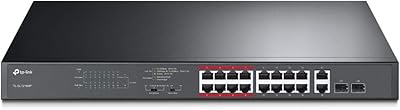
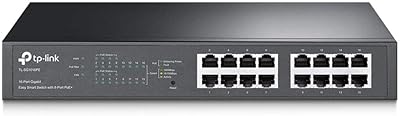
TP-Link TL-SL1218MP 16-Port PoE Network Switch
79%
91%
Value for Money
88%
PoE Performance
79%
Extend Mode Reliability
93%
Ease of Setup
62%
Build Quality
More
TP-Link TL-SF1005P
TP-Link TL-SF1005P
82%
96%
Ease of Setup
81%
PoE Power Delivery
88%
Build Quality
94%
Fanless & Noise Level
67%
Extend Mode Performance
More
TP-Link TL-SG1428PE 24-Port Gigabit PoE Switch
86%
89%
Performance
92%
Value for Money
87%
Ease of Setup
93%
PoE Power Output
84%
Build Quality
More
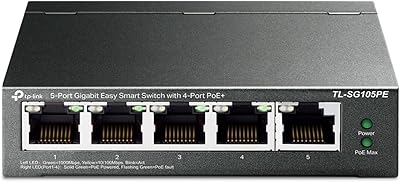
TP-Link TL-SG1016PE 16-Port Gigabit PoE Switch
80%
91%
PoE Reliability
88%
Build Quality
67%
Power Budget
63%
Management Interface
86%
Setup & Ease of Use
More
TP-Link TL-SG105PE 5-Port Gigabit PoE Switch

79%
91%
Value for Money
84%
PoE Performance
93%
Ease of Setup
76%
Network Management
62%
Web Interface
More
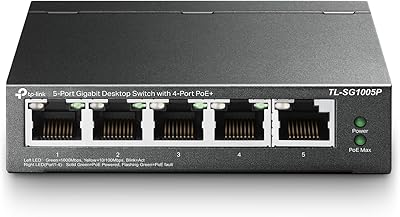
TP-Link TL-SG1005P
TP-Link TL-SG1005P
85%
96%
Ease of Setup
83%
PoE Power Delivery
91%
Build Quality
98%
Noise Level
89%
Gigabit Throughput
More
TP-Link TL-SG1008MP 8-Port PoE+ Gigabit Switch
81%
96%
Ease of Setup
93%
PoE Coverage
91%
Build Quality
89%
Value for Money
88%
Reliability & Uptime
More
TP-Link TL-SG3452P 48-Port Gigabit PoE+ Switch
84%
92%
Performance
94%
PoE Capabilities
85%
Cloud Management Experience
88%
Build Quality
82%
Ease of Setup
More

FAQ

No, none at all. You plug it into power, connect your router to the uplink port, and plug your cameras or other PoE devices into the remaining ports. Everything comes up automatically — there is no app, no web portal, and no account required.

That depends on how much power each camera draws. Most standard IP cameras consume between 5W and 12W. At 5W per camera you could run all 8 ports comfortably within the 65W budget, but if your cameras draw 12W or more each, you will hit the ceiling around four or five devices. Always add up the watt ratings on your specific cameras before assuming all 8 ports can be fully loaded.

In most cases, yes. The switch supports both 802.3af and 802.3at standards, which cover the vast majority of PoE-compatible cameras, access points, and VoIP phones on the market. If your device uses proprietary passive PoE (common on older Ubiquiti hardware, for example), it will not be compatible.

Extend Mode lets this PoE switch push a signal up to 250 meters down a single cable run, which is genuinely useful for cameras mounted far from your network closet. The catch is that the port drops to 10 Mbps while that mode is active. For a single standard HD camera stream, 10 Mbps is usually enough, but you would not want to run a high-bitrate 4K feed or multiple streams through a port in Extend Mode.

No. This is an unmanaged switch, so there are no VLANs, no port mirroring, no SNMP, and no traffic shaping. The only configuration options are the physical DIP switches on the unit that toggle Extend Mode, Priority Mode, and Isolation Mode. If you need VLANs or granular traffic control, you will need a managed switch instead.

It is not rated for outdoor use, so direct exposure to rain or moisture is out. A sheltered garage, shed, or outbuilding should be fine as long as temperatures stay within a reasonable range and the unit stays dry. The metal case handles minor temperature variation better than plastic alternatives, but it is still an indoor-rated device.

Warm, yes — hot to the touch, no, under normal conditions. Passive cooling means the chassis absorbs and radiates heat rather than venting it with a fan, so you may notice the top surface feeling warm after extended operation. In a well-ventilated space this is fine. If you are installing it in a completely sealed, unventilated box, keep that warmth in mind.

The unit is compact and light enough to be wall-mounted, but TP-Link does not include mounting brackets or screws in the box. Some users mount it using aftermarket bracket kits or simple cable ties. If clean installation matters for your setup, budget for a compatible mounting solution separately.

It is genuinely useful in both contexts. At home, enabling Isolation Mode on your camera ports means those cameras cannot communicate directly with your laptops or phones on the same network — they can only talk to the router. That is a simple, practical security improvement that does not require any technical knowledge to set up.

Start by confirming the total power draw across all connected devices does not exceed 65W, as the switch will stop powering lower-priority ports once the budget is exhausted. Also confirm the device supports 802.3af or 802.3at standards. Try swapping the device to a different port, and try a different cable — shielded Cat5e or better is recommended. If the issue persists, TP-Link's support line is available on weekdays and is generally responsive.

Where to Buy