Overview

The TP-Link TL-PA411KIT Powerline Network Adapter Kit is a practical answer for anyone tired of Wi-Fi dead zones but unwilling to run Ethernet cables through walls. Powerline networking works by sending data signals over your home's existing electrical wiring — no drilling, no cable management headaches. This powerline adapter kit ships as a ready-to-use pair, so you can connect both ends of your network straight out of the box. The theoretical ceiling sits at 500Mbps, which outpaces many Wi-Fi extenders in real-world stability even if raw throughput lands lower in practice. Having been on the market since 2012, proven longevity like this is genuinely reassuring when buying networking hardware.
Features & Benefits

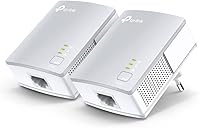
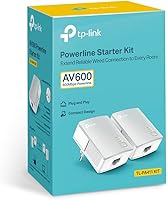
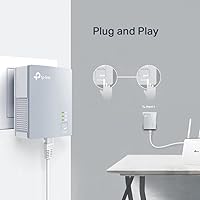
The TP-Link powerline set follows the HomePlug AV standard, meaning it works alongside other compliant devices if you ever want to expand beyond two nodes. Each adapter includes a single Fast Ethernet port — enough for a smart TV, desktop, or set-top box. What stands out physically is the compact enclosure; these units barely protrude from the wall, unlike older powerline adapters that block adjacent outlets entirely. The built-in power-saving mode automatically cuts energy use by up to 85% when traffic goes idle, which is a genuine long-term plus. There is no software to install, no router settings to touch — just plug in and connect.

Best For

This powerline adapter kit is a natural fit for anyone needing stable wired connectivity in a room that Wi-Fi simply cannot reach reliably. Think of a bedroom on the opposite side of a thick-walled house, or a home office two floors above the router. Renters especially benefit — no drilling, no landlord conversations, no installation at all. Cord-cutters streaming HD content to a distant TV will appreciate the low-latency, interference-free wired connection compared to a wireless extender. Remote workers managing video calls on a tight bandwidth budget will find these network adapters a straightforward upgrade over spotty wireless coverage, without the expense of a full mesh system.

User Feedback

Owners of the TP-Link powerline set are generally satisfied, and the most repeated theme is how fast setup actually is — many describe being fully connected in under five minutes. Streaming and everyday browsing get solid marks. That said, real-world speeds will rarely approach the 500Mbps rating; in older homes with dated wiring, some users report noticeably lower throughput or occasional drops, so expectations need managing. The compact form factor draws consistent praise, particularly where outlet space is tight. On the durability front, long-term reliability is a recurring highlight, with many owners still running the same pair years after purchase — a reassuring sign for anyone buying this as a set-and-forget solution.

Pros

  • True plug-and-play setup — most buyers are fully connected in under five minutes with zero configuration.
  • Ships as a complete two-adapter kit with an Ethernet cable included, so there is nothing extra to buy.
  • Ultra-compact design leaves adjacent wall outlets free, a practical advantage in tight spaces.
  • Delivers a noticeably steadier connection than a weak Wi-Fi signal for streaming and video calls.
  • Automatic power-saving mode meaningfully reduces idle energy draw over months of continuous use.
  • HomePlug AV compatibility allows the network to be expanded with additional adapters if needed.
  • Long-term reliability is strong — many owners report the same pair running without issue for years.
  • No drilling, no cable runs, and no landlord permission needed — ideal for renters and apartment dwellers.
  • LED indicators give an instant visual read on pairing status and signal strength without any app.

Cons

  • Real-world speeds fall well short of the 500Mbps headline figure in most home environments.
  • The Fast Ethernet port creates a hard throughput ceiling that bottlenecks modern high-speed internet plans.
  • Performance varies significantly based on home wiring age and circuit layout — results are hard to predict before buying.
  • Electrical interference from appliances on the same circuit can cause brief, frustrating signal drops.
  • The included documentation is thin and unhelpful if automatic pairing fails on first use.
  • Bright LED indicators have no dimming option, which can be disruptive in bedrooms or dark rooms.
  • The product design and HomePlug AV standard have not kept pace with newer AV2 kits available at similar prices.
  • Units tend to fail without warning rather than gradually, which can cause unexpected network downtime.
  • Expanding to more than two rooms requires additional purchases, and mixing this hardware with newer gear can be messy.

Ratings

The TP-Link TL-PA411KIT Powerline Network Adapter Kit has accumulated thousands of verified buyer reviews worldwide, and our AI rating engine has processed that feedback — actively filtering out incentivized and bot-generated submissions — to surface a clear, honest picture of where this powerline adapter kit excels and where it falls short. Scores reflect real ownership patterns, from first-time setup to years of daily use, across a wide range of home environments and wiring conditions. Both the strengths that keep buyers recommending it and the frustrations that prompt one-star reviews are transparently captured below.
Ease of Setup
94%
Buyers consistently describe the setup process as refreshingly painless — plug one adapter near the router, plug the second wherever you need connectivity, and you are online within minutes. No driver discs, no app downloads, no router logins required. This is the single most praised aspect across verified reviews.
A small number of users in multi-circuit homes found that the adapters occasionally failed to pair automatically, requiring a manual sync via the button on each unit. The included quick guide is thin on troubleshooting steps for these edge cases.
Real-World Speed Performance
61%
39%
For everyday tasks — HD video streaming, video calls, casual browsing — these network adapters deliver consistent, noticeably steadier throughput than a weak Wi-Fi signal or a basic range extender. Latency stays low enough that remote workers and streamers rarely report buffering under normal conditions.
The 500Mbps headline rating is theoretical and rarely approached in practice. Most users in typical home environments measure significantly lower speeds, and in older homes with aging wiring the gap can be dramatic. Buyers expecting near-gigabit performance will be disappointed.
Build Quality & Durability
83%
The plastic housing feels sturdy for its size, and long-term owners frequently note that their units are still running reliably after three or more years of continuous use. TP-Link's track record with this product family reinforces confidence in the physical construction.
The all-white finish shows scuff marks over time, and the housing can feel slightly warm to the touch after extended operation. A small number of buyers report one unit failing after a year or two, though this appears to be the exception rather than a pattern.
Compatibility
88%
HomePlug AV compliance means these adapters work alongside other brand-name powerline devices on the same network, which is useful for buyers who already own a single adapter and want to expand. The standard RJ45 port connects to virtually any router, switch, smart TV, or game console without adapters.
The Fast Ethernet port caps throughput at 100Mbps in practice regardless of the 500Mbps powerline spec, which is a ceiling some buyers only discover after purchase. Those with multi-gigabit internet plans will find this an obvious bottleneck.
Physical Footprint
91%
The compact enclosure is a genuine practical advantage — it occupies only the one outlet it is plugged into, leaving adjacent sockets free. Reviewers in small apartments and utility rooms specifically praise this, especially compared to older powerline adapters that block two outlets at once.
The downward-facing plug angle can be awkward in certain wall outlet configurations, particularly in older North American boxes where sockets are close to the floor. A few buyers mention it sits at a slight tilt depending on the outlet plate design.
Value for Money
72%
28%
For a household that simply needs a stable wired connection in one additional room without the cost or disruption of professional cable installation, this powerline adapter kit represents a practical, low-risk spend. The included cable and two-unit kit makes it a complete out-of-box solution.
Compared to newer powerline kits offering Gigabit Ethernet ports and faster HomePlug AV2 standards at similar price points, this adapter kit can feel dated for the asking price. Buyers doing careful comparison shopping may find better-spec alternatives in the same bracket.
Wiring Dependency & Environment Sensitivity
57%
43%
In homes with modern, well-maintained electrical wiring on a single circuit, the TP-Link powerline set performs predictably and reliably. Buyers in newer builds consistently report the most positive speed and stability experiences.
Performance is highly dependent on factors entirely outside the adapter's control — the age of the wiring, whether circuits share a breaker, and electrical interference from appliances. Users in older or larger homes report the widest variance in results, and there is no reliable way to predict outcomes before buying.
Power Efficiency
86%
The automatic power-saving mode is a quiet but appreciated feature — the adapters draw significantly less electricity during idle periods, and buyers who have monitored energy use note a meaningfully small footprint on their power bills over months of use.
The power-saving mode occasionally introduces a brief reconnection delay after a period of inactivity, which some users find mildly irritating when waking up a connected device. It is not a dealbreaker but worth knowing if you are connecting something time-sensitive.
Network Stability
78%
22%
For streaming and video conferencing use cases, these network adapters provide a noticeably more stable connection than Wi-Fi across most home environments tested by buyers. Dropped connections are rare under steady usage, and the wired nature of the link avoids the interference problems that plague 2.4GHz wireless.
A subset of buyers report occasional brief disconnections, often correlated with heavy appliance load on the same electrical circuit — running a microwave or vacuum cleaner can momentarily disrupt the signal. This is a known characteristic of powerline technology generally, not a defect specific to this kit.
Packaging & Contents
79%
21%
The kit includes both adapters and an Ethernet cable, so buyers can be up and running without a separate purchase. The packaging is practical and protective, and the adapters arrive ready to use without any complex pre-configuration.
The included CD and printed documentation feel like relics from the product's 2012 origins — most buyers no longer have an optical drive, and the quick guide offers little help beyond the most basic setup scenario. A proper online troubleshooting resource would serve modern buyers far better.
Long-Term Reliability
87%
Across verified reviews spanning several years of ownership, reports of premature failure are notably uncommon. Many buyers mention still using the same pair of adapters they purchased half a decade ago, which speaks well of the component quality given the price point.
When units do fail, they tend to do so without warning rather than degrading gradually, which can cause unexpected downtime. TP-Link's warranty and replacement process draws mixed feedback, with some buyers finding support straightforward and others reporting slow responses.
Indicator Lights & Status Feedback
74%
26%
The LED indicators give a quick at-a-glance read on connection quality — buyers appreciate being able to tell immediately whether the adapters have paired and whether the signal strength is adequate without logging into any interface.
The LEDs can be distractingly bright in dark rooms, particularly if an adapter is located near a sleeping area. There is no option to dim or disable them short of covering them physically, which a handful of reviewers flag as an oversight.
Scalability
68%
32%
HomePlug AV compatibility means additional adapters can be added to the network if a third or fourth room needs coverage, giving the TP-Link powerline set some room to grow without replacing the whole setup.
Expanding beyond two nodes requires purchasing additional adapters separately, and mixing this older HomePlug AV hardware with newer AV2 gear can introduce compatibility friction. Buyers planning a whole-home powerline rollout would likely be better served starting with a more current platform.

Suitable for:

The TP-Link TL-PA411KIT Powerline Network Adapter Kit is a genuinely practical solution for anyone who needs a stable wired internet connection in a room that is simply too far from the router for Wi-Fi to perform reliably. Renters are an especially strong fit — there is no drilling, no permanent modification, and setup takes only minutes, making it ideal for people who cannot alter their living space. Cord-cutters who want to stream HD content to a smart TV or media player across the house will appreciate the consistent, low-interference connection compared to a wireless extender. Remote workers who depend on video calls or cloud collaboration tools also stand to benefit, since a wired powerline link tends to deliver steadier latency than a stretched Wi-Fi signal. Households in newer builds with modern single-circuit electrical wiring will get the most predictable performance from this powerline adapter kit, making it a low-effort, high-reward upgrade for the right environment.
Not suitable for:

The TP-Link TL-PA411KIT Powerline Network Adapter Kit is not the right choice for buyers who need to move large files quickly or who have subscribed to a high-speed internet plan and expect to actually use that bandwidth throughout their home. The Fast Ethernet port caps real-world throughput well below what newer HomePlug AV2 or Gigabit powerline kits can deliver, which makes this adapter set feel underpowered against modern internet speeds. Anyone living in an older home with aging or complex multi-circuit wiring should also approach with caution — performance in those environments is genuinely unpredictable, and some users see little improvement over a basic Wi-Fi extender. Buyers who need coverage in three or more rooms will find a two-adapter kit limiting, and expanding this older HomePlug AV platform by mixing brands or generations can introduce compatibility headaches. Finally, power users, PC gamers focused on minimal ping, or anyone transferring large local media libraries will quickly outgrow what these network adapters were designed to offer.
Specifications

  • Powerline Standard: These adapters comply with the HomePlug AV standard, ensuring basic interoperability with other HomePlug AV-certified powerline devices from various manufacturers.
  • Max Data Rate: The theoretical maximum data transfer rate is 500Mbps, though real-world throughput will vary based on home wiring quality and electrical interference.
  • Ethernet Port: Each adapter provides one Fast Ethernet RJ45 port, which supports a maximum physical link speed of 100Mbps per connected device.
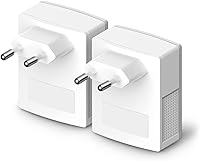
  • Dimensions: Each individual adapter measures 2.56 x 2.05 x 1.12 inches, making it one of the more compact wall-plug powerline units available.
  • Kit Weight: The complete kit, including both adapters and accessories, weighs 1.06 pounds as shipped.
  • Power Saving: A patented power-saving mode automatically reduces the adapter's energy consumption by up to 85% during idle periods when no active data traffic is detected.
  • Kit Contents: The box includes two TL-PA411 powerline adapters, one RJ45 Ethernet cable, a CD with documentation, and a printed quick installation guide.
  • Model Number: The official TP-Link model designation for this two-unit kit is TL-PA411KIT, with each individual adapter carrying the model number TL-PA411.
  • Color & Finish: Both adapters feature a white gloss finish designed to blend unobtrusively with standard residential wall outlets and decor.
  • Data Protocol: Communication between the adapters uses standard Ethernet as the data link protocol, requiring no proprietary software stack or custom drivers on connected devices.
  • Plug Type: The adapters use a standard Type A two-prong wall plug configuration, compatible with North American electrical outlets.
  • Indicator LEDs: Each adapter includes onboard LED indicators that display power status, powerline link quality, and Ethernet port activity at a glance.
  • Pairing Method: Adapters can be paired automatically on first plug-in or manually synchronized using the physical button located on each unit.
  • Compatible Devices: The Ethernet port is compatible with any wired-capable device including desktop PCs, smart TVs, set-top boxes, game consoles, and network switches.
  • Manufacturer: These adapters are designed and sold by TP-Link, a networking hardware manufacturer with a broad global presence and product support infrastructure.
  • First Available: The TL-PA411KIT was first made available for sale in August 2012, reflecting over a decade of continuous market presence for this product line.
  • UPC: The primary UPC code for this kit is 845973031787, with additional registered identifiers on file for various retail markets.
  • Discontinued Status: As of the latest available product data, TP-Link has not designated the TL-PA411KIT as discontinued, and it remains listed as an active product.

Related Reviews
TP-Link TL-PA9020P KIT AV2000 Powerline Adapter
77%
72%
Real-World Throughput
88%
Setup & Installation
76%
Connection Stability
74%
Value for Money
86%
Passthrough Outlet
More
TP-Link TL-WPA7617 Powerline WiFi Extender Kit
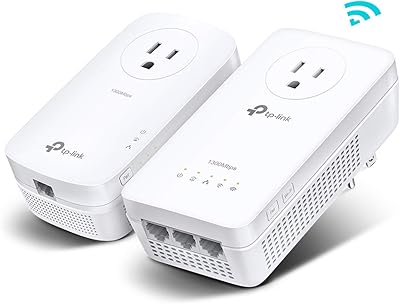
70%
91%
Ease of Setup
67%
Real-World Throughput
88%
Wired Ethernet Performance
72%
Wi-Fi Coverage & Signal Quality
38%
Surge Protector Compatibility
More
TP-Link TL-WPA8631P KIT Powerline WiFi Extender
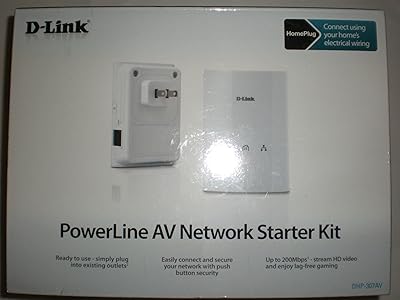
77%
91%
Ease of Setup
67%
Real-World Throughput
61%
Wiring Compatibility
83%
Long-Term Reliability
72%
Wi-Fi Coverage & Performance
More
D-Link Powerline AV Network Adapter Kit DHP-307AV
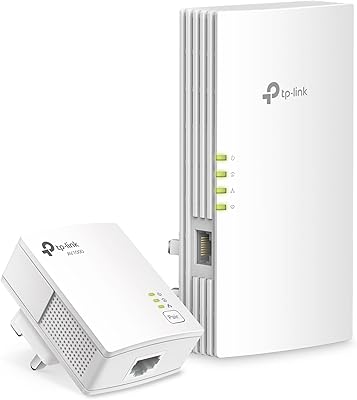
81%
83%
Performance
90%
Ease of Setup
78%
Reliability
70%
Speed Consistency
88%
Security (Encryption)
More
TP-Link TL-WPA7817 Powerline Wi-Fi 6 Extender Kit
86%
88%
Wi-Fi Performance
94%
Setup & Installation
91%
Value for Money
85%
Powerline Range
89%
Dual-Band Speeds
More
Netgear XETB1001 Powerline Network Adapter Kit
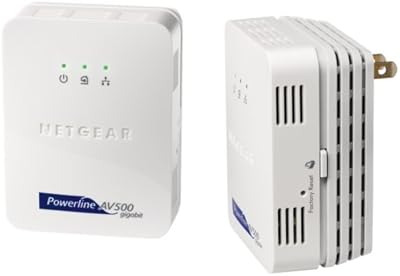
68%
88%
Ease of Setup
51%
Real-World Speed
67%
Connection Stability
58%
Value for Money
74%
Compatibility
More
Netgear XAVB5001 Powerline Network Adapter Kit
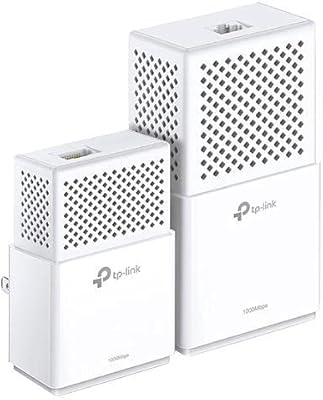
70%
88%
Ease of Setup
51%
Real-World Speed Performance
73%
Connection Stability
58%
Electrical Outlet Compatibility
67%
Value for Money
More
TP-Link TL-PA4010 AV500 Powerline Adapter
73%
93%
Ease of Setup
58%
Real-World Network Speed
78%
Range & Wall Penetration
74%
Build Quality & Durability
87%
Design & Form Factor
More
TP-Link AC750 Powerline Wi-Fi Adapter
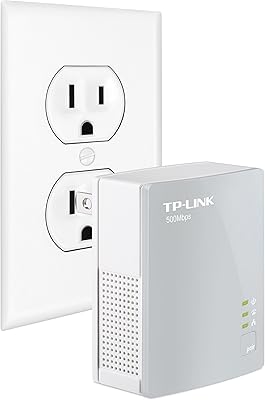
77%
93%
Ease of Setup
61%
Real-World Speed Performance
72%
Wi-Fi Coverage & Signal Quality
84%
Wired Ethernet Reliability
58%
Compatibility with Home Wiring
More
Actiontec PWR511K01 500Mbps Powerline Network Adapter Kit
67%
88%
Ease of Setup
61%
Real-World Speed Performance
74%
Connection Stability
53%
Build Quality & Durability
67%
Value for Money
More

FAQ

No, nothing at all. Plug one adapter into a wall outlet near your router and connect it with an Ethernet cable, then plug the second adapter in any other room and connect it to your device. In most homes they pair automatically and you are online within minutes. No CD, no app, no router settings required.

It may work, but older homes are where powerline performance is hardest to predict. The technology relies on the quality and layout of your electrical wiring to carry the signal, so homes with dated or complex multi-circuit wiring can see noticeably lower speeds or occasional instability. If your home was built in the last 20 years and has standard wiring, you are much more likely to get reliable results.

The 500Mbps figure is a theoretical ceiling under ideal lab conditions — in a typical home you will see a fraction of that. For streaming HD video, video calls, and general browsing, throughput is usually more than adequate. If you are planning to transfer large files between computers or need speeds close to your ISP plan's maximum, this powerline adapter kit may feel limiting.

Potentially yes, since both would need to follow the HomePlug AV standard for cross-brand pairing to work. In practice, mixing brands and generations of powerline hardware can sometimes cause pairing issues or reduced performance, so results are not guaranteed. For the most reliable experience, using a matched set from the same product line is always the safer approach.

It can, yes. High-draw appliances create electrical noise that powerline adapters have to work through, and some users notice brief connection drops when heavy appliances kick on. It is not a constant problem for most people, but if your router and your destination device happen to share a circuit with kitchen appliances, you may occasionally see a momentary disruption.

Yes, they are designed for continuous operation. The built-in power-saving mode reduces energy draw automatically when no data is passing through, so leaving them plugged in constantly is both safe and practical. Many owners have done exactly that for years without issue.

Press and hold the sync button on one adapter for about one second, then do the same on the second adapter within two minutes. This manually triggers the pairing process. If that does not work, try resetting both units to factory defaults by holding the button for ten or more seconds, then attempt the pairing sequence again from scratch.

Yes, HomePlug AV is designed to support multiple nodes on the same network. You can add another compatible HomePlug AV adapter to extend coverage to a third location. Just be aware that adding more adapters can split available bandwidth across nodes, so overall speeds per device may decrease as the network grows.

They operate silently — there are no fans or moving parts. They do run slightly warm to the touch after extended use, which is normal for wall-plug networking hardware. As long as they have adequate airflow around the outlet and are not covered or enclosed, heat is not a concern under typical home conditions.

It is an older design based on the HomePlug AV standard, and newer kits using the AV2 standard do offer faster speeds and Gigabit Ethernet ports. That said, for the everyday tasks most home users actually need — streaming, browsing, video calls — this powerline set still performs well and has proven its durability over many years in the market. If raw speed is a priority, a newer model is worth considering; if you just need a simple, reliable wired connection in another room, this kit remains a capable and well-tested option.

Where to Buy