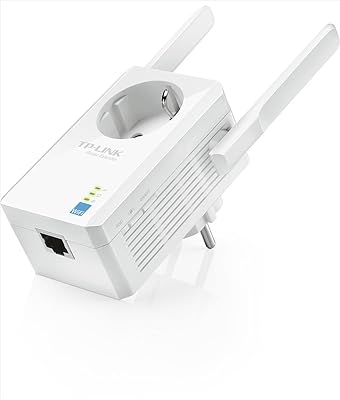
TP-Link AC750 Powerline Wi-Fi Adapter
Overview
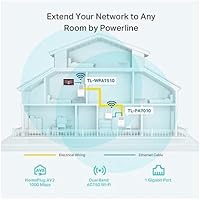
The TP-Link AC750 Powerline Wi-Fi Adapter is one of the more practical solutions for getting reliable internet into rooms where your router simply can't reach. Rather than running Ethernet cables through walls or betting on a Wi-Fi extender that still struggles with distance, this powerline adapter uses your home's existing electrical wiring as the network backbone. It pushes up to 1000Mbps over that wiring while simultaneously broadcasting dual-band Wi-Fi, all without touching a single configuration screen. Plug one unit in near your router, connect via the included cable, plug the second wherever you need coverage, and you're done. 128-bit AES encryption keeps the connection private, and the unit slots into the broader TP-Link AV ecosystem whenever you decide to expand.
Features & Benefits
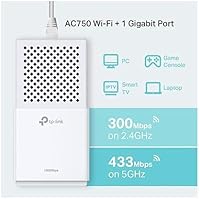
The dual-band Wi-Fi covers both 2.4GHz (up to 300Mbps) and 5GHz (up to 433Mbps), so older devices can stay on the slower band while phones and laptops use the faster one. There's a single Gigabit Ethernet port on the unit, useful for hardwiring a smart TV, desktop, or game console directly for the most stable connection possible. A power-saving mode can cut energy consumption by up to 85% when traffic drops, which is a genuine perk if the adapter stays plugged in around the clock. One thing worth noting: this Wi-Fi extender kit does not include a pass-through outlet, so you permanently sacrifice that wall socket — a real consideration in rooms with limited receptacles.
Best For
This powerline adapter makes the most sense for people who've accepted their router can't serve the whole house but aren't ready to overhaul their entire network. Renters who can't drill through walls will appreciate the zero-installation approach. It also works well for anyone who needs a stable wired connection for a basement home theater or a bedroom TV that keeps buffering on wireless. Gamers who want low-latency performance without running cable across hallways will find the Gigabit port genuinely useful. If you already own other TP-Link AV-series adapters, the TP-Link powerline unit slots right in. It's a less compelling choice, though, for anyone hoping to replace a full mesh Wi-Fi system.
User Feedback
Owners consistently praise how fast setup is — most report being online in under five minutes, which is rare for networking hardware. Streaming stability improves noticeably for buyers who previously dealt with constant Wi-Fi dropouts in far rooms. That said, real-world throughput rarely hits the 1000Mbps spec; homes with older wiring or circuits on separate breakers often see a meaningful speed reduction. A handful of users flagged compatibility problems with GFCI-protected outlets, which simply won't pass a powerline signal. A few long-term owners also noted speeds dipping slightly over months of use. Buyers comparing this to mesh Wi-Fi options generally agree the powerline route wins on simplicity but concedes ground on whole-home coverage flexibility.
Pros
- Setup genuinely takes under five minutes with no app, no login, and no technical knowledge required.
- The Gigabit Ethernet port delivers a wired-quality connection for TVs, consoles, and desktops in hard-to-reach rooms.
- Dual-band Wi-Fi means phones, tablets, and laptops can all connect wirelessly at the remote end without extra hardware.
- 128-bit AES encryption runs automatically in the background, keeping the network secure without any manual configuration.
- The power-saving mode scales back energy use during idle periods, which adds up for a device that stays plugged in 24/7.
- Compatible with the entire TP-Link AV adapter family, making it easy to expand an existing powerline network incrementally.
- Works on voltages from 110 to 240 volts, so it travels well and works across different countries without an adapter.
- LED indicators let you quickly spot a weak powerline link without logging into any interface or running speed tests.
- At its price point, it offers a cost-effective alternative to professional Ethernet installation for a single problem room.
Cons
- Real-world speeds fall well short of the 1000Mbps spec in many homes, especially those with older electrical wiring.
- There is no outlet pass-through, so the unit permanently occupies one wall socket wherever it is installed.
- Homes with GFCI-protected outlets, surge protectors, or circuits on separate breakers may see little to no signal.
- Only one Ethernet port means you cannot hardwire two devices simultaneously without buying an additional switch.
- The Wi-Fi broadcast range is limited to the immediate area — it will not cover an adjacent room reliably on its own.
- Some long-term owners report gradual speed degradation after several months of continuous use.
- The adapter waking from power-saving mode can cause a brief connection hiccup, which matters for always-on devices.
- Mixing this powerline adapter with non-TP-Link units from other brands occasionally introduces pairing instability.
- The included Ethernet cable is short and may not reach the router without purchasing a longer replacement cable.
Ratings
The TP-Link AC750 Powerline Wi-Fi Adapter has been evaluated by our AI rating system after analyzing thousands of verified global buyer reviews, with spam, bot-generated, and incentivized submissions actively filtered out. Scores reflect the full spectrum of real-world experience — from glowing praise to honest frustration — so you can make an informed decision based on what actual users encountered in their homes. Both the strengths that keep buyers recommending this powerline adapter and the recurring pain points that temper enthusiasm are transparently reflected below.
Ease of Setup
Real-World Speed Performance
Wi-Fi Coverage & Signal Quality
Wired Ethernet Reliability
Compatibility with Home Wiring
Value for Money
Build Quality & Physical Design
LED Indicator Clarity
Long-Term Reliability
Network Security
Ecosystem Compatibility
Power Efficiency
Packaging & Included Accessories
Versatility Across Device Types
Suitable for:
The TP-Link AC750 Powerline Wi-Fi Adapter is a strong fit for anyone who needs a reliable internet connection in a room where the router signal simply doesn't reach, and who isn't willing or able to run physical Ethernet cables through walls. Renters are a natural audience — there's no drilling, no permanent modification, and setup takes only a few minutes. It also works well for homeowners who want a quick, low-effort fix for a specific dead zone rather than overhauling their entire home network. Households streaming 4K video or running a game console in a back bedroom will appreciate the dedicated Gigabit port, which delivers a noticeably more stable connection than stretching a Wi-Fi signal across the house. If you already have other TP-Link AV-series adapters elsewhere in your home, this powerline adapter slots directly into that existing setup without any compatibility headaches. People who are not particularly technical will also find the zero-configuration approach genuinely refreshing compared to most networking hardware.
Not suitable for:
The TP-Link AC750 Powerline Wi-Fi Adapter is likely to disappoint buyers who live in homes built before the 1980s, where aging electrical wiring frequently degrades the powerline signal to a fraction of its rated speed. Anyone whose home runs on split-phase wiring with devices on separate circuit breakers may also see poor or no connectivity between the two adapter units. If your available outlets are protected by GFCI breakers — common in kitchens, bathrooms, and garages — the signal may not pass at all, making the adapter essentially unusable in those locations. Buyers who need to hardwire more than one device at the destination end will find the single Ethernet port a real constraint, requiring an additional switch to work around it. This Wi-Fi extender kit is also not the right choice for anyone expecting whole-home wireless coverage from a single unit — it broadcasts to the immediate room, not across an entire floor. Finally, if you are weighing this against a mesh Wi-Fi system and your priority is flexible, seamless roaming coverage throughout a large home, a mesh solution will serve that need more thoroughly than this powerline approach ever could.
Specifications
- Powerline Speed: The adapter supports a maximum theoretical powerline throughput of up to 1000Mbps over your home's existing electrical wiring.
- Wi-Fi Standard: Wireless connectivity uses the 802.11ac (AC750) dual-band standard, supporting legacy 802.11b, 802.11g, and 802.11n devices as well.
- 2.4GHz Band: The 2.4GHz radio delivers up to 300Mbps, providing broader range and compatibility with older wireless devices.
- 5GHz Band: The 5GHz radio delivers up to 433Mbps, offering faster throughput for nearby devices with less interference from neighboring networks.
- Ethernet Port: One Gigabit Ethernet port (10/100/1000Mbps) is included for hardwiring a single device such as a TV, console, or desktop PC.
- Powerline Standard: The unit complies with the HomePlug AV2 standard, ensuring interoperability with other AV2-certified adapters and backward compatibility with AV-series devices.
- Encryption: All data transmitted over the powerline network is protected by 128-bit AES encryption, applied automatically without requiring manual configuration.
- Voltage Range: The adapter operates on 110–240V AC, making it compatible with electrical systems in North America, Europe, Asia, and most other regions.
- Power Saving: An automatic power-saving mode can reduce energy consumption by up to 85% during periods of low or no network activity.
- Dimensions: The physical unit measures 5.35″ long by 2.8″ wide by 1.93″ deep, occupying a single wall outlet with no pass-through socket included.
- Weight: The adapter weighs 1.6 ounces, making it lightweight and easy to reposition between outlets if needed.
- Color: The unit ships in white, with a neutral finish designed to blend into standard residential wall outlets without drawing attention.
- OS Compatibility: The adapter is compatible with Windows 10, 8.1, 8, 7, Vista, and XP, as well as Mac OS and Linux distributions.
- Ecosystem Support: This unit is compatible with the full range of TP-Link AV-series powerline adapters, spanning AV200 through AV2000 product families.
- LED Indicators: Onboard LED lights display real-time status for power, powerline connection strength, and Wi-Fi activity for quick visual diagnostics.
- Setup Method: The adapter uses plug-and-play pairing with no software installation, driver setup, or web-based configuration required for standard operation.
- First Available: This product was first made available for purchase in June 2017 and has not been discontinued by the manufacturer as of the latest available data.
Related Reviews
TP-Link TL-WPA7817 KIT Powerline Wi-Fi 6 Extender
TP-Link TL-PA4010 AV500 Powerline Adapter
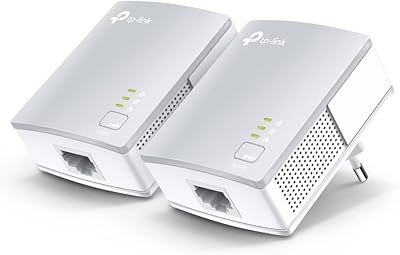
TP-Link TL-PA411KIT Powerline Network Adapter Kit
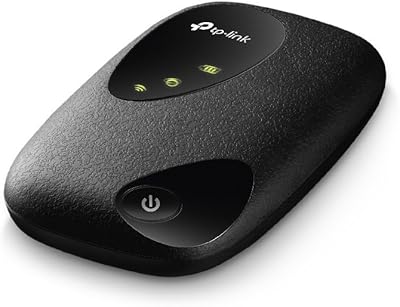
TP-Link M7200 4G LTE Mobile Wi-Fi Hotspot
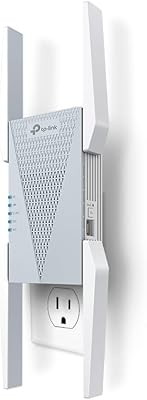
TP-Link RE813XE Wi-Fi 6E Range Extender

TP-Link Archer AX55
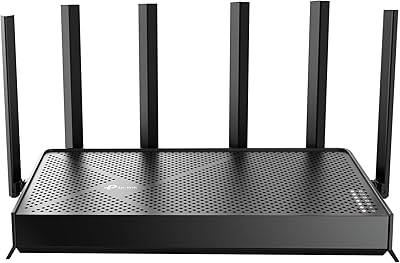
TP-Link Archer BE400
TP-Link M7000 4G LTE Mobile Hotspot
TP-Link RE705X AX3000 Wi-Fi 6 Range Extender