Overview

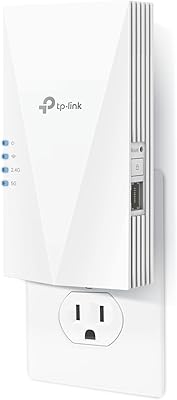
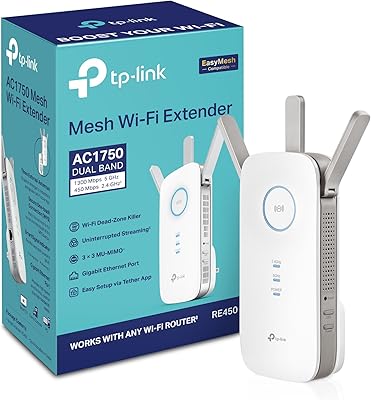
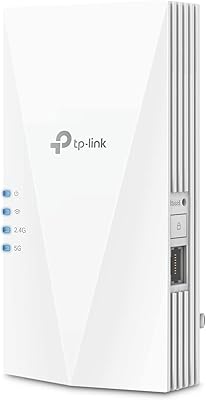
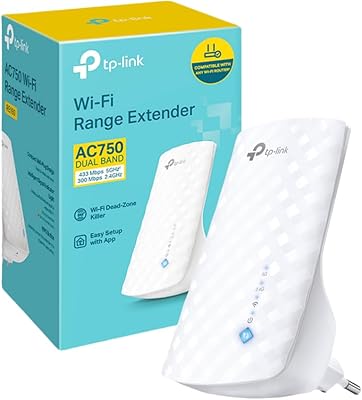
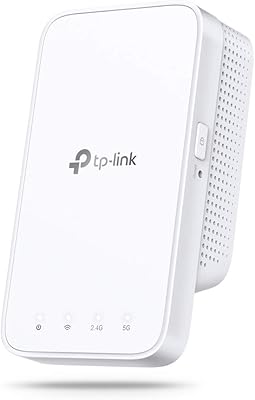
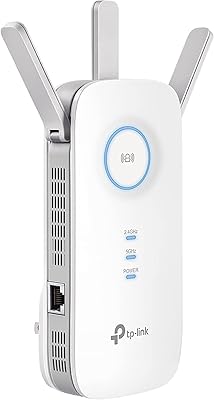
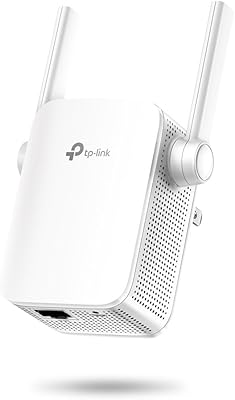
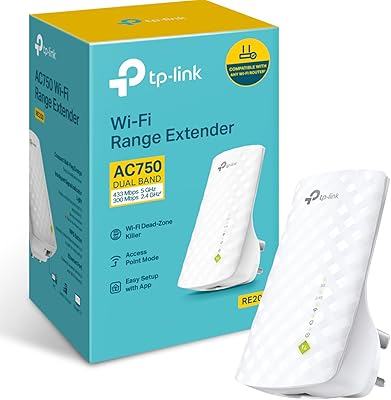
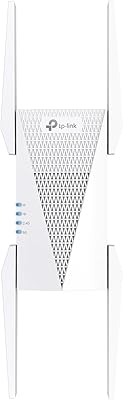
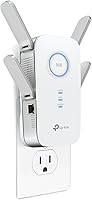
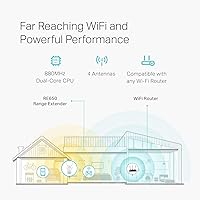
The TP-Link RE650 AC2600 WiFi Extender is designed to extend the range of your WiFi network, helping to eliminate dead zones in larger homes or spaces. This dual-band device offers speeds up to 2600Mbps, ensuring stable and reliable connections for various devices. It works seamlessly with any router or gateway, making it easy to integrate into your existing network setup. The compact design includes smart indicator lights, guiding you to place the device in the optimal location for the best performance.

Features & Benefits

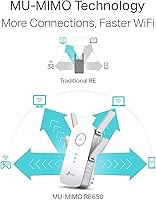
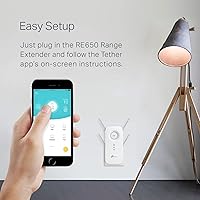
This WiFi extender boasts several impressive features, including MU-MIMO technology, which allows multiple devices to connect without causing slowdowns. Beamforming technology further enhances the user experience by directing the WiFi signal to specific devices for stronger, more consistent connections. For those needing a wired connection, the built-in Gigabit Ethernet port ensures high-speed performance. Setup is also a breeze with the TP-Link Tether app, making it easy to configure and manage your network without technical expertise.

Best For

The TP-Link RE650 WiFi Extender is ideal for large homes or spaces with multiple WiFi dead zones. It is particularly suited for users who require a stable connection for activities such as streaming, gaming, or connecting a range of smart devices. With its dual-band capabilities, this device provides reliable performance even in environments with many connected devices. Additionally, it’s a great choice for those seeking an easy-to-install solution without needing advanced networking knowledge.

User Feedback

Many users have praised this range booster for its ability to improve WiFi coverage and speed in larger homes, making it a solid choice for families or home offices. However, some users have reported occasional signal drops, especially in very large homes with thick walls. The simple setup process through the TP-Link Tether app is widely appreciated, but a few have mentioned that the device’s size may be cumbersome, especially for those with limited space. Overall, feedback tends to highlight the device’s effectiveness and ease of use.

Pros

  • This WiFi extender is highly praised for significantly improving WiFi coverage, even in large homes with multiple dead zones.
  • Easy to set up with the TP-Link Tether app, making it a great choice for users with little technical expertise.
  • Dual-band support provides stable connections, with up to 2600Mbps speeds, ideal for demanding activities like gaming and streaming.
  • The MU-MIMO technology allows multiple devices to connect simultaneously without slowing down, perfect for homes with many users.
  • Users appreciate the beamforming technology, which targets WiFi signals directly to devices for stronger and more reliable connections.
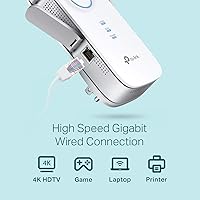
  • The Gigabit Ethernet port enables fast wired connections, making it versatile for those who need both wired and wireless options.

Cons

  • Some users report occasional signal drops in very large homes, which may limit coverage in extreme cases.
  • The device is relatively large, which might not suit users with limited space or those seeking a more compact design.
  • Although setup is generally straightforward, a few users mentioned occasional difficulties with positioning for optimal performance.
  • The price point might be considered high for users who only need a basic WiFi extender for small areas.
  • A few reviewers noted that while performance is strong, the device can get quite warm during heavy usage, which might raise concerns for long-term durability.
  • While it works with any router, some users found that older routers do not deliver the same performance as newer models.

Ratings

The TP-Link RE650 AC2600 WiFi Extender has received generally positive feedback from verified users worldwide, including reviews from multiple platforms and languages. After filtering out spam, bot-driven, and incentivized feedback, we’ve aggregated insights that reflect both the strengths and pain points of this device. Users highlight its performance in large spaces, but there are some concerns about its size and occasional connectivity drops in very expansive homes.

Performance
88%
Users are generally satisfied with the strong, consistent performance of this device. Many appreciate its ability to extend coverage and improve speeds across larger areas, including multiple rooms or floors. It handles multiple devices simultaneously without noticeable lag, which is great for households with heavy internet usage.
However, some buyers report occasional drops in connection speeds, particularly in very large or multi-story homes. While the performance is generally good, a few users have expressed that it doesn't completely eliminate all dead zones, especially in challenging building layouts.
Ease of Setup
92%
The majority of users find the setup process quick and user-friendly, with the TP-Link Tether app providing a simple, guided experience. Many highlight the intuitive interface and the clear instructions that make it easy even for those without technical expertise. The device integrates seamlessly with existing routers, making it hassle-free to install.
Some users noted that while the app is helpful, they occasionally encountered minor issues with syncing the extender to their router, particularly when using non-TP-Link devices. Additionally, the app’s design can feel a bit basic and clunky to those who prefer more advanced features or finer control over settings.
Range Coverage
86%
This extender performs well in expanding WiFi coverage, particularly in homes with multiple floors or rooms with poor signal reception. It effectively boosts coverage in larger areas, making it suitable for larger homes and environments where WiFi strength had previously been insufficient.
However, some users feel that while it significantly improves coverage, there are still occasional weak spots, especially in very large homes or buildings with complex layouts. In some cases, the device’s range doesn’t fully match expectations, and additional units may be needed for maximum coverage.
Build Quality
82%
18%
The build quality of this extender is solid, with a durable plastic casing that feels sturdy and well-constructed. The device is compact and easy to position in most setups, and the design is practical with useful LED indicators that help users place it in the most effective location.
Some users mentioned that the device is relatively large, which may not fit well in all home setups, especially in tight spaces. While the build feels solid, a few buyers felt it could be more aesthetically pleasing or better suited for more modern home decors.
WiFi Speed
87%
Most users are pleased with the WiFi speeds, especially on the 5GHz band, which offers faster connections for high-demand activities like streaming or gaming. The device's ability to support speeds up to 2600Mbps helps maintain fast, stable connections, even when several devices are connected.
A small percentage of buyers mentioned that the 2.4GHz band could be slower, particularly when farther away from the extender. While it works well for basic internet tasks, some felt that the speeds on the 2.4GHz band weren’t as reliable for more demanding tasks like HD streaming or large file transfers.
Device Compatibility
90%
This range extender is highly versatile, working with virtually any router or gateway. Users appreciate that it doesn’t require a matching TP-Link router and integrates seamlessly into existing networks. Whether using a modern or older router, compatibility is rarely an issue.
However, a few users reported compatibility issues with very old routers or less common models. In some cases, they had to adjust settings manually or use an alternate method to ensure full integration, which may be inconvenient for those who prefer plug-and-play solutions.
Ethernet Performance
89%
The Gigabit Ethernet port on this device is praised for offering high-speed wired connections, ideal for devices that require a stable internet connection, such as gaming consoles, desktop computers, or smart TVs. This feature is particularly beneficial for users who prefer a wired connection for added stability and speed.
While the Ethernet port performs well for most users, a few buyers felt that it could be more responsive in terms of long-term reliability. Some noticed occasional drops in connection or slower-than-expected speeds when multiple devices were connected simultaneously via Ethernet.
Software & App Experience
85%
The TP-Link Tether app is well-regarded for making setup and management straightforward. Users appreciate the ability to monitor and manage their network from a phone or tablet, making it easy to adjust settings and troubleshoot without needing to access the device directly.
However, some users have expressed frustration with the app’s occasional glitches and lack of advanced customization options. A few feel the app could offer more control over network settings or provide additional insights into device performance for more tech-savvy users.
Reliability
80%
20%
For most users, this extender delivers solid, reliable performance that improves WiFi coverage and speed. Many buyers report few issues with connectivity over time, particularly when used in environments with moderate usage and fewer competing devices.
On the downside, some users have reported occasional drops in connectivity, especially in larger homes or areas with high interference. While these instances are not widespread, they are a point of concern for those who require consistent, uninterrupted WiFi coverage.
Value for Money
92%
Users generally agree that this WiFi extender offers good value for the price, delivering strong performance and a range of useful features at a competitive price point. Many feel that it effectively solves coverage issues without breaking the bank, especially for larger homes or heavy internet users.
While many see it as a great value, a few users feel that there are cheaper alternatives that provide similar performance. Some have mentioned that the initial cost is slightly higher than expected for a WiFi extender, although the performance justifies the price for most buyers.
Size & Fit in Home
70%
30%
For users with larger homes or those needing more coverage, the size of this extender can actually be an advantage. Its larger size helps accommodate more powerful antennas and hardware, resulting in better overall performance and a larger coverage area.
However, some users have pointed out that the device’s size can be a drawback for those with limited space. Its bulkiness means it may not fit well into all setups, especially in smaller rooms or areas with less room for bulky devices.
Customer Support
78%
22%
Several users praised the customer support provided by TP-Link, noting that responses were generally quick and helpful. The troubleshooting advice provided for setup issues or minor performance hiccups was useful in resolving problems without needing to replace the device.
However, a few users were disappointed with the level of support provided, particularly in more complex troubleshooting cases. Some felt that customer service was slow to respond, and others found that the solutions offered weren’t always sufficient for addressing their more advanced technical issues.

Suitable for:

The TP-Link RE650 AC2600 WiFi Extender is ideal for large homes or spaces with multiple WiFi dead zones. Users with several devices connected at once, such as families, gamers, or remote workers, will benefit from its ability to maintain stable connections even in demanding environments. Additionally, those who need strong, uninterrupted internet for streaming, gaming, or smart home devices will find it especially useful. The easy setup process through the TP-Link Tether app also makes it a good choice for those without technical expertise, simplifying the installation process for users who want a hassle-free experience.

Not suitable for:

However, this extender may not be the best choice for smaller homes or apartments, where its larger size and powerful coverage may be overkill. Users in spaces with minimal WiFi issues or those who only need to extend coverage in a single room might find this device too bulky or unnecessary. Some users with very large homes or complex layouts also reported occasional signal drops, indicating that while it improves coverage, it may not be sufficient to cover the most difficult-to-reach areas. Additionally, people who are looking for a more compact or aesthetically streamlined device may be put off by the extender’s size and design.

Specifications

  • WiFi Standard: Supports the 802.11ac WiFi standard for fast and reliable wireless connections.
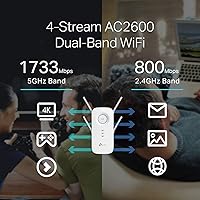
  • Max Speed: Delivers up to 2600Mbps combined WiFi speed (800Mbps on 2.4GHz and 1733Mbps on 5GHz).
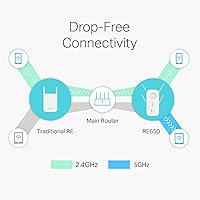
  • Dual-Band Support: Operates on both 2.4GHz and 5GHz bands to reduce interference and improve network efficiency.
  • MU-MIMO Technology: Utilizes 4x4 MU-MIMO technology to provide stable connections for multiple devices simultaneously without slowdown.
  • Beamforming Technology: Beamforming directs WiFi signals towards specific devices for improved signal strength and coverage.
  • Gigabit Ethernet Port: Includes a Gigabit Ethernet port for high-speed wired connections to devices like gaming consoles or PCs.
  • App-Based Setup: Features an easy setup process using the TP-Link Tether app, providing quick configuration and management.
  • Smart Indicator Lights: Equipped with smart indicator lights to help users place the extender in optimal locations for maximum signal coverage.
  • Dimensions: Compact design with dimensions of 3.4 x 6.4 x 1.6 inches, allowing for discreet placement in various environments.
  • Weight: Weighs approximately 1 lb, making it light enough for easy installation and repositioning.
  • Compatibility: Works with any WiFi router or gateway, ensuring compatibility with most home networking setups.
  • Power Source: Powered by an AC outlet, with low energy consumption for continuous operation.
  • Security: Supports WPA3 encryption for secure WiFi connections and data protection.
  • Operating Temperature: Designed to operate within a temperature range of 0°C to 40°C (32°F to 104°F).
  • Firmware Updates: Supports firmware updates via the TP-Link Tether app for easy performance enhancements and security patches.
  • Installation Method: Offers simple plug-and-play installation with no technical expertise required, especially with the app-based setup.
  • Network Coverage: Ideal for extending WiFi coverage up to 2,600 square feet, making it suitable for large homes or offices.

FAQ

The TP-Link RE650 AC2600 WiFi Extender is designed to extend your WiFi coverage by eliminating dead zones. It connects to your existing router and boosts the signal, supporting dual-band WiFi with speeds up to 2600Mbps. It works by repeating the WiFi signal and offering more stable connections throughout your home.

Setup is quick and easy with the TP-Link Tether app. Simply plug in the extender, follow the app's on-screen instructions to connect it to your router, and you’re ready to go. The app also provides an intuitive interface to manage the device and monitor your network's performance.

Yes, this device is compatible with any router or gateway that uses WiFi. It supports both 2.4GHz and 5GHz bands, making it versatile for various WiFi networks, whether you're using an older or newer router model.

While the TP-Link RE650 works with most routers, including mesh systems, it is not specifically designed to integrate seamlessly with mesh networks. It’s best to check the compatibility of your mesh system with range extenders before installation.

The coverage area varies based on the size of your home and obstacles like walls. Typically, it can extend your WiFi coverage up to 2,600 square feet, ideal for large homes or spaces with multiple dead zones.

Yes, this extender features a Gigabit Ethernet port, allowing you to connect devices directly via wired connections for high-speed internet access. This is particularly useful for gaming consoles, PCs, or other devices that require stable and fast internet.

The TP-Link RE650 is designed to boost your WiFi coverage without significantly slowing down speeds. With dual-band support and MU-MIMO technology, it maintains high speeds even when multiple devices are connected simultaneously, though performance may depend on your internet plan.

Yes, this device is an excellent choice for gaming and streaming. Its dual-band WiFi and Beamforming technology ensure stronger, more stable connections, even for demanding activities. It supports speeds up to 2600Mbps, which is ideal for high-quality, buffer-free streaming and lag-free gaming.

Yes, the TP-Link Tether app allows you to easily manage and monitor your WiFi extender. You can view performance stats, adjust settings, and update firmware, all from the app, making it simple to stay in control of your network.

If you experience weak signal strength, try relocating the extender closer to your router or to areas where the signal is still weak. The smart indicator lights on the device will help you find the best spot for optimal performance. Avoid placing the extender near thick walls or metal objects that can block the signal.